# James Ward — Full Content > James Ward — Developer Advocate, Co-Author of Effect Oriented Programming, and podcaster of Happy Path Programming. Writing about software development since 2003. This file contains the full Markdown content of every page on this site, concatenated, for use as LLM context. See also `/llms.txt` for a lighter-weight index with links to each page's individual Markdown version. --- ## About James Ward Bio:
Professional software developer since 1997, with much of that time spent helping developers build software that doesn't suck. A Typed Pure Functional Programming zealot who often compromises on his ideals to just get stuff done. Currently a Developer Advocate for AWS and AAIF Technical Committee member.

Things I'm Really Proud Of:

@jamesward.com

Follow @JamesWard

View James Ward's profile on LinkedIn

Check out My YouTube Channel

My StackOverflow profile:
profile for James Ward at Stack Overflow, Q&A for professional and enthusiast programmers

Headshot:

GPG Key Fingerprint:

0xE0130A3ED5A2079E
-----BEGIN PGP PUBLIC KEY BLOCK-----
mQENBFlMSXMBCADcgN0/57D/gU5cDobPiRuDT6qAxb/NWhQiqwAocKd274r4gPJm
RbffUEZEgKhjH6l0CQfilC4R4x2QtU9sNC9kB/D6zumoS1uI0Hmx1pC4UseUy55r
20WDxujUQ7OcJbpe2cDcQVKmMok2top7ZJqt4KVosQEeT9jjsgBBbEtg4cWb5ddR
5rf+aJw0v/6dMLef1r9YAo0ZtLc+g2dyacqw73tcWEd3oCH++SgE26NntN+GibZu
VXSE5u6xI4KwfT2vUT3jt5Fb29myX4sxsfB7n/xageuJYy5ms1ABS+WDO5ssEZC4
eQEVL7eyIb9YhNAW/WtjeAuOfOKNonoqKFGXABEBAAG0IEphbWVzIFdhcmQgPGph
bWVzQGphbWVzd2FyZC5jb20+iQE3BBMBCAAhBQJZTElzAhsDBQsJCAcCBhUICQoL
AgQWAgMBAh4BAheAAAoJEOATCj7VogeecsoH/AthoNYkuhDO0sSQsMWYHY5WBYl5
IklRRgeCvDGb9R+Sp/u3basG6FoJHUnZVW0RuQqmk/MEkFRcH5l9uTO4oe7N3BXx
sCD1DI/YKkPel4y/AffidNumTXpvIqrHbIIUXlKUw1YO1jHyZqBE1ItXDF7rt0h5
WCzh5x3fVtOwNItEpkwqD13I4SjRaIdbjr8AurXLiro5+BwPPC02Hi9iUCRzfkfx
82e3jdlGTxUQKku+YLP80/x9TwBe5ULo9wWbcuzbAmBwqYk7FtGNjSqZHyYcP5Zx
2ZTB462dllY63zMOnWnjX27NJkv7gdSfsN6emsg0foTiaPAWQWHW7pQhdh65AQ0E
WUxJcwEIAMgrP3U+7YCibxSQKOZrp63RaSUkv7mCvQ3Lx4P4ZD/sDEsLOiKkAc+Z
U7ETTIQkEpHaibvCZNrA+R0pfAj0LYBLstEIkUxtAaVM4DBQGN13Zdup46fI8rPZ
EyZVb2XpZ/qS4RYiStFyJzUdazBJs/IB7CT0xp4DUFUOrsykVy0aWzWt4z0QBe1x
3AmpAO/DdrDN5gvtmWzWbV3f783PuK3g41ju7F9XX5nuuatNSNHOHt65XL4vmhmS
fXuP6UFjK6MKzq9zpbZD4ipUPoKEId5ONDSucX4C8OydpC8+rFWJCDDDvocox3/l
6TzihQXf8MDDcB0u1TgDPz4M/S2vBh8AEQEAAYkBHwQYAQgACQUCWUxJcwIbDAAK
CRDgEwo+1aIHntk2B/42pBknUQB2YjkPryJ1B1ArcxaLO7gVo/lgT/rLGL7BuTYs
FIl9kJUD156EfkmSAkfsxPzwUNh/GyfVQt09F6wheprx1fLNJCFIYA9ZA0WVZGSw
bE3NdiuwEaJ3/HZ77IteQh5LKllqFuSlZ3u0xdtGJjnAUU9wHxWH+0W3RPm62piS
JcWUw7CSqEyuX+8Z+eq4HY0v74znfy6GyCiil7S1T9fdan22hP3xiJHgVKtyFmhh
rz6YxcZLa0fYl+R3mCQvt2FuiaLL3d/uH0z6EzWs+XZNbjRBTGI9VmO7siIy6rja
tdult3Sx1quBCixC4Ms2AWEA7bMqvUmCoB2M/0x8
=3ou5
-----END PGP PUBLIC KEY BLOCK-----

GPG Key Fingerprint:

82F94BBDF95C247BBD21396B9A0B94DEC0FFA7EE
-----BEGIN PGP PUBLIC KEY BLOCK-----
mQINBGPJvdwBEADpk1O4M7EN/O5CqfakuRqc2HwMojd85ZtJoV8HhkRxl9DVIVOF
CJnjIj8RVX6x9qiizdNK4tLkzBrdjlpQETJlmKKcUbaa5/chBKGkHG+GXshi3uug
GmZAGj2gD7r9X+nkjQ+LddEn1uM52q/5F+81qEs08N6NYqy5loej/vzvjI95LVL+
r6HEiHlumBbila/dn6Aq6RZfZ7/TMUMPzsc1K7NESaq06h5BwFf4bIKpGPkMDTBD
lQ+9+NMfOo6l17R3qj99LcAPXvCJi2RkUKTA0+OEe17O02fCXdHZJC9LTfDtb4lu
JQXZfCkjiptg/ZpU0l5789LR5T2sVB8URmysJl/S6C6oQfmMJxXB5oKTYbVSXXm+
FAdoVDLaW1HP5g1XjLX/BoHrUVEGlj3bG30wCThQqoz6SyJWrRpUfO1hmQBBbBu1
ESxYeabPOH0hQuBgB8Y711N03zjA6Jz01FkpDmxb9laQ7WTZLmCRp4E9qARloTOa
+LDyTuV9OAXLh2HTGwP5/caqL1n8pi6kdqyrHavtR/6/VvHUkbHa5Na0F0MD8OMa
Hs7cP9pkkGMJwPbl5Dsi3X/pHED717TYp3SvmV9sAEqHgQpmb/3Xef2pIpoYQCOx
fNS7J/prviLgxiWIVLgB7+W11wMs8bQUaueUYcT+xqy/QXnfQUWCWrs8CwARAQAB
tCBKYW1lcyBXYXJkIDxqYW1lc0BqYW1lc3dhcmQuY29tPokCUQQTAQgAOxYhBIL5
S735XCR7vSE5a5oLlN7A/6fuBQJjyb3cAhsDBQsJCAcCAiICBhUKCQgLAgQWAgMB
Ah4HAheAAAoJEJoLlN7A/6fu5GYQAMzppc1Ivil2Iioa0VqyKA/y6gCfwk68h3uI
IydQz8dWB2Qi5zjQehC7BU0cNb1sZK84hYRBV2d2HsliyoYEvnm/urIGXOR/hnb2
DK9rIMt71x9r3LtJ30q6UbS3IYrQJivlezccU8hGIrydZcMnylNtMB/8sBfRzERC
HQlNApREctf5n24Hn6z+UjprfQZ9ttcCbRApRND2Kz/eEtvgPQio3TC832NYlUDc
wqoii8ifH1+If6uX+x3qFIKlyL92Rw0n7TlFDYmGEWJ20tKhRQA0dWe2MiXTZlur
HfPWd16W5lwhsMZin1m03ZAw4QZpVADdBRkMITQgN3uwhPhc2hDBlQoFy1BimLxO
COUnTAfnvr2SFJ9vt7Eld/Uk3lYt9W+nxLgCTHrTdPuHHdIjY+ETVyYl/vF0s87u
3CGRTa0dzb508AyniE5EJhb5zUTGRQcmf2Zq8fXxHXZ56YZsLtmiWrFf03Sez7Hs
Z2rNNmxYQX3IuJUccYz7OiNOoB2HH1JNv/oo84Ym5B5L8Jm8qKbP6cuawZ/RC8Bd
nid8HPtS+0CiiraUAISuefYvFnlqdAT4NxmjPuJRP4lSV1Huo7eSf87zRz8gGSI+
bbUNhulykj7zTa8RPdJM95c7IciRmmEL7Tor3E9XY4OTXmHpLPKKKYdtRKhBKiyV
uHFWVp3emDMEZG9ydhYJKwYBBAHaRw8BAQdA/VDz8XWSQM2QUJ2fLPJtvhgHobTU
NfSvBKjc8OjpkSq0JHNidC1jaS1yZWxlYXNlIDxqYW1lc0BqYW1lc3dhcmQuY29t
PoiZBBMWCgBBFiEEuel4ZBIayXeQHYZpLbLOvxsTPJMFAmRvcnYCGwMFCQPCZwAF
CwkIBwICIgIGFQoJCAsCBBYCAwECHgcCF4AACgkQLbLOvxsTPJNQOgD9GDRM9n0y
lSNdDWmw0VlM8i2lFTAKbKGqgWlwrQsnymkA/2kKlPaLvaiK3fmwB+1t65npqCB8
+YXRqhRFIE/rU3IMuDgEZG9ydhIKKwYBBAGXVQEFAQEHQFiZcnrNRR2ZkDW+6XTf
b5UjMnwCoyWrdfgiZNMe/BtWAwEIB4h+BBgWCgAmFiEEuel4ZBIayXeQHYZpLbLO
vxsTPJMFAmRvcnYCGwwFCQPCZwAACgkQLbLOvxsTPJMCSAEArMPEknyzT0AN5i99
E2BsiCkg6TYXKHIuseocaB253csA/1z0/6RgOGgqbAv4R3Ddi3htk8hPgvOvFILb
iLzdYR8AmDMEZLlzVRYJKwYBBAHaRw8BAQdAHsqOiGibfdIqosvW9nSxuhQ1MGTQ
SlOhTbr+1HpU/re0KHNidC1jaS1yZWxlYXNlIGJvdCA8amFtZXNAamFtZXN3YXJk
LmNvbT6ImQQTFgoAQRYhBCHF9pc4JhxIAQhBkapDmtWS70dTBQJkuXNVAhsDBQkD
wmcABQsJCAcCAiICBhUKCQgLAgQWAgMBAh4HAheAAAoJEKpDmtWS70dT480BANnk
YoO5RtkQolKTXCridchxP8ctZc8zpREVZ1+PrnXxAP0ThHSUiQI3iwWJEuj8uxdV
OULlZz6btMTFcEKBLxSJDrg4BGS5c1USCisGAQQBl1UBBQEBB0BjrecVXMsv+liq
fBc05kBD6/gFphUMqAJgOWH6BYRdYAMBCAeIfgQYFgoAJhYhBCHF9pc4JhxIAQhB
kapDmtWS70dTBQJkuXNVAhsMBQkDwmcAAAoJEKpDmtWS70dTZkEBAIgJY9/gasD2
UtzwO/DwsvTr1V26vnSck31ouex0HfrkAQD6sjWATcefYZ5XzbeXtSktYMm7qRod
LMmSZIDOS7tDB5gzBGUMs8gWCSsGAQQB2kcPAQEHQFYOA5Imt4pa3fqSOBNlqsTi
E+Q6NLd4Hypc25Ah1BdrtC9naXRodWItYWN0aW9uLXJlbGVhc2UgYm90IDxqYW1l
c0BqYW1lc3dhcmQuY29tPoiZBBMWCgBBFiEEz8/mX1v4qGqEc2PRU/H1aVuX6tsF
AmUMs8gCGwMFCQPCZwAFCwkIBwICIgIGFQoJCAsCBBYCAwECHgcCF4AACgkQU/H1
aVuX6tt+LgD/UsIEe8jdYZ635RfKVqvEL36WhlteEgdjce1+Tc2LhhcBAPMpQzcX
2XluvWaWR9EPuxVe44zn7FaAnBmGyvYgMRYKuDgEZQyzyBIKKwYBBAGXVQEFAQEH
QH72+ZNtGkrR/o6OYfBd35wmvgItihXJlSgZNXD66LonAwEIB4h+BBgWCgAmFiEE
z8/mX1v4qGqEc2PRU/H1aVuX6tsFAmUMs8gCGwwFCQPCZwAACgkQU/H1aVuX6tvs
EwD+KRWRtx/Q4NXFDG1tQqYEtOtG5tZnyr0Pn8wYI8dxqx4BAIcN6ZrcWDnVBTpd
dascGcm+EFTofUs37bZj2nBwer0P
=i0t2
-----END PGP PUBLIC KEY BLOCK-----

Contact Me:
Work: jwdev <at> amazon <dot> com
Personal: james <at> jamesward <dot> com

--- ## assertTrue("Test DSLs" == "Legacy") (2023-09-20) Over decades in programming I've had a few moments where I make big paradigm shifts, finding it very hard to go back. One of these moments was with Functional Programming and my latest is the move from Test Assertion DSLs to just using `assertTrue` with boolean-only tests. Let's look at some examples of Test Assertion DSLs. Suppose we have a string and we want to assert it starts with a letter and ends with a letter. With ScalaTest: ```scala "Bob" should (startWith ("B") and endWith ("c")) ``` With AssertJ: ```java assertThat("Bob") .startsWith("B") .endsWith("c") ``` These assertion DSLs provide excellent error messages when the assertion fails: With ScalaTest: ```text "Bob" started with substring "B", but "Bob" did not end with substring "c" ``` With AssertJ: ```text Expecting actual: "Bob" to end with: "c" ``` All assertions boil down to a boolean (either the test succeeded or failed) so why don't we just use regular code and boolean assertions, like: ```scala ("Bob".startsWith("B") && "Bob".endsWith("c")) should be (true) ``` Because the test failure messages are not helpful: ```text false was not true ``` With JUnit: ```java assertTrue("Bob".startsWith("B") && "Bob".endsWith("c")); ``` The error is: ```text Test failed: java.lang.AssertionError: null ``` Test Assertion DSLs add another set of things to learn and the code isn't "normal" code, i.e. not the way you would test something outside of a test and not necessarily reusable in the same way as normal code. Ideally we have our cake and eat it too - write normal boolean-based test assertions AND get good error messages. Luckily some test frameworks have support for this. For example, with ScalaTest a failing test defined as: ```scala assert("Bob".startsWith("B") && "Bob".endsWith("c")) ``` Results in the error message: ```text "Bob" started with "B", but "Bob" did not end with "c" ``` No DSL needed! Which for me has significantly reduced my reluctance to test. I spend most of my day writing code that is not in the test DSLs so there is often some additional lag when I have to lookup how to do something in a test DSL. Yet there is much more that test DSLs do for you so let's dive a bit deeper, switching gears to ZIO Test which also has support for the "good error messages without the DSL" approach. Let's say we have a basic data structure and test data: ```scala case class Role(title: String) case class Person(name: String, role: Role) val people = Seq( Person("Joe", Role("Engineer")), Person("Sally", Role("Manager")), Person("Bob", Role("QA")), ) ``` We may want to find a person and assert on their title: ```scala assert(people.find(_.name == "Ralph"))( isSome(hasField("title", _.role.title, equalsIgnoreCase("qa"))) ) ``` Since the person wasn't found, our error message is quite helpful: ![test error](/491-1.png) Thanks to some great work by the ZIO Test folks, you can also get the same helpful error message but without the DSL, using `assertTrue` on a boolean: ```scala assertTrue(people.find(_.name == "Ralph").get.role.title.equalsIgnoreCase("qa")) ``` In all of my new projects where these "smart" boolean assertions are supported (currently Scala ZIO projects), I exclusively use them and have not felt any need to go back to the legacy assertion DSLs. I hope more test frameworks will add support for this style so I can forever move away from Test Assertion DSLs. If you know of test frameworks beyond ScalaTest and ZIO Test that support the "smart" boolean assertion style, let me know! **Update Sept 27, 2023** Kotlin also has a similar library for great error messages without the DSL called [kotlin-power-assert](https://github.com/bnorm/kotlin-power-assert) and the maintainers helped get it working with my examples. Given the test: ```kotlin assert("Bob".startsWith("B") && "Bob".endsWith("c")) ``` The nice error is: ```text MyTest > one FAILED java.lang.AssertionError: Assertion failed assert("Bob".startsWith("B") && "Bob".endsWith("c")) | | | false true at MyTest.one(MyTest.kt:16) ``` Going back to the more nested data structure example, here is how it looks: ```kotlin data class Role(val title: String) data class Person(val name: String, val role: Role) val people = listOf( Person("Joe", Role("Engineer")), Person("Sally", Role("Manager")), Person("Bob", Role("QA")), ) assert(people.find { it.name == "Ralph" }?.role?.title.equals("qa", ignoreCase = true)) ``` Which results in: ```text MyTest > two FAILED java.lang.AssertionError: Assertion failed assert(people.find { it.name == "Ralph" }?.role?.title.equals("qa", ignoreCase = true)) | | | | | | | | | false | | | null | | null | null [Person(name=Joe, role=Role(title=Engineer)), Person(name=Sally, role=Role(title=Manager)), Person(name=Bob, role=Role(title=QA))] at MyTest.two(MyTest.kt:20) ``` Amazing! Huge thank you to the [kotlin-power-assert](https://github.com/bnorm/kotlin-power-assert) maintainers for helping figure that out. --- ## The Seven Artifacts of Developer Advocacy Projects (2021-09-26) Over the past 16 years, mostly as a Developer Advocate, I've developed a framework to help developers learn and get excited about something new.  I believe generating excitement is the primary goal of advocacy.  Each developer advocacy project ideally produces seven artifacts: 1. Code Samples 2. A Blog Post 3. A Presentation and/or Video 4. A Hands-On Workshop 5. Broad Social Media Reach 6. Product Feedback 7. Enriched Community, Partner, or Customer Relationships I've found that doing all seven produces the greatest impact. The amount of effort decreases with each subsequent item while the effect grows. The seven artifacts share a common goal for each project.  Start with a goal framed around the audience and their take-away.  For example, a recent project taught Java developers different methods of creating Docker containers so they make better decisions when choosing containerization technologies.  All artifacts supported that goal. Let's explore each artifact type. ## Code Samples A primary way that developers learn is through simple, relevant, working examples.   "Simple" means something different to everyone so I think about it in terms of "The simplest thing that could possibly work" (a phrase my friend Bruce Eckel has told me many times).  Samples are abstractions; they hide and reveal aspects.  What you hide and reveal must be consistent with the goal of the sample and the target audience. I built [a sample](https://github.com/jamesward/comparing-docker-methods) to teach developers to containerize Java applications.  The code was as simple as possible, utilizing an HTTP Server API that no one would really use in reality.  That was OK because the code was irrelevant to the goal. When parts of a sample are relevant to the goal, they should be real-world applicable.  A "never do this in production" disclaimer on goal-relevant parts of a sample suggests you should re-work the sample. It is shocking how often code samples do not work.  Make sure you put your QA hat on and thoroughly test your samples.  When recording screencasts for my samples I've often discovered issues with them.  Testing your samples on other machines can reveal implicit environmental assumptions you've made. ## A Blog Post A well-written and informative blog post is one of the most valuable things you can create. As someone who loves to write code, writing prose is challenging.  It takes a unique focus.   Revisit your goal often and if something doesn't fit the goal, move it to your blog backlog. Another lesson Bruce Eckel has imprinted in my brain is to "start with why."  Describe the problem you are solving and the motivating reason for the project.  Then go into the details.  My blogs are often oriented around getting developers' hands onto something so sometimes they can be the "Hands-On Workshop" artifact of a project.  Sometimes the "Presentation / Video" artifacts are included.  For each blog post, the "Code Sample" artifact is referenced and explained. For example, see: [Buildpacks vs Jib vs Dockerfile: Comparing containerization methods](https://cloud.google.com/blog/topics/developers-practitioners/comparing-containerization-methods-buildpacks-jib-and-dockerfile) ## A Presentation and/or Video There are different styles for presentations and demos.  Sometimes my projects are driven by conference presentations.  When they are not, I usually record a video walkthrough / demo of the project.   It's important to be your honest self and avoid smoke & mirrors.  If you record your voice (which I highly recommend), use the best headset or microphone you can find.  Bad audio is annoying and distracting for the viewer.  In [this video where I compared docker container methods](https://www.youtube.com/watch?v=X0rGX0awbQQ), the conference didn't want me to wear a headset.  The audio would have been much cleaner with a good headset. For screencast demos, I often do 5 - 10 "takes" because I make mistakes.  This can be frustrating for a long recording, but it produces better, clearer, and more concise results. ## A Hands-On Workshop Developers learn from examples but learn even more from getting their hands on something.  I try to create live hands-on workshops for each project.  These lead the attendees through the content and help them if they get stuck.  The workshop content is usually published for self-guided use. Creating a workshop usually reveals areas of product friction which should be tracked for the "Product Feedback" artifact.  I often spend huge amounts of time making steps that are the simplest thing that could possibly work.  It is also critical to completely test the workshop from end-to-end to ensure a good user experience.  This can feel tedious and boring after writing the content, but each time I discover something that needs to be fixed. I recently co-created a workshop called "[Hands-On Google Cloud & Confluent Cloud: Real-time Data and Warehousing](https://github.com/confluentinc/confluent-google-examples/blob/master/hands-on-google-confluent-cloud-realtime/README.md)" and thanks to rigorous testing, every attendee was able to get through the 3 hour workshop (where about a dozen different technologies were used), without any issues. ## Broad Social Media Reach Posting about your projects on Twitter, LinkedIn, etc is par for the course but you can gain extra amplification by asking others to help.  If your organization has an official Developer Marketing team, ask them to share your projects.  It can be helpful to get them involved early in the process.  Friends and co-workers can also help you promote your projects.  It takes energy to go beyond just a single tweet but if you want to reach a broader audience, it is time well spent. At Google, I'm lucky to have the support of a Twitter channel with over 2m followers. [Their tweet about one of my blogs](https://twitter.com/googledevs/status/1377380185486450689) helped the post receive tens of thousands of reads. ## Product Feedback Every Developer Advocate project should improve its related products.  Sometimes this comes in the form of bug reports.  Another tool is a "Friction Log" in a "captain's log" form to capture the experience of a developer trying to accomplish a given goal.  For example, see my (now out-of-date) [Friction Log for getting started with the Unison programming language](https://docs.google.com/document/d/1GK95a6SE50Vp8Q0wiay5TgKmg2VTQ9GCfg88uzmgHr4/edit?usp=sharing).  Sometimes I capture these experiences as screencasts, but ultimately the goal is to help product teams see what it is like for one of their target users to accomplish a real-life task. Other ways to provide product feedback include proposals and conversations with product managers.  Ultimately one of the best things Developer Advocates bring to an organization is a bridge between the internal product people and the developers they want to reach.  Developer Advocates should help mold the product into something that developers get excited about and use. ## Enriched Community, Partner, or Customer Relationships The best advocacy is not from me, but from community members, partners, and customers.  One of the most important things I do is build relationships and nurture others into being advocates.  Projects are a great catalyst for these relationships and the interaction model can vary to fit the circumstances.  Most other artifacts can be co-developed / co-delivered with others.  Whether it is co-presenting at a conference or co-creating a code example, these interactions provide great opportunities for building relationships. For example, I've developed a close relationship with Bruce Eckel and learned much from him over the past ~15 years.  We've worked on many projects together and now have [a podcast](https://happypathprogramming.com/) and regularly present at conferences (most recently at [SpringOne](https://springone.io/2021/sessions/a-tour-of-the-modern-java-platform)).  I'm incredibly grateful for this mentoring & friendship, but Bruce has also helped me reach an audience which I wouldn't have been able to do alone.  There have been many other people I've built amazing relationships with over the years. This has been the most fulfilling & impactful part of the job. ## All Seven Artifacts If you are a Developer Advocate, creating all seven of these artifacts for each project helps developers learn and get excited about your technologies.  Give it a try and let me know how it goes! *Thanks to [Bruce Eckel](https://www.bruceeckel.com/) for helping me with this blog.* --- ## The Modern Java Platform - 2021 Edition (2021-03-16) Many developers were burned by the overly complex world of Java back in the early 2000s. The Gang of Four patterns and middleware / J2EE / Java EE led to ridiculous levels of alleged decoupling as is evident in this sequence diagram from an open source J2EE ecommerce system I worked on in 2002: ![BrowseCatalogForProduct](/uploads/489/BrowseCatalogForProduct.png) Back in 2014 I wrote about how things had changed: [Java Doesn't Suck -- You're Just Using it Wrong](https://jamesward.com/2014/12/03/java-doesnt-suck-youre-just-using-it-wrong/).  But six years have passed since I wrote that and things have continued to improve, making the Java platform a fantastic option when building microservices, data pipelines, web apps, mobile apps, and more.  Let's walk through some of the "modern" (as of 2021) aspects to the Java platform. ### Three Top-20 Programming Languages Java is both a language and a platform.  I honestly haven't written much actual Java in the past decade but I've built quite a bit on the Java Virtual Machine (JVM).  The Java language has continued to evolve; this is described by Brian Goetz (Java language architect) as "last mover advantage" - features are added after they've been thoroughly proved useful by other languages.  For many of the millions of Java developers, the slow pace of innovation is a good thing and they are able to remain focused on reducing evolution-induced risks.  Preserving backwards compatibility has long been a significant feature of the Java language for enterprises that like to move slowly and break nothing. Aside from the Java language itself, the Java ecosystem spans other popular languages including Scala and Kotlin.  In fact, most of the code I've written in the past decade has been in Scala, now the 14th most popular programming language ([according to RedMonk](https://redmonk.com/sogrady/2021/03/01/language-rankings-1-21/)).  Scala has been a journey for me beginning with the "Java without semicolons" approach and now trying to fully embrace statically typed functional programming.  Scala continues to try radical experiments with the upcoming Scala 3 release culminating many years of PhD research and Martin Odersky's grand vision of basing a type system on a verifiable calculus.  I really enjoy writing Scala code and the continual improvements. It feels very cutting edge and my personal productivity feels significantly better than with more archaic languages like Go. Over the past two years I've written quite a bit of Kotlin code.  Kotlin is now ranked #18 by RedMonk, nipping right at the heels of Go.  Kotlin's use skyrocketed when Google decided to make it the default for Android development.  But I don't do much Android programming.  Kotlin has become a very productive language for building back-ends.  Language features like type inference, explicit nullability, and structured concurrency (coroutines) make it great for building modern servers.  When I write Kotlin I do miss some stuff in Scala but overall I'm productive and the code I write is more grokable by Java developers. Scala and Kotlin build on the Java platform ecosystem with shared tooling, libraries, and so on.  For example, Netty, a Java library, is probably the HTTP server that handles the most global traffic by type. It's in almost every high-scale enterprise system.  Many Scala and Kotlin server frameworks use Netty because the interoperability just works. If you've been away from the Java language for a while and want to take another look, check out Kotlin.  It has a number of modern language features and won't feel too different.  For an overview of some of the nice features check out my video: [Kotlin - A Better, More Cloud-Friendly Java](https://www.youtube.com/watch?v=e0y1GJ7CfAk). If you want to take a larger jump to something even more modern, check out Scala where much of the energy lately is around writing concurrent and composable code that can be verified as correct by the compiler.  I really like [ZIO](https://zio.dev/), a Scala framework that provides a Lego-like experience for purely functional programs. ### Professional and Mature Tooling When I use developer tooling in other platforms I'm usually disappointed. I shouldn't need some special native library installed on my system so I can install a dependency. It shouldn't take me hours to get my local developer toolchain set up.  Code hinting in an IDE should be accurate and fast. The build system should provide standard ways to do common tasks: build, run, test, invoke static code tools, reformat the code, and other stuff we do all the time. In the Java platform world there are a few options for build tools and IDEs.  I've had great experiences with IntelliJ IDEA for Java, Kotlin, and Scala.  But VS Code also works well.  When doing Java and Kotlin, I find the Gradle or Maven build tools are mature, fast, and full-featured.  In Scala I use sbt, which provides my ideal developer experience.  All have direct support in IntelliJ so that my build system and my IDE have a consistent understanding of dependencies. Applications that use databases often don't use the production database type for dev and local integration tests because it is too painful and sometimes slow.  This led many developers to use in-memory databases for dev and test.  This, in turn, led to immense problems and limitations due to the differences between the dev database and the production database.  Some developers have begun using Docker containers of the database dependencies to provide consistency.  But this has caused pain in dealing with the lifecycle of the database.  The [Testcontainers project](https://www.testcontainers.org/) has emerged as a great way to handle this by managing the database (or other containerized service) as part of the application lifecycle.  For example, integration tests can start a Postgres database for a suite of tests, or every single test case, or all tests, depending on needs - and best of all that lifecycle is managed as part of the tests themselves. Reducing time to validate a change is essential to productivity. In my typical developer workflow I can test something I'm working on in a couple seconds. That means the compiler runs (with varying levels of validation depending on the language and framework I'm using), the tests I'm working on run, and if I'm building a web application, the server restarts and my browser auto-reloads.  All of that can happen without any action on my part except for saving a file.  Gradle and sbt support this out-of-the-box with a continuous build / test / dev mode.  The Quarkus framework also supports this in Maven. Check out a video of my typical developer workflow with continuous build and Testcontainers: {{< youtube rxtfYbP9sUg >}} ### Productive Frameworks In the Java ecosystem you could just write code that directly handles HTTP requests and hard-wires together the call-chain.  But often a framework is used to simplify how pieces of a codebase are wired together for reuse and for different environments (dev, test, prod).  There are different approaches to how that wiring happens.  The most typical approach in the Java ecosystem is called Dependency Injection (DI) and was popularized by Spring Framework. Spring Boot (the "modern" way to use Spring Framework) is the Java ecosystem framework king and works great with both Java and Kotlin.  When I'm writing code with a team of non-functionally-oriented programmers, I usually use Kotlin and Spring Boot.  The code is usually easy to follow and the developer experience is pretty good. There are many alternatives in this area but here are two that stand out and reasons you might want to use them: - Micronaut - Similar programming model to Spring Boot but with a few more modern twists like compile-time Dependency Injection - Quarkus - Java EE-based Dependency Injection with a strong focus on developer productivity For a more complete comparison, watch my talk: [Kotlin Server Framework Smackdown](https://www.youtube.com/watch?v=k2X1Rk1jk-E) With Scala, there is also a vast array of frameworks that range from Spring Boot-like to extremely functional.  I've always been a fan of Play Framework's developer productivity but if you want to do that style of programming, just use Kotlin.  Scala really shines as you more deeply use functional programming.  For this reason ZIO is my primary recommendation but there isn't a full-blown web framework yet.  There are a few libraries and basic pieces but nothing yet that matches the end-to-end framework experience of Play and Spring Boot.  A solution is in the works but if you want to do pure functional with Scala for a web application today, the best option is [http4s](https://http4s.org/), which can be combined with ZIO. ### Reactive Requests All The Way Down Non-blocking / reactive is one of the central demarcating elements of "modern" vs traditional.  Traditional systems typically use a significant amount of resources when they are just waiting for something to happen (like a database or web service to respond).  This is obviously silly but fixing it usually requires new programming models because traditional imperative code doesn't have a way to suspend and then resume when the waiting is over.  Java has long had Non-Blocking IO (NIO) and most networking libraries have used it for a long time with Netty being the most commonly used.  Legacy code bases may still be using blocking APIs because there is a complexity hurdle with going reactive. And until recently there weren't mature reactive database libraries. You have to be reactive all the way down to gain enough value to outweigh the costs. Spring Boot and most other Java and Kotlin frameworks have fully embraced reactive and made it a central part of their "modernization" story.  Recently even the database tier gained great reactive support via [R2DBC](https://r2dbc.io/).  However, not all ORM / data mapping libraries have support for this yet.  Likewise, most HTTP client libraries support reactive programming but not all. If you use Kotlin you can take advantage of coroutines for concurrency / reactive with Spring Boot or Micronaut.  The structured concurrency model makes doing reactive almost as easy as typical imperative programming. Just make sure the libraries you are using are also non-blocking under the covers. Reactive has been the norm in Scala for quite a while and some folks in the Scala-world created the [Reactive Manifesto](https://www.reactivemanifesto.org/).  As with everything in large programming communities, there are a multitude of ways you can do reactive.  For an HTTP client check out [sttp](https://github.com/softwaremill/sttp), which has support for ZIO.  For database clients I really like [Quill](https://getquill.io/), which has support for various non-blocking drivers. ### Reactive Event-Driven / Streaming Aside from typical request-oriented architectures (web applications and REST services) there are also a variety of architectural patterns lumped as "event-driven" or "streaming" that have also gone reactive. Akka's actor-model is one framework for doing reactive / event-driven messaging.  One of the core benefits of actors is supervision, which enables easy recovery when things go wrong.  Akka has built-in Java and Scala support as well as a way to handle network clustered actors.  On top of Akka's actors there is a stream processing framework called "Akka Streams", which I use in production with Scala for a real-time event processing pipeline on top of Kafka. There are a variety of other stream processing frameworks and libraries out there including ZIO streams, Flink, ksqlDB, and Spark's micro-batching.  For many of these approaches Kafka has emerged as a typical message bus because it has great support for horizontal scaling, message replay, per topic durability settings, and at-most-once / at-least-once / effectively-once delivery. In traditional architectures, events are processed by updating a database and then the originating event is discarded making the database the source-of-truth.  In microservice architectures and distributed systems this approach is fraught with problems like eventually consistent data, inability to scale, and difficulty with adding new data processing clients.  To overcome these problems newer architectural patterns have emerged including Command Query Responsibility Segregation (CQRS), Event Sourcing (ES), and Conflict-free Replicated Data Types (CRDTs). CQRS flips the source-of-truth from the mutable datastore to the immutable event stream.  This provides a much better approach for scalability, distribution, and attaching new clients / microservices.  Often you still need a "materialized view" representing the state computed from processing all events.  The nice thing with CQRS is you can always recompute the materialized views by replaying all the events, but in large datasets that can take a long time.  Snapshots are a great way to handle this and since Kafka has the ability to replay from a given point in time, it is trivial to reconstruct materialized views from snapshots. The biggest downside to CQRS is the programming models have been fairly low-level.  Luckily [ksqlDB](https://ksqldb.io/) and [Cloudstate](https://cloudstate.io/) are making things much easier.  I've used both with Kotlin and had great experiences.  For more details on this approach, check out my blog about Cloudstate: [Stateful serverless on Google Cloud with Cloudstate and Akka Serverless](https://cloud.google.com/blog/topics/developers-practitioners/stateful-serverless-on-google-cloud-with-cloudstate-and-akka-serverless). ### Containers (Not the J2EE Variety) In the days of J2EE / Java EE we called our application servers "Containers" because they ran our web applications packaged as "Web Application aRchives" or WAR files.  Today we still usually run our applications in containers but they are now polyglot, supporting many different runtimes.  Popular environments for running container images include Kubernetes, Docker, and Cloud Run.  There are a number of ways to create container images in the Java ecosystem including Dockerfiles, [Jib](https://github.com/GoogleContainerTools/jib), and [Buildpacks](https://buildpacks.io/).  For more on the differences between these methods check out my blog: [Comparing containerization methods: Buildpacks, Jib, and Dockerfile](https://cloud.google.com/blog/topics/developers-practitioners/comparing-containerization-methods-buildpacks-jib-and-dockerfile). When creating containers you pick the "base image" that provides the operating system and the JVM. [There are many different options](https://en.wikipedia.org/wiki/OpenJDK#OpenJDK_builds) with most being a variant of OpenJDK, the open-source reference implementation of Java Platform, Standard Edition.  If you aren't sure which JVM base image to use, you can try the pretty slimmed down [Distroless Java](https://github.com/GoogleContainerTools/distroless/tree/master/java) image: - Build: `gcr.io/distroless/java:8-debug` or `gcr.io/distroless/java:11-debug` - Prod: `gcr.io/distroless/java:8` or `gcr.io/distroless/java:11` The [AdoptOpenJDK](https://adoptopenjdk.net/) builds of OpenJDK are a good choice as well but [they live on DockerHub](https://hub.docker.com/_/adoptopenjdk). Some JVMs can automatically choose settings when they are running inside a container.  For example, [the HotSpot JVM changes the garbage collector it uses depending on the number of CPUs and amount of RAM](https://twitter.com/mikemybytes/status/1368881364297191433).  To reduce garbage collection pauses, [the OpenJ9 JVM detects when the CPU is idle and then runs the garbage collector](https://www.eclipse.org/openj9/docs/introduction/#cloud-optimizations).  OpenJDK versions released in the past few years [automatically determine memory settings based on the container's allocated RAM](https://merikan.com/2019/04/jvm-in-a-container/) and [have a consistent view of the CPU resources allocated to a container process](https://blog.softwaremill.com/docker-support-in-new-java-8-finally-fd595df0ca54). Java, Kotlin, and Scala all run great in containers and some frameworks support out-of-the-box containerization: [Spring Boot Containerization](https://docs.spring.io/spring-boot/docs/current/reference/html/spring-boot-features.html#boot-features-container-images-buildpacks), Micronaut Containerization ([Gradle](https://github.com/micronaut-projects/micronaut-gradle-plugin/blob/master/README.md#docker-support) | [Maven](https://micronaut-projects.github.io/micronaut-maven-plugin/latest/docker-mojo.html)), and [Quarkus Containerization](https://quarkus.io/guides/container-image).  Otherwise you can easily use a build tool plugin to create your container image. ### Serverless and Avoiding JVM Overhead The JVM is great at optimizing execution the more (or longer) it runs, which fits well with typical data center usage where you've bought the servers so you might as well keep them running even if they have low utilization some of the time.  In the cloud we don't have to do it that way.  Instead we can use a model where resources are only allocated when they are being used.  This is what some call "serverless" and it has the downside that servers are usually not left running for long periods of time, somewhat obviating some of the value of the JVM.  Since serverless is demand-based, when a request comes in, if there aren't enough backing resources to handle the request, a new instance needs to be spun-up.  This request hits a "cold start" and they can be a real drag on your P99 latency. Cold starts with the JVM can leave the user waiting for an uncomfortable amount of time.  Imagine you click the "checkout" button on a shopping cart and nothing seems to happen for 15 seconds while the JVM starts, runtime DI annotations are processed, the server is started, caches are hydrated, and so on.  One way to deal with this is to not use the JVM for JVM-based applications.  What?? Seems impossible but this is exactly what [GraalVM Native Image](https://www.graalvm.org/) enables.  It ahead-of-time compiles a JVM-based application into a native executable that starts in a tiny fraction of the time and uses less memory, but may not see "warm" performance reach the levels of a JVM-based application. GraalVM Native Image is magic but of course there are some caveats.  Ahead-of-time compilation means that some of the other magic in Java gets tricky.  Many libraries in Java use runtime introspection and modification (called reflection) to dynamically handle things like Dependency Injection and serialization.  These dynamic magical lurking dragons can't be ahead-of-time compiled and so to use GraalVM Native Image you have to tell it about all of the dynamic stuff.  That can be a bit tricky -- possible but tricky.  The major frameworks are working hard to make this easy and somewhat automatic but I've often run into issues. Some Scala stuff really shines here because functional programmers don't usually like dynamic magical dragons as they are inherently not purely functional.  Once again ZIO is a great option as well as http4s.  I have a GraalVM Native Imageified http4s server in production that starts in 100ms and has a 16MB container image.  Because I built on some purely functional foundations, using GraalVM Native Image to ahead-of-time compile it was pretty easy. Generally the support for GraalVM Native Image is improving and in the next few years I'm sure most modern Java, Kotlin, and Scala programs will *just work* without a JVM.  Ahead-of-time compilation does take some time so this is something I only do in my CI/CD pipeline.  I still use the JVM for local development to keep my dev and test iterations super quick. ### Fear, Uncertainty, Doubt, and Governance OpenJDK is a regular open-source project with a multi-vendor / distributed power governance structure.  The Java Community Process and JDK Enhancement Proposals provide ways for anyone to contribute.  Kotlin and Scala are both owned by foundations with typical open-source governance models.  So in most ways, the core Java platform technologies work like other free and open programming platforms.  There are, however, a few parts that are proprietary.  To label a custom JDK with the Java brand (which is owned by Oracle) it must pass the tests in the Technology Compatibility Kit, which must be licensed from Oracle for such purpose. There is also a possibility that the Java language APIs are copyrightable. With any programming platform there is risk of lock-in resulting in unexpected costs. Luckily there are some existing ways to mitigate these risks like using Kotlin or Scala along with AdoptOpenJDK. ### The Future The Java ecosystem continues to innovate in many directions.  On the language side, Java, Kotlin, and Scala are all pushing in different directions but the effects are somewhat shared.  For instance, Scala's pattern matching is probably one of the best in any programming language.  This has helped in some way to motivate better pattern matching in Kotlin and Java.  The JVMs have also seen a ton of innovation around garbage collection and performance. Reactive programming will be even easier when Project Loom (fibers and continuations on the JVM) reaches maturity. GraalVM is an amazing piece of engineering and is helping motivate the Java community to reduce the use of dynamic magical dragons (and that is a great thing).  Netty has already begun working on io_uring support (fully asynchronous Linux syscalls).  Distributed data through CRDTs and CQRS is beginning to gain momentum with projects like Cloudstate.  And sooo much more!  There are just so many exciting things happening in the Java ecosystem! So you'd like to modernize with the Java platform, but with such a vast ecosystem how do you know what to pick?  I'd love to provide recommendations but there are so many different types of applications and many different ancillary factors that it is really hard to provide one-size-fits-all guidance.  Instead here are some questions to ask: - How deep into functional programming do you want to get? - What technologies are your team members already familiar with? - Do you need to run serverlessly? - Will there be a web, mobile, or other UI sharing code with / developed by the same team as the back-end? - What type of workload is this for? Data processing? Microservice? Web app? Other? Let me know in the comments or via email (james at jamesward dot com) answers to these questions and I can provide some guidance. --- ## Running One-Off/Admin Jobs for Cloud Run Services (2021-02-01) *Disclaimer: This is not officially supported by Google Cloud.* Cloud Run hosts services that handle HTTP requests but sometimes you need a way to run one-off / admin jobs with the same settings and container image. At this time the managed Cloud Run service doesn't provide a way to run those kinds of processes and running them through HTTP handlers can result in short timeouts (5 minutes by default, max 60 minutes), the possibility to accidentally run them more than once, and potential security issues. Whether you need this for schema migrations, management tasks, or something else, I've made it easy for you. Click to launch a tool in Cloud Shell that will walk you through it: [![One-Off Cloud Run](https://gstatic.com/cloudssh/images/open-btn.svg)](https://ssh.cloud.google.com/?cloudshell_image=gcr.io/jamesward/one-off-cloud-run&shellonly=true) Want to see more about how it works? Watch this short demo: {{< youtube UtkDQJxa1xw >}} Under the covers this CLI just queries some information about a Cloud Run service and then starts a GCE (Google Compute Engine) instance running the same container as your Cloud Run service, passing it the service's config including Cloud SQL connection info. There is a little bit of special sauce in setting up the Cloud SQL proxy and shutting down the compute instance once the container process has exited. Aside from that, this is just a helper tool for using the GCE [create-with-container](https://cloud.google.com/sdk/gcloud/reference/beta/compute/instances/create-with-container) command. On the security side of things, the GCE instance uses the same service account as the Cloud Run service so the permissions are the same. Hopefully this helps you use Cloud Run more effectively! All of the [source is on GitHub](https://github.com/jamesward/one-off-cloud-run) so feel free to check it out, file bugs, and make it better. --- ## Container-based Serverless Scheduled Jobs on Google Compute Engine (2020-06-23) Most of my compute workloads today are on [Cloud Run](https://cloud.run), a serverless for containers platform. But some workloads like scheduled jobs don't fit the service-oriented model of Cloud Run. There are many places I can run those workloads but I'd like to keep the serverless _"pay for what you use"_ model and still use containers as my packaging format. I could use Kubernetes for these and use [Cloud Run for Anthos](https://cloud.google.com/anthos/run) to run everything in one place but I wanted something more bare-bones. I created a way to hook up [Cloud Scheduler](https://cloud.google.com/scheduler) so that it starts scheduled jobs from containers on Google Compute Engine. Here is a video walkthrough for how to set it up and use it: {{< youtube KRUjV6ZBxzo >}}
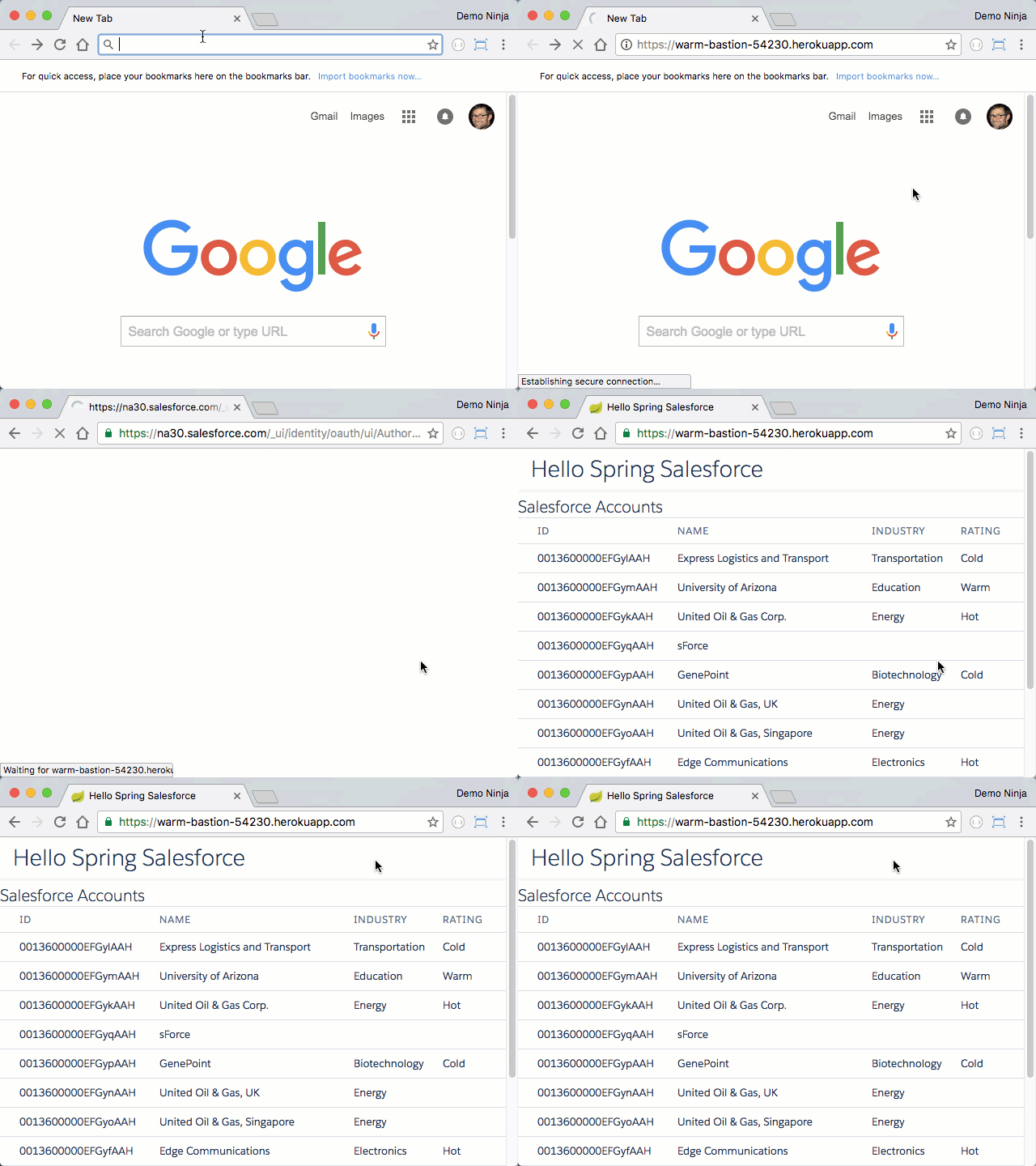
### How it works Cloud Scheduler can make an HTTP call as the trigger action. To create an instance based on that HTTP call there needs to be a service that knows how to handle the request and do the create. I've created a little HTTP service that does exactly that: [webhook-runner](https://github.com/jamesward/webhook-runner). The service handles a `POST` request to `/` with a JSON body like: ``` { "project": "foo", "zone": "us-central1-a", "machineType": "n1-standard-1", "containerImage": "hello-world" } ``` That post will run the `hello-world` container in Google Cloud project `foo`, in the `us-central1-a` zone, on a `n1-standard-1` machine. If a stopped instance for that container already exists, it will just be started, otherwise a new GCE instance will be created. Once the container process has stopped, the instance is shutdown. The `webhook-runner` service can be run on Cloud Run so you only pay for what you use there too (which should be nothing since typical usage would be below the free tier). Here is what the architecture looks like: ![architecture](/uploads/487/webhook-runner-arch.jpg) You definitely do NOT want your `webhook-runner` service to be accessible by anyone so luckily it's pretty easy to only allow it to be invoked by a service account. Cloud Scheduler can use that service account when it makes the HTTP call. Also, the service should have limited access to what it can do, i.e. just create / start GCE instances. So another service account can be used when the `webhook-runner` service runs (and calls `gcloud`). You can setup these manually following [a script](https://github.com/jamesward/webhook-runner/blob/master/.gcloud/service-accounts.sh) or alternatively, just click this button and the `webhook-runner` service will be deployed and service accounts setup: [![Run on Google Cloud](https://deploy.cloud.run/button.svg)](https://deploy.cloud.run/?git_repo=https://github.com/jamesward/webhook-runner.git) Hopefully this is useful and if you need anything, [file an issue on the webhook-runner project](https://github.com/jamesward/webhook-runner/issues). --- ## GraalVM Native Image Tips & Tricks (2020-05-07) Elastic infrastructure that scales up & down based on demand is not just a "serverless" fad but an operational model which reduces cost and waste. Yet there is a little devil lurking under the covers... When an application / microservice needs to spin up based on demand there can be some lag as the application needs to be downloaded to the node, potentially a VM needs to be started, the application itself needs to be started, and potentially local caches need to be hydrated. In traditional enterprise systems this "cold start" process can realistically take tens of minutes. But it's near impossible to have demand-based scaling when things take that long to start. [GraalVM](https://www.graalvm.org/) is a Java Virtual Machine implementation that addresses parts of the "cold start" problem by doing Ahead-Of-Time (AOT) compilation on JVM-based applications. GraalVM can create a "native image" of your application so that it no longer needs to run inside a JVM. This can reduce startup time and in some cases improve overall performance. The native images can also be much smaller than the usual OS + JVM + all dependency JARs. For example, a recent application I was working on went from a pretty trim 208MB docker image (OS + JVM + deps + app) that started in 2 seconds, down to 14MB and a 0.5s startup time. Sounds amazing! But there are some caveats, tips, and tricks I'd like to share with you. Let's start with a couple samples: | Build Tool / Language / Framework | Source | Container Size | Demo on Cloud Run | |---|---|---|---| | Maven / Java / Quarkus | [github.com/jamesward/hello-quarkus](https://github.com/jamesward/hello-quarkus) | 28MB | [Live Demo](https://hello-quarkus-weurlhfjnq-uc.a.run.app/) | | Gradle / Kotlin / Micronaut | [github.com/jamesward/hello-micronaut (graalvm branch)](https://github.com/jamesward/hello-micronaut/tree/graalvm) | 55MB | [Live Demo](https://hello-micronaut-weurlhfjnq-uc.a.run.app/) | | sbt / Scala / ZIO | [github.com/jamesward/hello-uzhttp (graalvm branch)](https://github.com/jamesward/hello-uzhttp/tree/graalvm) | 14MB | [Live Demo](https://hello-uzhttp-weurlhfjnq-uc.a.run.app/) | Check out the README's for instructions on how to build and run those. Now let's dive into some tips & tricks. ### Build Containers in Containers One thing you might have noticed in those samples is that I run the builds and native-image tool inside of Docker because that is the most reliable way to have a reproducible build with GraalVM. Here is the basic structure for a GraalVM native image `Dockerfile`: ```docker FROM oracle/graalvm-ce:20.0.0-java11 as builder WORKDIR /app COPY . /app RUN gu install native-image # Build the app (via Maven, Gradle, etc) and create the native image FROM scratch COPY --from=builder /app/target/my-native-image /my-native-image ENTRYPOINT ["/my-native-image"] ``` Of course it's time consuming to re-run a docker build like this as part of the development cycle so it's nice to just run these apps on a JVM for local development and only create the native image as part of the CI/CD deployment process. Quarkus and sbt have a way to run the native-image tool inside a docker container without needing a `Dockerfile` but those methods don't seem to support some customizations that we will get into shortly. Quarkus and sbt also have build tasks that build the app and then run the `native-image` tool for you. Gradle / Micronaut instead just use the regular packaging tasks and then you can run `native-image` in your `Dockerfile`, like: ```docker RUN ./gradlew --no-daemon --console=plain distTar RUN tar -xvf build/distributions/hello-micronaut.tar -C build/distributions RUN native-image -cp build/distributions/hello-micronaut/lib/hello-micronaut.jar:build/distributions/hello-micronaut/lib/* hello.WebAppKt ``` This more explicit approach makes it clear that `native-image` is just taking the jar files containing the app and the dependencies as well as a class with a `static void main` and turning those into the native image. ## From Scratch GraalVM has a neat feature that allows us to build a statically linked native image using the `--static` parameter. If you are calling `native-image` directly then you just add that parameter. If you are using Maven / Quarkus or sbt then you'll use a build config parameter to add it (i.e. [pom.xml](https://github.com/jamesward/hello-quarkus/blob/master/pom.xml#L63), [build.sbt](https://github.com/jamesward/hello-uzhttp/blob/graalvm/build.sbt#L45)). By default this still requires your base container image to have `libc` and `libstdc++` on it. But wouldn't it be cool to build a statically linked native image and put it into an empty container image with no system dependencies giving us super small containers? Well you can use `FROM scratch` in the `Dockerfile` and copy the native image in! But problems arise when an execution path tries to call something in `libc` or `libstdc++` which is [the case with DNS lookups](https://github.com/oracle/graal/issues/571). Luckily GraalVM has a way to also include the necessary system libraries in the static native image! There is a library called [musl libc](https://musl.libc.org/) that you can include in your native image. In your `Dockerfile` download the musl bundle for GraalVM: ```docker RUN curl -L -o musl.tar.gz https://github.com/gradinac/musl-bundle-example/releases/download/v1.0/musl.tar.gz && \ tar -xvzf musl.tar.gz ``` And then add a `native-image` parameter that points to the extracted location of the bundle, like: ``` -H:UseMuslC=bundle/ ``` Now your native image will include the standard library system calls that are needed! ### Don't Fall Back GraalVM has a default *feature* where if the AOT thing fails, it will fallback to just running the app in the JVM. You likely don't want that because why would you be creating a native image if it's just going to end up running in the JVM? Right, so make sure you set a `native-image` param: ``` --no-fallback ``` ### Don't Defer Problems to Runtime Some AOT compilation errors can be deferred to runtime. You really don't want this unless you like production crashes. So make sure `native-image` is NOT being run with any of these params: ``` --report-unsupported-elements-at-runtime --allow-incomplete-classpath -H:+ReportUnsupportedElementsAtRuntime ``` ### Reflection Woes [Lots](https://spring.io/) and [lots](https://github.com/FasterXML/jackson) and [lots](http://logback.qos.ch/) of very widely adopted Java libraries use reflection but it creates a problem for GraalVM native images because reflection happens at runtime, making it hard for an AOT complier to figure out the execution paths. To deal with this you can tell GraalVM about what needs reflection access. But this can quickly get [a bit out-of-hand](https://github.com/jamesward/jar2container/blob/master/src/graal/reflect.json), hard to derive, and hard to maintain. Micronaut and Quarkus do a pretty good job generating the reflection configuration at compile time but you might need to augment the generated config. This can get a bit tricky when you have dependencies with shaded transitive dependencies. To reliably generate a reflection config you need to exercise as many execution code paths as possible, ideally by running your unit and integration tests. GraalVM has a way to keep track of reflection and output the configuration. To use this you'll need to run the app on GraalVM (remember it's just a JVM implementation) and use a special Java agent that will be able to see the reflective calls. I didn't do this inside Docker because then getting the generated config files out becomes more challenging. First, you need to [grab a GraalVM Community Edition release](https://github.com/graalvm/graalvm-ce-builds/releases), set your `JAVA_HOME` and `PATH`. Then also from the release assets grab the right `native-image-installable-svm-BLAH.jar` file and extract it in the root of your GraalVM `JAVA_HOME` directory. Ok, now run your tests with this parameter: ``` -agentlib:native-image-agent=config-output-dir=src/graal" ``` This will generate the reflection config (and possibly other configs for dynamic proxies, etc). Then you need to tell `native-image` about those configs, like: ``` -H:ReflectionConfigurationFiles=src/graal/reflect-config.json ``` Note: For Quarkus & Micronaut see their docs ([Quarkus](https://quarkus.io/guides/writing-native-applications-tips) / [Micronaut](https://docs.micronaut.io/latest/guide/index.html#graalServices)) for details on how to add your own reflection config files. Or better, don't use reflection or things that use reflection. More on that in a future blog. :) ### What Else? I only have [one small app in production](https://github.com/jamesward/javadoccentral) that uses GraalVM native image, running on Cloud Run via a `FROM scratch` container image. It starts up super fast and lives in a 44MB container image. GraalVM really helped address the cold start problem. But what about for more complex applications? I dunno. Let me know how it goes and what you've learned! --- ## When you hear ‘Monad’, think ‘Chainable’ (2017-10-02) There comes a point in every Functional Programmer's life where they feel the curse of the Monad has lifted and they must now explain Monads to their friends who just don't get it. What follows is probably wrong and confusing, cause there is no escaping the curse. But here goes... Suppose you have a system property that contains the name of another system property, like: ```bash KEYNAME=FOO ``` And you want the value of `FOO`, like: ```bash FOO=BAR ``` So there is a chain of operations. We need to first lookup the `KEYNAME` value and then use that to lookup another value. In a non-functional world you may do something like: ```scala String prop = null; String keyname = system.getProperty("KEYNAME"); if (keyname != null) { prop = system.getProperty(keyname); } ``` In the functional world we can instead use a type that represents the nullable value, usually called an `Option`, like: ```scala val maybeKeyname: Option[String] = sys.props.get("KEYNAME") ``` Now we can't use the `maybeKeyname` to lookup the second value because it might be `None` and `props.get` doesn't take an `Option`: ```scala sys.props.get(maybeKeyname) // this won't work ``` So we need to chain together two options. We can do this with Monads via a `flatMap` function: ```scala val maybeProp: Option[String] = maybeKeyname.flatMap(keyname => sys.props.get(keyname)) ``` Since `flatMap` takes a function we can also just do: ```scala maybeKeyname.flatMap(sys.props.get) ``` But there is some syntactic sugar for Monads in Scala that we can use on anything that has the shape of a Monad (i.e. _Monadic_): ```scala val maybeProp: Option[String] = for { keyname <- sys.props.get("keyname") prop <- sys.props.get(keyname) } yield prop ``` The _for comprehension_ makes Monad chaining look like a chain. So when you hear the word _Monad_ just think _chainable_ instead. There are many different chainable types. Another is a `Try` for things that can fail. For example, if we want to ask a user for two numbers and add them together, but handle number parsing failures we can do this: ```scala import scala.io.StdIn import scala.util.Try for { num1 <- Try(StdIn.readLine("Number 1: ").toInt) num2 <- Try(StdIn.readLine("Number 2: ").toInt) } yield num1 + num2 ``` If you enter two numbers you get a `Success` but if either number is not an integer then the result will be a `Failure`. Another Monadic type is `Future` which may hold a value later (i.e. async). You can chain futures together like `Option` and `Try`, for example: ```scala import scala.concurrent.{Promise, Future} import scala.concurrent.ExecutionContext.Implicits.global // a Promise provides a place we write a value to later val p1 = Promise[String]() val p2 = Promise[String]() val nameFuture: Future[String] = for { first <- p1.future last <- p2.future } yield first + " " + last // nameFuture does not yet have a value so lets write a value to the first Promise p1.success("james") // still no value for nameFuture because p1 and p2 are chained together and p2 doesn't have a value yet p2.success("ward") // ok, now nameFuture has a value - which you can print nameFuture.foreach(println) ``` Monads just help us chain together operations on items in some form of container. In these examples the chains have been short (two operations) but could be much longer - making the value more apparent. --- ## Thank You for 12 Years in Developer Evangelism (2017-04-03) Even though it was 12 years ago, I vividly remember sitting in a musty conference room with big-name analysts from Gartner. My palms were sweaty and I was almost too terrified to speak. Macromedia had brought me into this meeting to be the customer voice for their new programming platform, Flex. I was an early adopter building a customer portal using this new technology. But I was a coder—not someone who talks publicly. Somehow the Macromedia folks thought I did a good job, and so my life took an interesting turn as I moved from engineering to evangelism. Back then I would have never dreamed that I'd be on stage with two fortune 500 CEOs, in front of almost ten thousand people, demoing nerdy stuff. Really? Traveling to conferences around the world? That made no sense because I don't like to be in front of people—I even have a fear of public speaking! Twelve years ago this all seemed crazy. But somehow it happened—this nerdy coder became an evangelist. Over the past twelve years I've been stretched, drained, and fulfilled in ways I never imagined. I've been on some amazing adventures while working for some of the greatest tech companies in the world (Macromedia/Adobe, Salesforce/Heroku, and Typesafe/Lightbend). With hundreds of presentations behind me, I still get nervous before I present. Yet, I've realized I can do anything; as long as I've almost done it before. That has given me comfort on trips where I've presented in a different city every day of the week, surviving on only a few hours of sleep. I've flown around the world in five days with stops in Tokyo and Bulgaria. I've had engineers tell me that I helped change their careers (for the better). And along the way I've also been able to build some stuff that I'm pretty proud of. For example, while at a networking conference in Vegas I stayed up all night to build the Census benchmark app which ultimately helped convince at least a few people to use Flex. Tour de Flex was probably one of the most widely used projects I've helped build; we had a real-time dashboard to visualize the location of developers using it, and if you left it open for only a few minutes, the globe was covered. Mixing Loom, which no one used, is still one of the most fun projects I ever worked on. At Heroku, I created the first prototypes for what has become Heroku Button and the GitHub auto-deployment. At Typesafe, I helped create Activator which has been used by tons of developers to get started with Scala, Play Framework, and Akka. One year, at Devoxx France, I created WebJars which now gets over a million downloads per month. Here at Salesforce, I've built some really fun stuff like the Salesforce IFTTT channel, but probably my favorite is Koober, a data pipeline sample app. Ok, enough reminiscing... What's next?? Today I'm thrilled to be joining the Technology & Products organization at Salesforce—they are the engineers that build the technology which powers the Salesforce platform. I will help our engineers write blogs about what they do, speak at conferences, and open source their projects. I'm incredibly excited to be heading back to my roots in engineering while taking my experience in evangelism with me. Our engineers build some amazing things and I want to help them share those accomplishments with the world. And luckily, I'll still be able to write code because we need a bunch of tooling to help us do Open Source better. The first of these projects is our Contributor License Agreement GitHub bot, which [we just open sourced][1]! I won't be doing much blogging here since I now have the [Salesforce Engineering blog][2] at my disposal. I don't want this blog to sound like a eulogy, but it is kinda the end of an era for me. So I'm going to take a minute to thank some people. I absolutely couldn't have gone from the nervous coder to the evangelist I am today without the help of many people. (I'll keep this list short so it doesn't sound like an Oscar speech.) Christophe Coenraets (still the best evangelist I know) saw something in me that I didn't. He gave me a shot and has mentored me for 12 years. Mike Slinn has always given me exactly the advice I needed to hear. Greg Wilson encouraged and enabled me to build many of the things I'm most proud of. Dave Carroll has now twice given me a great home at Salesforce. Bruce Eckel continues to help me see things from a different angle and fight passive voice in my writing. All of you (plus many more) have not just been co-workers, you have also become friends who I'm incredibly fortunate to have in my life. So here is a huge thank you to everyone has has been part of my journey as an evangelist! I'm sure we will still cross paths on Twitter, GitHub, at conferences, and on the Salesforce Engineering blog—I just won't be trying to market anything to you any longer. :) [1]: https://github.com/salesforce/salesforce-cla [2]: https://medium.com/salesforce-engineering --- ## Connecting to the Salesforce REST APIs with Spring Boot and Java (2016-12-20) Broadly speaking there are two types of integrations with Salesforce, either a system-to-system integration or a user interface integration. One of the primary ways to do these integrations is by using the [Salesforce REST API][1]. When using the Salesforce REST API you need to obtain an access token that identifies who is making the requests. OAuth 2 provides an HTTP interface to obtain a Salesforce access token. When using the Salesforce OAuth 2 API there are three options for obtaining an access token: 1. Use the [Web Server Flow][2] where a Salesforce user in a traditional web app is asked to authorize a third party application which then allows the web server to obtain an access token. 2. Use the [User Agent Flow][3] where a Salesforce user in a mobile or JavaScript web app is asked to authorize a third party application which then allows the client side application (native mobile, JavaScript, etc) to obtain an access token. 3. Use the [Username and Password Flow][4] where stored credentials for a system-to-system integration user are exchanged for an access token. The OAuth Web Server Flow can seem tricky to implement by hand because there are a number of necessary steps but luckily this flow is pretty standard so many libraries have done the hard work for us. In the case of a Java Spring application the hard work has all been done by the [Spring Security OAuth][5] library. And [Spring Boot][6] makes it super easy to setup a new application that has everything needed for the OAuth Web Server Flow. Let's walk through the different pieces of a simple web application which has the OAuth stuff, fetches Accounts from the Salesforce REST API, and renders them in a web page via JavaScript. (Note: You can skip straight to the [completed project][7] if you just want to deploy the app on Heroku or get it all running locally.) First we need a build system to manage dependencies, run the app, and assemble the app for deployment. I've chosen Gradle so here is my `build.gradle`: ```groovy buildscript { repositories { mavenLocal() mavenCentral() maven { url 'https://plugins.gradle.org/m2/' } } dependencies { classpath 'org.springframework.boot:spring-boot-gradle-plugin:1.4.2.RELEASE' } } apply plugin: 'java' apply plugin: 'org.springframework.boot' repositories { mavenLocal() mavenCentral() } dependencies { compile 'org.springframework.boot:spring-boot-starter-web:1.4.2.RELEASE' compile 'org.springframework.boot:spring-boot-devtools:1.4.2.RELEASE' compile 'org.springframework.boot:spring-boot-starter-security:1.4.2.RELEASE' compile 'org.springframework.security.oauth:spring-security-oauth2:2.0.12.RELEASE' compile 'org.webjars:salesforce-lightning-design-system:2.1.4' compile 'org.webjars:jquery:3.1.1' } ``` There you can see dependencies on the Spring Boot stuff, the Spring Security OAuth library and a few WebJars for the UI. Now we need to set some properties for the Spring Security stuff. There are a few different ways to set these and you should make sure that your OAuth client id and secret don't end up in SCM. At a minimum you will need these settings: ```properties security.oauth2.client.client-authentication-scheme = form security.oauth2.client.authentication-scheme = header security.oauth2.client.grant-type = authorization_code security.oauth2.client.access-token-uri = https://login.salesforce.com/services/oauth2/token security.oauth2.client.user-authorization-uri = https://login.salesforce.com/services/oauth2/authorize security.oauth2.resource.user-info-uri = https://login.salesforce.com/services/oauth2/userinfo security.oauth2.client.client-id = YOUR_SALESFORCE_CONNECTED_APP_CLIENT_ID security.oauth2.client.client-secret = YOUR_SALESFORCE_CONNECTED_APP_CLIENT_SECRET ``` I put all of the settings except the client id and secret in a `src/main/resources/application.properties` file. For the other settings you can use environment variables or config settings on Heroku. Spring Boot automatically will look for the client id and secret in environment variables named `SECURITY_OAUTH2_CLIENT_CLIENT_ID` and `SECURITY_OAUTH2_CLIENT_CLIENT_SECRET`. Next we need a Spring component that will handle the REST communication with Salesforce including the query for Accounts and deserialization from JSON. Here is my `src/main/java/com/example/Force.java` code: ```java package com.example; import com.fasterxml.jackson.annotation.JsonIgnoreProperties; import org.springframework.beans.factory.annotation.Autowired; import org.springframework.context.annotation.Bean; import org.springframework.security.oauth2.client.OAuth2ClientContext; import org.springframework.security.oauth2.client.OAuth2RestTemplate; import org.springframework.security.oauth2.client.resource.OAuth2ProtectedResourceDetails; import org.springframework.security.oauth2.provider.OAuth2Authentication; import org.springframework.stereotype.Component; import java.util.HashMap; import java.util.List; import java.util.Map; @Component public class Force { private static final String REST_VERSION = "35.0"; @Bean private OAuth2RestTemplate oAuth2RestTemplate(OAuth2ProtectedResourceDetails resource, OAuth2ClientContext context) { return new OAuth2RestTemplate(resource, context); } @Autowired private OAuth2RestTemplate restTemplate; @SuppressWarnings("unchecked") private static String restUrl(OAuth2Authentication principal) { HashMap details = (HashMap) principal.getUserAuthentication().getDetails(); HashMap urls = (HashMap) details.get("urls"); return urls.get("rest").replace("{version}", REST_VERSION); } public List accounts(OAuth2Authentication principal) { String url = restUrl(principal) + "query/?q={q}"; Map params = new HashMap<>(); params.put("q", "SELECT Id, Name, Type, Industry, Rating FROM Account"); return restTemplate.getForObject(url, QueryResultAccount.class, params).records; } @JsonIgnoreProperties(ignoreUnknown = true) public static class Account { public String Id; public String Name; public String Industry; public String Rating; } @JsonIgnoreProperties(ignoreUnknown = true) private static class QueryResult { public List records; } private static class QueryResultAccount extends QueryResult {} } ``` There is some plumbing to setup the Spring REST Template which makes it easy to make the REST requests. The `accounts` method takes an `OAuth2Authentication` so that the URL can be determined. Finally there are some classes to represent the results from the query and the Account, which are created from the JSON data returned from the REST API. For Spring Boot we need an application which will be run on the web server (or local machine for development). In this example the application will also contain our REST API implementation which will be used by a JavaScript UI. Here is the code for the `src/main/java/com/example/SpringSalesforceApplication.java` file: ```java package com.example; import org.springframework.beans.factory.annotation.Autowired; import org.springframework.boot.SpringApplication; import org.springframework.boot.autoconfigure.SpringBootApplication; import org.springframework.boot.autoconfigure.security.oauth2.client.EnableOAuth2Sso; import org.springframework.security.oauth2.provider.OAuth2Authentication; import org.springframework.web.bind.annotation.RequestMapping; import org.springframework.web.bind.annotation.RestController; import java.util.List; @SpringBootApplication @RestController @EnableOAuth2Sso public class SpringSalesforceApplication { @Autowired private Force force; @RequestMapping("/accounts") public List accounts(OAuth2Authentication principal) { return force.accounts(principal); } public static void main(String[] args) { SpringApplication.run(SpringSalesforceApplication.class, args); } } ``` This does all the magic to create a Spring Boot web application which uses the Spring Security OAuth stuff, the `Force` component, and a REST controller. There is a single REST controller method in this application that handles requests to `/accounts`, does the query to Salesforce using the `Force` component, deserializes the results, then reserializes them as JSON. In this little example we aren't seeing why we'd want to proxy the Salesforce REST API in this way since we are not doing any aggregation or transformation of data. But that would be straightforward to do if needed. The final piece of this application is a web UI that uses the Spring Boot app's `/accounts` REST method to get and then display the accounts. In this case I'm using jQuery to do that. Here is the code for the `src/main/resources/static/index.html` file: ```html Hello Spring Salesforce
Hello Spring Salesforce
Salesforce Accounts
Id
Name
Industry
Rating
``` With this application running locally when I visit `http://localhost:8080` in my browser, Spring Security notices that I don't yet have an access token so it walks through the OAuth Web Server Flow with Salesforce and once complete renders the `index.html` page. The JavaScript on that page makes the REST request to `/accounts` which does the query to the Salesforce REST APIs and then returns the JSON back to the browser. Finally, the data is rendered in the table on the web page. Here is what it looks like: In total there were only five pretty small files needed to have an end-to-end Salesforce REST API integration with a web application. Hopefully that gets you started! For full instructions on Heroku deployment of this application or to get the app running locally, check out the [complete project on GitHub][7]. Let me know how it goes! [1]: https://developer.salesforce.com/docs/atlas.en-us.api_rest.meta/api_rest/ [2]: https://developer.salesforce.com/docs/atlas.en-us.api_rest.meta/api_rest/intro_understanding_web_server_oauth_flow.htm [3]: https://developer.salesforce.com/docs/atlas.en-us.api_rest.meta/api_rest/intro_understanding_user_agent_oauth_flow.htm [4]: https://developer.salesforce.com/docs/atlas.en-us.api_rest.meta/api_rest/intro_understanding_username_password_oauth_flow.htm [5]: https://projects.spring.io/spring-security-oauth/ [6]: https://projects.spring.io/spring-boot/ [7]: https://github.com/jamesward/hello-spring-salesforce --- ## Quick & Easy ETL from Salesforce to MySQL with Workflow & Heroku (2016-08-10) While sometimes unfortunate it is often necessary to have data silos that share data. The _Extract, Transform, and Load_ (ETL) pattern has been around for a long time to address this need and there are tons of solutions out there. If you just need a quick and easy way to copy new & updated records in Salesforce to an external data source, a simple Heroku app and Salesforce Workflow might be the quickest and easiest solution. I've put together a sample Node.js application for this: https://github.com/jamesward/salesforce-etl-mysql Check out a demo: This sample app uses a Salesforce Workflow that sends created and updated Contact records to an app on Heroku, which inserts or updates those records in a MySQL database. A simple [transform][1] JavaScript function makes it easy to customize this app for your own use case. To setup this app for your own uses, check out the instructions in the GitHub repo: https://github.com/jamesward/salesforce-etl-mysql Let me know how it goes! [1]: https://github.com/jamesward/salesforce-etl-mysql/blob/master/server.js#L7-L13 --- ## Add NPM Packages to Salesforce with a Few Clicks (2016-08-02) I've built a little web-based tool called [ForceNPM][1] that makes it super easy to add NPM packages to Salesforce. Check it out: [forcenpm][1] [Give ForceNPM a try!][1] The code is [on GitHub][2] so if you'd like to deploy this on your own Heroku app or other infrastructure, you can do that. Let me know how it goes! [1]: https://forcenpm.herokuapp.com [2]: https://github.com/jamesward/forcenpm --- ## Scalable Continuous Delivery Pipelines (2016-07-18) Back when I first started building web apps we'd just "do it in production" by vi'ing Perl & PHP files on the server. This was fine because the risks and expectations were low. No big deal if I broke the app for a few hours. Good thing I made an _app.php-bak_ copy! As software became more critical to businesses, the risks of making changes to production systems increased. To cope with these risks we slowed down delivery through processes. Today many enterprises are so bogged down by risk aversion that they may only deploy to production once a year or less. The rate of change in businesses and software continues to increase and the expectations are even higher. Downtime is not an option but that change also needs to go out now! We need a way to reduce risk and increase the rate of delivery. The two seem to be opposing but [Continuous Delivery][1] provides a way to deliver more often AND reduce risk. As the name implies, the idea of Continuous Delivery is to continuously deliver changes. There are many ways to do that but the process should be scalable depending on the acceptable amount of risk. For some apps a little potential downtime is worth the tradeoff of essentially being able to "do it in production" for some changes. Continuous Delivery can be thought of as a pipeline... There is an input / source that needs to be moved and transformed in a variety of ways until it reaches it's output, the production system. By adding or removing the steps in between we can adjust the risk profile. In order to have a Continuous Delivery Pipeline there are a few things necessary to facilitate any size process: * A Source Control System (SCM) that enables developers to collaborate but also enables a direct correlation between a point-in-time in the source and a deployment of that source. * Single directional flow from source to deployment. No more "do it in production" because that breaks the source to deployment correlation. * A repeatable and pure method of transforming source into something that can run. Repeatability is usually accomplished by using a build tool. However, often builds specify dependencies with version ranges, sacrificing the pureness. Don't do that. With that infrastructure the simplest form of Continuous Delivery can be achieved. Systems like Heroku provide automated tooling for this kind of pipeline. On Heroku you can either kick off deployment by pushing a git repo directly to Heroku, which then runs the build, then stores and deploys the generated artifacts. This is the infamous `git push heroku master`. A newer method (which I prefer) is instead to push the changes to GitHub and have Heroku then auto-deploy those changes. Here is a demo of that: For apps that can tolerate more risk this simple pipeline is great! But many apps need a process that better supports collaboration and risk mitigation. The next layer that may be added to the pipeline is a Continuous Integration system that runs the build and tests. If there is a failure then the changes should not be deployed. Here is an demo of doing CI-verified auto-deployment on Heroku: Reducing risk further we could add a staging system that auto-deploys the changes (with or without CI validation depending on your needs). After manual validation the changes could then be manually promoted to production. Taking things a step further we can hook into GitHub's Pull Request process to deploy and validate changes before they are merged into a production branch (e.g. master). In Heroku this is called "Review Apps" in which Heroku automatically creates a fresh environment with the changes for every Pull Request. This enables actual app testing as part of the review cycle. This full pipeline with Pull Request apps / Review Apps, CI validation, staging auto-deployment, and manual production promotion significantly reduces the risk of doing frequent deployments. Many organizations that use this kind of process are able to do hundreds of deployments every day! This also helps disperse risk over many deployments instead of accumulating risk for those big once-a-year deploys. Check out a demo of this entire flow on Heroku: Sometimes a feature may not be ready for end user testing or launch but that shouldn't prevent you from actually deploying the feature! For this you can use "Feature Flags" a.k.a. [Feature Toggles][2]. Another technique that can be useful to reduce risk with Continuous Delivery is "Canary Deploys" where only a portion of users run on a new version of the app. Once a period of time validates the new version is "safe" for everyone, it can be rolled out to the rest of the users. Of course Continuous Delivery isn't a silver bullet as there are always tradeoffs. One of the challenges with Continuous Delivery is with database schemas. For instance, what if you were to do a schema migration as part of a Canary Deploy? With two versions of the app running simultaneously you may break one version with the schema changes from another. NoSQL / Schema-less databases are one way to address the issue. Another option is to decouple code deployments from schema migrations, utilizing testing / staging environments to validate the schema changes. Implementing Continuous Delivery with large and complex systems can be pretty tough. But this is one of those things that if you don't figure out how do, it won't matter cause your business will likely fade as it is overtaken by startups that deliver software as the business needs it. If you need some more practical advice on how to get there check out my [Comparing Application Deployment: 2005 vs. 2015][3] blog post. Let me know how it goes. [1]: http://martinfowler.com/bliki/ContinuousDelivery.html [2]: http://martinfowler.com/articles/feature-toggles.html [3]: https://www.jamesward.com/2015/06/08/comparing-application-deployment-2005-vs-2015 --- ## Reactive Web Request Batching with Scala and Play Framework (2016-06-16) At first glance it seems silly to do batching in the reactive world. When I first started with reactive programming I thought I wouldn't have to worry about things like resource starvation. After all, the reactive magic bullet was \*magical\*! But my magic bullet fizzled when it hit downstream resource constraints causing me to need batching. With a reactive web client library like Play Framework's, I can easily spin up tens of thousands of web requests, in parallel, using very little resources. But what if that saturates the server I'm making requests to? In an ideal world I could get backpressure but most web endpoints don't provide a way to do that. So we just have to be nicer to the server and batch the requests. (Sidenote: How do you know how nice you should be to the service, e.g. batch size?) So in some scenarios you might just need to batch a bunch of web requests. Let's say you need to make 100 requests and you've figured out that you should only do 10 at a time. Then once all 100 have completed you need to do some aggregation of the results. Of course you could block until each batch is complete and mutate a shared value that accumulates the results. But we can do better than that! You can still use immutable data and non-blocking requests with batching. In Play I have a `/echo?num=1` request handler that just returns the number passed into it: ```scala def echo(num: Int) = Action { Logger.info(s"num=$num") Ok(num.toString) } ``` Now in another async controller I want to send 10,000 requests to the `echo` controller but batched 256 at a time, then return the aggregated results. First I need a function that will handle the batching: ```scala private def processBatch(results: Future[Seq[String]], batch: Seq[String]): Future[Seq[String]] = { // when the results for the previous batches have been completed, start a new batch results.flatMap { responses => // create the web requests for this batch val batchFutures: Seq[Future[String]] = batch.map(ws.url(_).get().map(_.body)) // sequence the futures for this batch into a singe future val batchFuture: Future[Seq[String]] = Future.sequence(batchFutures) // when this batch is complete, append the responses to the existing responses batchFuture.map { batchResponses => Logger.info("Finished a batch") responses ++ batchResponses } } } ``` This `processBatch` function takes a `Future` that holds the previously accumulated results which are a sequence of Strings. It also takes a batch of urls and returns a `Future` that holds the previously accumulated results and the results from the batch. When the `results` that were passed in have all been completed, the batch is processed by creating a web request for each URL. Each request is transformed to just the `String` from the response body. All of the requests in the batch are then transformed into a single `Future` that completes when all of the requests in the batch have been completed. Once that future completes the results of the batch are combined with the previously completed results. This could also be written using Scala's fancy for comprehension: ```scala for { responses <- results batchFuture = Future.sequence(batch.map(ws.url(_).get().map(_.body))) batchResponses <- batchFuture } yield { Logger.info("Finished a batch") responses ++ batchResponses } ``` Here is an async controller that uses the `processBatch` function: ```scala def index = Action.async { implicit request => // ints 1 to 10000 val numbers: Seq[Int] = 1 to 10000 // turn each number into a url val urls: Seq[String] = numbers.map(routes.Application.echo(_).absoluteURL()) // split into groups of 256 val batches: Iterator[Seq[String]] = urls.grouped(256) // futures for all of the response strings val futureResponses = batches.foldLeft(Future.successful(Seq.empty[String]))(processBatch) // render the list of responses when they are all complete futureResponses.map { responses => Ok(responses.toString) } } ``` A sequence of 10,000 URLs `/echo?num=1` to `/echo?num=10000` are assembled. That sequence is then partitioned into groups of 256. Then the reactive batching magic... Take the batches and do a `foldLeft` starting with an empty sequence of String, calling the `processBatch` function for each batch, accumulating the results. Once the future returned from the `foldLeft` completes the results are turned into a String and returned in an the `Ok` response. There you have reactive batching of web requests! [Check out the full source][1]. [1]: https://github.com/jamesward/play-batch-requests --- ## Machine Learning on Heroku with PredictionIO (2016-06-14) Last week at the [TrailheaDX Salesforce Dev Conference][1] we launched the [DreamHouse sample application][2] to showcase the Salesforce App Cloud and numerous possible integrations. I built an integration with the open source [PredictionIO][3] Machine Learning framework. The use case for ML in DreamHouse is a real estate recommendation engine that learns based on users with similar favorites. [Check out a demo and get the source][4]. For the DreamHouse PredictionIO integration to work I needed to get the PredictionIO service running on Heroku. Since it is a Scala app everything worked great! Here are the steps to get PredictionIO up and running on Heroku. First you will need a PredictionIO event server and app defined in the event server: 1. Deploy: [![][5]][6] 2. Create an app: ```bash heroku run -a console app new ``` 3. List apps: ```bash heroku run -a console app list ``` 4. Check out the source and local dev instructions for the event server. Now that you have an event server and app, load some event data: ```bash export ACCESS_KEY= export URL=http://.herokuapp.com for i in {1..5}; do curl -i -X POST $URL/events.json?accessKey=$ACCESS_KEY -H "Content-Type: application/json" -d "{ \"event\" : \"\$set\", \"entityType\" : \"user\", \"entityId\" : \"u$i\" }"; done for i in {1..50}; do curl -i -X POST $URL/events.json?accessKey=$ACCESS_KEY -H "Content-Type: application/json" -d "{ \"event\" : \"\$set\", \"entityType\" : \"item\", \"entityId\" : \"i$i\", \"properties\" : { \"categories\" : [\"c1\", \"c2\"] } }"; done for j in {1..20}; do for i in {1..5}; do curl -i -X POST $URL/events.json?accessKey=$ACCESS_KEY -H "Content-Type: application/json" -d "{ \"event\" : \"view\", \"entityType\" : \"user\", \"entityId\" : \"u$i\", \"targetEntityType\" : \"item\", \"targetEntityId\" : \"i$(( ( RANDOM % 50 ) + 1 ))\" }"; done; done ``` Check out the demo data: ```bash http://.herokuapp.com/events.json?accessKey=&limit=-1 ``` Now you need an engine that will learn from a set of training data and then be able to make predictions. With PredictionIO you can use any algorithm you want but often SparkML is a great choice. For this simple example I'm just using single-node Spark and Postgres but the underlying data source and ML engine can be anything. This example is based on PredictionIO's Recommendation Template so it uses SparkML's Alternating Least Squares (ALS) algorithm. To deploy it on Heroku follow these steps: 1. Deploy: 2. Attach your PredictionIO Event Server's Postgres: ```bash heroku addons:attach -a ``` Note: You can find out `` by running: ```bash heroku addons -a ``` 3. Train the app: ```bash heroku run -a train ``` 4. Restart the app to load the new training data: ```bash heroku restart -a ``` 5. Check the status of your engine:
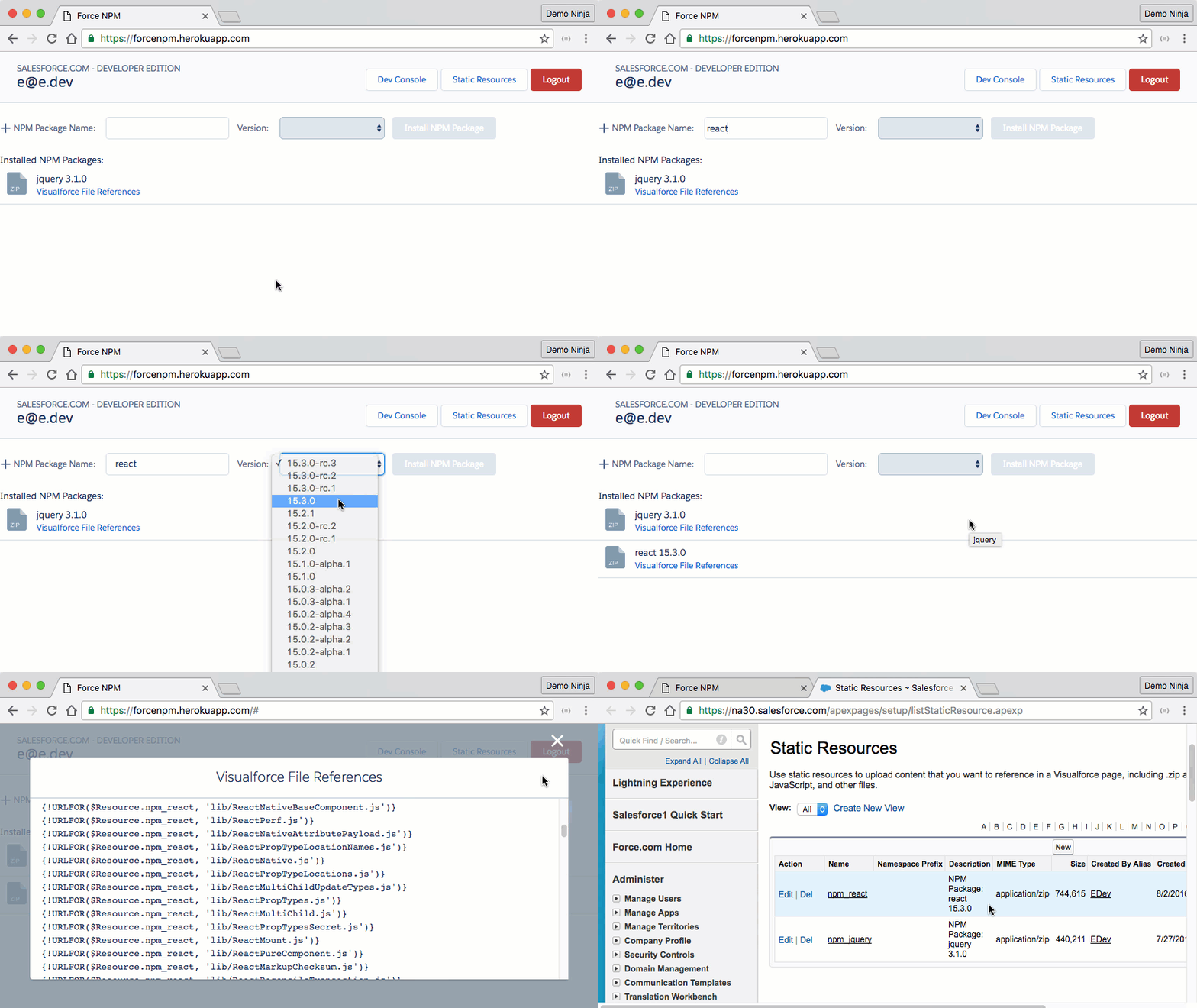
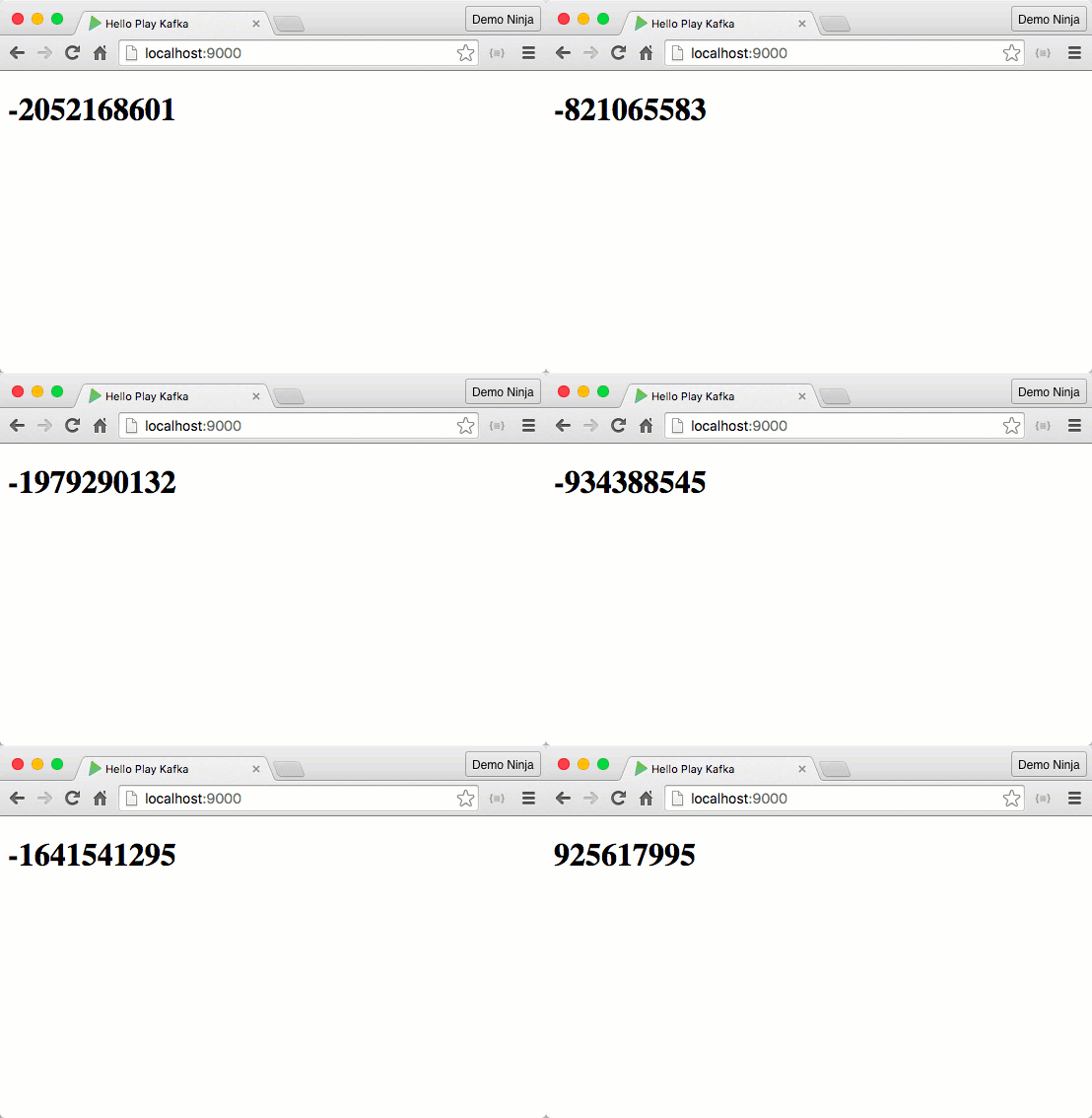
```bash http://.herokuapp.com ``` Now you can check out the recommendations for an item (must be an item that has events): ```bash curl -H "Content-Type: application/json" -d '{ "items": ["i11"], "num": 4 }' -k http://.herokuapp.com/queries.json ``` Check out the source and local dev instructions for this example engine. Let me know if you have any questions or problems. Happy ML'ing! [1]: https://developer.salesforce.com/trailheadx [2]: http://dreamhouseapp.io [3]: http://prediction.io [4]: http://dreamhouseapp.io/pio [5]: https://www.herokucdn.com/deploy/button.svg [6]: https://heroku.com/deploy?template=https://github.com/jamesward/pio-eventserver-heroku.git --- ## Combining Reactive Streams, Heroku Kafka, and Play Framework (2016-05-25) Heroku [recently announced early access to the new Heroku Kafka service][1] and while I've heard great things about Apache Kafka I hadn't played with it because I'm too lazy to set that kind of stuff up on my own. Now that I can setup a Kafka cluster just by provisioning a Heroku Addon I figured it was time to give it a try. If you aren't familiar with Kafka it is kinda a next generation messaging system. It uses pub-sub, scales horizontally, and has built-in message durability and delivery guarantees. Originally Kafka was built at LinkedIn but is now being used by pretty much every progressive enterprise that needs to move massive amounts of data through transformation pipelines. While learning Kafka I wanted to build something really simple: an event producer that just sends random numbers to a Kafka topic and a event consumer that receives those random numbers and sends them to a browser via a WebSocket. I decided to use [Play Framework][2] and the [Akka Streams][3] implementation of [Reactive Streams][4]. In Reactive Streams there is the pretty standard "Source" and "Sink" where an event producer is a Source and a consumer is a Sink. A "Flow" is a pairing between a Source and a Sink with an optional transformation. In my example there are two apps, each with a Flow. A worker process will send random numbers to Kafka so its Source will be periodically generated random numbers and its Sink will be Kafka. In the web process the Source is Kafka and the Sink is a WebSocket that will push the random numbers to the browser. Here is the worker app with some necessary config omitted ([check out the full source][5]): ```scala object RandomNumbers extends App { val tickSource = Source.tick(Duration.Zero, 500.milliseconds, Unit).map(_ => Random.nextInt().toString) kafka.sink("RandomNumbers").map { kafkaSink => tickSource .map(new ProducerRecord[String, String]("RandomNumbers", _)) .to(kafkaSink) .run()(app.materializer) } } ``` The `tickSource` is a Source that generates a new random Int every 500 milliseconds. That Source is connected to a Kafka Sink with a Flow that transforms an Int into a ProducerRecord (for Kafka). This uses the [Reactive Kafka][6] library which is a Reactive Streams API for working with Kafka. On the web app side, Play Framework has builtin support for using Reactive Streams with WebSockets so all we need is a controller method that creates a Source from a Kafka topic and hooks that to a WebSocket Flow ([full source][7]): ```scala def ws = WebSocket.acceptOrResult[Any, String] { _ => kafka.source(Set("RandomNumbers")) match { case Failure(e) => Future.successful(Left(InternalServerError("Could not connect to Kafka"))) case Success(source) => val flow = Flow.fromSinkAndSource(Sink.ignore, source.map(_.value)) Future.successful(Right(flow)) } } ``` Notice that the Flow has a `Sink.ignore` which just says to ignore any incoming messages on the WebSocket (those sent from the browser). Play takes care of all the underlying stuff and then whenever Kafka gets a message on the "RandomNumbers" topic, it will be sent out via the WebSocket. And it all works! hello-play-kafka Check out the [full source for instructions on how to get this example setup on your machine and on Heroku][8]. Let me know how it goes! [1]: https://blog.heroku.com/archives/2016/4/26/announcing-heroku-kafka-early-access [2]: http://playframework.com [3]: http://doc.akka.io/docs/akka-stream-and-http-experimental/1.0/scala.html [4]: http://www.reactive-streams.org/ [5]: https://github.com/jamesward/hello-play-kafka/blob/master/app/workers/RandomNumbers.scala [6]: https://github.com/akka/reactive-kafka [7]: https://github.com/jamesward/hello-play-kafka/blob/master/app/controllers/HomeController.scala [8]: https://github.com/jamesward/hello-play-kafka --- ## Building a Mock HVAC for Smart Thermostat Demos (2016-05-17) *Update: I've added instructions for a cooling system at the bottom of this post.* Recently I needed to create a mock HVAC system so that I could have a portable smart thermostat for various demos. I searched around but couldn't find any such thing. So with some sleuthing and the help of my friend [Bruce Eckel][1] I was able to build a simple system that powers a smart thermostat and simulates a heating system. This post will document how to do this in case anyone else ever needs such a thing. Here is a quick demo: {{< youtube EB2hbKzr7NM >}} Modern HVAC systems typically provide 24 volt AC power to thermostats so the first thing you will need is a 120 VAC (wall power) to 24 VAC transformer. I used this one: Then you'll need something that can simulate a single stage heating system. A smart thermostat uses 24 volt AC to flip on and off a relay (electronic component that uses one power current to toggle another, usually stronger, current). I could have used an actual relay for this but decided to go with something easier, a red LED light that runs on 24 volt AC: For my smart thermostat I used an [ecobee3][2] (due to their REST APIs) but a Nest should work as well: Now to wire it together pick a terminal on the transformer to be the "common" and run two wires, one to the LED and one to the "C" terminal on the smart thermostat. Then run a wire from the other side of the LED to the "W1" terminal on the smart thermostat. And finally connect the other terminal on the transformer to the "Rh" terminal on the smart thermostat. Like this: Ecobee3_Demo_Wiring Here is what it looks like wired together: wiring Once the smart thermostat is powered on and setup, the LED should turn on when the "heater" is on: on And turn off when the heater is off: off ## Cooling System The wiring for a cooling system is pretty similar to heating (and can be combined with the heating LED): ![Cooling System Wiring](/images/mock-hvac-cooling.jpg) I grabbed these 24v LEDs so that I'd have a blue one to represent the cooling system: I also grabbed a 24v fan to represent the fan: Since the fan is DC and the power is AC, you will also need a converter, like: That is it for wiring in a mock cooling system! I hope that helps someone out. Let me know if you have any questions! [1]: https://bruceeckel.github.io/ [2]: https://www.ecobee.com/ --- ## The 6 Minute Cloud/Local Dev Roundtrip with Spring Boot (2016-04-04) Great developer experiences allow you go from nothing to something amazing in under ten minutes. So I'm always trying to see how much I can minimize getting started experiences. My latest attempt is to deploy a [Spring Boot][1] app on [Heroku][2], download the source to a developer's machine, setup & run the app locally, make & test changes, and then redeploy those changes — all in under ten minutes (assuming a fast internet connection). Here is that experience in about six minutes: To try it yourself, start at the [hello-springboot GitHub repo][3]. Let me know how it goes! [1]: http://projects.spring.io/spring-boot/ [2]: https://heroku.com [3]: https://github.com/jamesward/hello-springboot --- ## Pulling Go Code Colorado Data into Salesforce (2016-04-02) This weekend I'm at the [Go Code Colorado][1] Challenge Weekend event in Durango. The purpose of Go Code Colorado 2016 is for teams to build something useful for businesses using one or more of the [Colorado Public Datasets][2]. Some teams are using Salesforce for the back-office / business process side of the app they are building. So I decided to see if I could pull a Colorado Public Dataset into Salesforce. Turns out it's super easy! Just follow these steps: 1. [Sign up for a Salesforce Developer Edition][3] 2. [Create a new External Data Source][4] with the following field values:
> External Data Source = Colorado Public Data > Name = Colorado\_Public\_Data > Type = Lightning Connect: OData 2.0 > URL = https://data.colorado.gov/OData.svc > Special Compatibility = Socrata new_external_data_source 3. Save the new External Data Source and then hit "Validate and Sync" to fetch the metadata for the services. 4. Select one or more tables from the list. A good table to test with is the "Occupational Employment Statistics" dataset. validate_and_sync 5. Sync the table and you should see a new "External Object" in the [list of External Objects][5]. external_objects 6. The data is now available in Salesforce. An easy way to see the dataset is to create a tab in the Salesforce UI. On the [Custom Tabs Setup page][6] create a new Custom Object Tab for the "Occupational Employment Statistics" object and select a Tab Style: new_custom_object_tab 7. Complete the creation of the tab (select Next, Next, Save). 8. Select the "Occupational Employment Statistics" tab (which might be in a drop-down menu depending on the width of your browser: custom_tabs 9. Next to the View - All selector, hit "Go!" to fetch the data from the Colorado Public Data source. You'll now see the records: records Note: The columns displayed in this view can be customized in the External Object's Search Layout. 10. Selecting a record's ID will display the record details: record_details That's it! Now you can build all sorts of business processes and other employee-facing interactions around the public data. Good luck to all of the Go Code Colorado teams! [1]: http://gocode.colorado.gov/ [2]: https://data.colorado.gov [3]: https://developer.salesforce.com/signup [4]: https://login.salesforce.com/0XC?setupid=ExternalDataSource [5]: https://login.salesforce.com/p/setup/custent/ExternalObjectsPage?setupid=ExternalObjects [6]: https://login.salesforce.com/setup/ui/customtabs.jsp?setupid=CustomTabs --- ## Quick Force Java – Getting Started with Salesforce REST in Java (2016-01-26) Recently I [blogged about a toolchain][1] that quickly gets you going with the Salesforce REST APIs. I believe developers should be able to get started with new technologies without having to install tons of stuff and struggle for days. That blog used [Quick Force Node][2] for those who want to use JavaScript / Node.js. I've had a number of requests for a Java version of this toolchain so I created [Quick Force Java][3]. Check out a screencast that shows how to start with nothing, deploy a Salesforce REST app on Heroku, setup OAuth, setup a local dev environment, make & test changes to the app, and then deploy those changes back to the cloud (all in under 12 minutes): [Try out Quick Force Java][3] and let me know how it goes! [1]: http://www.jamesward.com/2016/01/13/salesforce-rest-apis-from-zero-to-cloud-to-local-dev-in-minutes [2]: https://github.com/jamesward/quick-force-node [3]: https://github.com/jamesward/quick-force-java --- ## Salesforce REST APIs – From Zero to Cloud to Local Dev in Minutes (2016-01-13) When getting acquainted with new technologies I believe that users shouldn't have to spend more than 15 minutes getting something simple up and running. I wanted to apply this idea to building an app on the [Salesforce REST APIs][1] so I built [Quick Force (Node)][2]. In about 12 minutes you can deploy a Node.js app on Heroku that uses the Salesforce REST APIs, setup OAuth, then pull the app down to your local machine, make and test changes, and then redeploy those changes. Check out a video walkthrough: Ok, now give it a try yourself by following the instructions in [Quick Force (Node)][2]! I hope this will be the quickest and easiest way you've gotten started with the Salesforce REST APIs. Let me know how it goes! FYI: This \*should\* work on Windows but I haven't tested it there yet. So if you have any problems please let me know. [1]: https://www.salesforce.com/us/developer/docs/api_rest/ [2]: https://github.com/jamesward/quick-force-node --- ## Winter Tech Forum 2016 – My Favorite Developer Conference! (2016-01-11) I've been to a TON of developer conferences and by a landslide my favorite is the [Winter Tech Forum][1] (which used to be the Java Posse Roundup). Here is why... Learning for me is experiential. Typical eyes-forward conferences are like being a passenger on a sail boat. I can watch what is happening but I could definitely not become the captain based on my experience as a passenger. This is what makes WTF different; every attendee is a captain (or maybe a skipper if you are new). The whole conference is the experiences that the attendees want to have. Sometimes that means we write code together, explore new technologies, or discuss ideas. Those experiences have made a significant impact on my technical skills. We also eat together and play together which has helped me build some amazing relationships. This might sound a little crazy until you actually experience it. Which I highly encourage you to do! This year's [WTF is Feb 29 - March 4 in Crested Butte, CO][1] and will be followed by a new [Developer Retreat][2] event that also looks to be awesome. I hope to see you there! [1]: http://www.mindviewinc.com/Conferences/JavaPosseRoundup/ [2]: http://mindviewinc.com/cbDeveloperRetreat/ --- ## Dreamforce 2015 Video: Tour of Heroku + Salesforce Integration Methods (2015-09-29) This year at Dreamforce I presented a session that walked through a few of the ways to integrate Heroku apps with Salesforce. Here is the session description: > Combining customer-facing apps on Heroku with employee-facing apps on Salesforce enables a whole new generation of connected and intelligent experiences. There are four primary ways to do this integration: Heroku Connect, Canvas, Apex / Process Callouts, and the Salesforce REST APIs. Using code and architectural examples, we'll walk through these different methods. You will walk away knowing when you should use each and how to use them. Check out [the video recording of the session][1]. To dive into these methods here are the "Further Learning" resources for each method: * [Heroku Connect Trailhead][2] * [Lightning Connect - GitHub Example][3] * [REST API Example with Node and NForce][4] * [Salesforce Webhook Creator][5] I hope this is helpful. Let me know if you have any questions. [1]: http://salesforce.vidyard.com/watch/1OCODEdjjZkoIUmVe3kdnA [2]: https://developer.salesforce.com/trailhead/project/quickstart-heroku-connect [3]: https://developer.salesforce.com/blogs/developer-relations/2015/08/rendering-github-json-data-salesforce.html [4]: https://github.com/jamesward/hello-nforce [5]: http://www.jamesward.com/2014/06/30/create-webhooks-on-salesforce-com --- ## Smoothing the Cloud & Local Roundtrip Developer Experience (2015-07-08) Getting started with new technologies is usually a huge pain. Often I stumble around for hours trying to get an app's toolchain setup correctly. Instructions are usually like: ![][1] Things get worse when I lead workshops for hundreds of enterprise developers where many are on Windows machines and not very comfortable with `cmd.exe`. Experiencing this pain over-and-over is what led me to create [Typesafe Activator][2] as a smooth way to get started with Play Framework, Akka, and Scala. Developers have been thrilled with how easy taking their first step with Activator is but I never finished polishing the experience of the second step: App Deployment. Over the past few months I've been working on a set of tools that make the roundtrip between deployment and local development super smooth with zero-CLI and zero-install. Check out a demo: Here is a summary of the "from scratch" experience: 1. [Deploy the Click, Deploy, Develop][3] app on the cloud 2. [Download the app's source][4] 3. Run gulp from a file explorer to download Node, the app's dependencies, and Atom and then launch the Node / Express server and the Atom code editor 4. Open the local app in a browser: 5. Make a change in Atom to the `app.js` file 6. Test the changes locally 7. Login to Heroku via Atom 8. Deploy the changes via Atom That is one smooth roundtrip! For more detailed docs on this flow, checkout the [Click, Deploy, Develop][5] project. > Great dev experience starts with the simplest thing that can possibly work and has layered escape hatches to more complexity. That kind of developer experience (DX) is something I've tried to do with this toolchain. It builds on top of tools that can be used directly by advanced users. Underneath the smooth DX is just a normal Node.js / Express app, a [Gulp][6] build, and the [Atom][7] code editor. Here are the pieces that I've built to polish the DX, creating the zero-CLI and zero-install experience: * [Gulp Launcher][8] - Bootstraps a Gulp-ready environment from nothing * [download-heroku-source][9] - A web app that lists your Heroku apps and downloads the source as a zip * [gulp-heroku-source-deployer][10] - A Gulp plugin that deploys sources on Heroku * [gulp-atom-downloader][11] - A Gulp plugin that downloads Atom * [atom-heroku-tools][12] - An Atom package that adds a menu for logging into Heroku I hope that others find this useful for helping to give new users a great roundtrip developer experience. Let me know what you think. Note: Currently [gulp-atom-downloader][11] does not support Linux because [there isn't a standalone zip download of Atom for Linux][13]. Hopefully we can get that resolved soon. [1]: https://i0.wp.com/seths.blog/wp-content/uploads/2014/01/6a00d83451b31569e2019aff29b7cd970c-450wi.jpg?ssl=1 [2]: https://www.typesafe.com/get-started [3]: https://heroku.com/deploy?template=https://github.com/jamesward/click-deploy-develop [4]: https://download-heroku-source.herokuapp.com/ [5]: https://github.com/jamesward/click-deploy-develop [6]: http://gulpjs.com/ [7]: http://atom.io [8]: https://github.com/jamesward/gulp-launcher [9]: https://github.com/jamesward/download-heroku-source [10]: https://github.com/jamesward/gulp-heroku-source-deployer [11]: https://github.com/jamesward/gulp-atom-downloader [12]: https://github.com/jamesward/atom-heroku-tools [13]: https://github.com/atom/atom/issues/7102 --- ## Comparing Application Deployment: 2005 vs. 2015 (2015-06-08) Over the past 10 years the ways we build and deliver applications has changed significantly. It seems like much of this change has happened overnight but don’t worry, it is perfectly normal to look up and feel disoriented in the 2015 deployment landscape. This article compares the deployment in 2005 with "modern" deployment so that all the new terms and techniques will make sense. Forewarning: My background is primarily Java / JVM so I will use that terminology but try to make the ideas polyglot. **2005 = Multi-App Containers / App Servers / Monolithic Apps** **2015 = Microservices / Docker Containers / Containerless Apps** Back in 2005 many of us worked on projects that resulted in a WAR file - a zip file containing a Java web application and its library dependencies. That web application would be deployed alongside other web applications into a single app server sometimes called a "container" because it contained and ran one or more applications. The app server provided a bunch of common services to the web apps like an HTTP server, a service directory, and shared libraries. Unfortunately deploying multiple apps in a single container created high friction for scaling, deployment, and resource usage. App servers were supposed to isolate an app from its underlying system dependencies in order to avoid "it works on my machine" problems but things often didn’t work that smoothly due to differing system dependencies and configuration that lived outside of the app server / container. In 2015 apps are being deployed as self-contained units, meaning the app includes everything it needs to run on top of a standard set of system dependencies. The granularity of the self-contained unit differs depending on the deployment paradigm. In the Java / JVM world a "containerless" app is a zip file that includes everything the app needs on top of the JVM. Most modern JVM frameworks have switched to this containerless approach including Play Framework, Dropwizard, and Spring Boot. A few years ago I wrote in more detail about how [app servers are fading away in the move from monolithic middleware to microservices and cloud services][2]. For a more complete and portable self-contained unit, system-level container technologies like [Docker][3] and [LXC][4] bundle the app with its system dependencies. Instead of deploying a bunch of apps into a single container, a single app is added to a Docker image and deployed on one or more servers. On Heroku a "Slug" file is similar to a Docker image. Microservices play a role in this new landscape because deployment across microservices is independent, whereas with traditional app servers individual app deployment often involved restarting the whole server. This was one reason for the snail’s pace of deployment in enterprises - deployments were incredibly risky and had to be coordinated months in advance across numerous teams. Hot deployment was a promise that was never realized for production apps. Microservices enable individual teams to deploy at will and as often as they want. Microservices require the ability to quickly provision, deploy, and scale services which may have only a single responsibility. These requirements fit well with the infrastructure provided by containerless apps running on Docker(ish) Containers. **2005 = Manual Deployment** **2015 = Continuous Delivery / Continuous Deployment** The app servers of 2005 that ran multiple monolithic apps combined with manual load balancer configurations made application upgrades risky and painful so deployments were usually done sparingly in designated maintenance windows. Back then it was pretty much unheard of to have a deployment pipeline that fully automated delivery from an SCM to production. Today Continuous Delivery and Continuous Deployment enable developers to get code to staging and production sometimes as often as tens or even hundreds of times a day. Scalable deployment pipelines range from the simple "git push heroku master" to a more risk averse pipeline that includes pull requests, Continuous Integration, staging auto-deployment, manual promotion to production, and possibly Canary Releases & Feature Flags. These pipelines enable organizations to move fast and distribute risk across many small releases. In order for Continuous Delivery to work well there are a few ancillary requirements: * Release rollbacks must be instant and easy because sometimes things are going to break and getting back to a working state quickly must be painless and fast. * Patch releases must be able to make it from SCM to production (through a continuous delivery pipeline) in minutes. * Load balancers must be able to handle automatic switching between releases. * Database schema changes should be decoupled from app releases otherwise releases and rollbacks can be blocked. * App-tier servers should be stateless with state living in external data stores otherwise state will be frequently lost and/or inconsistent. **2005 = Persistent Servers / "Pray it never goes down"** **2015 = Immutable Infrastructure / Ephemeral Servers** When a server crashed in 2005 stuff usually broke. Some used session replication and server affinity but sessions were lost and bringing up new instances usually took quite a bit of manual work. Often changes were made to production systems via SSH making it difficult to accurately reproduce a production environment. Logging was usually done to local disk making it hard to see what was going on across servers and load balancers. Servers in 2015 are disposable, immutable, and ephemeral forcing us to plan for them to go down. Tools like Netflix’s Chaos Monkey randomly shut down servers to make sure we are preparing for crashes. Load balancers and management backplanes work together to start and stop new instances in an instant enabling rapid scaling both up and down. By being immutable we can no longer fix production issues by SSHing into a server but now environments are easily reproducible. Logging services route STDOUT to an external service enabling us to see the log stream in real time, across the whole system. **2005 = Ops Team** **2015 = DevOps** In 2005 there was a team that would take your WAR file (or other deployable artifact) and be responsible for deploying it, managing it, and monitoring it. This was nice because developers didn’t have to wear pagers but ultimately the Ops team often couldn’t do much if there was a production issue at 3am. The biggest downside of this was that Ops became all about risk mitigation causing a tremendous slowdown in software delivery. Modern technical organizations of all sizes are ditching the Ops velocity killer and making developers responsible for the stuff they put into production. Services like New Relic, VictorOps, and Slack help developers stay on top of their new operational responsibilities. The DevOps culture also directly incentivizes devs not to deploy things that will end up waking them or a team member up at 3am. A core indicator of a DevOps culture is whether a new team member can get code to production on their first day. Doing that one thing right means doing so many other things right, like: * 3 Step Dev Setup: Provision the system, Checkout the code, and Run the App * SCM / Team Review (e.g. GitHub Flow) * Continuous Integration & Continuous Deployment / Delivery * Monitoring and Notifications DevOps can sound very scary to traditional enterprise developers like myself. But from experience I can attest that wearing a pager (metaphorically) and assuming the direct risk of my deployments has made me a much better developer. The quality of my code and my feelings of fulfillment have increased with my new level of ownership over what is in production. **Learn More** I’ve just touched the surface of many of the deployment changes over the past 10 years but hopefully you now have a better understanding of some of the terminology you might be hearing at conferences and on blogs. For more details on these and related topics, check out [The Twelve-Factor App][5] and my blog [Java Doesn’t Suck – You’re Just Using it Wrong][6]. Let me know what you think! _Huge thanks to [Jason Hand][7] and [Joe Kutner][8] for reviewing this blog post._ [1]: http://www.autonvaraosastore.fi/knowledge/2016/04/22/salidzinot-lietojumprogrammu-ieviesanu-vs-2015-2005 [2]: http://www.jamesward.com/2011/07/12/architectural-evolution-from-middleware-to-the-cloud [3]: https://www.docker.com/ [4]: https://en.wikipedia.org/wiki/LXC [5]: http://12factor.net/ [6]: http://www.jamesward.com/2014/12/03/java-doesnt-suck-youre-just-using-it-wrong [7]: https://twitter.com/jasonhand [8]: https://twitter.com/codefinger --- ## Redirecting and Chunking Around Heroku’s 30 Second Request Timeout (2015-06-02) In most cases a web request shouldn't take more than 30 seconds to return a response so it is for good reason that Heroku has a [30 second request timeout][1]. But there are times when things just take a while. There are different methods for dealing with this. Where possible, the best solution is to offload the job from the web request queue and have a background job queue that can be scaled separately. If the requestor needs the result then it can either poll for it or be pushed the value when the background job is complete. Yet there are some cases where this is overkill. For instance, if a web request takes a while but the user interaction must remain blocked (e.g. a modal spinner) until the request is complete, then setting up background jobs for slow requests can be unnecessary. Lets look at two different methods for handling long (> 30 seconds) web requests on Heroku. On Heroku the request must start returning some data within 30 seconds or the load balancer will give up. One way to deal with this is to continually wait 25ish seconds for the result and then redirect the request to do the same thing again. The other option is to periodically dump empty chunks into the response until the actual response can be returned. Each of these methods has tradeoffs so lets look at each in more detail. I'll be using Play Framework and Scala for the examples but both of these method could be handled in most frameworks. **Redirect Polling** The Redirect Polling method of dealing with long web requests continuously sends a redirect every 25 seconds until the result is available. [Try it out!][2] The downside of this approach is that HTTP clients usually have a maximum number of redirects that they will allow which limits the total amount of time this method can take. The upside is that the actual response status can be based on the result. Ideally the web framework is Reactive / Non-Blocking so that threads are only used when there is active I/O. In some cases the underlying reason for the long request is another service that is slow. In that case the web request could be fully Reactive, thus preserving resources that would traditionally be wasted in waiting states. To implement Redirect Polling (Reactively) in Play Framework and Scala I'll use Akka as a place to run a long job off of the web request thread. The Actor job could be something that is computationally taxing or a long network request. By using Akka Actors I have a simple way to deal with job distribution, failure, and thread pool assignment & management. Here is my very simple Akka Actor job that takes 60 seconds to complete ([full source][3]): ```scala class LongJob extends Actor { lazy val jobFuture: Future[String] = Promise.timeout("done!", 60.seconds) override def receive = { case GetJobResult => jobFuture.pipeTo(sender()) } } case object GetJobResult ``` When this Actor receives a `GetJobResult` message, it creates a job that in 60 seconds returns a `String` using a Scala `Future`. That `String` is sent (piped) to the sender of the message. Here is a web request handler that does the Redirect Polling while waiting for a result from the Actor ([full source][4]): ```scala def redir(maybeId: Option[String]) = Action.async { val (actorRefFuture, id) = maybeId.fold { // no id so create a job val id = UUID.randomUUID().toString (Future.successful(actorSystem.actorOf(Props[LongJob], id)), id) } { id => (actorSystem.actorSelection(s"user/$id").resolveOne(1.second), id) } actorRefFuture.flatMap { actorRef => actorRef.ask(GetJobResult)(Timeout(25.seconds)).mapTo[String].map { result => // received the result actorSystem.stop(actorRef) Ok(result) } recover { // did not receive the result in time so redirect case e: TimeoutException => Redirect(routes.Application.redir(Some(id))) } } recover { // did not find the actor specified by the id case e: ActorNotFound => InternalServerError("Result no longer available") } } ``` This request handler uses an optional query string parameter (`id`) as the identifier of the job. Here is the logic for the request handler: 1. If the id is not specified then a new `LongJob` Actor instance is created using a new id. Otherwise the Actor is resolved based on its id. 2. If either a new Actor was created or an existing Actor was found, then the Actor is asked for its result and given 25 seconds to return it. Otherwise an error is returned. 3. If the result is received within the timeout, the result is returned in a 200 response. Otherwise a redirect response is returned that includes the id in the query string. This is really just automatic polling for a result using redirects. It would be nice if HTTP had some semantics around the HTTP 202 response code for doing this kind of thing. **Empty Chunking** In the Empty Chunking method of allowing a request to take more than 30 seconds the web server sends HTTP/1.1 chunks every few seconds until the actual response is ready. [Try it out!][5] The downside of this method is that the HTTP response status code must be returned before the actual request's result is available. The upside is that a single web request can stay open for as long as it needs. To use this method a web framework needs to support chunked responses and ideally is Reactive / Non-Blocking so that threads are only used when there is active I/O. This method doesn't require an Actor like the Redirect Polling method. A `Future` could be used instead but I wanted to keep the job piece the same for both methods. Here is a web request handler that does the empty chunking ([full source][6]): ```scala def chunker = Action { val actorRef = actorSystem.actorOf(Props[LongJob]) val futureResult = actorRef.ask(GetJobResult)(Timeout(2.minutes)).mapTo[String] futureResult.onComplete(_ => actorSystem.stop(actorRef)) // stop the actor val enumerator = Enumerator.generateM { // output spaces until the future is complete if (futureResult.isCompleted) Future.successful(None) else Promise.timeout(Some(" "), 5.seconds) } andThen { // return the result Enumerator.flatten(futureResult.map(Enumerator(_))) } Ok.chunked(enumerator) } ``` This web request handler does the following when a request comes in: 1. An instance of the `LongJob` Actor is created 2. The Actor instance (`actorRef`) is asked for the result of the `GetJobResult` message and given two minutes to receive a result which is mapped to a String. 3. An `onComplete` handler stops the Actor instance after a result is received or request has timed out. 4. An `Enumerator` is created that outputs spaces every five seconds until the result has been received or timed out, at which time the result is outputted and is done. 5. A HTTP 200 response is returned that is setup to chunk the output of the `Enumerator` That is it! I've used this method in a number of places with Scala and Java in Play Framework making them fully Reactive. This logic could be wrapped into something more reusable. Let me know if you need that or need a Java example. **Wrapping Up** As you have seen it is pretty easy to have traditional web requests that take longer than 30 seconds on Heroku. While this is not ideal for background jobs it can be an easy way to deal with situations where it is overkill to implement "queue and push" for long requests. The full source for the Redirect Polling and Empty Chunking methods are [on GitHub][7]. Let me know if you have any questions. [1]: https://devcenter.heroku.com/articles/request-timeout [2]: https://play-long-requests.herokuapp.com/redir [3]: https://github.com/jamesward/play-long-requests/blob/master/app/actors/LongJob.scala [4]: https://github.com/jamesward/play-long-requests/blob/master/app/controllers/Application.scala#L37-L61 [5]: https://play-long-requests.herokuapp.com/chunker [6]: https://github.com/jamesward/play-long-requests/blob/master/app/controllers/Application.scala#L20-L35 [7]: https://github.com/jamesward/play-long-requests --- ## Intro to Multi-Sensory Applications (2015-05-27) Recently [Christophe Coenraets][1] and I put together some thoughts on what we are calling "[Multi-Sensory Applications][2]" - a new way to think about how we build more deeply connected and engaging software. These news types of applications go way beyond typical CRUD apps by composing together a fabric of inputs (senses) and weaving them together through transducers. Here is a short demo of a very simple MSA that I built to show how IoT devices can be connected with back-office business processes: If you'd like to dive further into the architecture and code for this demo, check out a blog I wrote: [Building Multi-Sensory Apps that Connect IoT to Business Processes][3]. This is only the beginning of a series of blogs and example apps that Christophe and I will be building to illustrate how software is becoming more connected and engaging. My next MSA example app will dive into the Big Data, Lambda Architecture, and Machine Learning aspects of Multi-Sensory Applications. So stay tuned! [1]: http://coenraets.org/ [2]: https://multisensory.github.io/ [3]: https://developer.salesforce.com/blogs/developer-relations/2015/05/building-multi-sensory-apps-connect-iot-business-processes.html --- ## Refactoring to Microservices (2015-05-26) Right now there is a ton of hype and pushback around Microservices. Most of the current debate revolves around when Microservices make sense with smart people arguing all across the spectrum. As with all architectural topics the right answer is "it depends" so you should never blindly chose Microservices without understanding your goals and how they align with Microservices. Using the [open source WebJars project][1] as an example I'd like to walk through a process of deciding where to use Microservices and then refactor part of the webjars.org app to a Microservice. First a little background on WebJars... WebJars are JavaScript & CSS libraries packaged into Jar files and published on Maven Central for easy consumption by JVM build tools. The [webjars.org site][2] is a [Play Framework][3] + [Scala][4] app that provides search, publishing, and file service for the [jsDelivr CDN][5]. Here is my checklist for determining whether a piece of functionality should be broken out into a separate Microservice: 1. **The piece of functionality does NOT have shared mutable state.** When using a Microservice a copy of the data will be shared. Mutating that copy will likely not propagate those changes back to the original source and all of the other possible copies of the data. While shared mutable state is common in many OO apps, this makes it very hard to switch to Microservices. Functional Programming on the other hand encourages immutable data which makes it much easier to switch to Microservices where copies can be mutated but it is clear that those mutations do not act on the original or other copies. 2. **The piece of functionality has independent operational or computational needs.** If SLAs, scaling, or deployment needs vary between different pieces of functionality then Microservices might make sense. For example, if one piece of a system requires five nines but rarely changes while another piece does not have an SLA requirement and changes multiple times a day, Microservices make sense. Likewise you shouldn't need to scale up every part of a system just because one piece of functionality has significant computation needs. 3. **The piece of functionality has cross-platform clients.** While sharing code across platforms (e.g. JVM, Ruby, Node.js, etc) is sometimes possible, it is often easier and more maintainable to just expose the needed piece of functionality as a Microservice so that any platform can use it. For example, webjars.org uses a [bower-as-a-service][6] Microservice that runs in Node.js because it uses the Bower NPM package. The webjars.org app is a cross-platform (JVM) client to the Node.js Microservice. The whole webjars.org app is functional and uses immutable data so there isn't any shared mutable state that would make it hard to break pieces of functionality out into Microservices. In Play Framework a controller is really just a stateless function that takes a request and returns a response. This means that any of the web endpoints can be easily moved without impacting the system. One possible candidate for a Microservice in webjars.org is a utility that converts SemVer-style version ranges to Maven-style version ranges. The [SemVer.convertSemVerToMaven()][7] function is not side-effecting so it could easily become a Microservice. But at this time the utility does not have independent operational or computation needs and it also does not have any other clients than the webjars.org app. If the functionality was needed outside of webjars.org then it could easily be turned into a library but a Microservice would definitely be overkill. Another candidate for a Microservice in webjars.org is a web endpoint that serves a file from a WebJar. The [Application.file][8] controller function is stateless and does not use shared mutable state so it could easily become a Microservice. This function is what provides the content for WebJars on the jsDelivr CDN. When a request for a WebJar file on jsDelivr is received, if the CDN does not have the asset it gets it from webjars.org. For example: Is backed by: The operational and computational needs of this piece of functionality are pretty different from the rest of the webjars.org app. Let's compare the needs: | | The webjars.org File Service | Rest of webjars.org | |-|------------------------------|---------------------| | SLA | If it goes down then many production sites break | No production uptime requirements | | Scaling | Most load is handled by the CDN but sometimes load spikes when caches are stale or invalidated | Very light load | | Deployment | Rarely changes | Changes a few times a week | So this seems like a great candidate for a Microservice! Here are the steps I used to break out this functionality into a Microservice. **Step 1)** Create a new Play + Scala app I used Typesafe Activator to create a new Play Framework + Scala app: ```bash activator new webjars-file-service play-scala ``` Here is the commit from that starting place: **Step 2)** Clean up the build and copy the code into the new project I copy and pasted the parts of the code that I wanted to move to the Microservice into the new project. Here is the full change set: There was very minimal refactoring between the original source and the new Microservice. Everything worked great locally so it was time to deploy the Microservice. **Step 3)** Create a new Heroku app and setup GitHub auto-deployment I created a new app on Heroku: ```bash heroku create webjars-file-service ``` Instead of doing the usual `git push heroku master` I setup auto-deployment so that whenever I push to GitHub, Heroku deploys the changes. Check out a screencast of how to do that: Now that the webjars-file-service is deployed let's try it out: Everything is working great so lets switch webjars.org over to the new Microservice. **Step 4)** Make the webjars.org app use the new Microservice To make webjars.org use the new Microservice I removed the actual logic but I didn't want to break any clients that were using the endpoints. To do this I added redirects for the actual file service functionality and for the file listing functionality I added a utility that wraps the new webjars-file-service Microservice. Along the way I had to do a small refactor of some Memcache-related functionality. Here is the full change set: After pushing the changes to GitHub, Codeship verified that the tests passed, and Heroku deployed webjars.org. This whole process only took a few hours and so far everything has been working great! Because the file service functionality in webjars.org did not have shared mutable state it was incredibly easy to move to a Microservice which enables me to handle it's unique operational and computational needs. The decision to move something to a Microservice is always full of "it depends" factors. Microservices are certainly not a silver bullet especially when dealing with code bases that have shared mutable state. Like any tool, Microservice can be a powerful way to help you, or they can be the chainsaw you use to cut down the tree that falls on you. Handle with care! [1]: https://github.com/webjars/webjars [2]: http://webjars.org [3]: http://playframework.com [4]: http://scala-lang.org [5]: http://jsdelivr.com [6]: https://github.com/jamesward/bower-as-a-service [7]: https://github.com/webjars/webjars/blob/master/app/utils/SemVerUtil.scala#L9-L15 [8]: https://github.com/webjars/webjars/blob/b765b432a4f1086fc68b3e53288883d5adf5356e/app/controllers/Application.scala#L217-L258 --- ## NPM Packages in Maven Central with NPM WebJars (2015-05-18) A few months ago I launched [Bower WebJars][1] which provides a way for anyone to deploy Bower packages into Maven Central through [WebJars][2]. Since then 539 packages have been deployed! Today I've added [NPM WebJars][3] which is built on the same foundation as Bower WebJars but for [NPM][4] packages. [Give it a try][3] and let me know how it goes. If you are curious about the changes to make this happen, check out the [pull request][5]. [1]: http://www.jamesward.com/2015/03/23/scaling-the-webjars-project-with-on-demand-bower-packages [2]: http://webjars.org [3]: http://www.webjars.org/npm [4]: http://npmjs.org [5]: https://github.com/webjars/webjars/pull/1015 --- ## Auto-Deploy GitHub Repos to Heroku (2015-05-01) My favorite new feature on Heroku is the [GitHub Integration][1] which enables auto-deployment of GitHub repos. Whenever a change is made on GitHub the app can be automatically redeployed on Heroku. You can even tell Heroku to wait until the CI tests pass before doing the deployment. I now use this on almost all of my Heroku apps because it allows me to move faster and do less thinking (which I'm fond of). For apps like jamesward.com I just enable deployment straight to production. But for apps that need a less risky setup I have a full Continuous Delivery pipeline that looks like this: 1. Push to GitHub 2. CI Validates the build 3. Heroku deploys changes to staging 4. Manual testing / validation of staging 5. Using [Heroku Pipelines][2], promote staging to production I'm loving the flexibility and simplicity of this new feature! Check out a quick screencast to see how to setup and use Heroku GitHub auto-deployment: Notice that none of this required a command line! How cool is that?!? [1]: https://blog.heroku.com/archives/2015/2/6/heroku_github_integration [2]: https://devcenter.heroku.com/articles/labs-pipelines --- ## Reactive Postgres with Play Framework & ScalikeJDBC (2015-04-07) Lately I've built a few apps that have relational data. Instead of trying to shoehorn that data into a NoSQL model I decided to use the awesome [Heroku Postgres][1] service but I didn't want to lose out on the [Reactiveness][2] that most of the NoSQL data stores support. I discovered [ScalikeJDBC-Async][3] which uses [postgresql-async][4], a Reactive (non-blocking), JDBC-ish, Postgres driver. With those libraries I was able to keep my data relational and my app Reactive all the way down. Lets walk through how to do it in a [Play Framework][5] app. (TL;DR: Jump to the [the full source][6].) If you want to start from scratch, create a new Play app from the [Play Scala Seed][7]. The minimum dependencies needed in the `build.sbt` file are: ```scala libraryDependencies ++= Seq( "org.postgresql" % "postgresql" % "9.3-1102-jdbc41", "com.github.tototoshi" %% "play-flyway" % "1.2.0", "com.github.mauricio" %% "postgresql-async" % "0.2.16", "org.scalikejdbc" %% "scalikejdbc-async" % "0.5.5", "org.scalikejdbc" %% "scalikejdbc-async-play-plugin" % "0.5.5" ) ``` The [play-flyway][8] library handles schema evolutions using [Flyway][9]. It is a great alternative to Play's JDBC module because it just does evolutions and does one-way evolutions (i.e. no downs). But because `play-flyway` doesn't use the `postgresql-async` driver, it needs the standard `postgresql` JDBC driver as well. The `scalikejdbc-async-play-plugin` library manages the lifecycle of the connection pool used by `scalikejdbc-async` in a Play app. To use `play-flyway` and `scalikejdbc-async-play-plugin` a `conf/play.plugins` file must tell Play about the plugins: ``` 776:com.github.tototoshi.play2.flyway.Plugin 777:scalikejdbc.async.PlayPlugin ``` A first evolution script in `conf/db/migration/default/V1__create_tables.sql` will create a table named `bar` that will hold a list of bars for our little sample app: ```sql DROP TABLE IF EXISTS bar; CREATE TABLE bar ( id SERIAL PRIMARY KEY, name VARCHAR NOT NULL ); ``` You will of course need a Postgres database to proceed. You can either install one locally or create a free one on the [Heroku Postres][1] cloud service. Then update the `conf/application.conf` file to point to the database: ```properties db.default.driver="org.postgresql.Driver" db.default.url="postgres://admin:admin@localhost:5432/test" db.default.url=${?DATABASE_URL} ``` The last line above overrides the database connection url if there is a `DATABASE_URL` environment variable set (which is the case if your app is running on Heroku). To run this app locally you can start the Play app by starting the Activator UI or from the command line with: ```bash activator ~run ``` When you first open your app in the browser, the `play-flyway` plugin should detect that evolutions needs to be applied and ask you to apply them. Once applied you will be ready to create a simple database object and a few reactive request handlers. Here is a `Bar` database object named `app/models/Bar.scala` that uses `scalikejdbc-async` for reactive creation and querying of Bars: ```scala package models import play.api.libs.json.Json import scalikejdbc.WrappedResultSet import scalikejdbc._ import scalikejdbc.async._ import scalikejdbc.async.FutureImplicits._ import scala.concurrent.Future import scala.concurrent.ExecutionContext.Implicits.global case class Bar(id: Long, name: String) object Bar extends SQLSyntaxSupport[Bar] { implicit val jsonFormat = Json.format[Bar] override val columnNames = Seq("id", "name") lazy val b = Bar.syntax def db(b: SyntaxProvider[Bar])(rs: WrappedResultSet): Bar = db(b.resultName)(rs) def db(b: ResultName[Bar])(rs: WrappedResultSet): Bar = Bar( rs.long(b.id), rs.string(b.name) ) def create(name: String)(implicit session: AsyncDBSession = AsyncDB.sharedSession): Future[Bar] = { val sql = withSQL(insert.into(Bar).namedValues(column.name -> name).returningId) sql.updateAndReturnGeneratedKey().map(id => Bar(id, name)) } def findAll(implicit session: AsyncDBSession = AsyncDB.sharedSession): Future[List[Bar]] = { withSQL(select.from[Bar](Bar as b)).map(Bar.db(b)) } } ``` The `db` functions perform the mapping from SQL results to the `Bar` case class. The `create` function takes a Bar name and returns a `Future[Bar]` by doing a non-blocking insert using the [ScalikeJDBC Query DSL][10]. When the insert has completed the primary key is returned and a new `Bar` instance is created and returned. The `findAll` method uses the ScalikeJDBC Query DSL to select all of the Bars from the database, returning a `Future[List[Bar]]]`. Now that we have a reactive database object, lets expose these through reactive request handlers. First setup the routes in the `conf/routes` file: ```routes GET /bars controllers.Application.getBars POST /bars controllers.Application.createBar ``` Define the controller functions in the `app/controllers/Application.scala` file: ```scala def getBars = Action.async { Bar.findAll.map { bars => Ok(Json.toJson(bars)) } } def createBar = Action.async(parse.urlFormEncoded) { request => Bar.create(request.body("name").head).map { bar => Redirect(routes.Application.index()) } } ``` Both functions use `Action.async` which holds a function that takes a request and returns a response (`Result`) in the future. By returning a `Future[Result]` Play is able to make requests to the controller function non-blocking. The `getBars` controller function calls the `Bar.findAll` and then transforms the `Future[List[Bar]]` into a `Future[Result]`, the 200 response containing the JSON serialized list of bars. The `createBar` controller function parses the request, creates the Bar, and then transforms the `Future[Bar]` into a `Future[Result]` once the Bar has been created. From the non-blocking perspective, here is what a request to the `getBars` controller function looks like: 1. Web request made to `/bars` 2. Thread allocated to web request 3. Database request made for the SQL select 4. Thread allocated to the database request 5. Web request thread is deallocated (but the connection remains open) 6. Database request thread is deallocated (but the connection remains open) 7. Database response handler reallocates a thread 8. SQL result is transformed to `List[Bar]` 9. Database response thread is deallocated 10. Web response handler reallocates a thread 11. Web response is created from the list of bars 12. Web response thread is deallocated So everything is now reactive all the way down because there is a moment where the web request is waiting on the database to respond but no threads are allocated to the request. Try it yourself with curl: ```bash $ curl -X POST -d "name=foo" http://localhost:9000/bars $ curl http://localhost:9000/bars [{"id":1,"name":"foo"}] ``` Grab the [the full source][6] and let me know if you have any questions. Thanks! [1]: http://postgres.heroku.com [2]: http://reactivemanifesto.org [3]: https://github.com/scalikejdbc/scalikejdbc-async [4]: https://github.com/mauricio/postgresql-async [5]: http://playframework.org [6]: https://github.com/jamesward/play2bars/tree/scalikejdbc-async [7]: https://typesafe.com/activator/template/play-scala [8]: https://github.com/tototoshi/play-flyway [9]: http://flywaydb.org/ [10]: http://scalikejdbc.org/documentation/query-dsl.html --- ## Scaling the WebJars Project with On-Demand Bower Packages (2015-03-23) [WebJars][1] has been my hobby project for almost 3 years and thanks to tons of help from the community the project now has [almost 900 JavaScript libraries in Maven Central][2]. In February 2015 there were over 500,000 downloads of WebJars! Up until now all of the WebJars have been manually created, deployed, and maintained. Today I'm happy to launch [Bower WebJars][3], an on-demand service that allows users to deploy new WebJars from Bower packages. If a WebJar doesn't exist for the library you need, but it does exist in [Bower][4], then [select the Bower package & version and deploy it][3]! Under the covers the Bower package is converted to a Maven package (including transitive dependency definitions), deployed to [BinTray][5], and then synced to [Maven Central][6]. [Check out the code][7]. Bower WebJars should work for most Bower packages but I've noticed a few packages that do not follow standard dependency versioning practices or do not have standard OSS licenses. So if you have any problems [file an issue][8] and we'll see if there is something we need to fix on our side or if we can work with the package provider to resolve the issue. We've started with packaging Bower libraries but it would be logical to also do this for NPM. We are discussing teaming up with the [npmaven][9] folks to do this. So stay tuned. A huge thanks to [Fred Simon (Founder at JFrog)][10] and the rest of the folks behind BinTray. At the [WTF Conference][11] a few weeks ago, Fred helped me get a handle on the BinTray REST APIs which really kick-started this project. Since then the BinTray folks have been ridiculously helpful and instrumental in getting the Bower WebJar stuff working seamlessly. I hope the new Bower WebJars are useful for you. Let me know what you think. [1]: http://www.webjars.org [2]: http://search.maven.org/#search%7Cga%7C1%7Cg%3A%22org.webjars%22 [3]: http://www.webjars.org/bower [4]: http://bower.io/ [5]: https://bintray.com/webjars/maven [6]: http://search.maven.org/#search%7Cga%7C1%7Cg%3A%22org.webjars.bower%22 [7]: https://github.com/webjars/webjars/blob/master/app/utils/BowerWebJar.scala [8]: https://github.com/webjars/webjars/issues [9]: https://groups.google.com/forum/#!topic/npmaven/535X56eaihY [10]: https://twitter.com/freddy33 [11]: http://wintertechforum.com --- ## Salesforce Canvas Quick Start for Java Developers (2015-03-10) Salesforce provides a variety of different ways to integrate external apps into the Salesforce UI. [Canvas][1] is an iframe-based approach for loading externally hosted UIs into pages on Salesforce. The nice thing about Canvas versus a plain iframe is that Canvas has a JavaScript bridge which enables secure communication between the external iframe and Salesforce. This communication happens in the context of the Salesforce user and doesn't require the typical OAuth handshake. Because Canvas apps live outside of Salesforce they can be built with any language and run anywhere, including Heroku. I've put together a quick start Canvas app that uses Java and Play Framework to get you going in minutes. You can either run this app on Heroku or on your local machine. The fewest steps to get everything setup is with Heroku so I'll cover that first. ## Deploying a Canvas App on Heroku Heroku is an app delivery platform that works with a variety of back-end programming languages and frameworks. I've created a Canvas-ready Java app using Play Framework and set it up for instant deployment. To get started, [signup for a free Heroku account][2] (if needed), then [launch your own copy of the salesforce-canvas-seed app][3]. Once the app has been deployed, open / view the app and follow the instructions to complete the setup process. You will create a new Connected App on Salesforce that is used to identify the external app. Once you've completed the instructions you will now have a fully functional Canvas app, running on Heroku, and written in Java. ## Running a Canvas App Locally Cloud deployment with Heroku is quick and easy but if you want to make changes to your app you should setup a local development environment. To do that, [download the salesforce-canvas-seed Activator bundle][4], extract the zip, and from a command line in the project's root directory, run (on Windows, omit the `./`): ```bash ./activator -Dhttps.port=9443 ~run ``` This will start the app with HTTPS enabled. Connect to the app: Your browser may give you a warning about the certificate not being valid, which you should ignore / approve the connection. Then you will see instructions for setting up a new Connected App on Salesforce which will be used for local development. After following those instructions you will have a Canvas app running locally. Now you can begin making changes to the app. The `app/assets/javascripts/index.js` file contains the client-side application while the `app/views/index.scala.html` file contains the HTML content for the application. The app you've just setup should just be displaying the logged in user's name. That is happening using some jQuery and the Canvas SDK. The HTML file contains: ```html
Hello

``` The `index.js` file contains: ```javascript Sfdc.canvas(function() { // Save the token Sfdc.canvas.oauth.token(window.signedRequestJson.oauthToken); Sfdc.canvas.byId('username').innerHTML = window.signedRequestJson.context.user.fullName; }); ``` This JavaScript sets up the OAuth token for the Canvas SDK. Then the contents of the `username` tag are replaced with the current user's name. That should be everything you need to get started building against the Canvas SDK. For more information on that check out the [Canvas Docs][5]. Let me know how it goes! [1]: https://developer.salesforce.com/page/Force.com_Canvas [2]: https://heroku.com/signup [3]: https://heroku.com/deploy?template=https://github.com/developerforce/salesforce-canvas-seed [4]: http://typesafe.com/activator/template/bundle/salesforce-canvas-seed [5]: https://www.salesforce.com/us/developer/docs/platform_connect/ --- ## Introducing Force WebJars: Add JavaScript Libs to Salesforce With a Click (2015-02-04) The typical method of adding JavaScript and CSS libraries (e.g. jQuery, Bootstrap, and AngularJS) to Salesforce environments is to locate a library's download, download it, then upload it to Salesforce, then figure out the structure of the files so that you can use them from Visualforce. Using [WebJars][1] as a basis, I've created an easy way to add libraries to Salesforce, called [Force WebJars][2]. Here is a quick demo: [Give it a try][2] and let me know how it goes! BTW: The [source is on GitHub][3]. [1]: http://www.webjars.org [2]: https://forcewebjars.herokuapp.com/ [3]: https://github.com/jamesward/forcewebjars --- ## Goodbye Java Posse Roundup – Hello WTF 2015 (2015-01-13) For the past 8 (maybe 9?) years the absolute best yearly conference I've attended has been The Java Posse Roundup in Crested Butte, Colorado. At most conferences my favorite parts are the conversations at the bar and writing code with other attendees. The Java Posse Roundup has always been a conference just of those best parts. Even though The Java Posse is no-more, the Java Posse Roundup will live on as the [Winter Tech Forum][1]. I'm sure that many of the same developers will come since it has been a yearly pilgrimage for many. But hopefully the new name helps bring an even more diverse audience this year. This year I'm looking forward to doing more with IoT and Salesforce. A few years ago [Matt Raible][2] and I [built a shot ski][3] so maybe this year we can build a smart shot ski that connects to an auto-reordering system. :) Hope to see you there! [1]: http://wintertechforum.com [2]: http://raibledesigns.com/ [3]: https://www.youtube.com/watch?v=dDJ9EzMUIIU --- ## Introducing Gulp Launcher (2014-12-10) Many developers already have the Node.js toolchain installed on their machines but when I lead workshops there are always a few who don't. The process of installing Node build toolchains can take quite a bit of time for new users (especially on Windows). To simplify the process of getting the [gulp][1] toolchain setup, [Bruce Eckel][2] and I created [gulp launcher][3]. With a fresh system you can run gulp with only one download and one command: ```bash $ gulp Downloading jq 1.3 for x86_64 MAC Downloading Node 0.10.33 for x86_64 MAC ... npm install output ... [09:13:25] Using gulpfile ~/projects/gulp-starter/gulpfile.js [09:13:25] Starting 'default'... [09:13:25] Finished 'default' after 7.28 μs ``` On Windows the user can just double click on `gulp.exe` and it will run the default task for the gulp build. If you want to try it out either download `gulp` (Linux, Mac, and Cygwin) or `gulp.exe` (Windows) from the [latest release][4]. Or if you want a ready-to-go starter gulp project, grab the [gulp-starter][5] project. I've setup automated tests for the gulp launcher on [Travis CI][6] and [AppVeyor][7] but there isn't a lot of real-world testing yet. So if you discover any problems please [file an issue][8]. Let me know how it goes. Thanks! [1]: http://gulpjs.com/ [2]: https://bruceeckel.github.io/ [3]: https://github.com/jamesward/gulp-launcher [4]: https://github.com/jamesward/gulp-launcher/releases [5]: https://github.com/jamesward/gulp-starter [6]: https://travis-ci.org/jamesward/gulp-launcher [7]: https://ci.appveyor.com/project/jamesward/gulp-launcher [8]: https://github.com/jamesward/gulp-launcher/issues --- ## Java Doesn’t Suck – You’re Just Using it Wrong (2014-12-03) I've been building enterprise Java web apps since servlets were created. In that time the Java ecosystem has changed a lot but sadly many enterprise Java developers are stuck in some very painful and inefficient ways of doing things. In my travels I continue to see **Java The Sucky Parts** - but it doesn't have to be that way. It is time for enterprises to move past the sucky ways they are using the Java platform. Here is a list of the suckiest parts of Java that I see most often and some recommendations for how to move past them. ## 10 Page Wikis to Setup Dev Environments Suck Setting up a new development environment should be no more than 3 steps: 1. Install the JDK 2. Clone / checkout the SCM repo 3. Run the build / start the app Seriously. It can and should be that easy. Modern build tools like Gradle and sbt have launchers that you can drop right into your root source tree so that new developers can just run `./gradlew` or`./activator` (for sbt). The build should have everything needed to get the app up and running - including the server. The easiest way to do this is to go containerless with things like [Play Framework][5] and [Drop Wizard][6] but if you are stuck in a container then consider things like [Webapp Runner][7]. One of the many problems with the container approach is the very high probability of running into the _it works on my machine_ syndrome because environments easily differ when a critical dependency exists outside of the realm of the build and SCM. How many wikis keep the `server.xml` changes up-to-date? Wiki-based configuration is a great way to cause pain. What about service dependencies like databases and external web services - don't developers need to set those things up and configure them? Not if your build can do it for them. Smart build systems should be able to provision the required services either locally or on the cloud. Docker has emerged as a great way to manage local environments that are a replica of the production system. If your app needs a relational database then use an in-memory db like hsql or cloud services like [Heroku Postgres][8], [RDS][9], [Redis][10], etc. However one risk with most in-memory databases is that they differ from what is used in production. JPA / Hibernate try to hide this but sometimes bugs crop up due to subtle differences. So it is best to mimic the production services for developers even down to the version of the database. Java-based databases like Neo4J work the same in-memory and out-of-process minimizing risk while also making it easy to setup new development environments. External web services should either have a sandbox host that can be used by developers or the web services should be mocked. ## Incongruent Deployment Environments Suck To minimize risk when promoting builds from dev to staging to production, the only thing that should change between each environment is configuration. A deployable artifact should not change as it moves between environments. Continuous Integration systems should run the same build and tests that developers run. Have the CI system do automatic deployment to a testing or staging environment. A proper release pipeline makes it easy to promote a deployable artifact from staging to production. I used to maintain a Java web app where the deployment process went like this: 1. Build a WAR file 1. SCP the WAR file to a server 1. SSH to the server 1. Extract the WAR file 1. Edit the web.xml file so it contains new database connection info 1. Restart the server That setup isn't the worst I've seen but it is was always risky. It would have been much better to utilize environment variables so the only thing that changed between environments was those variables. Environment variables can be automatically read by the app so that the artifact stays the exact same. In this setup reproducing an environment is super easy - just set the env vars. ## Servers That Take More Than 30 Seconds to Start Suck For developer productivity and so that scaling up can happen instantly, servers should startup quickly. If your server takes more than 30 seconds to start then break the app into smaller pieces, adopting a [Microservices architecture][11]. Going containerless or having a one-app-per-container rule can really help reduce startup time. If your container takes a long time to start you should ask yourself: What are all those container services there for? Can the services be broken out into separate apps? Can they be removed or turned off? If you need some ammunition to prove to your management that your startup times are killing your team's productivity then use the stopwatch on your phone to count the total minutes per day wasted by waiting for the app to start. Bonus points if you calculate out how much wasted money that translates to for yourself, your team, and your org. Double bonus points if you show a chart that defeats the "we spent a lot of money on this app server" sunk cost argument. ## Manually Managed Dependencies Suck It sucks if any of your library dependencies aren't managed by a build tool. Manually copying Jar files into the `WEB-INF/lib` is horribly error prone. It makes it hard to correlate files to versions. Transitive dependencies are addressed by `ClassNotFound` errors. Dependencies are brittle. Knowing the libraries' licenses is hard. Getting your IDE to pull the sources and JavaDocs for the libraries is tough. So first... Use a build tool. It doesn't matter if you choose Ant + Ivy, Maven, Gradle, or sbt. Just pick one and use it to automatically pull your dependencies from Maven Central or your own Artifactory / Nexus server. With [WebJars][12] you can even manage your JavaScript and CSS library dependencies. Then get fancy by automatically denying SCM check-ins that include Jar files. ## Unversioned & Unpublished Libraries Suck Enterprises usually have many libraries and services shared across apps and teams. To help make teams more productive and to enable managed dependencies these libraries should be versioned and published to internal artifact servers like Nexus and Artifactory. `SNAPSHOT` releases should be avoided since they break the guarantee of a reproducible build. Instead consider versioning based on your SCM information. For instance, the [sbt-git][13] plugin defaults the build version to the git hash or if there is a git tag for the current position then the tag is used instead. This makes published releases immutable so that library consumers know exactly the correlation between the version they are using and the point-in-time in the code. ## Long Development / Validation Cycles Really Suck Billions of dollars a year are probably wasted with developers just waiting to see / test their changes. Modern web frameworks like [Play Framework][14] and tools like [JRebel][15] can significantly reduce the time to see changes. If every change requires a rebuild of a WAR file or a restart of a container then you are wasting ridiculous amounts of money. Likewise, running tests should happen continuously. Testing a code change (via reloading the browser or running a test) should not take more time than an incremental compile. Web frameworks that display helpful compile and runtime errors in the browser post-refresh are also very helpful to reduce long manual testing cycles. When I work on Play apps I am continuously rebuilding the source on file save, re-running the tests, and reloading the web page - all automatically. If your dev tools & frameworks can't support this kind of workflow then it is time to modernize. I've used a lot of Java frameworks over the years and Play Framework definitely has the most mature and rapid change cycle support. But if you can't switch to Play, consider JRebel with a continuous testing plugin for Maven or Gradle. ## Monolithic Releases Suck Unless you work for NASA there is no reason to have release cycles longer than two weeks. It is likely that the reason you have such long release cycles is because a manager somewhere is trying to reduce risk. That manager probably used to do waterfall and then switched to Agile but never changed the actually delivery model to one that is also more Agile. So you have your short sprints but the code doesn't reach production for months because it would be too risky to release more often. The truth is that Continuous Delivery (CD) actually lowers the cumulative risk of releases. No matter how often you release, things will sometimes break. But with small and more frequent releases fixing that breakage is much easier. When a monolithic release goes south, there goes your weekend, week, or sometimes month. Besides... Releasing feels good. Why not do it all the time? Moving to Continuous Delivery has a lot of parts and can take years to fully embrace (unless like all startups today, you started with CD). Here are some of the most crucial elements to CD that you can implement one-at-a-time: - Friction-less App Provisioning & Deployment: Every developer should be able to instantly provision & deploy a new app. - Microservices: Logically group services/apps into independent deployables. This makes it easy for teams to move forward at their own pace. - Rollbacks: Make rolling back to a previous version of the app as simple as flipping a switch. There is an obvious deployment side to this but there is also some policy that usually needs to go into place around schema changes. - Decoupled Schema & Code Changes: When schema changes and code changes depend on each other rollbacks are really hard. Decoupling the two isolates risk and makes it possible to go back to a previous version of an app without having to also figure out what schema changes need to be made at the same time. - Immutable Deployments: Knowing the correlation between what is deployed and an exact point-in-time in your SCM is essential to troubleshooting problems. If you ssh into a server and change something on a deployed system you significantly reduce your ability to reproduce and understand the problem. - Zero Intervention Deployments: The environment you are deploying to should own the app's config. If you have to edit files or perform other manual steps post-deployment then your process is brittle. Deployment should be no more than copying a tested artifact to a server and starting it's process. - Automate Deployment: Provisioning virtual servers, adding & removing servers behind load balancers, auto-starting server processes, and restarting dead processes should be automated. - Disposable Servers: Don't let the Chaos Monkey cause chaos. Servers die. Prepare for it by having a stateless architecture and ephemeral disks. Put persistent state in external, persistent data stores. - Central Logging Service: Don't use the local disk for logs because it prevents disposability and makes it really hard to search across multiple servers. - Monitor & Notify: Setup automated health checks, performance monitoring, and log monitoring. Know before your users when something goes wrong. There are a ton of details to these that I won't go into here. If you'd like to see me expand on any of these in a future blog, let me know in the comments. ## Sticky Sessions and Server State Suck Sticky sessions and server state are usually one of the best ways to kill your performance and resilience. Session state (in the traditional Servlet sense) makes it really hard to do Continuous Delivery and scale horizontally. If you want a session cache use a real cache system - something that was designed to deal with multi-node use and failure. e.g. Memcache, ehcache, etc. In-memory caches are fast but hard to invalidate in multi-node environments and are not durable across restarts - they have their place, like calculated / derived properties where invalidation and recalculation are easy. Web apps should move state to the edges. UI-related state should live on the client (e.g. cookies, local storage, and in-memory) and in external data stores (e.g. SQL/NoSQL databases, Memcache stores, and distributed cache clusters). Keep those REST services 100% stateless or else the state monster will literally eat you in your sleep. ## Useless Blocking Sucks In traditional web apps a request comes in, fetches some data from a database, creates a webpage, and then returns it. In this model it was ok to give that full roundtrip a single thread that remained blocked for the entire duration of the request. In the modern world requests often stay open beyond the life of a single database call because either it is a push connection or because it is composing multiple back-end services together. This new world requires a different model for how the threads / blocking is managed. The modern model for dealing with this is called async & non-blocking or [Reactive][16]. Most of the traditional Java networking libraries (Servlets, JDBC, Apache HTTP, etc) are blocking. So even if a connection is idle (like when a database connection is waiting for the query to return), a thread is still allocated. The blocking model limits parallelism, horizontal scalability, and the number of concurrent push connections. The Reactive model only uses threads when they are actively doing something. Ideally your application is Reactive all the way down to the underlying network events. When a request comes in it gets a thread, then if that request needs to get data from another system the thread handling the request can be returned to the pool while waiting for the data. Once the data has arrived a thread can be reallocated to the request so the response can be returned to the requestor. Java has a great foundation for Reactive with Java NIO. But unfortunately most of the traditional Java web frameworks, database drivers, and HTTP clients do not use it. Luckily a whole new landscape of Reactive libraries and frameworks is emerging that is built on NIO and [Netty][17] (a great NIO library). For example, Play Framework is a fully Reactive web framework which many people use with Reactive database libraries like [Reactive Mongo][18]. To be Reactive means that you also need to have a construct for being asynchronous. The traditional way to do this in Java is with anonymous inner classes, like: ```java public static F.Promise index() { F.Promise jw = WS.url("http://www.jamesward.com").get(); return jw.map(new F.Function() { public Result apply(WS.Response response) throws Throwable { return ok(response.getBody()); } }); } ``` Java 8 provides a much more concise syntax for asynchronous operations with Lambdas. The same Reactive request handler above with Java 8 & Lambdas is: ```java public static F.Promise foo() { F.Promise jw = WS.url("http://www.jamesward.com").get(); return jw.map(response -> ok(response.getBody())); } ``` If your app does things in parallel and/or handles push connections then you really should be going Reactive. Check out my [Building Reactive Apps][19] presentation if you want to dive in deeper on this. ## The Java Language Kinda Sucks The Java Language has a lot of great aspects but due to its massive adoption and desire from its enterprise users for very gradual change, the language is showing its age. Luckily there are a ton of other options that run on the JVM. Here is a quick rundown of the most interesting options and my opinions on some positives and negatives: - Scala - Great - Likely the most widely adopted alternative language on the JVM - Fits well with Reactive and Big Data needs - Mature ecosystem for libraries, frameworks, support, etc - Good - Java interoperability is great but often not useful since the Java libraries aren't built for Reactive and Scala idioms - Modern programming concepts with very powerful & flexible language - Bad - Language flexibility leads to significantly different ways of writing Scala sacrificing universal readability - Huge learning curve due to large number of features - Groovy - Great - Large ecosystem for libraries, frameworks, support, etc - Simple language with a few very useful features - Good - Interoperability with Java works and feels pretty natural - Bad - I prefer good type inference (like Scala) over Groovy's dynamic and optional static typing - Clojure - Great - The elegance of a Lisp on the JVM - Mature ecosystem for libraries, frameworks, support, etc - Good - JavaScript target seems good but isn't core - Bad - The lack of some OO constructs makes managing a large code base challenging - Dynamic typing - Kotlin - Great - Interoperability with Java seems natural - JavaScript target is first class - Good - IDE and build tooling seems decent but immature - Modern language features that aren't overwhelming - Bad - Uncertain where it will be in 5 years - will it catch on and gain critical mass? Starting with a new / greenfield project can be an easy time to try a new language but most enterprises don't often do that. For existing projects there some frameworks and build tools that support mixing existing Java with alternative JVM languages better than others. Play Framework / sbt is the one I've used for this but I'm sure there are also others that do this well. At the very least, writing just your new tests in an alternative JVM language can be a great place to start experimenting. Java 8's Lambdas are a nice upgrade to the Java language. Lambdas do help reduce boilerplate and fit well with the Reactive model. But there is still a lot of other areas where the language is lacking. Now that I know Scala there are a few things I couldn't live without that are still absent from Java: Type Inference, Pattern Matching, Case Classes, String Interpolation, and Immutability. It is also very nice to have `Option` and concurrency constructs baked into the core and library ecosystem. # Reality Check If you are in a typical enterprise then maybe you are lucky and already doing most of this. As shocking as it may seem for some of us, this is really rare. Most of you are probably reading this and feeling sad because moving the enterprise monolith towards a lot of this stuff is really hard. As physics tells us, it is much harder to move large things than small things. But don't lose heart! I've seen a number of stodgy enterprises slowly creep out of Java the Sucky Parts. [Walmart Canada recently switched to Play Framework][20]! My recommendation is to pick one of these sucky things and make it your goal to fix it over the next year. Often this requires buy-in from management which can be tough. Here is my suggestion… Spend a couple evenings or weekends working on implementing one of these items. Then show your manager what you did in your own time (that will convey how much you care) and then let them take the credit for the amazing new thing _they_ thought of. Works every time. And if it doesn't then there are tons of well paying startups who are already doing all of this stuff. One last thing... Go read [The Twelve-Factor App][21] - it was the inspiration for a lot of this content. [1]: http://www.everycloudtech.com/java-doesnt-suck-youre-just-using-it-wrong [2]: http://www.everycloudtech.com/ [3]: http://www.opensourceinitiative.net/edu/java-doesnt-suck-youre-just-using-it-wrong/ [4]: http://www.opensourceinitiative.net [5]: http://www.playframework.org/ [6]: http://dropwizard.io/ [7]: https://github.com/jsimone/webapp-runner [8]: http://postgres.heroku.com/ [9]: https://aws.amazon.com/rds/ [10]: https://redis.com/ [11]: https://en.wikipedia.org/wiki/Microservices [12]: http://www.webjars.org/ [13]: https://github.com/sbt/sbt-git [14]: http://www.playframework.com/ [15]: http://zeroturnaround.com/software/jrebel/ [16]: http://www.reactivemanifesto.org/ [17]: http://netty.io/ [18]: http://reactivemongo.org/ [19]: http://www.parleys.com/play/5367718ce4b0593229b85840 [20]: http://www.nurun.com/en/news/nurun-launches-redesigned-transactional-platform-with-walmart-canada/ [21]: http://12factor.net/ --- ## Dreamforce 2014: Wearables, Engagement Apps, $1M Hackathon (2014-09-30) [Dreamforce 2014][1] is quickly approaching and this year is going to be amazing! I'll be presenting a few sessions and helping at the [$1 Million Hackathon][2]. Here are my sessions: * [Integrating Clouds & Humans with the Salesforce Wear Developer Packs][3]

> As smart watches and other human-integrated devices make their way into the mainstream, developers will need to quickly ramp up to these new paradigms and interaction models. Integrating these new wearable devices with Salesforce connects users to their businesses and customers in new ways. Join us as we use code and examples to dive into the architecture and patterns for developing wearable Salesforce apps with the Salesforce Wear Developer Pack for Android Wear. * [Architecting Engagement Apps][4]

> Modern systems are composed from all sorts of pieces, like back-office systems, legacy systems, mobile apps, JavaScript web UIs, third-party services, relational data, NoSQL data, and big data. Effective user engagement requires an architecture that brings all of these pieces together instead of the traditional siloed approach. Join us to learn about the Engagement Architecture and how it can be used to create modern composition-oriented systems. This year at the [$1M Hackathon][2] there will be 35 different prizes including prizes for building apps on Heroku and prizes for open source projects! Hope to see you there! [1]: https://www.salesforce.com/dreamforce/DF14/ [2]: https://developer.salesforce.com/million-dollar-hackathon [3]: https://success.salesforce.com/Ev_Sessions#/session/a2q30000000gunAAAQ [4]: https://success.salesforce.com/Ev_Sessions#/session/a2q30000000gunDAAQ --- ## Jekyll on Heroku (2014-09-24) [Jekyll][1] is simple static content compiler popularized by [GitHub Pages][2]. If you use Jekyll in a GitHub repo a static website will automatically be created for you by running Jekyll on your content sources (e.g. Markdown). That works well but there are cases where it is nice to deploy a Jekyll site on Heroku. After trying (and failing) to follow many of the existing blogs about running Jekyll on Heroku, I cornered my coworker [Terence Lee][3] and got some help. Turns out it is pretty simple. Not interested in the details? Skip right to [a diff that makes a Jekyll site deployable on Heroku][4] or start from scratch: [![Deploy on Heroku][5]][6] Here are the step by step instructions: 1. Add a `Gemfile` in the Jekyll project root containing: ```txt source 'https://rubygems.org' ruby '2.1.2' gem 'jekyll' gem 'kramdown' gem 'rack-jekyll' gem 'rake' gem 'puma' ``` 2. Run: `bundler install` 3. Create a `Procfile` telling Heroku how to serve the web site with Puma: ```txt web: bundle exec puma -t 8:32 -w 3 -p $PORT ``` 4. Create a `Rakefile` which tells Heroku's slug compiler to build the Jekyll site as part of the `assets:precompile` Rake task: ```txt namespace :assets do task :precompile do puts `bundle exec jekyll build` end end ``` 5. Add the following lines to the `_config.yml` file: ```yaml gems: ['kramdown'] exclude: ['config.ru', 'Gemfile', 'Gemfile.lock', 'vendor', 'Procfile', 'Rakefile'] ``` 6. Add a `config.ru` file containing: ```ruby require 'rack/jekyll' require 'yaml' run Rack::Jekyll.new ``` That is it! When you do the usual `git push heroku master` deployment, the standard Ruby Buildpack will kick off the Jekyll compiler and when your app runs, Puma will serve the static assets. If you are starting from scratch just clone my [jekyll-heroku][7] repo and you should have everything you need. To run Jekyll locally using the dependencies in the project, run: ```bash bundle exec jekyll serve --watch ``` Let me know how it goes. [1]: http://jekyllrb.com/ [2]: https://pages.github.com/ [3]: https://twitter.com/hone02 [4]: https://github.com/jamesward/jekyll-heroku/commit/8054bb8df3bcddedbb120d621c880f7e4ccdfc4b [5]: https://www.herokucdn.com/deploy/button.png [6]: https://heroku.com/deploy?template=https://github.com/jamesward/jekyll-heroku [7]: https://github.com/jamesward/jekyll-heroku --- ## An Architects Guide to the Salesforce1 Platform (2014-08-19) Salesforce.com was initially created as a Sales Force Automation (SFA) / Customer Relationship Management (CRM) application in the cloud but has evolved over the years into a modern platform for all types of enterprise applications. Now the _Salesforce_ name is a legacy artifact of that past. This is like the name _Frigidaire_ which is still the name for a company that now produces much more than Frigidaires (i.e. Refrigerators). The [Salesforce1 Platform][1] still provides the SFA & CRM applications but is also a foundation for building modern systems. ## Pricing & Additions The Salesforce1 Platform comes in many editions and packages, like the Sales Cloud edition for CRM and the Platform edition for anything. The edition you choose will enable different features and provide a different foundation to start with. [Check out the full list of editions][2] to see the pricing and features for each option. The [Developer Edition][3] provides a free platform for developers. Now lets go through the many different components of the Salesforce1 Platform from the 30,000 foot perspective. ## Metadata-Driven Data Model At the core the Salesforce1 Platform is a cloud database. That database is customized and configured via metadata. The metadata that defines the data model can be modified via XML definitions and via a point-and-click UI. The metadata for a tenant environment, known as an ‘organization', or ‘org', is versionable, packageable, and testable. An object or table is called an **SObject** and provides a bunch of out-of-the-box features:
  • Custom Fields
  • Validation Logic
  • Field-level Security
  • Relationships & Pick-Lists
  • Derived Values
All SObjects automatically provide:
  • SOAP & REST APIs
  • Basic CRUD-ish UIs
  • Mobile CRUD-ish UIs via the Salesforce1 mobile app
  • Indexed Search
Fields on SObjects can be any of the following types:
  • Auto Number
  • Formula
  • Roll-Up Summary
  • Lookup Relationship
  • Master-Detail Relationship
  • Checkbox
  • Currency
  • Date & Date/Time
  • Email
  • Geolocation
  • Number & Percent
  • Phone
  • Picklist & Picklist Multi-Select
  • Text, Text Area, Encrypted Text
  • URL
New organizations on the platform come with a number of [out-of-the-box SObjects][4] which differ depending on which edition of the platform you are using. For instance, new organizations using the Sales Cloud edition come with SObjects including Contact, Lead, and Opportunity. Built into the Salesforce data model are essential security features like change auditing and field-level security. ## Managed Runtime for Programmatic Customizations & Extensions A system on the Salesforce1 Platform can be built entirely using the Metadata-driven Data Model. But there are use cases when programmatic logic is needed for things like custom UIs, triggers, and scheduled jobs. The programming languages used to write programmatic logic on the platform are:
  • Visualforce - Server-side templating language for custom UIs that run inside of your Salesforce system
  • Apex - Programmable logic for triggers, Visualforce controllers, & scheduled jobs
  • SOQL - Domain Specific Language (DSL) for database queries
Visualforce uses a JSP-like syntax for creating custom HTML pages that are rendered inside of Salesforce.com and can also be rendered in the Salesforce1 mobile app. Pages in Visualforce use the traditional server-side MVC architecture where the Visualforce page is the View, an Apex class is the controller, and the model is SObjects. Visualforce pages can include any JavaScript and can use JavaScript Remoting and/or RESTful JSON services. Here is a simple Visualforce page: ```xml hello, world ``` Apex has a Java-like syntax and runs on Salesforce in a managed, sandboxed, and secure runtime. There is both an [Eclipse plugin][5] and a web-based [Developer Console][6] for writing Apex. Apex triggers attach to SObject events like update, create, and delete. Batch jobs and scheduled jobs are also written in Apex. Here is a simple Apex trigger: ```apex trigger Foo on Contact (after insert) { for (Contact newItem : trigger.new) { System.debug('Contact Created: ' + newItem.Name) } } ``` SOQL queries can be run in the [Developer Console][6] and can also be easily embedded in Apex, for instance: ```apex Contact contact = [SELECT Id FROM Contact LIMIT 1]; ``` Apex includes a JPA/Hibernate-like database access syntax called DML. This makes it easy to create, update, and delete SObjects in Apex. For example: ```apex Contact c = new Contact(LastName='Bar'); insert c; c.FirstName = 'Foo'; update c; delete c; ``` Like SObject metadata, all of the programmatic code in Salesforce is versioned, packageable, and testable. Unit testing and code coverage are built into the Apex runtime and 75% code coverage is required in order to deploy code into a production Salesforce system. This code coverage requirement helps maintain stability across major platform upgrades because Salesforce uses customer tests to detect regressions and breakages. Instead of writing Apex many approval processes and business rules can be created declaratively using [Workflow][7]. Just like SObject metadata, Workflows can be created with a point-and-click web interface, the [Visual Workflow editor][8]. Under the covers all workflows are just metadata which can be versioned and packaged like all of the other platform extensions and customizations. The Salesforce.com UIs, Salesforce1 Mobile App, Apex runtime and Workflow systems are for back-office, employee-facing interactions. For customer-facing interfaces that interact with data on Salesforce, the [Heroku][9] service (part of the Salesforce1 Platform) enables developers to easily create, deploy, and scale custom web apps, mobile apps, and web / REST services. Heroku apps can be written in any language (Java, Ruby, Node.js, etc) and are deployed on a fully managed system that provides the infrastructure developers would normally have to assemble and manage on their own. For instance, services like load balancing, failover, centralized logging, continuous delivery pipelines, and instant scalability are provided out-of-the-box on Heroku. ## Integration and ETL The Salesforce1 Platform provides a variety of ways to integrate with other systems and perform data migrations & synchronization. The major interfaces for these types of data integrations are:
  • Heroku Connect - A standard, high-performance SQL interface to the data on Salesforce.
  • SOAP APIs - Schema-rich web services.
  • REST APIs - Simple JSON web services.
  • Streaming APIs - Event-driven messaging service.
  • Data Import & Export - Numerous tools, wizards, and web services provide easy access to import and export Salesforce data.
  • Email Notifications - Apex and Workflow can be used to send email notifications from Salesforce.
  • Mobile Notifications - Mobile notifications are built into the Salesforce1 mobile app and custom notifications are also supported.
  • OAuth 2.0 - The Salesforce web services use OAuth 2.0 to handle authenticating users so that integrated applications can make API requests on their behalf.
  • SAML - Enterprise Single Sign-On.
  • Mobile SDKs - Native, Hybrid, and HTML5 SDKs for custom mobile apps.
  • Integration Platform Vendors - Many integration platform vendors like Informatica, Boomi, Cast Iron, and MuleSoft have out-of-the-box support for integrating with Salesforce.
## Massive Ecosystem There is a massive galaxy of services, apps, frameworks, and libraries around the Salesforce1 Platform. Here are some of those: ## The Platform You Can Trust Because the Salesforce1 Platform is your foundation for business-critical data and apps, the foundation of Salesforce must be [Trust][10]. In large enterprise systems there are many aspects to Trust, like [transparency of system uptime & responsiveness][11], [multi-tier security][12], and [privacy & certifications][13]. ## Get Started Ready to dive in? The best way to dip your toes in the water and starting building something on the Salesforce1 Platform is by going through the [Salesforce Developer Workshop][14]. It won't cost you anything except time and will help you to understand many of these components by using them. Let me know how it goes! [1]: http://www.salesforce.com/platform/overview/ [2]: http://www.salesforce.com/crm/editions-pricing.jsp [3]: https://developer.salesforce.com/signup [4]: http://www.salesforce.com/us/developer/docs/object_reference/object_reference.pdf [5]: https://developer.salesforce.com/page/Force.com_IDE_Installation [6]: https://login.salesforce.com/_ui/common/apex/debug/ApexCSIPage [7]: http://www.salesforce.com/sales-cloud/workflow-process-software.jsp [8]: http://na17.salesforce.com/help/pdfs/en/salesforce_vpm_implementation_guide.pdf [9]: http://www.heroku.com/ [10]: https://trust.salesforce.com/ [11]: https://trust.salesforce.com/trust/status/ [12]: https://trust.salesforce.com/trust/security/ [13]: https://trust.salesforce.com/trust/tools/ [14]: http://ccoenraets.github.io/salesforce-developer-workshop/ --- ## Building & Deploying Reactive Service Pipelines — Live in Salt Lake City (2014-08-05) This Wednesday (Aug 6, 2014) I will be presenting [Building & Deploying Reactive Service Pipelines][1] at the Utah Scala Enthusiasts group in Salt Lake City. Here is the abstract: > Composition of micro-service is a modern integration pattern that couples nicely with Reactive and Continuous Delivery. These paradigms enable small teams to move quickly while integrating cross-silo data stores for modern JavaScript UIs and REST services. This session will use Scala, Play Framework, and Heroku to illustrate how to build and deploy Reactive Service Pipelines. [RSVP Now!][1] Hope to see you there. [1]: http://www.meetup.com/Utah-Scala-Enthusiasts/events/194124222/ --- ## Going Reactive at OSCON 2014 (2014-07-08) This year at [OSCON][1] I will be leading a hands-on lab and presenting about Reactive, Play Framework, and Scala. Here are two sessions: * [Reactive All The Way Down (lab)][2] - 9:00am Monday, July 21

> In this tutorial you will build a Reactive application with Play Framework, Scala, WebSockets, and AngularJS. We will get started with a template app in Typesafe Activator. Then we will add a Reactive RESTful JSON service and a WebSocket in Scala. We will then build the UI with AngularJS. * [Building Modern Web Apps with Play Framework and Scala][3] - 2:30pm Wednesday, July 23

> Play Framework is the High Velocity Web Framework For Java and Scala. It is lightweight, stateless, RESTful, and developer friendly. This is an introduction to building web applications with Play. You will learn about: routing, Scala controllers & templates, database access, asset compilation for LESS & CoffeeScript, and JSON services. Hope to see you there! [1]: http://www.oscon.com/oscon2014 [2]: http://www.oscon.com/oscon2014/public/schedule/detail/34103 [3]: http://www.oscon.com/oscon2014/public/schedule/detail/34104 --- ## Scala vs Java 8 at the Scala Summit (2014-07-07) Bruce Eckel will be hosting the [Scala Summit in Crested Butte][1] again this summer. The Open Spaces conference will be September 15 - 19 which is a perfect time of year up in the Colorado Rockies. The theme of the Scala Summit this year is _Scala vs. The New Features in Java 8_. So there will definitely be some fascinating discussions. I'm also looking forward to working on some IoT projects during the hackathons. Bruce and I have a few [pcDuino][2] devices that will be fun to get Scala working on. Hope to see you there! [1]: http://www.mindviewinc.com/Conferences/ScalaSummit/ [2]: http://www.pcduino.com/ --- ## Salesforce Gradle Plugin (2014-07-01) As part of the [Salesforce Wear Developer Pack for Android Wear][1] I created a Gradle plugin that fetches and deploys Salesforce code (Apex). Gradle is the default build tool for Android but it can also be used with many other languages. For instance, here is an example `build.gradle` file for a project that fetches all of the Apex classes and Visualforce pages: ```groovy buildscript { repositories { mavenLocal() mavenCentral() } dependencies { classpath 'com.jamesward:force-gradle-plugin:0.1' } } apply plugin: 'force' repositories { mavenLocal() mavenCentral() } force { username = forceUsername password = forcePassword unpackagedComponents = ["ApexPage": "*", "ApexClass": "*"] } ``` The `unpackagedComponents` definition uses the [Salesforce Metadata Types][2] and pulls everything specified down into the `src/main/salesforce/unpackaged` directory when you run the `forceMetadataFetch` Gradle task. The `forceMetadataDeploy` Gradle task deploys everything in the `src/main/salesforce/unpackaged` directory to Salesforce. Try this out: * [Install Gradle][3] * Create a new project directory containing the `build.gradle` above * In your project directory create a new file named `gradle.properties` containing your Salesforce username & password: ```properties forceUsername=foo@bar.com forcePassword=password ``` * Fetch your Salesforce Metadata: ```bash gradle forceMetadataFetch ``` * Make a change and deploy the Metadata: ```bash gradle forceMetadataDeploy ``` For a complete example check out the [Visualforce + AngularJS + Bootstrap][4] project. All of the code for the Salesforce Gradle Plugin is on GitHub: Let me know what you think. Thanks! [1]: http://www.jamesward.com/2014/06/12/integrating-clouds-humans-with-salesforce-and-android-wear [2]: https://www.salesforce.com/us/developer/docs/api_meta/index_Left.htm#CSHID=meta_quickstart.htm|StartTopic=Content%2Fmeta_quickstart.htm|SkinName=webhelp [3]: http://www.gradle.org/downloads [4]: https://github.com/jamesward/visualforce-angular-bootstrap/ --- ## Create Webhooks on Salesforce.com (2014-06-30) Webhooks are the modern, web-oriented way for servers to receive notifications from other servers. For instance, when an event happens on a server, like Salesforce.com, your own custom application can receive the event via a web request. Salesforce already has a built-in way to handle events called [Triggers][1] which run on Salesforce via Apex code. However, you may want to receive these events in your own custom application. In Salesforce it is pretty easy to write the Apex to do this but why not automate that process? I built the [Salesforce Webhook Creator][2] to do just that. Here is a short demo: If you want to test it out, use my [Echo Webhook app][3] by entering a URL like: `https://echo-webhook.herokuapp.com/SOME-UNIQUE-ID` All of the [code is on GitHub][4] - contributions welcome! Let me know what you think! [1]: https://www.salesforce.com/us/developer/docs/apexcode/Content/apex_triggers.htm [2]: https://salesforce-webhook-creator.herokuapp.com [3]: http://www.jamesward.com/2014/06/11/testing-webhooks-was-a-pain-so-i-fixed-the-glitch [4]: https://github.com/jamesward/salesforce-webhook-creator --- ## Cross-Origin Resource Sharing (CORS) for Salesforce.com (2014-06-23) By default browsers limit access to cross-origin resources. For instance, if a JavaScript app is loaded from foo.com then it isn't allowed to access content from bar.com because this would be a significant security hole. [Cross-Origin Resource Sharing (CORS)][1] is the way to workaround this limitation in modern browsers. [Salesforce.com has a great REST api][2] but unfortunately it doesn't yet have native CORS support (but you can [vote for this feature][3]). Having CORS support comes in handy with JavaScript UIs on top of the Salesforce REST APIs. Luckily you can easily workaround this by proxying the API requests through the server that is serving the JavaScript UI so that the REST requests are not cross-origin. But it is tedious to set this up for every app, so I created a generic Salesforce CORS proxy. For demo purposes the CORS proxy is available at: `https://sfdc-cors.herokuapp.com` So you can just replace your Salesforce domain name with `sfdc-cors.herokuapp.com` to use the CORS proxy. Here is an example: ```bash $ curl -i -H 'Authorization: Bearer YOUR_SESSION_ID' https://sfdc-cors.herokuapp.com/services/data/v30.0/query/?q=select%20Id%20from%20Account HTTP/1.1 200 OK Access-Control-Allow-Origin: * ``` The HTTP Response contained the necessary CORS header on the `GET` request. An `OPTIONS` request also returns the right response headers to allow the request. [This app is open source][4] so you can easily deploy it on your own Heroku app or in your own environment for production usage. One of the other nice features of this proxy is that it figures out which Salesforce instance to connect to. So you no longer need to specify something like `na9.salesforce.com` - instead just use one domain name for all of your apps and instances. I hope this is useful for you. Let me know if you have any questions or feedback. [1]: https://en.wikipedia.org/wiki/Cross-Origin_Resource_Sharing [2]: https://www.salesforce.com/us/developer/docs/api_rest/index.htm [3]: https://success.salesforce.com/ideaView?id=08730000000ZojFAAS [4]: https://github.com/jamesward/sf-cors-proxy --- ## Integrating Clouds & Humans with Salesforce and Android Wear (2014-06-12) Right out of the gate in my new job at Salesforce.com and I have been working on a pretty exciting new project to integrate clouds and humans using Salesforce.com and Android Wear. This week [Salesforce launched six new open source developers packs for wearables][1]. I created the [Salesforce Wear Pack for Android Wear][2] to help developers start building cloud-driven wearable apps for emerging devices like smart watches. Check out a short demo of the sample app I built: All of the code and instructions for getting this application running in your development environment are in the [QuoteDiscountApproval sample app][3]. This project was a ton of fun and I’ve learned a bunch of new things about Android, Gradle, and Salesforce.com which will provide some great fodder for upcoming blogs. So check out the [Salesforce Wear Pack for Android Wear][2] and stay tuned for more blog posts on these topics. [1]: https://developer.salesforce.com/wear [2]: https://github.com/developerforce/WearablePack-AndroidWear [3]: https://github.com/developerforce/WearablePack-AndroidWear/tree/master/samples/QuoteDiscountApproval --- ## Testing Webhooks Was a Pain – So I Fixed the Glitch (2014-06-11) Popularized by GitHub, [Webhooks][1] are the modern way for apps to receive notifications / events from other servers. But testing Webhooks has always been pretty painful, especially if you want to automate those tests. So I created a little app to make it easier. Before we get into that lets cover the basics... A Webhook is a way for you to define a URL that is called by another service when a particular event occurs. For example, you can configure your repo on GitHub to have a Webhook that calls `http://foo.com/pr` when a new Pull Request is created. The old alternative to this is polling (bad). Testing Webhooks is painful because the service calling your Webhook can't reach your localhost and it can be hard to get the payload of the request. So I created a very simple app to help with this. To use it set the Webhook URL to: ```url https://echo-webhook.herokuapp.com/SOMETHING_UNIQUE ``` Now when the other service does its POST to that URL the request body is cached and can be retrieved via a GET to the same URL. Here is a simple curl test: ```bash curl -H "content-type: application/json" -d '{"foo": "bar"}' https://echo-webhook.herokuapp.com/foobar curl https://echo-webhook.herokuapp.com/foobar {"foo":"bar"} ``` Your app can get the payload of the Webhook request and if needed pass it to your localhost Webhook for testing. All of the code for this app is on GitHub: (Note: If you don't want your data going through my app just `git push` that repo to your own Heroku app.) I hope this is useful for others! Let me know if you have any questions or problems. [1]: https://en.wikipedia.org/wiki/Webhook --- ## Building JavaScript Client Apps with gulp (2014-05-08) Yesterday I started playing around with [gulp][1] which is a build tool for JavaScript applications. My goal was to have a build for a fully client-side application built with AngularJS and Bootstrap. In modern JavaScript apps we now need a build tool to compile various pieces, manage libraries, do production transformations (like minification), and to provide a nice development cycle when working on a project. I created a [Gulp Starter][2] project that has the following: * Very simple example AngularJS & Bootstrap app * Asset pipeline for LESS, JavaScript, images, and HTML that does basic compilation and syntax checking in development mode and minification for production mode * Development server with [LiveReload][3] integration * Production server used to test the production assets * Transparent Bower integration (for managing client-side dependencies) Check out a seven minute walk-through of the Gulp Starter project: Now to get started check out the README in the [Gulp Starter GitHub project][2]. I'm new to this world so I'd love any feedback you have. Thanks! [1]: http://gulpjs.com [2]: https://github.com/jamesward/gulp-starter [3]: https://chrome.google.com/webstore/detail/livereload/jnihajbhpnppcggbcgedagnkighmdlei --- ## Presenting Going Reactive with Java 8 Next Week in Boulder & Denver (2014-05-06) Next week I will be presenting **Going Reactive with Java 8** at the Boulder and Denver Java User Groups. Here is the session description: > Java 8's lambdas make building Reactive applications a whole lot easier and cleaner. Through copious code examples this session will show you how to build event-driven, scalable, resilient, and responsive applications with Java 8, Play Framework and Akka. On the web side you will learn about using lambdas for async & non-blocking requests & WebSockets. You will also learn how the actor model in Akka pairs well with lambdas to create an event-driven foundation that provides concurrency, clustering and fault-tolerance. Sign up for [Tuesday, May 13, 2014 in Boulder][1] or [Wednesday, May 14, 2014 in Denver][2]. Hope to see you there! [1]: http://www.meetup.com/BoulderJavaUsersGroup/events/180658432/ [2]: http://www.meetup.com/DenverJavaUsersGroup/events/168066762/ --- ## Optimizing Static Asset Loading with Play Framework (2014-04-29) Modern web applications are a mix of a back-end services, dynamic web pages, custom static assets, and library-based static assets. To maintain a productive development process it is easiest to have all this stuff in one project. But in production there are a number of optimizations that can dramatically speed up the loading of the application. HTTP 304, Not Modified, responses enable the browser to not re-download an entire static asset a second time. Far-future expires enable the browser to cache static assets for a very long time so that they never request them a second time. The challenge with far-future expires is that you need to have a way to invalidate that cache. Asset fingerprinting allows you to do that invalidation. GZip encoding compresses the static assets. Putting static assets on a CDN caches the static assets near the consumer of the content. Lets look at how to setup these different optimizations with a Play Framework application. ## Not Modified Responses In Play you don't need to do anything special to enable 304, Not Modified responses for static content. The `Assets` controller does it for you automatically. Lets take a look at how this works... Create a file in a Play app named `app/assets/javascripts/index.js` containing: ```javascript alert("hello"); ``` Lets make a request to Play for this file using `curl`: ``` curl -v http://localhost:9000/assets/javascripts/index.js ``` You should see something like: ```curl > GET /assets/javascripts/index.js HTTP/1.1 > Host: localhost:9000 > < HTTP/1.1 200 OK < Last-Modified: Sat, 26 Apr 2014 15:23:40 GMT < Etag: "1c5e355bf7bd8c9373a92714fece94de5ca13362" < Content-Length: 14 < Content-Type: application/javascript; charset=utf-8 < Date: Sat, 26 Apr 2014 15:23:40 GMT < alert("asdf"); ``` The response is a status code 200 and contains the contents of the `index.js` file. The HTTP response contains `Last-Modified` and `Etag` headers. These provide two different ways of handing 304 responses. As you guessed the `Last-Modified` tells the client / browser when the content was last modified. (The `Date` header is included so that the client can know what time the server thinks it is and is required to effectively use `Last-Modified` based 304's.) The `Etag` specifies a UUID for the content which the client can use to determine if it has the right version of some content. To see 304's in action we need to use either the `Last-Modified` or `Etag` for a subsequent request to the server. To use the `Last-Modified` method an `If-Modified-Since` request header is sent with the `Last-Modified` date of the content we already have cached locally. For instance we can test this with something like: ```bash curl -v -H "If-Modified-Since: Sat, 26 Apr 2014 15:23:40 GMT" http://localhost:9000/assets/javascripts/index.js ``` The server will check that I have the latest content and if so respond with the 304: ```curl > GET /assets/javascripts/index.js HTTP/1.1 > User-Agent: curl/7.35.0 > If-Modified-Since: Sat, 26 Apr 2014 15:23:40 GMT > < HTTP/1.1 304 Not Modified < Date: Sat, 26 Apr 2014 15:39:29 GMT < Content-Length: 0 ``` For the `Etag` method an `If-None-Match` request header is sent containing the `Etag` value of the content we already have cached locally. For example: ```bash curl -v -H "If-None-Match: \"1c5e355bf7bd8c9373a92714fece94de5ca13362\"" http://localhost:9000/assets/javascripts/index.js ``` Again the server will return a 304 if what I have locally matches what the server has. ```curl > GET /assets/javascripts/index.js HTTP/1.1 > Host: localhost:9000 > If-None-Match: "1c5e355bf7bd8c9373a92714fece94de5ca13362" > < HTTP/1.1 304 Not Modified < Etag: "1c5e355bf7bd8c9373a92714fece94de5ca13362" < Last-Modified: Sat, 26 Apr 2014 15:23:40 GMT < Content-Length: 0 ``` The 304 responses can really speed up web apps but things aren't totally optimized yet since a round trip to the server is still needed to validate the local cache. ## Far-Future Expires Browsers can avoid a network round trip by caching assets based on a `Cache-Control` HTTP response header. This header indicates how long the browser should be able to rely on it's cached version. When running Play in dev mode the default `Cache-Control` for static assets is `no-cache` which tells the browser not to use the cached version. (This doesn't mean the browser can't still use the `Etag` and `Last-Modified` methods - but those require a round trip.) Make a request to a static asset named `app/assets/javascripts/index.js` with: ```bash curl -v http://localhost:9000/assets/javascripts/index.js ``` Now you should see the following in your output: ```curl < Cache-Control: no-cache ``` This happens in Play's dev mode because when you are testing constantly changing static assets you do not want the browser caching them. If you restart your Play app in Prod mode `play start` or `activator start` and make the same request you should see: ```curl < Cache-Control: max-age=3600 ``` This sets the default cache length to one hour, meaning the browser will use it's cached version of this content for an hour. After that another server request will be needed. You can override the default one hour with a new value by setting a `assets.defaultCache` configuration parameter in your `conf/application.conf` file. For instance: ```config assets.defaultCache="max-age=1234" ``` The only way to get the browser to manually invalidate its cache before the set time is to get the asset from a different URL. If you can do that, or if you know an asset will never change, then you can use _Far-Future Expires_ which simply use a very large value in the `Cache-Control` header, for instance: ```config assets.defaultCache="max-age=290304000" ``` This would instruct the browser to not request that asset for another 3,360 days. ## Asset Fingerprinting Asset fingerprinting is a method to put version information in the URL so that you can invalidate the browser's cache by pointing to a new URL. Play doesn't yet have a built-in way to do this (but will in 2.3) so we need to handle fingerprinting manually. There are a number of ways to do this: sbt plugins, S3 content upload scripts, and an Asset controller wrapper. The method I like most (until 2.3 arrives) is an Asset controller wrapper because it is pretty simple and doesn't require an additional deployment / build step. To setup this method of fingerprinting create a new controller in `app/controllers/StaticAssets.scala` containing: ```scala package controllers import play.api.mvc.{Action, Controller} import play.api.Play.current object StaticAssets extends Controller { // drop the version def at(path: String, version: String, file: String): Action[_] = { Assets.at(path, file) } // returns a path that has a version if the assets.version config is set def url(file: String): String = { val maybeAssetsVersion = current.configuration.getString("assets.version") maybeAssetsVersion.fold(routes.Assets.at(file).url)(routes.StaticAssets.at(_, file).url) } } ``` This new controller wraps Play's `Assets` controller and adds fingerprinting based on a configured version. The `at` function just returns a static asset using the regular `Assets.at` method. The `url` function looks to see if a `assets.version` config param exists and if so it returns a String URL containing that version number, otherwise it returns the non-versioned URL. This new controller needs a new route definition in the `conf/routes` file: ```routes GET /assets-static/:version/*file controllers.StaticAssets.at(path="/public", version, file) ``` Then when doing reverse routing for assets use the new `StaticAssets.url` method, like: ```html ``` Setting the `assets.version` config parameter in `conf/application.conf` will change the static asset URLs to the fingerprinted URLs. For instance, before setting that param, a call to `StaticAssets.url("javascripts/index.js")` results in `/assets/javascripts/index.js` and if you add `assets.version=1` to `conf/application.conf` then the result is `/assets-static/1/javascripts/index.js` - the fingerprinted URL. Deploying a new version of the app with a new `assets.version` config param results in new URLs, thus invalidating any Far-Future Expires and 304-based caching. ## GZip Encoding GZip encoding is very widely supported by browsers but it is not turned on by default in Play. However, enabling it is very easy. This will result in significantly smaller HTTP responses for static content. First add the `filters` library to a project by updating the `build.sbt` file to something like: ```sbt libraryDependencies ++= Seq( // your deps here filters ) ``` Then create a new `app/Global.scala` file containing: ```scala import play.api.mvc.WithFilters import play.filters.gzip.GzipFilter object Global extends WithFilters(new GzipFilter()) ``` That is it! This even is useful when working with minified JavaScript and CSS. For instance, without GZip, the `jquery.min.js` file from jQuery 1.9.0 is 91.1KB. With GZip enabled the HTTP response goes down to 32.5KB! ## CDN Another optimization you can make with static content in Play is to not serve the it from Play. Play is not really tuned for serving static content and usually a web app's servers are centrally located. Using a Content Delivery Network (CDN) or caching proxy can really speed up the loading of static content for most users. A caching proxy like Nginx (with additional plugins) can move the bulk of content loading to something that is specifically tuned for serving content. A CDN takes that a step further and serves that content from a location that is geographically near the consumer. Surprisingly the speed of light is pretty slow when it comes to moving content around the globe. A round trip TCP packet between San Francisco and New York can take almost 100ms in just transit time. These 100ms round trips can really add up. So caching static content geographically close to the consumer is usually an important and trivial web app optimization. There are now a number of CDNs which make it very easy to "edge-cache" content, like: [CloudFront][1], [Fastly][2], and [MaxCDN][3]. The original CDNs like Akamai would require an additional upload step to distribute the content. Luckily modern CDNs now support a proxy mode where no additional steps are required to distribute content on the CDN. If you setup a proxy CDN then the CDN doesn't have your content until someone requests it. So if a user requests a URL on the CDN and the CDN doesn't have the requested content then it will make a request to the configured `origin` server to get the content. Subsequent requests will just get the content from the CDN. And that content will be served from the closest place possible to the user, thus reducing the transit time. Most modern CDNs also support all of the optimizations covered above. So your HTTP response headers and content not only impact how the browser caches your content, they can also impact how the CDN caches your content. Your Play app needs to be reachable by the CDN for this all to work so if you want to follow along then you will need to deploy your app on a publicly accessible service like Heroku. Once your app is publicly accessible you can follow the usual steps to create a CDN in front of it. For CloudFront it is pretty easy to create a new _Distribution_ in the [AWS Management Console][4]. Just make sure you specify the _Origin Domain Name_ to be the domain where the Play app is deployed. Once you have an origin-based CDN setup the final step is to get the Play app to use the new CDN URLs instead of the regular relative URLs. In local development mode we want to still use the local Play app while in production we want to use the CDN. Building on the custom controller in the fingerprinting section we need to add in the capability to prepend a CDN prefix in front of the static asset URLs. (Note: The actual serving of assets doesn't change and this can be used without fingerprinting.) Here is a new `app/controllers/StaticAssets.scala` controller that has both the fingerprinting and the CDN support: ```scala package controllers import play.api.mvc.{Action, Controller} import play.api.Play.current object StaticAssets extends Controller { // drop the version and serve the asset def at(path: String, version: String, file: String): Action[_] = { Assets.at(path, file) } // returns a path that has a version if the assets.version config is set // prepends a url if the assets.url config is set def url(file: String): String = { val maybeAssetsVersion = current.configuration.getString("assets.version") val maybeVersionedUrl = maybeAssetsVersion.fold(routes.Assets.at(file).url)(routes.StaticAssets.at(_, file).url) val maybeAssetsUrl = current.configuration.getString("assets.url") maybeAssetsUrl.fold(maybeVersionedUrl)(_ + maybeVersionedUrl) } } ``` Once the possibly versioned URL is determined in the `url` function, if the `assets.url` config exists then it's value will be prepended in front of the `maybeVersionedUrl` value. Try it by adding the following to the `conf/application.conf` file: ```config assets.url="http://foo.com" ``` Now the calls to `StaticAssets.url` will return a fully qualified (and possibly versioned) URL. If you setup a proxy CDN then you should be able to use its URL. ## Wrap Up Each of these methods of static asset optimization provide a great way to speed up the loading of your Play web application. They can be used together or independently. They can also be used with [WebJars][5]. Check out the a working sample app that includes these optimizations on GitHub: Let me know how it goes! [1]: https://aws.amazon.com/cloudfront/ [2]: http://www.fastly.com/ [3]: http://www.maxcdn.com/ [4]: https://console.aws.amazon.com/cloudfront/home [5]: http://www.webjars.org --- ## New Adventures for a Technology Adventurer (2014-04-28) Over the past year and a half I've had the great privilege of working with some really amazing people and projects at Typesafe. I'm a huge fan of the Typesafe Platform and I've really enjoyed being part of Activator, Play Framework, Akka, Scala, Slick, and the Reactive Manifesto. But at heart I'm a Technology Adventurer who loves to learn and create new things. Now it is time for me to embark on a new adventure at Salesforce.com where I will be helping create something new. I've been doing IT & Ops since '97 and been writing code for over 20 years. I joined Typesafe because I knew the future of software development would be built around a stellar developer experience that didn't sacrifice the servers' experiences. The Typesafe Platform is the best-in-class platform, optimizing for both of these. I will not just continue to be a user of these technologies but also an enthusiastic evangelist. The Typesafe technologies are really taking off and I'm incredibly privileged to have been a part of that explosion. I'm definitely saddened that I won't be directly involved in the next phase of that adventure but I'm also excited for the adventure that lies ahead at Salesforce.com where things like Heroku, GoInstant, and Salesforce1 are providing new and exciting ways for developers to build engaging apps. I'm really looking forward to this new adventure! Stay tuned! --- ## Going Reactive with Java 8 – Tonight at Triangle JUG (2014-04-21) Tonight I will be presenting [Going Reactive with Java 8 at the Triangle Java Users Group][1]. Here is the session description: > Java 8's lambdas make building Reactive applications a whole lot easier and cleaner. Through copious code examples this session will show you how to build event-driven, scalable, resilient, and responsive applications with Java 8, Play Framework and Akka. On the web side you will learn about using lambdas for async & non-blocking requests & WebSockets. You will also learn how the actor model in Akka pairs well with lambdas to create an event-driven foundation that provides concurrency, clustering and fault-tolerance. Hope to see you there! [1]: http://www.trijug.org/ --- ## Presenting in SF: sbt-web & Reactive All the Way Down (2014-04-08) This week I will be presenting twice in San Francisco at [SF Scala][1]: * Thursday April 10: [Introducing sbt-web - A Node & WebJar Compatible Asset Pipeline for the Typesafe Platform][2]

> sbt-web is a new web asset pipeline for Play Framework and other sbt-based frameworks. It can pull dependencies from both Node and WebJars. The pipeline covers all of the phases of client-side development, including: linting, compiling (CoffeeScript, LESS, etc), minification, concatenation, fingerprinting, and gzipping. This session will give you an introduction to sbt-web and show you how to get started using it. * Friday April 11: [Reactive All the Way Down][3]

> The world is going Reactive but not just for the back-end; UIs are also becoming Reactive. In this session we will walk through how to build an end-to-end Reactive application with Scala, Play Framework, Akka, and AngularJS. Hope to see you there! [1]: http://www.meetup.com/SF-Scala/ [2]: http://www.meetup.com/SF-Scala/events/175176582/ [3]: http://www.meetup.com/SF-Scala/events/175274442/ --- ## Scala and Vaadin Webinar (2014-03-21) On Monday March 24th I will be co-presenting a [Webinar about Scala and Vaadin][1]. In this Webinar you will learn how to create great looking web UIs with Vaadin and Scala. No prior Scala experience is necessary. We will start with the basics. Hope to see you there! [1]: https://docs.google.com/forms/d/1EhaMbACdCRfm-BXlQslsOAum9sWIMx57oDwZNZqACvQ/viewform --- ## WebJars Now on the jsDelivr CDN (2014-03-20) WebJars were created to work well with Content Deliver Networks (CDNs) and now thanks to jsDelivr there is a great public CDN hosting all of the WebJar assets! jsDelivr is "a free super-fast CDN for developers and webmasters." What a perfect match for WebJars! Here is how it works... Just prefix `//cdn.jsdelivr.net` in front of your WebJar asset URLs. That's it! For instance, if the URL you setup to `jquery.js` is `/webjars/jquery/2.1.0/jquery.js` then to use the jsDelivr CDN the URL would be: `//cdn.jsdelivr.net/webjars/jquery/2.1.0/jquery.js` Because I'm on planes a lot and sometimes have flaky internet, I still like to use my local WebJar assets when doing development. But when I'm running in production I want to switch my apps to pull the WebJar assets from the CDN. Luckily this is now really easy to setup. Here is how you would do it with Play Framework. **Step 1)** Create a new controller in `controllers/StaticWebJarAssets.scala` containing: ```scala package controllers import play.api.mvc.Controller import play.api.Play import play.api.Play.current object StaticWebJarAssets extends Controller { def at(file: String) = Assets.at("/META-INF/resources/webjars", file) def getUrl(file: String) = { val maybeContentUrl = Play.configuration.getString("contentUrl") maybeContentUrl.map { contentUrl => contentUrl + controllers.routes.StaticWebJarAssets.at(file).url } getOrElse controllers.routes.StaticWebJarAssets.at(file).url } } ``` This wrapper around Play's `Assets` controller enables setting a `contentUrl` config parameter that turns the CDN on and off for this app. **Step 2)** Update the `conf/routes` file to use this new controller for WebJar requests: ```bash GET /webjars/*file controllers.StaticWebJarAssets.at(file) ``` **Step 3)** Change the server-side templates to use the new `StaticWebJarAssets.getUrl` reverse routing wrapper so that the URLs in a page change based on the configuration. For example: ```html ``` **Step 4)** In the `conf/application.conf` file set the `contentUrl` config parameter, like: ```bash contentUrl="//cdn.jsdelivr.net" ``` This will make your local development environment use the CDN. Instead you can just set this in your production config. The [webjars.org][1] site uses the following config: ```bash contentUrl=${?CONTENT_URL} ``` This syntax sets the `contentUrl` config if a `CONTENT_URL` environment variable is present, otherwise it does not set it. That is all I had to do to move the static asset handling for webjars.org to the jsDelivr CDN! Pretty awesome stuff. A big huge thank you to jsDelivr and Dmitriy Akulov (who works for MaxCDN) for stepping up to help out WebJars!!! I emailed Dmitriy out-of-the-blue not expecting that they'd would be interested in helping WebJars but he quickly responded and helped me get everything setup in a matter of hours! With that kind of service I'm definitely looking into the MaxCDN services for my non-open source projects. [1]: http://www.webjars.org --- ## Presenting Building Reactive Apps in Denver (2014-03-17) This Thursday (March 20, 2014) I will be presenting [Building Reactive Apps][1] at the [Reactive Programming Enthusiasts Denver][2]. Here is the session description: > Non-blocking, asynchronous, and reactive programming models are all the rage today. This session will explore in-depth why these patterns are important in modern apps. We will drill down and see how to apply them to event-driven web, mobile, and RESTful apps. To illustrate the concepts, we will use Java, Scala, Akka, and the Play Framework as examples. Hope to see you there! [1]: http://www.meetup.com/Reactive-Programming-Enthusiasts-Denver/events/162813122/ [2]: http://www.meetup.com/Reactive-Programming-Enthusiasts-Denver/ --- ## Official Support for RequireJS in WebJars (2014-02-19) [WebJars Locator][1] now has direct support for RequireJS! For a while the [WebJars Play][2] helper library has had support for RequireJS which was great but it had a few issues and wasn't useful outside of Play. There is now a `org.webjars.RequireJS.getSetupJavaScript(String webjarUrlPrefix)` method that produces the RequireJS configuration for the WebJars you are using. If you are using only the jQuery WebJar then that JavaScript configuration looks like: ```javascript var webjars = { versions: { 'requirejs': '2.1.10', 'jquery': '2.1.0' }, path: function(webjarid, path) { return '/webjars/' + webjarid + '/' + webjars.versions[webjarid] + '/' + path; } }; var require = { callback: function() { // no-op webjars requirejs plugin loader for backwards compatibility define('webjars', function () { return { load: function (name, req, onload, config) { onload(); } } }); // all of the webjar configs from their webjars-requirejs.js files // webjar config for jquery requirejs.config({ paths: { "jquery": webjars.path("jquery", "jquery") }, shim: { "jquery": { "exports": "$" } } }); } } ``` This sets up the paths for RequireJS modules in WebJars and pulls in any other custom configuration from the WebJar's RequireJS config. To use this setup JavaScript with RequireJS you can add something like the following to your web page: ```html ``` The WebJars Play library now has a new helper that wraps all that up into a nice function: ```scala @Html(org.webjars.play.RequireJS.setup("index")) ``` That loads the setup JavaScript and loads RequireJS with the right `data-main`. Check out a full example of this with AngularJS in the [Play Angular Seed][3] Activator template. Now using RequireJS is just normal syntax (no more `webjars!` prefix), like: ```javascript require(["jquery"], function(jquery) { console.log(jquery) }); ``` All of this was added very recently so make sure you are using at least `webjars-locator` version 0.12 and `webjars-play` version 2.2.1-2. Also this change may cause some incompatibilities in the WebJar RequireJS config files (webjars-requirejs.js) so if you experience strange behavior please file an issue on the WebJar. Let me know how it goes! [1]: https://github.com/webjars/webjars-locator [2]: https://github.com/webjars/webjars-play [3]: http://typesafe.com/activator/template/angular-seed-play --- ## Presenting Play Framework and Reactive This Week in Boulder, Dallas, and Vancouver (2014-02-10) This week I'll be circling around North America presenting about Play Framework and Reactive Apps. Here is the lineup: * Tuesday Feb 11 in Boulder, Colorado at the [Boulder JUG][1]: 6pm - Intro to Play Framework 7:30pm - Building Reactive Apps * Wednesday Feb 12 in Dallas, Texas at the [Java MUG][2]: 6:30pm - Building Reactive Apps * Thursday Feb 13 in Vancouver, BC at the inaugural [Vancouver Reactive Programmers][3] meetup: 7pm - Building Reactive Apps It is going to be a fun week - I hope to see you at one of these events! [1]: http://www.boulderjug.org/ [2]: http://javamug.org/ [3]: http://www.meetup.com/Vancouver-Reactive-Programmers/events/155482602/ --- ## Building Reactive Apps in Boston (2014-01-14) Tomorrow night (Jan 15, 2014) I will be presenting [Building Reactive Apps in Boston][1]. There will be lots of live coding and only a couple slides. Hope to see you there! [1]: http://www.meetup.com/boston-scala/events/154993982/ --- ## NightHacking with Play Framework and Scala (2014-01-06) At Devoxx 2013 [Stephen Chin][1] interviewed me on his [NightHacking][2] video podcast about Play Framework, Scala, and Reactive. Here is the recording with some live coding fun: [1]: https://plus.google.com/102473624010115291999 [2]: http://nighthacking.com/ --- ## WebJars Took Off in 2013 (2013-12-30) A little over a year ago I launched [WebJars][1] with the goal of bringing some simplicity and sanity to how client-side JavaScript and CSS libraries are used in the JVM ecosystem. Since then WebJars has grown to 237 libraries and around 40,000 downloads per month! Check out the stats from Maven Central: ![][2] _Note: It seems that some of the download stats for September are counted as October since averaging the two produces a more likely curve._ In the past year not only has the number of WebJars grown but the number of JVM web frameworks that support WebJars has also grown. There are now [nine documented approaches][3] for using WebJars in Play Framework, Servlet 3 containers, JSF, Grails, Dropwizard, Spring MVC, Apache Tapestry, Apache Wicket, and Ring (Clojure). The community has really stepped up to help support the effort by contributing documentation, new WebJars, and version bumps. 2013 was a great year for WebJars! A huge thanks to everyone who contributed. Lets hit 100k downloads a month in 2014! [1]: http://webjars.org [2]: /images/webjars-stats-2013.png [3]: http://www.webjars.org/documentation --- ## Play Framework and IntelliJ IDEA 13 (2013-12-03) [IntelliJ IDEA 13 has been released][1]! My favorite new feature is the [sbt project support][2] that alleviates the need to generate project files for Play Framework apps. Here is a short screencast that will show you how to create a new Play app with Typesafe Activator and then open that project in IntelliJ IDEA 13: Pretty sweet stuff! [1]: http://blog.jetbrains.com/idea/2013/12/intellij-idea-13-is-released-work-miracles-in-java-and-beyond/ [2]: http://blog.jetbrains.com/scala/2013/11/18/built-in-sbt-support-in-intellij-idea-13/ --- ## From Ubuntu to Linux Mint with Cinnamon (2013-11-29) I'm becoming a technology curmudgeon. For as long as I can remember I've used a [traditional window manager][1] on Linux. Maybe I'm just stuck in my ways but I'm convinced that the combination of Focus Follows Mouse (with a 450ms auto-raise delay), the [ThinkPad TrackPoint][2], and middle-click scrolling is the most efficient way to navigate windows. So Ubuntu's neglect of that paradigm in favor of [something that feels too much like my wife's Mac][3] has caused me to seek greener pastures. It seems that all of the cool kids are switching from Ubuntu to Linux Mint. So I decided to give [Linux Mint 16 with Cinnamon][4] a try. It took some tweaking but now I'm pretty happy with the setup. I've switched from the "[can't let go of the past][5]" desktop environment to the "[I'm not dead yet][6]" one. Besides some minor UI annoyances the only big downside seems to be worse battery life. As with all Linux distributions I had to make some changes to the default system. For my future reference and possibly for others, here are the changes I made: * To install Chrome I created `/etc/apt/sources.list.d/google-chrome.list` containing: ```bash deb http://dl.google.com/linux/chrome/deb/ stable main ``` And then installed the key: ```bash sudo apt-key adv --keyserver keyserver.ubuntu.com --recv-keys A040830F7FAC5991 ``` * Out-of-the-box dnsmasq completely breaks things when connecting to Wifi networks that muck with DNS so I [disabled dnsmasq][7] and now networking works great. * There is a bunch of unneeded cruft which I removed: ```bash sudo apt-get remove banshee brasero tomboy vlc xchat casper modemmanager simple-scan mintnanny mintbackup mintupdate sox ``` * I had to install some other stuff: ```bash sudo apt-get install xcursor-themes powertop vim skype git trash-cli ``` * Also I [setup git to use the Gnome Keyring][8] so things are copacetic with GitHub's 2-factor auth. Now I can happily continue with my old-school ways. [1]: http://en.wikipedia.org/wiki/Metacity [2]: https://en.wikipedia.org/wiki/Pointing_stick [3]: http://unity.ubuntu.com/ [4]: http://blog.linuxmint.com/?p=2477 [5]: https://en.wikipedia.org/wiki/GNOME_Fallback [6]: https://en.wikipedia.org/wiki/Cinnamon_(user_interface) [7]: http://www.ubuntugeek.com/how-to-disable-dnsmasq-in-ubuntu-12-04precise.html [8]: http://stackoverflow.com/questions/13385690/how-to-use-git-with-gnome-keyring-integration --- ## Intro to Reactive Composition with the Typesafe Reactive Platform (2013-10-30) Reactive apps are all the rage lately. The [Reactive Manifesto][1] now has over 2000 signatures and all of [my recent presentations][2] about Reactive have been packed. I've just recorded a screencast that explains the async and non-blocking aspect of Reactive. This screencast walks through how to do Reactive Requests and Reactive Composition with the Typesafe Reactive Platform. Using Play Framework it is easy to handle async and non-blocking requests (Reactive Requests) and compose them together. This can be done with both Java and Scala but for this screencast I use Scala. Check it out and let me know what you think: [1]: http://www.reactivemanifesto.org/ [2]: /presos --- ## Building Reactive Apps in Austin (2013-10-14) Tomorrow night, October 15, I will be presenting in Austin Texas about [Building Reactive Apps][1]. Here is what I will be talking about: > Non-blocking, asynchronous, and reactive programming models are all the rage today. This session will explore in-depth why these patterns are important in modern apps. We will drill down and see how to apply them to event-driven web, mobile, and RESTful apps. To illustrate the concepts, we will use Java, Scala, Akka, and the Play Framework as examples. [Sign up][1] if you can make it! Hope to see you there. [1]: https://www.eventbrite.com/event/8568866711 --- ## Play Framework and Reactive Presos in New York (2013-10-07) This week I will be in New York presenting about Play Framework and Reactive Apps. Here is the lineup: [Diving Into Play Framework's Deep End][1] - Tuesday, October 8 > Play Framework is simple to get started with, but it also has some very advanced and powerful features. This session will explore some of these features, including Action Composition, Filters, Reactive Requests, WebSockets, Advanced JSON, and Dependency Injection. Through lots of code, you'll dive (or be thrown) into the deep end of Play. [Building Reactive Apps][2] - Wednesday, October 9 > Non-blocking, asynchronous, and reactive programming models are all the rage today. This session will explore in-depth why these patterns are important in modern apps. We will drill down and see how to apply them to event-driven web, mobile, and RESTful apps. To illustrate the concepts, we will use Java, Scala, Akka, and the Play Framework as examples. [Intro to Play Framework][3] - Thursday, October 10 > Play Framework is the High Velocity Web Framework For Java and Scala. It is lightweight, stateless, RESTful, and developer friendly. This is an introduction to building web applications with Play. You will learn about: routing, Scala controllers & templates, database access, asset compilation for LESS & CoffeeScript, and JSON services. If you are in the New York area I hope to see you at one of these events! [1]: http://www.meetup.com/Play-NYC/events/139275752/ [2]: https://javasig-20131009-reactive-apps.eventbrite.com/ [3]: http://www.meetup.com/ny-scala/events/140721862/ --- ## JavaOne 2013 Hackathon, Presos & Webinar (2013-09-18) Next week I will be at and around JavaOne for a number of events and presentations. Here they are: On Monday I will be leading a BYOL Hackathon at the new Typesafe office, followed by a roundtable discussion and a party. [RSVP now to get a spot][1]! On Tuesday at JavaOne I will be presenting two sessions: [Web Fundamentals][2] > Many of us have worked with abstractions over Web technologies such as HTTP, but REST, HTML5, and WebSocket are requiring us to understand how the Web really works. What actually happens when a Web browser opens a Web page? What is the connection between session state and cookies? How do HTML, CSS, and JavaScript work together? This session starts at the beginning and walks through the Web’s fundamental building blocks. [Play Framework Versus Grails Smackdown][3] with [Matt Raible][4] > This session’s speakers have developed two apps that do the same thing. One was built with Grails and the other with Play Framework. The presentation walks through the differences between the two frameworks in the context of the real-world “UberTracks” application. You will learn about the frameworks and their differences, including performance, lines of code, scalability, and ecosystems. On Wednesday I'm presenting a webinar: [A Java Developer's Primer to the Typesafe Platform][5] It is going to be an awesome week! [1]: http://marketing.typesafe.com/acton/form/3608/0012:d-0001/0/index.htm [2]: https://oracleus.activeevents.com/2013/connect/sessionDetail.ww?SESSION_ID=2488&tclass=popup [3]: https://oracleus.activeevents.com/2013/connect/sessionDetail.ww?SESSION_ID=2863&tclass=popup [4]: http://raibledesigns.com/ [5]: http://typesafe.com/blog/a-java-developers-primer-to-the-typesafe-platform --- ## Going Reactive at the Denver Java Users Group (2013-09-11) Tonight (Sept 11, 2013) I will be presenting [Going Reactive! Building Software for the Real-Time Generation][1] at the Denver JUG. Here is what is on tap: > Non-blocking, asynchronous, and reactive are all the rage today. This session will explore why the patterns are important in modern apps and how to apply them to event-driven and RESTful apps. To illustrate the concepts, Java, Akka, and Play Framework will be used as examples. Looking forward to meeting more developers from my neck of the woods. [1]: http://www.meetup.com/DenverJavaUsersGroup/events/118402202/ --- ## Building Reactive Apps at SpringOne 2013 (2013-09-04) Next week at [SpringOne 2GX 2013][1] I'll be presenting a session about [Building Reactive Apps][2]. Here is the description: > Non-blocking, asynchronous, and reactive are all the rage today. This session will explore why the patterns are important in modern apps and how to apply them to event-driven web, mobile, and RESTful apps. To illustrate the concepts, Java, Scala, Akka, and Play Framework will be used as examples. Hope to see you there! [1]: http://www.springone2gx.com/ [2]: http://www.springone2gx.com/conference/santa_clara/2013/09/session?id=29403 --- ## Building Reactive Apps with the Typesafe Platform (2013-08-14) It is becoming pretty clear that [Reactive is the next big thing in software][1]. But there aren't very many resources yet about how to actually build a Reactive application. Recently I hosted a webinar about "Building Reactive Apps with the Typesafe Platform" where I tried to explain Reactive in a tangible way using the [Reactive Stocks][2] sample app from [Typesafe Activator][3]. Here is the recording of that presentation: Let me know what you think. Thanks! [1]: http://www.reactivemanifesto.org/ [2]: http://typesafe.com/activator/template/reactive-stocks [3]: http://typesafe.com/activator --- ## An Alternative to Required API Keys (2013-07-29) Requiring API keys to JSON services for publicly available data is leading us down the unfortunate path to screen scraping and HTML parsing. The justification for requiring API keys is that abuses of these data APIs are rampant and without the keys there would be no way to deal with bad behavior. Rate limiting is one approach but it is easily gamed. We need a better solution. Required keys make it much harder for developers to learn new things. I recently created a sample application for [Typesafe Activator][1] called [Reactive Stocks][2] which fetches publicly available tweets and then does a sentiment analysis on the tweets. The goal of the sample is to quickly teach developers about how to build Reactive applications. If each developer had to go through the process of setting up Twitter API keys just to get the app running, many would give up. Most developers prefer to instantly see something working and then deconstruct it to learn how it works. Shortly after releasing the first version of the Reactive Stocks sample application, Twitter shut off the publicly available JSON service. After searching for an alternative to tweets as an interesting and changing sample dataset, I found a key-less [JSON API for news by Faroo][3]. Shortly after switching to Faroo's key-less JSON service, they shut it off. So I created a better way to provide tweet data for sample applications which prevents abuse while also teaching developers to think about failure as they use the API. The Reactive Stocks application now uses a simple JSON service which proxies search requests to Twitter, adding the required key. This means developers learning how to build Reactive apps won't need to setup Twitter API keys. But exposing this API publicly would likely lead to abuse. The solution that insures the service will only be used for development purposes, without requiring a key, is simply to make it randomly fail and hang. Services go down and requests hang in real-world usage but this happens infrequently so many developers ignore that it will happen. Causing about twenty percent of requests to fail or hang forces developers to deal with these real situations. Not only does this solution teach developers to do the right thing, it also prevents abuses since a production system will not likely want to have twenty percent of their requests fail. For production usage, API providers could also simply remove this behavior when a key is used. To implement the randomly failing Twitter search proxy I used Play Framework with Scala. The [full code is on GitHub][4] but lets walk through the interesting bits. The app handles requests to **/search/tweets** by calling the following function: ```scala def tweets(query: String) = { FailFast { WaitOneMinute { Cached(query, 60 * 15) { Action { Async { Logger.info(s"Cache miss for $query") try { Twitter.bearerToken.flatMap { bearerToken => Twitter.fetchTweets(bearerToken, query).map { response => Ok(response.json) } } } catch { case illegalArgumentException: IllegalArgumentException => Logger.error("Twitter Bearer Token is missing", illegalArgumentException) Future(InternalServerError("Error talking to Twitter")) } } } } } } } ``` The **tweets** function uses [Action Composition][5] in Play to compose a number of different behavior together to handle a request. (Note: These could be collapsed down into a single **Action**.) The **FailFast** class simply either returns an **InternalServerError** about one in every ten times or continues to the next **Action**: ```scala case class FailFast[A](action: Action[A]) extends Action[A] with Controller { def apply(request: Request[A]): Result = { // fail about once in every 10 times if (Random.nextInt(10) == 0) { Logger.info("FailFast") InternalServerError } else { action(request) } } lazy val parser = action.parser } ``` The **WaitOneMinute** class either waits one minute to return a **RequestTimeout** response about one in every ten times or continues to the next **Action**: ```scala case class WaitOneMinute[A](action: Action[A]) extends Action[A] with Controller { def apply(request: Request[A]): Result = { // wait one minute about once in every 10 times if (Random.nextInt(10) == 0) { Logger.info("WaitOneMinute") Async { Promise.timeout(RequestTimeout, 1 minute) } } else { action(request) } } lazy val parser = action.parser } ``` The next step in the chain is to check the cache for a response based on the specified query. If there is a cache miss then the response will automatically be added to the cache. Finally if none of the other **Actions** returned a response then the Tweets will be fetched and returned (asynchronous and non-blocking). This example does not require an API key but if an API provider wanted to turn off the failure when a valid key is sent, an authentication **Action** could easily be added to the chain. I hope this example inspires API providers to use a new approach for dealing with abuse so that developers can continue to use APIs without resorting to nasty screenscraping techniques to easily get publicly available data. Please let me know what you think! [1]: http://typesafe.com/activator [2]: http://typesafe.com/activator/template/reactive-stocks [3]: http://www.faroo.com/hp/api/api.html [4]: https://github.com/jamesward/twitter-search-proxy [5]: http://www.playframework.com/documentation/2.1.x/ScalaActionsComposition --- ## OSCON Workshop: 6 Minute Apps! Build Your First Modern Web App (2013-07-17) Next week at [OSCON 2013][1] in Portland I'll be leading a [hands-on workshop][2] on Monday at 1:30pm where we'll build a modern web app with Play Framework and Scala. Here are the details: [6 Minute Apps! Build Your First Modern Web App][2] > The web application landscape is rapidly shifting back to a Client/Server architecture. This time around, the Client is JavaScript, HTML, and CSS in the browser. The tools and deployment techniques for these types of applications are abundant and fragmented. > > This session will teach you how to pull together jQuery, Bootstrap, and some CoffeeScript to build the Client. The Server could be anything that talks HTTP, but this session will use the Play Framework with Java and Scala to build JSON REST services. > > Bring your laptop so you can follow along and walk away with a fully functional modern web application! Hope to see you there! [1]: http://www.oscon.com/oscon2013 [2]: http://www.oscon.com/oscon2013/public/schedule/detail/28830 --- ## Scala Summit 2013 (2013-06-25) This summer [Bruce Eckel][1] will be hosting the [Scala Summit][2] in Crested Butte on August 19 - 21. I've been to many of Bruce's events and they are my favorites. The hallway conversations at regular conferences are always the best and most educational part, so why not have a conference that is just the interactive bits? The OpenSpaces style is only interactive. The agenda at an OpenSpaces conference is determined by the attendees. This leads to rich discussions and collaborative project hacking. I usually bring a project I want to work on with others and then find people who want to write some code with me. This year at the Scala Summit I'll be working on some Scala template apps for [Typesafe Activator][3]. Hopefully you can join me! [1]: https://twitter.com/BruceEckel [2]: http://www.mindviewinc.com/Conferences/ScalaSummit/ [3]: http://typesafe.com/activator --- ## Auto-Refresh for Play Framework Apps (2013-05-15) Over this past weekend I built a little tool for Play Framework app developers which auto-refreshes an app in Chrome when the source code or static assets change. Check out a video demonstration: {{< youtube XsBg2suJR5s >}} For information on how to set it up, check out the project on GitHub: Special thanks to Josh Suereth for helping me figure out the SBT magic. --- ## Securing Single Page Apps and REST Services (2013-05-13) The move towards Single Page Apps and RESTful services open the doors to a much better way of securing web applications. Traditional web applications use browser cookies to identify a user when a request is made to the server. This approach is fundamentally flawed and causes many applications to be vulnerable to Cross-Site Request Forgery (CSRF) attacks. When used correctly, RESTful services can avoid this vulnerability altogether. Before we go into the solution, lets recap the problem. HTTP is a stateless protocol. Make a request and get a response. Make another request and get another response. There is no correlation (i.e. "state") between these requests. This poses a problem when you need to identify a user to the system because one request logs the user in and another request needs to tell the server who is making the request. Web browsers have an automatic way to store some information (i.e. "state") on the user's machine and then add that information to every request. This is called "cookies" and they provide a convenient way to create a correlation across HTTP requests. Most web frameworks have a built-in concept called "session state" which uses a unique token for each user. That token is stored in a cookie and automatically sent to the server on each request. Now the server knows how to identify a user across requests. This approach is simple and works great until you realize the dark truth of CSRF. Usually a user is doing something that tells the browser to make a request to server and because the cookies are sent, everything is good. But suppose the user gets an email that says "Check out these funny kittens!" with a link to a malicious website. No one can avoid seeing funny kittens, so the user clicks the link. It turns out that the funny kittens website is a malicious website which now makes some requests to an application that only uses cookies for authentication. Perhaps the malicious request is to transfer money out of your bank account. Or perhaps it posts something on a social network. These requests will be identified AS THE USER because no matter what causes the request, the browser will send the cookies. This is CSRF and many web apps are vulnerable to it. The root of the problem is using cookies as the sole method of identifying a user since no matter how the request is initiated, the cookies which include the authentication token are always sent to the server. One way to protect against this type of attack is to force each request to contain another token which is not automatically sent. Most web frameworks provide a way to do this but they are error prone because it often requires developers to explicitly enable it and the approach doesn't always work well with Single Page Apps. ## The Way Forward The easiest way to do authentication without risking CSRF vulnerabilities is to simply avoid using cookies to identify the user. However each request must still send a token to the server to identify the user. This requires a token to be somehow "remembered" so that each request can manually send it. Luckily Single Page Apps provide a way to keep a token in memory across requests because the page never reloads. But what if the page does reload and the authentication token is lost because that in-memory state has been cleared? Does the user have to log back in to get a new authentication token? That would not be a very good user experience. Browsers have a few ways to store data locally across requests. The easiest is to simply use cookies. Wait... aren't cookies the root of the problem? Cookies themselves are not the cause of CSRF vulnerabilities. It's using the cookies on the server to validate a user that is the cause of CSRF. Just putting an authentication token into a cookie doesn't mean it must be used as the mechanism to identify the user. When a Single Page App loads it can read the cookies (via JavaScript), grab the authentication token, and then manually send that token on each request through a custom HTTP header. This is safe because that malicious funny kitten site does not have access to the cookies. If it did, every website would have a severe security issue. The flow with this approach may go something like this: 1. The user navigates in their browser to the application 2. The server returns a basic web page and a JavaScript application 3. The JavaScript application can't find an authentication token in the web site's cookies 4. The JavaScript application displays a login form 5. The user enters correct login credentials and then submits the form 6. The server validates the login information and creates an authentication token for the user 7. The server sets the authentication token in a cookie and returns it to the JavaScript application 8. The JavaScript application makes a request for some protected data, sending the authentication token in a custom header 9. The server validates the token and then returns the data At step 3 if the JavaScript application does find an authentication token in a cookie then it can skip ahead to step 8. At step 9 the server may not be able to validate the token in which case it should return a 401 (Unauthorized) response which the JavaScript application can handle by going to step 4. There are a variety of ways to implement this approach but the real key is that the server doesn't validate a user based on a cookie, it instead validates the user with a customer HTTP header. This approach can be used over HTTP or HTTPS. But it is highly recommended that authentication tokens are only passed over encrypted connections which means you should probably only be using this approach over HTTPS connections. Whenever an application is not being used for local development it should automatically redirect HTTP connections to the corresponding HTTPS connection. In this setup make sure that the cookie containing the authentication token can't be inadvertently transmitted over the HTTP connection by forcing the cookie to only be sent over HTTPS (an option which is typically available in cookie APIs). ## Sample App To better explain this approach lets walk through an example application. You can get the full source for the application from: This application is built using Play Framework, Java, jQuery, and CoffeeScript. To run the application locally, [download Play 2.1.1][1], extract the zip and optionally add the extracted directory to your system's path. Then using a command line, navigate into the `play-rest-security` directory and run the following (assuming the `play` command is in your path): play run This will start the application which you can connect to in your browser at: You should see a login form which you can test out and once logged in, you will see the protected data and can add new data. There are also a number of [functional and unit tests][2] for the application which validate the security of the application. You can run the tests locally by running: play test ### RESTful JSON Back-End Services Starting with [User.java][3] you will see this is a typical database-backed entity using JPA. The `User` class has a property `authToken` which will store a single authentication token. In a real-world application you will probably want to allow a user to be logged in from multiple clients (e.g. different browsers). To enable this you could simply turn this into a list. You may also want to have some tracking on when authentication tokens are used, what IP address used them, and when they were created. The tokens could also be encrypted in the database. The [Todo.java][4] file contains the `Todo` entity which stores a user's Todos. Access to the `Todo` objects happen via the [TodoController.java][5] class. In this case the `TodoController` only has two methods, `getAllTodos()` and `createTodo()`. These methods are exposed via HTTP through the [routes][6] file. The `TodoController` has the `@With(SecurityController.class)` annotation which setups up a request interceptor so that every request made to the controller must go through the `call` method in the [SecurityController.java][7] class. The `call` method in the `SecurityController` tries to find an authentication token in a custom HTTP header. If it finds a token then it tries to find a user with that token. If found the user is added to the HTTP Context (a place to store data for the duration of the request) and then the original controller method is called. Otherwise a 401 response is returned. Both `getAllTodos()` and `createTodo()` in the `TodoController` use the authenticated user that was stored in the HTTP Context to either fetch the user's todos or create a new todo. The `SecurityController` class also has `login` and `logout` request handlers which are mapped to URLs in the `routes` file. The `login` method tries to locate a user by the provided username and password. If it succeeds then it creates a new authentication token for the user, then creates a cookie containing the token, and returns the token in a JSON response. The `logout` method uses the `SecurityController` interceptor to validate the user and then deletes the cookie that stores the authentication token and set's the user's `authToken` to null. That is the RESTful back-end of the example app. Now lets explore the front-end. ### CoffeeScript + jQuery Front-End UI In the [routes][6] file you will see that requests to `/` are handled by returning [public/index.html][8]. This file doesn't do much other than load jQuery and also load the `index.min.js` file which is compiled and minified by Play's asset compiler. The source for that file is [index.coffee][9] and it provides the whole UI for the application. This example uses CoffeeScript because it provides a more concise and readable syntax for writing JavaScript applications. When the page is ready the `init` function is called and the application attempts to find the authentication token in a cookie. If it can't be found then a login form is displayed. If the cookie can be found then the `displayTodos` function is called. This function tries to fetch the user's list of `Todo` objects and then display them. The request to fetch the `Todo` objects is a normal Ajax JSON request except that the user's authentication token is sent in a custom HTTP header. If the server responds with a 401 error then the application calls `displayLoginForm` otherwise the user's `Todo` objects are displayed. The `createTodo` function also sends the authentication token in custom HTTP header and the JSON data for the `Todo` within an Ajax request. That is really all there is to the front-end UI. Most of the code in the CoffeeScript is displaying data and forms in the HTML through jQuery DOM manipulation. This DOM manipulation could also be done through one of the many client-side templating libraries. ## Further Learning The important point to remember is that using cookies for authentication opens up the possibility of CSRF attacks. Custom HTTP headers provide a more secure method of identifying users than cookies alone do. The combination of Single Page Apps and REST services provide the perfect opportunity to move away from cookie based authentication. This simple application illustrates how to implement this approach. Learn more: * [CSRF][10] * [Play Framework][11] [1]: http://playframework.com/download [2]: https://github.com/jamesward/play-rest-security/tree/master/test [3]: https://github.com/jamesward/play-rest-security/tree/master/app/models/User.java [4]: https://github.com/jamesward/play-rest-security/tree/master/app/models/Todo.java [5]: https://github.com/jamesward/play-rest-security/tree/master/app/controllers/TodoController.java [6]: https://github.com/jamesward/play-rest-security/tree/master/conf/routes [7]: https://github.com/jamesward/play-rest-security/tree/master/app/controllers/SecurityController.java [8]: https://github.com/jamesward/play-rest-security/tree/master/public/index.html [9]: https://github.com/jamesward/play-rest-security/tree/master/app/assets/javascripts/index.coffee [10]: http://en.wikipedia.org/wiki/XSRF [11]: http://playframework.com --- ## Intro to Play Framework at Boulder Area Scala Enthusiasts (2013-04-22) This Wednesday (April 24, 2013) I'll be presenting an [Intro to Play Framework at the Boulder Area Scala Enthusiasts][1] meetup. Also, Dustin Whitney will be presenting an Intro to Scala. Hopefully see you in Boulder! [1]: http://www.meetup.com/The-Boulder-Area-Scala-Enthusiasts/events/111306962/ --- ## Presenting Play Framework at Devoxx UK & FR 2013 (2013-03-26) This week I'm at [Devoxx UK][1] and [Devoxx FR][2] presenting about Play Framework. Here are the sessions: * Tuesday March 26 @ Devoxx UK: [Mobile Apps with HTML5 & Play Framework][3] - With [Nicolas Leroux][4] * Wednesday March 27 @ Devoxx FR: [6 Minute Apps! Build Your First Modern Web App][5] - With [Nicolas Leroux][4] * Thursday March 28 @ Devoxx FR: [Play Framework vs. Grails Smackdown][6] - With [Matt Raible][7] It's going to be an awesome week! [1]: http://www.devoxx.com/display/UK13/Home [2]: http://www.devoxx.com/display/FR13/Accueil [3]: http://www.devoxx.com/pages/viewpage.action?pageId=6817656 [4]: https://twitter.com/nicolasleroux [5]: http://www.devoxx.com/display/FR13/6+Minute+Apps%21++Build+Your+First+Modern+Web+App [6]: http://www.devoxx.com/display/FR13/Play+Framework+vs.+Grails+Smackdown [7]: http://raibledesigns.com/ --- ## Intro to Play Framework This Week in Toronto, Ottawa, and Montreal (2013-03-19) This week I'll be in Canada presenting an Introduction to Play Framework: * [Toronto Scala Meetup on Tuesday, March 19][1] * [Ottawa Scala Enthusiasts on Wednesday, March 20][2] * [Scala Montreal Meetup on Thursday, March 21][3] I'm looking forward to meeting our Scala northerly neighbors! [1]: http://www.meetup.com/Scala/Toronto-CA/893092/ [2]: http://www.meetup.com/Ottawa-Scala-Enthusiasts/events/102013922/ [3]: http://scala-montreal-march.eventbrite.ca/ --- ## Q&A at the Seattle Scala User Group Tonight (2013-03-12) Tonight I will be doing [a question and answer session at the Seattle Scala User Group][1]. So bring your Scala, Akka, and Play Framework questions! Hope to see you there. [1]: http://www.meetup.com/Seattle-Scala-User-Group/events/99285792/ --- ## Utah JUG: Client/Server Apps with Play Framework, HTML5 and Java (2013-02-21) Tonight (Feburary 21, 2013) I will be presenting at the [Utah JUG][1] about **Client/Server Apps with Play Framework, HTML5 and Java**. Here is the session description: > The web application landscape is rapidly shifting back to a Client/Server architecture. This time around, the Client is JavaScript, HTML, and CSS in the browser. The tools and deployment techniques for these types of applications are abundant and fragmented. > > This session will teach you how to pull together jQuery, LESS, Twitter, Bootstrap, and some CoffeeScript to build the Client. The Server could be anything that talks HTTP, but this session will use the Play Framework. Hope to see you there! Kazakh Translation [1]: http://ujug.org/index.php --- ## DevNexus 2013: Architecting Event-Driven Web, Mobile, and RESTful Apps & Introduction to Play Framework (2013-02-18) At [DevNexus 2013][1] I will be giving two talks: **Architecting Event-Driven Web, Mobile, and RESTful Apps** > Non-blocking, asynchronous, and reactive are all the rage today. This session will explore why the patterns are important in modern apps and how to apply them to event-driven web, mobile, and RESTful apps. To illustrate the concepts, Java, Scala, Akka, and Play Framework will be used as examples. **Introduction to Play Framework** > The Play Framework is a lightweight, stateless web framework for Java and Scala applications. With Play you can build traditional page-based web apps or modern web apps using REST, JavaScript, and HTML5. This session will give you an introduction to building web applications with the Play Framework. Hope to see you there! [1]: http://www.devnexus.com/ --- ## DeveloperWeek 2013: Modern Web Apps With Scala and Play (2013-02-04) Tomorrow (February 5, 2013) I will be presenting about [Modern Web Apps With Scala and Play][1] at DeveloperWeek in San Francisco. Here is the session description: > The web application architecture is rapidly evolving to accommodate mobile, more interactive experiences, integrated real-time, and service composition. This session will teach you how to build modern web applications using Play Framework and Scala. You will learn the end-to-end architecture including: non-blocking service composition, RESTful JSON endpoints, single page UIs, and real-time push. Hope to see you there! [1]: http://www.developerweek.com/index/conferenceschedule/event/3 --- ## Video: Create and Run Play Framework Apps in IntelliJ (2013-01-23) The Play Framework community [voted heavily][1] to add support for Play Framework 2 in IntelliJ IDEA and [JetBrains came through][2]! Here is a short (3min) screencast that shows you how to create and run a Play 2 app in IntelliJ 12 (Ultimate Edition) with the Play Framework plugin: If you'd like to learn more, check out the [detailed tutorial from JetBrains][3]. [1]: http://youtrack.jetbrains.com/issue/SCL-4600 [2]: http://plugins.intellij.net/plugin/index?pr=&pluginId=7080 [3]: http://confluence.jetbrains.com/display/IntelliJIDEA/Play+Framework+2.0 --- ## CodeMash 2013: Client/Server Apps with HTML5, Play, CoffeeScript (2013-01-10) Today I'll be presenting at [CodeMash 2013][1] about **Client/Server Apps with HTML5, Play, CoffeeScript, and More**. Here is the session description: > The web application landscape is rapidly shifting back to a Client/Server architecture. This time around the Client is JavaScript, HTML, and CSS in the browser. The tools and deployment techniques for these types of applications are abundant and fragmented. This session will teach you how to pull together jQuery, LESS, Twitter Bootstrap, and some CoffeeScript to build the Client. The Server could be anything that talks HTTP but this session will use the Play Framework. You will also learn how to deploy Client/Server web apps on the cloud using a Content Delivery Network (Amazon CloudFront) for the Client and a Cloud Application Provider (Heroku) for the Server. The session is today at 4:50 PM in Rosewood. Hope to see you there! [1]: http://www.codemash.org/sessions --- ## Presenting in Dallas: Play Framework, HTML5 and Java (2012-12-11) Tomorrow (December 12, 2012) I will be presenting in Dallas at the [JavaMUG][1] about [Client/Server Apps with Play Framework, HTML5 and Java][2]. Here is the session abstract: > The web application landscape is rapidly shifting back to a Client/Server architecture. This time around, the Client is JavaScript, HTML, and CSS in the browser. The tools and deployment techniques for these types of applications are abundant and fragmented. > > This session will teach you how to pull together jQuery, LESS, Twitter, Bootstrap, and some CoffeeScript to build the Client. The Server could be anything that talks HTTP, but this session will use the Play Framework. I hope to see you there! [1]: http://javamug.org [2]: http://javamug.org/mainpages/2012Meetings.html#Dec --- ## WebJars Officially Launched! (2012-10-31) Check it out: [webjars.org][1] Back in April [I started an experiment called "WebJars"][2] to see if it would be useful to package web libraries (JavaScript, CSS, etc) as Jar files. WebJars allow you to declaratively set client-side application dependencies just like we do for the server-side. A nice side effect of this is transitive dependencies. For instance, if you specify Bootstrap 2.2.1 as a dependency, then you automatically also get jQuery 1.8.2 as well. WebJars also make it easy to know what versions of web libraries are being used since not all web libraries use versions in their naming conventions. Today WebJars are moving from an experiment to something real! I've launched the new [webjars.org][1] site and released all of the WebJars to Maven Central. The new site has [a list of all the WebJars][1] and [documentation][3] on how to use WebJars in Play 2, Servlet 3, Dropwizard, and Spring MVC apps. I hope that WebJars help you build modern web applications! Let me know what you think of WebJars. Thanks! [1]: http://webjars.org [2]: http://www.jamesward.com/2012/04/25/introducing-webjars-web-libraries-as-managed-dependencies [3]: http://webjars.org/documentation --- ## Presenting at GraphConnect 2012: Building & Deploying Graph-based Web Apps (2012-10-30) On November 6th I will be presenting [Building & Deploying Graph-based Web Apps][1] at the [GraphConnect 2012][2] conference in San Francisco. Here is the session description: > This session will teach you how to build a Graph-based web application with Java, Play Framework, and Neo4j. You will also lean how to deploy the application on the cloud with Heroku. The session will primarily be code and live demos. I hope to see you there! [1]: http://www.graphconnect.com/practicing-continuous-delivery-play-framework-neo4j-heroku/ [2]: http://www.graphconnect.com --- ## JavaOne Video: Introduction to Play Framework (2012-10-23) Check out the [recording of my Introduction to Play Framework at JavaOne 2012][1]. If you want to try Play Framework on your own you might want to start with my [Play2torial for Java][2]. There you will walk through all the major parts of building a modern web app: Models, Controllers, Views, Tests, JavaScript/CoffeeScript, Twitter Bootstrap, and Cloud Deployment. Let me know how it goes! [1]: http://blueskybd.vo.llnwd.net/o16/oracle/CON3845_mp4_3845_001.html [2]: https://github.com/jamesward/play2torial/blob/master/JAVA.md --- ## JavaOne Video: Client/Server Apps with HTML5 & Java (2012-10-17) The [recording of my JavaOne 2012 presentation, "Client/Server Apps with HTML5 and Java"][1], has been posted! In this presentation I walk through the modern web application architecture and how to build Client/Server style web apps with HTML5 and Java. [Check it out][1] and let me know what you think! [1]: http://blueskybd.vo.llnwd.net/o16/oracle/CON3842_mp4_3842_001.html --- ## New Adventures with Play, Scala, and Akka at Typesafe (2012-10-15) Today I’m heading out on a new adventure at [Typesafe][1], the company behind [Play Framework][2], [Scala][3], and [Akka][4]! The past year and a half at Heroku have been really amazing. Not only have I enjoyed teaching others about Heroku, I’ve enjoyed my own frequent use of Heroku. It says something when a technology switch makes one never want to go back to the way it was done before. This is the experience that I (and many others) have had with Heroku. I can’t imagine going back to managing servers and painful deployments. I’m certainly a Heroku Evangelist for Life, but it’s time for a new adventure. Typesafe is assembling a platform that is quickly becoming the foundation for next generation software. Working with the Typesafe technologies has been a delight and has opened my eyes to the future of scalable software. To build more scalable applications we need better programming models for asynchronous and concurrent code. Web applications are also transitioning to a modern Client/Server architecture where the Client is executed in the browser via JavaScript and the Server is RESTful JSON services. The Typesafe Stack brings together a scalable foundation and a modern web framework to form a platform that is perfect for the next generation of software. I’m incredibly excited to continue learning Play, Scala, and Akka while also helping other developers do the same! Working at Heroku has been a magnificent adventure and I’m sad to see it end. I will certainly continue showing off Heroku and using it myself, especially combined with the Typesafe Stack! [1]: http://typesafe.com [2]: http://playframework.org [3]: http://scala-lang.org [4]: http://akka.io --- ## NoSQL Inside SQL with Java, Spring, Hibernate, and PostgreSQL (2012-10-15) There are many benefits to schema-less NoSQL datastores, but there are always trade-offs. The primary gift the NoSQL movement has given us is the variety of options we now have for data persistence. With NoSQL we no longer must try to shoehorn everything into a relational model. Now the challenge is in deciding which persistence model fits best with each domain in a system and then combining those models in a cohesive way. The general term to describe this is [Polyglot Persistence][1] and there are many ways to accomplish it. Lets walk through how you can combine a regular SQL model with a key-value NoSQL model using Java, Spring, Hibernate, and PostgreSQL. This article covers the pieces of a simple web application which uses regular SQL and [PostgreSQL's hstore][2] for key value pairs. This method is a mix of NoSQL inside SQL. One benefit of this approach is that the same datastore can be used for both the SQL and the NoSQL data. In this example the server technologies will be Java, Spring, and Hibernate. (The same thing can also be done with [Rails][3], [Django][4], and many other technologies.) To add Hibernate support for `hstore` I found a fantastic blog about "[Storing sets of key/value pairs in a single db column with Hibernate using PostgreSQL hstore type][5]". I won't go through that code here but you can find everything in the [GitHub repo for my demo project][6]. This demo app uses Maven to define [the dependencies][7]. Embedded Jetty is started via a [plain ‘ole Java application][8] that sets up Spring MVC. Spring is configured via Java Config for the [main stuff][9], the [web stuff][10], and the [database stuff][11]. The client technologies will be jQuery and Bootstrap and there is a strict seperation between the client and server via RESTful JSON services. The whole client-side is in a [plain ‘ole HTML file][12]. Via jQuery / Ajax the client communicates to JSON services exposed via a [Spring MVC Controller][13]. Ok. Now onto the NoSQL inside SQL stuff. This application stores "Contacts" that have a name but also can have many "Contact Methods" (e.g. phone numbers and email addresses). The "Contact Methods" are a good use of a schema-less, key-value pair column because it avoids the cumbersome alternatives: putting that information into a separate table or trying to create a model object that has all of the possible "Contact Methods". So lets take a look at the simple [Contact Entity][14]: ```java package com.jamesward.model; import net.backtothefront.HstoreUserType; import org.hibernate.annotations.Type; import org.hibernate.annotations.TypeDef; import javax.persistence.Column; import javax.persistence.Entity; import javax.persistence.GeneratedValue; import javax.persistence.Id; import java.util.HashMap; import java.util.Map; @Entity @TypeDef(name = "hstore", typeClass = HstoreUserType.class) public class Contact { @Id @GeneratedValue public Integer id; @Column(nullable = false) public String name; @Type(type = "hstore") @Column(columnDefinition = "hstore") public Map contactMethods = new HashMap(); } ``` If you are familiar with Hibernate / JPA then most of this should look pretty familiar to you. The new / interesting stuff is the `contactMethods` property. It is a `Map` and it uses PostgreSQL's `hstore` datatype. In order for that to work, the type has to be defined and the `columnDefinition` set. Thanks again to [Jakub Głuszecki][15] for putting together the [HstoreHelper][16] and [HstoreUserType][17] that make this possible. Now the rest is simple because it's just plain Hibernate / JPA. Here is the [ContactService][18] that does the basic query and updates: ```java package com.jamesward.service; import com.jamesward.model.Contact; import org.springframework.stereotype.Service; import org.springframework.transaction.annotation.Transactional; import javax.persistence.EntityManager; import javax.persistence.PersistenceContext; import javax.persistence.criteria.CriteriaQuery; import java.util.List; @Service @Transactional public class ContactServiceImpl implements ContactService { @PersistenceContext EntityManager em; @Override public void addContact(Contact contact) { em.persist(contact); } @Override public List getAllContacts() { CriteriaQuery c = em.getCriteriaBuilder().createQuery(Contact.class); c.from(Contact.class); return em.createQuery(c).getResultList(); } public Contact getContact(Integer id) { return em.find(Contact.class, id); } @Override public void addContactMethod(Integer contactId, String name, String value) { Contact contact = getContact(contactId); contact.contactMethods.put(name, value); } } ``` Now that you understand how it all works, check out a [live demo on Heroku][19]. If you want to run this app locally or on Heroku, then first you need to grab the source code and continue working inside the newly created `spring_hibernate_hstore_demo` directory: ```bash $ git clone https://github.com/jamesward/spring_hibernate_hstore_demo.git $ cd spring_hibernate_hstore_demo ``` To run locally: 1. Setup your PostgreSQL database to support hstore by opening a `psql` connection to it: ```bash $ psql -U username -W -h localhost database ``` 2. Then enable hstore: ```bash => create extension hstore; => \q ``` 3. Build the app (depends on having [Maven installed][20]): ```bash $ mvn package ``` 4. Set the `DATABASE_URL` environment variable to point to your PostgreSQL server: ```bash $ export DATABASE_URL=postgres://username:password@localhost/databasename ``` 5. Start the app: ```bash $ java -cp target/classes:target/dependency/* com.jamesward.Webapp ``` 6. [Try it out][21] Cool! Now you can run it on the cloud with Heroku. Here is what you need to do: 1. [Install the Heroku Toolbelt][22] 2. Login to Heroku: ```bash $ heroku login ``` 3. Create a new app: ```bash $ heroku create ``` 4. Add Heroku Postgres: ```bash $ heroku addons:add heroku-postgresql:dev ``` 5. Tell Heroku to set the `DATABASE_URL` environment variable based on the database that was just added (replace `YOUR_HEROKU_POSTGRESQL_COLOR_URL` with your own): ```bash $ heroku pg:promote YOUR_HEROKU_POSTGRESQL_COLOR_URL ``` 6. Open a `psql` connection to the database: ```bash $ heroku pg:psql ``` 7. Enable `hstore` support in your database: ```bash => create extension hstore; => \q ``` 8. Deploy the app: ```bash $ git push heroku master ``` 9. View the app on the cloud: ```bash $ heroku open ``` Fantastic! Let me know if you have any questions. [1]: http://martinfowler.com/bliki/PolyglotPersistence.html [2]: http://www.postgresql.org/docs/9.1/static/hstore.html [3]: http://schneems.com/post/19298469372/you-got-nosql-in-my-postgres-using-hstore-in-rails [4]: http://craigkerstiens.com/2012/06/11/schemaless-django/ [5]: http://backtothefront.net/2011/storing-sets-keyvalue-pairs-single-db-column-hibernate-postgresql-hstore-type/ [6]: https://github.com/jamesward/spring_hibernate_hstore_demo [7]: https://github.com/jamesward/spring_hibernate_hstore_demo/blob/master/pom.xml [8]: https://github.com/jamesward/spring_hibernate_hstore_demo/blob/master/src/main/java/com/jamesward/Webapp.java [9]: https://github.com/jamesward/spring_hibernate_hstore_demo/blob/master/src/main/java/com/jamesward/config/RootConfig.java [10]: https://github.com/jamesward/spring_hibernate_hstore_demo/blob/master/src/main/java/com/jamesward/config/WebConfig.java [11]: https://github.com/jamesward/spring_hibernate_hstore_demo/blob/master/src/main/java/com/jamesward/config/DataConfig.java [12]: https://github.com/jamesward/spring_hibernate_hstore_demo/blob/master/src/main/resources/META-INF/resources/index.html [13]: https://github.com/jamesward/spring_hibernate_hstore_demo/blob/master/src/main/java/com/jamesward/controller/ContactController.java [14]: https://github.com/jamesward/spring_hibernate_hstore_demo/blob/master/src/main/java/com/jamesward/model/Contact.java [15]: http://backtothefront.net/ [16]: https://github.com/jamesward/spring_hibernate_hstore_demo/blob/master/src/main/java/net/backtothefront/HstoreHelper.java [17]: https://github.com/jamesward/spring_hibernate_hstore_demo/blob/master/src/main/java/net/backtothefront/HstoreUserType.java [18]: https://github.com/jamesward/spring_hibernate_hstore_demo/blob/master/src/main/java/com/jamesward/service/ContactServiceImpl.java [19]: http://immense-crag-5799.herokuapp.com/ [20]: http://maven.apache.org [21]: http://localhost:8080 [22]: http://toolbelt.heroku.com --- ## Heroku and Play Next Week in Chicago and New York (2012-10-10) Next week I'll be in Chicago and New York for a few presentation about Heroku, Play Framework, and running Java apps on the cloud. * October 16 at the Chicago JUG: [Java, Play! and Scala Apps on Heroku][1] * October 17 at the Chicago Heroku User Group: [Hands-on Heroku - Deploying Apps on the Cloud][2] * October 18 at the NYJavaSig: [Client/Server Apps with Play2 Framework, HTML5 and Java][3] * October 19 at the NYJavaSig: [NYJavaSIG Cloud/HPC - Hands-on with Java on Heroku][4] Hope to see you there! [1]: http://cjug.org/2012/10/10/october-16-2012-java-play-and-scala-apps-on-heroku/ [2]: http://www.meetup.com/Chicago-Heroku-Meetup-Group/events/84665272/ [3]: http://javasig-clientserver.eventbrite.com/ [4]: http://javasig-heroku.eventbrite.com/ --- ## Run Revel Apps on Heroku (2012-09-28) UPDATE: There have been some updates to my Revel Heroku Buildpack that make it work better and with newer versions of Revel. Check out the details. [Revel][1] is a Play-like web framework for Go. I'm new to the Go programming language but I've heard good things. So I thought I'd take Revel for a spin and get it working on Heroku. Luckily there is already a [Go Buildpack][2] and [a great article on how to use it][3]. To get Revel working on Heroku I had to [make a few changes to Revel][4] and create a [modified buildpack][5]. But it all works! Lets walk through the steps you can follow to deploy Revel apps on Heroku. First lets get a simple Revel app working locally. **Step 1)** [Install Go][6] **Step 2)** [Install Mercurial][7] **Step 3)** [Install Git][8] **Step 4)** Create a new directory that will contain everything: ```bash mkdir ~/go ``` **Step 5)** This new "go" directory will be your "GOPATH" so set that environment variable: ```bash export GOPATH=~/go ``` **Step 6)** In the newly created "go" directory, get the original Revel source and my changes: ```bash go get github.com/robfig/revel go get github.com/jamesward/revel ``` **Step 7)** Build the "revel" command: ```bash go build -o bin/revel github.com/jamesward/revel/cmd ``` **Step 8)** Grab my "hellorevel" sample app: ```bash go get github.com/jamesward/hellorevel ``` **Step 9)** Start the local Revel server: ```bash bin/revel run github.com/jamesward/hellorevel ``` **Step 10)** In your browser navigate to: You should see a "hello, Revel" message. Lets walk through this simple app so you can get an idea of how it works. The request you just made is mapped to code through the "conf/routes" file which contains: ``` # Routes # This file defines all application routes (Higher priority routes first) # ~~~~ GET / Application.Index ``` This tells Revel to handle HTTP GET requests to "/" with the "Application.Index" controller. The "Application.Index" function is defined in the "app/controllers/app.go" file and contains: ```go package controllers import ( "github.com/robfig/revel" ) type Application struct { *rev.Controller } func (c Application) Index() rev.Result { message := "hello, Revel" return c.Render(message) } ``` The "Index()" function creates a "message" string of "hello, Revel" and then returns the rendered template which received the "message" as a parameter. The "app/views/Application/Index.html" template is used to get the HTML for the "Application.Index()" controller and contains: ```html4strict

{{.message}}

``` This uses Go templates and uses the "message" parameter. Feel free to make changes to the template and controller to see how Revel auto-recompiles the source. Ok, now that you have the application running locally, lets deploy it on Heroku. **Step 1)** [Signup for a free Heroku account][9] **Step 2)** [Install the Heroku Toolbelt][10] **Step 3)** Login to Heroku from the command line (this should also setup your SSH keys if you haven't done so already): ```bash heroku login ``` **Step 4)** Enter the directory for the "hellorevel" app and create a new application on Heroku which will use the Revel Buildpack: ```bash cd ~/go/src/github.com/jamesward/hellorevel heroku create --buildpack https://github.com/jamesward/heroku-buildpack-go-revel.git ``` **Step 5)** Upload the app to Heroku using Git: ```bash git push heroku master ``` This will upload the application source, pull in all of the dependencies, and then deploy the application on Heroku. That process will look something like this: ```bash jamesw@T420s:~/go/src/github.com/jamesward/hellorevel$ git push heroku master Counting objects: 25, done. Delta compression using up to 4 threads. Compressing objects: 100% (19/19), done. Writing objects: 100% (25/25), 2.46 KiB, done. Total 25 (delta 2), reused 0 (delta 0) -----> Heroku receiving push -----> Fetching custom git buildpack... done -----> Revel app detected -----> Installing Go 1.0.3... done Installing Virtualenv...running virtualenv done Installing Mercurial... done -----> Copying src to .go/src/pkg/_app -----> Getting and building Revel -----> Discovering process types Procfile declares types -> (none) Default types for Revel -> web -----> Compiled slug size: 31.0MB -----> Launching... done, v4 http://polar-cove-5542.herokuapp.com deployed to Heroku To git@heroku.com:polar-cove-5542.git * [new branch] master -> master ``` **Step 6)** Check out your Revel app on the cloud by running: ```bash heroku open ``` That's it! Deployment of Revel apps couldn't be easier! Let me know if you have any questions or feedback on this. Thanks! [1]: http://robfig.github.com/revel/ [2]: https://github.com/kr/heroku-buildpack-go [3]: http://mmcgrana.github.com/2012/09/getting-started-with-go-on-heroku.html [4]: https://github.com/jamesward/revel [5]: https://github.com/jamesward/heroku-buildpack-go-revel [6]: http://golang.org/doc/install [7]: http://mercurial.selenic.com/wiki/Download [8]: http://git-scm.com/download [9]: http://heroku.com/signup [10]: http://toolbelt.heroku.com --- ## Heroku & Play Framework at JavaOne 2012 (2012-09-24) This year at JavaOne I'll be presenting two session and participating in one BOF: [BOF4149 - Web Framework Smackdown 2012][1] - Monday @ 8:30pm > Much has changed since the first Web framework smackdown, at JavaOne 2005. Or has it? The 2012 edition of this popular panel discussion surveys the current landscape of Web UI frameworks for the Java platform. The 2005 edition featured JSF, Webwork, Struts, Tapestry, and Wicket. The 2012 edition features representatives of the current crop of frameworks, with a special emphasis on frameworks that leverage HTML5 and thin-server architecture. Java Champion Markus Eisele leads the lively discussion with panelists James Ward (Play), Graeme Rocher (Grails), Edward Burns (JSF) and Santiago Pericasgeertsen (Avatar). [CON3845 - Introduction to the Play Framework][2] - Tuesday @ 8:30am > The Play Framework is a lightweight, stateless Web framework for Java and Scala applications. It’s built on Java NIO, so it’s highly scalable. This session gives you an introduction to building Web applications with the Play Framework. You will learn how to set up routes and create controllers and views, plus how to deploy Play Framework applications in the cloud. [CON3842 - Client/Server Applications with HTML5 and Java][3] - Thursday @ 11am > The Web application landscape is rapidly shifting back to a client/server architecture. This time around, the client is JavaScript, HTML, and Cascading Style Sheets in the browser. The tools and deployment techniques for these types of applications are abundant and fragmented. This session shows you how to pull together jQuery, LESS, and Twitter Bootstrap to build the client. The server can be anything that talks HTTP, but this session uses JAX-RS. You will also learn how to deploy client/server Web applications in the cloud with a content delivery network (CDN) for the client and a PaaS for the server. I hope to see you there! [1]: https://oracleus.activeevents.com/connect/sessionDetail.ww?SESSION_ID=4149&tclass=popup [2]: https://oracleus.activeevents.com/connect/sessionDetail.ww?SESSION_ID=3845&tclass=popup [3]: https://oracleus.activeevents.com/connect/sessionDetail.ww?SESSION_ID=3842&tclass=popup --- ## Atlanta Presentation: Practicing Continuous Delivery (2012-09-20) Tomorrow I'll be presenting [Practicing Continuous Delivery on the Cloud][1] at the Atlanta No Fluff Just Stuff conference. Here is the session description: > This session will teach you best practices and patterns for doing Continuous Delivery / Continuous Deployment in Cloud environments. You will learn how to handle schema migrations, maintain dev/prod parity, manage configuration and scaling. This session will use Heroku as an example platform but the patterns could be implemented anywhere. This has become my favorite sessions to present. So if you are going to be at Atlanta NFJS, then I hope to see you there! [1]: http://www.nofluffjuststuff.com/conference/atlanta/2012/09/session?id=27410 --- ## Video: Running Java, Play! and Scala in the Cloud (2012-09-19) [JavaZone 2012][1] was an awesome conference (as usual)! The video of my presentation about Running Java, Play! and Scala in the Cloud is [now available][2]. Check it out and let me know what you think. Thanks! [1]: http://jz12.java.no [2]: https://vimeo.com/49444703 --- ## Heroku at JavaZone 2012 (2012-08-28) I'm really looking forward to being back at [JavaZone in Oslo][1] this September! I'll be speaking about [Running Java, Play! and Scala Apps on the Cloud][2]. This session will teach you how to get started deploying Java and Scala apps on Heroku. I'll be around for the whole conference, so if anyone wants to grab a drink, deploy some apps, or write some code with me, then let me know. See you there! [1]: http://jz12.java.no/ [2]: http://javazone.no/incogito10/events/JavaZone%202012/sessions/Running%20Java,%20Play!%20and%20Scala%20Apps%20on%20the%20Cloud --- ## Dreamforce 2012: Java Apps on Heroku & Force.com (2012-08-20) [Dreamforce 2012][1] is going to be a fantastic event! And not just because Red Hot Chili Peppers, Colin Powell, and Richard Branson will be there. I'll also be there talking about [Building Java Apps on Heroku and Force.com][2]. Here is the description for my session: > In this session you will learn how to build Social Enterprise applications using Salesforce, Heroku, and Java. Through live coding and demonstrations you will learn how to instantly deploy and scale Java apps on the cloud with Heroku. You will also learn how to integrate those applications with Salesforce and Force.com through REST. Sounds pretty exciting when put next the celebrities, right? Hope to see you there! [1]: http://www.salesforce.com/dreamforce/DF12/ [2]: https://dreamevent.my.salesforce.com/apex/ActivityList?type=Dreamforce#a093000000VhYLxAAN --- ## Getting Started with Clojure on Heroku (2012-08-14) Last week [I introduced the Den of Clojure to Heroku][1]. I really enjoyed learning more about Clojure and experiencing super simple Clojure deployment on Heroku. For those who haven't yet deployed Clojure on Heroku, lets walk through 8 quick steps to get you started: 1. Install the [Heroku Toolbelt][2] and [Leiningen][3] 2. Login to Heroku from the command line: ```bash heroku login ``` If this is your first time logging into Heroku from the command line then you will be led through some steps to associate an SSH key with your Heroku account. * Create a new Leiningen build definition by creating a file named **project.clj** containing: ```clojure (defproject hello-clojure-noir "0.1.0-SNAPSHOT" :main web :dependencies [[org.clojure/clojure "1.4.0"] [noir "1.2.1"]]) ``` As you can see from the dependencies, this simple app uses the [Noir web framework][4]. * Create a simple Noir app by creating a file named **src/web.clj** containing: ```clojure (ns web (:use noir.core) (:require [noir.server :as server])) (defpage "/" [] "hello, world") (server/start (Integer/parseInt (or (System/getenv "PORT") "8080"))) ``` This very basic web app returns "hello, world" for requests to "/". It starts the server using either the port defined by an environment variable named "PORT" or a default of 8080. * Test this app locally by running: ```bash lein run ``` Then visit in your browser and verify that you see "hello, world". * To upload this application to Heroku you will first need to create a Git repository, add the files to it, and commit them: ```bash git init git add project.clj src git commit -m init ``` * Now create a new application on Heroku: ```bash heroku create ``` This creates an HTTP and a Git endpoint for your application. The Git endpoint will be added to your Git configuration as a "remote" named "heroku". * Upload your Git repository to the Git repository for your application on Heroku: ```bash git push heroku master ``` This will kick off the Leiningen build process on Heroku. The build will download the dependencies for the app then compile the app and put everything into a "slug" that will be deployed onto a [Dyno][5]. Once the process is complete you can open the HTTP endpoint for your app in your browser: ```bash heroku open ``` You should now see "hello, world" coming from the Cloud! The source for [this example is on GitHub][6]. To learn more about Clojure on Heroku, check out [the Heroku Dev Center][7]. Let me know how it goes! [1]: http://www.jamesward.com/2012/08/09/heroku-at-the-denver-clojure-meetup [2]: http://toolbelt.heroku.com [3]: https://github.com/technomancy/leiningen [4]: http://www.webnoir.org/ [5]: https://devcenter.heroku.com/articles/dynos [6]: https://github.com/jamesward/hello-clojure-noir [7]: https://devcenter.heroku.com/articles/clojure --- ## Containerless Spring MVC (2012-08-13) Many of the new JVM-based web frameworks are ditching containers and WAR files and instead using a [WAR-less / Containerless approach][1]. But that doesn't mean you have to ditch your favorite Java web framework. A while back I posted about [going containerless with Tapestry][2]. Now lets do the same with Spring MVC. You can [grab the full source code from GitHub][3]. First we need a build that defines the dependencies. Here is the [build.gradle][4] file for my Gradle build: ```groovy apply plugin:'java' apply plugin:'application' version = '0.0.1-SNAPSHOT' mainClassName = "com.jamesward.Webapp" applicationName = "webapp" repositories { mavenCentral() } dependencies { compile 'org.springframework:spring-webmvc:3.1.2.RELEASE' compile 'cglib:cglib:2.2.2' compile 'org.eclipse.jetty:jetty-webapp:8.1.5.v20120716' } ``` There isn't much to this build except a few dependencies: Spring MVC, CGLib, and Jetty. The [src/main/resources/assets/index.html][5] file just contains simple HTML: ```html4strict hello, world ``` The [src/main/java/com/jamesward/WebConfig.java][6] file uses Spring annotations to configure Spring MVC: ```java package com.jamesward; import org.springframework.context.annotation.Configuration; import org.springframework.web.servlet.config.annotation.*; @Configuration @EnableWebMvc public class WebConfig extends WebMvcConfigurerAdapter { @Override public void addResourceHandlers(ResourceHandlerRegistry registry) { registry.addResourceHandler("/**").addResourceLocations("classpath:/assets/"); } @Override public void addViewControllers(ViewControllerRegistry registry) { registry.addViewController("/").setViewName("redirect:index.html"); } } ``` Finally, a simple "static void main" Java class is used to start Jetty. The [src/main/java/com/jamesward/Webapp.java][7] file just sets up the HTTP listener and starts it: ```java package com.jamesward; import org.eclipse.jetty.server.Server; import org.eclipse.jetty.servlet.ServletContextHandler; import org.eclipse.jetty.servlet.ServletHolder; import org.springframework.web.context.support.AnnotationConfigWebApplicationContext; import org.springframework.web.servlet.DispatcherServlet; public class Webapp { public static void main(String[] args) throws Exception { final AnnotationConfigWebApplicationContext applicationContext = new AnnotationConfigWebApplicationContext(); applicationContext.register(WebConfig.class); final ServletHolder servletHolder = new ServletHolder(new DispatcherServlet(applicationContext)); final ServletContextHandler context = new ServletContextHandler(); context.setContextPath("/"); context.addServlet(servletHolder, "/*"); String webPort = System.getenv("PORT"); if (webPort == null || webPort.isEmpty()) { webPort = "8080"; } final Server server = new Server(Integer.valueOf(webPort)); server.setHandler(context); server.start(); server.join(); } } ``` That's it! To build and run this project locally you can simple run: ```bash ./gradlew run ``` (Note: Run "gradlew.bat" on Windows.) So simple it's hard to believe it works. :) Let me know if you have any questions. [1]: http://www.jamesward.com/2011/08/23/war-less-java-web-apps [2]: http://www.jamesward.com/2012/02/08/deploy-containerless-tapestry-apps-on-heroku [3]: https://github.com/jamesward/containerless-springmvc [4]: https://github.com/jamesward/containerless-springmvc/blob/master/build.gradle [5]: https://github.com/jamesward/containerless-springmvc/blob/master/src/main/resources/assets/index.html [6]: https://github.com/jamesward/containerless-springmvc/blob/master/src/main/java/com/jamesward/WebConfig.java [7]: https://github.com/jamesward/containerless-springmvc/blob/master/src/main/java/com/jamesward/Webapp.java --- ## Heroku at the Denver Clojure Meetup (2012-08-09) Tonight (August 9, 2012) I'll be at the Den of Clojure talking about [Running Clojure Apps on the Cloud with Heroku][1]. Hope to see you there! [1]: http://www.meetup.com/Denver-Clojure-Meetup/events/74937762/ --- ## Edge Caching With Play 2, Heroku, and CloudFront (2012-08-08) Web applications are primarily comprised of data, services, and the User Interface (UI). The UI is comprised of HTML, CSS, images, and probably JavaScript. In the traditional web architecture all of the UI assets are static files except the HTML which is dynamically generated by the server. In the modern web architecture the entire UI is static files that consume RESTful / JSON services. The static files for the UI must be downloaded to the client so the less time it takes for them to be downloaded, the better the overall performance of the application. Bits are moved around the world through beams of light (fiber optics). Unfortunately the speed of light just isn't fast enough when it comes to transferring data. It takes 134ms for light to travel once around the world. Think of all the light and bits that had to move from the Eastern United States (where this article is being served from) to you. Some of the time you spent waiting for the content to load was purely in the moving of bits over long distances. There is an obvious reason why physically moving bits closer to the consumer has massive performance benefits. It would be amazing if a web application could just live right down the street from every user of the application. But doing so would cause there to be many copies of the data, services and UI for an application. The data usually needs to be consistent across all of the users of the application. Maintaining a geo-distributed and consistent data set is a really hard thing to do without massive data synchronization overhead. The services are just the gateway to the data so they need to be near the data. But the UI, all of those static assets, can easily live in many places; ideally located near the consumers. This is exactly what a Content Delivery Network (CDN) does. Also known as "edge caching", a CDN takes copies of static files and replicates them to servers around the world so that whenever someone downloads a static file the bits don't have to transfer across large distances. It has often been a big hassle to geo-distibute / edge cache the static assets in web applications. The typical setups for utilizing a CDN involve complex deployment procedures and brittle architectures. But the value of edge caching the static assets is immense for any size web application. The most effective way to improve the overall performance of just about every web application is to use a CDN. Lets walk through how you can use the Amazon [CloudFront CDN][1], [Heroku][2], and [Play 2][3] to transparently edge cache static assets. Feel free to follow along. ## Create a Play 2 App Create a new Play 2 application: 1. [Install Play 2][4] 2. Create a new app from the command line: ```bash play new play2-cloudfront ``` 3. Confirm the app name and select `3` for an empty project: ``` jamesw@T420s:~/Desktop$ play new play2-cloudfront _ _ _ __ | | __ _ _ _| | | '_ \| |/ _' | || |_| | __/|_|\____|\__ (_) |_| |__/ play! 2.0.3, http://www.playframework.org The new application will be created in /home/jamesw/Desktop/play2-cloudfront What is the application name? > play2-cloudfront Which template do you want to use for this new application? 1 - Create a simple Scala application 2 - Create a simple Java application 3 - Create an empty project > 3 OK, application play2-cloudfront is created. Have fun! ``` For this example we are going to load jQuery from a [WebJar][5] so you can remove the `play2-cloudfront/public/javascripts/jquery-1.7.1.min.js` file. Now update the `play2-cloudfront/project/Build.scala` file to include a dependency on the jQuery WebJar and the WebJars repository: ```scala import sbt._ import Keys._ import PlayProject._ object ApplicationBuild extends Build { val appName = "play2-cloudfront" val appVersion = "1.0-SNAPSHOT" val appDependencies = Seq( "com.jquery" % "jquery" % "1.7.2-1" ) val main = PlayProject(appName, appVersion, appDependencies, mainLang = JAVA).settings( resolvers += "webjars" at "http://webjars.github.com/m2" ) } ``` If you want to use IntelliJ IDEA or Eclipse then you can generate the project files. From the command line within the `play2-cloudfront` directory, run either: ```bash play idea ``` Or: ```bash play eclipsify ``` You can now start the Play server from the command line within the `play2-cloudfront` directory: ```bash play ~run ``` Verify that the Play server is running by opening the local documentation in your browser: Play has a simple static asset controller that serves files from the classpath (any Jar dependency or source directory). However, the [Assets Controller][6] doesn't provide a mechanism in its URL resolver (Play 2's reverse routing) to change the URL of the asset. We will need this functionality later since loading assets from CloudFront requires using a different, non-relative, domain name. To solve this we will create a new `RemoteAssets` controller that wraps the `Assets` controller and optionally adds a domain prefix in front of the resolved URLs. Create a new file named `app/controllers/RemoteAssets.scala` that contains: ```java package controllers import play.api.mvc._ import play.api.Play import play.api.Play.current import org.joda.time.format.{DateTimeFormat, DateTimeFormatter} import org.joda.time.DateTimeZone import scala.Some object RemoteAssets extends Controller { private val timeZoneCode = "GMT" private val df: DateTimeFormatter = DateTimeFormat.forPattern("EEE, dd MMM yyyy HH:mm:ss '"+timeZoneCode+"'").withLocale(java.util.Locale.ENGLISH).withZone(DateTimeZone.forID(timeZoneCode)) type ResultWithHeaders = Result { def withHeaders(headers: (String, String)*): Result } def getAsset(path: String, file: String): Action[AnyContent] = Action { request => val action = Assets.at(path, file) val result = action.apply(request) val resultWithHeaders = result.asInstanceOf[ResultWithHeaders] resultWithHeaders.withHeaders(DATE -> df.print({new java.util.Date}.getTime)) } def getUrl(file: String) = { Play.configuration.getString("contenturl") match { case Some(contentUrl) => contentUrl + controllers.routes.RemoteAssets.getAsset(file).url case None => controllers.routes.RemoteAssets.getAsset(file) } } } ``` This Scala class has a `getAsset` method that takes `path` and `file` parameters and returns the actual asset in the response. A `Date` header is also added to the response headers. The `getUrl` method takes a `file` parameter and returns a URL to the file. That URL will be prefixed by a `contentUrl` if one is provided in the application's configuration. To setup the configuration so that a `contentUrl` can be optionally provided, add the following to the `conf/application.conf` file: ```bash contenturl=${?CONTENT_URL} ``` If an environment variable named `CONTENT_URL` is provided then the `contenturl` configuration parameter is set. Now lets create and use some static content. First lets write a little [CoffeeScript][7] that will use jQuery to fade an image in. This will help to illustrate how even compiled and minimized assets can be loaded from the CDN. Create a new file named `app/assets/javascripts/index.coffee` containing: ```coffeescript $ -> $("img").fadeIn() ``` This simple script simply fades in all of the images on the page when the page has loaded. Also update the `public/stylesheets/main.css` file to give the web page a new background color: ```css body { background-color: #ddddff; } ``` Now create a new server-side template that will load the stylesheet, jQuery (from the WebJar), the `index.coffee` script, and the `public/images/favicon.png` image. Create a new file named `app/views/index.scala.html` containing: ```html4strict ``` Notice how the `getUrl` method in the `RemoteAssets` controller is used to get a URL for each asset. Now we need a simple controller that will render the `index` template. Create a new file named `app/controllers/Application.java` containing: ```java package controllers; import play.mvc.Controller; import play.mvc.Result; import views.html.index; public class Application extends Controller { public static Result index() { return ok(index.render()); } } ``` This controller has a single method named `index` that just returns the rendered `index` template with a `200` HTTP status. The last thing to do is to create a mapping between HTTP request verbs & paths and the controller that serves the request. Edit the `conf/routes` file and add the following: ```bash # Home page GET / controllers.Application.index() # Map static resources from the /public folder to the /assets URL path GET /assets/*file controllers.RemoteAssets.getAsset(path="/public", file) ``` Now `GET` requests to `/` will be handled by the `controllers.Application.index` method and `GET` requests to `/assets/` will be handled by the `controllers.RemoteAssets.getAsset` method. This simple little application is now ready for local testing. Open it in your browser: You should see the Play logo fade in on top of a purple-ish background. This page required a total of five HTTP requests: ![Local HTTP Requests][8] Lets take this application and deploy it on the cloud with Heroku and then we will setup CloudFront to serve the static assets. ## Deploy on Heroku Heroku is a Cloud Application Platform that can run many different types of apps. To deploy this application on Heroku: 1. [Signup for a Heroku Account][9] Note: These instructions will not use Heroku beyond the [free tier][10]. 2. [Install Git][11] (Or use Git from your IDE) 3. [Install the Heroku Toolbelt][12] 4. Login to Heroku from the command line: ```bash heroku login ``` If this is your first time using the Heroku Toolbelt then you will be led through the steps to associate an SSH key with your Heroku account. This SSH key will be used to authenticate your uploads via Git. * From the command line in your `play2-cloudfront` directory, create a new Git repository, add your files to it, and commit them: ```bash git init git add app conf project public git commit -m init ``` * From the command line in your `play2-cloudfront` directory, provision a new application on Heroku: ```bash heroku create ``` This will create a new application with corresponding HTTP and Git endpoints, like: ```bash Creating peaceful-retreat-3158... done, stack is cedar http://peaceful-retreat-3158.herokuapp.com/ | git@heroku.com:peaceful-retreat-3158.git Git remote heroku added ``` * To deploy your application on Heroku simply upload your Git repository to Heroku: ```bash git push heroku master ``` This will push the `master` branch of your Git repository to the Git remote named `heroku` which in my case points to the `git@heroku.com:peaceful-retreat-3158.git` URL. When Heroku receives the files it will run the project build (SBT for Play 2 projects), then deploy and run the application. When the application is running you can access it in your browser: ```bash heroku open ``` This time all five requests go to Heroku: ![Local HTTP Requests][13] The requests take quite a bit longer than locally, in-part because the bits have a much larger distance to travel. All of the requests except the index page (because it's dynamic) can be served from a CDN. Now lets setup CloudFront to serve the static assets. ## Serve Static Assets with CloudFront CloudFront has a very simple way to load static assets into it's CDN. When a request comes into CloudFront, if the asset is not on the CDN or has expired, then CloudFront can get the asset from an "origin server". The application you just deployed on Heroku will now be the origin server for the static assets. To setup a new CloudFront "Distribution": 1. [Signup for a AWS Account][14] Note: CloudFront does not have a free tier. So following these instructions will [cost you a tiny bit][15]. 2. Open the [CloudFront Management Console][16] 3. Select `Create Distribution` 4. Leave `Download` selected as the `delivery method` and select `Continue` 5. In the `Origin Domain Name` field enter the domain name for your application on Heroku. In my case it is: `peaceful-retreat-3158.herokuapp.com` 6. Keep the other default values as-is and select `Continue` ![CloudFront Setup][17] * Do the same for the next two steps (keep the defaults) * Select `Create Distribution` It will now take about ten minutes for AWS to create the CloudFront distribution. You can monitor the status in the AWS Console. While you wait, take note of the domain name provided for your distribution. Mine is: `d7471vfo50fqt.cloudfront.net` You can test the status of distribution by making a request for the `favicon.png` file. In my case the full URL is: The first time that request goes through, CloudFront will make a request back to the app on Heroku and then load the asset into the CDN. If you examine the HTTP response headers on that request you will see: ```bash X-Cache: Miss from cloudfront ``` That indicates that the resource was not on the CDN. A subsequent request should contain the following response header: ```bash X-Cache: Hit from cloudfront ``` That indicates that the resource was served from the CDN and there was no need to go back to the origin server. Now that the static assets are loadable via CloudFront lets tell the app on Heroku and the `RemoteAssets` controller to point to them. Just set the `CONTENT_URL` environment variable on your application by running the following from the command line (make sure you replace the URL value with the one for the distribution you just created): ```bash heroku config:add CONTENT_URL="http://d7471vfo50fqt.cloudfront.net" ``` Now test out your application on Heroku in your browser: ```bash heroku open ``` You should now see all four static asset requests going to CloudFront: ![Heroku and CloudFront - Miss][18] But as you can see they assets didn't load very quickly because the first request is a `Miss from cloudfront`. Reload the page (clear your cache to avoid 304s) and you should see much faster responses: ![Heroku and CloudFront - Hit][19] And now your static assets are being edge cached! ## Learn More Using a CDN is step one of significantly speeding up your web applications but there is certainly more that you can do. By default Play sets the expiration time of static assets to 1 hour (via the `Cache-Control` response header): ```bash Cache-Control: max-age=3600 ``` You can change that value by modifying the `application.conf` file ([more details][20]). Often times you will also want to use [far future expires][21] and use naming conventions to instruct the client to fetch a new version of a static asset. [Grab the source for this example][22]. [Check out the live demo][23]. Let me know if you have any questions. UPDATE: Check out the Play 2 CloudFront Module! [1]: http://aws.amazon.com/cloudfront/ [2]: http://www.heroku.com/ [3]: http://www.playframework.org/ [4]: http://www.playframework.org/documentation/2.0.2/Installing [5]: http://www.jamesward.com/2012/04/25/introducing-webjars-web-libraries-as-managed-dependencies [6]: http://www.playframework.org/documentation/api/2.0.2/scala/index.html#controllers.Assets$ [7]: http://jashkenas.github.com/coffee-script/ [8]: https://raw.github.com/jamesward/play2-cloudfront/master/images/localrequests.png "" [9]: http://heroku.com/signup [10]: https://devcenter.heroku.com/articles/how-much-does-a-dyno-cost [11]: http://git-scm.com/download [12]: https://toolbelt.herokuapp.com/ [13]: https://raw.github.com/jamesward/play2-cloudfront/master/images/herokurequests.png "" [14]: https://portal.aws.amazon.com/gp/aws/developer/registration/index.html [15]: http://aws.amazon.com/cloudfront/#pricing [16]: https://console.aws.amazon.com/cloudfront/home [17]: https://raw.github.com/jamesward/play2-cloudfront/master/images/cloudfrontsetup.png "" [18]: https://raw.github.com/jamesward/play2-cloudfront/master/images/herokucloudfrontmiss.png "" [19]: https://raw.github.com/jamesward/play2-cloudfront/master/images/herokucloudfronthit.png "" [20]: http://www.playframework.org/documentation/2.0/Assets [21]: http://developer.yahoo.com/performance/rules.html/rules.html#expires [22]: https://github.com/jamesward/play2-cloudfront [23]: http://play2-cloudfront.herokuapp.com/ --- ## Integrating Java Spring Apps on Heroku with Force.com REST APIs (2012-07-31) Recently I co-presented a webinar about how to integrate Java Spring Apps on Heroku with the Force.com / Salesforce.com REST APIs. Check out the recording: I've also created [an in-depth walk through][1] of the [code example][2] and step-by-step instructions for setting up and deploying the example Java Spring app on Heroku. [Check it out][1] and let me know how it goes. [1]: http://wiki.developerforce.com/page/Integrating_Java_Spring_Apps_on_Heroku_with_Force.com_REST_APIs [2]: http://github.com/jamesward/hello-java-spring-force_dot_com --- ## Screencast: Heroku Eclipse Plugin (2012-07-30) Heroku now has an [Eclipse Plugin][1] that makes it super easy to deploy and manage Java apps on the Cloud! Here is a screencast that will show you how to get started with the Heroku Eclipse Plugin: To learn more check out the [Heroku Eclipse Integration][1] site. Give it a whirl and let me know how it goes! [1]: http://eclipse-plugin.herokuapp.com/ --- ## The Magic Behind Heroku’s “git push” Deployment (2012-07-18) In my spare time I help out with a little app called [Greg's Toolkit][1] that was built before I knew about Heroku. The app runs on EC2 and deploying new versions of the app is pretty tedious. Here is the deployment instructions copied directly from the project's wiki: ```bash ./gradlew war scp ./gft_server/build/libs/gft_server.war api.gregstoolkit.com: ssh api.gregstoolkit.com cd /opt/apache-tomcat-7.0.21 sudo -u www-data bin/shutdown.sh cd webapps/ROOT sudo rm -r * sudo -u www-data jar -xvf ~/gft_server.war sudo -u www-data sed -i 's/dev/prod/' WEB-INF/web.xml cd ../.. sudo -u www-data bin/startup.sh ``` That certainly isn't as cumbersome as some deployment methods but it is time consuming, error-prone, and causes downtime. If you've used Heroku one of the most magical things you first come across is [Instant Deployment][2]. With Heroku you just upload your code to Heroku and that kicks off a process that results in the new version of the app being deployed. Heroku uses the Git tool as a way for developers to upload an app's source to Heroku. So to deploy a new version of an app on Heroku (from the command line), you just run: ```bash git push heroku master ``` It's magic! But what actually happens on Heroku when you "push" a Git repository to Heroku? Anything you want! A "[Buildpack][3]" translates whatever you push to Heroku into something that can be run on Heroku. Heroku provides a number of out-of-the-box Buildpacks like the [Maven Buildpack][4] (for Java projects), the [NPM Buildpack][5] (for Node.js projects), and [many others][3]. Now here is the really cool thing... [The Buildpack system on Heroku is totally open and pluggable][6]. There is even a [documented API for the Buildpack system][7]. So if you want to modify the process the takes your code from the "git push" to a runnable application, you can either: customize an existing Buildpack, create an entirely new Buildpack from scratch, or use a third party Buildpack. Lets try a really simple example using a third party Buildpack. The [Null Buildpack][8] literally does nothing on a "git push". Whatever you push gets deployed. Lets try it out. I'm going to use Python since it includes a simple web server in the base system and doesn't need to be compiled. Follow along: 1. [Install Git][9] and the [Heroku Toolbelt][10] 2. Login to Heroku from the command line: ```bash heroku login ``` 3. In a new directory create a new file named "web.py" containing: ```python import os from wsgiref.simple_server import make_server port = os.environ.get("PORT", "5000") def hello_world_app(environ, start_response): status = '200 OK' headers = [('Content-type', 'text/plain')] start_response(status, headers) return ["hello, world"] httpd = make_server('', int(port), hello_world_app) print "Serving HTTP on port " + port + "..." httpd.serve_forever() ``` 4. If you want to test the app locally run: ```bash python web.py ``` Then in your browser go to and you should see "hello, world". * To run this simple app on Heroku you need to let Heroku know what command to run on the system. To do this create a file named "Procfile" (in the same directory as "web.py") containing: ``` web: python web.py ``` This tells Heroku that for the process named "web" run "python web.py" on the system. The managed systems that run apps on Heroku are called "[Dynos][11]". You can allocate as many Dynos as needed to each process in your app. * Since Heroku uses Git for file upload and download you need to create a new Git repository, add your files to it, and commit them: ```bash git init git add Procfile web.py git commit -m init ``` * Now provision (i.e. create) a new app on Heroku but instead of using the default set of Buildpacks, explicitly tell Heroku to use the Null Buildpack: ```bash heroku create --buildpack https://github.com/ryandotsmith/null-buildpack.git ``` This provisions the app on Heroku and sets a new Git remote named "heroku" in the configuration for your Git repository. The "heroku" remote is just a name that points to the Git URL for your app on Heroku. * Now push your app to the "heroku" Git remote repository: ```bash git push heroku master ``` Once the files are uploaded, Heroku's [Slug Compiler][12] uses the specified Buildpack to perform the build, converting source code into something runnable. Everything that is needed to run the app (with the exception of the base system) goes into a "slug". Then the slug is copied to a Dyno and the process named "web" is run. Here is the output from my "git push": ```bash Counting objects: 4, done. Delta compression using up to 4 threads. Compressing objects: 100% (3/3), done. Writing objects: 100% (4/4), 522 bytes, done. Total 4 (delta 0), reused 0 (delta 0) -----> Heroku receiving push -----> Fetching custom buildpack... done -----> Null app detected -----> Nothing to do. -----> Discovering process types Procfile declares types -> web -----> Compiled slug size is 4K -----> Launching... done, v4 http://blazing-waterfall-8915.herokuapp.com deployed to Heroku To git@heroku.com:blazing-waterfall-8915.git * [new branch] master -> master ``` Check out the app in your browser by running: ```bash heroku open ``` That's it! Even though it feels magical, it is really a pretty simple (and totally customizable) process. Lets recap what happens when you do a "git push heroku master": 1. The Git repository is uploaded to Heroku. 2. The Slug Compiler uses either a custom specified Buildpack or a default Buildpack to transform the source that was pushed into something runnable. This process can be as simple as doing nothing or as complex is resolving dependencies, compiling source, packaging assets, running tests, etc. All files in the project directory when the Buildpack finishes are put into the slug. 3. The slug is copied to new Dyno(s). (Usually the default is 1 Dyno for the "web" process.) 4. The defined processes are started on the Dynos. Pretty simple! Here is another cool feature of Heroku's Buildpack system... If the Buildpack returns an error then the process stops. So with compiled languages you get some automatic "testing" of the code before it is deployed. To recap: **A Buildpack translates whatever you push to Heroku into something that can be run on Heroku**. There are tons and tons of Buildpacks out there (mostly on GitHub). Next time you need to deploy something out of the ordinary, see if there is a Buildpack for it already. If not, then why not [create your own][7]? It's actually really simple. [My first custom Buildpack][13] simply converts Markdown files to HTML so that I can instantly deploy Markdown on the web. It is under 40 lines of code and was pretty simple to write. If I can create a Buildpack then you probably can too! :) [1]: http://www.gregstoolkit.com [2]: http://www.heroku.com/how/deploy [3]: https://devcenter.heroku.com/articles/buildpacks [4]: https://github.com/heroku/heroku-buildpack-java [5]: https://github.com/heroku/heroku-buildpack-nodejs [6]: http://blog.heroku.com/archives/2012/7/17/buildpacks/ [7]: https://devcenter.heroku.com/articles/buildpack-api [8]: https://github.com/ryandotsmith/null-buildpack [9]: http://git-scm.com/download [10]: http://toolbelt.heroku.com [11]: https://devcenter.heroku.com/articles/dynos [12]: https://devcenter.heroku.com/articles/slug-compiler [13]: https://github.com/jamesward/heroku-buildpack-markdown --- ## Client/Server Apps with HTML5 & Java at OSCON 2012 (2012-07-17) This Friday at [OSCON 2012][1] I'll be doing a presentation about [Client/Server Apps with HTML5 and Java][2]. Here is the session description: > The web application landscape is rapidly shifting back to a Client/Server architecture. This time around the Client is JavaScript, HTML, and CSS in the browser. The tools and deployment techniques for these types of applications are abundant and fragmented. This session will teach you how to pull together jQuery, LESS, Twitter Bootstrap, and some CoffeeScript to build the Client. The Server could be anything that talks HTTP but this session will use the Play Framework. You will also learn how to deploy Client/Server web apps on the cloud using a Content Delivery Network (Amazon CloudFront) for the Client and a Cloud Application Provider (Heroku) for the Server. I'll be around OSCON starting on Wednesday. I'd love to get together with some folks and do some code hacking. Let me know if you're interested. Hope to see you at OSCON 2012! [1]: http://www.oscon.com/oscon2012 [2]: http://www.oscon.com/oscon2012/public/schedule/detail/23187 --- ## Getting Started with Play 2, Scala, and Squeryl (2012-07-16) My friend [Ryan Knight][1] and I co-authored an article which has just been published on Artima: [Getting Started with Play 2, Scala, and Squeryl][2]. This article will help you get started building a Play 2 application from scratch that uses Scala and [Squeryl][3] for ORM. The article also covers how use [ScalaTest][4], [JSON][5], [jQuery][6], [CoffeeScript][7], and deployment on [Heroku][8]. Give it a try and let me know how it goes! [1]: http://www.grandcloud.com/ [2]: http://www.artima.com/articles/play2_scala_squeryl.html [3]: http://squeryl.org/ [4]: http://scalatest.org [5]: http://www.json.org/ [6]: http://jquery.com [7]: http://coffeescript.org/ [8]: http://heroku.com --- ## Continuous Delivery on the Cloud at the Nashville JUG (2012-07-09) Tomorrow night (July 10, 2012) I'll be presenting about [Continuous Delivery on the Cloud][1] at the Nashville Java Users' Group. This presentation focuses on how to implement continuous delivery in cloud environments. I will use Play 2 and Heroku to illustrate concepts like managing configuration, schema changes, and externalized state. I hope to see you there! [1]: http://www.meetup.com/nashvillejug/events/68844792/ --- ## Denver Salesforce.com Developer Meetup TONIGHT! (2012-07-02) Hey Denver Salesforce.com and Heroku developers! Tonight we are doing a developer meetup at Wynkoop. Come on down for free food, drinks, and networking from 6 - 8. [RSVP][1] and hopefully I'll see you tonight! [1]: http://www.developerforce.com/events/denver_developer_meetup_july2012/registration.php?d=70130000000sgbM --- ## Optimizing Play 2 for Database-Driven Apps (2012-06-25) Update: There is now a detailed doc in Play's documentation about configuring Play's thread pools. Last week [Matt Raible][1] and I presented the Play vs. Grails Smackdown at ÜberConf. The goal of the session was to compare Play 2 + Java with Grails by creating the same app with each framework. We used a number of criteria for the comparison including some benchmarks. You can read more about the results in [Matt's session recap blog][2]. After [presenting the results][3] we learned that it's pretty important to optimize Play 2's Akka threading system in these types of applications. Play 2 is optimized out-of-the-box for HTTP requests which don't contain blocking calls (i.e. asynchronous). Most database-driven apps in Java use synchronous calls via JDBC so Play 2 needs a bit of extra configuration to tune Akka for these types of requests. Let me illustrate this with a simple example. In order to simulate a real-world scenario where the database blocks for a realistic amount of time I will run this benchmark on Heroku instead of locally. I'll be using the "java-ebean" branch from my ["play2bars" example app][4] and the shared Heroku PostgreSQL database. To run Apache Bench and send 10,000 requests with 100 concurrent connections to the JSON service in the app, I ran the following command from an EC2 server located in the same AWS region as my app on Heroku: ```bash ab -n 10000 -c 100 http://falling-dusk-7291.herokuapp.com/bars ``` The results of the first, un-optimized run were: ``` Concurrency Level: 100 Time taken for tests: 10.272 seconds Complete requests: 10000 Failed requests: 0 Write errors: 0 Total transferred: 1560000 bytes HTML transferred: 510000 bytes Requests per second: 973.53 [#/sec] (mean) Time per request: 102.719 [ms] (mean) ``` At 973 requests per second this isn't too bad but in some test runs I was getting errors like: ``` [error] play - Cannot invoke the action, eventually got an error: Thrown(akka.pattern.AskTimeoutException: Timed out) ``` This meant that Akka was blocked for too long so I tuned the Akka settings in Play to better handle synchronous code and re-ran the tests: ``` Concurrency Level: 100 Time taken for tests: 7.274 seconds Complete requests: 10000 Failed requests: 0 Write errors: 0 Total transferred: 1560000 bytes HTML transferred: 510000 bytes Requests per second: 1374.70 [#/sec] (mean) Time per request: 72.743 [ms] (mean) ``` This time I got 1,374 requests per second! The simple optimization is to give Akka more threads to work with and longer timeouts so when threads gets blocked by synchronous database calls there are still more to use for request handling. Here is the Play configuration I used: ```config play { akka { actor { deployment { /actions { router = round-robin nr-of-instances = 100 } /promises { router = round-robin nr-of-instances = 100 } } retrieveBodyParserTimeout = 5 seconds actions-dispatcher = { fork-join-executor { parallelism-factor = 100 parallelism-max = 100 } } promises-dispatcher = { fork-join-executor { parallelism-factor = 100 parallelism-max = 100 } } } } } ``` The number of threads Akka will use is determined by the number of CPUs multiplied by the "parallelism-factor" setting, up to the "parallelism-max" setting. The default "parallelism-factor" is "1" meaning the number of threads is equal to the number of CPUs with a default "parallelism-max" of "24". [The Play documentation][5] provides more details about these settings. The full config files are at available [in the play2bars project][6]. As with all benchmarks, take this with a grain of salt, run your own benchmarks, and do your own tuning for your environment. Let me know if you have any questions. UPDATE: Sadek Drobi has posted a very detailed article about [Async, Reactive, Threads, Futures, ExecutionContexts in Play][7]. [1]: http://raibledesigns.com [2]: http://raibledesigns.com/rd/entry/play_vs_grails_smackdown_at [3]: http://www.ubertracks.com/preso/index.html [4]: https://github.com/jamesward/play2bars [5]: http://www.playframework.org/documentation/2.0/AkkaCore [6]: https://github.com/jamesward/play2bars/tree/java-ebean/conf [7]: http://sadache.tumblr.com/post/42351000773/async-reactive-nonblocking-threads-futures-executioncont --- ## Dynamically Rendering GitHub Files in Web Pages (2012-06-15) You know how you can easily embed GitHub Gists into a webpage? I've always wanted that for any file on GitHub. I post a lot of code on my blog and it's always tedious and error-prone having to copy and paste the code. I'd rather be able to dynamically render a specific version of a file hosted on GitHub. So I created a little JavaScript jQuery plugin called [github-files][1] that pulls blobs from GitHub. Those blobs can then be rendered client-side and optionally syntax highlighted. To use github-files, get the git sha for a file: ```bash git rev-parse HEAD:src/main/javascript/github-files.js ``` Then you can grab the file from GitHub in JavaScript: ```javascript $.getGithubFile("user", "repo", "sha", function(contents) { console.log(contents) } ) ``` Here's the source for [github-files.js][2], fetched dynamically using github-files.js and rendered with [highlight.js][3]:
```
  
This uses [GitHub's JSONP API][4] to pull the file in. It's pretty simple and could use a few more features but it's a start! [Matt Raible][5] and I are using this for our upcoming [ÜberConf presentation][6] to render code in our [reveal.js][7] preso. Hopefully this is useful for others. Let me know what you think. [1]: https://github.com/jamesward/github-files [2]: https://github.com/jamesward/github-files/blob/master/src/main/javascript/github-files.js [3]: https://github.com/isagalaev/highlight.js [4]: http://developer.github.com/v3/#json-p-callbacks [5]: http://raibledesigns.com [6]: http://uberconf.com/conference/denver/2012/06/session?id=25584 [7]: http://lab.hakim.se/reveal-js/ --- ## Play 2 Scala Console on Heroku (2012-06-11) I've been working on a [Play 2 application][1] that I'll be using for the [Grails vs Play Smackdown][2] at ÜberConf next week. The app is running in production on [Heroku][3] but since I don't have an admin UI yet, I needed a quick and easy way to create a new entity. I could have gone straight to the database but thought it would be better to run Play 2's Scala Console on Heroku and then just run some arbitrary Scala code. The Scala Console in Play 2 is really just the Scala REPL in SBT but it allows you to interact with a Play application. I'll walk you through how to use the Play 2 Scala Console on Heroku. If you'd like to follow along, grab the [play2bars][4] app by running: ```bash git clone https://github.com/jamesward/play2bars.git cd play2bars git checkout java-ebean ``` To run the console locally, run: ```bash play -DapplyEvolutions.default=true console ``` You will see something like: ```bash [info] Loading project definition from /home/jamesw/Desktop/play2bars/project [info] Set current project to play2bars-java (in build file:/home/jamesw/Desktop/play2bars/) [info] Updating {file:/home/jamesw/Desktop/play2bars/}play2bars-java... [info] Resolving org.hibernate.javax.persistence#hibernate-jpa-2.0-api;1.0.1.Fin [info] Done updating. [info] Compiling 4 Scala sources and 3 Java sources to /home/jamesw/Desktop/play2bars/target/scala-2.9.1/classes... [warn] Note: /home/jamesw/Desktop/play2bars/app/models/Bar.java uses unchecked or unsafe operations. [warn] Note: Recompile with -Xlint:unchecked for details. [info] Starting scala interpreter... [info] Welcome to Scala version 2.9.1.final (OpenJDK 64-Bit Server VM, Java 1.7.0_03). Type in expressions to have them evaluated. Type :help for more information. scala> ``` Start a Play app from the Scala console: ```scala new play.core.StaticApplication(new java.io.File(".")) ``` You will see something like: ``` [info] play - database [default] connected at jdbc:h2:mem:play [info] play - Application started (Prod) res0: play.core.StaticApplication = play.core.StaticApplication@2e338c56 ``` Now you can interact with the Play application. Lets create a new "Bar" entity: ```scala var bar = new models.Bar() bar.name = "foo bar" bar.save ``` And now you can query the "Bar" entities: ```scala import scala.collection.JavaConversions._ models.Bar.find.all.foreach(bar => println(bar.name)) ``` So that's pretty cool, right? If you want to run this example on Heroku, then install the [Heroku Toolbelt][5] and run: ```bash heroku create -s cedar ``` And push the application to Heroku: ```bash git push heroku java-ebean:master ``` Once the application is built and deployed on Heroku, check to make sure it works: ```bash heroku open ``` To run the Scala console on Heroku, run: ```bash heroku run bash java -DapplyEvolutions.default=true -Ddb.default.driver=org.postgresql.Driver -Ddb.default.url=$DATABASE_URL -jar ~/.sbt_home/bin/sbt-launch-0.11.3-2.jar ``` SBT will resolve some dependencies and then you will be in the SBT console. From there run: ```scala set fullClasspath in Compile += Attributed.blank(file("target/staged/*")) console ``` Now you will be in the Scala REPL for your Play app on Heroku. So you can run things like: ```scala new play.core.StaticApplication(new java.io.File(".")) var bar = new models.Bar() bar.name = "foo bar" bar.save ``` Reload your app on Heroku in the browser and you should now see the new Bar listed on the page! Let me know if you have any questions. [1]: https://github.com/jamesward/happytrails/tree/play2_java [2]: http://uberconf.com/conference/denver/2012/06/session?id=25584 [3]: http://heroku.com [4]: https://github.com/jamesward/play2bars [5]: http://toolbelt.heroku.com --- ## Webinar: Social Enterprise Java Apps on Heroku (2012-05-30) Tomorrow, May 30th, I will be co-hosting a webinar about Social Enterprise Java Apps on Heroku. The webinar will be at both 2:00 p.m. GMT and 10:00 a.m. PDT. Register at: Here is the description: > In this webinar you will learn how to build Social Enterprise applications using Salesforce.com, Heroku, and Java. Through live coding and demonstrations you will learn how to instantly deploy and scale Java apps on the cloud with Heroku. You will also learn how to integrate those applications with Salesforce.com and Force.com through REST. Hope to see you there! --- ## Graphs in the Cloud: Spring + Neo4j on Heroku (2012-05-14) Last week I hosted a webinar about running Java apps on Heroku that use the Spring Framework and the [Neo4j graph database][1]. Here is the recording of that webinar: In the webinar I began by deploying a copy of the Spring MVC + Hibernate template app from [heroku.com/java][2] on Heroku. Then I made a few modifications to the app to switch the persistence from Hibernate / JPA to Neo4j. You can get the [full source code on GitHub][3]. Here is a quick recap of what I did to switch the template app to use Neo4j: 1. Added the [Neo4j Heroku Add-on][4]: ```bash heroku addons:add neo4j ``` 2. Added the Spring Data Neo4j dependencies (optionally you can remove the unused JPA dependencies) to the "[pom.xml][5]" Maven build descriptor: ```xml org.springframework.data spring-data-neo4j-rest 2.0.1.RELEASE org.hibernate hibernate-validator 4.2.0.Final ``` 3. Modified the "[src/main/java/com/example/service/PersonService.java][6]" interface to use the Neo4j GraphRepository: ```java package com.example.service; import com.example.model.Person; import org.springframework.data.neo4j.repository.GraphRepository; public interface PersonService extends GraphRepository { } ``` 4. Removed the unneeded "src/main/java/com/example/service/PersonServiceImpl.java" DAO. 5. Modified the "[src/main/java/com/example/model/Person.java][7]" POJO to be a **@NodeEntity** (instead of JPA Entity) and switched the "id" primary key property to be a **Long** annotated as a **@GraphId**: ```java package com.example.model; import org.springframework.data.neo4j.annotation.GraphId; import org.springframework.data.neo4j.annotation.NodeEntity; @NodeEntity public class Person { @GraphId private Long id; // the rest is omitted ``` 6. Modified the "[src/main/java/com/example/controller/PersonController.java][8]" Spring MVC controller to use the new "PersonService", take a **Long** parameter in the "deletePerson" method, and make the "deletePerson" and "addPerson" methods transactional: ```java package com.example.controller; import org.springframework.beans.factory.annotation.Autowired; import org.springframework.stereotype.Controller; import org.springframework.transaction.annotation.Transactional; import org.springframework.web.bind.annotation.ModelAttribute; import org.springframework.web.bind.annotation.PathVariable; import org.springframework.web.bind.annotation.RequestMapping; import org.springframework.web.bind.annotation.RequestMethod; import com.example.model.Person; import com.example.service.PersonService; import java.util.Map; @Controller public class PersonController { @Autowired private PersonService personService; @RequestMapping("/") public String listPeople(Map map) { map.put("person", new Person()); map.put("peopleList", personService.findAll().iterator()); return "people"; } @RequestMapping(value = "/add", method = RequestMethod.POST) @Transactional public String addPerson(@ModelAttribute("person") Person person) { personService.save(person); return "redirect:/people/"; } @RequestMapping("/delete/{personId}") @Transactional public String deletePerson(@PathVariable("personId") Long personId) { personService.delete(personId); return "redirect:/people/"; } } ``` 7. Then I modified the "[src/main/resources/applicationContext.xml][9]" Spring config file to use a file for local Neo4j storage in the "default" profile and then in the "prod" profile the "NEO4J\_REST\_URL", "NEO4J\_LOGIN", and "NEO4J\_PASSWORD" environment variables are used to connect to the Neo4j Heroku add-on service: ```xml ``` 8. After testing my changes locally (which actually didn't work in my webinar due to a problem with Eclipse) I committed my changes to the git repo and pushed them to Heroku: ```bash git push heroku master ``` If you want to just skip to a working example on the cloud, simply follow the instructions in the [project README][10]. Hopefully that helps you get started with Neo4j and Java applications on the cloud! BTW: If you watched the webinar, you probably noticed that my Maven and Eclipse were misbehaving. Turns out that M2E didn't read my Maven config and all I had to do was right-click on the project, select Maven, and then Update Project Configuration. That got everything back in sync. My excuse for not being able to figure that out during the demo... I usually use IntelliJ IDEA. :) [1]: http://neo4j.org/ [2]: http://heroku.com/java [3]: https://github.com/jamesward/hello-java-spring-neo4j [4]: https://addons.heroku.com/neo4j [5]: https://github.com/jamesward/hello-java-spring-neo4j/blob/master/pom.xml [6]: https://github.com/jamesward/hello-java-spring-neo4j/blob/master/src/main/java/com/example/service/PersonService.java [7]: https://github.com/jamesward/hello-java-spring-neo4j/blob/master/src/main/java/com/example/model/Person.java [8]: https://github.com/jamesward/hello-java-spring-neo4j/blob/master/src/main/java/com/example/controller/PersonController.java [9]: https://github.com/jamesward/hello-java-spring-neo4j/blob/master/src/main/resources/applicationContext.xml [10]: https://github.com/jamesward/hello-java-spring-neo4j/blob/master/README.md --- ## Play 2 Java Tutorial (2012-05-08) Update: This tutorial is a bit old. For more up-to-date tutorials see: https://www.playframework.com/documentation/2.3.x/Tutorials I've created a Play 2 Tutorial and [posted it on GitHub][1]! The tutorial covers how to: * [Create a Play App][2] * [Set up an IDE][3] * [Start the Play Server][4] * [Routes][5] * [Test a Route][6] * [Update a Controller][7] * [Test a Controller][8] * [Update a View][9] * [Test a View][10] * [Deploy your app on the Cloud with Heroku][11] * [Create a Model][12] * [Create UI for Adding Tasks][13] * [Get Tasks as JSON][14] * [Display the Tasks via CoffeeScript and jQuery][15] * [Make the App Pretty with Twitter Bootstrap][16] * [Add Form Validation][17] * [Update the App on Heroku][18] Each section has a [corresponding branch in git][19] so you can diff against my version to see if you've done everything correctly. Right now this is just for Play 2 with Java and Ebean but I'm working on doing this for Play 2 with Scala as well. You can see a live demo of the final app at: [play2torial.herokuapp.com][20] It's a pretty simple app but it should get you started building Play 2 apps and deploying them on the cloud with Heroku. If you want to take the shortcut to the end and get your own copy of the app running on Heroku then just do the following: 1. Install [git][21] and the [Heroku Toolbelt][22]. 2. [Signup for an account on Heroku][23]. (Don't worry, this stuff is free.) 3. Clone the play2torial git repo: ```bash git clone git://github.com/jamesward/play2torial.git ``` 4. Login to Heroku: ```bash heroku login ``` 5. Create a new app on Heroku (from within the play2torial directory): ```bash heroku create ``` 6. Upload the app to Heroku (from within the play2torial directory): ```bash git push heroku origin/java-heroku_update:refs/heads/master ``` 7. Check out your app on the cloud: ```bash heroku open ``` 8. If you want to run the app locally, [install Play 2][24] and then run: ```bash git checkout java-heroku_update play ~run ``` I hope this helps you learn Play 2! Let me know if you have any questions or comments. Thanks! [1]: https://github.com/jamesward/play2torial/blob/master/JAVA.md [2]: https://github.com/jamesward/play2torial/blob/master/JAVA.md#create-a-play-app [3]: https://github.com/jamesward/play2torial/blob/master/JAVA.md#set-up-an-ide [4]: https://github.com/jamesward/play2torial/blob/master/JAVA.md#start-the-play-server [5]: https://github.com/jamesward/play2torial/blob/master/JAVA.md#routes [6]: https://github.com/jamesward/play2torial/blob/master/JAVA.md#test-a-route [7]: https://github.com/jamesward/play2torial/blob/master/JAVA.md#update-a-controller [8]: https://github.com/jamesward/play2torial/blob/master/JAVA.md#test-a-controller [9]: https://github.com/jamesward/play2torial/blob/master/JAVA.md#update-a-view [10]: https://github.com/jamesward/play2torial/blob/master/JAVA.md#test-a-view [11]: https://github.com/jamesward/play2torial/blob/master/JAVA.md#deploy-your-app-on-the-cloud-with-heroku [12]: https://github.com/jamesward/play2torial/blob/master/JAVA.md#create-a-model [13]: https://github.com/jamesward/play2torial/blob/master/JAVA.md#create-ui-for-adding-tasks [14]: https://github.com/jamesward/play2torial/blob/master/JAVA.md#get-tasks-as-json [15]: https://github.com/jamesward/play2torial/blob/master/JAVA.md#display-the-tasks-via-coffeescript-and-jquery [16]: https://github.com/jamesward/play2torial/blob/master/JAVA.md#make-the-app-pretty-with-twitter-bootstrap [17]: https://github.com/jamesward/play2torial/blob/master/JAVA.md#add-form-validation [18]: https://github.com/jamesward/play2torial/blob/master/JAVA.md#update-the-app-on-heroku [19]: https://github.com/jamesward/play2torial/branches [20]: http://play2torial.herokuapp.com/ [21]: http://git-scm.com/ [22]: http://toolbelt.heroku.com [23]: http://heroku.com/signup [24]: http://www.playframework.org/documentation/2.0.1/Installing --- ## Heroku, Java, Play and Neo4j Presos: Denver JUG, Atlanta JUG, London Flash UG & Webinar (2012-05-07) Over the next couple weeks I'll be doing two Java User Group presentations, a Flash Platform User Group presentation and one Webinar. Hope to see you at one of these events: * Wednesday May 9 - Denver Java User Group: [Running Java, Play! and Scala Apps in the Cloud][1]
  • Thursday May 10 - Webinar hosted by Neo4j:
    Graphs in the Cloud: Neo4j and Heroku
  • Tuesday May 15 - Atlanta Java User Group:
    Running Java, Play! and Scala Apps on the Cloud
  • Thursday May 24 - London Flash Platform User Group:
    HTML5 Apps in Java & Scala with the Play Framework
    Deploying Apps on the Cloud with Heroku
  • [1]: http://www.denverjug.org/?p=585 --- ## Heroku Presos: Denver Open Source UG and Future Insights Live (2012-04-30) This week I'll be doing two presentation about Heroku: * Tuesday May 1 - 5:30 PM at the Denver Open Source Users Group: [Heroku Cloud Computing Platform][1]
  • Thursday May 3 - 12:25pm at Future Insights Live (Las Vegas):
    Client/Server Apps with HTML5 and Java
  • Hope to see you there! [1]: http://meetup.denveropensource.org/events/27121221/ --- ## WebJars in Spring MVC (2012-04-30) Last week [I announced the WebJars project][1] that allows you to specify your web libraries (JavaScript, CSS, etc) as dependencies in your Java web applications. With some help from [Jeremy Grelle][2] I was able to get a [simple WebJars Spring MVC example][3] working. First you will need to add the WebJars repository to your build. For Maven, just add the following to your "pom.xml" build file: ```xml webjars http://webjars.github.com/m2 ``` Then add a WebJar dependency, like Twitter Bootstrap: ```xml com.github.twitter bootstrap 2.0.2 ``` Then you need to add a resource handler to Spring MVC that maps requests from a given path to files in the classpath. The WebJars are all inside of a "public" directory. If you are using Java configuration in Spring then you would do the following: ```java @Configuration @EnableWebMvc public class WebConfig extends WebMvcConfigurerAdapter { @Override public void addResourceHandlers(ResourceHandlerRegistry registry) { registry.addResourceHandler("/public/**").addResourceLocations("classpath:/public/"); } } ``` Or if you are using XML config then add the following to your Spring config: ```xml ``` Then you can reference a WebJar's assets with something like: ```html ``` How easy is that? Now you are managing your web libraries as versioned dependencies and you even get transitive dependencies! Check out the full source code for this example on GitHub: [https://github.com/jamesward/spring\_webjars\_demo][3] Right now there are only a [couple of WebJars][4] so if you need something else then simply [request a new one][5] via a new issue on GitHub. Please let me know what you think about this. Thanks! [1]: http://www.jamesward.com/2012/04/25/introducing-webjars-web-libraries-as-managed-dependencies [2]: https://twitter.com/#!/jeremyg484 [3]: https://github.com/jamesward/spring_webjars_demo [4]: http://webjars.github.com [5]: https://github.com/webjars/webjars.github.com/issues/new --- ## Introducing WebJars – Web Libraries as Managed Dependencies (2012-04-25) Update: I've created a Spring MVC WebJars example.
    Update 2: Ukrainian translation here - http://softdroid.net/vvedennya-webjars by Eclipse Android.
    Update 3: WebJars.org has been officially launched! Learn more.
    Our web apps are using more and more web libraries like jQuery, Backbone.js and Twitter Bootstrap. The traditional way to use those libraries is to locate & download the JavaScript and CSS source then just copy it into a project. To me this resembles how we used to just copy JAR files into a project's WEB-INF/lib dir. But why not do with web libraries like we now do with Java libraries and specify them as managed dependencies? This allows us to declaratively set the version, use a consistent version across an application, and easily deal with transitive dependencies. Then we just need web frameworks that can serve static assets from JAR files and we are good to go! Luckily [Play 2][1] and [Dropwizard][2] both have out-of-the-box support for this. So I decided to give it a try... I packaged up some JavaScript and CSS web libraries into JARs, put them into a Maven repo and it worked! And thus the [WebJars][3] project was born! Lets look at an example for how to use the [Twitter Bootstrap][4] WebJar in a Play 2 app. First we need to add the WebJars Maven repo to the Play 2 dependency resolvers and specify Bootstrap as a dependency. For Play 2 this is done in the "project/Build.scala" file. Here is one for my [Play 2 WebJars Demo][5] project: ```scala import sbt._ import Keys._ import PlayProject._ object ApplicationBuild extends Build { val appName = "play2_webjars_demo" val appVersion = "1.0-SNAPSHOT" val appDependencies = Seq( "com.github.twitter" % "bootstrap" % "2.0.2" ) val main = PlayProject(appName, appVersion, appDependencies, mainLang = JAVA).settings( resolvers += "webjars" at "http://webjars.github.com/m2" ) } ``` Now to use Bootstrap in a Scala template, we can just do: ```html ``` The "@routes.Assets.at" thing just gets a reverse route for the URL that will serve the "bootstrap.min.css" file from the Bootstrap WebJar. Note: It's not necessary in Play 2 to use the reverse routing but it is a type safe way to get a URL. Based on the default routes in Play 2 the route to that file will be "/assets/javascripts/bootstrap.min.js" which we could have used instead. Now here is the super cool part... The Bootstrap WebJar depends on jQuery so now I can also just use jQuery: ```html ``` That is super simple and now I'm managing my web libraries as dependencies! Note: Play 2 actually puts a copy of jQuery in the default project template but hopefully for Play 2.1 they will pull it out and instead use the jQuery WebJar. In my demo project I've removed that copy of jQuery because it's no longer needed. If you want to use WebJars with Dropwizard then first setup the Maven "pom.xml" file with the WebJars repo and add the dependency: ```xml webjars http://webjars.github.com/m2 com.github.twitter bootstrap 2.0.2 ``` Then add an "AssetBundle" that will serve static assets in the "public" directory on the "/public" URL path: ```java addBundle(new AssetsBundle("/public/", 0, "/public")); ``` Now you can load the static assets in a web page: ```html ``` Get the [full source code for the Dropwizard WebJars demo on GitHub][6]. I'm sure there are other Java web frameworks that support WebJars, so if you know of one, let me know and I'll try to create more demo projects. Right now there are just a [couple WebJars in the repository][7] but if you'd like to see others then [create a new issue on GitHub][8] and I'll build a new WebJar. Let me know what you think about WebJars. Thanks! [1]: http://playframework.org [2]: http://dropwizard.codahale.com/ [3]: http://github.com/webjars [4]: http://twitter.github.com/bootstrap [5]: https://github.com/jamesward/play2_webjars_demo [6]: https://github.com/jamesward/dropwizard_webjars_demo [7]: http://webjars.github.com [8]: https://github.com/webjars/webjars.github.com/issues/new --- ## Heroku for Java, Scala & Play at the Houston JUG and NFJS Virginia (2012-04-24) This week I will be presenting about Running Java, Scala, and Play apps on Heroku at the Houston JUG and at No Fluff Just Stuff in Reston, VA: * Houston JUG - Wednesday April 25 at 6:30pm [Running Java and Play! Apps on the Cloud][1]
  • NFJS - Reston, VA - Saturday April 28 at 3:15pm
    Running Java and Scala Apps on Heroku
  • Hope to see you there! [1]: http://hjug.org --- ## Play Framework 2 & HTML5 on Heroku at Philly ETE and Devoxx Paris (2012-04-04) Over the next few weeks I'll be doing a few presentations about Java, Scala, Play Framework 2, HTML5, and Heroku: * Wednesday April 11 @ 11:30am - Emerging Technologies for the Enterprise (Philedephia, PA) - [HTML5 Apps in Java & Scala with the Play Framework][1] * Wednesday April 18 @ 13:30 - Devoxx (Paris, France) - [Developing, Deploying and Scaling in the Cloud with Play][2] * Thursday April 19 @ 14:30 - Devoxx (Paris, France) - [Client/Server Apps with HTML5 and Java][3] Hope to see you there! [1]: http://phillyemergingtech.com/2012/sessions/html5-apps-in-java-scala-with-the-play-framework [2]: http://www.devoxx.com/display/FR12/Developing%2C+Deploying+and+Scaling+in+the+Cloud+with+Play [3]: http://www.devoxx.com/display/FR12/Client+Server+Apps+with+HTML5+and+Java --- ## Java on Heroku at NH JUG and DevNexus 2012 (2012-03-19) This week I'll will be doing a few presentations about running Java and Play apps on Heroku: * [Portsmouth, NH on Tuesday March 20 @ 6:30pm][1] - Running Java, Play! and Scala Apps on the Cloud * [DevNexus in Atlanta, GA on Wednesday March 21 @ 2:30pm][2] - Introduction to Heroku * [DevNexus in Atlanta, GA on Thursday March 22 @ 2:30pm][2] - Intro to Play Framework Hope to see you there! [1]: http://nhjug.org/ [2]: http://www.devnexus.com/s/schedule --- ## Screencast: Java Template Apps on Heroku (2012-03-15) Today Heroku launched a new way to get started deploying Java apps on the cloud. There are four different template apps you can start with including a Spring + Hibernate + Tomcat app, a Containerless Jetty app, a Play! app, and a JAX-RS app. Pick a template and with a few clicks a copy of the template will be deployed on Heroku - just for you! Get started at:

    heroku.com/java

    Here is a screencast that walks through the steps to deploy a new Java template app on Heroku, then setup SSH authentication (for pulling and pushing code with git), pull the code into Eclipse, make a change, and push the changes back to Heroku. Check it out and let me know what you think. --- ## Java on Heroku Next Week at Cloudstock 2012 (2012-03-08) Next week in San Francisco at [Cloudstock 2012][1] I will be doing a presentation called "Introduction to Heroku: Building Next Generation Apps". Here is the session description: > Many emerging technology trends like PaaS, HTML5, mobile apps, API-driven development, and continuous deployment are changing the way we build and deliver software. Heroku is a polyglot cloud application platform at the forefront of these trends. This introductory session will teach you what Heroku is and how you can use it to build next-generation apps that make software delivery more efficient and scalable. [Check out the complete list of sessions][2]. And [register now][1] before Cloudstock 2012 is sold out! Hope to see you there. [1]: http://www.salesforce.com/events/details/cs12-sf/registration.jsp?d=70130000000sDcW [2]: http://www.salesforce.com/events/details/cs12-sf/sessions.jsp --- ## Tutorial: Play Framework 2 with Scala, Anorm, JSON, CoffeeScript, jQuery & Heroku (2012-02-21) Play Framework 2 RC2 has been released and it is quickly becoming a mature and productive way to build modern web apps. Lets walk through building a quick app with Play 2, Scala, Anorm, JSON, CoffeeScript, and jQuery. Once the app works locally we will deploy it on the cloud with Heroku. (Note: This is the Play 2 + Scala version of [my Play 1 + Java tutorial][1].) You can grab the completed source [from GitHub][2]. **Step 1)** [Download][3] and [install][4] Play 2 RC2 **Step 2)** Create a new application: ```bash play new foobar ``` When prompted select to use Scala as the language. **Step 3)** In the newly created "foobar" directory generate the IDE config files if you'd like to use one. For IntelliJ, run: ```bash play idea ``` _Note: This generates an iml file which is not directly importable as a project. Instead you need to create a new project without a module and then import the module from the generated iml file. If you need help with this, follow instructions 8 - 10 in my [Play 1 + Scala IntelliJ article][5]._ For Eclipse, run: ```bash play eclipsify ``` **Step 4)** Start the Play server: ```bash play run ``` Test that it works by visiting: **Step 5)** Play 2 with Scala doesn't provide an ORM by default. Instead the default RDBMS persistence provider is [Anorm][6] (Anorm is Not an Object Relational Mapper). This simple application will just have one persistence object: a Bar with a primary key and a name. Anorm requires a SQL schema creation / destruction script since it doesn't do auto schema creation. Create a new file named "conf/evolutions/default/1.sql" containing: ```sql # --- First database schema # --- !Ups create table bar ( id SERIAL PRIMARY KEY, name varchar(255) not null ); # --- !Downs drop table if exists bar; ``` Anorm can use a Scala "case class" as a Value Object and a singleton object as the persistence / CRUD interface. Create the Bar case class and object in a file named "app/models/Bar.scala" with the following contents: ```scala package models import play.api.db._ import play.api.Play.current import anorm._ import anorm.SqlParser._ case class Bar(id: Pk[Long], name: String) object Bar { val simple = { get[Pk[Long]]("id") ~ get[String]("name") map { case id~name => Bar(id, name) } } def findAll(): Seq[Bar] = { DB.withConnection { implicit connection => SQL("select * from bar").as(Bar.simple *) } } def create(bar: Bar): Unit = { DB.withConnection { implicit connection => SQL("insert into bar(name) values ({name})").on( 'name -> bar.name ).executeUpdate() } } } ``` The "simple" var provides a basic row parser that maps a database row values to the Bar case class. The "findAll" and "create" static functions just do the regular data access stuff. Notice how the "findAll" function uses the "simple" row parser to turn each row into a Bar. **Step 6)** Configure the default data source to use an in-memory h2 database by adding the following values to the "conf/application.conf" file: ```config db.default.driver=org.h2.Driver db.default.url="jdbc:h2:mem:play" ``` **Step 7)** Create an Application controller function that will translate a HTTP POST into a Bar and then save it to the database by updating the "app/controllers/Application.scala" file to be: ```scala package controllers import play.api.data.Form import play.api.data.Forms.{single, nonEmptyText} import play.api.mvc.{Action, Controller} import anorm.NotAssigned import models.Bar object Application extends Controller { val barForm = Form( single("name" -> nonEmptyText) ) def index = Action { Ok(views.html.index(barForm)) } def addBar() = Action { implicit request => barForm.bindFromRequest.fold( errors => BadRequest, { case (name) => Bar.create(Bar(NotAssigned, name)) Redirect(routes.Application.index()) } ) } } ``` The "barForm" maps request parameters to a Form object and can apply validations to the incoming data. The "addBar" static function handles a request and attempts to map the request parameters to the "barForm". If it fails then the controller returns a BadRequest. If it succeeds then the Bar's name is used to construct a new "Bar" which is saved into the database and a redirect to the index page is sent. The index function has been changed to pass the "barForm" to the template which will be updated in Step 9. **Step 8)** Create a new route to map POST requests to the "/addBar" URL to the "Application.addBar" function by adding the following line to the "conf/routes" file: ```config POST /addBar controllers.Application.addBar ``` **Step 9)** Update the "app/views/index.scala.html" template to take the Form parameter, extend the "main" template, and then use the Play 2 form helper to render the form on the web page: ```scala @(form: play.api.data.Form[String]) @main("Welcome to Play 2.0") { @helper.form(action = routes.Application.addBar) { @helper.inputText(form("name")) } } ``` In your browser load , apply the database evolution, and test the form. If everything works when you submit the form you should just be redirected back to the index page. **Step 10)** Create a JSON service to get all of the bars by adding a new function to the "app/controllers/Application.scala" file: ```scala import com.codahale.jerkson.Json def listBars() = Action { val bars = Bar.findAll() val json = Json.generate(bars) Ok(json).as("application/json") } ``` This new function returns the list of "Bar" objects from "Bar.findAll()" as serialized JSON. Add a new GET request handler for requests to "/listBars" by adding the following to the "conf/routes" file: ```config GET /listBars controllers.Application.listBars ``` Try it out by opening in your browser. You should see the Bar you created in Step 9. **Step 11)** Create a new CoffeeScript file that will use jQuery to fetch the JSON serialized Bars and add each one to the page by creating a new "app/assets/javascripts/index.coffee" file containing: ```coffeescript $ -> $.get "/listBars", (data) -> $.each data, (index, item) -> $("#bars").append "
  • Bar " + item.name + "
  • " ``` This CoffeeScript uses jQuery to make a GET request to "/listBars", iterate through the returned data, and add each item to the "bars" element on the page (which will be added in Step 12). **Step 12)** Update the "app/views/index.scala.html" template to use the index.js script that is automatically compiled from the CoffeeScript source by adding the following to the "main" block: ```html
    ``` In your browser load and verify that the bars are being displayed on the page and that adding new bars works as expected. Great! You just built a Play 2 app with Scala, Anorm, JSON, CoffeeScript, and jQuery! All of the source code for this example is on GitHub. Now lets deploy it on the cloud with Heroku. **Step 1)** [Create an account on Heroku.com][7], install the [Heroku Toolbelt][8], install [git][9], and then login to Heroku from the command line: ```bash heroku login ``` If this is the first time you've done this then new SSH keys for git will be created and associated with your Heroku account. **Step 2)** Each application on Heroku has a Postgres database for testing. To use that database when running on Heroku we need to configure it. There are a few ways to do that with Play 2 but the easiest will be to override the database settings with the startup command line - which we will setup in Step 3. Before we do that we need to specify the Postgres JDBC driver as a project dependency. In the "project/Build.scala" file set the "appDependencies" like so: ```scala val appDependencies = Seq( "postgresql" % "postgresql" % "9.1-901-1.jdbc4" ) ``` **Step 3)** To tell Heroku what process to run we need to create a file named "Procfile" (case sensitive) in the project's root directory containing: ```bash web: target/start -Dhttp.port=$PORT -DapplyEvolutions.default=true -Ddb.default.driver=org.postgresql.Driver -Ddb.default.url=$DATABASE_URL ``` Play 2 uses the Scala Build Tool (SBT) to build the project. When the project is deployed to Heroku the "sbt stage" command is run to compile the project. That process generates a "target/start" script that sets the Java classpath and starts the Play server. Heroku tells our application what HTTP port to listen on using the "PORT" environment variable so the "http.port" Java property is set accordingly. Also the default way to provide database (and other resource) connection strings to an application on Heroku is through environment variables. The _DATABASE_URL_ environment variable will contain the database host, name, username, and password. So the "db.default.url" property is set with that value. Also the driver is set to the Postgres JDBC driver class. **Step 4)** Heroku uses _git_ as a means to uploading applications. Whether or not you use _git_ for your SCM tool you can use _git_ as the tool to upload an app to Heroku. In the root directory of your project create _git_ repo, add the files to it, and then commit the files: ```bash git init git add Procfile app conf project public git commit -m init ``` _Note: Instead of doing a selective "git add" you can update the ".gitignore" file._ **Step 5)** Now we will provision a new application on Heroku using the Heroku CLI. Each application you create gets 750 free "[dyno][10]" hours per month. So as a developer you can use Heroku for free and only pay when you need to scale beyond one dyno. On the command line create a new application using the "cedar" stack: ```bash heroku create -s cedar ``` This creates an HTTP endpoint and a git endpoint for your application. You can also use a custom name and point your own domain names at the application. **Step 6)** The application is ready to be deployed to the cloud. From a command line do a "git push" to the master branch on Heroku: ```bash git push heroku master ``` Once the files have been received by Heroku, Play Framework's precompiler will be run, Heroku will assemble a "slug file", and then the "slug" will be deployed onto a dyno. **Step 7)** You can now open the application in your browser by navigating to the domain outputted following the "heroku create" or by simply running: ```bash heroku open ``` You've deployed a Play 2 app with Scala, Anorm, JSON, CoffeeScript, and jQuery on the cloud with Heroku! For more details on how to use Heroku, check out the [Heroku Dev Center][11]. Let me know if you have any question. [1]: http://www.jamesward.com/2011/12/11/tutorial-play-framework-jpa-json-jquery-heroku [2]: https://github.com/jamesward/play2bars/tree/scala-anorm [3]: http://download.playframework.org/releases/play-2.0.zip [4]: http://www.playframework.org/documentation/2.0/Installing [5]: http://www.jamesward.com/2011/07/28/setup-play-framework-with-scala-in-intellij [6]: https://github.com/playframework/Play20/wiki/ScalaAnorm [7]: http://heroku.com/signup [8]: http://toolbelt.heroku.com [9]: http://git-scm.org [10]: http://devcenter.heroku.com/articles/dynos [11]: http://devcenter.heroku.com --- ## Heroku Java UG Tour: Seattle, Gainesville, and Orlando (2012-02-21) My Java User Group Tour continues this week in Seattle, Gainesville, and Orlando. I'll be presenting about how to run Java, Play Framework, and Scala apps on the Cloud. Check out the JUG sites for details: * [Tuesday February 21 in Seattle][1] * [Wednesday February 22 at the Gator JUG][2] * [Thursday February 23 in Orlando][3] Hope to see you there! [1]: http://www.seajug.org/ [2]: http://www.codetown.us/events/running-java-play-and-scala-apps-on-the-cloud-1 [3]: http://www.codetown.us/events/running-java-play-and-scala-apps-on-the-cloud --- ## Webapp Runner – Apache Tomcat as a Dependency (2012-02-15) John Simone, a fellow co-worker at Heroku, has created [webapp-runner][1] which provides an easy way to specify Tomcat as a dependency of your app and launch Tomcat. This is useful for making it simple to test your app locally but it also helps to avoid issues stemming from differences in runtime environments. Here is how to use it from a Maven pom.xml build: ```xml 4.0.0 org.example hellojavawebapprunner hellojavawebapprunner 1.0-SNAPSHOT war javax.servlet javax.servlet-api 3.0.1 provided com.github.jsimone webapp-runner 7.0.22 provided org.apache.maven.plugins maven-war-plugin 2.2 false ${project.build.directory}/${project.artifactId} ${project.artifactId} org.apache.maven.plugins maven-dependency-plugin 2.4 package copy-dependencies webapp-runner ``` Then just run the Maven build: ```bash mvn package ``` And start up Tomcat using webapp-runner pointing to the exploded war: ```bash java -jar target/dependency/webapp-runner-7.0.22.jar target/hellojavawebapprunner ``` Or you can point it to a war file: ```bash java -jar target/dependency/webapp-runner-7.0.22.jar target/hellojavawebapprunner.war ``` Since this method still uses war packaging you can do the usual web app deployment in Eclipse or IntelliJ. But that means deploying to a different runtime than what is specified as a dependency. Since one goal of using the webapp-runner is runtime consistency it is better to launch the webapp-runner for local testing. To do that just use the "webapp.runner.launch.Main" class and give it "src/main/webapp" as an argument. Eclipse will include the webapp-runner jar in the launch classpath even though the scope is "provided". In IntelliJ you need to either manually add the libraries to the runtime classpath or change the scope to "compile" (the default). But this has a side effect of copying the jars into the WEB-INF/lib directory. Maybe someone else knows of a better solution. I've posted [a simple example project on GitHub][2] that uses the webapp-runner. Also checkout the [webapp-runner project on GitHub][1] for more details on how to use it. If you'd like to try this out on Heroku then you can easily deploy a copy using the [java.herokuapp.com][3] app that I created. Let me know if you have any questions or comments. Thanks! [1]: https://github.com/jsimone/webapp-runner [2]: https://github.com/jamesward/hello-java-webapp_runner [3]: http://java.herokuapp.com --- ## Video: Java, Play Framework & Scala Apps on Heroku (2012-02-10) If you haven't been able to make it to one of my Java User Group talks about Heroku but you want to see the presentation, then you are in luck! The [Portland JUG][1] recorded my talk on Running Java, Play Framework, and Scala Apps on the Cloud with Heroku. Check it out and let me know if you have any questions or comments. Thanks! [1]: http://www.pjug.org/ --- ## Video: Spring Roo and Grails Apps on the Cloud (2012-02-09) At SpringOne 2GX I did a presentation about running Spring Roo (really Spring anything) and Grails apps on the cloud with Heroku. [A video recording of my session has been posted on InfoQ][1]. If you want to try out Spring Roo or Grails on Heroku then one way is to deploy a copy of one of the demos I showed. I've created a little app that makes that easy. Just go to [java.herokuapp.com][2] and select a demo then enter your email address (your Heroku username) and click Go! A copy of the demo will be deployed for you on Heroku and then you will see instructions on how to get started with it. Give it a try and let me know what you think. [1]: http://www.infoq.com/presentations/Running-Spring-Java-and-Scala-Apps-on-Heroku [2]: http://java.herokuapp.com --- ## Deploy Containerless Tapestry Apps on Heroku (2012-02-08) Recently I spent some time with [Howard Lewis Ship][1], creator of the [Apache Tapestry web framework][2]. Howard is a technical rock star so it was really fun to sit down with him and hack on some code. Our goal was to make it easy for people to run their Tapestry apps on the cloud with [Heroku][3]. You can run anything on Heroku so there are a variety of ways to run Tapestry apps on Heroku. We wanted to put together something that helps Tapestry users run their apps in the most optimal way. What we came up with is available in Howard's [tapx-heroku package on GitHub][4]. Lets walk through what it does. The [JettyMain][5] class provides a simple way to start a Java web app using an embedded Jetty server. This "Containerless" method has these advantages over the traditional container deployment model: * The HTTP handling library (Jetty in this case) is a dependency of my application. This alleviates pain caused by differences in developer and production deployment environments. * My app is just a plain Java library so it can be packaged as a regular JAR file and used as a dependency itself. * The application starts up super fast. * I have a way to setup the application (like the session storage provider) in code instead of having to do it in XML. * Development cycles are faster as a result of lightweight packaging and deployment. With IntelliJ or JRebel class hot-swapping can make those cycles even shorter. (This is also an out-of-the-box feature with Tapestry.) To use _JettyMain_ with your Tapestry app, we just need to update the Maven build (pom.xml) file. You can do this with an existing app or start from scratch using the [Tapestry Maven Archetype][6]. Here is a simple _pom.xml_ file: ```xml 4.0.0 org.example 1.0-SNAPSHOT herokuapp herokuapp jar howardlewisship http://howardlewisship.com/snapshot-repository org.apache.tapestry tapestry-core 5.3.2 com.howardlewisship tapx-heroku 1.2-SNAPSHOT org.apache.maven.plugins maven-dependency-plugin 2.4 copy-dependencies package copy-dependencies ``` This specifies Tapestry and the _tapx-heroku_ libraries as dependencies. The _tapx-heroku_ library will automatically pull in the Jetty dependencies. The _maven-dependency-plugin_ will copy the runtime dependencies from the local Maven cache to the _target/dependency_ directory so that we can easily setup the application's runtime classpath. To build the app locally just run: ```bash mvn package ``` To launch the application run: ```bash java -cp target/dependency/*:target/classes com.howardlewisship.tapx.heroku.JettyMain ``` That's it! Tapestry, tapx-heroku (_JettyMain_), Jetty, your application classes, and the rest of the required dependencies are all loaded into the JVM and the web server is started. Super simple stuff! The _JettyMain_ app has a few optional command line arguments for overriding the defaults. You can see those by running: ```bash java -cp target/dependency/*:target/classes com.howardlewisship.tapx.heroku.JettyMain -help ``` If you want to try out a simple app that already has this setup then I have [one on GitHub][7] that you can copy locally by doing a git clone: ```bash git clone https://github.com/jamesward/hellotapestry.git ``` Now lets run this on the cloud with Heroku. To follow along you need to [install the Heroku toolbelt][8] and [signup for a Heroku.com account][9]. Don't worry, you won't need to enter a credit card to give this a try because Heroku gives you [750 free dyno hours per application, per month][10]. (Wondering what a "dyno" is? Check out: [How Heroku Works][11]) We need to tell Heroku what process on the system to run in order to start up the web application. To do this we need a file named _Procfile_ (with a capital ‘P') in the project's root directory. The contents of that file should be: ```yaml web: java -cp target/dependency/*:target/classes com.howardlewisship.tapx.heroku.JettyMain ``` In this case we will upload the source up to Heroku where it will run the Maven build. This is the standard Heroku deployment mechanism because it makes the deployment process super fast and makes sure that there are no discrepancies between the different environments. The dependencies are downloaded on the cloud (i.e. very quickly) instead of doing the typical lengthy package and upload process. But you can also [upload binary assets][12] if you prefer. Heroku uses _git_ for file upload so if you don't already have the project files in a git repo then you need to create the repo, add the files, and commit them: ```bash git init git add src pom.xml Procfile git commit -m init ``` Now we can provision an application on Heroku by logging in from the Heroku CLI and creating an application on the "cedar" stack: ```bash heroku login heroku create -s cedar ``` The application can now be uploaded using git: ```bash git push heroku master ``` When the upload has finished Heroku will run the Maven build, deploy the compiled application onto a dyno, and start the web process defined in the Procfile. Test out the application in your browser by running: ```bash heroku open ``` Great! You now have a Tapestry app running on the cloud! But there is one other cool thing the _JettyMain_ does for us. Java web applications often use in-memory session state which does not work well with the server affinity model that is necessary for scalable cloud deployments. Out-of-the-box Tapestry uses the session state very minimally but it's possible that your application uses it more heavily. Heroku dynos are intended to be stateless so they can be managed, scaled, and configured without disrupting active users. This means that the session state needs to be in an external store. Luckily Jetty makes it easy to transparently move session state to an external MongoDB system (see my [Using MongoDB for a Java Web App's HttpSession][13] post for more details). The _JettyMain_ app has this functionality built in as long as you either set the _mongo-url_ application parameter or have set either a _MONGOHQ_URL_ or _MONGOLAB_URL_ environment variable. On Heroku it's very easy to create a MongoDB system for your application to use. The [Heroku add-ons][14] provide numerous Cloud Services to Heroku apps, including two MongoDB providers: [MongoLab][15] and [MongoHQ][16]. Both have free tiers, so pick one and then add it by running either of these commands: ```bash heroku addons:add mongolab ``` ```bash heroku addons:add mongohq ``` This will automatically provision the MongoDB system, set the connection information in the expected environment variable, and then restart your dyno(s) so that they pickup the new configuration. The _JettyMain_ will now switch Jetty's session storage provider to the MongoDB system instead of using in-memory storage. Cool stuff! Let me know if you have any questions and thanks Howard for putting this together! [1]: http://howardlewisship.com/ [2]: http://tapestry.apache.org/ [3]: http://heroku.com [4]: https://github.com/hlship/tapx/tree/master/tapx-heroku [5]: https://github.com/hlship/tapx/blob/master/tapx-heroku/src/main/java/com/howardlewisship/tapx/heroku/JettyMain.java [6]: http://tapestry.apache.org/getting-started.html [7]: https://github.com/jamesward/hellotapestry [8]: http://toolbelt.heroku.com [9]: http://heroku.com/signup [10]: http://devcenter.heroku.com/articles/how-much-does-a-dyno-cost [11]: http://www.heroku.com/how [12]: http://devcenter.heroku.com/articles/local-maven-dependencies [13]: http://www.jamesward.com/2011/11/30/using-mongodb-for-a-java-web-apps-httpsession [14]: http://addons.heroku.com [15]: http://addons.heroku.com/mongolab [16]: http://addons.heroku.com/mongohq --- ## Run Grails on the Cloud with Heroku (2012-02-07) Support for [Grails on Heroku was recently announced][1] and I'd like to walk you through the steps to create a simple Grails app and then deploy it on the cloud with Heroku. Before you get started [install Grails 2.0.0][2], [install the Heroku toolbelt][3], [install git][4], and [signup for a Heroku.com account][5]. Don't worry, you won't need to enter a credit card to give this a try because Heroku gives you [750 free dyno hours per application, per month][6]. (Wondering what a "dyno" is? Check out: [How Heroku Works][7]) Let's get started. **Step 1)** Create the app: ```bash grails create-app grailbars ``` You'll need to do the rest of this from inside the newly created "grailbars" directory: ```bash cd grailbars ``` **Step 2)** Create a new domain object: ```bash grails create-domain-class com.jamesward.grailbars.Bar ``` **Step 3)** Edit the _grails-app/domain/com/jamesward/grailbars/Bar.groovy_ file so it looks like: ```groovy package com.jamesward.grailbars class Bar { String name } ``` **Step 4)** Generate the controllers and views for the Bar model: ```bash grails generate-all com.jamesward.grailbars.Bar ``` **Step 5)** Run the app locally to test it out: ```bash grails run-app ``` Now open it in your browser: **Step 6)** Heroku provides a free Postgres database that we want our application to use. The easiest way to do that is using the [Heroku Grails Plugin][8]. Install the "heroku" and the "cloud-support" plugins: ```bash grails install-plugin heroku grails install-plugin cloud-support ``` Then edit the _grails-app/conf/BuildConfig.groovy_ file and add the Postgres JDBC driver as a dependency by adding the following to the "dependencies" section: ```groovy runtime 'postgresql:postgresql:9.1-901-1.jdbc4' ``` **Step 7)** Setup a git repository for the project which will be used for transferring the files to Heroku: ```bash grails integrate-with --git git init git add application.properties grails-app test web-app git commit -m init ``` **Step 8)** Login with the Heroku CLI: ```bash heroku login ``` **Step 9)** Ceate a new application using the "cedar" stack: ```bash heroku create -s cedar ``` **Step 10)** Upload your application to Heroku: ```bash git push heroku master ``` Now open the application running on Heroku in your browser (the URL was in the "heroku create" and "git push" output). Verify that it works. Awesome! You just built a Grails app and deployed it on the Cloud with Heroku! For more details on using Grails on Heroku, visit the [Heroku Dev Center][9] and checkout the [Heroku Grails Plugin documentation][8]. Let me know if you have any questions. Thanks! [1]: http://blog.heroku.com/archives/2011/12/15/grails/ [2]: http://grails.org/ [3]: http://toolbelt.heroku.com [4]: http://git-scm.com/ [5]: http://heroku.com/signup [6]: http://devcenter.heroku.com/articles/how-much-does-a-dyno-cost [7]: http://www.heroku.com/how [8]: http://grails.org/plugin/heroku [9]: http://devcenter.heroku.com/articles/grails --- ## Next Gen Web Apps with Scala, BlueEyes, and MongoDB (2012-02-06) Web application architecture is in the midst of a big paradigm shift. Since the inception of the web we've been treating the browser like a thin client. Apps just dump markup to the browser which is then rendered. Every interaction requires a request back to the server which then returns more logic-less markup to the browser. In this model our web applications are server applications. There are certainly advantages to this model - especially when the markup consumers don't have the capabilities to do anything more (or have inconsistent capabilities). Web browser modernization has paved the way to move from the old "browser as a thin client" model to more of a Client/Server model where the client-side of the application actually runs in the browser. There are a lot of names for this new model, Ajax being a step along the way, and perhaps HTML5 being the full realization of Client/Server web apps. There are hundreds of new libraries, tools, programming languages, and services that support the creation of these next generation web (and mobile) apps. One thing that is certainly lacking is one cohesive, end-to-end solution. I have no doubt that we will be seeing those crop up soon, but in the mean time lets pick a few libraries and build a couple simple apps to get a better understanding of what this new model looks like. I've decided to try this with a stack consisting of [Scala][1] for my back-end code, [BlueEyes][2] for handling data access and serialization with transport over HTTP, [MongoDB][3] for data storage, and JavaScript with [jQuery][4] for the client-side. I'm going to keep this very simple and not pull in anything else. In future articles I'll expand on this foundation. So lets dive into some code. All of the code is [on GitHub][5]. If you want to get a local copy just do: ```bash git clone git://github.com/jamesward/helloblueeyes.git ``` This project uses the [Scala Build Tool (SBT)][6] for downloading dependencies, compiling, and packaging. Follow the [SBT setup instructions][7] if you want to be able to compile the code on your machine. If you want to use IntelliJ or Eclipse then run one of the following commands: ```bash sbt gen-idea ``` ```bash sbt eclipse ``` Lets start with some BlueEyes basics. BlueEyes is a lightweight web framework built on Netty (a really high performance, NIO-based HTTP library). BlueEyes makes it easy to define a tree of HTTP request handling patterns. I chose BlueEyes because it's really lightweight and utilizes some nice features of the Scala language to make the code very concise. It's kinda like a [DSL][8] for HTTP request handling. To get started with BlueEyes we first need to create an **AppServer** that provides a way to start the server and a place to plug services into. Here is the code for the **[AppServer][9]**: ```scala package net.interdoodle.example object AppServer extends EnvBlueEyesServer with HelloHtmlServices with HelloJsonServices with HelloStartupShutdownServices with HelloMongoServices ``` My **AppServer** is an **object** which means it's a singleton (that makes sense because I can't have more than one of these in a single instance). The **AppServer** extends **[EnvBlueEyesServer][10]** which is a wrapper around the base **BlueEyesServer** that provides a way to get the HTTP port via an environment variable (this is necessary for running on Heroku - which we will get to later). The **AppServer** composes in a bunch of Services that actually setup HTTP request pattern trees. Starting with the simplest one, **[HelloHtmlServices][11]** we have: ```scala trait HelloHtmlServices extends BlueEyesServiceBuilder with BijectionsChunkString { val helloHtml = service("helloHtml", "0.1") { context => request { path("/") { produce(text/html) { get { request => val content = Hello, world! val response = HttpResponse(content = Some(content.buildString(true))) Future.sync(response) } } } } } } ``` Using the **BlueEyesServiceBuilder** the **HelloHtmlServices** trait creates a service that consists of a big pattern match that goes something like this: For a request to path "/", produce an HTML response when there is a HTTP GET request. Notice that the **response** is actually wrapped in a **Future**. This is an important part of the next generation web app architecture. Because the underlying HTTP server is NIO-based (non-blocking), the actual HTTP handling threads can be very efficiently managed so that a thread is only in use when actual IO is happening. BlueEyes supports this by using **Future** wrapped responses, allowing the HTTP thread to be unblocked by back-end processing. If you want to try this out locally run the following to compile the app and create a Unix script that makes it easy to start the **AppServer**: ```bash sbt stage ``` Now start the **AppServer** process: ```bash target/start net.interdoodle.example.AppServer ``` Verify that **HelloHtmlServices** is working by opening the following URL in your browser: Now lets walk through a few steps to deploy this application on the cloud with Heroku. **Step 1)** [Sign up for a Heroku account][12] **Step 2)** [Install the Heroku Toolbelt][13] **Step 3)** Login to Heroku from the command line: ```bash heroku login ``` **Step 4)** Create a new application on Heroku using the Cedar stack: ```bash heroku create -s cedar ``` **Step 5)** Deploy the app on Heroku: ```bash git push heroku master ``` **Step 6)** Verify that the app works in your browser: ```bash heroku open ``` Great! We have an app built with Scala and BlueEyes running on the cloud. Now for the next piece of the architecture. The UI of the application will be written in JavaScript and will run on the client-side. But we need to have a way to transfer data between the client and the server. JSON has become the regular way to do this because it is parsed easily and quickly on the client. So a BlueEyes service will generate some JSON data that can then be consumed by a JavaScript application running on the client. But how do we get that JavaScript application running on the client? This is the next piece of the architecture. Ideally the JSON services are served separately from the client-side of the application (where the client-side includes all HTML, JavaScript, CSS, images, and other static assets). It is also ideal to serve the client-side from a Content Delivery Network (CDN) so that it's edge cached and loads super fast. Dynamic assets (the JSON services) can't be edge cached so there is a logical (and functional) separation between the client-side and the server-side. But there is a problem with this approach. The CDN and the JSON services hosts each have different DNS names and browsers don't allow cross-origin requests (actually they don't allow access to the responses). There are a few different ways to deal with this (JSONP, iframe hackery, etc) but the approach I'm taking is simple. The JSON services server will serve an entry point / thin shim web page. That shim then loads the rest of the client-side from the CDN and since the origin of the web page is the same as the JSON services, there is no need to make a cross-origin request. (Side note: There is a new way to do cross-origin requests cleanly and natively in the browser, but it's not ubiquitously supported yet.) Here is **[HelloJsonServices][14]** that illustrates these patterns: ```scala trait HelloJsonServices extends BlueEyesServiceBuilder with BijectionsChunkJson with BijectionsChunkString { val helloJson:HttpService[ByteChunk] = service("helloJson", "0.1") { context:HttpServiceContext => request { path("/json") { contentType(application/json) { get { request: HttpRequest[JValue] => val jstring = JString("Hello World!") val jfield = JField("result", jstring) val jobject = JObject(jfield :: Nil) val response = HttpResponse[JValue](content = Some(jobject)) Future.sync(response) } } ~ produce(text/html) { get { request: HttpRequest[ByteChunk] => val contentUrl = System.getenv("CONTENT_URL") val content = Future.sync(HttpResponse[String](content = Some(content.buildString(true)))) } } } } } } ``` This service handles requests to "/json" and if the requested content type is JSON then a simple JSON object is returned. If the requested content is HTML then the shim web page is returned. Inside the shim web page an environment variable, **CONTENT_URL**, is used to specify the URLs to load the JavaScript for the application. The first JavaScript is the minified jQuery library. This abstracts some browser differences, makes doing the JSON request and modifying the webpage very simple. Here is the main client application **[hello_json.js][15]**: ```javascript $(function() { $.ajax("/json", { contentType: "application/json", success: function(data) { $("body").append(data.result); } }); }); ``` This application has a function handler for when the page has loaded. That function makes an ajax request to "/json" with the "application/json" content type. Then on a successful response it just appends the result into the web page. To run this locally first set the **CONTENT_URL** environment variable to the CDN where I've put the JavaScript files: ```bash export CONTENT_URL=http://cdn-helloblueeyes.interdoodle.net/ ``` Now start (or restart) the server and open: To test the JSON service locally run: ```bash curl --header "Content-Type:application/json" http://localhost:8080/json ``` You can also use a local static file server for testing, just run **net.interdoodle.example.httpstaticfileserver.HttpStaticFileServer** and set **CONTENT_URL** accordingly. If you want to try this on Heroku then set **CONTENT_URL** for your application: ```bash heroku config:add CONTENT_URL=http://cdn-helloblueeyes.interdoodle.net/ ``` This will set the environment variable and restart the application. Then navigate to the your Heroku application's "/json" URL in your browser. Now both the server-side and client-side are cloudified! Side Note: I'm using [Amazon CloudFront][16] as the CDN for this example. But any CDN would work fine. There are various ways to upload files to Amazon CloudFront (actually they get uploaded to Amazon S3) but one thing I'm looking into is a SBT plugin that will do this. Now lets add some simple data access into the mix. I've chosen [MongoDB][17] because it has native support for JSON and we can take advantage of [Hammersmith][18] - a non-blocking MongoDB driver. In this example I'm not using Hammersmith since support for it hasn't been officially added to BlueEyes (but at least there is the opportunity to easily switch to Hammersmith in the future). Here is the code for **[HelloMongoServices][19]**: ```scala trait HelloMongoServices extends BlueEyesServiceBuilder with MongoQueryBuilder with BijectionsChunkJson with BijectionsChunkString { val helloMongo = service("helloMongo", "0.1") { logging { log => context => startup { // use MONGOLAB_URI in form: mongodb://username:password@host:port/database val mongolabUri = Properties.envOrElse("MONGOLAB_URI", "mongodb://127.0.0.1:27017/hello") val mongoURI = new MongoURI(mongolabUri) HelloConfig(new EnvMongo(mongoURI, context.config.configMap("mongo"))).future } -> request { helloConfig: HelloConfig => path("/mongo") { contentType(application/json) { get { request: HttpRequest[JValue] => helloConfig.database(selectAll.from("bars")) map { records => HttpResponse[JValue](content = Some(JArray(records.toList))) } } } ~ contentType(application/json) { post { request: HttpRequest[JValue] => request.content map { jv: JValue => helloConfig.database(insert(jv --> classOf[JObject]).into("bars")) Future.sync(HttpResponse[JValue](content = request.content)) } getOrElse { Future.sync(HttpResponse[JValue](status = HttpStatus(BadRequest))) } } } ~ produce(text/html) { get { request: HttpRequest[ByteChunk] => val contentUrl = System.getenv("CONTENT_URL") val content = Future.sync(HttpResponse[String](content = Some(content.buildString(true)))) } } } } -> shutdown { helloConfig: HelloConfig => Future.sync(()) } } } } ``` This service has a startup hook that creates a MongoDB connection based on the **MONGOLAB_URI** environment variable or a default value. Then there are three request handlers for the "/mongo" path. The first handles JSON HTTP GET requests by fetching some data from MongoDB and returning it. A JSON HTTP POST handler inserts the JSON that was sent into MongoDB. Then there is a HTML HTTP GET request handler that returns the web page shim that loads the JavaScript from the CDN. Here is the client-side of the application **[hello_mongo.js][20]**: ```javascript $(function() { $("body").append('

    Bars:

    '); $("body").append('
    '); $("body").append(' '); $("body").append(''); $("#submit").click(addbar); $("#bar").keyup(function(key) { if (key.which == 13) { addbar(); } }); loadbars(); }); function loadbars() { $.ajax("/mongo", { contentType: "application/json", success: function(data) { $("#bars").children().remove(); $.each(data, function(index, item) { $("#bars").append("
  • " + item.name + "
  • "); }); } }); } function addbar() { $.ajax({ url: "/mongo", type: 'post', dataType: 'json', success: loadbars, data: '{"name": "' + $("#bar").val() + '"}', contentType: 'application/json' }); } ``` This JavaScript application starts by adding some elements to the page for displaying and entering "bars". The **loadbars()** function makes a ajax GET request to the JSON service and then appends the result into the element on the page with the id of **bars**. The **addbar()** method makes a POST request to the JSON service, passing serialized JSON containing the name of the "bar" to the JSON service, then on success it calls **loadbars()**. If you want to run this locally then you will need a MongoDB server setup and running locally. Make sure **CONTENT_URL** is set correctly and if your MongoDB settings differ from the default, then set the **MONGOLAB_URI** environment variable. Start the **AppServer** process and then open: You should be able to add new "bars" and see them listed. To run on Heroku you will need to add the [MongoLab add-on][21]. When the MongoLab add-on is added the **MONGOLAB_URI** environment variable on your Heroku application will be automatically set with the connection information for the newly provisioned MongoDB system. To add the MongoLab add-on just run: ```bash heroku addons:add mongolab ``` Now open your Heroku app's "/mongo" URL in your browser. Wahoo! You have a client/server browser app running on the cloud! Hopefully that has helped you to get a glimpse of where web application architecture is going. This is just part of the picture and I have a few other articles planned that will cover some of the other pieces. So keep watching here and let me know what you think. Acknowledgments: [Mike Slinn][22], a friend of mine that does Scala and Akka consulting, helped me understand BlueEyes and helped write some of the code for this project. Mike is also the author of the recently released book _[Composable Futures with Akka 2.0 with Java and Scala Code Examples][23]_. [1]: http://www.scala-lang.org/ [2]: https://github.com/jdegoes/blueeyes [3]: http://mongodb.org [4]: http://jquery.com/ [5]: https://github.com/jamesward/helloblueeyes [6]: https://github.com/harrah/xsbt [7]: https://github.com/harrah/xsbt/wiki/Getting-Started-Setup [8]: http://martinfowler.com/dsl.html [9]: https://github.com/jamesward/helloblueeyes/blob/master/src/main/scala/net/interdoodle/example/AppServer.scala [10]: https://github.com/jamesward/helloblueeyes/blob/master/src/main/scala/net/interdoodle/example/EnvBlueEyesServer.scala [11]: https://github.com/jamesward/helloblueeyes/blob/master/src/main/scala/net/interdoodle/example/HelloHtmlServices.scala [12]: https://api.heroku.com/signup [13]: http://toolbelt.herokuapp.com/ [14]: https://github.com/jamesward/helloblueeyes/blob/master/src/main/scala/net/interdoodle/example/HelloJsonServices.scala [15]: https://github.com/jamesward/helloblueeyes/blob/master/src/main/webapp/hello_json.js [16]: http://aws.amazon.com/cloudfront/ [17]: http://www.mongodb.org/ [18]: https://github.com/bwmcadams/hammersmith [19]: https://github.com/jamesward/helloblueeyes/blob/master/src/main/scala/net/interdoodle/example/HelloMongoServices.scala [20]: https://github.com/jamesward/helloblueeyes/blob/master/src/main/webapp/hello_mongo.js [21]: http://addons.heroku.com/mongolab [22]: http://micronauticsresearch.com/ [23]: http://slinnbooks.com/books/futures/index.jsp --- ## Heroku at Jfokus and Spring I/O 2012 (2012-02-01) In just a few weeks I'll be over in Europe presenting about Heroku at two fantastic Java conferences. First up is [Jfokus][1] in Stockholm! On February 14 at 20:00 I will be leading a [Cloud Conversations BoF][2]. Then on February 15 at 11:10 I will be speaking about how to ["git push" Java & Play! Apps to the Cloud][3]. This will be my first time speaking at Jfokus and I'm really excited because I've heard such great things. On Thursday Feb 16 I will be at [Spring I/O][4] in Madrid speaking about [Running Spring Apps on the Cloud with Heroku][5] at 12:40. Hope to see you there! [1]: http://www.jfokus.se/ [2]: http://www.jfokus.se/jfokus/talks.jsp#Cloud%20Conversations%20BoF [3]: http://www.jfokus.se/jfokus/talks.jsp#%22git%20push%22%20Java%20%26%20Play%21%20Apps%20to%20the%20Cloud [4]: http://springio.net/ [5]: http://springio.net/agenda --- ## Try the New Play Framework Heroku Plugin (2012-01-30) I just published a [Heroku Plugin for Play Framework][1]. Right now it just deploys a Play app to Heroku. Try it out: 1. [Signup for a Heroku account][2] 2. Install the Heroku plugin locally: ```bash $ play install heroku ``` 3. Create a Play (1.2.3 or 1.2.4) app: ```bash $ play new foo --with heroku ``` Or if you already have an existing Play app, add the follow line to the _conf/dependencies.yml_ file and then run "play deps -sync": ```yaml - play -> heroku 0.2 ``` 4. Deploy the app: ```bash $ play heroku:deploy foo ``` You should see something like: ```bash ~ _ _ ~ _ __ | | __ _ _ _| | ~ | '_ \| |/ _' | || |_| ~ | __/|_|\____|\__ (_) ~ |_| |__/ ~ ~ play! 1.2.4, http://www.playframework.org ~ ~ Deploying app to Heroku Listening for transport dt_socket at address: 8000 Project directory: /home/jamesw/Desktop/foo Read Heroku API key from /home/jamesw/.heroku/credentials Created new ssh key pair (heroku_rsa) in: /home/jamesw/.ssh Added the heroku_rsa.pub ssh public key to your Heroku account Created a .git directory for your project Added and committed all of the local changes to the git repo Created app: cold-night-1511 http://cold-night-1511.herokuapp.com/ Added git remote: git@heroku.com:cold-night-1511.git Deploying application via git push Application deployed ~ App Deployed ``` _Note: I haven't figured out how to pipe the git push output to the screen yet, so be patient when the app is being git pushed. It's working, just takes a minute._ * Check out your Play app running on the cloud! Use the URL in the "heroku:deploy" output. This should work with new and existing Play apps. All of the [code for the Heroku Play module][3] is on GitHub. There is more I want to do with this (scaling, logs, etc) and your contributions are certainly welcome! Keep checking back here for updates and let me know how it goes! [1]: http://www.playframework.org/modules/heroku [2]: http://heroku.com/signup [3]: https://github.com/jamesward/play-heroku --- ## Java on Heroku at CinJUG, Detroit JUG, and MongoDB Boulder (2012-01-25) Over the next few days I'll be presenting about Java, Play Framework, and Scala on Heroku at a couple Java User Groups and a MongoDB conference: * [Cincinnati JUG on January 26th][1] * [Detroit JUG on January 31st][2] * [MongoDB Boulder on Febuary 1st][3] Hope to see you there! [1]: http://www.cinjug.org/meetings/index.html [2]: http://detroitjugjan2012.eventbrite.com/ [3]: http://www.10gen.com/events/mongo-boulder --- ## Tutorial & Screencast: Java on Heroku with Eclipse (2012-01-24)

    UPDATE: There is a new and better way to get started with Java on Heroku using Eclipse. For details check out:
    Screencast: Java Template Apps on Heroku

    The rest of this post is now legacy stuff.

    I recorded a screencast and put together some instructions on how to try out Java on Heroku using just a web browser and Eclipse. First, check out the screencast: Here are steps you can follow to get started running Java on Heroku with Eclipse and your browser: **Prerequisites)** Install the EGit and Maven (m2e) Eclipse plugins into your Eclipse. In Eclipse select the "Help" menu, select "Install new Software", from the "Work With" drop-down menu select "All Available Sites", and enter "EGit" in the filter box. After the plugin list has loaded (could take a minute) then select the "Eclipse EGit" plugin, select "Next", and finish walking through the wizard to the plugin. Then do the same for the Maven Plugin "m2e". **Step 1)** Go to [java.herokuapp.com][1] and select an application template. In the screencast I used the "Simple Java Web App with Maven and Tomcat" option since it uses the familiar WAR packaging and Tomcat. Enter your email address and click the "Go!" button. This will create a copy of the template, upload it to Heroku, and assign you as the owner of the app. When the app is created you will see some instructions and a link to the application running on Heroku. **Step 2)** You should have received an email from Heroku indicating that an application has been shared with you. If this is your first time using Heroku you will need to click the account setup link in the email in order to set your password on Heroku. **Step 3)** If this is the first time you have used Heroku then you will need to create and associate a SSH key with your Heroku account. This will be used to authenticate you for git file transfers (to copy the application to/from Heroku). The standard way to do this is with the Heroku CLI. But I've created a little web app using the [heroku.jar][2] library (which wraps the Heroku RESTish APIs) that provides a web-based way to associate a SSH key to your Heroku account. If you don't have an SSH key already then in Eclipse go to "Window" menu -> "Preferences" -> search for "SSH", select the "SSH2" preferences, select the "Key Management" tab, select "Generate RSA Key..." to create a new SSH key, select "Save Private Key...", and then select and copy the public key (starts with ssh-rsa). If you already have an SSH key then in the "Kay Management" tab select "Load Existing Key..." and copy the public key. Now in your browser go to [key.herokuapp.com][3], enter your Heroku username (email) & password, paste the key into the Public Key field, and click the "Add Key" button. **Step 4)** Now you are ready to import the created project into Eclipse. Select the "File" menu -> "Import", select "Project from Git", select "Clone...", paste the git URL into the "URI" box (you will find the git URL in the java.herokuapp.com instructions or in the email from Heroku), and select "Next". Eclipse will fetch the branches of the remote git repository and should display just a master branch. Select "Next" and then "Finish". A local copy of the project will now be on your computer. Now select "Next", select "Import as general project, select "Next", and then select "Finish" to complete the import. From here you can take a few other steps to setup the project for local development. First, [install the m2e-wtp connector][4], create a new Tomcat server in Eclipse, change the web module context root to "/", and then you can just right-click on the project and select "Run As" -> "Run on Server". **Step 5)** Make a change to the app that you will be able to see when the new version is pushed to Heroku. For instance, add something to the index.jsp file. If you have setup your Eclipse for local development then you should be able to test this change locally before pushing it to Heroku. **Step 6)** To commit the changes to the local git repository, right-click on the project, select "Team" -> "Commit...", enter a commit message, and select "Commit". Now that the changes are in the local git repository they can be pushed to Heroku. Right-click on the project, select "Team" -> "Push to Upstream". This will send your change to Heroku and then Heroku will run the project's Maven build and redeploy the changes. When the process has completed you will see the details of the push and the Maven build. Now refresh (or load) the app in your browser and you should see the changes. That should be enough to get you started. As you dive in further check out the [Heroku Dev Center][5] for a lot more details on using Java on Heroku. Let me know if you have any questions. [1]: http://java.herokuapp.com [2]: https://github.com/heroku/heroku.jar [3]: https://key.herokuapp.com [4]: http://stackoverflow.com/questions/6356421/maven-tomcat-projects-in-eclipse-indigo-3-7 [5]: http://devcenter.heroku.com/categories/java --- ## Just Released the S3Blobs Play Framework Module for Amazon S3 (2012-01-23) I've just posted the first release of the [S3Blobs Play Framework Module][1]. This module makes it easy to upload and download files from [Amazon S3][2] from a JPA entity in a Play Framework Java application. This module is based on [a POC that I did a few months ago][3], the JPA stuff from [Tim Kral][4], and the modularization done by [Roderik van der Veer][5]. For more details on how to use the module check out [the documentation][6], [my tutorial][7] (slightly out of date now), and [the source code][8]. This makes it really easy to save file uploads to an external system when [running Play! apps on Heroku][9]. Let me know if you have any questions. Thanks! [1]: http://www.playframework.org/modules/s3blobs [2]: http://aws.amazon.com/s3/ [3]: http://www.jamesward.com/2011/09/13/sending-play-framework-file-uploads-to-amazon-s3 [4]: https://github.com/tkral [5]: http://vanderveer.be/ [6]: http://www.playframework.org/modules/s3blobs-0.1/home [7]: /2011/09/13/sending-play-framework-file-uploads-to-amazon-s3 [8]: https://github.com/jamesward/S3-Blobs-module-for-Play [9]: /2011/08/29/getting-started-with-play-framework-on-heroku --- ## Java, Play! & Scala on Heroku – This Week in San Diego, Mountain View, and Albany (2012-01-16) This week I'll presenting at three Java User Groups about **Running Java, Play! and Scala Apps on the Cloud**: * [San Diego Java User's Group on Tuesday, January 17th][1] * [Silicon Valley Web JUG on Wednesday, January 18th][2] * [The Capital District Java Developers Network on Thursday January 19th][3] Hope to see you there! [1]: http://www.sdjug.org/ [2]: http://www.meetup.com/sv-web-jug/events/45516292/ [3]: http://www.cdjdn.com/content/running-java-play-and-scala-apps-cloud --- ## Heroku JUG Tour: Boulder, Phoenix, & Portland (2011-12-12) For the next wave of the Heroku Java User Group Tour I will be speaking about running Java, Play Framework, and Scala apps on the cloud in these three wonderful places: * [Boulder, Colorado - December 13][1] * [Phoenix, Arizona - December 14][2] * [Portland, Oregon - December 20][3] I hope to see you there! [1]: http://www.boulderjug.org/ [2]: http://www.phxjug.org/meetings.html#next [3]: http://www.pjug.org/ --- ## Tutorial: Play Framework, JPA, JSON, jQuery, & Heroku (2011-12-12) UPDATE: This tutorial is for Play 1.x (an old version). Check out my Play 2 Tutorial if you want to get started with the latest stuff. (Thanks to John Borys for pointing this out.) If you are a Java developer then you really need to give [Play Framework][1] a try. It is really refreshing to take a few minutes, step out of the legacy-feeling world of traditional Java web app development and into something modern and fun. I want to walk you through a very simple tutorial where we will build a web application with Play Framework. The application will use JPA for persistence and expose access to the data through a JSON over HTTP interface. The client-side of the application will be built with [jQuery][2]. Lets get started. **Step 1)** Download and install [Play Framework 1.2.3][3] **Step 2)** Create a new Play app from the command line and then move to the new directory: ```bash play new playbars cd playbars ``` **Optional Step 3)** If you want to work in an IDE then you can run one of the following commands and then open the generated project in your IDE: ```bash play idealize ``` ```bash play eclipsify ``` I won't walk though the IDE specific steps here, but you can refer to the [Play documentation on IDE integration][4] if you want to get that setup. Note that IntelliJ IDEA has great support for Play Framework with a console right in the IDE. **Step 4)** Start the Play server from the new project's directory : ```bash play run --%test ``` This starts Play in test mode which will automatically recompile any changes we make to the application. No packaging, redeploying, or restarting servers will be needed. **Step 5)** Open the application in your browser: The default page provides you with great Play documentation on how to get started. But we will soon be changing that page. If you want to view the documentation locally after we change the page you can use these links: * [Documentation][5] * [Play JavaDoc][6] **Step 6)** Lets start by creating a new JPA entity. Keeping it very simple, lets create a new "app/models/Bar.java" file containing: ```java package models; import play.db.jpa.Model; import javax.persistence.Entity; @Entity public class Bar extends Model { public String name; } ``` This entity uses the standard JPA Entity annotation but also extends the Play Model class which provides some nice conveniences which you can read more about [in the Play JPA docs][7]. I'm using just a plain public property on this class but you can also use the Java Bean getter/setter stuff in you like. **Step 7)** Create a simple unit / integration test for this Bar object by creating a "test/BarTest.java" file with the following contents: ```java import org.junit.*; import java.util.*; import play.test.*; import models.*; public class BarTest extends UnitTest { @Test public void integrationTest() { Bar bar = new Bar(); bar.name = "a new bar"; bar.save(); assertNotNull(bar.id); assertTrue(Bar.findAll().size() >= 1); bar.delete(); assertTrue(Bar.findAll().size() == 0); } } ``` **Step 8)** Setup the default database by editing the "conf/application.conf" file and uncommenting the following line: ```bash # db=mem ``` This sets up the default database to be an in-memory database. **Step 9)** Run the application's tests by opening the following URL in your browser: Select "BarTest" and then click the "Start!" button. The test should pass. **Step 10)** Add the following two methods to the "app/controllers/Application.java" file: ```bash public static void addBar(Bar bar) { bar.save(); index(); } public static void listBars() { renderJSON(Bar.findAll()); } ``` The _addBar_ method takes a _Bar_, saves it, and then redirects back to the index page. Play will automatically parse request parameters and populate the _Bar_ object. The _listBars_ method queries for all of the Bars in the database and then outputs then as serialized JSON. **Step 11)** Play has a very flexible model for mapping URLs to controllers. Lets setup two new routes that will map URLs to the new methods we've added to the Application controller. Add the following lines to the "conf/routes" file but make sure you either add them above the "Catch all" or simply remove the "Catch all" route: ```bash POST / Application.addBar GET /bars.json Application.listBars ``` The first route handles HTTP POST requests to the "/" URL and handles them with the _Application.addBar_ method. The second route handles requests to the "/bars.json" URL and handles them with the _Application.listBars_ method. **Step 12)** Lets add a [FunctionalTest][8] that will actually make requests to the Controller and test that our new routes and controller methods are working. Add the following method to the "test/ApplicationTest.java" file: ```java @Test public void barTest() { Response addBarResponse = POST("/", APPLICATION_X_WWW_FORM_URLENCODED, "bar.name=foo"); assertStatus(302, addBarResponse); Response listBarsResponse = GET("/bars.json"); assertIsOk(listBarsResponse); } ``` This test adds a new _Bar_ by doing an HTTP POST to "/" and passing it some form encoded data. Then a request is made to "/bars.json" and the response is checked to make sure there wasn't an error. Since there isn't a DELETE method (which could easily be added) there isn't a good way to clean up what this test does. Run the _ApplicationTest_ Functional Test in the Play Framework Web Test Runner: Because the test didn't clean up after itself you can now see the JSON from "/bars.json" in your browser by visiting: **Step 13)** Now it is time to create the actual web UI for this application. A combination of plain HTML (via Play's Groovy templates) and jQuery will be used. Play Framework uses a convention to render the HTML from the "app/views/Application/index.html" template when _Application.index_‘s render method is called. In the "index.html" file and you will see: ```xml #{extends 'main.html' /} #{set title:'Home' /} #{welcome /} ``` You can also take a look at the referenced "app/views/main.html" file to see what the base template looks like. It does the standard HTML page stuff and then inserts the body of the "index.html" page into the "#{doLayout /}" section. The "main.html" template also loads jQuery and provides a way to insert some JavaScript into the _head_ section of the page. In the "index.html" file, replace the "#{welcome /}" line with a form that will allow users to create new bars: ```xml #{form @addBar()} #{/form} ``` The "#{form @addBar()}" syntax is Groovy that creates a form tag and sets the form action to the URL that corresponds to the _Application.addBar_ method. You can test this out by loading this page in your browser: The form should be functional now. Enter the name of a bar and click the submit button. Because the "addBar" method calls the "index" method, after the POST, the browser is redirected back to the index page. You can verify that the data is being saved by loading the [bars.json][9] page again. Now lets add some Ajax / jQuery to the "index.html" page that will get the JSON data and display it in the page. Add an empty _ul_ tag with an _id_ of "bars": ```xml
    ``` Now we will insert the JavaScript into the correct place in the page by setting the "moreScripts" variable: ```html #{set 'moreScripts'} #{/set} ``` Using jQuery this bit of JavaScript adds a function handler for when the page is loaded, then in that function it makes a get request to "bars.json". That request has a function handler for when the result comes back from the Ajax request. Inside that function handler the data is iterated through and each "bar" is appended into the page element with the id of "bars" - the _ul_ tag. Try out the application and make sure that you can still add new bars and see the list of all the bars in the database. Now that everything works locally, lets deploy the app on the cloud using Heroku. **Step 1)** [Create an account on Heroku.com][10], install the [Heroku Toolbelt][11] and [git][12] and then login to Heroku from the command line: ```bash heroku login ``` If this is the first time you've done this then new ssh keys for git will be created and associated with your Heroku account. **Step 2)** Each application on Heroku has a Postgres database for testing. To use that database when running on Heroku we need to configure it. Play applications on Heroku run in "prod" mode. To set the database to use the Heroku database add the following lines to the "conf/application.conf" file: ```bash %prod.db=${DATABASE_URL} %prod.jpa.dialect=org.hibernate.dialect.PostgreSQLDialect %prod.jpa.ddl=update ``` The default way to provide database (and other resource) connection strings to an application on Heroku, is through environment variables. The _DATABASE_URL_ environment variable will contain the database host, name, username, and password. Play Framework knows how to handle that information and setup the JDBC connections. **Step 3)** Heroku uses _git_ as a means to uploading applications. Whether or not you use _git_ for your SCM tool you can use _git_ as the tool to upload an app to Heroku. In the root directory of your project create _git_ repo, add the files to it, and then commit the files: ```bash git init git add app conf public test git commit -m init ``` Note: Instead of doing a selective "git add" you can create a ".gitignore" file containing the files to not add to the git repo. **Step 4)** Now we will provision a new application on Heroku using the Heroku CLI. Each application you create gets 750 free "[dyno][13]" hours per month. So as a developer you can use Heroku for free and only pay when you need to scale beyond one dyno. On the command line create a new application using the "cedar" stack: ```bash heroku create -s cedar ``` This creates an HTTP endpoint and a git endpoint for your application. You can also use a custom name and point your own domain names at the application. **Step 5)** The application is ready to be deployed to the cloud. From a command line do a "git push" to the master branch on Heroku: ```bash git push heroku master ``` Once the files have been received by Heroku, Play Framework's precompiler will be run, Heroku will assemble a "slug file", and then the "slug" will be deployed onto a dyno. **Step 6)** You can now open the application in your browser by navigating to the domain outputted following the "heroku create" or by simply running: ```bash heroku open ``` You've built a Play Framework application with JPA, JSON, & jQuery and then deployed that application on the cloud with Heroku! Now [get the code][14] and [check out a demo][15] on Heroku. Let me know if you have any questions. [1]: http://www.playframework.org [2]: http://jquery.com/ [3]: http://download.playframework.org/releases/play-1.2.3.zip [4]: http://www.playframework.org/documentation/1.2/ide [5]: http://localhost:9000/@documentation/home [6]: http://localhost:9000/@api/index.html [7]: http://www.playframework.org/documentation/1.2.3/jpa [8]: http://www.playframework.org/documentation/1.2.4/test#Functionaltest [9]: http://localhost:9000/bars.json [10]: http://heroku.com/signup [11]: http://toolbelt.heroku.com [12]: http://git-scm.org [13]: http://devcenter.heroku.com/articles/dynos [14]: https://github.com/jamesward/playbars [15]: http://vivid-sunset-6133.herokuapp.com/ --- ## Using MongoDB for a Java Web App’s HttpSession (2011-11-30) Since the web's inception we've been using it as a glorified green screen. In this model all web application interactions and the state associated with those interactions, is handled by the server. This model is a real pain to scale. Luckily the model is shifting to more of a Client/Server approach where the UI state moves to the client (where it should be). But for many of today's applications we still have to deal with server-side state. Typically that state is just stored in memory. It's fast but if we need more than one server (for failover or load-balancing) then we usually need to replicate that state across our servers. To keep web clients talking to the same server (usually for performance and consistency) our load-balancers have implemented sticky sessions. Session replication and sticky sessions are really just a by-product of putting client state information in memory. Until we all move to stateless web architectures we need to find more scalable and maintainable ways to handle session state. Jetty has [recently added support for a pluggable session state manager][1]. This allows us to move away from sticky sessions and session replication and instead use external systems to store session state. Jetty provides a MongoDB implementation out-of-the-box but presumably it wouldn't be very hard to add other implementations like Memcached. Jetty has some [good documentation on how to configure this with XML][2]. Lets walk through a sample application using Jetty and MongoDB for session state and then deploy that application on the cloud with Heroku. First lets cover some Heroku basics. Heroku runs applications on "dynos". You can think of dynos as isolated execution environments for your application. An application on Heroku can have web dynos and non-web dynos. Web dynos will be used for handling HTTP requests for your application. Non-web dynos can be used for background processing, one-off processes, scheduled jobs, etc. HTTP (or HTTPS) requests to your application are automatically load balanced across your web dynos. Heroku does not use sticky sessions so it is up to you to insure that if you have more than one web dyno or if a dyno is restarted, that your users' sessions will not be lost. Heroku does not have any special/custom APIs and does not dictate which app server you use. This means you have to bring your app server with you. There are a variety of ways to do that but the preferred approach is to specify your app server as a dependency in your application build descriptor (Maven, sbt, etc). You must tell Heroku what process needs to be run when a new dyno is started. This is defined in a file called "Procfile" that must be in the root directory of your project. Heroku provides a really nifty and simple way to provision new external systems that you can use in your application. These are called "add-ons". There are [tons of Heroku add-ons][3] but for this example we will be using the [MongoHQ add-on][4] that provides a MongoDB instance. With that in mind lets walk through a simple application that uses Jetty's MongoDB-backed sessions. You can [get all of this code from github][5] or just clone the github repo: ```bash git clone git://github.com/jamesward/jetty-mongo-session-test.git ``` First lets setup a Maven build that will include the Jetty and MongoDB driver dependencies. We will use "appassembler-maven-plugin" to generate a script that starts the Jetty server. Here is the pom.xml Maven build descriptor: ```xml 4.0.0 com.heroku.test 1.0-SNAPSHOT jettySessionTest jettySessionTest jar org.eclipse.jetty jetty-webapp 8.0.3.v20111011 org.eclipse.jetty jetty-nosql 8.0.3.v20111011 org.mongodb mongo-java-driver 2.6.5 org.codehaus.mojo appassembler-maven-plugin 1.1.1 package assemble target com.heroku.test.Main webapp ``` The "appassembler-maven-plugin" references a class "com.heroku.test.Main" that hasn't been created yet. We will get to that in a minute. First lets create a simple servlet that will store an object in the session. Here is the servlet from the "src/main/java/com/heroku/test/servlet/TestServlet.java" file: ```java package com.heroku.test.servlet; import java.io.IOException; import java.io.Serializable; import java.util.Date; import javax.servlet.ServletException; import javax.servlet.http.HttpServlet; import javax.servlet.http.HttpServletRequest; import javax.servlet.http.HttpServletResponse; import javax.servlet.http.HttpSession; public class TestServlet extends HttpServlet { private class CountHolder implements Serializable { private static final long serialVersionUID = 1L; private Integer count; private Date time; public CountHolder() { count = 0; time = new Date(); } public Integer getCount() { return count; } public void plusPlus() { count++; } public void setTime(Date time) { this.time = time; } } @Override protected void doGet(HttpServletRequest req, HttpServletResponse resp) throws ServletException, IOException { HttpSession session = req.getSession(); CountHolder count; if(session.getAttribute("count") != null) { count = (CountHolder) session.getAttribute("count"); } else { count = new CountHolder(); } count.setTime(new Date()); count.plusPlus(); System.out.println("Count: " + count.getCount()); session.setAttribute("count", count); resp.getWriter().print("count = " + count.getCount()); } } ``` As you can see there is nothing special here. We are using the regular HttpSession normally, storing and retrieving a _Serializable_ object named _CountHolder_. The application simply displays the number or times the servlet has been accessed by a user (where "user" really means a request that passes the same JSESSIONID cookie as a previous request). Now lets map that servlet to the "/" URL pattern in the web app descriptor (src/main/webapp/WEB-INF/web.xml): ```xml Test Servlet com.heroku.test.servlet.TestServlet default *.ico Test Servlet / ``` I put a servlet mapping in for ".ico" because some browsers automatically request "favicon.ico", and those requests if not mapped to something will map to our servlet and make the count appear to jump. Now lets create that "com.heroku.test.Main" class that will configure Jetty and start it. One reason we are using a Java class to start Jetty is because we are trying to avoid putting the MongoDB connection information in a text file. Heroku add-ons place their connection information for the external systems in environment variables. We could copy that information into a plain XML Jetty config file but that is an anti-pattern because if the add-on provider needs to change the connection information (perhaps for failover purposes) then our application would stop working until we manually updated the config file. So our simple Main class will just read the connection information from an environment variable and configure Jetty at runtime. Here is the source for the "src/main/java/com/heroku/test/Main.java" file: ```java package com.heroku.test; import java.util.Date; import java.util.Random; import org.eclipse.jetty.nosql.mongodb.MongoSessionIdManager; import org.eclipse.jetty.nosql.mongodb.MongoSessionManager; import org.eclipse.jetty.server.Server; import org.eclipse.jetty.server.session.SessionHandler; import org.eclipse.jetty.webapp.WebAppContext; import com.mongodb.DB; import com.mongodb.MongoURI; public class Main { public static void main(String[] args) throws Exception{ String webappDirLocation = "src/main/webapp/"; String webPort = System.getenv("PORT"); if(webPort == null || webPort.isEmpty()) { webPort = "8080"; } Server server = new Server(Integer.valueOf(webPort)); WebAppContext root = new WebAppContext(); MongoURI mongoURI = new MongoURI(System.getenv("MONGOHQ_URL")); DB connectedDB = mongoURI.connectDB(); if (mongoURI.getUsername() != null) { connectedDB.authenticate(mongoURI.getUsername(), mongoURI.getPassword()); } MongoSessionIdManager idMgr = new MongoSessionIdManager(server, connectedDB.getCollection("sessions")); Random rand = new Random((new Date()).getTime()); int workerNum = 1000 + rand.nextInt(8999); idMgr.setWorkerName(String.valueOf(workerNum)); server.setSessionIdManager(idMgr); SessionHandler sessionHandler = new SessionHandler(); MongoSessionManager mongoMgr = new MongoSessionManager(); mongoMgr.setSessionIdManager(server.getSessionIdManager()); sessionHandler.setSessionManager(mongoMgr); root.setSessionHandler(sessionHandler); root.setContextPath("/"); root.setDescriptor(webappDirLocation+"/WEB-INF/web.xml"); root.setResourceBase(webappDirLocation); root.setParentLoaderPriority(true); server.setHandler(root); server.start(); server.join(); } } ``` As you can see the _MongoSessionManager_ is being configured based on the _MONGOHQ_URL_ environment variable, the Jetty server is being configured to use the _MongoSessionManager_ and pointed to the web app location, and then Jetty is started. Now lets give it a try! If you want to run everything locally then you will need to have [Maven 3][6] and [MongoDB][7] installed and started. Then run the Maven build ```bash mvn package ``` This will use the _appassembler-maven-plugin_ to generate the start script which sets up the _CLASSPATH_ and then runs the _com.heroku.test.Main_ class. Before we run we need to set the environment variable to point to our local MongoDB: * On Windows: ```bash set MONGOHQ_URL=mongodb://127.0.0.1:27017/test ``` * On Linux/Mac: ```bash export MONGOHQ_URL=mongodb://127.0.0.1:27017/test ``` Now run the generated start script: * On Windows: ```bash target\bin\webapp.bat ``` * On Linux/Mac: ```bash sh target/bin/webapp ``` Test the app in your browser by visiting: Refresh the page a few times to verify that the count is increasing. This is just testing one instance of the application which isn't very exciting since part of the purpose of moving the session out of memory and into an external system is to handle scalability. So lets start up another instance of the app on a different port and make sure that the session is consistent between both servers. In another terminal window / command prompt start up a second server on port 9090: * On Windows: ```bash set MONGOHQ_URL=mongodb://127.0.0.1:27017/test set PORT=9090 target\bin\webapp.bat ``` * On Linux/Mac: ```bash export MONGOHQ_URL=mongodb://127.0.0.1:27017/test export PORT=9090 sh target/bin/webapp ``` Now in your browser make a few requests to: Verify that the session is consistent between the two servers. Now lets deploy this app on the cloud with Heroku. As mentioned earlier we need a file named "Procfile" in the root directory that will tell Heroku what process to run when a dyno is started. Here is the Procfile for this application: ```bash web: sh target/bin/webapp ``` To create and deploy the application you will need to install [git][8] & the [Heroku Toolbelt][9], create an [Heroku][10], and since we will be using add-ons you will need to [verify your Heroku account][11]. Each application your create on Heroku gets 750 free dyno hours per month. So as long as you don't go above that and you stick with the free tier of the MongoHQ add-on, then you won't be billed for anything. Login to Heroku using the heroku command line interface: ```bash heroku login ``` If you haven't already setup an SSH key for Heroku then the login process will walk you through that. In the root directory of this project create the app on Heroku with the "cedar" stack and the free MongoHQ add-on: ```bash heroku create --stack cedar --addons mongohq:free ``` Upload your application to Heroku using git: ```bash git push heroku master ``` Open the application in your browser: ```bash heroku open ``` If you want to add more dynos handling web requests then run: ```bash heroku scale web=2 ``` To see what is running on Heroku run: ```bash heroku ps ``` If you want to turn off all of the dynos for your application just scale to 0: ```bash heroku scale web=0 ``` To see the logging information for your application run: ```bash heroku logs ``` To see a live version of this demo visit: Well, there you go. You've learned how to avoid sticky sessions and session replication by moving session state to an external MongoDB system that can be scaled independently of the web tier. You've also learned how to run this on the cloud with Heroku. Let me know if you have any questions. BTW: I'd like to thank [John Simone][12] from Heroku for writing most of the code for this demo. [1]: http://webtide.intalio.com/2011/08/nosql-sessions-with-jetty7-and-jetty8/ [2]: http://wiki.eclipse.org/Jetty/Tutorial/MongoDB_Session_Clustering [3]: http://addons.heroku.com [4]: http://addons.heroku.com/mongohq [5]: https://github.com/jamesward/jetty-mongo-session-test [6]: http://maven.apache.org/ [7]: http://www.mongodb.org/ [8]: http://git-scm.com/ [9]: http://toolbelt.heroku.com [10]: http://heroku.com/signup [11]: http://heroku.com/verify [12]: https://twitter.com/j_simone/ --- ## Heroku Java User Group Tour: Columbus and Orange County (2011-11-30) The Heroku Java User Group Tour continues next week: * [Tuesday December 6 at the Central Ohio JUG][1] * [Thursday December 8 at the Orange County JUG][2] The sessions will teach you how to deploy Java, Play! and Scala apps on the cloud with Heroku. Hope to see you there! [1]: http://www.cojug.org/index.php?option=com_eventlist&Itemid=27&func=details&did=113 [2]: http://www.ocjug.org/presos/abstract.jsp?id=117 --- ## Heroku Preso from Devoxx 2011 (2011-11-29) As expected... [Devoxx 2011][1] rocked! Such a fun conference with top notch sessions and people. I presented a session on how to deploy Java, Play Framework, and Scala apps on Heroku. [Matt Raible][2] did a great (and very thorough) [write-up on my session][3]. Thanks Matt! Here are my slides: There was also some hot news at Devoxx... [Play Framework 2][4] is the official web framework in the [Typesafe Stack][5]! And [Heroku already supports Play 2][6]! Awesome stuff. [1]: http://devoxx.com/display/DV11/Home [2]: http://raibledesigns.com [3]: http://raibledesigns.com/rd/entry/deploying_java_and_play_framework [4]: http://www.playframework.org/2.0 [5]: http://typesafe.com/technology/play [6]: https://github.com/playframework/Play20/wiki/ProductionHeroku --- ## Using Apache Tomcat on Heroku (2011-11-28) One great thing about Heroku is the freedom to use any APIs and any application server. On Heroku you bring your application server with you. The easiest way to do this is by specifying your app server as a dependency of your application. This allows for maximum control and avoids the pain associated with developer and production environments using different versions of the container. Most of the articles that have been written about running Java on Heroku use embedded Jetty since it's lightweight and easy to specify as a dependency. But you can also use [Apache Tomcat][1] in the same way. There is now a great article on the [Heroku Dev Center][2] that walks you through how to do it. Check it out: **[Create a Java Web Application using Embedded Tomcat][3]** If you want to get started with a simple demo application on Heroku then try a little app that I'm working on: **** Just select the demo you want (like "Simple Web App with Maven and Tomcat"), put in your email address, and a clone of the demo will be created and deployed on Heroku that is all yours to play with. Let me know what you think. Thanks! [1]: http://tomcat.apache.org/ [2]: http://devcenter.heroku.com/ [3]: http://devcenter.heroku.com/articles/create-a-java-web-application-using-embedded-tomcat --- ## Akka, Heroku, sbt and BlueEyes at the SF Scala UG (2011-11-16) Next Monday at the [San Francisco Scala User Group][1] I will be co-presenting about [Akka, Heroku, sbt and BlueEyes][2] with [Mike Slinn][3] - a long time friend and mentor. In the presentation we will be talking about a building client/server apps with HTML5 on the client and Scala & JSON services on the server. We will also show how to deploy these applications on the cloud with Heroku. Hope to see you there! [1]: http://www.meetup.com/SF-Scala/ [2]: http://www.meetup.com/SF-Scala/events/39108572/ [3]: http://micronauticsresearch.com/ --- ## Heroku at Devoxx 2011 (2011-11-14) [Devoxx][1] is one of my favorite conferences of the year so I'm lucky to be presenting there again this year. This [Thursday at noon][2] I'll be presenting about Heroku and how to [deploy Java, Play Framework, and Scala apps on the cloud][3]. Hopefully see you there! [1]: http://devoxx.com [2]: http://devoxx.com/display/DV11/Conf+Day+4 [3]: http://devoxx.com/pages/viewpage.action?pageId=5015973 --- ## Intro to Java & Play! on Heroku in Mountain View (2011-11-09) On November 10, 2011 [Sandeep Bhanot][1] and I will be presenting an [Introduction to Java & Play Framework on Heroku][2] at the Hacker Dojo in Mountain View. Space is almost gone, so [register now][2]! Hope to see you there. [1]: https://twitter.com/cloudysan [2]: http://www.meetup.com/HandsOnProgrammingEvents/events/38029722/ --- ## Java, Play! & Scala on Heroku at the Dallas JUG (2011-11-08) On Wednesday November 9, 2011 I'll be presenting "Running Java, Play! and Scala Apps on the Cloud" at the [Dallas Java User Group][1]. If you are in the Dallas area then I hope to see you there! [1]: http://javamug.org/ --- ## Video: Play Framework Scala Apps on the Cloud (2011-10-25) Last week I posted the steps to [getting started with Play Framework and Scala][1]. Here is a video that walks through those steps in real-time: Let me know if you have any questions. [1]: http://www.jamesward.com/2011/10/19/running-play-framework-scala-apps-on-heroku --- ## Setting Up Play Framework Apps in IntelliJ IDEA (2011-10-24) Update: I've posted a new video showing how to create and run Play2 apps in IntelliJ. JetBrains [just announced][1] that they have [posted a new EAP release][2] of IntelliJ IDEA that supports [Play Framework][3] apps! Here is a quick video I recorded that shows how to get IntelliJ setup with a Play app: Thanks JetBrains! This is awesome stuff! [1]: http://blogs.jetbrains.com/idea/2011/10/play-with-intellij-idea-eap-build-110187/ [2]: http://confluence.jetbrains.net/display/IDEADEV/IDEA+11+EAP [3]: http://www.playframework.org --- ## Running Play Framework + Scala Apps on Heroku (2011-10-19) Building [Play Framework apps with Scala][1] is all the rage right now. And for good reason... It's never been easier to build and deploy JVM-based web apps! Lets walk through how to build a Play app with Scala and then deploy it on the cloud with Heroku. Step 1) [Install the Play Framework][2] (make sure you have at least version 1.2.3) Step 2) Install the Play Scala module: ```bash play install scala ``` Step 3) Create a new Play app with Scala support: ```bash play new playwithscala --with scala ``` Step 4) Start the app: ```bash cd playwithscala play run ``` Step 5) Open the app in your browser: That was easy! Lets spice this up a bit before we deploy it on Heroku by adding a custom model, view, and controller. Step 1) Create a new _app/models/Widget.scala_ file containing: ```scala package models case class Widget(id: Int, name: String) ``` Step 2) Create a new _app/views/Widget/list.scala.html_ file containing: ```scala @(widgets: Vector[models.Widget]) @widgets.map { widget => Widget @widget.id = @widget.name
    } ``` Step 3) Create a new _app/controllers/WidgetController.scala_ file containing: ```scala package controllers import play._ import play.mvc._ object WidgetController extends Controller { import views.Widget._ import models.Widget def list = { val widget1 = Widget(1, "The first Widget") val widget2 = Widget(2, "A really special Widget") val widget3 = Widget(3, "Just another Widget") html.list(Vector(widget1, widget2, widget3)) } } ``` Step 4) Test out the new code by going to: It works! And we didn't even need to reload the server! But lets clean up that URL a bit. Edit the _conf/routes_ file and change "Application.index" to "WidgetController.list": ``` GET / WidgetController.list ``` Now load the new URL: [http://localhost:9000/][3] That was easy but now we want to show our friends. So lets deploy it on Heroku. Step 1) Install the Heroku command line client on [Linux][4], [Mac][5], or [Windows][6] Step 2) Login to Heroku from the command line: ```bash heroku auth:login ``` Step 3) Heroku uses git for application upload, so create a .gitignore file containing: ``` /modules /tmp ``` Step 4) Create a git repo, add the files to it, and commit them: ```bash git init git add . git commit -m init ``` Step 5) Create the new application on Heroku: ```bash heroku create -s cedar ``` This provisions a new application on Heroku and assigns a random name / URL to the app. Step 6) Deploy the application: ```bash git push heroku master ``` The application will now be assembled and deployed on Heroku. Step 7) Open the application in the browser: ```bash heroku open ``` Tada! Your Play + Scala app is now running on the cloud! At JavaOne I showed this to Bill Venners (creator of [ScalaTest][7]). He then moved the scalatest.org website (a Play + Scala app) to Heroku! Cool stuff! Let me know if you have any questions. [1]: http://scala.playframework.org/ [2]: http://www.playframework.org/download [3]: http://localhost:9000/widgets/list [4]: http://toolbelt.herokuapp.com/linux/readme [5]: http://toolbelt.herokuapp.com/osx/download [6]: http://toolbelt.herokuapp.com/windows/download [7]: http://www.scalatest.org/ --- ## Learning Scala: Function Literals (2011-10-17) I've gradually been learning Scala over the past few months and I really have been enjoying it. For me Scala is like Shakespeare. It seems familiar and totally foreign at the same time. I don't enjoy Shakespeare plays nearly as much as someone who has taken the time to learn the language of Shakespeare. Some have interpreted Scala being "familiar yet totally foreign" as Scala being "hard" but I'd say it's just different. With Scala there is probably more about programming that I need to unlearn than to learn. My perspectives on programming languages have been shaped by the ones I've used most (Java, ActionScript, etc). And now my perspecives are being reshaped. It might take some time and work but I believe that using Scala will soon be very enjoyable for me. Ok, enough fluff lets see some code! My friend [Mike Slinn][1] and I have been learning [BlueEyes][2] - a lightweight Scala web 3.0 framework. We encountered a piece of Scala that seemed strange and unfamiliar to us: ```scala get { request => // do something } ``` To a Java developer like me this was pretty foreign. I was able to understand this after I encountered _Function Literals_ in the free [Scala for the Impatient][3] book. So let me break down what is happening here with another example. Lets start with writing a regular function that takes a _Char_ parameter and returns a _Boolean_ if the provided _Char_ was the letter "l": ```scala def lls(p: Char): Boolean = { p == 'l' } ``` This is a pretty straight forward (albeit slightly verbose) function definition. Oh, and I should mention that if you [download Scala][4] and run the REPL (a command line interpreter), then you can actually try this code yourself. To start the Scala REPL just run the "scala" command. Ok, lets test out that function: ```scala lls('p') // outputs false lls('l') // outputs true ``` That should all be somewhat familiar looking for a Java developer. But here is where things begin to look more foreign. The [StringOps][5] class in Scala has a _count_ method that takes something very peculiar looking. From the ScalaDoc: ```scala def count (p: (Char) ⇒ Boolean): Int ``` That is saying that _count_ takes a function as an argument. Scala is this wonderful blend of Object Oriented and Functional so this is instantly strange to the Java developer in me. In this case the function that _count_ is taking must have a single parameter of type _Char_ and then return a _Boolean_. So lets try to pass the _lls_ function to _count_ on a _StringOps_ instance. Somehow with Scala's Type Inference system we can just use a regular double-quoted _String_ and Scala will figure out that we need a _StringOps_ instead. So let's create a _StringOps_ object and call count on it passing it the _lls_ function: ```scala "Hello".count(lls) // outputs 2 ``` I could have assigned "Hello" to a variable and done it that way but opted to just make the _count_ call without assigning it. So _count_ correctly took the _lls_ function and used it to count the number of "l" _Chars_ in the _String_ (or _SpringOps_). That all works as expected. But, there is another (prettier) way to do the same thing: ```scala "Hello" count lls // outputs 2 ``` We can drop the dot operator and parenthesis and everything still works. But there is another way... Instead of referencing a function we can just pass the function definition directly into the count method: ```scala "Hello" count { p:Char => p == 'l' } // outputs 2 ``` This is a **Function Literal** - or as Dick Wall tells me, a predicate in this case since it returns a _Boolean_. A Function Literal is a short way to define a function that takes only one parameter and returns what is needed by whatever the function is being passed to. In this case the function parameter is still a Char with an identifier of "p" and the function body simply compares "p" with the ‘l' _Char_. In Scala the value of the last statement in a function is returned. So the _Boolean_ is returned from the function. That type is inferred. And the _Char_ type declaration on "p" could have been left off and inferred making it: ```scala "Hello" count { p => p == 'l' } // outputs 2 ``` Now that code I started with is making a lot more sense! But it doesn't stop there. With Scala we can be even more concise: ```scala "Hello" count { _ == 'l' } // still outputs 2 ``` Now I must admit that I haven't really learned what that "_" thing does. So I don't totally understand this code yet. But like learning to understand Shakespeare we have to take it one step at a time. I will leave that to another day and maybe another blog post. I hope this was helpful for other Scala noobs. Let me know what you think and if you have any questions. [1]: http://www.mslinn.com/blog/ [2]: https://github.com/jdegoes/blueeyes [3]: http://typesafe.com/resources/scala-for-the-impatient [4]: http://www.scala-lang.org/downloads [5]: http://www.scala-lang.org/api/current/index.html#scala.collection.immutable.StringOps --- ## Heroku Java User Group Tour Part 1: Los Angeles and Salt Lake City (2011-10-10) This week I'm starting a Java User Group tour where I'll be travelling to JUGs around the US (or maybe world). On the tour I'll be giving a talk about **Running Java, Play! and Scala Apps on the Cloud**. Here is the description: > Heroku is a Polyglot Cloud Application Platform that makes it easy to deploy Java, Play! and Scala apps on the cloud. Deployment is as simple as doing a "git push". This session will teach you how to instantly deploy and scale Java, Play! and Scala apps on Heroku. I'm still scheduling JUGs but here are the first two I'll be doing: * [Los Angeles JUG - October 11][1] * [Utah / Salt Lake City / Murray JUG - October 20][2] There will be more to come and if you'd like this talk at your local Java User Group, let your leader know and have them email me: jw heroku com Hopefully see you at your local JUG! [1]: http://www.lajug.org/index.html [2]: http://www.ujug.org/ --- ## Heroku is Hiring (2011-10-07) It's been four months since I started working at Heroku as a Developer Evangelist. Now it is clear to me that I got really lucky. Heroku is a top-notch place to work. The product is sexy. The people are all rock stars. Heroku is owned by Salesforce.com so there is the stability of a large company but the start-up culture remains in place. Heroku is looking to hire [lots of people (engineers, marketing, etc)][1] but of particular interest to my readers might be the [Java Developer Evangelist][2] position. Come work with me to help educate Java developers about Heroku! BTW: Check out how the application asks for your GitHub URL. I love this place! [1]: http://jobs.heroku.com/ [2]: http://heroku.theresumator.com/apply/F1VGjh/Java-Developer-Evangelist.html --- ## Getting Started with Scala on Heroku (2011-10-03) Over the past year I've been gradually learning Scala and I think it's fantastic! So I'm incredibly excited that [Scala now runs on Heroku][1]! Of course you can use the standard [Java on Heroku][2] / Maven method of running Scala on Heroku. But as of today you can also use [sbt][3] (the Scala Build Tool) to run Scala apps on Heroku. If you are new to Heroku, it is a Polyglot Cloud Application Platform. Put very simply: **Heroku = Polyglot + Platform as a Service (PaaS) + Cloud Components** If you want to try out Scala on Heroku, here are a few quick steps to get you started: 1. [Create a Heroku account][4] 2. Install the Heroku command line client on [Linux][5], [Mac][6], or [Windows][7]. 3. Install [git][8] and setup your SSH key 4. Install [sbt][9] 0.11.0 5. Login to Heroku from the command line: ```bash heroku auth:login ``` 6. Create a file named _build.sbt_ containing: ```scala scalaVersion := "2.9.1" { val stage = TaskKey[Unit]("stage", "Prepares the project to be run, in environments that deploy source trees rather than packages.") stage in Compile := {} } ``` This adds the "stage" task which is used for the build on Heroku. * Create a _project/build.properties_ file containing: ``` sbt.version=0.11.0 ``` This tells sbt which version of sbt to use. * Create a very simple Scala app in _src/main/scala/Hello.scala_ containing: ```scala object Hello extends App { println("hello, world") } ``` * Test the app locally by running: ```bash sbt run ``` You should see something like: ```bash [info] Set current project to default-0c17d0 (in build file:/home/jamesw/projects/helloscala/) [info] Running Hello hello, world [success] Total time: 1 s, completed Sep 7, 2011 4:17:01 AM ``` * Create a _.gitignore_ file containing: ``` target project/boot project/target ``` * Create a git repo, add the files to it, and commit them: ```bash git init git add . git commit -m init ``` * Create a new app on Heroku using the Cedar stack: ```bash heroku create -s cedar ``` * Upload your app to Heroku using git: ```bash git push heroku master ``` * Run the app on Heroku: ```bash heroku run "sbt run" ``` Voilà! You just ran Scala on the Cloud! You can get the full code for this project on github: That was a very simple example to get you started. Visit the [Heroku Dev Center][10] to continue learning about how to use Scala on Heroku. And let me know if you have any questions. [1]: http://blog.heroku.com/archives/2011/10/3/scala/ [2]: http://www.jamesward.com/2011/08/25/heroku-adds-java-support [3]: https://github.com/harrah/xsbt [4]: http://heroku.com/signup [5]: http://toolbelt.herokuapp.com/linux/readme [6]: http://toolbelt.herokuapp.com/osx/download [7]: http://toolbelt.herokuapp.com/windows/download [8]: http://git-scm.com/ [9]: https://github.com/harrah/xsbt/wiki/Setup [10]: http://devcenter.heroku.com/tags/scala --- ## Java Concurrency with Akka: Composing Futures (2011-09-21) I've been intrigued by [Akka][1] for a while but finally I was able to take it for a spin. The first thing I wanted to learn was how to compose Futures. Composing Futures provides a way to do two (or more) things at the same time and then wait until they are done. Typically in Java this would be done with a `CyclicBarrier` `ExecutorService`. But setting up the code to manage a `CyclicBarrier` is challenging. _(UPDATE: Turns out it's not very challenging, I just didn't know how to do it. I'm new to concurrency in Java and didn't find much on this stuff - probably because I didn't even know what to search for.)_ So I put together a quick little demo that shows how to do the same thing with Futures in Akka. All of the code for this demo is on github: First I setup a Gradle build that pulls in the Akka dependency and will allow me to easily launch the demo app. Here is the `build.gradle` file: ```groovy apply plugin:"application" mainClassName = "com.jamesward.akkafun.SimpleFutures" repositories { mavenCentral() } dependencies { compile "se.scalablesolutions.akka:akka-actor:1.2-RC6" } ``` For this demo I also wanted to increase the Akka timeout to 1 minute (the default is 5 seconds). To do this I created a `src/main/resources/akka.conf` file containing: ```json akka { actor { timeout = 60 } } ``` I then setup a `Callable` class that does some work and then returns it's result. For this example the work is just to pause for a random amount of time and the result is the amount of time it paused for. Here is the `src/main/java/com/jamesward/akkafun/RandomPause.java` file: ```java package com.jamesward.akkafun; import java.util.concurrent.Callable; public class RandomPause implements Callable { private Long millisPause; public RandomPause() { millisPause = Math.round(Math.random() * 8000) + 2000; // 2,000 to 10,000 System.out.println(this.toString() + " will pause for " + millisPause + " milliseconds"); } public Long call() throws Exception { Thread.sleep(millisPause); System.out.println(this.toString() + " was paused for " + millisPause + " milliseconds"); return millisPause; } } ``` I used a simple Java app to compose the `RandomPause` futures. Here is the `src/main/java/com/jamesward/akkafun/SimpleFutures.java` file: ```java package com.jamesward.akkafun; import java.util.ArrayList; import java.util.List; import akka.dispatch.Future; import static akka.dispatch.Futures.future; import static akka.dispatch.Futures.sequence; public class SimpleFutures { public static void main(String[] args) { List> futures = new ArrayList>(); System.out.println("Adding futures for two random length pauses"); futures.add(future(new RandomPause())); futures.add(future(new RandomPause())); System.out.println("There are " + futures.size() + " RandomPause's currently running"); // compose a sequence of the futures Future> futuresSequence = sequence(futures); // block until the futures come back Iterable results = futuresSequence.get(); System.out.println("All RandomPause's are complete"); Long totalPause = 0L; for (Long result : results) { System.out.println("One pause was for " + result + " milliseconds"); totalPause += result; } System.out.println("Total pause was for " + totalPause + " milliseconds"); } } ``` Lets walk through the pieces of this. First, a place to store the list of Futures is created: ```java List> futures = new ArrayList>(); ``` The `Future` object is parameterized with the type of result the `Future` will return - a `Long` in this case. (I'm using the Akka `Future` not the regular Java `Future`.) The `Futures.future` static method is used to create a new `Future` from an instance of a `Callable` object and that Future is added to the list of Futures: ```java futures.add(future(new RandomPause())); ``` In this case a `RandomPause` instance is created. This is done twice to add two futures to the list. You may have noticed in `RandomPause` that `Callable` is parameratized with a `Long`: ```java public class RandomPause implements Callable ``` The result of the work (the `call` method) returns a `Long` so the `Callable` and the `Future` must be parameratized with a Long. In order to compose the futures together, another `Future` will be created containing the sequence of the list of futures: ```java Future> futuresSequence = sequence(futures); ``` The `Future` is parameratized with an `Iterable` which is parameratized with a Long to match the result of the `Callable`. The `Futures.sequence` method is used to create the new `Future` from the list of Futures. Using the `futuresSequence` the applicaiton can wait (or block) until the `RandomPause` objects in `futures` list have all returned, or the timeout was reached: ```java Iterable results = futuresSequence.get(); ``` Each result is now available. That seems too easy! Thanks Akka! Let me know if you have any questions about this example. [1]: http://akka.io/ --- ## Video: Running Java Web Apps on the Cloud (2011-09-14) Here is a quick screencast that shows how to instantly deploy Java web applications on the cloud with Heroku. If you want more than a quick introduction check out a [recording of my presentation at JavaZone][1]. And visit [heroku.com/java][2] for more details on how to get started running Java apps on Heroku. [1]: http://vimeo.com/28803302 [2]: http://www.heroku.com/java --- ## Flex AOP and Puzzlers at Flash Camp Italy (2011-09-14) Next week I'll be speaking at the [Flex Camp in Rimini, Italy][1]. On September 23, Mike Labriola and I will be doing two sessions. First is "Planet of the AOPs" where we will show how Aspect Oriented Programming can be implemented in Flex using runtime bytecode modification. Mike and I will also be doing a little "Flex Puzzlers" session where you will discover some very peculiar things about Flex and Flash Player. It's going to be a blast and I hope to see you there! Also, there will be a raffle for a copy of Creative Suite 5.5 and a Playbook. So go [sign up NOW][2]! [1]: http://www.flex-developers.org/2011/08/flash-camp-italy-23-sept-2011/ [2]: http://flashcampitaly.eventbrite.com/ --- ## Sending Play Framework File Uploads to Amazon S3 (2011-09-13) UPDATE: I've released a S3 Play Module based on this project. A couple of questions [[1][1], [2][2]] on StackOverflow.com led me to look into how we can send file uploads in a Play Framework application to [Amazon S3][3] instead of the local disk. For applications running on Heroku this is especially important because the local disk is not persistent. Persistent disk storage makes it hard to scale apps. Instead of using the file system, it's better to use an external service which is independent of the web tier. While at JavaZone I sat down with [Peter Hilton][4] and [Nicolas Leroux][5] to come up with a way to handle this. It only took us 30 minutes to get something working - start to finish - including setup time. This is what is so compelling about Play Framework. I've built many Java web apps and it always seems like I spend too much time setting up builds, IDEs, and plumbing. With Play we were setup and working on the actual app in less than a minute. After getting everything working locally it took another minute to actually run it on the cloud with Heroku. The combination of Play Framework and Heroku is a developer's dream for fast-paced development and deployment. All of the code for the sample application is on github: The basics of what we did was this: ```java public static void doUpload(String comment, File attachment) { AWSCredentials awsCredentials = new BasicAWSCredentials(System.getenv("AWS_ACCESS_KEY"), System.getenv("AWS_SECRET_KEY")); AmazonS3 s3Client = new AmazonS3Client(awsCredentials); s3Client.createBucket(BUCKET_NAME); String s3Key = UUID.randomUUID().toString(); s3Client.putObject(BUCKET_NAME, s3Key, attachment); Document doc = new Document(comment, s3Key, attachment.getName()); doc.save(); listUploads(); } ``` This uses a JPA Entity to persist the metadata about the file upload (for some reason we named it ‘Document') and a reference to the file's key in S3. But there was a sexier way, so my co-worker [Tim Kral][6] added a new [S3Blob][7] type that could be used directly in the JPA Entity. Tim also cleaned up the configuration to make it more Play Framework friendly. So lets walk through the entire app so you can see the pieces. The [app/models/Document.java][8] JPA Entity has three fields - the file being of type S3Blob: ```java package models; import javax.persistence.Entity; import play.db.jpa.Model; import s3.storage.S3Blob; @Entity public class Document extends Model { public String fileName; public S3Blob file; public String comment; } ``` The S3Blob is now doing all of the work to talk to the Amazon S3 APIs to persist and fetch the actual file. Configuration of S3 is done by adding a plugin to the [conf/play.plugins][9] file: ```properties 0: s3.storage.S3Plugin ``` The [S3Plugin][7] handles reading the AWS credentials from the [conf/application.conf][10] file, setting up the S3Client, and creating the S3 Bucket - if necessary. In the [conf/application.conf][10] file, environment variables are mapped to the configuration parameters in the Play application: ```properties aws.access.key=${AWS_ACCESS_KEY} aws.secret.key=${AWS_SECRET_KEY} s3.bucket=${S3_BUCKET} ``` The values could be entered into the conf file directly but I used environment variables so they would be easier to change when running on Heroku. The Amazon AWS API must be added to the [conf/dependencies.yml][11] file: ```yaml require: - play - com.amazonaws -> aws-java-sdk 1.2.7 ``` The sample application has a new controller in [app/controllers/Files.java][12] that can display the upload form, handle the file upload, display the list of uploads, and handle the file download: ```java package controllers; import java.io.File; import java.io.FileInputStream; import java.io.FileNotFoundException; import java.util.List; import models.Document; import play.libs.MimeTypes; import play.mvc.Controller; import s3.storage.S3Blob; public class Files extends Controller { public static void uploadForm() { render(); } public static void doUpload(File file, String comment) throws FileNotFoundException { final Document doc = new Document(); doc.fileName = file.getName(); doc.comment = comment; doc.file = new S3Blob(); doc.file.set(new FileInputStream(file), MimeTypes.getContentType(file.getName())); doc.save(); listUploads(); } public static void listUploads() { List docs = Document.findAll(); render(docs); } public static void downloadFile(long id) { final Document doc = Document.findById(id); notFoundIfNull(doc); response.setContentTypeIfNotSet(doc.file.type()); renderBinary(doc.file.get(), doc.fileName); } } ``` The **uploadForm()** method just causes the [app/views/Files/uploadForm.html][13] page to be displayed. The **doUpload()** method handles the file upload and creates a new **Document** object that stores the file in S3 and the comment in a database. After storing the file and comment it runs the **listUploads()** method. Of-course a database must be configured in the [conf/application.conf][10] file. For running on Heroku the database is provided and just needs to be configured with the following values: ```properties db=${DATABASE_URL} jpa.dialect=org.hibernate.dialect.PostgreSQLDialect jpa.ddl=update ``` The **listUploads()** method fetches all **Document** objects out of the database and then displays the [apps/views/files/listUploads.html][14] page. If a user selects a file from the list then the **downloadFile()** method is called which finds the file in S3 and sends it back to the client as a binary stream. An alternative to this would be to get the file directly from Amazon using either the [S3 generatePresignedUrl()][15] method or via [CloudFront][16]. Finally in the [conf/routes][17] file, requests to "/" have been mapped to the **Files.uploadForm()** method: ```properties GET / Files.uploadForm ``` That's it! Now we have an easy way to persist file uploads in an external system! ## Running the Play! app on Heroku If you'd like to run this example on Heroku, here is what you need to do: Install the heroku command line client on [Linux][18], [Mac][19], or [Windows][20]. Login to Heroku via the command line: ```bash heroku auth:login ``` Clone the git repo: ```bash git clone git@github.com:jamesward/plays3upload.git ``` Move to the project dir: ```bash cd plays3upload ``` Create the app on Heroku: ```bash heroku create -s cedar ``` Set the AWS environment vars on Heroku: ```bash heroku config:add AWS_ACCESS_KEY="YOUR_AWS_ACCESS_KEY" AWS_SECRET_KEY="YOUR_AWS_SECRET_KEY" S3_BUCKET="AN_AWS_UNIQUE_BUCKET_ID" ``` Upload the app to Heroku: ```bash git push heroku master ``` Open the app in the browser: ```bash heroku open ``` Let me know if you have any questions or problems. And thanks to Peter, Nicolas, and Tim for helping with this! [1]: http://stackoverflow.com/questions/7314106/handling-file-uploads-in-play-framework-on-heroku/7334400 [2]: http://stackoverflow.com/questions/7258965/store-blob-in-heroku-or-similar-cloud-services [3]: http://aws.amazon.com/s3/ [4]: https://twitter.com/peterhilton [5]: https://twitter.com/nicolasleroux [6]: https://github.com/tkral [7]: https://github.com/jamesward/plays3upload/blob/master/app/s3/storage/S3Blob.java [8]: https://github.com/jamesward/plays3upload/blob/master/app/models/Document.java [9]: https://github.com/jamesward/plays3upload/blob/master/conf/play.plugins [10]: https://github.com/jamesward/plays3upload/blob/master/conf/application.conf [11]: https://github.com/jamesward/plays3upload/blob/master/conf/dependencies.yml [12]: https://github.com/jamesward/plays3upload/blob/master/app/controllers/Files.java [13]: https://github.com/jamesward/plays3upload/blob/master/app/views/Files/uploadForm.html [14]: https://github.com/jamesward/plays3upload/blob/master/app/views/Files/listUploads.html [15]: file:///home/jamesw/aws-java-sdk-1.2.6/documentation/javadoc/com/amazonaws/services/s3/AmazonS3Client.html#generatePresignedUrl(java.lang.String, java.lang.String, java.util.Date) [16]: http://aws.amazon.com/cloudfront/ [17]: https://github.com/jamesward/plays3upload/blob/master/conf/routes [18]: http://toolbelt.herokuapp.com/linux/readme [19]: http://toolbelt.herokuapp.com/osx/download [20]: http://toolbelt.herokuapp.com/windows/download --- ## Java and Play Framework on the Cloud at JavaZone (2011-09-01) Next week I am speaking in Oslo at [JavaZone][1] about deploying Java and [Play! Framework][2] apps on the Cloud. I submitted the session before [Heroku for Java][3] was available so I had to obfuscate the title and description. If you are at JavaZone then I hope to see you at my "[Deploying Apps on Heroku][4]" session! [1]: http://jz11.java.no/ [2]: http://www.playframework.org [3]: http://www.jamesward.com/2011/08/25/heroku-adds-java-support [4]: http://javazone.no/incogito10/events/JavaZone%202011/sessions#f4ae4b01-1d5b-43fc-b635-af26388ddbf3 --- ## Getting Started with Play Framework on Heroku (2011-08-29) UPDATE: This tutorial is for Play 1.x (an old version). Check out my Play 2 Tutorial if you want to get started with the latest stuff. Last week Heroku announced that [you can now run Java apps on Heroku][1]. Today [Heroku announced][2] that you can also easily run [Play Framework][3] apps on Heroku! Here's a quick guide to getting started with Play! on Heroku: 1. Install the heroku command line client on [Linux][4], [Mac][5], or [Windows][6]. 2. Install [git][7] and setup your SSH key 3. [Install Play! version 1.2.3][8] 4. Login to Heroku from the command line: ```bash heroku auth:login ``` 5. Create a new Play! app: ```bash play new play_hello_world cd play_hello_world ``` 6. Run the app locally to test it: ```bash play run --%production ``` 7. Create a git repo, add the files, and commit: ```bash git init git add app conf lib public test git commit -m init ``` 8. Create a new app on Heroku: ```bash heroku create -s cedar ``` 9. Push the app to Heroku: ```bash git push heroku master ``` 10. Open the app in your browser: ```bash heroku open ``` That's it! If you want to learn more about Heroku, check out the [Heroku for Java Workbook][9] and the [Heroku Dev Center][10]. And if you are at Dreamforce 2011 then check out [Felipe Oliveira's][11] session on "Introducing Play! Framework: Painless Java and Scala Web Applications" on Wednesday at 3:30pm. Let me know what you think and if you have any questions. [1]: http://www.jamesward.com/2011/08/25/heroku-adds-java-support "Heroku Adds Java Support" [2]: http://blog.heroku.com/archives/2011/8/29/play/ [3]: http://www.playframework.org [4]: http://toolbelt.herokuapp.com/linux/readme [5]: http://toolbelt.herokuapp.com/osx/download [6]: http://toolbelt.herokuapp.com/windows/download [7]: http://git-scm.com/ [8]: http://www.playframework.org/download [9]: https://github.com/heroku/java-workbook [10]: http://devcenter.heroku.com/ [11]: http://geeks.aretotally.in/ --- ## Heroku Adds Java Support (2011-08-25) Today [Heroku announced][1] that Java is now supported on the Heroku Cloud Application Platform! This is incredibly exciting news and I'm very lucky to be a Heroku for Java Developer Evangelist! Joining salesforce.com and jumping into the the Java Cloud space holds some nostalgia for me. When I began using Java in 1997 I was working at an ISP in Denver. We did the regular web hosting thing, but when the first Java Servlet engines (like Java Web Server 1.0) came out, I created the "wantjava.com" hosting service. Things were really nasty at first. We could only run one instance of the JWS on a server so I came up with a really bad way to do "multi-tenancy". I setup a cron job to rsync the customers' .class files into the server's webapp and then restart the server. Customers had to email me to get a servlet added to the web.xml file. Uggg... I feel like I need to go to confession for this. But it worked and as the Servlet containers improved we quickly migrated to a more sustainable model. Now thirteen years later I am privileged to once again be part of Java on the Cloud. But this time around things are so much easier, better, and sexier! Heroku is a leading the way in a new generation of application deployment that is making things much better for us Java developers. ## What is Heroku? Shortly I will dive into how you can run Java on Heroku, but first, what is Heroku? From my perspective, Heroku is a [Polyglot Cloud Application Platform][2]. Heroku provides us a way to run Ruby, Node.js, Clojure, and Java applications on a managed, scalable, and multi-tenant system. Heroku also provides [numerous add-ons][3] that help us make the [shift from monolithic middleware to Cloud Components][4]. Another way to say it is: ** Heroku = Polyglot + Platform as a Service (PaaS) + Cloud Components ** It is very exciting to see these three things coming together! With Polyglot I can choose the right tool for the job. With PaaS I don't have to think about managing operating systems, scalability, failover, etc. And with the Cloud Component Architecture I can keep my app thin and focused on what is unique to the problem it needs to solve. Heroku brings these models together as a cloud application platform. ## Running Java Apps on Heroku Heroku can run any Java app that runs in OpenJDK 6. Today Heroku uses Maven to create a "[slug][5]" for Java apps. That slug can then be loaded onto one or more "[dynos][6]". You can tell a dyno to execute / start a Java app from the command line and you can also use a "[Procfile][7]" to provide a command that will auto-start for each instance of a specific dyno type. Web dynos are able to listen on a port and will receive HTTP traffic through a load balancer that is automatically setup for each app. With that background knowledge, lets dive into code! For Dreamforce 2011, I (with the help of a few co-workers) put together a [Heroku for Java Workbook][8]. The Workbook provides detailed instructions on how to create web apps, connect to a database, setup worker processes, use the Redis to Go Heroku add-on, and use Spring Roo on Heroku. But if you are anxious to get started and don't need as much hand-holding, here is a quick and very simple walk through of how to run Java on Heroku: 1. Install the heroku command line client on [Linux][9], [Mac][10], or [Windows][11]. 2. Install [git][12] and setup your ssh key 3. Install [Maven][13] 4. Login to Heroku from the command line: ```bash heroku auth:login ``` 5. Create a new project directory and move into it: ```bash mkdir helloherokujava cd helloherokujava ``` 6. Create a Maven build file named `pom.xml` containing: ```xml 4.0.0 foo 1.0-SNAPSHOT helloherokujava helloherokujava ``` 7. Create a Java source directory: ```bash mkdir -p src/main/java ``` 8. Create a new Java class in the `src/main/java` directory named `Hello.java` containing: ```java public class Hello { public static void main(String[] args) { System.out.println("hello, world"); } } ``` 9. Compile the class: ```bash mvn compile ``` 10. Run the class locally: ```bash java -cp target/classes Hello ``` 11. Create a local git repo, add the `pom.xml` file & `src` dir, and commit the files: ```bash git init git add pom.xml src git commit -m init ``` 12. Create a new app on Heroku using the Cedar stack: ```bash heroku create -s cedar ``` 13. Upload your app to Heroku: ```bash git push heroku master ``` Heroku will create a slug for your app. * Run the app on Heroku: ```bash heroku run "java -cp target/classes Hello" ``` Heroku will start a new dyno with your slug and then run the specified command. You just ran Java on the cloud! Obviously this is a very simple example. But I like to start new things with the simplest thing that could possibly work. Now that you have that working there is more to learn and much more power to harness! ## Next Steps * Go through the [Heroku for Java Workbook][8] * Go through the articles on the [Heroku Dev Center][14] * Ask questions about Heroku on [StackOverflow][15] * Keep watching here for many more blogs about Java on Heroku Have fun and please let me know if you have any questions about Heroku. [1]: http://blog.heroku.com/archives/2011/8/25/java/ [2]: http://blog.heroku.com/archives/2011/8/3/polyglot_platform/ [3]: http://addons.heroku.com [4]: http://www.jamesward.com/2011/07/12/architectural-evolution-from-middleware-to-the-cloud [5]: http://devcenter.heroku.com/articles/slug-compiler [6]: http://devcenter.heroku.com/articles/dynos [7]: http://devcenter.heroku.com/articles/procfile [8]: http://github.com/heroku/java-workbook [9]: http://toolbelt.herokuapp.com/linux/readme [10]: http://toolbelt.herokuapp.com/osx/download [11]: http://toolbelt.herokuapp.com/windows/download [12]: http://git-scm.com/ [13]: http://maven.apache.org [14]: http://devcenter.heroku.com/articles/java [15]: http://stackoverflow.com --- ## WAR-less Java Web Apps (2011-08-23) Have you ever thought about why in Java we package up web apps into WAR files (or WAR directory structures)? It certainly is a convenient way to move an application and its dependencies from one place to another. But wouldn't it be nice if everything could just stay in its original location and there wouldn't be any moving of files around? Wouldn't it also be nice if you specified your required version of Jetty or Tomcat just like you do with every other dependency? The WAR-less approach is one that is catching on as emerging Java web frameworks like [Play!][1] ditch the WAR files. With standard Java web apps we can also ditch the WAR files by simply launching an embedded Jetty or Tomcat server. Let's give this a try and see how it goes. For this experiment I'm going to use Maven and Jetty. This will still use the same standard source structure for a WAR file (_src/main/java_, _src/main/webapp_, etc). The major difference is that I will actually startup Jetty using a good-old _static void main_. This is similar to using the _jetty:run_ goal but will allow us to have the same exact setup in development and in production. The static stuff will be in _src/main/webapp_, the compiled classes will be in target/classes, and the dependencies will be right were Maven downloaded them to. First, here is a little Java class (_src/main/java/foo/Main.java_) that sets up a Jetty server and starts it: ```java package foo; import java.io.File; import java.net.URL; import java.util.jar.Attributes; import java.util.jar.JarFile; import org.eclipse.jetty.server.Server; import org.eclipse.jetty.server.handler.*; import org.eclipse.jetty.util.StringUtil; import org.eclipse.jetty.webapp.WebAppContext; public class Main { public static void main(String[] args) throws Exception { String webappDirLocation = "src/main/webapp/"; Server server = new Server(8080); WebAppContext root = new WebAppContext(); root.setContextPath("/"); root.setDescriptor(webappDirLocation + "/WEB-INF/web.xml"); root.setResourceBase(webappDirLocation); root.setParentLoaderPriority(true); server.setHandler(root); server.start(); server.join(); } } ``` As you can see, Main just references the webapp directory so I don't have to copy the stuff from there to another place. Next I have a little test servlet (_src/main/java/foo/HelloServlet.java_): ```java package foo; import java.io.IOException; import java.io.PrintWriter; import javax.servlet.ServletException; import javax.servlet.http.*; public class HelloServlet extends HttpServlet { @Override protected void doGet(HttpServletRequest req, HttpServletResponse resp) throws ServletException, IOException { PrintWriter out = resp.getWriter(); out.println("hello, world"); out.close(); } } ``` And now the _web.xml_ file (_src/main/webapp/WEB-INF/web.xml_): ```xml HelloServlet foo.HelloServlet HelloServlet / ``` And finally a _pom.xml_ file that specifies Jetty as a dependency and provides an easy way to run the Main class: ```xml 4.0.0 com.jamesward 1.0-SNAPSHOT warless_java_web_app warless_java_web_app jar 7.3.1.v20110307 org.eclipse.jetty jetty-server ${jettyVersion} org.eclipse.jetty jetty-webapp ${jettyVersion} org.eclipse.jetty jetty-servlet ${jettyVersion} org.codehaus.mojo exec-maven-plugin 1.2 foo.Main ``` And now simply run: ```bash mvn compile exec:java ``` Maven compiles my Java classes into _target/classes_ and then the _exec:java_ goal runs the Main which finds the other WAR assets in the _src/main/webapp_ directory. If you have been following along, make a request to to verify that it works (which it should). There are two alternatives to running Jetty from Maven. You can use the Maven appassembler plugin to create start scripts containing the correct _CLASSPATH_ references and then launch Main class using the generated scripts. Or you can use the Maven assembly or shade plugin to create a JAR containing the application and all of its dependencies. Here is an example section of a _pom.xml_ file for using the appassembler plugin: ```xml org.codehaus.mojo appassembler-maven-plugin 1.1.1 target false foo.Main main package assemble ``` To generate the start scripts simply run: ```bash mvn install ``` Then to run the script set the REPO environment variable to your Maven repository: ```bash export REPO=~/.m2/repository ``` And then simply run the script: ```bash sh target/bin/main ``` All of the code for this example is on github.com: [https://github.com/jamesward/warless\_java\_web_apps][2] To make all of this even easier, Jetty has a Maven archetype for generating everything for you. To create a new project containing this setup run: ```bash mvn archetype:generate -DarchetypeGroupId=org.mortbay.jetty.archetype -DarchetypeArtifactId=jetty-archetype-assembler -DarchetypeVersion=8.1.9.v20130131 ``` And now you are ready to build a WAR-less Java web app! This setup is really the bare minimum required to handle web resource and servlet requests you will need to do a little more work if you want to add JSP support. Find out more about this in the [Jetty documentation][3]. So... What do you think about Java Web apps without WAR files & WAR packaging? I'd love to hear your thoughts! [1]: http://www.playframework.org/ [2]: https://github.com/jamesward/warless_java_web_apps [3]: http://wiki.eclipse.org/Jetty/Tutorial/Embedding_Jetty#Embedding_JSP --- ## Dreamforce 2011 (2011-08-10) I'm very excited to be presenting at [Dreamforce][1] (salesforce.com's anual conference) this year! On Thursday, September 1, from 1:15 pm to 2:15 pm I will be presenting: > **Developing Java Cloud Apps** > The cloud makes it easy to deploy highly scalable apps in an instant. This session will walk you through the steps to build your first Java app for the cloud. You'll also learn best practices for building mission-critical and horizontally scalable Java cloud apps. Then on Friday, September 2, from 10:00 am to 11:00 am I will be hosting a panel discussion: > **Fireside Chat: Java on the Cloud** > Come join the Java on the cloud product managers, architects, and experts for a casual, unscripted chat to find out how Java developers can best take advantage of the cloud. The session will be a mix of preselected and audience-provided questions. So bring all your tough, interesting, and quirky questions to this Fireside Chat. I hope to see you there! [1]: http://www.salesforce.com/dreamforce/DF11/ --- ## Setup Play Framework with Scala in IntelliJ (2011-07-28) UPDATE: This is only for Play 1.x with Scala. Getting Play 2 projects (Java or Scala) working in IDEA is now as easy running "play idea" and then opening the project. Update 2: I've posted a new video showing how to create and run Play2 apps in IntelliJ. Yesterday at the [Programming Summer Camp][1] a group of us were working together to learn the [Play Framework][2]. Once we were able to get the basics working we wanted to get everything working in [IntelliJ IDEA][3]. Due to a lack of good documentation on the subject things did not go smoothly until we figured out the right "magical incantations". We did eventually get it working so I wanted to document the steps we took. 1. Add Scala support to Play: ```bash play install scala ``` 2. Create a new Play project with Scala support: ```bash play new foo --with scala ``` 3. Have Play create an IntelliJ Module Descriptor: ```bash play idealize foo ``` 4. Run the app: ```bash play run foo ``` 5. Access the app in a browser to generate some source files we will use later: 6. Shutdown the Play server. 7. Currently the Play Scala Module (version 0.9.1) only supports Scala 2.8.1 so [download][4] and extract that version. 8. Create a new project (from scratch) in IntelliJ. The location should be the same as the directory where the Play project was created. Un-check the "Create module" option. 9. In the Project Structure window, with "Modules" selected, click the "+" button to add a new module to the project. 10. Select the "Import existing module" option and then point it to the generated .iml file. 11. With the module now selected, select the content root block for the module (mine is /home/jamesw/projects/foo). Then select the "tmp/generated" directory in the tree on the right and press the "Sources" button. The HTML template pages are converted to .scala source files by Play and we need these source files to be included in the project along with the regular source files in the app directory. 12. Select "Global Libraries" in the Platform Settings on the left and add a new Java Library named "scala-compiler-2.8.1". Then press the "Attach Classes..." button and navigate to the "lib" directory in your Scala 2.8.1 directory. Then select the "scala-compiler.jar" and "scala-library.jar" files. 13. Add another Global Library named "scala-library-2.8.1" containing the "scala-dbc.jar", "scala-library.jar", and "scala-swing.jar" files. 14. Press the "Apply" button to save the Global Libraries configuration. 15. Select "Modules" and then the "Dependencies" tab. Press the "Add..." button and select "Library" to add a new library to the module. Select "scala-library-2.8.1" and then press the "Add Selected" button to add it to the Dependencies. 16. Select the "Scala" Facet in the module and set the Compiler library to the "scala-compiler-2.8.1" option. 17. Save the Project Structure by pressing the "Ok" button. Make sure the project now builds without any errors. 18. To run the Play server from IntelliJ a new Run Configuration must be configured. To create a new Run Configuration select "Run" from the main IntelliJ menu and then select "Edit Configurations". 19. Press the "+" button and select "Application" from the list of Run Configuration types. 20. Set the name to "Play Server". 21. Set the Main class to "play.server.Server". 22. Set the VM Parameters to: ```bash -Dapplication.path="." ``` 23. De-select the "Make" option in the "Before Launch" section. 24. Press the "Ok" button to save the configuration. 25. Run the Play Server by selecting "Run" from the "Run" IntelliJ menu and verify that the application still works by opening the application in a browser. It is so much easier to figure this stuff out with a group of people. That is just one of the many reasons why the Programming Summer Camp is a great event! Let me know if you have any questions or problems. [1]: https://sites.google.com/site/programmingsummercamp/ [2]: http://www.playframework.org/ [3]: http://www.jetbrains.com/idea/ [4]: http://www.scala-lang.org/node/165 --- ## Architectural Evolution: From Middleware to The Cloud (2011-07-12) You've heard it said that "all things old are new again." That statement can certainly be applied to the current Cloud hype. But each time the old becomes new it gets a bit better because of what was learned the last time around. If we look back ten years at enterprise application development in Java things were quite different than they are today. EJB was "the way" to build scalable systems from a vast abundance of components. But things didn't work out as well as the vendors planned. **EJB Component Architecture** I remember back in the early days of enterprise Java everyone was talking about "Components." Application complexity would be greatly reduced because there would be components for everything! Need to connect your app to Exchange? Well, there's a component for that. Does your app need to send email? No problem, there are twenty components for that! Component marketplaces flourished with VC funding galore. The official way to build reusable Java components became standardized as _Enterprise Java Beans_ (EJB). These "beans" could be accessed either locally or remotely! Vendors led us to believe this was the panacea of Lego-style application development. Just grab pieces from every-which place and hook them together. Hooking the components together required a heavyweight "Middleware" server. Here is what Monolithic Middleware with EJBs looks like: But the EJB Component Architecture didn't work. Billions of dollars were spent on components and the middleware to tie them all together. And now I bet you can't find a single person that doesn't regret going that route. Why? Three primary reasons... 1. The programming model was too hard. The EJB programming model consisted of too much boilerplate code ("solved" through code-gen tools like xdoclet). EJB's also required configuration which was often middleware server-specific. The EJB Component Architecture creates too many layers of indirection ([Core J2EE Patterns][1] anyone?). 2. Scalability was too hard. EJBs can either run inside your container (using what is called a "Local Interface") or somewhere else (a "Remote Interface"). Using Local Interfaces is fast but causes middleware to run into memory limits and scaling bloated app servers is challenging. Using Remote Interfaces leads to massive serialization and routing overhead and whatever is on the remote end of the wire is still a pain to scale. 3. Deployment was too hard. Remember the days when starting up an app server / middleware container took minutes not seconds? If you need further proof that the middleware model didn't work then just try to name one place you can still go to buy an EJB component today. Obviously we needed another way to compose the parts of an application. **POJO Component Architecture** SpringSource deserves a lot of credit for pulling us out of the EJB muck. They created a model where the application pieces are _Plain Old Java Objects_ (POJOs) injected into an application. This led to better testability, much easier deployment, and a much better programming model. Essentially the revolution of Spring was to make all those app pieces injectable dependencies. This was a huge step forward. But there are still some limitations with this model that are currently being addressed by the next revolution. The three primary challenges with the POJO Component Architecture are: 1. Isolation is too hard. It is now very easy to throw a bunch of components together into a single Web application ARchive (WAR). But at some point all of these pieces being stacked on top of each other make our application brittle and difficult to piece together. What do you do when the version of Hibernate you want to use requires a different version of an Apache Commons library than the version of XFire that you want to use? Or when two libraries that your app needs actually require conflicting dependencies. Sometimes isolating the pieces of an application is actually simpler than injecting them. And unfortunately with POJOs you may not be able to easily switch from using a "Local Interface" to an external "Remote Interface" like you can with EJBs. 2. Polyglot is too hard. The POJO components we use today in our systems are not inherently supportive of a Polyglot world where different parts of a system may be built using different technologies. Suppose your system has a rules engine and you want to access it from a Java-based application and a Ruby-based application. Today the only way to do that is to proxy that component and expose it through an easily serialization protocol (likely XML or JSON over HTTP). This will likely add unnecessary complexity to your system. When the high-level functional pieces of a system are technology-specific the entire system may be forced to use that technology or those pieces may exist multiple times to support the Polyglot nature of today's systems. 3. Scaling is still too hard. As we continue to stack more pieces on top of each other it becomes harder to stick with simple, lightweight share-nothing architectures where each piece is individually horizontally scalable. **Cloud Component Architecture** The emerging solution to the challenges we have faced with the EJB and POJO Component Architectures is the Cloud Component Architecture. Instead of bundling components for things like search indexing, distributed caching, SMTP, and NoSQL data storage into your application those high level functions can instead be used as Cloud Components. There are already numerous vendors providing "Component as a Service" products like MongoDB, Redis, CouchDB, Lucene Search, SMTP, and Memcache. SMTP / outbound email is a simple example where the Cloud Component Architecture makes a lot of sense. With the EJB and POJO Component Architectures I'd find a SMTP component that simply sends email. Then configure my server to be able to send emails that aren't considered spam. I'd also need to deal with constant blacklisting challenges and a larger management surface. Or in a Cloud Component Architecture I could simply sign-up with one of the SMTP as a Service providers like [AuthSMTP][2] or [SendGrid][3] and then just use the Component as a Service. Here is what the new Cloud Component Architecture for application composition looks like: The top six benefits of the Cloud Component Architecture are: 1. Simple scalability. By making each functional piece of an application an independent and lightweight service they can each be horizontally scaled without impacting the overall application architecture or configuration. If you chose to use a vendor's Component as a Service then they will handle the scalability of those pieces. Then you only need to scale a very thin web layer. Composing Cloud Components also makes it easier to stick with a share-nothing architecture that is much easier to scale than the traditional architectures. 2. Rapid composition. Cloud Components are flourishing! Most of the basic building blocks that applications need are now provided "as a Service" by vendors who maintain and enhance them. This is a much more erosion-resistant way to assemble applications when compared to the typical abandon-ware which is prevalent with many Java components. Many of the emerging Cloud Components also provide client libraries for multiple platforms and RESTful APIs to support easy composition in Polyglot systems. 3. Reduced management surface. With Cloud Components you can reduce the number of pieces you must manage down to only the stuff that is unique to your app. Each Cloud Component you add doesn't enlarge the management surface like it does in typical component models where you own the implementation of the component. 4. Simple Deployment. One of the biggest benefits of using the Cloud is the ease of deployment. Partitioning the functional pieces of an application makes it thinner and easier to deploy. With Cloud Components you can also setup development and staging instances that make it easy to simulate the production environment. Then moving from one environment to another is simply a matter of configuration. 5. Better Security. In most application architectures today there is one layer of security. This would be like a bank without a vault. There are a few ways into the bank that are wrapped with security (doors with locks) but as soon as someone has found a way in, they have access to everything. With Cloud Components security can be more easily distributed to provide multiple layers of security. 6. Manageable costs. With Cloud Components your costs can scale with your usage. This means it's easy to get started and grow rather than make large up-front investments. The Cloud Component Architecture may seem similar in ways to the old EJB and POJO Component Architectures because it is similar! The wheel has not been reinvented, just improved. The dream of Lego-style application assembly is now being realized because we've come full circle on some old ideas from twenty years ago ([CORBA][4] anyone?). This time around those ideas are reality thanks to the evolution of many independent pieces like REST, Polyglot, and the Share-Nothing pattern. Cloud Components are the foundation of a new era of application development. My only question is... How long before we see the [UDDI][5] idea again? ;) [1]: http://java.sun.com/blueprints/corej2eepatterns/ [2]: http://www.authsmtp.com/ [3]: http://sendgrid.com/ [4]: http://en.wikipedia.org/wiki/Corba [5]: http://en.wikipedia.org/wiki/UDDI --- ## Programming Summer Camp 2011 (2011-06-29) Over the past few years I've attended a bunch of geek/coder events in the Colorado Mountains. It always surprises me how much I can learn by getting away, being around some really smart people, and writing code with them. So I'm incredibly excited to be attending [The Programming Summer Camp 2011][1] this summer in Crested Butte, Colorado! At the summer camp you can choose which campsite to hangout in. Or if you want, you can create your own campsite! I'll probably spend most of my time in the Scala campsite. But I look forward to mingling in some of the other campsites as well. It's like I'm a kid again - getting all excited about going to camp! But I really hope you all can join me July 25 - 29 in Crested Butte, Colorado for [The Programming Summer Camp 2011][1]! [1]: https://sites.google.com/site/programmingsummercamp/ --- ## Getting Started with Node.js on The Cloud (2011-06-21) In my new job at salesforce.com I'm incredibly exited about getting into [Heroku][1], a Platform as a Service provider / Cloud Application Platform. In a future blog post I'll provide more details on what Heroku is and how it works. But if you are like me the first thing you want to do when learning a new technology is to take it for a test drive. I decided to take my Heroku test drive using the [recently announced Node.js support][2]. I'm new to Node.js, but at least I know JavaScript. Heroku also offers Ruby / Rails support but I don't know Ruby - yet. So let me walk you through the steps I took (and that you can follow) to get started with Node.js on the Heroku Cloud. _**Step 1)**_ [Sign up for Heroku][3] _**Step 2)**_ [Install the Heroku command line client][4] _**Step 3)**_ Login to Heroku via the command line: ```bash heroku auth:login ``` _**Step 4)**_ [Install git][5] _**Step 5)**_ [Install Node.js][6] _**Step 6)**_ Create a Node.js app I started by building a very simple "hello, world" Node.js app. In a new project directory I created two new files. First is the **package.json** file which specifies the app metadata and dependencies: ```javascript { "name": "hellonode", "version": "0.0.1", "dependencies": { "express": "2.5.11" }, "engines": { "node": "0.8.4", "npm": "1.1.45" } } ``` Then the actual app itself contained in a file named **web.js**: ```javascript var express = require('express');   var app = express.createServer(express.logger());   app.get('/', function(request, response) { response.send('hello, world'); });   var port = process.env.PORT || 3000; console.log("Listening on " + port);   app.listen(port); ``` This app simply maps requests to "/" to a function that sends a simple string back in the response. You will notice that the port to listen on will first try to see if it has been specified through an environment variable and then fallback to port 3000. This is important because Heroku can tell our app to run on a different port just by giving it an environment variable. _**Step 7)**_ Install the app dependencies with npm: ```bash npm install . ``` This uses the **package.json** file to figure out what dependencies the app needs and then copies them into a "node_modules" directory. _**Step 8)**_ Try to run the app locally: ```bash node web.js ``` You should see "Listening on 3000" to indicate that the Node.js app is running! Try to open it in your browser: Hopefully you will see "hello, world". _**Step 9)**_ Heroku uses a "Procfile" to determine how to actually run your app. Here I will just use a Procfile to tell Heroku what to run in the "web" process. But the Procfile is really the foundation for telling Heroku how to run your stuff. I won't go into detail here since Adam Wiggins has done a great [blog post about the purpose and use of a Procfile][7]. Create a file named "Procfile" in the project directory with the following contents: ```javascript web: node web.js ``` This will instruct Heroku to run the web app using the node command and the web.js file as the main app. Heroku can also run workers (non-web apps) but for now we will just deal with web processes. _**Step 10)**_ In order to send the app to Heroku the files must be in a local git repository. To create the local git repo, run the following inside of your project directory: ```bash git init ``` Now add the three files you've created to the git repo: ```bash git add package.json Procfile web.js ``` Note: Make sure you don't add the node\_modules directory to the git repo! You can have git ignore it by creating a .gitignore file containing just "node\_modules". Commit the files to the local repo: ```bash git commit -m "initial commit" ``` _**Step 11)**_ Create an app on Heroku: ```bash heroku create ``` A default / random app name is automatically assigned to your app. _**Step 12)**_ Now you can push your app to Heroku! Just run: ```bash git push heroku master ``` You should see something like: ```txt Counting objects: 8, done. Delta compression using up to 4 threads. Compressing objects: 100% (6/6), done. Writing objects: 100% (6/6), 729 bytes, done. Total 6 (delta 2), reused 0 (delta 0) -----> Heroku receiving push -----> Node.js app detected -----> Resolving engine versions Using Node.js version: 0.8.4 Using npm version: 1.1.41 -----> Fetching Node.js binaries -----> Vendoring node into slug -----> Installing dependencies with npm npm WARN package.json hellonode@0.0.1 No README.md file found! npm http GET https://registry.npmjs.org/express/2.5.11 npm http 200 https://registry.npmjs.org/express/2.5.11 npm http GET https://registry.npmjs.org/express/-/express-2.5.11.tgz npm http 200 https://registry.npmjs.org/express/-/express-2.5.11.tgz npm http GET https://registry.npmjs.org/connect npm http GET https://registry.npmjs.org/mime/1.2.4 npm http GET https://registry.npmjs.org/qs npm http GET https://registry.npmjs.org/mkdirp/0.3.0 npm http 200 https://registry.npmjs.org/qs npm http 200 https://registry.npmjs.org/mkdirp/0.3.0 npm http 200 https://registry.npmjs.org/mime/1.2.4 npm http 200 https://registry.npmjs.org/connect npm http GET https://registry.npmjs.org/qs/-/qs-0.4.2.tgz npm http GET https://registry.npmjs.org/connect/-/connect-1.9.2.tgz npm http GET https://registry.npmjs.org/mkdirp/-/mkdirp-0.3.0.tgz npm http GET https://registry.npmjs.org/mime/-/mime-1.2.4.tgz npm http 200 https://registry.npmjs.org/qs/-/qs-0.4.2.tgz npm http 200 https://registry.npmjs.org/mime/-/mime-1.2.4.tgz npm http 200 https://registry.npmjs.org/connect/-/connect-1.9.2.tgz npm http 200 https://registry.npmjs.org/mkdirp/-/mkdirp-0.3.0.tgz npm WARN package.json connect@1.9.2 No README.md file found! npm http GET https://registry.npmjs.org/formidable npm http 200 https://registry.npmjs.org/formidable npm http GET https://registry.npmjs.org/formidable/-/formidable-1.0.11.tgz npm http 200 https://registry.npmjs.org/formidable/-/formidable-1.0.11.tgz express@2.5.11 node_modules/express ├── qs@0.4.2 ├── mime@1.2.4 ├── mkdirp@0.3.0 └── connect@1.9.2 (formidable@1.0.11) npm WARN package.json hellonode@0.0.1 No README.md file found! npm WARN package.json connect@1.9.2 No README.md file found! express@2.5.11 /tmp/build_h2gd35fmkgzm/node_modules/express connect@1.9.2 /tmp/build_h2gd35fmkgzm/node_modules/express/node_modules/connect qs@0.4.2 /tmp/build_h2gd35fmkgzm/node_modules/express/node_modules/qs mime@1.2.4 /tmp/build_h2gd35fmkgzm/node_modules/express/node_modules/mime formidable@1.0.11 /tmp/build_h2gd35fmkgzm/node_modules/express/node_modules/connect/node_modules/formidable mkdirp@0.3.0 /tmp/build_h2gd35fmkgzm/node_modules/express/node_modules/mkdirp Dependencies installed -----> Discovering process types Procfile declares types -> web -----> Compiled slug size is 4.0MB -----> Launching... done, v5 http://fast-plateau-8288.herokuapp.com deployed to Heroku To git@heroku.com:fast-plateau-8288.git 26b4efc..6e333a2 master -> master ``` Now you should be able to connect to your app in the browser! An easy way to open the app in your browser is to run: ```bash heroku open ``` To see your app logs (provisioning, management, scaling, and system out messages) run: ```bash heroku logs ``` To see your app processes run: ```bash heroku ps ``` And best of all, if you want to add more Dynos* just run: ```bash heroku scale web=2 ``` * Dynos are the isolated containers that run your web and other processes. They are managed by the Heroku Dyno Manifold. [Learn more about Dynos][8]. That increases the number of Dynos running the app from one to two. Automatically Heroku will distribute the load across those two Dynos, detect dead Dynos, restart them, etc! That is seriously easy app scalability! There is much more to Heroku and I'll be continuing to write about it here. But in the meantime, check out all of the great docs in the [Heroku Dev Center][9]. And please let me know if you have any questions or problems. Thanks! [1]: http://www.heroku.com [2]: http://devcenter.heroku.com/articles/node-js [3]: http://www.heroku.com/signup [4]: http://toolbelt.heroku.com [5]: http://git-scm.com/downloads [6]: http://nodejs.org/#download [7]: http://blog.heroku.com/archives/2011/6/20/the_new_heroku_1_process_model_procfile/ [8]: http://devcenter.heroku.com/articles/dynos [9]: http://devcenter.heroku.com/ --- ## Seattle Force.com Developer Meetup on June 22 (2011-06-15) UPDATE: This event has been canceled! Sorry! Next week I'll be presenting in Seattle at my first [Force.com Developer Meetup][1]! It starts at 6pm on Wednesday, June 22. My session will be on Flex Mobile Development. Other sessions include Force.com Platform Basics, Native iOS Development using JavaScript, and a Force.com Hands-On Lab. It's going to be a fun evening, so if you are in the Seattle area, then I hope to see you there! [Get more details and register!][1] [1]: http://www.developerforce.com/events/seattle_developer_meetup/registration.php?d=70130000000G4WO --- ## New Adventures on The Cloud (2011-06-06) When I started doing professional software development almost 15 years ago I was focused on the server-side. I started with Perl / CGI web apps - some of which are still in production today. Then I dove into Java web development with Java Web Server 1.0, Struts, JBoss, Tomcat and many other game changing technologies. In 2004 I started getting into Macromedia Flex. I was amazed at how easy it was to retrieve and nicely render data from a Java back-end. In 2005 I began evangelizing Flex + Java. Following the acquisition of Macromedia by Adobe, Flex has really flourished. Adobe Flex is now the dominant RIA technology and it has been so fun to be a part of that! Over the past seven years I've had so many great adventures on the client-side, but when a new opportunity on the server-side came my way I couldn't pass it up. Starting June 6th I'll be stepping back into the Java world to evangelize the Cloud for Salesforce.com. I'm excited to dive into some of the emerging Java/JVM technologies like Scala, Play Framework, and Clojure! This change is certainly bittersweet for me. Flex continues to make app development easier. With things like Android support in Flex 4.5 and iOS support coming soon, the future of Flex is bright. I've been very privileged to be a part of the Flex community for the past seven years. This group of passionate and creative developers have taught me so many new things. Learning how to do runtime bytecode modification and co-creating [Mixing Loom][1] has certainly been one of the highlights! As I begin this new adventure on the Cloud I'm excited about what lies ahead for Flex and for the Cloud. Both continue to help us developers build better software. I've hopefully helped you learn how to build great UIs with Flex. Now I will help you learn how to build solid and scalable back-ends on the Cloud! [1]: http://www.jamesward.com/2011/04/26/introducing-mixing-loom-runtime-actionscript-bytecode-modification/ --- ## Extending AIR for Android (2011-05-11) *** The following is totally unsupported by Adobe *** *** UPDATE: Adobe has officially added native extensions to AIR. I highly recommend you use that approach instead of mine. *** Adobe AIR provides a consistent platform for desktop and mobile apps. While consistency is very important there are times when developers need to extend beyond the common APIs. This article will walk you through how to integrate AIR for Android applications with other native APIs and functionality in the Android SDK. It covers three common use cases for native extensibility: System Notifications, Widgets, and Application Licensing. If you’d like to follow along you will need the following prerequisites: * [Adobe Flash Builder 4.5][1](which includes the Flex 4.5 SDK and AIR 2.6 SDK) * [Android SDK][2] * [Android Eclipse Plugin][3] Before getting started, a little background will help. Android applications are distributed as APK files. An APK file contains the Dalvik executable (dex), which will run on an Android device inside the Dalvik VM. The Android SDK compiles a Java-like language to dex. AIR for Android applications are also distributed as APK files. Inside of these APK files is a small bit of dex that bootstraps the AIR for Android runtime, which then loads and runs the SWF file that is also inside of the APK. The actual dex class that bootstraps the AIR application is dynamically generated by the _adt_ tool in the AIR SDK. The class is named AppEntry and its package name depends on the AIR application ID, but it always begins with “air”. The AppEntry class checks for the existence of the AIR runtime and then launches the AIR application. The Android descriptor file in an AIR APK specifies that the main application class is the AppEntry class. To extend AIR for Android applications to include native APIs and Android SDK functionality, you start by creating a SWF file using Flex and then copy that SWF file, the dex classes for AIR for Android, and the required resources into a standard Android project. By using the original AppEntry class you can still bootstrap the AIR application in the Android project but you can extend that class to gain a startup hook. 1. To get started, download a package with the required dependencies for extending AIR for Android: [http://www.jamesward.com/downloads/extending\_air\_for\_android-flex\_4\_5-air\_2\_6-v\_1.zip][4] 2. Next, create a regular Android project in Eclipse (do not create an Activity yet): 3. Copy all of the files from the zip file you downloaded into the root directory of the newly created Android project. You will need to overwrite the existing files and update the launch configuration (if Eclipse asks you to). 4. Delete the “res/layout” directory. 5. Add the airbootstrap.jar file to the project’s build path. You can do that by right-clicking on the file, then select Build Path and then Add to Build Path. 6. Verify that the project runs. You should see “hello, world” on your Android device. If so, then the AIR application is properly being bootstrapped and the Flex application in assets/app.swf is correctly being run. At this point if you do not need any custom startup hooks then you can simply replace the assets/app.swf file with your own SWF file (but it must be named app.swf). If you do need a custom startup hook then simply create a new Java class named “MainApp” that extends the air.app.AppEntry class. * Override the onCreate() method and add your own startup logic before super.onCreate() is called (which loads the AIR app). Here is an example: ```actionscript package com.jamesward; import air.app.AppEntry; import android.os.Bundle; public class MainApp extends AppEntry { @Override public void onCreate(Bundle arg0) { System.out.println("test test"); super.onCreate(arg0); } } ``` * Open the AndroidManifest.xml descriptor file and tell it to use the new MainApp class instead of the original AppEntry class. First change the package to be the same as your MainApp’s package: ```xml ``` Also update the activity to use the MainApp class (make sure you have the period before the class name): ```xml * Save the changes and, when Eclipse prompts you, update the launch configuration. * Run the application and you should again see “hello, world”. This time, however, in LogCat (command line tool or Eclipse view) you should see the “test test” output. Now that you have a startup hook, you can do some fun stuff! **System Notifications and Services** AIR for Android applications don’t yet have an API to do Android system notifications. But you can add system notifications to your AIR for Android application through a startup hook. In order for the AIR application to communicate with the native Android APIs you must provide a bridge for the communication. The simplest way to create that bridge is using a network socket. The Android application can listen for data on the socket and then read that data and determine if it needs to display a system notification. Then the AIR application can connect to the socket and send the necessary data. This is a pretty straightforward example but some security (for instance a key exchange) should be implemented to insure that malicious apps don’t discover and abuse the socket. Also some logic to determine which socket should be used would likely be necessary. 1. Inside the application section add a new Android Service: ```xml ``` 2. Since this example uses a Socket you will also need to add the INTERNET permission: ```xml ``` 3. You might also want to enable the phone to vibrate when there is a new notification. If so add that permission as well: ```xml ``` 4. Save your changes to AndroidManifest.xml. 5. Next, create the background Java Service class, called TestService. This service will listen on a socket and when necessary, display an Android Notification: ```java package com.jamesward; import java.io.BufferedInputStream; import java.io.DataInputStream; import java.io.IOException; import java.net.ServerSocket; import java.net.Socket; import android.app.Notification; import android.app.NotificationManager; import android.app.PendingIntent; import android.app.Service; import android.content.Context; import android.content.Intent; import android.os.IBinder; import android.os.Looper; import android.util.Log; public class TestService extends Service { private boolean stopped=false; private Thread serverThread; private ServerSocket ss; @Override public IBinder onBind(Intent intent) { return null; } @Override public void onCreate() { super.onCreate(); Log.d(getClass().getSimpleName(), "onCreate"); serverThread = new Thread(new Runnable() { public void run() { try { Looper.prepare(); ss = new ServerSocket(12345); ss.setReuseAddress(true); ss.setPerformancePreferences(100, 100, 1); while (!stopped) { Socket accept = ss.accept(); accept.setPerformancePreferences(10, 100, 1); accept.setKeepAlive(true); DataInputStream _in = null; try { _in = new DataInputStream(new BufferedInputStream(accept.getInputStream(),1024)); } catch (IOException e2) { e2.printStackTrace(); } int method =_in.readInt(); switch (method) { // notification case 1: doNotification(_in); break; } } } catch (Throwable e) { e.printStackTrace(); Log.e(getClass().getSimpleName(), "Error in Listener",e); } try { ss.close(); } catch (IOException e) { Log.e(getClass().getSimpleName(), "keep it simple"); } } },"Server thread"); serverThread.start(); } private void doNotification(DataInputStream in) throws IOException { String id = in.readUTF(); displayNotification(id); } @Override public void onDestroy() { stopped=true; try { ss.close(); } catch (IOException e) {} serverThread.interrupt(); try { serverThread.join(); } catch (InterruptedException e) {} } public void displayNotification(String notificationString) { int icon = R.drawable.mp_warning_32x32_n; CharSequence tickerText = notificationString; long when = System.currentTimeMillis(); Context context = getApplicationContext(); CharSequence contentTitle = notificationString; CharSequence contentText = "Hello World!"; Intent notificationIntent = new Intent(this, MainApp.class); PendingIntent contentIntent = PendingIntent.getActivity(this, 0, notificationIntent, 0); Notification notification = new Notification(icon, tickerText, when); notification.vibrate = new long[] {0,100,200,300}; notification.setLatestEventInfo(context, contentTitle, contentText, contentIntent); String ns = Context.NOTIFICATION_SERVICE; NotificationManager mNotificationManager = (NotificationManager) getSystemService(ns); mNotificationManager.notify(1, notification); } } ``` This service listens on port 12345. When it receives some data it checks if the first “int” sent is “1”. If so, it then creates a new notification using the next piece of data (a string) that is received over the socket. * Modify the MainApp Java class to start the service when the onCreate() method is called: ```java @Override public void onCreate(Bundle savedInstanceState) { try { Intent srv = new Intent(this, TestService.class); startService(srv); } catch (Exception e) { // service could not be started } super.onCreate(savedInstanceState); } ``` That is all you need to do in the Android application. * Next, create a Flex application that will connect to the socket and send the right data. Here is some sample code for my Notifier.mxml class, which I used to test the Android service: ```xml @namespace s "library://ns.adobe.com/flex/spark"; global { fontSize: 32; } var s:Socket = new Socket(); s.connect("localhost", 12345); s.addEventListener(Event.CONNECT, function(event:Event):void { trace('connected!'); (event.currentTarget as Socket).writeInt(1); (event.currentTarget as Socket).writeUTF(t.text); (event.currentTarget as Socket).flush(); (event.currentTarget as Socket).close(); }); s.addEventListener(IOErrorEvent.IO_ERROR, function(event:IOErrorEvent):void { trace('error! ' + event.errorID); }); s.addEventListener(ProgressEvent.SOCKET_DATA, function(event:ProgressEvent):void { trace('progress '); }); ``` As you can see there is just a TextInput control that allows the user to enter some text. Then when the user clicks the Button the AIR for Android application connects to a local socket on port 12345, writes an int with the value of 1, writes the string that the user typed into the TextInput control, and finally flushes and closes the connection. This causes the notification to be displayed. * Now simply compile the Flex app and overwrite the assets/app.swf file with the new Flex application. Check out a [video demonstration][5] of this code. **Widgets** Widgets in Android are the mini apps that can be displayed on the home screen of the device. There is a fairly limited amount of things that can be displayed in Widgets. So unfortunately Widgets can’t be built with AIR for Android. However a custom application Widget can be packaged with an AIR for Android application. To add a Widget to an AIR for Android application you can use the default AppEntry class instead of wrapping it with another class (MainApp in my example). (It doesn’t, however, do any harm to keep the MainApp class there.) To add a Widget simply add its definition to the AndroidManifest.xml file, create the Widget with Java, and create a corresponding layout resource. 1. First define the Widget in the application section of the AndroidManifest.xml file: ```xml ``` 2. You need an XML resource that provides metadata about the widget. Simply create a new file named airandroidwidget.xml in a new res/xml directory with the following contents: ```xml ``` This tells the widget to use the main layout resource as the initial layout for the widget. * Create a res/layout/main.xml file that contains a simple text display: ```xml ``` Next, you’ll need to create the AppWidgetProvider class specified in the AndroidManifest.xml file. * Create a new Java class named AndroidWidget with the following contents: ```java package com.jamesward; import android.app.PendingIntent; import android.appwidget.AppWidgetManager; import android.appwidget.AppWidgetProvider; import android.content.Context; import android.content.Intent; import android.widget.RemoteViews; import com.jamesward.MainApp; public class AndroidWidget extends AppWidgetProvider { public void onUpdate(Context context, AppWidgetManager appWidgetManager, int[] appWidgetIds) { final int N = appWidgetIds.length; // Perform this loop procedure for each App Widget that belongs to this provider for (int i=0; i * Run the application to verify that it works. * Now you can add the widget to the home screen by holding down on the home screen and following the Widget wizard. * Verify that tapping the widget launches the AIR application. **Application Licensing** Android provides APIs to help you enforce licensing policies for non-free apps in the Android Market. You might want to go [read up on Android Licensing][6] before you give this one a try. To add Application Licensing to you AIR for Android application you first need to follow the steps outlined in the Android documentation. The broad steps are as follows: 1. Set up an Android Market publisher account 2. Install the Market Licensing Package in the Android SDK 3. Create a new LVL Android Library Project in Eclipse 4. Add a Library reference in the Android project to the LVL Android Library 5. Add the CHECK_LICENSE permission to your Android project’s manifest file: ```xml ``` After completing these set up steps, you are ready to update the MainApp Java class to handle validating the license: ```java package com.jamesward; import com.android.vending.licensing.AESObfuscator; import com.android.vending.licensing.LicenseChecker; import com.android.vending.licensing.LicenseCheckerCallback; import com.android.vending.licensing.ServerManagedPolicy; import air.Foo.AppEntry; import android.os.Bundle; import android.os.Handler; import android.provider.Settings.Secure; public class MainApp extends AppEntry { private static final String BASE64_PUBLIC_KEY = "REPLACE WITH KEY FROM ANDROID MARKET PROFILE"; // Generate your own 20 random bytes, and put them here. private static final byte[] SALT = new byte[] { -45, 12, 72, -31, -8, -122, 98, -24, 86, 47, -65, -47, 33, -99, -55, -64, -114, 39, -71, 47 }; private LicenseCheckerCallback mLicenseCheckerCallback; private LicenseChecker mChecker; private Handler mHandler; @Override public void onCreate(Bundle savedInstanceState) { super.onCreate(savedInstanceState); mHandler = new Handler(); String deviceId = Secure.getString(getContentResolver(), Secure.ANDROID_ID); mLicenseCheckerCallback = new MyLicenseCheckerCallback(); mChecker = new LicenseChecker( this, new ServerManagedPolicy(this, new AESObfuscator(SALT, getPackageName(), deviceId)), BASE64_PUBLIC_KEY); mChecker.checkAccess(mLicenseCheckerCallback); } private void displayFault() { mHandler.post(new Runnable() { public void run() { // Cover the screen with a messaging indicating there was a licensing problem setContentView(R.layout.main); } }); } private class MyLicenseCheckerCallback implements LicenseCheckerCallback { public void allow() { if (isFinishing()) { // Don't update UI if Activity is finishing. return; } // Should allow user access. } public void dontAllow() { if (isFinishing()) { // Don't update UI if Activity is finishing. return; } displayFault(); } public void applicationError(ApplicationErrorCode errorCode) { if (isFinishing()) { // Don't update UI if Activity is finishing. return; } } } @Override protected void onDestroy() { super.onDestroy(); mChecker.onDestroy(); } } ``` Also add the following to a new res/layout/main.xml file in order to display an error when the license is denied: ```xml ``` The text to display uses a string resource named “license_problem”, which must be added to the res/values/strings.xml file: ```xml THERE WAS A PROBLEM LICENSING YOUR APPLICATION! ``` When the application runs it will check for a valid license. If the license comes back as valid then the AIR application will start and run as usual. However, if there is an invalid license then the application will set the ContentView to the R.layout.main resource, which displays the error message defined in the “license_problem” resource. To simulate different responses you can change the “Test Response” in your Android Market profile. **The Gory Details** I’ve wrapped up a generated AppEntry class and its resources to make the process of extending AIR for Android fairly easy. If you are interested in seeing how that is done, I’ve posted all of the [source code on github][7]. Here is an overview of the procedure: 1. Use the AIR SDK to create an AIR for Android APK file. 2. Use the dex2jar utility to convert the AppEntry dex classes into a JAR file. 3. Pull the resource classes out of the JAR file so that they don’t conflict with the new resources. 4. Use apktool to extract the original resources out of the AIR for Android APK file. 5. Create a single ZIP file containing the airbootstap.jar file, resources, AndroidManifest.xml file, and assets. Now you can simply copy and paste those dependencies into your Android project. **Conclusion** Hopefully this article has helped you to better understand how you can extend AIR for Android applications with Android APIs. There are still a number of areas where this method can be improved. For instance, I am currently working with the [Merapi Project][8] developers to get Merapi working with my method of extending AIR for Android. That will provide a better bridging technique for communicating between the AIR application and Android APIs. So stay tuned for more information about that. And let me know if you have any questions! [1]: https://www.adobe.com/cfusion/tdrc/index.cfm?product=flash_builder [2]: http://developer.android.com/sdk/index.html [3]: http://developer.android.com/sdk/eclipse-adt.html [4]: http://www.jamesward.com/downloads/extending_air_for_android-flex_4_5-air_2_6-v_1.zip [5]: http://www.youtube.com/watch?v=HjDu66NOpuA [6]: http://developer.android.com/guide/publishing/licensing.html [7]: https://github.com/jamesward/extending_air_for_android [8]: http://code.google.com/p/merapi/ --- ## Introducing Mixing Loom – Runtime ActionScript Bytecode Modification (2011-04-26) At this year's [360|Flex][1] conference in Denver, [Mike Labriola][2] and I unveiled a new project we've been working on called [Mixing Loom][3]. Our presentation was called "Planet of the AOPs" because Mixing Loom lays the foundation for true Aspect Oriented Programming (AOP) on the Flash Platform. Mixing Loom provides Flex and ActionScript applications the hooks they need to do bytecode modification either before runtime or at runtime. Through bytecode modification an application can apply a behavior across hierarchies of objects. There are a number of behaviors in a typical Flex application (such as logging, security, application configuration, accessibility, and styling) that could be represented as Aspects. Today these behaviors must either be included in every class that needs them or included way down the object hierarchy (i.e. UIComponent). With Mixing Loom a compiled SWF can be modified (applying necessary behaviors) after it's been compiled or as it's starting up. If you are building Flex apps and want to take advantage of AOP then Mixing Loom is probably a bit lower level than what you need. Mixing Loom combined with [AS3 Commons Bytecode][4] provides the foundation for AOP systems to be built on top of. We hope that by providing developers the hooks to modify bytecode that frameworks will emerge that provide application developers higher level APIs based on AOP. As Mike says, "Mixing Loom kicks off the Summer of AOP." If you are one of those developers who likes getting dirty with bytecode modification then you might want to check out the slides from the "Planet of the AOPs" session: If you are still following along and looking for more details on how to use Mixing Loom, then keep reading. Flex applications are broken into at least two pieces. The first piece is the thing that displays the loading / progress bar. That is located on the first "frame" of an application's SWF file. The rest of the application is on the second frame of the main SWF and possibly in other SWF files like Modules and/or Runtime Shared Libraries (RSLs). Mixing Loom provides two ways to modify the bytecode of a running application. First, using a custom preloader an application can modify its second frame and/or any Flex Modules before they are loaded into the VM. The second way is to use LoomApplication and a custom preloader, which allows an application to modify its second frame, modules, and/or RSLs (even the signed Flex Framework RSLs). Let's walk through a simple example of an application that uses a custom preloader to modify a string that exists in its second frame. Let's take a simple object Foo that has a getBar method, which returns a string "a bar": ```actionscript package blah { public class Foo { public function getBar():String { return "a bar"; } } } ``` And here is a simple application that just displays the results of calling an instance of Foo's getBar method: ```mxml import blah.Foo; var foo:Foo = new Foo(); l.text = foo.getBar(); ``` If you were to run this application as is then the Label would display "a bar" - as expected. But to give you an idea of how to do runtime bytecode modification let's change the "a bar" string to something else. (BTW: If you are following along then you will need to pull down the [mixingloom-core][5] code from github and compile it on your own because we haven't published a SWC for Mixing Loom yet.) The thing in Mixing Loom that actually does the bytecode modification is called a "Patcher" so we will need to create one of those that searches the bytecode for a string and then replaces that string. Before we do that, let me explain how a SWF file is structured. Every SWF file is a series of "tags". There are many different tag types but the types we are interested in for bytecode modification are the ones that actually contain the ActionScript ByteCode (ABC). This is the DoABC tag - type 82. For a full list of SWF tags and their structures check out the [SWF Spec][6]. One of the tag types indicates an executable boundary called a Frame. As a SWF file is being loaded by Flash Player it is parsing it. When Flash Player parses a "ShowFrame" tag it knows it can load and run the preceding tags. The code doing the bytecode modification will be running on the first frame, which means that all of the tags to do the modification and those to display the Flex preloader will have already been loaded. That means we can't modify those tags using this method at runtime. But we can modify the tags on the second frame of the SWF, which will be passed to our Patcher before they have actually been loaded. Here is the code for the StringModifierPatcher: ```actionscript package org.mixingloom.patcher { import flash.utils.ByteArray; import org.as3commons.bytecode.tags.DoABCTag; import org.as3commons.bytecode.util.AbcSpec; import org.mixingloom.SwfContext; import org.mixingloom.SwfTag; import org.mixingloom.invocation.InvocationType; import org.mixingloom.utils.ByteArrayUtils; public class StringModifierPatcher extends AbstractPatcher { public var originalString:String; public var replacementString:String; public function StringModifierPatcher(originalString:String, replacementString:String) { this.originalString = originalString; this.replacementString = replacementString; } override public function apply( invocationType:InvocationType, swfContext:SwfContext ):void { var searchByteArray:ByteArray = new ByteArray(); AbcSpec.writeStringInfo(originalString, searchByteArray); var replacementByteArray:ByteArray = new ByteArray(); AbcSpec.writeStringInfo(replacementString, replacementByteArray); for each (var swfTag:SwfTag in swfContext.swfTags) { if (swfTag.type == DoABCTag.TAG_ID) { swfTag.tagBody = ByteArrayUtils.findAndReplaceFirstOccurrence(swfTag.tagBody, searchByteArray, replacementByteArray); } } invokeCallBack(); } } } ``` The StringModifierPatcher extends the Mixing Loom AbstractPatcher and takes two parameters, the originalString and the replacementString. The StringModifierPatcher has an apply method, which will be called by Mixing Loom during application startup. In the apply method the StringModifierPatcher creates a search ByteArray and a replacement ByteArray from the provided strings. Then it loops through each tag from the second frame of the SWF being loaded (ignoring everything that is not a DoABC tag) and then uses Mixing Loom's ByteArrayUtils.findAndReplaceFirstOccurrence utility to replace the first occurrence of the search ByteArray with replacement ByteArray. Finally it notifies Mixing Loom that it is all done by calling the invokeCallBack method. So that is the simple example of actually modifying the application, but we still need to set the hooks in the main application so that Mixing Loom can do its thing. Since this example only modifies frame 2 tags (no RSLs), we can just use a custom preloader to set up the Mixing Loom hooks. Here is the StringModifierPatcherPreloader: ```actionscript package preloader { import org.mixingloom.managers.IPatchManager; import org.mixingloom.patcher.StringModifierPatcher; import org.mixingloom.preloader.AbstractPreloader; public class StringModifierPatcherPreloader extends AbstractPreloader { override protected function setupPatchers(manager:IPatchManager):void { super.setupPatchers(manager); manager.registerPatcher( new StringModifierPatcher("a bar", "not really a bar") ); } } } ``` The StringModifierPatcherPreloader extends Mixing Loom's AbstractPreloader and uses the setupPatchers method to register a new patcher. In this case the only patcher is an instance of the StringModifierPatcher that will search for the default "a bar" string and replace it with the "not really a bar" string. The last thing to make this all work is to tell the main application to use the new preloader: ```mxml ``` Here is the result: Exciting! Our application code just modified itself at startup! Now this is obviously a very trivial example but I hope it provides a basic understanding of how to use Mixing Loom as the foundation for AOP. Let's walk through some other examples that are more exciting (and complex). For the next example let's do something a little more AOP-ish. There will be an XML configuration file that is loaded on startup that will specify some classes and methods to apply interceptors to. An interceptor is simply a method call injected into the body of a method. First, here is the FooInterceptor class: ```actionscript package { import mx.core.FlexGlobals; public class FooInterceptor { public static function interceptAll():void { FlexGlobals.topLevelApplication.setStyle("backgroundColor", Math.random() * 0xffffff); } } } ``` For demo purposes this interceptor is very simple - it just changes the application's background color. Here is the XML configuration file that the application will load on startup to determine where to apply the interceptor: ```xml blah/Foo FooInterceptor interceptAll ``` In this case it is saying to only apply the interceptor to the SWF tag with the name "blah/Foo". In a debug version of the application the Foo class from above will be in its own SWF tag named "blah/Foo". The reason that the SWF tag is specified in this case is because by doing this the application won't need to deserialize and reserialize every class. The downside to doing things this way is that it won't work if we create an optimized SWF where all of the frame 2 classes are contained in one SWF tag. With some more work in AS3 Commons Bytecode we could optimize things for this kind of use case. Volunteers? :) The methodEntryInvoker simply specifies the class and method name to call on method entry. This interceptor will be added to every method, on every class in the SWF tag with the name "blah/Foo". Now for the fun part... Here is the patcher that loads the XML config file, parses it, and then applies the interceptor: ```actionscript package patcher { import flash.events.Event; import flash.events.TimerEvent; import flash.net.URLLoader; import flash.net.URLLoaderDataFormat; import flash.net.URLRequest; import flash.utils.ByteArray; import org.as3commons.bytecode.abc.AbcFile; import org.as3commons.bytecode.abc.InstanceInfo; import org.as3commons.bytecode.abc.LNamespace; import org.as3commons.bytecode.abc.MethodInfo; import org.as3commons.bytecode.abc.Op; import org.as3commons.bytecode.abc.QualifiedName; import org.as3commons.bytecode.abc.enum.Opcode; import org.as3commons.bytecode.io.AbcSerializer; import org.mixingloom.SwfContext; import org.mixingloom.SwfTag; import org.mixingloom.invocation.InvocationType; import org.mixingloom.patcher.AbstractPatcher; import org.as3commons.bytecode.io.AbcDeserializer; public class SampleXMLPatcher extends AbstractPatcher { public var url:String; private var swfContext:SwfContext; public function SampleXMLPatcher(url:String) { this.url = url; } override public function apply( invocationType:InvocationType, swfContext:SwfContext ):void { if (invocationType.type == InvocationType.FRAME2) { this.swfContext = swfContext; var urlLoader:URLLoader = new URLLoader(); urlLoader.dataFormat = URLLoaderDataFormat.TEXT; urlLoader.addEventListener(Event.COMPLETE, handleXMLLoad); urlLoader.load(new URLRequest(url)); } else { invokeCallBack(); } } private function handleXMLLoad(event:Event):void { var xmlData:XML = new XML((event.currentTarget as URLLoader).data as String); var swfTagName:String = xmlData.interceptor.swfTag; var methodEntryInvokerClassName:String = xmlData.interceptor.methodEntryInvoker.className; var methodEntryInvokerMethodName:String = xmlData.interceptor.methodEntryInvoker.methodName; var methodEntryInvokerClassQName:QualifiedName = new QualifiedName(methodEntryInvokerClassName, LNamespace.PUBLIC); var methodEntryInvokerMethodQName:QualifiedName = new QualifiedName(methodEntryInvokerMethodName, LNamespace.PUBLIC); for each (var swfTag:SwfTag in swfContext.swfTags) { if (swfTag.name == swfTagName) { // skip the flags swfTag.tagBody.position = 4; var abcStartLocation:uint = 4; while (swfTag.tagBody.readByte() != 0) { abcStartLocation++; } abcStartLocation++; // skip the string byte terminator swfTag.tagBody.position = 0; var abcDeserializer:AbcDeserializer = new AbcDeserializer(swfTag.tagBody); var abcFile:AbcFile = abcDeserializer.deserialize(abcStartLocation); for each (var instanceInfo:InstanceInfo in abcFile.instanceInfo) { for each (var methodInfo:MethodInfo in instanceInfo.methodInfo) { var startIndex:uint = 0; for each (var op:Op in methodInfo.methodBody.opcodes) { startIndex++; if (op.opcode === Opcode.pushscope) { break; } } var findOp:Op = new Op(Opcode.findpropstrict, [methodEntryInvokerClassQName]); var getOp:Op = new Op(Opcode.getproperty, [methodEntryInvokerClassQName]); var callOp:Op = new Op(Opcode.callproperty, [methodEntryInvokerMethodQName, 0]); methodInfo.methodBody.opcodes.splice(startIndex, 0, findOp, getOp, callOp, new Op(Opcode.pop)); } } var abcSerializer:AbcSerializer = new AbcSerializer(); var modifiedBytes:ByteArray = new ByteArray(); modifiedBytes.writeBytes(swfTag.tagBody, 0, abcStartLocation); modifiedBytes.writeBytes(abcSerializer.serializeAbcFile(abcFile)); swfTag.tagBody = modifiedBytes; } } invokeCallBack(); } } } ``` The constructor for this patcher takes a URL, which is used to specify the XML config file. Then in the apply method, if the invocation type is "FRAME2" (meaning the patcher is being applied to the SWF tags on the second frame of the loading SWF) then it uses URLLoader to load the XML config file. Notice that URLLoader is used, not HTTPService. That is because anything that goes into a patcher is put on the first frame of the SWF and if HTTPService was used here, then there would be a ton of additional classes (dependencies) that would need to also be moved to the first frame. While technically this would work, it's not a good practice because the more that is on the first frame, the longer the user has to wait before the preloader shows up (remember: all of the frame must be transferred across the network before the frame is loaded into the VM). If the invocation type is not "FRAME2" then the invokeCallBack method is called to tell Mixing Loom that this patcher is done with the current invocation. Side note: patchers can block for as long as they want. Nothing moves forward in Mixing Loom until a patcher calls the invokeCallBack method. When the data for the XML file arrives it is parsed using the E4X library. Then new QualifiedName instances are created based on the interceptor's class and method names. Now the SWF tag with the name specified in the XML file is processed. First it is deserialized by AS3 Commons Bytecode. This provides an object representation of the underlying ABC code contained in the SWF tag. Then for every class and method the interceptor is applied at the beginning of the method. Kinda. There are a few operations that must happen at the very beginning of the method. For each method being intercepted we need to move past the "pushscope" opcode before we can insert new opcodes. Then four new opcodes are spliced into the array of opcodes for the method: findpropstrict, getproperty, callproperty, and pop. Those four opcodes are the ABC equivalent of calling the static method on the specified interceptor class. In this case the rest of the opcodes in the method will be left alone. Finally the ABC is recreated using AS3 Commons Bytecode and the original SWF tag is overwritten and the invokeCallBack method is called. Just like before we need a custom preloader to register the patchers: ```actionscript package preloader { import org.mixingloom.managers.IPatchManager; import org.mixingloom.preloader.AbstractPreloader; import patcher.SampleXMLPatcher; public class SampleXMLPatcherPreloader extends AbstractPreloader { override protected function setupPatchers(manager:IPatchManager):void { super.setupPatchers(manager); manager.registerPatcher( new SampleXMLPatcher("interceptors.xml")); } } } ``` Notice that a new instance of the SampleXMLPatcher is created and given the URL to the interceptor XML file. Here is a little test application containing a button that calls Foo's getBar method every time it's clicked: ```mxml import blah.Foo; import FooInterceptor; FooInterceptor; var foo:Foo = new Foo(); foo.getBar(); ``` Notice that since there wasn't a reference anywhere else to the FooInterceptor we had to include one manually otherwise it will not exist in the compiled SWF. Here is a demo of that application: Well, that was fun! And I hope you can see how Mixing Loom can be the foundation for doing AOP in Flex / ActionScript! But before I let you go I want to show you one more crazy thing we can do with Mixing Loom. Patchers can do just about anything they want since Mixing Loom provides hooks to modify the second frame, RSLs, and Modules. For instance, say there is a private method or property in the Flex framework that you need access to. One option is to use Monkey Patching to replace that class with one that you maintain. This is not a very maintainable way to get access to something that is private. Using Mixing Loom you can simply patch the class at runtime. Here is a simple (but impractical) example... The spark.components.Application class has a private method called "debugTickler" on it. Using the [RevealPrivatesPatcher][7] from Mixing Loom we can make that method public at runtime. First extend the base RevealPrivatesPatcher class and tell it only to apply the patcher on the "spark_" RSL: ```actionscript package { import org.mixingloom.SwfContext; import org.mixingloom.invocation.InvocationType; import org.mixingloom.patcher.RevealPrivatesPatcher; public class MyRevealPrivatesPatcher extends RevealPrivatesPatcher { override public function apply( invocationType:InvocationType, swfContext:SwfContext ):void { if ((invocationType.type == InvocationType.RSL) && (invocationType.url.indexOf("spark_") >= 0)) { super.apply(invocationType, swfContext); } else { invokeCallBack(); } } } } ``` Then create a custom preloader that registers a new instance of MyRevealPrivatesPatcher and tells it to reveal the "spark.components:Application" class and the "debugTickler" method: ```actionscript package preloader { import org.mixingloom.managers.IPatchManager; import org.mixingloom.preloader.AbstractPreloader; public class RevealPrivatesPatcherPreloader extends AbstractPreloader { override protected function setupPatchers( manager:IPatchManager ):void { super.setupPatchers( manager ); manager.registerPatcher( new MyRevealPrivatesPatcher("spark.components:Application", "debugTickler") ); } } } ``` Finally, use the LoomApplication and the custom preloader in order to have the hooks to patch RSLs: ```mxml try { this['debugTickler'](); l.text = "Yeah. We just modified an RSL at runtime."; } catch (e:Error) { l.text = "booo"; } ``` Notice that we can't use the dot syntax "this.debugTickler()" to call the method since the compiler won't let us do that. Instead we have to use the object key syntax "this\[‘debugTickler'\]()" in order to make the method call. Now watch as Mixing Loom's magic wand modifies a signed Flex Framework RSL right before your very eyes: Fun stuff!!! And there is more to come! We are working on ways to also modify the first frame of the SWF and to modify a SWF pre-runtime. But now it's your turn! All of the code for everything you've seen here, as well as some other demos, and goodies is [all on github][8]. We'd love to see the community create some interesting and useful patchers! So fork away and have fun! Let me know if you have any questions. [1]: http://www.360flex.com/ [2]: http://www.digitalprimates.net/author/codeslinger/ [3]: http://github.com/MixingLoom [4]: http://www.as3commons.org/as3-commons-bytecode/index.html [5]: https://github.com/MixingLoom/mixingloom-core [6]: http://www.adobe.com/content/dam/Adobe/en/devnet/swf/pdf/swf_file_format_spec_v10.pdf [7]: https://github.com/MixingLoom/mixingloom-patchers/tree/master/RevealPrivatesPatcher [8]: https://github.com/MixingLoom --- ## Using an Embedded WSDL with Flex’s WebService API (2011-04-15) Recently I was helping a customer figure out how to use an embedded WSDL with Flex's WebService API. One scenario in which this is needed is when the actual WSDL is not available at runtime. In this case the application must contain the WSDL instead of request it at runtime. The Flex WebService API today only supports loading the WSDL over the network at runtime. Beginning in Flash Builder 4 the Service wizard generate code that internally use the WebService API. So no matter how you integrate with a SOAP Web Service in Flex, you need the WSDL accessible via a URL at runtime. This wasn't possible for the customer I was working with so we figured out a way to actually embed the WSDL into the application. Here is what we did... I used my [Census][1] SOAP Service as a simple service to test this with. In this case, my WSDL is publicly available at: First, I created a new Flex project and saved the WSDL into the src dir of the project. I built a simple test program using the WebService API directly: ```xml ws.getElements(0, 50); ``` Then I ran the application in Chrome with the Network view open in the Chrome Developer Tools panel. This indicated that, just as expected, the WSDL is used at runtime: Next I had a look around the _WebService_ source code (available in /frameworks/projects/rpc/src/mx/rpc/soap) and discovered there is a _loadWSDL_ method that can be overwritten to handle the embedded loading of the WSDL instead of the default network loading of the WSDL. So I created a new class that extends the base _WebService_ class, embeds the WSDL file, and overrides the _loadWSDL_ method: ```actionscript package { import mx.core.ByteArrayAsset; import mx.core.mx_internal; import mx.rpc.events.WSDLLoadEvent; import mx.rpc.soap.mxml.WebService; import mx.rpc.wsdl.WSDL; use namespace mx_internal; public dynamic class MyWebService extends WebService { [Embed(source="CensusSOAPService.xml", mimeType="application/octet-stream")] private static const WSDL_CLASS:Class; public function MyWebService(destination:String=null) { super(destination); loadWSDL(); } override public function loadWSDL(uri:String=null):void { var thing:Object = new WSDL_CLASS(); var baa:ByteArrayAsset = (thing as ByteArrayAsset); var xml:String = baa.readUTFBytes(baa.length); deriveHTTPService(); var wsdlLoadEvent:WSDLLoadEvent = WSDLLoadEvent.createEvent(new WSDL(new XML(xml))); wsdlHandler(wsdlLoadEvent); } } } ``` In the regular _WebService_ class, setting the _wsdl_ property will trigger the _loadWSDL_ method, but since we are embedding the WSDL, we must manually call the _loadWSDL_ method. I do that in the constructor. Embedded assets become a class, so first an instance of that class must be instantiated as a _ByteArrayAsset_ (the default type for files embedded with the application/octet-stream mimeType). Then the instance is read into a string. Then the _deriveHTTPService_ method is called to set up the underlying _HTTPService_‘s channel information. Finally, we create a _WSDL_ object from the _XML_ that was read from the _ByteArrayAsset_, create a new _WSDLLoadEvent_ with the _WSDL_, and call the _wsdlHandler_ method, passing it the _wsdlLoadEvent_. This essentially is doing the same thing as the original _WebService_ class, but now doing it without the network request. I can now switch my test application to use my extension to WebService instead of the original one: ```xml ``` Now when I run the application and monitor the network activity I no longer see the WSDL being requested at runtime! So everything works when using the _WebService_ API directly. However, the customer I was working with was using the Service wizard in Flash Builder. So we needed to figure out how to get the generated code to use the new _WebService_ extension instead of the original _WebService_ class. I went through the Data Wizards and had it generate the client-side stubs for my Census SOAP Service. This created a _CensusSOAPService_ class that extends the generated _\_Super\_CensusSOAPService_ class. The _CensusSOAPService_ is intended to give us a place to make modifications to the generated stuff, while the _\_Super\_CensusSOAPService_ class is not supposed to be modified because it will be overwritten if we refresh the service. Looking in the _\_Super\_CensusSOAPService_ class I discovered that the _WebService_ instance is being created directly in the constructor: ```actionscript public function _Super_CensusSOAPService() { // initialize service control _serviceControl = new mx.rpc.soap.mxml.WebService(); // rest of method omitted } ``` These are the kinds of things that really make you wish the Flex framework used dependency injection because we need to set __serviceControl_ from the _CensusSOAPService_ class. So we thought... Alright, this is not ideal but we can just copy the contents of the _\_Super\_CensusSOAPService_‘s constructor into _CensusSOAPService_‘s constructor, replace the line that instantiates the _WebService_, have it instantiate _MyWebService_ instead, and then just not call _super()_. We gave it a try and for some reason kept getting __serviceControl_ set as a _WebService_ not _MyWebService_. WTF? It made no sense until we found this little gem in the [Flex docs][2]: _"If you define the constructor, but omit the call to super(), Flex automatically calls super() at the beginning of your constructor."_ Now it all made sense! Since we didn't call _super()_, Flex conveniently inserted a _super()_ call for us! Fun. So we had to figure out a way to convince the Flex compiler that we were going to call _super()_, but then not call it. ```actionscript if (0) { super(); } ``` Voila! Now the _CensusSOAPService_‘s constructor sets __serviceControl_ to a new instance of _MyWebService_ and _\_Super\_CensusSOAPService_ doesn't get the chance to mess that up. We tested the new _CensusSOAPService_ and everything worked perfectly! I hope that helps some of you who are using the Flex WebService API. Let me know if you have any questions. [1]: http://www.jamesward.com/census2 [2]: http://help.adobe.com/en_US/flex/using/WS2db454920e96a9e51e63e3d11c0bf67eed-7fff.html --- ## Tour de Mobile Flex on iOS (2011-04-11) Flex support for iOS apps is [coming in June 2011][1]!!! Here's a little sneak peak of the [Tour de Mobile Flex app][2] running on iOS: These are exciting times for developers! With Flex we will be able to use one technology and one code base to build apps for iOS, Android, Playbook, Windows, Mac, Linux, IE, Firefox, Chrome, Safari, etc! Fun times! [1]: http://eon.businesswire.com/news/eon/20110410005103/en/Flash-Platform/Flex/Flash-Builder [2]: http://flex.org/tourmobile --- ## Building Mobile Apps with Flex 4.5 (2011-04-11) Now that Flex 4.5 has [officially been announced][1] I wanted to show just how easy it is to start building mobile apps with Flex: Very fun stuff! Let me know what you think. [1]: http://www.adobe.com/products/flex/mobile/ --- ## Next week in Denver: 360|Flex and Flex Camp 2011 (2011-04-04) Next week I'll be presenting at two great Flex events here in Denver, Colorado. On Sunday April 10th, [Greg Wilson][1] and I will be presenting an "Intro to Building Mobile Apps" at [360|Flex][2]. Then on Tuesday April 12 [Mike Labriola][3] and I will leave the world of Flex bewildered and befuddled when we present "Planet of the AOPs" (also at 360|Flex). And on Thursday April 14 I'll be presenting "Building Cross-Device Apps with Flex" at the [Denver Flex Camp][4]. It's going to be a really fun week and I hope to see you there! [1]: http://gregsramblings.com/ [2]: http://www.360flex.com/ [3]: http://www.digitalprimates.net/author/codeslinger/ [4]: http://ria5280.org/calendar/event/2011/4/14/251740 --- ## Planet of the AOPs at 360|Flex (2011-03-24) This year at [360|Flex][1] in Denver I'll be co-presenting a session with [Mike Labriola][2] called "[Planet of the AOPs][3]". What is the Planet of the AOPs? Let me give you a little hint... ```actionscript public class Foo { private function getPrivateBar():String { return "private bar"; } } ``` ```actionscript var foo:Foo = new Foo(); foo['getPrivateBar'](); ``` Yup! It's gonna be fun! The session will be on Tuesday April 12th at 2:50pm. Hope to see you there! Also, Mike and I are doing a [360|Flex speaker chat][4] today at 11am (MDT). [1]: http://www.360flex.com/ [2]: http://www.digitalprimates.net/author/codeslinger/ [3]: http://www.360flex.com/schedule/ [4]: http://www.360flex.com/blog/2011/03/360flex-2011-speaker-chat-michael-labriola/ --- ## My Upcoming Flex Sessions in Atlanta – DevNexus and Atlanta Flex User Group (2011-03-09) In a few weeks I'll be speaking in Atlanta at [DevNexus][1] and at the [Atlanta Flex User Group][2]. On March 21, 2011 at DevNexus I have two sessions: * [AS34J - ActionScript for Java Developers][3] * [Rapid Mobile & Tablet App Development with Spring and Flex][4] On March 22, 2011 at the Atlanta Flex User Group I will be presenting about [Flex 4.5 - The Non-Mobile New Features][5]. I hope to see you at DevNexus and at the Atlanta Flex User Group! [1]: http://www.devnexus.com/ [2]: http://www.meetup.com/atlflex [3]: http://www.devnexus.com/s/presentations#1156 [4]: http://www.devnexus.com/s/presentations#1155 [5]: http://www.meetup.com/atlflex/events/16734337/ --- ## Integrating Flex and Java EE with JBoss (2011-03-08) Flex and Java have always fit together very nicely. Connecting from Flex to a Java back-end is pretty straightforward whether you are using plain old Java beans, Spring beans, or EJB session beans. I've created a video and some [sample code][1] that shows you how to connect Flex to a Java EE system using BlazeDS. This video walks though a real-time collaborative Whiteboard application that runs in the browser, on the desktop, and on mobile devices. Check out the video and let me know what you think. [1]: http://code.google.com/p/jbossflex/ --- ## Testing Flex Apps with FlexMonkey Reloaded (2011-03-02) Whether or not you use a tool to test your Flex apps, you are repeatedly testing your application. Doing this by hand is a pain: start the app, click through some stuff, verify the result is what you expected, makes some changes to your code and then do it all again. The open source [FlexMonkey][1] tool automates that process so you don't have to keep doing those steps manually. FlexMonkey works with Flex applications that run in the browser (Flash Player) as well as on the desktop (Adobe AIR). [Jon Rose][2] has just finished a [complete overhaul of FlexMonkey][3] that makes automating your Flex testing process uber-simple and much more robust than the previous version. Jon and I have created some resources to help get you started using FlexMonkey. Start by reading the [Introduction to Flex and AIR Testing with FlexMonkey][4]. Then check out a short screencast I did that walks through the FlexMonkey basics: To continue learning check out a series of videos from Jon that will give you a more in-depth look at each piece of FlexMonkey: * [FlexMonkey Reloaded: Introduction Video][5] * [FlexMonkey Reloaded: Getting Setup][6] * [FlexMonkey Reloaded: Verify Component Command][7] * [FlexMonkey Reloaded: Verify Expression Command][8] * [FlexMonkey Reloaded: Verify ‬Grid‪ Command‬][9] * [FlexMonkey Reloaded: ‪Store Value][10] * [FlexMonkey Reloaded: ‪Set Property Command][11] * [FlexMonkey Reloaded: ‪Call Function Command‬][12] * [FlexMonkey Reloaded: Retry][13] * [FlexMonkey Reloaded: Continuous Integration][14] * [FlexMonkey Reloaded: FileBrowse Dialog][15] * [FlexMonkey Reloaded: Parameterizing Generated Code][16] * [FlexMonkey Reloaded: Debugging Problems][17] * [FlexMonkey Reloaded: Auto Run Demo Application][18] * [FlexMonkey Reloaded: Programmatic Test Generation][19] Now enjoy being more productive as you automate the testing process you do hundreds of times a day, leaving more time for Angry Birds! Let me know what you think. [1]: http://www.gorillalogic.com/flexmonkey [2]: http://www.gorillajawn.com [3]: http://www.gorillajawn.com/wordpress/2011/02/24/flexmonkey-reloaded-beta/ [4]: http://www.artima.com/articles/intro_to_flex_monkey.html [5]: http://www.gorillajawn.com/wordpress/2011/02/27/flexmonkey-introduction/ [6]: http://www.gorillajawn.com/wordpress/2011/03/01/flexmonkey-getting-setup/ [7]: http://www.gorillajawn.com/wordpress/2011/03/02/flexmonkey-%e2%80%aaverify-component-command%e2%80%ac/ [8]: http://www.gorillajawn.com/wordpress/2011/03/03/flexmonkey-%E2%80%AAverify-expression-command%E2%80%AC/ [9]: http://www.gorillajawn.com/wordpress/2011/03/06/flexmonkey-%E2%80%AAverify-%E2%80%ACgrid%E2%80%AA-command%E2%80%AC/ [10]: http://www.gorillajawn.com/wordpress/2011/03/08/flexmonkey-%E2%80%AAstore-value-command%E2%80%AC/ [11]: http://www.gorillajawn.com/wordpress/2011/03/09/flexmonkey-set-property-command/ [12]: http://www.gorillajawn.com/wordpress/2011/03/10/flexmonkey-%E2%80%AAcall-function-command%E2%80%AC/ [13]: http://www.gorillajawn.com/wordpress/2011/03/11/flexmonkey-retry/ [14]: http://www.gorillajawn.com/wordpress/2011/03/16/flexmonkey-reloaded-continuous-integration/ [15]: http://www.gorillajawn.com/wordpress/2011/03/21/flexmonkey-reloaded-filebrowse-part-11/ [16]: http://www.gorillajawn.com/wordpress/2011/03/23/flexmonkey-reloaded-parameterizing-generated-code/ [17]: http://www.gorillajawn.com/wordpress/2011/03/28/flexmonkey-reloaded-debugging-problems/ [18]: http://www.gorillajawn.com/wordpress/2011/03/30/flexmonkey-reloaded-auto-run-demo/ [19]: http://www.gorillajawn.com/wordpress/2011/04/04/flexmonkey-reloaded-programmatic-test-generation/ --- ## Flex Jam February 2011 – Learn Flex in Ann Arbor (2011-02-02) In a few weeks I'll be in Ann Arbor, MI to lead a [Flex Jam][1] hosted by [SRT Solutions][2]. Code Jams give you the opportunity to learn by doing. So bring your laptop and come join us in Ann Arbor! Here is the full description of the event: Join SRT Solutions as we host James Ward, Adobe Flex evangelist, from Tuesday, February 15 through Thursday February 17 for 3 interactive days of Flex (and AIR) development and exploration. Jams, pioneered by Bruce Eckel and modeled after sessions that bring musicians together to create something new and interesting, take learning beyond the lecture/lab process. The lecture/lab learning works best for groups where everyone is at the same level. By bringing together developers of varying skill levels with a technology, the Jam process allows everyone to work at their own level. Experienced Flex developers: bring problems of your own to work on, with the guidance of James Ward. New or limited experience Flex developers: bring examples of problems to try, or work on the examples provided. [Go sign up now!][1] [1]: http://flexjam2011.eventbrite.com/ [2]: http://www.srtsolutions.com/ --- ## Building Cross-Device Apps with Flex and Spring at the Detroit JUG (2011-02-02) On February 15, 2011 I'll be presenting at the Detroit Java User Group about [Building Cross-Device Apps with Flex and Spring][1]. If you live in the Detroit area then I hope to see you there! If not, then talk to your local Java User Group leader about having me come and speak. Here is the abstract for the talk: Today, users want apps in the browser, on their desktop, phone, tablet, and TV. Reusing code across all of these devices is now crucial for developers. By combining Flex for the UI with Spring and Hibernate for the back-end, developers can build apps that work on a variety of devices including PCs, Android phones / tablets, the BlackBerry PlayBook tablet, iPhones, and iPads. This session will walk developers through the steps for creating these cross-device apps with Flex and Java. [Go register now!][1] See you there! :) [1]: http://detroitjugfebruary2011-estw.eventbrite.com/ --- ## Integrating Flex/Flash with HTML5 APIs (2010-12-07) Beyond the media hype about Flash _versus_ HTML5 exists the reality of coexistence and cooperation. This coexistence and cooperation makes the web a better place. When developers combine the strengths of Flash with the strengths of HTML, users get the best possible experiences on the web. Both HTML and Flash are important foundations that Adobe builds its products on. Here's a little secret about Adobe's business model... When new versions of those platforms come out, so do new versions of the tools for building on them. And guess what Adobe makes money on... Tools. So it is true that [Adobe loves Flash **AND** HTML5][1]. :) In the world of coexistence and cooperation (that is the technical reality) we find some really exciting things. One such thing is [Jangaroo][2] an open source project that cross-compiles ActionScript to JavaScript. This means that you can build applications in ActionScript (and eventually MXML) and cross-compile those applications to run in places where Flash doesn't exist. And you can even use [Adobe tools][3] to help you write that ActionScript. :) Another quick example I whipped up is a proof-of-concept of how you can integrate Flex applications with the new HTML5 [session history and navigation APIs][4] (pushState, replaceState, and so on). In a sufficiently modern browser (such as Chrome, Firefox 4, or Safari) open the following demo in a new tab / window: http://www.jamesward.com/demos/FlexReplaceState/app As you click on tabs notice that the URL changes without page refresh and without resorting to the use of named anchors / hashes. Also notice that page refresh, back, and forward all work. Check out the [source for the demo on github][5]. That is the kind of cooperation and integration we will continue to see more of as HTML5 matures. I'm excited to see the web become a better place as HTML and Flash both mature! [1]: http://www.infoworld.com/d/developer-world/microsoft-adobe-proclaim-their-love-html5-775 [2]: http://www.jangaroo.net/home/index.html [3]: http://www.adobe.com/products/flashbuilder/ [4]: http://www.w3.org/TR/html5/history.html [5]: https://github.com/jamesward/FlexReplaceState --- ## P2P in Desktop, Mobile, and Tablet Flex Apps (2010-12-06) Using the open source Flex SDK, developers can easily build desktop, mobile, and tablet applications that use Peer to Peer (P2P) communication. I've created a video that walks through demos and code illustrating how to use the P2P APIs in Adobe AIR applications. Check it out: Grab the code for the demos in the video from [github][1]: * [P2Pong][2] * [P2Hancock][3] (Signature capture over P2P) Just as the video shows, it's incredibly easy to use the P2P APIs. Here is a quick walk through. First create a new NetConnection that is connected to "rtmfp:" like so: ```actionscript localNc = new NetConnection(); localNc.addEventListener(NetStatusEvent.NET_STATUS, netStatus); localNc.connect("rtmfp:"); ``` In the netStatus event listener wait for the "NetConnection.Connect.Success" event and then set up the NetGroup: ```actionscript private function netStatus(event:NetStatusEvent):void { switch(event.info.code) { case "NetConnection.Connect.Success": setupGroup(); break; } } private function setupGroup():void { var groupspec:GroupSpecifier = new GroupSpecifier(GROUP_ID); groupspec.ipMulticastMemberUpdatesEnabled = true; groupspec.multicastEnabled = true; groupspec.routingEnabled = true; groupspec.postingEnabled = true; // This is a multicast IP address. More info: http://en.wikipedia.org/wiki/Multicast_address groupspec.addIPMulticastAddress("239.254.254.2:30304"); netGroup = new NetGroup(localNc, groupspec.groupspecWithAuthorizations()); netGroup.addEventListener(NetStatusEvent.NET_STATUS, netStatus); } ``` Now handle a "NetGroup.SendTo.Notify" event when a message is received over the P2P connection: ```actionscript // in the netStatus switch block case "NetGroup.SendTo.Notify": var data:Object = event.info.message; break; ``` And finally to send a P2P message to everyone who is listening simply do: ```actionscript netGroup.sendToAllNeighbors(objectToSend); ``` That's it! Super simple and super fun! :) Thanks to [Tom Krcha][4] for all of his great blogs on how to do this. Also thanks to Mark Dong and [James Li][5] (Flash Platform Evangelists in China) for helping me build P2Pong. [1]: http://github.com/jamesward [2]: https://github.com/jamesward/P2Pong [3]: https://github.com/jamesward/P2Hancock [4]: http://www.flashrealtime.com/ [5]: http://jamesli.cn/blog/ --- ## Dreamforce 2010 and Cloudstock (2010-11-30) I'll be speaking at [Dreamforce][1] again this year! I have two sessions that are going to be super fun! First is a panel called "Cloud Mobility: Taking Critical Business Functions With You, Whenever, Wherever" on Wednesday at 3:15 PM. Then on Thursday at 11am I'll be co-presenting a session on "Building Rich User Interfaces with Adobe Flash Builder for Force.com" with Markus Spohn from Salesforce.com. Preceding Dreamforce is the [Cloudstock][2] event where you can see some other great presentations related to Flex and RIAs. [Lee Brimelow][3] will be doing a presentation on "Flex and Flash Platform on the Cloud" that is guaranteed to entertain and educate. There will also be presentations from Nigel Pegg on Real-time Apps and Keith Sutton on "Adobe’s Cloud Offerings for Developers and Enterprises". It's going to be a great week! I hope to see you at Dreamforce 2010! [1]: http://www.salesforce.com/dreamforce/DF10/home/ [2]: http://www.cloudstockevent.com [3]: http://blog.theflashblog.com/ --- ## HTML5 Live in New York and RIA Unleashed in Boston (2010-11-02) I'll be speaking at two great events next week on the East Coast. First up is [HTML5 Live][1] in New York on Tuesday November 9th. At HTML5 Live I'll be talking about "[Development Tools for Building HTML5 Content & Applications][2]". Then on Friday November 12th I'll be at [RIA Unleashed][3] in Boston talking about "[Flex 4.5 Hero][4]". These two events will certainly be enlightening. :) I hope to see you there! [1]: http://html5live.org/html5-nyc-2010/ [2]: http://html5live.org/html5-nyc-2010/presentation/Development+Tools+for+Building+HTML5+Content+%26+Applications [3]: http://riaunleashed.com/ [4]: http://riaunleashed.com/page.cfm/agenda --- ## Tour de Mobile Flex – Now Available for Android! (2010-10-26) [Tour de Flex][1] was launched at Adobe MAX two years ago. In that time Tour de Flex has become an essential resource for learning Flex. Now that you can build Flex apps for mobile devices with the [Flex Hero prerelease][2] we thought we should build a version of Tour de Flex for mobile devices. Using Flex Hero and [AIR for Android][3] we've created [Tour de Mobile Flex][4]! This is a great way to explore the capabilities of Adobe AIR and Flex on mobile devices. Get it from the Android Market by searching for "Tour de Mobile Flex"! Download the [Tour de Mobile Flex Flash Builder Project (FXP)][5] or [get the code from github][6]. And let me know what you think! UPDATE: To compile the latest code on github you will need the latest private prerelease of Flash Builder. You can get more information about the private prerelease on the Flex Team Blog. [1]: http://flex.org/tour [2]: http://labs.adobe.com/technologies/flexsdk_hero/ [3]: http://www.adobe.com/products/air/ [4]: http://flex.org/tourmobile [5]: http://flex.org/TourDeMobileFlex.fxp [6]: http://github.com/jamesward/TourDeMobileFlex --- ## Install Adobe AIR on 64-bit Ubuntu 10.10 (2010-10-14) Right now Adobe AIR is only officially available for 32-bit Linux. But it does work on 64-bit Linux with the 32-bit compatibility libraries. There are several ways to install Adobe AIR on Linux. My preferred way on Ubuntu is to use the .deb package. However the .deb package distributed by Adobe can only be installed on 32-bit systems. Good news is that this can be easily fixed! To install the Adobe AIR .deb package on a 64-bit system just follow these steps: 1. [Download the Adobe AIR .deb file][1] * In a terminal window go to the directory containing the adobeair.deb file * Create a tmp dir: ```bash mkdir tmp ``` * Extract the deb file to the tmp dir: ```bash dpkg-deb -x adobeair.deb tmp ``` * Extract the control files: ```bash dpkg-deb --control adobeair.deb tmp/DEBIAN ``` * Change the Architecture parameter from "i386" to "all": ```bash sed -i "s/i386/all/" tmp/DEBIAN/control ``` * Repackage the deb file: ```bash dpkg -b tmp adobeair_64.deb ``` Now you can install Adobe AIR on a 64-bit system! From the command line just do: ```bash sudo dpkg -i adobeair_64.deb ``` That's it! Let me know if you have any questions. [1]: http://get.adobe.com/air/ --- ## Data Paging in Flex 4 (2010-10-11) I know — you've heard it from me before — [AMF rocks!][1] With AMF you can load massive amounts of data into your Flex ([or JavaScript][2]) apps very quickly. This can often obviate the need for paging data. But what if you have lots, and lots, and lots of data? Well then you should use data paging. And here is how... There is a new collection wrapper class in Flex 4 called "[AsyncListView][3]". The UI data controls in Flex 4 know how to handle an AsyncListView as a dataProvider. The purpose of the AsyncListView is to give you a callback when the underlying list throws an [ItemPendingError][4]. The ItemPendingError indicates that an item that the list thinks it has isn't really there yet. This allows you to then load the data and update the list. In order to throw an ItemPendingError you need to keep track of which items haven't been loaded and then, when an item is requested that isn't really there, throw the ItemPendingError. Here is some code from my [PagedList][5] implementation: ```actionscript public function getItemAt(index:int, prefetch:int = 0):Object { if (fetchedItems[index] == undefined) { throw new ItemPendingError("itemPending"); } return _list.getItemAt(index, prefetch); } ``` In my main application I just create a PagedList, set its length (which should really be done by a remote call instead of manually), and then assign the instance of PagedList to the list property on my instance of AsyncListView. With MXML this looks like: ```xml ``` When the ItemPendingError is thrown, the handleCreatePendingItemFunction is called. Now I just figure out what page of data is needed, make sure that there isn't already a pending request for that page, and then make the request. When the response comes back I simply update the underlying collection. Here is the code that does that: ```actionscript private function handleCreatePendingItemFunction(index:int, ipe:ItemPendingError):Object { var page:uint = Math.floor(index / pageSize); if (fetchedPages[page] == undefined) { var numItemsToFetch:uint = pageSize; var startIndex:uint = pageSize * page; var endIndex:uint = startIndex + pageSize - 1; if (endIndex > items.length) { numItemsToFetch = items.length - startIndex; } var asyncToken:AsyncToken = ro.getElements(startIndex, numItemsToFetch); asyncToken.addResponder(new AsyncResponder(function result(event:ResultEvent, token:Object = null):void { for (var i:uint = 0; i < event.result.length; i++) { items.setItemAt(event.result[i], token + i); } }, function fault(event:FaultEvent, token:Object = null):void { }, startIndex)); fetchedPages[page] = true; } return null; } ``` In this example I'm using RemoteObject (AMF) but this could be anything (HTTPService, WebService, etc.) as long as there is a method on the back end that lets me set the starting location and the page size. Here is a simple demo of data paging using the new Spark DataGrid in Flex Hero. The page size is 100 and there are 100,000 total items. [Fork or view the code][6] for this example on [github.com][7]. Of course another option for doing data paging more automatically is with LiveCycle Data Services. Check out a great example of [Data Paging with LCDS in Tour de Flex][8] to learn more about that. A big thanks to [Mike Labriola][9] for helping me figure this out! Please let me know if you have any questions about this. [1]: http://www.jamesward.com/2009/06/17/blazing-fast-data-transfer-in-flex/ [2]: http://www.jamesward.com/2010/07/07/amf-js-a-pure-javascript-amf-implementation/ [3]: http://help.adobe.com/en_US/FlashPlatform/reference/actionscript/3/mx/collections/AsyncListView.html [4]: http://help.adobe.com/en_US/FlashPlatform/reference/actionscript/3/mx/collections/errors/ItemPendingError.html [5]: http://github.com/jamesward/DataPaging/blob/master/src/PagedList.as [6]: http://github.com/jamesward/DataPaging [7]: http://github.com [8]: http://www.adobe.com/devnet-archive/flex/tourdeflex/web/#sampleId=13850;illustIndex=0;docIndex=0 [9]: http://blogs.digitalprimates.net/codeSlinger/ --- ## Mobile Flash & Flex Development (2010-10-11) Just a quick note that tomorrow (October 12, 2010) I'll be presenting a session at the [Rocky Mountain Flash Camp][1] on [Mobile Flash & Flex Development][2]. It's going to be super fun! Hope to see you there. [1]: http://camp.rmaug.com/ [2]: http://camp.rmaug.com/sessions/descriptions#jward --- ## Webinar Tomorrow: Building Client/Cloud Apps with Flex and Force.com (2010-09-27) I will co-presenting a [free webinar][1] tomorrow (September 28th, 2010) on building Client/Cloud Apps with Flex and Force.com. There are two times you can choose from: * September 28, 2010 | 6:00 a.m. PDT | 2:00 p.m. GMT | 6:30 p.m. IST * September 28, 2010 | 10:00 a.m. PDT This session will walk through how you can get started building applications for the web, desktop, and mobile devices using Flex and Force.com. Salesforce.com and Adobe have worked together on an extension to the Flash Builder tool which enables developers to quickly build applications on top of the Force.com Cloud platform. I hope you can join me tomorrow! [Sign up now!][1] [1]: https://www.developerforce.com/events/flash_builder_webinar/registration.php?d=70130000000FNwb --- ## Flex Development on Linux with IntelliJ IDEA (2010-09-23) It's kinda hard to believe that I've been doing Flex development on Linux for over six years now. In that time I've tried a few different tools. Vim will always be my favorite but debugging is painful. [Flex Builder for Linux][1] worked but lacked major features and commitment from Adobe for continual improvement. Most recently I've been using [IntelliJ IDEA][2] for Flex development on Linux. It's been working great! There are a few things I've had to get used to but they are doing a great job of providing superb tooling support for Flex. I've also been very impressed with the responsiveness from the IntelliJ team in their [forums][3] and [bug system][4]. Here is a quick video I recorded to show the basics of using IntelliJ IDEA for Flex development on Linux: To get started download either the [latest prerelease of IntelliJ IDEA][5] or their [current production version][6]. Flex development is only available in their Ultimate Edition but they do provide a free 30 day trial. Let me know what you think. [1]: http://labs.adobe.com/technologies/flex/flexbuilder_linux/ [2]: http://www.jetbrains.com/idea/ [3]: http://devnet.jetbrains.net/community/idea/ideacommunity?view=discussions [4]: http://youtrack.jetbrains.net/dashboard/IDEA#tab=0 [5]: http://confluence.jetbrains.net/display/IDEADEV/IDEA+X+EAP [6]: http://www.jetbrains.com/idea/download/index.html --- ## Install Flash Player on 64-bit Linux (2010-09-15) UPDATE: This video was intended to show how to upgrade Flash to a new / experimental version. If you do not have Flash and want to see the video, first switch YouTube to default to HTML5 video and then watch this video on YouTube. Adobe has just [released a preview of a 64-bit Flash Player][1] for Windows, Mac, and Linux! I created a quick video to show Linux users how to install Flash Player on a 64-bit system. Check it out: Let me know how Flash Player "Square" works for you! [1]: http://adobe.com/go/fpsquare --- ## My JavaOne 2010 Sessions (2010-09-15) Next week at [JavaOne 2010][1] I'll be co-presenting two sessions! On Monday [Jeremy Grelle][2] and I will present "**End-to-End Richness: Integrating Java EE Services to Create Engaging RIAs**" at the Hilton San Francisco. Here is the session information: Session ID: S313939 Abstract: Flex is one of the most widely used tools for building RIAs. But how do you efficiently connect applications to diverse back-end services built on Java EE? The Spring BlazeDS Integration project has emerged as an effective solution for building a lightweight connective tissue for exposing rich Java EE services to a Flex client from any Java Servlet container. Aimed at experienced Java developers who want to make maximum use of their knowledge of Spring and Java EE to build a compelling integrated experience, this session covers: * Connecting services built with Spring and Java EE APIs (JPA, JMS, JAX-WS, and JAX-RS) to a Flex client * Using DI techniques to configure and expose RPC and pub/sub endpoints * Applying a rich security model Time and Location: Monday, September 20, 16:00 | Hilton San Francisco, Golden Gate 3 On Thursday [Greg Wilson][3] and I will be present "**Making Real-Time Data Come Alive**". Here is the session information: Session ID: S313543 Abstract: Using a combination of Java, JMS, and Flash, data can be visualized in real time on a client. Real-time visualizations can be in dashboards, heat maps, charts, and numerous other interactive controls. Intended for developers looking to create applications with real-time data visualizations, this session will show how to set up a system that pushes real-time messages to a client from a Java EE server and how to create a rich internet application that renders the data. It will demonstrate how to: * Configure a Java EE system that can push JMS messages to a client in real-time or near real-time * Build a Flash client application that renders data from the server * Connect a client to messages using HTTP Streaming and HTTP Long Polling Time and Location: Thursday, September 23, 15:30 | Parc 55, Cyril Magnin II If you are at JavaOne then I hope to see you at one of these sessions! [1]: http://www.oracle.com/us/javaonedevelop/index.html [2]: http://twitter.com/jeremyg484 [3]: http://gregsramblings.com/ --- ## Ubuntu 10.10 Boots in 8.6 Seconds! (2010-09-08) *** Update: My boot time is now down to 7 seconds! New video coming soon. *** I just updated to the latest Ubuntu 10.10 desktop and noticed that boot time is now extremely fast! My Intel Core 2 Duo 2.80GHz laptop with an Intel SSD now boots in 8.6 seconds! That is from boot loader all the way to logged in and ready to use! Nice work Ubuntu! Check out the video if you want to see it in action: Ubuntu 10.10 will be released in October, 2010 but if you want to check it out now, [get the beta][1]. [1]: http://www.ubuntu.com/testing/maverick/beta --- ## Video: Introduction to the New Adobe AIR Launchpad (2010-08-24) I just created a video that walks through the new [Adobe AIR Launchpad][1]. The AIR Launchpad is the easiest way to get started building desktop apps with Adobe AIR and Flex. Check it out: [1]: http://labs.adobe.com/technologies/airlaunchpad/ --- ## Flex 4 Fun Book by Chet Haase (2010-08-18) My buddy [Chet Haase][1] has written an excellent book on Flex 4, called "[Flex 4 Fun][2]". Chet's humor, insight, and concise examples make this a "fun" way to learn Flex. Artima.com has posted some excerpts from the book to give you an idea of what to expect. Check out these great snippets: * [Bend your Pixels with Flex 4][3] * [States and Components in Flex 4][4] * [State-Specific Property Values in Flex 4][5] * [Graphics in Flex 3 and Flex 4][6] * [State Transitions in Flex 4 for Intuitive UIs][7] * [Stroke of Genius: Drawing Lines in Flex 4][8] * [Fills in Flex 4: It's What's on the Inside that Counts][9] If you are just getting into Flex or haven't yet made the switch to Flex 4, then this is a great book to buy. You can buy _Flex 4 Fun_ on either [artima.com][2] or [amazon.com][10]. Have "fun" learning Flex 4! :) [1]: http://graphics-geek.blogspot.com/ [2]: http://booksites.artima.com/flex_4_fun [3]: http://www.artima.com/articles/bend_your_pixels.html [4]: http://www.artima.com/articles/states_and_components.html [5]: http://www.artima.com/articles/state_specific.html [6]: http://www.artima.com/articles/graphics_in_flex_3_and_4.html [7]: http://www.artima.com/articles/state_transitions_in_flex_4.html [8]: http://www.artima.com/articles/drawing_lines_in_flex_4.html [9]: http://www.artima.com/articles/fills_in_flex_4.html [10]: http://www.amazon.com/gp/product/0981531628?ie=UTF8&tag=filriccli-20&linkCode=as2&camp=1789&creative=390957&creativeASIN=0981531628 --- ## Bay Area Event: Building RIAs using Flash Builder for Force.com (2010-08-17) Salesforce.com is putting on a [great event][1] on August 25 in San Mateo, California where you can learn about how to build RIAs on the Cloud with [Flash Builder for Force.com][2]. This will be a great opportunity to meet the team that built the tool and learn how to use it! If you can't make it then check out the article I recently published "[Building Client / Cloud Apps with Flash Builder for Force.com][3]". But if you are in the Bay Area and want to get up to speed quickly on building Client / Cloud apps then [Register Now][1]! [1]: https://www.developerforce.com/events/sanmateo_developer_meetup/registration.php [2]: http://developer.force.com/flashbuilder [3]: http://www.jamesward.com/2010/07/26/building-client-cloud-apps-with-flash-builder-for-force-com/ --- ## How to Define Styles on Skins in Flex 4 (2010-07-30) The new component / skin separation in Flex 4 (the Spark Architecture) is pretty nifty. But if you want to add a configurable style to a skin then that style must be defined on the component. For instance if you want to add a backgroundColor style to a Button skin then you need to first create a new Button component with the style on it: ```actionscript package { import spark.components.Button; [Style(name="backgroundColor", type="uint", format="Color")] public class SButton extends Button { } } ``` Then create a new Button skin that uses the style: ```mxml import mx.utils.ColorUtil; ``` Then you can use the new Button and skin: ```mxml ``` The reason that we had to create a new base class just to hold the style is because there would be no other way to set the style in MXML. We could have set the style via CSS or setStyle. Button does not have a style named "backgroundColor" so if we hadn't created SButton and tried to just set a backgroundColor property on a Button instance via MXML, the compiler would have thrown an error. So I (with the help of [Ryan Frishberg][1] and [Mike Labriola][2]) came up with a nifty little way to set styles on skins without having to create new base classes to hold the styles. The idea is that styles should be defined on the skins and you can use a property on the base components to set those styles via MXML. To make it happen I had to Monkey Patch a property named "style" onto UIComponent. In the setter for that style I just parse a string of HTML-ish styles and call setStyle. The cool thing is that I'm calling setStyle on the component but since skins inherit the styles of their host component the skin gets the styles. This also means that the styles don't really need to be defined on the skins. Just used in the skins. Using the example above to set the backgroundColor on the Button I could just do: ```mxml ``` I didn't need a new Button class just to set the backgroundColor style. Here is a more complex example with more styles on the skin: All of those buttons are using the same skin and the base Spark Button! The code for this example is [on github][3]. So check it out, fork it, and have fun. Let me know if you have any questions. [1]: http://frishy.blogspot.com/ [2]: http://blogs.digitalprimates.net/codeslinger/ [3]: http://github.com/jamesward/Styles4Skins --- ## Building Client / Cloud Apps with Flash Builder for Force.com (2010-07-26) I have a theory. The majority of people who use enterprise software today use old school Client / Server apps. We've been trying to move these apps to the web for more than ten years. The ease of deployment of web apps is a clear motivator. Yet the client capabilities of the plain old web browser have not been sufficient for many apps to make the leap. This is why I love Flex and the Flash Platform. It provides a way to use web technologies and the web deployment model but adds many of the critical things needed for mission critical apps that people use all day long. But no one wants to go back to the Client / Server architecture. We want to embrace Cloud Computing architectures but not lose the client capabilities. What we really need is the Client / Cloud architecture. We need a web deployment model that provides ease of deployment but also the ability to install applications on our desktops and mobile devices. This is why I'm so excited about the new [Adobe Flash Builder for Force.com][1]. In a nutshell this is a tool that Adobe and Salesforce.com built together to enable developers to build great software using Flex for the UI and Force.com for the Cloud back-end. It's a wonderful combination of technologies that will help many Client / Server apps make the switch to Client / Cloud. Applications created with Flash Builder for Force.com can be run in the browser, on the desktop, and on mobile devices. These applications can be assembled from the hundreds of Flex components that are out there (check out many of them in [Tour de Flex][2]). Check out this video to see how to use Flash Builder for Force.com to build a simple app: As you can see, it's very easy to get started. But I wanted to go a step further and try to build something real-something that shows a genuine use case for extending beyond the out-of-the-box Salesforce.com UI. I wanted to keep it really simple so that I could post the code here. What I came up with is this (in user story form): * As a Salesforce.com user I want to take a photo, using my phone, of one of my contacts so that the photo can be saved to their contact record for future reference. * As a Salesforce.com user I want to see photos I've taken of my contacts so that I can be reminded of what they look like. Simple enough. So here is what I came up with: To build these two apps I first downloaded and installed [Flash Builder for Force.com][3]. I used the [Adobe AIR for Android prerelease][4] to build the mobile app. Here is how I created these apps. First I added a new field to Contact to store the photo. Salesforce.com doesn't have a binary field so I used a large text field (32k limit). I'll store the photo Base64 encoded. Then in Salesforce.com I saved my enterprise.wsdl file. Check out a [great video from Dave Carroll][5] to see how to do this. Now in Flash Builder for Force.com I created a new Force.com Flex Project for the mobile app. If you do this on your own and want to run on a mobile device then you will need to overlay the AIR for Android SDK on top of a Flex 4.1 SDK. Select Desktop Application as the app type. Replace WindowedApplication with just Application. And replace the F3DesktopApplication with F3WebApplication since F3DesktopApplication uses APIs that are not available on AIR for Android. (BTW: Flash Builder, Flex, and Force.com Flex Projects do not officially support mobile deployment yet. It works but there is no support and no guarantees.) If you are building a standard Web Application or Desktop Application then you can just leave the generated code as is. Using the Data/Services wizard I connected to Salesforce.com using my enterprise.wsdl file. After the services and value objects have been generated I modified the Contact object and added a Bindable account property. The generated application already included the F3DesktopApplication Declaration used to connect to Salesforce. Due to an incompatibility with that API and AIR for Android I switched it to use F3WebApplication. In F3WebApplication's loginComplete event handler I query Salesforce.com for Accounts and then Contacts, associate contacts with their account, and then store the contacts: ```actionscript app.wrapper.query("select Id, Name from Account", new AsyncResponder(function(data:ArrayCollection, token:Object):void { accounts = data; app.wrapper.query("select Id, AccountId, FirstName, LastName, Phone, MobilePhone, Email, Title, Department, MailingCity, photoData__c from Contact", new AsyncResponder(function(data:ArrayCollection, token:Object):void { for each (var contact:Contact in data) { for each (var account:Account in accounts) { if (account.Id == contact.AccountId) { contact.account = account; } } } contacts = data; }, handleError)); }, handleError)); ``` Notice in the query that I'm fetching photoData__c, which is the custom field I created on Contact to store the photo. In the renderer for a contact I need to either display the photo if there is one or let the user add one. Here is the simple UI code to handle that: ```mxml ``` When the contact is set I check to see if there is a photo and if so display it: ```actionscript if (contact.photoData__c == null) { photo.visible = false; return; } var decoder:Base64Decoder = new Base64Decoder(); decoder.decode(contact.photoData__c); var loader:Loader = new Loader(); loader.contentLoaderInfo.addEventListener(Event.COMPLETE, function(event:Event):void { photo.source = event.target.content; photo.visible = true; }); loader.loadBytes(decoder.toByteArray()); ``` The data from the photoData__c field is Base64 decoded and then displayed using the Flex BitmapImage component. Now when the user clicks on the photo or empty photo box I use the AIR for Android CameraUI to grab a photo, resize it, covert it to a PNG, Base64 encode it, set it on the contact, and then save the contact to Salesforce.com: ```actionscript if (CameraUI.isSupported) { cameraUI = new CameraUI(); cameraUI.addEventListener(MediaEvent.COMPLETE, function(event:MediaEvent):void { var loader:Loader = new Loader(); loader.load(new URLRequest(event.data.file.url)); loader.contentLoaderInfo.addEventListener(Event.COMPLETE, function(event:Event):void { var bitmap:Bitmap = event.target.content as Bitmap; var result:BitmapData = new BitmapData(46, 46, false); var matrix:Matrix = new Matrix(); matrix.scale(46 / bitmap.width, 46 / bitmap.height); result.draw(bitmap, matrix); var pngEncoder:PNGEncoder = new PNGEncoder(); var pngBytes:ByteArray = pngEncoder.encode(result); var base64Encoder:Base64Encoder = new Base64Encoder(); base64Encoder.encodeBytes(pngBytes); var encodedImage:String = base64Encoder.flush(); contact.photoData__c = encodedImage; displayPhoto(); F3WebApplication.getInstance().wrapper.save(contact, new AsyncResponder(function(data:Object, token:Object=null):void { }, FlexGlobals.topLevelApplication.handleError)); }); }); cameraUI.addEventListener(ErrorEvent.ERROR, function(event:ErrorEvent):void { FlexGlobals.topLevelApplication.handleError(event); }); cameraUI.launch(MediaType.IMAGE); } ``` That's it for the mobile app! I compiled it, exported it to an Android app, and then copied it to my phone. Pretty simple and as you can see it works! One limitation with my approach is the 32k limit of the photoData__c field. However, I think I could easily get around that by striping the Base64 encoded data across multiple fields. It's not ideal but it would work. To display the photo when I view a contact on Salesforce.com I created a very simple Flex app using another Force.com Flex Project. I could have also added photo upload to this application but chose to keep it simple. All it does is display the selected contact's photo. Here is the complete code (after generating the required services in Flash Builder): ```mxml import mx.rpc.AsyncResponder; import mx.utils.Base64Decoder; app.wrapper.query("select photoData__c from Contact where Id = '" + this.parameters.contactId + "'", new AsyncResponder(function(data:Object, token:Object):void { if (data.length == 1) { if (data[0].photoData__c == null) { photo.visible = false; noPhoto.visible = true; return; } var decoder:Base64Decoder = new Base64Decoder(); decoder.decode(data[0].photoData__c); var loader:Loader = new Loader(); loader.contentLoaderInfo.addEventListener(Event.COMPLETE, function(event:Event):void { photo.source = event.target.content; photo.visible = true; }); loader.loadBytes(decoder.toByteArray()); } }, function(fault:Object):void { // ignored })); app.serverUrl = this.parameters.serverUrl; app.loginBySessionId(this.parameters.sessionId); ``` Finally I created a custom S-Control to run the Flex app: ```html4strict ``` I uploaded the compiled Flex app to the S-Control and added it to the Contact page. And that's it! In just a few hours I extended Force.com and built a cool mobile app. I could also have easily created a desktop widget for browsing contacts and adding photos. If you are looking for a fun project to use as a way to learn this stuff that would be a good one! :) Here are some resources to help you get started with Flash Builder for Force.com: * [Force.com Flex Quick Start Tutorial][6] * [Force.com Flex Project APIs for Web Applications][7] * [Force.com Flex Project APIs for Desktop Applications][8] * [Numerous other demo applications and tutorials][1] * [Source code for my mobile contacts demo][9] * [Source code for my web contact photo viewer demo][10] Have fun building the next generation of software! Let me know how it goes. [1]: http://developer.force.com/flashbuilder [2]: http://flex.org/tour [3]: https://www.developerforce.com/events/flashbuilder/registration.php [4]: http://www.adobe.com/go/airbetasignup [5]: http://wiki.developerforce.com/index.php/Demo_Building_Desktop_Client_for_the_Cloud [6]: http://wiki.developerforce.com/index.php/Force.com_Flex_Quick_Start_Tutorial [7]: http://developerforce.s3.amazonaws.com/website/afb/docs/ASDoc_Flex/index.html [8]: http://developerforce.s3.amazonaws.com/website/afb/docs/ASDoc_AIR/index.html [9]: http://github.com/jamesward/MobileContacts [10]: http://github.com/jamesward/WebContactSControl --- ## Developing Mobile Flash / Flex – Scaling and Zooming (2010-07-19) Mobile development with Flash and Flex is a new frontier, full of new adventures and discoveries. Recently I discovered something that might be useful to you. By default the mobile web browser on my Android 2.2 device scales a web page to make more room to display pages typically built for a desktop profile. Here is what a little [test mobile Flex app][1] I built looks like: Strange! The width and height are larger than the screen resolution. You can fix this by adding the following to the HTML page: ```xml ``` And now it will look like: Now that looks right! This also turns off the two-finger / pinch zooming feature for the page (which is more important for content that hasn't been optimized for a mobile profile). I hope this is useful for those of you embarking on new adventures with Flash / Flex on mobile devices! [1]: http://www.jamesward.com/demos/MobileSizeTest/MobileSizeTest.html --- ## amf.js – A Pure JavaScript AMF Implementation (2010-07-07) I just finished the first version of a new pure [JavaScript library for AMF][1]. I've wanted to do this for a while but didn't think it was possible since JavaScript doesn't have a ByteArray. But then I came across this: "[High Performance JavaScript Port of ActionScript's ByteArray][2]". That became the basis for [amf.js][1]. Before I get into the gory details of how this works, check out some developer eye candy: http://www.jamesward.com/demos/JSAMF/censusTest.html Ok, hopefully that worked for you. I've tested this in the latest Chrome, Firefox, Safari, and IE and they all seem to work. It should also work on your iPad, iPhone, or Android device. Now for those gory details... AMF is a protocol initially created in Flash Player as a way to serialize data for storage on disk or transfer over a network. Typically in web apps we use text-based serialization protocols (like JSON or RESTful XML) for data transfer. But there are some advantages to using binary protocols - primarily [much better performance][3]. There are two versions of the AMF protocol, [AMF0][4] and [AMF3][5]. Both are publicly documented by Adobe and numerous server-side implementations of AMF exist. AMF is just a serialization technology, not a transport. So you can put AMF encoded data into any transport (like HTTP / HTTPS). Typically Flash Player is the client that reads / writes AMF data. I recently had a conversation with [Stephan Janssen][6] who runs [Parleys.com][7] (an amazing Flex app), which started me on this fun project. The Parleys.com PC-profile web client and the Adobe AIR desktop client both use BlazeDS and AMF as the primary serialization protocol for moving data between client and server. This is a great choice for those clients because it makes the apps snappy. But for the HTML5 client Stephan wants to reuse his AMF endpoints. This is where amf.js comes in. Flash Player has a ByteArray API that can be used for a lot of amazing things. One of those things is to read and write AMF. If you have an object in Flash Player and you create a new ByteArray and then call "byteArray.writeObject(myObject)" you will get a ByteArray with the AMF representation of that object. Likewise if you get some AMF and you call "byteArray.readObject()" you get the object(s) from the AMF. In Flex there are high level APIs (like RemoteObject, Consumer, etc.) that use this native AMF support in Flash Player. To create a pure JavaScript AMF library the first thing that is needed is a pure JavaScript ByteArray library since JavaScript doesn't natively have one. I used one from [adamia.com][2] since it was similar to the ByteArray in Flash Player, seemed fast, and seemed to parse floats correctly. This ByteArray has some of the basic functions like readByte, readFloat, etc. But what about that cool readObject function? Well, that has to be built from scratch. And it should support both AMF0 and AMF3. Using the AMF specs and code from BlazeDS & pyamf as a reference I was able to add the other functions to the ByteArray. But there was a problem. Using XMLHttpRequest as the method of getting the AMF was not working right. Some bytes were incorrect. It turns out XMLHttpRequest uses UTF-8 and that screws up some of the bytes above 128. I tried other charsets and each one would change some range of bytes. That is not good because I need the bytes to be exactly what the server sent. Then I came across [this gem][8]: ```javascript //XHR binary charset opt by Marcus Granado 2006 [http://mgran.blogspot.com] req.overrideMimeType('text/plain; charset=x-user-defined'); ``` Using the "x-user-defined" charset left the bytes alone. Perfect! Except that IE doesn't support the req.overrideMimeType function. But IE does actually have a real ByteArray available in req.responseBody via VBScript. For now in IE I just change the ByteArray into a string (like req.responseText in the other browsers) although a lot of optimization could be done to just use the VBScript ByteArray directly. Right now amf.js is just a basic JavaScript library for reading AMF data. It doesn't support using a BlazeDS MessageBrokerServlet yet because I need to be able to assemble a AMF object in JavaScript and send that in the HTTP request to the servlet. But it works fine with a custom servlet that uses BlazeDS's AMF library to just write AMF into the HTTP response. It should also work with pyamf, AMFPHP, and other AMF server libraries. To use amf.js start by dumping some AMF into an HTTP response. In Java with BlazeDS I did this: ```java public void doGet(HttpServletRequest request, HttpServletResponse response) throws ServletException, IOException { response.setHeader("Content-Type", "application/x-amf;charset=x-user-defined"); ServletOutputStream out = response.getOutputStream(); ActionMessage requestMessage = new ActionMessage(MessageIOConstants.AMF3); MessageBody amfMessage = new MessageBody(); amfMessage.setData(someSerializableObject); requestMessage.addBody(amfMessage); AmfMessageSerializer amfMessageSerializer = new AmfMessageSerializer(); amfMessageSerializer.initialize(SerializationContext.getSerializationContext(), out, new AmfTrace()); amfMessageSerializer.writeMessage(requestMessage); out.close(); } ``` In a HTML web page add the amf.js script: ```xml ``` In JavaScript make a XHR request for some data: ```javascript var url = "TestServlet"; var req; function getAMF() { if (window.ActiveXObject) { req = new ActiveXObject("Microsoft.XMLHTTP"); } else if (window.XMLHttpRequest) { req = new XMLHttpRequest(); //XHR binary charset opt by Marcus Granado 2006 [http://mgran.blogspot.com] req.overrideMimeType('text/plain; charset=x-user-defined'); } req.onreadystatechange = processReqChange; req.open("GET", url, true); req.send(null); } ``` And when the response comes back decode the AMF: ```javascript function processReqChange() { if (req.readyState == 4) { if (req.status == 200) { var o = decodeAMF(req.responseText).messages[0].body; } else { alert("There was a problem retrieving the data:\n" + req.statusText); } } } ``` For details on how to support IE, check out the source code for [censusTest.html][9]. While amf.js works in my tests there is more work to be done. I need to add the write functions so that AMF can be sent to the server. Then supporting BlazeDS's MessageBrokerServlet should be pretty straightforward. I'd also like to create pure JavaScript implementations of Flex's RemoteObject, Consumer, and Producer APIs. Also, I need people to test amf.js with their AMF to make sure that I've implemented things correctly. All of the [code is on github.com][1] so go ahead and fork it! Let me know what you think. [1]: http://github.com/jamesward/JSAMF [2]: http://www.adamia.com/blog/high-performance-javascript-port-of-actionscript-byteArray [3]: http://www.jamesward.com/2009/06/17/blazing-fast-data-transfer-in-flex/ [4]: http://download.macromedia.com/pub/labs/amf/amf0_spec_121207.pdf [5]: http://opensource.adobe.com/wiki/download/attachments/1114283/amf3_spec_05_05_08.pdf [6]: http://twitter.com/Stephan007 [7]: http://parleys.com [8]: http://web.archive.org/web/20061114143134/http://mgran.blogspot.com/2006/08/downloading-binary-streams-with.html [9]: http://www.jamesward.com/demos/JSAMF/censusTest.html --- ## Tour de Flex 2.0 – Nearly 500 Flex Examples! (2010-06-21) Adobe has just launched the new AIR 2 based [Tour de Flex version 2.0][1] which now contains almost 500 Flex examples! The new version has new AIR 2 examples (only available in the AIR version of Tour de Flex) including: * File Promises * Mass Storage Detection * Native Process * Open with default app * Socket Server Also there are some great examples of the new Flash Player 10.1 and AIR 2 APIs including: * Gestures * Global Error Handler * Globalization / Internationalization * Microphone access Those are some great examples but my favorite is still [Doug McCune's][2] [Physics Form][3] followed closely by the [real-time Tour de Flex Dashboard][4]. :) If you already have Tour de Flex installed then it should auto update to the latest version when you launch it. Otherwise install it now using the badge installer below. [1]: http://flex.org/tour [2]: http://dougmccune.com/blog/ [3]: http://www.adobe.com/devnet/flex/tourdeflex/web/#docIndex=0;illustIndex=0;sampleId=16300 [4]: http://www.adobe.com/devnet/flex/tourdeflex/web/#docIndex=-1;illustIndex=0;sampleId=14050 --- ## Top 10 StackOverflow.com Flex Contributors (2010-06-18) Back in the day the [FlexCoders Yahoo! Group][1] was all the rage. It was the place where Flex rock stars like [Alex Harui][2] and [Doug McCune][3] hung out and helped the community learn Flex. But these days a lot of developers have turned to [StackOverflow.com][4] as their primary resource for getting answers to their technical questions. I started using Stack Overflow over a year ago primarily because it makes it easy to follow the conversation around a specific question and quickly identify the right answer. Stack Overflow totally nails what I need as a developer when I have problems and questions. Many Flex rock stars have stepped up and frequently answered questions on Stack Overflow and I wanted to highlight the top 10 contributors to [the "Flex" tag][5]. As of June 18, 2010 the top 10 Flex contributors on Stack Overflow ([based on "All Time" total score][6]) are:
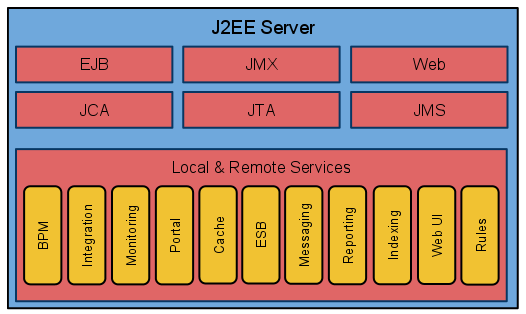
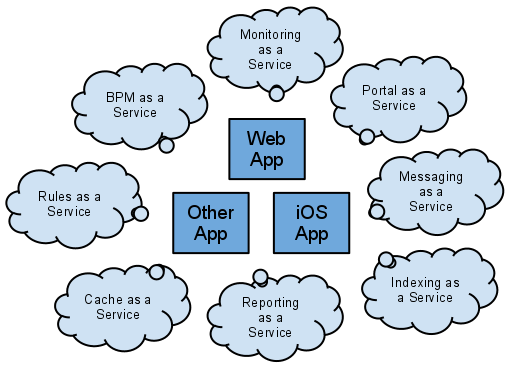
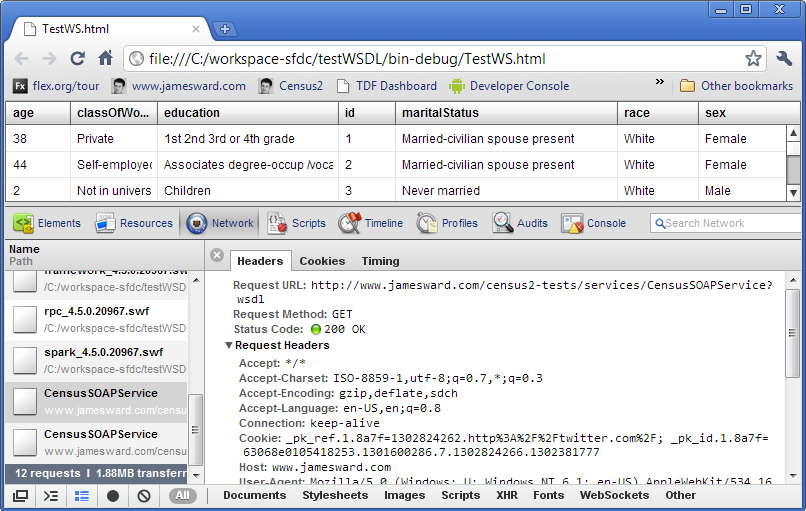
    #1 Blog: http://amarghosh.blogspot.com/
    Twitter: @amrghosh
    #2 Blog: http://histos.net/
    Twitter: @cliffmeyers
    #3 Blog: http://blog.iconara.net/ #4 Whoot! That's me!
    Blog: http://www.jamesward.com/
    Twitter: @riacowboy
    #5 Blog: http://turbonerd.com/ #6 Blog: http://joshblog.net/
    Twitter: @joshtynjala
    #7 Blog: http://www.herrodius.com/
    Twitter: @herrodius
    #8 Blog: http://blog.richardszalay.com/
    #9 #10
    Thanks to everyone who contributes to the Flex community on Stack Overflow! [1]: http://tech.groups.yahoo.com/group/flexcoders/ [2]: http://blogs.adobe.com/aharui/ [3]: http://dougmccune.com/blog/ [4]: http://www.stackoverflow.com [5]: http://stackoverflow.com/questions/tagged?tagnames=flex&sort=newest&pagesize=50 [6]: http://stackoverflow.com/questions/tagged?tagnames=flex&sort=stats&pagesize=50 --- ## Flex 4, Hibernate 3, and Spring 3 Integration (2010-06-14) [Jon Rose][1] and I have created a new [DZone Refcard][2] called [Flex 4 and Spring 3 Integration][3]. In the Refcard, we walk you through the steps for building RIAs with Flash Builder 4, Flex 4, BlazeDS 4, Spring 3, the Spring BlazeDS Integration, and Hibernate. Whew! That's a lot of pieces! The Refcard covers simple Remoting, Flex & Hibernate integration through Spring (all Java annotation driven and using the new data-centric development features in Flash Builder 4), Pub / Sub Messaging, and Flex and Spring Security. We pack a lot into six pages! If you want to see recorded presentations / screencasts of some of these things check out: * [What's new in Flash Builder 4 for Java Developers][4] * [Flash Builder 4 Data Wizards with Java / Spring][5] * [Flex 4, Java, Spring, and Hibernate in Flash Builder 4][6] I hope all of this is helpful. Let me know what you think. [1]: http://ectropic.com [2]: http://refcardz.dzone.com/ [3]: http://refcardz.dzone.com/refcardz/flex-4-and-spring-3 [4]: http://seminars.adobe.acrobat.com/p31679079/ [5]: http://www.jamesward.com/2010/01/11/flash-builder-4-data-wizards-with-java-spring/ [6]: http://www.jamesward.com/2010/01/17/flex-4-and-java-spring-hibernate-in-flash-builder-4/ --- ## Improved Open Source Testing Tools for Flex (2010-06-09) Back in the early days of Flex there wasn't much for doing unit testing, automated testing, performance testing, etc. Thanks to the community there are now numerous open source testing tools for Flex. Here are some recent updates you should definitely check out if you are building production Flex apps: * [FlexUnit 4.1 Beta 1][1] * [FlexMonkey (open source automated testing) now supports Flex 4][2] * [PushButton Labs Profiler for Flex][3] It's very exciting to see these community driven projects continue to improve testing for Flex apps. [1]: http://www.flexunit.org/?p=62 [2]: http://flexmonkey.org/wordpress/2010/05/11/flex-4-support-now-available-from-flexmonkey-gorilla-logic/ [3]: http://pushbuttonengine.com/2010/06/pushbutton-labs-profiler-open-sourced/ --- ## Flash Platform and Salesforce.com Webinar and Mobile App (2010-05-26) Client + Cloud technologies have been quickly evolving and maturing. The combination of Flex and Salesforce.com continue to lead the way for next generation Client + Cloud applications. Recently I did a [Webinar on The Flash Platform and Salesforce.com][1] with Dave Carroll from Salesforce. If you missed it you can watch the recording to see how you can begin developing Client + Cloud apps. Also [watch Jeff Douglas demo an offline case management app][2] he built with Flex and Force.com. Awesome stuff! Last week I was able to spend a few hours with [Model Metrics][3] porting their [Pharma2GO Adobe AIR app][4] to run on an Android Mobile device. Using the [AIR for Android Prerelease][5] we quickly created a mobile friendly UI with Flex and reused the same data sync code from the desktop app. Check out the end result: Listen to what Model Metrics had to say about this in their blog "[HTML 5 – Ready for Primetime in the Enterprise?][6]": > One of our early iPhone products on the iTunes AppStore was Search2GO, a simple search tool for Salesforce.com. This was built in Objective C and it took approximately 8 weeks to develop. Yesterday I watched two developers create over half of this same functionality using Flex/AIR and had it running on an Android phone in a day. Granted there are still things that could be added, but this was a great illustration of why Flex/AIR is a great toolset. These are exciting times for Client + Cloud apps now that the "Client" can easily be on the web, desktop, and mobile device using the same technologies and tools! [1]: http://seminars.adobe.acrobat.com/p26603860/ [2]: http://blog.jeffdouglas.com/2010/02/01/adobe-air-applications-with-salesforce/ [3]: http://www.modelmetrics.com [4]: http://www.modelmetrics.com/solutions/2go-mobile-cloud-platform/ [5]: http://labs.adobe.com/technologies/air2/android/ [6]: http://www.modelmetrics.com/general/html-5-%E2%80%93-ready-for-primetime-in-the-enterprise/ --- ## Flex on Android in Flash Player and AIR (2010-05-21) This week at the Google I/O conference Adobe announced that a Flash Player 10.1 beta and an Adobe AIR prerelease are now available for Android devices. This is really exciting news for those of us building apps on the Flash Platform because now we can begin building apps in Flex for these mobile devices (and many others coming soon). Take a look a some of the quick demos I've built with Flex running on Android in Flash Player and AIR: You can get the source code for all of these demos from [github][1]. Also [Christophe Coenraets][2] has posted some great Flex mobile demos. Check out his [Employee Directory][3] and [Stock Trader][4] demos. These are very exciting times for developers! If you want to check out the Flash Player 10.1 beta for Android it will be available in the Android Marketplace for Android 2.2 devices. You can try Adobe AIR for Android today by [signing up for the prerelease][5]. [1]: http://github.com/jamesward [2]: http://coenraets.org [3]: http://coenraets.org/blog/2010/05/sample-application-using-flex-and-air-for-android/ [4]: http://coenraets.org/blog/2010/05/android-trader-application-with-flex-4-and-air/ [5]: http://blogs.adobe.com/air/2010/05/air_android_prerelease.html --- ## Watch AS34J – ActionScript 3 for Java Developers (2010-05-17) Last week I did an eSeminar on [AS34J - ActionScript 3 for Java Developers][1]. This was originally a presentation that [Chet Haase][2] and I did at [Devoxx][3]. Later Chet also published the presentation as a two part article on JavaWorld ([Part 1][4] and [Part 2][5]). Check out the [eSeminar][1] and let me know what you think. [1]: http://seminars.adobe.acrobat.com/p69179960/ [2]: http://graphics-geek.blogspot.com/ [3]: http://www.devoxx.com [4]: http://www.javaworld.com/javaworld/jw-02-2009/jw-02-actionscript1.html [5]: http://www.javaworld.com/javaworld/jw-03-2009/jw-03-actionscript2.html --- ## Flex and Java Differences: Getters & Setters (2010-05-07) In Java it has become a standard practice to use a getter & setter notation to provide a consistent interface to an object's properties. There is a reason why we don't do the following in Java: ```java public String fullName; ``` The code above essentially creates an interface (or contract) between the class and the implementors of this class that does not allow us to change the underlying implementation of what gets returned when the fullName property is accessed on an instance of the class. So if someone has Java code that accesses the fullName property: ```java blah = obj.fullName; ``` Or sets the fullName property: ```java obj.fullName = "blah"; ``` Then in Java there is no way to change the behavior of getting or setting the fullName property. If the author of the class wanted to change the underlying behavior of the getting or setting they would have to change how the implementors of the class interact with the class. That is obviously not ideal so in Java we typically hide properties with get and set functions. The Java language doesn't yet have Java properties so we use methods to hide the implementation. So our Java class instead would be: ```java private String fullName; public String getFullName() { return fullName; } public void setFullName(String fullName) { this.fullName = fullName; } ``` This allows the class author to change the behavior of getting and setting the fullName property without changing the external interface. In Flex it is not usually necessary to create the wrapper getter and setting functions on an object because ActionScript supports properties. This means that you can usually just create public properties like: ```actionscript public var fullName:String; ``` If the internal implementation of getting or setting the fullName property needs to change, then the class can be adapted to have getter and setter functions without changing the external interface of the class: ```actionscript private var _fullName:String; public function get fullName():String { return _fullName; } public function set fullName(_fullName:String):void { this._fullName = _fullName; } ``` To the class implementor the property fullName could still be get and set through the normal notations: ```actionscript // getters blah = obj.fullName; blah = obj['fullName']; // setters obj.fullName = "blah"; obj['fullName'] = "blah"; ``` Getting or setting the property would call the getter and setter functions instead of accessing the property directly. This allows the interface of the object to stay the same even if the underlying implementation of getting and setting the property changes. This also allows a class to dispatch events when properties change (this is how Data Binding works internally in Flex). I see a lot of Java developers who are wary of public properties on ActionScript classes. Don't be! ActionScript supports real properties so you shouldn't ever need property getters and setters unless you are doing something out of the ordinary. And you can switch to getters and setters without changing the interface to the object. If you would like to learn more about the differences between ActionScript and Java check out my [AS34J: ActionScript 3 for Java Developers eSeminar][1] next week! UPDATE: Watch the recording of my eSeminar presentation. [1]: http://www.adobe.com/cfusion/event/index.cfm?event=detail&id=1489921&loc=en_us&sdid=EUQZQ --- ## Emerging Technologies for the Enterprise Podcast (2010-04-27) While I was at the Emerging Technologies for the Enterprise [conference][1] in Philly I was able to participate in a [very fun podcast][2]. The casual chat was hosted by [Ken Rimple][3] of [Chariot Solutions][4]. Participating in the podcast were [Adam Coomes][5] of Infegy, [Ed Burns][6] of Oracle, [Cote][7] of Redmonk, and myself. Topics ranged from cheesesteaks to turbo buttons. Give [it a listen][2] and let me know what you think! [1]: http://phillyemergingtech.com/ [2]: http://chariottechcast.libsyn.com/index.php?post_id=605733 [3]: http://www.rimple.com/tech [4]: http://chariotsolutions.com/ [5]: http://www.twitter.com/adamcoomes [6]: http://www.twitter.com/edburns [7]: http://twitter.com/cote --- ## Flex at the Austin JUG and Stir Trek in Columbus (2010-04-26) Tomorrow night I'll be in Austin, Texas speaking at the Java User Group about [Better Software with Java and Flex][1] (Try the [Google Cache Page][2] in case the site is not working). And then next week I'll be at Stir Trek in Columbus, Ohio presenting about [Flex and the Cloud][3]. I hope to see some of you at these events! [1]: http://www.austinjug.org/index.jsp?p=events-20100427 [2]: http://74.125.155.132/search?q=cache:QJI7olGFWdoJ:www.austinjug.org/index.jsp%3Fp%3Devents-20100427+http://www.austinjug.org/index.jsp%3Fp%3Devents-20100427&hl=en&gl=us&strip=1 [3]: http://stirtrek.com/Sessions.aspx --- ## Flex 3 SDK in Flash Builder 4 (2010-04-20) The [Flex 4 SDK][1] has some great new features but for existing Flex 3 apps upgrading might not yet be an option. Luckily Adobe's professional tooling for Flex, now called Flash Builder 4, is abstracted from the underlying SDK. This means that you can take advantage of many of the new [Flash Builder 4 features][2] while still using the Flex 3 SDK. I recently recorded a screencast showing how to use Flash Builder 4 with Flex 3 projects. Check out "[Moving projects from Flex Builder 3 to Flash Builder 4][3]" by [Andrew Shorten][4] to see my screencast. [1]: http://opensource.adobe.com/wiki/display/flexsdk/Flex+SDK [2]: http://www.adobe.com/products/flashbuilder/?view=topnew [3]: http://www.adobe.com/devnet/flex/articles/flexbuilder3_to_flashbuilder4.html [4]: http://www.ashorten.com/ --- ## Drunk on Software #23 “I’d give it a 4.5 out of 10” (2010-04-13) In [Episode 23][1] we chat with [Adam Flater][2] and [Rob Rusher][3] about some very controversial topics. Adam points out James’ wishful thinking when we discuss what defines something being a “Flex application”. [Jon][4] gets the award for best quote of the episode when we discuss Flex and its community. Things get fun as we discuss Silverlight and Flex differences. As we wrap up Jon rates the wonderful scotch we were drinking an 8 out of 10.

    [1]: http://www.drunkonsoftware.com/2010/04/02/episode-23-id-give-it-a-4-5-out-of-10/ [2]: http://adamflater.blogspot.com/ [3]: http://www.robrusher.com/ [4]: http://www.ectropic.com --- ## Video: Build your First Desktop Application with Flash Builder (2010-04-01) In this video I walk through the basics of building Adobe AIR desktop applications in Flash Builder 4 using the Flex 4 SDK. Let me know what you think. --- ## Upcoming Flex Presos: Cincinnati, Philly, Houston, and Dallas (2010-03-24) Here are some upcoming presentations I'll be doing about Flex: * Cincinnati March 24 - cincyFlex - [What's new in the world of Flex?][1] * Cincinnati March 25 - CinJUG - [Flex in the Cloud][2] * Philly April 8 - Emerging Technologies for the Enterprise - [Building Client/Server 2.0 Apps with Flex][3] * Houston April 13 - [Houston Adobe User Group][4] and [Space City Flex Users Group][5] * Dallas April 14 - JavaMUG - [Using Flex and Java to Build Rich and Highly Interactive Software][6] I hope to see you at one of these events! [1]: http://groups.adobe.com/posts/5d28b426a4 [2]: http://cinjug.org/meetings/index.html [3]: http://phillyemergingtech.com/sessions/building-client-server-2-0-apps-with-flex [4]: http://groups.adobe.com/index.cfm?event=post.display&postid=17615 [5]: http://groups.adobe.com/index.cfm?event=post.display&postid=17640 [6]: http://javamug.org/mainpages/2010Meetings.html#Apr --- ## Flex Paint Updated To Flex 4 (2010-03-22) One of my [most viewed blogs][1] is one of the most simple demo apps I've built. It's a simple Flex app that lets the user draw with their mouse and then lets them save their drawing. I've updated the Flex Paint demo to Flex 4. Check it out: ([View the source code][2]) [1]: http://www.jamesward.com/2009/04/16/flex-paint-2/ [2]: /demos/FlexPaint4/srcview/index.html --- ## Flex 4 is Here! Go forth and build better software! (2010-03-22) [Flex 4][1] and its counterpart, [Flash Builder 4][2], are now publicly available! We've also launched a new [flex.org][3] and added a ton of new Flex 4 samples in [Tour de Flex][4]! Rich Internet Applications are the next generation of software. For the first time in the history of software the goal is not to simply collect or interpret data, but to make those tasks productive and simple. RIAs move us up the hierarchy of user and business needs. It is unproductive to change technologies and create the same old stuff. We change technologies because they provide new value like closing more deals, reducing task completion time, or gaining customer loyalty. I got into Flex 1.0 about six years ago because I could more easily deliver usable software with Flex than I could with any other technology. A key aspect to creating more usable software is working with designers. The new Spark component model in Flex 4 sets the foundation for developers and designers to work more closely together using tools such as Adobe Creative Suite and Flash Catalyst. This is what sets Adobe apart in the RIA landscape. Designers use Adobe's creative products. The key to building better software is creating ways for designers to more easily work with developers. By bringing together designers and developers, Flex 4 enables a world of better software! I'm truly excited to see the amazing things you will build with Flex! [1]: http://www.adobe.com/products/flex/ [2]: http://www.adobe.com/go/try_flashbuilder [3]: http://flex.org [4]: http://flex.org/tour --- ## Flex Camp Wall Street and Flex on the Cloud Videos (2010-03-08) Two great Flex conferences have recently posted their video recordings: * [Flex Camp Wall Street][1] * [Flex on the Cloud][2] There were numerous great sessions and speakers at each of these conferences. At Flex Camp Wall Street I presented "Flex Stuff I am Excited About". Check it out and let me know what you think. [1]: http://flexandair.blip.tv/ [2]: https://vmware.webex.com/vmware/lsr.php?AT=pb&SP=MC&rID=38584082&rKey=fcadadcb421a0b9d --- ## Upcoming Presos: Flash Camp Chicago, Devnexus & Flex on the Cloud in Atlanta, Java Posse Roundup, and TSSJS Las Vegas (2010-02-24) I'll be attending and presenting at a number of great events over the next few weeks: * February 26 [Flash Camp Chicago][1] * March 8 - 9 [Devnexus][2] in Atlanta * March 10 [Flex in the Cloud][3] in Atlanta * March 16 - 19 [Java Posse Roundup][4] in Crested Butte, Colorado * March 17 - 19 [The Server Side Java Symposium][5] in Las Vegas I hope to see you at these events! [1]: http://flashcampchicago2010.eventbrite.com/ [2]: http://www.devnexus.com/site/presentations [3]: http://www.meetup.com/atlflex/calendar/12589413/?success=rsvpYesOrgCreateGroup [4]: http://www.mindviewinc.com/Conferences/JavaPosseRoundup/ [5]: http://javasymposium.techtarget.com/html/speakers.html#JWard --- ## Flex 4 and Java Basics Video (2010-02-23) Here is a new screencast that walks through the basics of integrating Flex 4 and Java: (Open full-size video in a new window) --- ## Flex Performance on Mobile Devices (2010-02-21) This past weekend I spent an hour optimizing the [Flex 4 scrolling demo][1] that I posted last week. The original demo was intended to show how to hook up touch events to the Flex 4 List / DataGroup controls. This new version adds some optimizations for the touch event handling and adds the kinetic flick behavior. Check it out and let me know what you think: I've posted [the code][2] for this second version of the [touch scrolling demo][3]. It was pretty trivial to optimize it this far. With a little more work it'll be as smooth as silk and as fast as Apolo Ohno. :) Over the past few days I've received some questions about the performance of Flex apps on mobile devices. My [Census RIA Benchmark][4] has been a great way to compare the performance of various data loading techniques and technologies. Now that I have my Android based Nexus One mobile device with an early build of Flash Player 10.1 I wanted to see how fast I could load and render large amounts of data in a Flex application. I'm really impressed with the results! 20,000 rows of data loaded from the server and rendered on my phone in about 2 seconds! Those 20,000 rows can then be sorted on the device instantaneously. Pretty amazing performance for such a little device! Check out the video: You can run the mobile version of the [Flex AMF Census Test][5] and check out the [source code][6]. Let me know what you think. [1]: http://www.jamesward.com/2010/02/19/flex-4-list-scrolling-on-android-with-flash-player-10-1/ [2]: http://www.jamesward.com/demos/MobileListSwipe2/srcview/ [3]: http://www.jamesward.com/demos/MobileListSwipe2/MobileListSwipe2.html [4]: http://www.jamesward.com/census [5]: http://www.jamesward.com/demos/MobileCensus/MobileCensus.html [6]: http://www.jamesward.com/demos/MobileCensus/srcview/index.html --- ## Flex 4 List Scrolling on Android with Flash Player 10.1 (2010-02-19) UPDATE 1: The first version of this demo was intended to show how to hook up touch events to the Flex 4 List / DataGroup controls. I've posted a new version that adds some optimizations for the touch event handling and adds the kinetic flick behavior. One of the challenges of running existing web content on mobile devices is that user interactions differ between mediums. For instance, on a normal computer with a mouse, scrolling though lists is often done by clicking on scroll bars or mouse wheels. On mobile devices that lack a pointing device this is not the best interaction paradigm. On devices with touch screens the paradigm for scrolling is usually a swipe gesture. In Flash Player 10.1 there are APIs for gestures and multitouch events. I thought it would be fun to hook up the list scrolling on a Flex 4 List to the [TouchEvent][1] on my Nexus One. Check out the video: If you want to see how I created this [simple demo][2], check out the [source code][3]. Let me know if you have any questions. [1]: http://help.adobe.com/en_US/FlashPlatform/beta/reference/actionscript/3/flash/events/TouchEvent.html#TOUCH_MOVE [2]: http://www.jamesward.com/demos/MobileListSwipe/MobileListSwipe.html [3]: http://www.jamesward.com/demos/MobileListSwipe/srcview/ --- ## Flex Apps on Mobile Devices (2010-02-17) This week at Mobile World Congress Adobe has been [showing off Flash Player 10.1][1] on a variety of mobile devices. Last week I received Google's Nexus One device with an early version of Flash Player 10.1 on it. Here is a video I shot today showing how Flex applications can run on mobile devices with Flash Player 10.1 and how existing applications can be tweaked for the size constraints of these devices. Let me know what you think. BTW: The app I created for the demo is available at [bit.ly/tdfmdb][2]. [1]: http://www.adobe.com/aboutadobe/pressroom/pressreleases/201002/021510FlashPlayerMWC.html [2]: http://bit.ly/tdfmdb --- ## Geek Week in Denver (2010-02-14) This week in Denver is going to be a total geek fest! I'm pretty excited about three great events: * Monday Feb 15: [Jason Huggins on Web-application testing with Selenium][1] * Tuesday Feb 16: [Denver Tech Meetup][2] * Thursday Feb 18: [Flex and The Cloud][3] (I'm presenting at this one.) There is a rumor that we might record a [Drunk on Software][4] episode after the event on Thursday. Apparently there are some people who disagree with my definition of "Flex app". This could be the episode where we move from an Oprah style show to a Jerry Springer style of show. Sounds like fun to me. :) [1]: http://agiledenver.ning.com/events/jason-huggins-on [2]: http://denvertechmeetup.com/2010/02/04/get-primed-up-for-fat-tuesday-at-this-months-meeting/ [3]: http://ria5280.org/calendar/event/2010/2/18/163821 [4]: http://www.drunkonsoftware.com --- ## Time to Update to Flex SDK 3.5a (2010-02-12) If you are using a Flex SDK before 3.5a then it's probably time to update. Flex SDKs before 3.4 have a [security vulnerability][1]. I believe the problem is actually in the HTML template, so when you update make sure that you also update the HTML templates that you are using. The Flex SDK 3.4 had the [double responder bug][2]. And the initial release of Flex SDK 3.5 had a [bug with AIR's ApplicationUpdaterUI][3]. If you overlay your own AIR SDK on top of the Flex SDK then be aware that you will actually be overwriting the ApplicationUpdaterUI fix (comments in the bug report discuss how to deal with that). So it's time to move to the [latest Flex SDK 3.5a][4]! Also, if you are using BlazeDS, LCDS, or FDS then it's time to update that as well due to [a security vulnerability][5] that was published yesterday. [1]: http://www.adobe.com/support/security/bulletins/apsb09-13.html [2]: https://bugs.adobe.com/jira/browse/SDK-22883 [3]: https://bugs.adobe.com/jira/browse/SDK-24766 [4]: http://opensource.adobe.com/wiki/display/flexsdk/Download+Flex+3 [5]: http://www.adobe.com/support/security/bulletins/apsb10-05.html --- ## London Event Tomorrow: RIAs with Java, Spring, Hibernate, BlazeDS, and Flex (2010-02-09) Tomorrow night, Wednesday Feburary 10 2010, I'll be speaking to the London Java Community about [RIAs with Java, Spring, Hibernate, BlazeDS, and Flex][1]. I hope to see you there! [1]: http://www.meetup.com/Londonjavacommunity/calendar/11801621/ --- ## First Steps in Flex Screencasts (2010-01-24) A little over a year ago [Bruce Eckel][1] and I published [First Steps in Flex][2]. So far we've had great feedback on the book. The concise examples seem to resonate with how developers learn new technologies. Another way that developers learn is through seeing technologies firsthand. To better support that model of learning Bruce and I decided to create [screencasts][2] for each chapter of the book. [First Steps in Flex Screencasts][2] We took a very casual approach to the screencasts. They were not scripted. We wanted them to feel as though you are sitting in the room with us as we discuss the code. Check them out and let us know what you think. BTW: The viewer app for the screencasts was created with Flex 4! [1]: http://www.mindviewinc.com/Index.php [2]: http://www.firststepsinflex.com --- ## Tampa Bay Adobe Developer Event this Thursday (2010-01-20) Adobe's Enterprise Evangelism team including [Greg Wilson][1], [Christophe Coenraets][2], and myself are in Tampa, FL this week. On Thursday night we are [rounding up the local geeks][3] at Taverna Opa for free beers and drunken confabulation about Flex, The Flash Platform, and other topics that bore most normal people. Hope to see you there! [1]: http://gregsramblings.com [2]: http://coenraets.org [3]: http://gregsramblings.com/2010/01/18/tampa-bay-adobe-developer-event-this-thursday/ --- ## Flex and The Cloud (2010-01-19) The combination of Flex and The Cloud is quickly becoming an IT and paradigm changing combination. Here are a number of recently published resources for learning more about this : * An article I wrote has been published on the online Flash & Flex Developer's Magazine: [Flex and The Cloud: Is this really just Client/Server 2.0?][1] * I'll be speaking on [Thursday, February 18 2010 at the Denver Flex User Group][2] about Flex and The Cloud * The [recording of a webinar][3] I co-hosted on the new Salesforce.com Cloud platform for developers has been posted * Jeff Douglas has posted [a video walk through][4] showing how to use the new Salesforce.com Flash Builder 4 extension for Flex + Cloud apps Exciting stuff! Let me know what you think! [1]: http://ffdmag.com/download-1-2010 [2]: http://ria5280.org/calendar/event/2010/2/18/163821 [3]: http://www.adobe.com/cfusion/event/index.cfm?event=list&loc=en_us&type=ondemand_seminar&product=&interest=int_rich_internet_applications&audience=&sdid=EGMQU [4]: http://blog.jeffdouglas.com/2010/01/11/developing-apps-with-the-stratus-framework/ --- ## Flex 4, Java, Spring, and Hibernate in Flash Builder 4 (2010-01-17) UPDATE 1: Flash Builder 4, BlazeDS 4, and Spring 1.0.3 have all been release so you no longer have to use beta or nightly builds of these products. Use the production versions! UPDATE 2: A Refcard on Integrating Spring 3 and Flex 4, which I co-authored, is now available! It provides a step-by-step tutorial for setting up everything I show in the video below. Last week I posted [a screencast][1] that walks through the basics of connecting a Flex 4 application to a Java / Spring back-end with the new Data Wizards in Flash Builder 4. Here is a new video that extends beyond just simple RPC method calls and adds Hibernate for persistence. Let me know what you think. (Open full-size video in a new window) [1]: /2010/01/11/flash-builder-4-data-wizards-with-java-spring/ --- ## Right90’s Super-Sexy Enterprise Flex RIA (2010-01-13) While at Dreamforce 2009 I was able to see some amazing enterprise Flex RIAs. Here is an RIA Cowboy Video of [Right90][1]‘s Sales Forecasting application. Let me know what you think. [1]: http://www.right90.com/ --- ## Flash Builder 4 Data Wizards with Java / Spring (2010-01-11) UPDATE 1: Flash Builder 4, BlazeDS 4, and Spring 1.0.3 have all been release so you no longer have to use beta or nightly builds of these products. Use the production versions! UPDATE 2: I've done a second part to this screencast that combines Flex 4, Flash Builder 4, Spring 3, BlazeDS 4, and Hibernate 3. UPDATE 3: A Refcard on Integrating Spring 3 and Flex 4, which I co-authored, is now available! It provides a step-by-step tutorial for setting up everything I show in the video below. Connecting a Flex 4 application to a Java / Spring back-end couldn't be easier in Flash Builder 4's new Data Wizards. I've recorded a screencast that shows how to set up the web application project, configure Spring & BlazeDS, and then build a Flex 4 application that connects to the Java / Spring back-end. Check it out and let me know what you think. --- ## Integrating Adobe Flex with IBM WebSphere Portal (2010-01-07) Integrating Flex into portals has always been an interesting topic for enterprise developers. Other than [a blog][1] I did a while back there hasn't been much information out there about how to get Flex apps into portals. But I just read a great article on IBM developerWorks about [Integrating Adobe Flex with IBM WebSphere Portal][2]. It's a great read for enterprise developers looking to combine Flex and WebSphere Portal. [1]: http://www.jamesward.com/2006/11/02/flex-your-oracle-portal/ [2]: http://www.ibm.com/developerworks/websphere/library/techarticles/0911_el-hadik/0911_el-hadik.html?S_TACT=105AGX10&S_CMP=LP --- ## Intuit Cloud Webinar on January 14 (2010-01-06) Edit: Whoops. It's on the 14th not the 24th! Intuit's Cloud / Platform as a Service (PaaS) technology called the Intuit Partner Platform (IPP) has quickly matured into a first class Client + Cloud solution. Building a custom user interface with IPP is done through Flex. This is a perfect combination and opens many opportunities for developers to build and sell apps into Intuit's extensive ecosystem. They are doing a [Webinar on January 14][1] about what's new in IPP v2.4. This is a great opportunity to learn more about how you can build apps for the IPP with Flex. Definitely a session not to miss! [1]: https://www1.gotomeeting.com/register/152420656 --- ## Drunk on Software Episode 22: Sleeping on the Couch (2009-12-21) [Episode 22][1] of [Drunk on Software][2] is certainly one of my favorites. [Jon][3] and [Chet][4] seem to think I fell asleep during the episode. Personally I think that I was temporarily abducted by some angry aliens that don't like humans who wear bear hats. Hmmm.. Like the episode that makes no sense. So grab your favorite adult beverage (if you are of legal age) and enjoy! [1]: http://www.drunkonsoftware.com/2009/12/20/episode-22-sleeping-on-the-couch/ [2]: http://www.drunkonsoftware.com [3]: http://ectropic.com/ [4]: http://graphics-geek.blogspot.com/ --- ## Exciting Flash Platform Advancements (2009-12-16) Recently there has been a number of exciting advancements with the Flash Platform (Flex, Flash Player, and Adobe AIR). Here is a quick round-up: Adobe released security updates for the Flash runtimes: [Flash Player 10.0.42.34][1] and [Adobe AIR 1.5.3][2]. The Flash Player update fixes an issue with [mouse scroll wheels not working in Flash when using Safari][3]. Recently, Adobe also released public betas for [Adobe AIR 2][4] and [Flash Player 10.1][5]. This Flash Player release fixes the "[Incorrect unicode input in Linux][6]" bug. Both AIR 2 and Flash Player 10.1 have a new API for Global Exception Handling (which was [one of the highest rated feature requests][7] on [bugs.adobe.com][8]). Check out [Tour de Flex][9] for some new samples on how to use this new and other new APIs. For those looking to build Flex applications in the enterprise, Adobe has posted two great resources. First is a [third-party study][10] that says **enterprise penetration of Flash Player 9 (or better) is at 97.6%!** Second is a fantastic white paper about [The Business Benefits of Rich Internet Applications][11] - a must read for anyone in the enterprise who is evaluating Flex. Last is a short video of me at Adobe MAX 2009 where I talk about the progress that Adobe is making in getting the Flash Platform onto the many screens in our lives and why that is exciting for developers. Let me know what you think! [1]: http://www.adobe.com/go/gntray_dl_getflashplayer [2]: http://www.adobe.com/go/gntray_dl_getair [3]: http://bugs.adobe.com/jira/browse/FP-503 [4]: http://labs.adobe.com/technologies/air2/ [5]: http://labs.adobe.com/downloads/flashplayer10.html [6]: http://bugs.adobe.com/jira/browse/FP-40 [7]: http://bugs.adobe.com/jira/browse/FP-444 [8]: http://bugs.adobe.com [9]: http://flex.org/tour [10]: http://www.adobe.com/products/player_census/flashplayer/enterprise_penetration.html [11]: http://www.flashforbiz.com/Index.asp --- ## Matt Raible Compares Flex, GWT, Rails and Grails (2009-12-13) At the Rich Web Experience 2009 conference, [Matt Raible][1] presented [a very insightful comparison of "kick-ass" web frameworks][2] including Flex, Google Web Toolkit (GWT), Ruby on Rails and Grails. I appreciate his "right tool for the job" approach which moves beyond technology dogma towards real solutions. He includes some very revealing charts comparing jobs posts, [StackOverflow][3] posts, mailing list traffic and other stats. Check out the slides from his presentation: [1]: http://raibledesigns.com/ [2]: http://raibledesigns.com/rd/entry/comparing_kick_ass_web_frameworks [3]: http://www.stackoverflow.com --- ## Salesforce.com and the Adobe Flash Platform eSeminar (2009-12-11) On Thursday December 17th I'll be doing an eSeminar about Salesforce.com and the Adobe Flash Platform. This is a great opportunity to learn more about how to build Flex RIAs on the Cloud using the new Flash Builder for Force.com tool. [Sign up and see more details][1]. Hope to see you there! [1]: http://www.adobe.com/cfusion/event/index.cfm?event=detail&id=1489921&loc=en_us --- ## Drunk on Software Special Episode from Devoxx 2009 (2009-12-10) [Devoxx][1] is an annual developer conference in Antwerp, Belgium. Devoxx is typically held at the coldest, most miserable time of year to allow attendees to concentrate on the most important thing: Belgian Beer. Drunk on Software’s, [Chet Haase][2], was at the conference this year, talking to various people in bars, in restaurants, and in bars about what they were interested in drinking, er, enjoying at the conference this year. [1]: http://devoxx.com/ [2]: http://graphics-geek.blogspot.com/ --- ## Drunk on Software Episode 20: Dipock Das on Making Better Enterprise Software (2009-12-07) Here is another new episode of [Drunk on Software][1]! Let me know what you think! [1]: http://www.drunkonsoftware.com --- ## The Best and Worst Practices Building RIAs (2009-12-01) A few weeks ago at the [Web 2.0 Expo in NY][1] I co-presented _The Best and Worst Practices Building RIAs_ with [Josh Holmes][2]. Some would say that Josh and I evangelize competitive technologies (Silverlight and Flex). So it's really fun for us to come together and find common ground around building great software - no matter what technology is behind it. Here are the slides from our presentation. Let me know what you think. [1]: http://www.web2expo.com/webexny2009/ [2]: http://www.joshholmes.com --- ## Flex Builder on Linux Update (2009-11-25) Adobe has posted [an update][1] for Flex Builder on Linux which was scheduled to time-out on December 1, 2009. While the Flex SDK has always worked on Linux, development is certainly easier with Eclipse support for coding, compiling, and debugging. This alpha 5 release of Flex Builder for Linux allows us Linux folks to continue building Flex applications in Eclipse for another 401 days. However, Adobe has still not announced any plans to create a full Flex Builder (or Flash Builder) product for Linux. If that is something you want then please go vote for [FB-19053][2]. This update still doesn't support Eclipse 3.5. If you want Eclipse 3.5 support then you will need to apply patches created by [Danyul][3] and [myself][4]. Let me know how it goes. And if you are in the USA - Happy Thanksgiving! [1]: http://labs.adobe.com/downloads/flexbuilder_linux.html [2]: http://bugs.adobe.com/jira/browse/FB-19053 [3]: http://blog.danyul.id.au/?p=68 [4]: http://www.jamesward.com/2009/09/29/flex-builder-3-on-eclipse-3-5/ --- ## Flex At Dreamforce 2009 (2009-11-19) This week I'm in San Francisco at Dreamforce - Salesforce.com's yearly conference. It's amazing to walk around the expo hall and see how much Flex is being used in enterprise products and services. Like [last year][1] I've been recording some videos of some of the great enterprise Flex apps here. Also [Greg Wilson][2] has [been tweeting][3] a few pics of some of these apps including [right90 (update: now a video instead of a pic)][4] and [PivotLink][5] with more to come. Many of the Flex applications that people have built on top of Salesforce.com / Force.com today use [the existing Flex Toolkit for Force.com][6]. The new [Flash Builder for Force.com][7] tool today only supports desktop applications with Adobe AIR - but will also support web applications in the future. But you can still use the existing Toolkit within Flash Builder for Force.com. All you need to do is configure your project to use the Flex 3.4 SDK and add the force-flex.swc file to the project's libs folder. That's it! If you aren't at Dreamforce and want to learn about the new Flash Builder for Force.com then check out [the recording from a webinar][8] I co-presented a few weeks ago. [1]: http://www.jamesward.com/blog/?s=Dreamforce+2008 [2]: http://gregsramblings.com/ [3]: http://twitter.com/gregorywilson [4]: http://www.jamesward.com/2010/01/13/right90s-super-sexy-enterprise-flex-ria/ [5]: http://twitpic.com/q16ak [6]: http://developer.force.com/flextoolkit [7]: http://www.jamesward.com/blog/2009/10/26/adobe-and-salesforce-com-unite-ria-and-the-cloud/ [8]: http://salesforce.acrobat.com/p18708894/ --- ## My Upcoming Flex Presentations: Dallas SOA UG, TexFlex, Flex Camp Wall Street, Web 2.0, and Dreamforce (2009-11-10) Here are some upcoming Flex presentations I'll be giving: * Thursday November 12 in Dallas - [Java and Flex][1] * Friday November 13 in Plano, TX - [Flex and the Cloud @ TexFlex09][2] * Monday November 16 at Flex Camp Wall Street (New York) - [Flex Stuff I'm Excited About][3] * Monday November 16 at the Web 2.0 Expo (New York) - [Connecting RIA's to Services][4] * Tuesday November 17 at the Web 2.0 Expo (New York) - [Best and Worst Practices Building Rich Internet Applications (RIAs) from Adobe and Microsoft][5] (with [Josh Holmes][6]) * Thursday November 19 at Dreamforce (San Francisco) - [Building Force.com Apps with Adobe Flex/AIR][7] I hope to see you somewhere along the way! [1]: http://www.soaug.net/ [2]: http://texflex09.eventbrite.com/ [3]: http://flexcampwallstreet.com/sessions.html [4]: http://www.web2expo.com/webexny2009/public/schedule/detail/9164 [5]: http://www.web2expo.com/webexny2009/public/schedule/detail/9722 [6]: http://www.joshholmes.com/blog/ [7]: http://www.salesforce.com/dreamforce/DF09/site/learn/tracks/a1y300000004CGeAAM/a1y300000004CFqAAM/ --- ## How Bad Crossdomain Policies Expose Protected Data to Malicious Applications (2009-11-08) The web's success has been partially due to the sandbox it provides users. Users do not generally have to entirely trust every website they visit because malicious web sites should be sandboxed from doing the user harm. One way that web sites are sandboxed is through a same-origin policy. By default any code that runs inside a web browser can only access data from the domain in which the code originated from. So if code (JavaScript, Flash, etc) loads from the foo.com domain then it can't access data on the bar.com domain. The code may be able to make requests to bar.com but the code from foo.com shouldn't be able to read or access the results of those requests. Since Rich Internet Applications built with Flex, Silverlight, etc usually try to do more on the client side, for example mash-up data from multiple sites, the same-origin policy presents a problem. In most cases Flash Player sticks with the typical browser sandbox concepts. But there are a few places where it goes outside this boundary such as with microphone and webcam access. Another area is by allowing opt-in to cross-domain communication bypassing the browser's regular same-origin policy. Other plugins such as Silverlight and JavaFX also do this. This cross-domain capability is powerful but also [very dangerous][1]. The primary reason it's dangerous is that a malicious application can potentially make requests on behalf of the user and access data from domains that the application didn't originate from. To protect against these types of attacks Flash Player and other plugins have implemented a cross-domain policy system. This policy system is one of the most misunderstood aspects of web security. To illustrate the problem I've create a few demos. Let's say that I'm building an application that will fetch [some data][2] from the crossdomaindata.herokuapp.com site. Here's that application on crossdomaindashboard.herokuapp.com - open it in a new window. The application correctly pulled the data from the [crossdomaindata.herokuapp.com][3] site but in order to allow the request I blindly put a [crossdomain.xml policy file][4] on crossdomaindata.herokuapp.com that looks like this: ```xml ``` What this policy file does is instruct Flash Player to allow requests from any website to get around the same-origin policy and make requests to crossdomaindata.herokuapp.com - on behalf of the user. Sounds harmless, right? At this point it is, as long as all of the data on crossdomaindata.herokuapp.com is publicly available data. But let's suppose that not all of the data should be publicly available. Perhaps I'm protecting access to some data though cookie authentication or HTTP basic authentication. In this case I am (for the purpose of the demo). See the protected data by opening up using "username" and "password" (without quotes) for the user name and password. Now imagine that someone starts posting Twitter links (obfuscated through a URL shortener) phishing for people to open a malicious application (open it in a new window - I promise it doesn't do anything bad). So let's recap... There is a [protected resource][5] that only you should be able to see in your browser. Other applications should NOT be able to see that data. But a malicious application was able to load that same data and do whatever it wants with it. Scary. Here's how it works... The malicious application requests the [protected page][3]. It was able to make the request because you were authenticated already. And the malicious application can now read the data contained in the page and do whatever it wants with it (probably send it back to a server somewhere). OK. Now do you understand why crossdomain.xml policy files are dangerous? Imagine if Facebook, MySpace, or YouTube had a misconfigured policy file on their servers! Well they have - but they've since been fixed. Imagine if your bank or a corporate intranet had a misconfigured policy file. There are some very serious ramifications to these types of attacks. There are also some great uses of crossdomain policy files. For instance, api.flickr.com has an [open crossdomain.xml policy file][6]. This allows applications loaded from anywhere to access Flickr data and it's safe because api.flickr.com doesn't use cookies or basic auth - they use web service tokens, which are not automatically transmitted by the browser and are only known to the application that performed the authentication. I often hear from Flex / Flash developers that when they run into security sandbox issues the first thing they try is to open things up with a global (i.e. "*") policy file. I hope this article discourages that practice. Developers should understand why the security error is happening and consider alternatives before blindly opening up their website to the possible attacks. One alternative is to leverage a server proxy. A server proxy can be configured so that an application doesn't violate the same-origin policy. For instance, if an application on foo.com needs data from bar.com then a proxy can be configured such that requests to foo.com/bar are forwarded on the server to the bar.com site. This helps avoid attacks because users' cookies (or basic auth tokens) will not be sent to bar.com since all requests are actually being made to the foo.com site. But be careful not to expose intranet servers through proxies. Here is a sample Apache config for setting up a forward proxy: ```txt ProxyRemote /bar/* http://bar.com/ ProxyPass /bar http://bar.com ProxyPassReverse /bar http://bar.com ``` [BlazeDS][7] also includes a proxy service. If you really need to use a crossdomain policy file then be very careful! NEVER put a crossdomain policy file on a site that uses cookie or basic auth and NEVER put a crossdomain policy file on an intranet site - unless you really know what you are doing. To learn how to safely use crossdomain policy files here are some great resources: * [Policy file changes in Flash Player 9 and Flash Player 10][8] * [Cross-domain policy file specification][9] I hope this helps create better understanding of web security. Please let me know if you have any questions. [1]: http://tech.slashdot.org/story/09/11/05/1552204/Facebook-and-MySpace-Backdoors-Found-Fixed [2]: http://crossdomaindata.herokuapp.com/data.php [3]: http://crossdomaindata.herokuapp.com [4]: http://crossdomaindata.herokuapp.com/crossdomain.xml [5]: http://crossdomaindata.herokuapp.com/private/bankaccounts.html [6]: http://api.flickr.com/crossdomain.xml [7]: http://opensource.adobe.com/blazeds [8]: http://www.adobe.com/devnet/flashplayer/articles/fplayer9_security.html [9]: http://www.adobe.com/devnet/articles/crossdomain_policy_file_spec.html --- ## Drunk on Software at Adobe MAX 2009 (2009-11-06) Here's a special episode of [Drunk on Software][1] from Adobe MAX 2009. Enjoy!! [1]: http://www.drunkonsoftware.com --- ## My Video from MAX 2009 – Introduction to BlazeDS and LCDS (2009-11-04) Here is the video of my session from MAX 2009 - Introduction to BlazeDS and LCDS. In this session I walk through the basics of connecting Flex applications to BlazeDS and LCDS. Let me know what you think! --- ## Drunk on Software – Java Posse, MAX 2009, and Simeon Bateman (2009-11-02) We've recently posted three great episodes of [Drunk on Software][1] - the video podcast for those who like booze and bits. So grab your favorite adult beverage (if you are of legal age), sit back, and enjoy getting Drunk on Software! [Episode 17: Half of the Java Posse][2] [Episode 18: MAX 2009 Deep Thoughts][3] [Episode 19: Simeon Bateman MAX 2009 Wrap-up][4] [1]: http://www.drunkonsoftware.com [2]: http://www.drunkonsoftware.com/2009/09/29/episode-17-half-of-the-java-posse/ [3]: http://www.drunkonsoftware.com/2009/10/20/episode-18-max-2009-deep-thoughts/ [4]: http://www.drunkonsoftware.com/2009/10/25/episode-19-simeon-bateman-max-2009-wrap-up/ --- ## Ubuntu 9.10 (Karmic Koala) Desktop Edition Review (2009-10-29) Today [Ubuntu released Karmic Koala 9.10][1] Desktop Edition. Like Snow Leopard and Windows 7, I find this release underwhelming. It seems that all three major operating systems are running out of room for innovation and the focus has now shifted to core improvements. But the lack of anything really new and exciting in all three recently released operating systems (Snow Leopard, Windows 7, and Ubuntu 9.10) indicates that the OS space has become a commodity market. All OS innovation seems to have shifted to mobile devices while the only significant remaining differentiator between the operating systems is the applications that run natively on them. Applications are now the key to OS adoption. I love using iPhoto and iMovie on my wife's MacBook Pro. They are fantastic apps for a novice photo and video editor (like me). Outlook and Office on Windows continue to be significantly better for office productivity, email, calendaring, and contact management than any other available options for me. Everyone I work with passes around PowerPoint presentations and Word documents. Without 100% compatibility the Mac and Linux alternatives to Office make it unusable for me. Adobe uses Exchange so Outlook is the only real option for email, calendaring, and contact management. Outlook may not be sexy or simple but it just works. There are also some great plugins for Outlook that really improve my productivity. For instance, Adobe's travel agency has an Outlook plugin that automatically syncs my travel information to my calendar. I frequently hear my co-workers who use Mac Mail / Entourage complain about calendar mishaps and other issues, which makes me thankful that I have never had any issues with Outlook in the past seven years that I've been using it. Ubuntu Linux is my primary desktop OS and since I need Office for my day-to-day work I use VMWare Workstation and boot the same Windows 7 install that I also can dual-boot into for presentations. This provides me with the ability to use the OS I'm most familiar with (Linux) most of the time but to also use Windows for Office when needed. It's just too bad that I can't run Snow Leopard in VMWare since that would certainly alleviate some marital tension because my wife hates it when I use her laptop to produce new episodes of [Drunk on Software][2]. As I said before I'm underwhelmed by Ubuntu 9.10. It's not a bad release. Most stuff works. But looking back at my [review of Ubuntu 9.04][3] it seems that not much has really changed: * Battery Life - Still great! * Suspend - Still works great except that I still can't see my F3507g Mobile Broadband card after I resume ([open bug][4]) unless I toggle my wireless kill switch. * 3G Mobile Broadband - Now consistently works much better! And works out-of-the-box (unlike on Windows). * Email - I would love to switch to Evolution from Outlook but MAPI is still not working for me. Whenever I try Evolution crashes. * Display - The Intel drivers are working great except that setting the Display Preferences in Gnome's Preferences still doesn't work. Using xrandr from the command line works fine though - even when plugging into a projector. * Boot Performance - Improved by a few seconds. From BIOS to logged in in under ten seconds! * Office Productivity - OpenOffice is unusable for me. It's UI is clunky and it's compatibility with Office is still not perfect. * Screen Sharing - Still no [Adobe Acrobat Connect presenter plugin for Linux][5]. * Flex Builder for Linux - The alpha is about to expire. Please [vote for the feature request][6]. * Accelerometer - Still doesn't work out-of-the-box. Overall I really appreciate any steps that Linux takes towards being a more viable Windows / Mac alternative. And who am I to complain? I don't have to pay for Linux and have never really contributed to making it better. So overall I am happy with Ubuntu 9.10 and there are only a few things that I wish were better. The good news is that improvement of Linux on the Desktop is accelerating while desktop OS innovation seems to have stagnated due to the OS market being commoditized. As long as the applications that run on Linux continue to improve then the future of Desktop Linux seems bright. Maybe what we need is more cross-platform applications using Adobe AIR? :) [1]: http://www.ubuntu.com/products/whatisubuntu/910features [2]: http://www.drunkonsoftware.com [3]: http://www.jamesward.com/blog/2009/04/23/ubuntu-904-desktop-edition-review-what-works-what-doesnt/ [4]: https://bugs.launchpad.net/ubuntu/+source/linux/+bug/334413 [5]: https://na5.brightidea.com/ct/ct_a_view_idea.bix?c=8FBBEA8F-D8E6-4E34-A7C1-7C74FB3B4EFA&idea_id=3F96AA68-9F30-41F3-8727-399E8AA5BD9E [6]: http://bugs.adobe.com/jira/browse/FB-19053 --- ## Upcoming Flex and Java Presentations in Zurich and Dallas (2009-10-27) Here are a few upcoming Flex and Java presentations I'll be giving: * Thursday October 29 in Zurich - [RIAs with Java, Spring, Hibernate, BlazeDS, and Flex][1] * Thursday November 12 in Dallas - [Java and Flex][2] * Friday November 13 in Plano, TX - [Flex and the Cloud @ TexFlex09][3] I hope to see you there! [1]: http://www.jugs.ch/html/events/2009/flex.html [2]: http://www.soaug.net/ [3]: http://texflex09.eventbrite.com/ --- ## Adobe and Salesforce.com Unite RIA and The Cloud (2009-10-26) The two major trends transforming software right now are Rich Internet Applications (RIAs) and Cloud Computing / Software as a Service (SaaS or PaaS). These trends are driven by two needs: * Full client capabilities, which allow software to perform optimally and increase usability * * Easy deployment, which allows developers to focus on business needs instead of building infrastructure The combination of RIA and Cloud is the future of software because it provides full client capabilities and easy deployment. The chart below illustrates this in comparison to the other major software architectures (main-frame, client / server, and web). RIA In line with these trends Adobe and Salesforce.com [announced today][1] that they are working together to unite Rich Internet Applications and The Cloud. At the core of this announcement is a developer preview of the [Adobe Flash Builder for Force.com][2] tool. This tool enables developers to easily build intuitive user interfaces with Flex which connect to the Force.com cloud platform and Salesforce.com CRM data. These applications can be deployed either in the browser or on the desktop using Adobe AIR. When utilizing Adobe AIR, the applications can still function when users are disconnected. Later, when users reconnect, the changes are synchronized with Force.com using the LiveCycle Data Services synchronization engine. Being able to connect Flex applications to Salesforce.com / Force.com has been possible (and easy) since I co-created what was originally called the [Flex Toolkit for Apex][3]. So while it has been possible to build Rich Cloud Applications for a few years, today's announcement is significant for a few reasons: * Adobe and Salesforce are now officially partnered together around Rich Cloud Applications * Much better, officially supported developer tooling * Much better offline data synchronization It's really exciting to see how the vision of Rich Cloud Applications is becoming reality! If you'd like to learn more or try out the new tooling check out these resources: * [Get the developer preview and watch video demos][2] * [Get inspired and see how it works][4] * [Watch a video walk-through][5] Another great way to learn more is to sign up for a [Webinar / Tech Talk][6] that I will be co-presenting. Let me know what you think about this exciting new partnership and developer tooling. [1]: http://bit.ly/w29bL [2]: http://developer.force.com/flashbuilder [3]: http://www.jamesward.com/blog/2007/04/17/the-open-source-flex-and-apollo-toolkit-for-salesforcecom/ [4]: http://www.adobe.com/devnet/salesforce/index.html?devcon=f1 [5]: http://www.youtube.com/watch?v=vUsC8sdJaE0 [6]: https://www.developerforce.com/events/flashbuilder_webinar/registration.php?d=70130000000EuzT --- ## Text to Speech in Flex (2009-10-01) Back in August at the [Flex Jam in Orlando][1] one of the projects we worked on was Text to Speech in Flex. We didn't finish the project at the Jam so I wanted to post the final version here. Check it out: ([source code][2]) I used the [iSpeech.org API][3] to convert the text to speech. It was pretty easy to build this demo but a production version would need to use a proxy so that the username and password can't be discovered. Let me know what you think. UPDATE: Periodically this demo might stop working because I've run out of credits at ispeech.org. If it doesn't work for you please post a comment here and let me know. [1]: http://www.codetown.us/profiles/blogs/flex-jam-in-orlando-with-james [2]: http://www.jamesward.com/demos/iSpeechDemo/srcview/index.html [3]: http://www.ispeech.org/api --- ## Flex Builder 3 on Eclipse 3.5 (2009-09-29) UPDATE: Flash Builder 4 (the new version of Flex Builder) officially supports Eclipse 3.5. Download Flash Builder 4. I recently tried to upgrade to Eclipse 3.5 on my Ubuntu Linux desktop. Unfortunately this caused [some problems][1] with the [Flex Builder 3 for Linux alpha 4][2]. According to the stack traces in Eclipse the main problems seemed to stem from the com.adobe.flexbuilder.project.compiler.internal.ProblemManager class. So I decided to re-write that class from scratch to see if I could make the problems go away. My new implementation of ProblemManager seems to have fixed the issues that I was seeing. I've only tested this on Linux so I'm not sure if it will fix any problems on Mac or Windows. Here are the instructions for fixing the problems with Flex Builder 3 on Eclipse 3.5 on Linux: 1. Make sure you have installed Eclipse 3.5 and the Flex Builder 4 for Linux alpha 4 2. Download the [ProblemManager patch][3] 3. Unzip the ProblemManager patch file 4. Locate where Flex Builder is installed - in my case: ~/flex\_stuff/Adobe\_Flex\_Builder\_Linux 5. Update the com/adobe/flexbuilder/project/compiler/internal/ProblemManager.class file in /eclipse/plugins/com.adobe.flexbuilder.project_3.0.204732/zornproject.jar with the file extracted from the patch 6. Start Eclipse 3.5 7. Smile! UPDATE: Instructions for Windows were posted on InsideRIA by Mike Slinn. Thanks Mike! So far this works for me. But I'm sure there are some problems I haven't discovered with it yet. So please let me know if you have any problems. Also if someone wants to check this on Windows or Mac let me know if it works there. If not then feel free to update the ProblemManager.java class so that it does work. DISCLAIMER: This patch is totally unsupported by Adobe. Use at your own risk. [1]: http://bugs.adobe.com/jira/browse/FB-21284 [2]: http://labs.adobe.com/technologies/flex/flexbuilder_linux/ [3]: http://www.jamesward.com/downloads/ProblemManager.zip --- ## Learn Flex Fast: Watch 6 First Steps in Flex Screencasts (2009-09-28) As a companion to our book, [First Steps in Flex][1], Bruce Eckel and I have recorded [some screencasts][2] which walk through the code samples in the book. Let us know what you think about these first few. The rest will be posted sometime in the next few months. [1]: http://www.firststepsinflex.com [2]: http://www.firststepsinflex.com/#chapters --- ## Query the Loaded Classes in Flex / AS3 (2009-09-16) One of the things I love most about programming is running into walls and then finding creative ways to get over (or through) them. The most recent wall I ran into with Flex was that I wanted to be able to find classes at runtime that either implement a given interface or have specific metadata on them. Flash Player doesn't provide an API to do this directly so I went searching for a workaround. [Christophe Herreman][1] tipped me off to a few great utilities for doing this: * [getDefinitionNames][2] by Denis Kolyako * [as3-commons-reflect][3] A Flex application (using the Flex framework or AS3 only) can use getDefinitionNames to query any loaded SWF file (Application, Module, etc) for its class definitions. The getDefinitionNames utility just parses through the loaded bytecode and finds the class definitions. Then the as3-commons-reflect library can help determine which of those classes implement a given interface or have specific metadata on them. Here is an example: [(source code)][4] Here is how it works: ```actionscript var a:Array = getDefinitionNames(systemManager.loaderInfo); allClasses.dataProvider = a; ifooClasses.dataProvider = new ArrayCollection(); metafooClasses.dataProvider = new ArrayCollection(); for each (var cn:String in a) { var t:Type = Type.forName(cn); for each (var md:MetaData in t.metaData) { if (md.name == "MetaFoo") { metafooClasses.dataProvider.addItem(cn); break; } } if (ClassUtils.getImplementedInterfaceNames(t.clazz).indexOf("IFoo") >= 0) { ifooClasses.dataProvider.addItem(cn); } } ``` Pretty cool! There are a number of fun uses for this kind of thing... Modular IOC containers, client-side plugins, etc. Getting over this wall was pretty easy thanks to Denis and Christophe. The Flex / AS3 community rocks! [1]: http://www.herrodius.com/blog/ [2]: http://etcs.ru/pre/getDefinitionNamesSource/ [3]: http://www.as3commons.org/as3-commons-reflect/index.html [4]: /demos/GetClasses/srcview/index.html --- ## RIAs on the Web, on the Desktop, and in a PDF (2009-09-13) Some believe that the "Internet" in "rich Internet application" (RIA) means that RIAs must only run in the browser. However my [definition of RIA][1] is not constrained to only web-based applications. RIAs can run anywhere: web, desktop, mobile devices, TVs, or even [inside PDFs][2]. Ideally we should have some level of code and library reusability between these environments. However to think that we can reuse the entire application is a pipe dream. Client capabilities and end user needs vary too greatly between these mediums. I wanted to build an application in Flex that shows how applications can have a high degree of reuse between the web, the desktop, and in a PDF. I decided to build a Mortgage Calculator to illustrate this. Here is the web widget: From within the web widget you can install the desktop widget or email yourself a PDF containing the widget. Since this application is a small, self contained application (i.e. a widget) the functionality between the different mediums is very similar. In this case I was able to reuse about 99% of the code between the different versions. However, sometimes achieving that level of reuse is not possible due to the differences in client capabilities and the end user needs. This is the case with the Flex and Adobe AIR based [Oracle CRM Gadgets][3], which are for different use cases than the primary Siebel UI. There are beginning to be more instances where RIA widgets are being reused across different mediums. But this is only one piece of software development. In other instances the capabilities and functionality of web, desktop, and mobile applications vary so greatly that there is little reuse. Either way it's important to architect our back ends such that they are agnostic to the front end. This is one of the ways RIA and mobile app development have changed the way we build software. It's a good thing and we should embrace it. [1]: http://www.jamesward.com/blog/2007/10/17/what-is-a-rich-internet-application/ [2]: http://www.jamesward.com/blog/2008/11/05/portable-rias-flex-apps-in-pdfs/ [3]: http://www.oracle.com/applications/crm/siebel/crm-gadgets.html --- ## Flex and Java in Chicago and Ann Arbor (2009-09-09) This month I'll be presenting about Flex and Java at the Chicago and Ann Arbor Java User Groups: * [Chicago - September 15][1] * [Ann Arbor - September 22][2] Also on September 22 I'll be doing a [Flex Jam in Ann Arbor][2] (all day coding and exploration). I hope to see some of you at one of these events! [1]: http://www.cjug.org/Wiki.jsp?page=2009.09.15.downtown [2]: http://aajug.org/?p=139 --- ## Building Rich Cloud Applications with Force.com and Flex (2009-09-02) Combining the power of the cloud and the client allows developers to have the best of both worlds - easy deployment and full client capabilities. Salesforce.com's cloud platform, called Force.com, and the Flash Platform are two proven and reliable choices for building these types of Rich Cloud Applications. Last week I co-hosted a webinar called "Developing Rich User Interfaces on Force.com Using Adobe Flex" in which Ryan Marples (from Salesforce.com) and I walked through the two platforms and how to use them together to build great software. If you didn't have the chance to join the webinar then please go watch [the recording][1] and let us know what you think. In the webinar we didn't have a chance to walk through all of the details of building Rich Cloud Applications with Force.com and Flex so here is a tutorial and the [source code][2] for the highly desired car insurance demo. **Overview** With Rich Cloud Applications the back-end and front-end are distinctly different pieces. The first step when building these types of applications is to identify the domain model that will be used on the back-end for longterm persistence. Force.com will take care of all the details around scalability, reliability, disaster recovery, constraints, security, etc. All we need to do is describe the model in Force.com. In this case the model is for a piece of the insurance demo I frequently do. Here is a screenshot: insuricorp The information we need to store for this demo is the coordinates of all four cars and the coordinates of the crash indicator. In the next section we will describe that data model on Force.com. Since the front-end will be built with Flex you will need either [Flex Builder][3] (60 day trial available) or the [open source Flex SDK][4]. This tutorial will assume you are using Flex Builder. Flex contains many out-of-the-box components but the car dragging UI used in the insurance demo is not one of them. The section about building the front-end will walk through some of the Flex code used to create that UI. If you want to learn more about creating custom components in Flex there is great documentation on the [Adobe Developer Connection][5]. Also if you want to see the components that are available in Flex then check out [Tour de Flex][6]. Once the Flex application has been built, this tutorial will walk through the steps to put it up on the Force.com cloud. **Setting up the Back-end** To begin setting up the back-end on Force.com you will need a [developer account][7]. Once logged in you can go into the Setup mode by clicking on the "Setup" link at the top of the page. Setup mode is where you will configure the back-end data model on Force.com and deploy the Flex application after it's built. On the left side of the Setup page you will see a section titled App Setup and underneath that a link titled "Create". Click that link and then click the "Objects" link which will now appear in the list. This is where custom objects on Force.com are created and configured. Add a new custom object titled "AccidentReport". Then on that object create a few custom fields: * Date\_of\_Accident - The type is Date. This field will store the date the accident happened. * IncidentX - The type is Number. This field will store the X coordinate of the crash indicator. * IncidentY - The type is Number. This field will store the Y coordinate of the crash indicator. Next create another custom object titled "IncidentCar". On that object create these custom fields: * StartX - The type is Number. This field will store the X coordinate of the starting car's position. * StartY - The type is Number. This field will store the Y coordinate of the starting car's position. * EndX - The type is Number. This field will store the X coordinate of the ending car's position. * EndY - The type is Number. This field will store the Y coordinate of the ending car's position. * AccidentReport - This is a Master-Detail Relationship where the relationship is to the AccidentReport. The data model has now been configured on Force.com and is ready for use. You may want to add a few fake records (an AccidentReport with two cars) manually to test the data model. **Building the Flex Client** Now that the Force.com back-end is configured we can begin building the Flex client. The client can run in three ways: 1. Embedded in a Force.com page 2. On your own server 3. As a desktop application using Adobe AIR In this tutorial we will use option 1. The details for deploying the application will be covered in the next section. In order to connect to Force.com we need to download the [Force.com Toolkit for Adobe AIR and Flex][8]. Start by creating a new Flex Project in Flex Builder. Then copy the force-flex.swc file from the Toolkit into the project's libs folder. In your application start with something simple like: ```mxml import com.salesforce.AsyncResponder; import com.salesforce.objects.LoginRequest; import com.salesforce.results.LoginResult; import com.salesforce.results.QueryResult; var lr:LoginRequest = new LoginRequest(); lr.username = "YOUR USER NAME"; lr.password = "YOUR PASSWORD"; lr.callback = new AsyncResponder( function(result:LoginResult):void { conn.query("Select Id, IncidentX__c, IncidentY__c, Date_of_Accident__c from AccidentReport__c", new AsyncResponder(function(result:QueryResult):void { dg.dataProvider = result.records; })); }); conn.login(lr); ``` Give it a try by running the application. This simply logs in, fetches the AccidentReports and displays them in a DataGrid. Make sure that you have some sample data on Force.com before you run this. Otherwise you will get an error. That is a simple read-only view of some data on the Force.com cloud! However the full Car Incident application requires quite a bit more code. You can [download the code][2] and then copy and paste the files into your project. Let's walk through the application requirements: 1. Retrieve a list of AccidentReports 2. Allow the user to select an AccidentReport 3. Retrieve the IncidentCars for the selected AccidentReport 4. Allow the user to create a new AccidentReport 5. Allow the user to position the crash indicator and cars in the AccidentReport 6. Save the changes to Force.com When we started building our back-end we modeled the data in Force.com. Now we need a client-side model of the data. The two value objects for this purpose are AccidentReport.as and Car.as. Those two value objects contains public properties corresponding to the values we need to hold once we get data back from Force.com. They also have a constructor that can map the data format from Force.com to the value object's properties. For instance the Car value object's constructor does the following: ```actionscript public function Car(o:Object=null) { if (o != null) { id = o.Id; startX = o.StartX__c; startY = o.StartY__c; endX = o.EndX__c; endY = o.EndY__c; } } ``` This simply sets the properties on an instance of Car to the data values retrieved from Force.com. Later on you will see where those values come from and how we create new Car value objects. Now that the client-side data model has been created we need a central place that will hold our value objects. The easiest way to do this is to create a Singleton called Model. You can find it in the Model.as class. The model contains properties which store information about the current state of the Flex application. In this case the state properties our application needs are: * statusMessage:String - Holds messages related to server communication * loggedIn:Boolean - Specifies whether or not the user is logged in * accidentReports:ArrayCollection - Stores all of the AccidentReports that get fetched from the server * selectedAccidentReport:AccidentReport - The AccidentReport selected by the user (if any) Next we will setup a Controller that manages the communication to Force.com and updates the Model. You can find the source code in the Controller.as class. This class contains an instance of the Connection object from the Toolkit, which will actually do the communication to Force.com's SOAP API. It also contains a reference to the Singleton Model. The controller exposes several public methods that support the requirements listed above. These are: * login(sessionId:String, serverUrl:String):void - A method that logs into Force.com based on the sessionId and serverUrl provided by the Force.com page. Flex applications running outside of Force.com (on your own website or as a desktop application) will not have a sessionId so they will need to set the username and password instead. * getAccidentReports():void - Does a query for the AccidentReports owned by the authenticated user. * createAccidentReport():void - Creates a new AccidentReport. * getAccidentReport(accidentReport:AccidentReport):void - Fetches the IncidentCars for a given AccidentReport. * saveAccidentReport(accidentReport:AccidentReport):void - Updates an AccidentReport and its associated IncidentCars. All network requests in Flex happen asynchronously. This means that all requests to Force.com also happen asynchronously; so while the methods listed above can make the request, other private functions are used to actually handle the server response and then update the Model. For instance when the response from the query in getAccidentReports returns, the model is updated in the following way: ```actionscript private function getAccidentReportsResult(qr:QueryResult):void { model.accidentReports = new ArrayCollection(); // store AccidentReports for each (var o:Object in qr.records) { model.accidentReports.addItem(new AccidentReport(o)); } } ``` Notice that the records returned from the server are typed as Objects. In the for loop we use the mapping in AccidentReport's constructor to convert the Object to a typed AccidentReport. Now that the Model and Controller are setup the next task is to build the UI. The UI is built with a number of components: * CarShape.as - A class that draws a single car. * DraggableCars.as - Has two CarShapes and draws a curved line between them. Also has a Car value object which is used to position the CarShapes. When the user drags a CarShape the underlying Car is updated. * Accident.mxml - Has an AccidentReport value object, two DraggableCars, and a crash indicator. The cars stored on the AccidentReport are passed to the DraggableCars. When the crash indicator is moved the AccidentReport value object is updated. * AccidentReportView.mxml - Contains the Controller, a DataGrid that displays the list of all AccidentReports, an Accident that is displayed when the user selects an item in the DataGrid, and buttons that allow the user to create, save, or close an AccidentReport. * CarIncident.mxml - The main application that contains an AccidentReportView and does the login when the application loads. Describing how the custom UI components work is beyond the scope of this article. However it's important to describe how the Model, View, and Controller interact. In the AccidentReportView the Accident uses data binding to setup an observer on the model. When the observer observes a change it lets the view know so that it can refresh its view of the model. The instance of the Accident uses data binding for two things: ```mxml ``` First the accidentReport value object of the Accident is set to data bind to the Model's selectedAccidentReport. When that value changes the data binding observer will notify the Accident about the change. Second, the Accident is only visible when the Model's selectedAccidentReport is not null. The AccidentReportView also interacts with the controller by calling its public methods. Here's an example: ```mxml controller.saveAccidentReport(accident.accidentReport); accidentReportDataGrid.selectedItem = null; Model.getInstance().selectedAccidentReport = null; ``` When the user clicks the save button, the event handler calls the Controller's saveAccidentReport method passing it the currently selected AccidentReport. Since the components internally have made changes to the AccidentReport those changes are then propagated to Force.com by calling the Connection's update method. The save button's event handler also deselects the currently selected item in the DataGrid and sets the selectedAccidentReport on the Model to null. Now that you have a fully functional Rich Cloud Application built with Force.com and Flex the next step is to make that application available on the cloud. **Deploying the Flex Client** When in the development phase it may be convenient to hard code your username and password into the application like we did in the simple example above. However, you should never do that in a production application. If you are deploying on a Force.com page then you can use the session_id. Here is an example: ```actionscript conn.serverUrl = parameters.server_url; var lr:LoginRequest = new LoginRequest(); lr.session_id = parameters.session_id; lr.server_url = parameters.server_url; lr.callback = new AsyncResponder(loginResult, loginFault); conn.login(lr); ``` The parameters are available on the main Application and are passed into the application using the apex:flash VisualForce tag, which we will setup later. Once your application is set up to use the session_id then you will need to create a release build of the Flex project. To do that follow the Export -> Flex -> Release Build wizard. This will create a smaller SWF file (the application) that will later be uploaded to Force.com. To deploy the application go into the Force.com Setup mode, click on Develop under App Setup, and then click on Static Resources. Create a new resource called "CarIncident" and upload the application's SWF file found in the bin-release folder under the project. Then under Develop, click Pages and add a new Page called "AccidentReport". Put the following code in the page: ```xml ``` Save the page and then you should be able to access it by going to: If my instructions are accurate then hopefully you will now see the CarIncident application on the cloud pulling data from Force.com like this screenshot: carincident This is just a basic walk through of how to build Rich Cloud Applications with Force.com and Flex. There are tons of additional features and configuration changes you can make on both the back-end and front-end. But hopefully this helps you get started building Rich Cloud Applications with Force.com and Flex. Let me know how it goes! [1]: https://admin.acrobat.com/_a13852757/p23759608/ [2]: /demos/CarIncident.zip [3]: http://www.adobe.com/go/flex_trial [4]: http://opensource.adobe.com [5]: http://www.adobe.com/devnet/flex/components.html [6]: http://flex.org/tour [7]: http://developer.force.com [8]: http://developer.force.com/flextoolkit --- ## My MAX 2009 Sessions (2009-09-01) [MAX 2009][1] is coming fast! It's going to be another great event with tons of great speakers and after party fun. Here are my sessions this year: * [Introduction to BlazeDS and LiveCycle Data Services][2] * [Designing for Augmented Reality][3] * [Building Flex and Adobe AIR Service Clients 2009][4] * [Flex and Adobe AIR Boot Camp][5] Also [Drunk on Software][6] will be there filming some episodes. So this is certainly a MAX you don't want to miss! I hope to see you there! Also check out the very cool MAX Widget (there are some funny facts about me in there): [1]: http://max.adobe.com/ [2]: http://max.adobe.com/scheduler/#view=1;session=38f90275-4f7f-4c9e-9456-a87ae4428a8a [3]: http://max.adobe.com/scheduler/#view=1;session=3ed8c7b5-d2fc-4572-b4fd-44e7ab9b4da6 [4]: http://max.adobe.com/scheduler/#view=1;session=51f7122b-42e8-4c10-ad75-d87e7a62aa98 [5]: http://max.adobe.com/scheduler/#view=1;session=536613cb-9409-4187-81ec-7d00607c2786 [6]: http://www.drunkonsoftware.com --- ## Drunk On Software with Dion Almaer and Ben Galbraith (2009-08-24) It was really fun to be able to sit down and record an episode with Ben and Dion. They are great guys who are at the center of the tech industry. Let me know what you think of the episode. --- ## Flex and Java Festivities Next Week in Florida (2009-08-17) I'll be in Florida next week for a few great Flex and Java events: * Tuesday August 25 - [Flex Jam in Winter Park, FL][1] - This is a bring your own laptop, self-paced learning event. Anyone, at any level of Flex knowledge is welcome. * Wednesday August 26 - [Flex and Java at the GatorJUG][2] * Thursday August 27 - [Flex and Java at the Orlando JUG][3] If you live in Florida then I hope to see you at these events! [1]: http://www.codetown.us/events/flex-jam [2]: http://www.codetown.us/events/gatorjug-flex [3]: http://www.codetown.us/events/orlandojug-flex --- ## Have a Question Unrelated to a Blog Post? (2009-08-12) If you have a technical question that is unrelated to one of my blog posts, then here is what to do... If that question is specific to you and no one else in the developer community, then email me at jaward at adobe dot com (obfuscated to avoid spam). I will respond to your email but response times can greatly fluctuate. If you have a more general technical question that pertains to the broader developer community then do the following (this option will usually yield a response within hours): 1. [Ask a Question][1] on StackOverflow.com 2. Post a comment here with a link to the question 3. Wait for me or someone else on StackOverflow to respond [1]: http://stackoverflow.com/questions/ask --- ## Fonts in Flex 4 / Flash Player 10 / AIR 1.5 Make Me Happy (2009-08-11) Device font rendering in Flash content has always had some limitations, including the inability for text to be correctly scaled, rotated, and faded. Due to these limitations many developers using Flex resort to embedding fonts. But this can really bloat the size of applications - especially when working with non-English languages. Luckily Flash Player 10 / AIR 1.5 added a new font engine! To make using the new engine easy Adobe also created an open source library called the [Text Layout Framework][1], which wraps Flash Player's low level text APIs. Flex 4 Spark components use the Text Layout Framework for all text rendering. The end result is much better device font support in Flex applications. Here's a quick example ([view source][2]): Drag the slider to change the scaleX and scaleY on the Panels. Notice how the Flex 3 / Flash Player 9 text jumps around and flickers. And then notice how the Flex 4 / Flash Player 10 text looks wonderful as it scales up and down! That makes me happy. [1]: http://opensource.adobe.com/wiki/display/tlf/Text+Layout+Framework [2]: http://www.jamesward.com/demos/fontTest/srcview/index.html --- ## Tour de Flex and Java – Sacramento, San Diego, Detroit, and Salt Lake City (2009-08-10) I'll be presenting about Flex and Java at some Java User Groups over the next few weeks. Here's the lineup: * [Sacramento - August 11][1] * [San Diego - August 18][2] * [Detroit - August 19][3] * [Salt Lake City - August 20][4] Hope to see you at one of these JUGs! [1]: http://www.sacjug.org/ [2]: http://www.sdjug.com/ [3]: http://sites.google.com/site/detroitjug/ [4]: http://www.ujug.org/ --- ## Drunk on Software with Universal Mind / SpatialKey (2009-08-03) In this episode of [Drunk on Software][1], [Jon Rose][2] and I catch up with Tom Link, [Brandon Purcell][3], and [Doug McCune][4] from [Universal Mind][5]. We chat about [SpatialKey][6], one of the most impressive Flex applications I've seen. So grab your favorite beverage, sit back, relax, and get Drunk on Software. :) [1]: http://www.drunkonsoftware.com [2]: http://gorillajawn.com/wordpress/ [3]: http://www.bpurcell.org/ [4]: http://dougmccune.com/blog/ [5]: http://www.universalmind.com/ [6]: http://spatialkey.com/ --- ## Webinar: Developing Rich User Interfaces on Force.com Using Adobe Flex (2009-07-26) On August 27 I'll be co-presenting a webinar - [Developing Rich User Interfaces on Force.com Using Adobe Flex][1]. This will be a great opportunity to learn more about combining Cloud and RIA to create software that works well for end users and significantly reduces IT costs. If this interests you then [go sign-up now][1]. Hope to "see" you on August 27th. [1]: https://www.developerforce.com/events/techtalk_arch_app_air_flex_webinar/registration.php?d=70130000000EqU8 --- ## Protected Messaging in Flex with BlazeDS and LCDS (2009-07-22) UPDATE: BlazeDS 4 and LCDS 3.1 now have built-in support to disallow subscriptions to wildcard subtopics. Just set the following parameter on the messaging destination's server properties:

    ```xml false ```

    You no longer need to use the ProtectedMessagingAdapter from the code examples below in order to protect your messages.

    One of the great things about Flex is how easy it is to set up publish and subscribe messaging using BlazeDS, LCDS, or other various server technologies. Basically a Flex application can be either a Consumer of messages from the server, a Producer of messages to the server, or both. The channels that are used for the actual transport can vary dramatically depending on the needs. Here is a great blog that explains the different transports. No matter what transport / channel is used the API in Flex is the same. If you'd like to see how to use those APIs check out this video I recorded.

    Many times with pub/sub messaging the messages should only be sent to a subset of the subscribers. There are two ways to achieve this in Flex - either using a subtopic or a selector. Subtopics allow simple dot separated expressions such as "stocks.ADBE" which would allow Flex clients to subscribe to only messages about the ADBE stock. A Flex client could also subscribe to wild card subtopics like "stocks.*" or "*". The developer usually hard codes the subtopics (if any) that an app will use.

    Subtopics seem like a great way to send point-to-point or point-to-group messages. To send a message to a particular client it's as easy as setting the subtopic of the message to a special complex token - usually a generated UID or the server's session ID. The subscriber then subscribes to a subtopic with that particular complex token and none of the other clients listening on that messaging destination will receive that message. Or maybe they can...

    A malicious developer could easily determine the endpoint being used by an application. After discovering this they could also very easily create a Flex application that subscribes to the "*" subtopic of a messaging destination. Then the server would send them ALL of the messages on all of the subtopics for that destination. Pretty scary stuff. To see an example of this follow these steps:

    1. Open the test application
    2. Open the hacker application
    3. Click the send button in the test application
    4. Watch the message appear in the regularDestination output panel of the hacker application

    Both panels use the same messaging API and same subtopic to send and receive messages. However the protectedDestination uses a customized Messaging Adapter that doesn't allow subscriptions to subtopics containing a wild card ("*"). Here is the Java code for the ProtectedMessagingAdapter:

    ```java package com.jamesward; import flex.messaging.services.messaging.Subtopic; import flex.messaging.services.messaging.adapters.ActionScriptAdapter; public class ProtectedMessagingAdapter extends ActionScriptAdapter { public boolean allowSubscribe(Subtopic subtopic) { return !(subtopic.containsSubtopicWildcard()); } } ```

    Here is an example of how to use the new adapter in the messaging-config.xml file:

    ```xml true . ```

    If you are using subtopics (or selectors) to protect messages from being sent to the wrong people then I highly recommend that you use my ProtectedMessagingAdapter or something else so that malicious hackers can't snoop on private messages or send impostor messages. In my demo I run both the test app and hacker app on the same server but this can be done in other ways (such as proxy servers or local apps). Also authentication may not protect you because a malicious user might also be an authenticated user. So the only solution is to really protect destinations from subscriptions to wild card subtopics.

    I hope this is helpful for those using messaging. Let me know what you think.

    --- ## Flex 4 Example – Halo Component with Spark Skin (2009-07-17) Lately I've been playing with the [Flex 4 Beta][1] to better understand the new Spark component set. Halo is the name being used to describe the Flex 2 and Flex 3 component set. In Flex 4 you can choose to either use only Halo or use both Spark and Halo together. Since Spark has some great features like improved skinning and FXG (declarative vector drawing) support it is a great option for creating pixel perfect UIs. But sometimes you might need to stick with the Halo components. Luckily it seems that you can use the Spark skinning classes on Halo components. Here's an example of this technique based on an [earlier demo][2] I built which used only Spark: Here is the application code: ```mxml ``` And here is the skin code: ```mxml ``` You could even use the Spark ButtonSkin on the Halo Button component: ```mxml ``` This approach allows for a more incremental adoption of the new features in Flex 4. I've only tried Button so I'm not sure if this same approach works for other more complex components. But it seems that in many cases this will help us use FXG for the skins on Halo components. Let me know what you think. [1]: http://labs.adobe.com/technologies/flashbuilder4/ [2]: /blog/2009/03/09/flex-gumbo-sample-pretty-button-with-fxg/ --- ## Drunk on Software Episode 14 – FlexMonkey Fiesta at Casa Bonita (2009-07-15) To celebrate the [launch of FlexMonkey 1.0][1], Drunk on Software went to Cartman's most favorite place in the whole world - [Casa Bonita][2]. And there at Casa Bonita amongst happy children and cliff divers, [Episode 14][3] came to be. I'm not sure if it was the margaritas, my pink feather boa, or the ambiance of Casa Bonita but this one was really fun. So grab a marg, sit back, and drift to that happy place - it's Drunk on Software at Casa Bonita! And please don't forget... You can drink and code but never, ever, ever drink and drive. [1]: http://www.jamesward.com/blog/2009/07/14/give-your-mouse-a-break-flexmonkey-1-0-released/ [2]: http://en.wikipedia.org/wiki/Casa_Bonita [3]: http://www.drunkonsoftware.com/2009/07/14/episode-14-flexmonkey/ --- ## Give your mouse a break! FlexMonkey 1.0 Released (2009-07-14) Typically when I develop Flex apps for the browser or the desktop (via Adobe AIR) I do a lot of clicking to test every change I make. My mouse gets a little worn out and I waste a lot of time. Luckily there is a better way to test Flex apps. Flex supports automated testing of applications but you need software that does the record, playback, and test validation. [FlexMonkey][1] is a free and open source tool that does automated testing on Flex apps. It just reached the [1.0 release][2] and it now contains a number of new great features like: * Fluint / FlexUnit 4 Test Creation * Ant and Hudson / CI Support * Property and Bitmap Verification If you'd like to learn more about how to use FlexMonkey check out "[Testing Flex applications with FlexMonkey 1.0][3]" by Eric Owens. FlexMonkey is a great tool that will give your mouse a break and save you some time. Check it out and let me know what you think. [1]: http://www.gorillalogic.com/stuff.flexmonkey.html [2]: http://www.infoq.com/news/2009/07/flex-monkey-1.0-released [3]: http://www.adobe.com/devnet/flex/articles/flexmonkey.html --- ## Flex Example: Right-Click -> Save Image As (2009-07-09) One of the things that is available in HTML web pages but usually left out of Flex applications is the ability to save images by right-clicking on them. This is not because it's not possible with Flex - rather it just requires a little extra coding. So I created a simple Flex example that adds the "Save Image As" right-click menu item. Check out the [demo][1] and the [source code][2]. [![Flex Example - Save Image As][3]][1] This requires Flash Player 10 which allows users to save files generated at runtime on the client-side. I couldn't find the ByteArray containing the original image file loaded by Flash Player so instead I had to read the bytes of the image wrapped in a SWF and slice out the image. I'm not 100% sure that this trick will work for all image formats. So give it a try and let me know what happens. [1]: /saveAsImage/saveAsImage.html [2]: /saveAsImage/srcview/ [3]: http://www.jamesward.com/blog/wp-content/uploads/2009/07/SaveImageAs.gif "Flex Example - Save Image As" --- ## Take the Tour de Flex (2009-07-06) I recently recorded a video about how to use [Tour de Flex][1] for Adobe TV. Check out the video below and if you haven't already done so, install [Tour de Flex][1] by clicking on the installer badge located in the left column of this blog. [1]: http://flex.org/tour --- ## How would you write this ActionScript code? (2009-06-23) I was just watching Lee Brimelow's fantastic [video][1] about Flash Catalyst and Flash Builder and noticed some Flex / ActionScript code (generated by Flash Catalyst) that caught my attention: ```actionscript var state:String = currentState; if ( state == 'closed' ) { currentState='open'; } if ( state == 'open' ) { currentState='closed'; } ``` This code just toggles the currentState property between ‘open' and ‘closed'. I initially thought that the code was not very elegant in that form but that maybe there was a reason it was written like that. Maybe Flash Catalyst needs it in that form to understand it. Maybe it's more efficient for the VM to run. I'm not totally sure. But it made me curious... How would you write the same functionality? Use a ternary operator? A switch statement? If - else if? If - else? And why would you do it that way? Is it your personal preference, are there performance implications, SWF size implications, is your way more readable, or are there other factors? While programming provides us many ways to express our creative freedom it seems that for common patterns like this there might be a universal "best way" to do this. Or perhaps this is just another tabs versus spaces kind of issue. I'd love to hear what the community thinks! [1]: http://www.gotoandlearn.com/play?id=111 --- ## Flex and Salesforce / Force.com Updates (2009-06-22) There have been a lot of exciting things happening with Flex and Salesforce / Force.com lately. First Ryan Marples recently [announced][1] the release of an updated version of the [Force.com Toolkit for Adobe AIR and Flex][2]. If you are doing development with Flex and Salesforce or Force.com you should download this new release to take advantage of the latest enhancements to the web services APIs. Today Adobe updated the Adobe Developer Connection's page containing information about [integrating Flex and Salesforce / Force.com][3]. This new page contains new videos, demos, articles, and other great content. Check it out and let us know what you think. We are looking for people interested in authoring articles (either technical or decision maker focused) about integrating Flex and Salesforce / Force.com. Please email me if you are interested: jaward at adobe dot com [1]: http://blog.sforce.com/sforce/2009/05/an-update-to-the-forcecom-toolkit-for-adobe-flex-and-air.html [2]: http://wiki.developerforce.com/index.php/Flex_Toolkit [3]: http://www.adobe.com/devnet/salesforce/ --- ## Flex in Zurich and Copenhagen Next Week (2009-06-19) With the recent beta releases of [Flash Builder 4][1] and [Flash Catalyst][2] there is a lot of fun stuff going on. Next week I'll be speaking in Zurich at Jazoon on Tuesday about [RIAs with Java, Spring, Hibernate, BlazeDS, and Flex][3]. On Wednesday I'll be speaking in Copenhagen about [Flex 4 and Flash Catalyst][4]. Thursday I'm back in Zurich speaking about [Flex 4][5]. And finally on Friday I'll be speaking at [Flash at the Lake][6] about Pixel Bender and [pbjAS][7]. Lots of fun stuff! I hope to see some of you along the way. [1]: http://labs.adobe.com/technologies/flashbuilder4/ [2]: http://labs.adobe.com/technologies/flashcatalyst/ [3]: http://jazoon.com/en/conference/presentationdetails.html?type=sid&detail=6662 [4]: http://groups.adobe.com/posts/30ecd71201 [5]: http://groups.adobe.com/posts/8567335b9f [6]: http://fatl.ch/?page_id=136&lang=en-us [7]: http://www.jamesward.com/blog/2009/04/29/announcing-pbjas-an-actionscript-3-pixel-bender-shader-library/ --- ## Blazing Fast Data Transfer in Flex (2009-06-17) A while back I created the [Census RIA Benchmark][1] to illustrate the benefits of having both a high performance client VM and a binary serialization protocol. These factors combined lead to significantly faster data transfer and rendering for large datasets in rich Internet applications. Recently I created an Adobe TV video that walks through Census and how to use Flex and BlazeDS to take advantage of these benefits. Check it out and let me know what you think. Note: If you run Census in Firefox 3 there is a bug with iframes causing the tests to not run until you click on the results panel on the right. [1]: /census/ --- ## DZone Podcast about Adobe AIR, Flex, and Java (2009-04-30) I recently [recorded a podcast][1] with James Sugrue for DZone. In the podcast we talk about why Flex and Adobe AIR are relevant to Java developers. You can either listen to [the podcast][1] or read transcribed text. It's good to see DZone doing a lot more Flex related content including the Refcardz I've co-authored: [Very First Steps in Flex][2] and [Flex and Spring Integration][3]. Let me know what you think of the podcast. Thanks! [1]: http://java.dzone.com/podcasts/james_ward_flex_air_java [2]: http://refcardz.dzone.com/refcardz/very-first-steps-flex [3]: http://refcardz.dzone.com/refcardz/flex-spring-integration --- ## Announcing pbjAS – An ActionScript 3.0 Pixel Bender Shader Library (2009-04-29) One of the major new features in Flash Player 10 is Pixel Bender. Like its name suggests, the primary purpose of Pixel Bender is to allow you to easily manipulate pixels inside a Flash application. A great demo of this is the [FotoBooth application][1], which applies different filters to webcam input. While tweaking pixels is the primary purpose of Pixel Bender, it can also be used as a multi-threaded number crunching machine. You can pass it some numbers, have it perform some mathematical operations on those numbers, and then return the result. This opens up some very interesting opportunities to get outside of the normal single-threaded nature of ActionScript in Flash Player. Pixel Bender number crunching machines can be used as filters for things on screen or used for just generic number crunching. To create one of these number crunching machines, known as a Shader, you would usually use the Pixel Bender Toolkit. The Pixel Bender Toolkit runs on Mac and Windows and allows you to write a Shader in the Pixel Bender shader language. Shaders can then be exported for use in Flash Player. To run a Shader in a Flash application (whether it's built with Flex or something else) the compiled Shader (a .pbj file) needs to be loaded and then either run as a ShaderFilter or a ShaderJob. A ShaderJob can either run synchronously or asynchronously. If run asynchronously then it's non-blocking and the ActionScript code continues to run at the same time as the Shader. Here is an example for how to run a ShaderFilter: ```actionscript [Embed(source="VerySimpleFilter.pbj", mimeType="application/octet-stream")] var TestShaderClass:Class; testShader = new Shader(new TestShaderClass()); var shaderFilter:ShaderFilter = new ShaderFilter(testShader); i.filters = [shaderFilter]; ``` Here is how you run a ShaderJob: ```actionscript [Embed(source="VerySimpleFilter.pbj", mimeType="application/octet-stream")] var TestShaderClass:Class; var testShader:Shader = new Shader(assembledPBJByteArray); result = new ByteArray(); var shaderJob:ShaderJob = new ShaderJob(testShader, result, width, height); shaderJob.start(); ``` This is very cool stuff and there are a ton of amazing possible uses of Pixel Bender. But I wasn't happy with having to use the Pixel Bender Toolkit to create Shaders. Compiled Pixel Bender Shaders are just byte code that tells the Pixel Bender virtual machine what to do. So why can't they be created at runtime in ActionScript? Well, now they can! The pbjAS library is an AS3 library for creating Pixel Bender Shaders in ActionScript. When I began researching it I discovered that Tinic Uro (a Flash Player engineer) had created [C++ applications][2] to assemble and disassemble Pixel Bender byte code. This would have been a great starting place but I don't know C or C++ and at the time knew nothing about byte code. Luckily I found that Haxe already had a [Pixel Bender Shader library][3] and since the Haxe language is similar to ActionScript this was a great starting place for pbjAS. I began writing pbjAS by porting the Haxe code to ActionScript. The languages are pretty similar but I needed to rework a few things. For instance Haxe has Enums while AS3 does not; Haxe can do a switch statement on a type while AS3 can't. As I began porting the code I also started writing unit tests. There are two major parts of the library: the assembler, which creates Pixel Bender Shaders, and the disassembler, which converts Pixel Bender Shaders into their AS3 representations. Both parts are now working as confirmed by a simple unit test that takes a prebuilt Shader, disassembles it, and then reassembles it into the byte code that matches the prebuilt Shader. Assembling a Shader with pbjAS requires creating a PBJ object, which contains information about the Shader parameters and operations. The operations are defined in an assembly-like manner. This may seem strange for those familiar with the Pixel Bender Toolkit because it uses a higher level language. The assembly-like language is very similar to the way the byte code is actually organized. While the Pixel Bender assembly language is pretty straightforward, it is not the ideal language for building number crunching machines. So phase two of the pbjAS project is to wrap the assembly language with a higher level language - perhaps MathML. The steps to create a Pixel Bender Shader with pbjAS are: 1) Get the [pbjAS library][4] and include it in a project's library path 2) Create a PBJ object and set some metadata about the Shader: ```actionscript var myPBJ:PBJ = new PBJ(); myPBJ.version = 1; myPBJ.name = "SingleMulFilter"; ``` 3) Add input and output parameters (of type PBJParam) to the PBJ: ```actionscript myPBJ.parameters = [ new PBJParam("num1", new Parameter(PBJType.TFloat, false, new RFloat(0, [PBJChannel.R]))), new PBJParam("num2", new Parameter(PBJType.TFloat, false, new RFloat(1, [PBJChannel.R]))), new PBJParam("product", new Parameter(PBJType.TFloat, true, new RFloat(2, [PBJChannel.R])))]; ``` Each PBJParam has a name, a Parameter, and optional metadata. In this example the first parameter's name is num1. Its Parameter is of type TFloat. There are four types of floats: TFloat (a single float), TFloat2 (contains two floats), TFloat3 (contains three floats), and TFloat4 (contains four floats). Each parameter also needs to specify whether it is an output parameter. In the example above the first two parameters are inputs while the last one is an output parameter. The third argument in Parameter's constructor is the register for the parameter. A register is basically an identifier for the parameter - it specifies an index and information about how to access the parameter. The first parameter has a register index of zero. Like parameter types there are four register types: RFloat, RFloat2, RFloat3, and RFloat4. Every register has four possible channels. This corresponds with the four floats typically used in pixel manipulation: Red, Green, Blue, and Alpha. Every register other than RFloat4 (which uses all four channels) must specify which channel(s) to use. In the example above each register uses only one channel so it's an RFloat and the channel they use on the register is the Red channel, which is declared as "PBJChannel.R". 4) Next add the operations to perform on the input: ```actionscript myPBJ.code = [ new OpMul(new RFloat(0, [PBJChannel.R]), new RFloat(1, [PBJChannel.R])), new OpMov(new RFloat(2, [PBJChannel.R]), new RFloat(0, [PBJChannel.R]))]; ``` There are numerous operations that can be performed on the specified data. A full list of the operations is in the [pbjas.ops package][5] or look in the Pixel Bender Reference (currently only found in the Pixel Bender Toolkit). In this example the first operation multiplies register number 0's Red channel by register number 1's Red channel. The result always goes into the first specified register, in this case register 0. The next operation moves the value in register 0's Red channel to register 2's Red channel, which is the output parameter. 5) The byte code for the Shader now needs to be created: ```actionscript var assembledPBJByteArray:ByteArray = PBJAssembler.assemble(myPBJ); ``` 6) Then a new Shader is created from the byte code: ```actionscript var testShader:Shader = new Shader(assembledPBJByteArray); ``` 7) Any input parameters can now be specified on the Shader: ```actionscript testShader.data.num1.value = [Math.round(Math.random() * 1000)]; testShader.data.num2.value = [Math.round(Math.random() * 1000)]; ``` Notice that the values are specified by the names given to the input parameters. Also the values must be set in an Array because depending on the parameter type there can be between one and four values for each input parameter. 8) Create a Vector to hold the result: ```actionscript var result:Vector. = new Vector.(); ``` Shaders can have results as either Vector, ByteArray, or BitmapData. Shaders can also have input parameters as type Texture, which can be passed to the Shader as any of those three types. 9) Create a ShaderJob, which will allow the Shader to be run: ```actionscript var shaderJob:ShaderJob = new ShaderJob(testShader, result, 1, 1); ``` The third parameter is the width of the input and the fourth is the height. These parameters determine how many times to run the Shader. In this case it will just be run once. If a Vector of length twenty were used as an input to the Shader then the width multiplied by the height must be equal to twenty. Pixel Bender will take advantage of multiple CPUs if they exist but for that to happen the height of the ShaderJob must be more than one. So it's best to give a ShaderJob a height of at least two if it will be run on a data set with more than one item. The output from the Shader is always equal to the length of the input. However Textures in Pixel Bender can have from one to four channels. If a Texture with four channels is used on a Vector then the number of items in the Vector must be a multiple of four. Also in that case the height and width would be one fourth the length of the Vector. 10) Start the Shader in synchronous mode: ```actionscript shaderJob.start(true); ``` The optional parameter to the start method on the shaderJob tells it whether to run synchronously or asynchronously. In this case it's set to true meaning it should run synchronously. If it's run asynchronously then an event listener needs to be registered on the shaderJob's complete event. Asynchronous ShaderJobs will not block the UI. You can see the full source code for this example in the [pbjas's TestShaderJob unit test][6]. ## Demos The first demo creates a simple multiply Shader that then is just applied to an image. The Shader is run when the slider value changes. ([view source][7]) This second demo compares the difference between calculating a bunch of square roots in AS3 and in Pixel Bender. Pixel Bender does well but most of it's time is actually still being spent in AS3 code execution moving data around. Since it's a really simple Pixel Bender filter this isn't a great example of just how fast Pixel Bender is but it still beats out AS3 for very large data sets. Also in this demo I'm using a small library I started playing with that will slice up the input into multiple ShaderJobs. The reason I do this is that the maximum theoretical input size for a Pixel Bender Shader is 16,777,216 items. However due to [a bug][8] in Flash Player I consistently get crashes on data sets larger than about 2,000,000 items. So with very large data sets it's nice to have some automatic slicing. Also the maximum height or width of a Shader is 8,192. So each Shader's height and width needs to be calculated to avoid hitting that limit. This stuff is in the MathPBJ project. Here is the sqrt demo: ([view source][9]) The next demo shows that a more complex Shader can crunch numbers while not locking the UI: ([view source][10]) Finally this last demo isn't very exciting. It's just the unit tests for the pbjAS library. But if you want to better understand how to use the library the best place to learn is by looking at the unit tests. ([view source][6]) ## Resources Now that you know what pbjAS is and how to use it here are some other resources you might need to get started: * [pbjAS Source Code in git][11] * [pbjAS asdoc][12] * [pbjAS Google Group][13] ## Future Plans This is really just a 0.1 release of the pbjAS library. So there is still more to do. One of the major things I'd like to do is to wrap pbjAS with a higher level language, perhaps MathML. That would make using Pixel Bender for number crunching transparent and easy. Before that though I need to get 100% unit test coverage on the existing library. I'd love any help on these items. All the code is in GitHub awaiting your contributions! So please let me know what you think and feel free to contribute! [1]: http://www.everythingflex.com/fp10/fotobooth/ [2]: http://www.kaourantin.net/2008/09/pixel-bender-pbj-files.html [3]: http://www.ncannasse.fr/projects/pbj [4]: /pbjas/pbjAS-0.1.swc [5]: /pbjas/asdoc/pbjAS/ops/package-detail.html [6]: /pbjas/demos/pbjASTest/srcview/index.html [7]: /pbjas/demos/pbjASFilter/srcview/index.html [8]: https://bugs.adobe.com/jira/browse/FP-1845 [9]: /pbjas/demos/pbjASSqrtTest/srcview/index.html [10]: /pbjas/demos/pbjASLockingTest/srcview/index.html [11]: http://github.com/jamesward/pbjas [12]: /pbjas/asdoc/index.html [13]: http://groups.google.com/group/pbjas-dev --- ## Would you pay for Flex Builder on Linux? (2009-04-28) The current [alpha version][1] of Flex Builder on Linux doesn't have feature parity with the Windows and Mac versions of Flex Builder. It is scheduled to timeout on December 1, 2009 and current development [seems to be on hold][2]. If you would like to see Adobe create a full version of Flex Builder for Linux then please go vote for [feature request #FB-19053][3]! Thanks! [1]: http://labs.adobe.com/downloads/flexbuilder_linux.html [2]: http://gruchalski.com/2009/04/22/flex-builder-3-for-linux-on-hold/ [3]: http://bugs.adobe.com/jira/browse/FB-19053 --- ## Ubuntu 9.04 Desktop Edition Review – What works. What doesn’t. (2009-04-23) Since the days when I installed Slackware Linux via a stack of 3.5″ floppies, Linux has been a \*nearly\* suitable desktop for me. With some tinkering and with VMWare to run Windows when I need it I've been able to use Linux as my primary desktop OS for around 15 years. As computers and software have evolved Linux has had to keep up. In some areas it's done exceptionally well and in others it has struggled. But based on the improvements in Ubuntu Jaunty I believe the pace of improvement is accelerating. This means that many of the niche oddities and problems with Linux should soon be ironed out. With the [recent release of Ubuntu 9.04][1] aka Jaunty I wanted to give a brief overview of what works for me and what doesn't. My requirements for an operating system are not the same as everyone else's. So some of these may not matter to others. First let me describe what I primarily use my computer for. I travel frequently so things like battery life, suspend, and 3G connectivity are important. My employer uses Exchange so being able to access my email, contacts, and calendar while offline is essential. I do development on Java and Flex so those development platforms must work. I regularly present at conferences and user groups so connecting to external displays and solid presentation tools are essential. So let's see how Jaunty does in these areas: **Battery Life** The 9-cell battery on my Lenovo W500 now lasts four to five hours! This is a significant improvement! In the past I was never able to get more than about two hours. Also tools such as PowerTOP help me identify which processes are waking up the processor most frequently. **Suspend** I never hibernate to disk so I'm not sure if that works. But suspend now regularly works when using the Intel video card (my laptop has both Intel and ATI). The only problem with suspend is that my F3507g doesn't come back after I resume. I'm not sure if there is a bug for this yet other than [a comment][2] on another bug. **3G** Sometimes 3G dial-up works. My F3507g card for some reason is a lot slower than using a PCMCIA 3G card. But strangely I can only get my PCMCIA card to connect occasionally. I'm not sure if there are bugs for either of these issues. Overall NetworkManager has led to significant improvements in 3G connection handling. And more improvements are expected with NetworkManager 0.8, which will include ModemManger. **Email** Using Evolution for my personal email via IMAP has always worked fine. However using Evolution for my work email has been hit and miss over the past few years. It used to work sometimes before my email account was switched to Exchange 2007. Since then it has pretty much not worked at all. I could use IMAP but then I wouldn't be able to access my contacts and calendar. So unfortunately I've been using Outlook via VMWare. I do have hope though that the evolution-mapi support will soon stabilize and I can ditch Outlook. Right now there are a number of [evolution-mapi bugs][3], some of them crashers. **Display** After a number of problems with my ATI card (performance, suspend, Xrandr, etc.) I gave up and switched over to my Intel card. So far things have worked much better than they ever have with display drivers on Linux. Xrandr now actually works to mirror my display when I plug into an external monitor. However I continue to have problems with gnome-display-properties and compiz. **Boot Performance** One of the best improvements with Jaunty is boot performance. My W500 now boots from the Grub menu to GDM in 16 seconds! Hopefully the next release of Ubuntu (Karmic Koala) will incorporate the kernel mode setting stuff to trim the boot time down even further. **Office Productivity** For some people OpenOffice is a viable alternative to Office, but unfortunately not for me. The PowerPoint and Word conversions are not 100% perfect. The reviewing / tracking changes mode in Office is still second to none. So I've been trying to use online solutions like [Buzzword][4] and [SlideRocket][5] more. Once these new platforms support full offline editing I think I'll be able to mostly stop using Office. But for now I'm stuck with Office via Windows on VMWare. **Screen Sharing** I frequently use [Adobe Acrobat Connect][6] to do remote presentations. However there isn't a presenter plugin for Linux so this is another thing that keeps me using Windows. Please [go vote for this][7] on the Acrobat.com Ideas website. **Accelerometer** My laptop has an accelerometer and although the hdaps module is supposed to make it work the module won't load. There is an [open bug][8] for this one. **Overall** Overall Jaunty is a solid release that moves Linux closer to being my full-time desktop. For the first time I can see on the horizon the day when I no longer have to use Windows (dual-booted or via VMWare). Thank you Ubuntu and everyone else who builds this great stack of open source software! [1]: http://www.ubuntu.com/news/ubuntu-9.04-desktop [2]: https://bugs.launchpad.net/ubuntu/+source/network-manager/+bug/287893/comments/16 [3]: https://bugs.launchpad.net/ubuntu/+source/evolution-mapi/+bug/338982 [4]: http://www.acrobat.com [5]: http://www.sliderocket.com [6]: http://acrobat.com [7]: https://na5.brightidea.com/ct/ct_a_view_idea.bix?c=8FBBEA8F-D8E6-4E34-A7C1-7C74FB3B4EFA&idea_id=3F96AA68-9F30-41F3-8727-399E8AA5BD9E [8]: https://bugs.launchpad.net/ubuntu/+source/linux/+bug/57315 --- ## Video – Connecting Flex to a SOAP Webservice (2009-04-20) [Adobe TV][1] has published a video I did recently about connecting Flex to a SOAP Webservice. Check it out and let me know what you think. [1]: http://tv.adobe.com --- ## Flex Paint 2.0 with Source Code (2009-04-16) UPDATE: I've created a new version of Flex Paint with Flex 4. It's surprising and somewhat humbling to find out which of my blog posts are the most popular. There are some posts that I spend days on and they end up only being read by a few people. Then there are others that are simple, short, and to be honest kinda boring that end up being read by tons of people. My original [Flex Paint blog][1] is one of those simple, short but highly viewed blogs. I would never have thought that out of all my blog posts that one would be read by so many. Since it's almost two years old and presumably being used as a reference by many people, I thought it would be useful to update it to use the new Flash Player 10 [FileReference API][2] to eliminate the need to send the image to the server. Here is the new version: ([source code][3]) Saving the drawn image with Flash Player 10 is as simple as: ```actionscript var bd:BitmapData = new BitmapData(canvas.width,canvas.height); bd.draw(canvas); var ba:ByteArray = (new PNGEncoder()).encode(bd); (new FileReference()).save(ba, "doodle.png"); ``` This reads the image client-side, encodes it, and then initiates a save dialog. Pretty simple stuff. The only downside is that using this new code I'll no longer get to see the amazing things that people are drawing. Here are some of the most interesting drawings people made with the old version:
    Let me know what you think about the new version! [1]: http://www.jamesward.com/blog/2006/08/16/flex-paint-flex-display-object-to-png/ [2]: http://livedocs.adobe.com/flex/3/langref/flash/net/FileReference.html [3]: /demos/FlexPaint2/srcview/index.html --- ## Java User Group Tour: Portland and Cincinnati (2009-04-16) Next week I'm off to a few more Java User Groups to talk about Flex and Java integration: * [Portland - April 21st][1] * [Cincinnati - April 23rd][2] Also while I'm in Portland I'll be speaking on April 22nd at the PDX RIA User Group about "[Super fast, multi-threaded, number crunching in Flash][3]". I hope to see some of you along the way! [1]: http://www.pjug.org/ [2]: http://www.cinjug.org/ [3]: http://groups.adobe.com/posts/ab210e915d --- ## Java Posse Interview at Devoxx 2008 with Chet Haase (2009-04-14) While at Devoxx 2008 [Chet Haase][1] and I sat down with [The Java Posse][2] for an interview about Flex, integrating Flex with Spring, Flex Gumbo, and various other topics. You can listen to the interview via The Java Posse Podcast - [episode #242][3], watch it on [parleys.com][4] (perhaps even using their awesome AIR app) or watch it right here. Let me know what you think. [1]: http://graphics-geek.blogspot.com/ [2]: http://javaposse.com [3]: http://javaposse.com/index.php?post_id=453671# [4]: http://www.parleys.com/display/PARLEYS/Home#talk=28016650;slide=1;title=Chet%20Haase%20and%20James%20Ward%20Devoxx%20Interview --- ## Video – Drunk on Software with Matt Raible (2009-04-07) [Matt Raible][1] is a legend in the world of Java web applications. In the [latest episode][2] of [Drunk on Software][3] [Jon Rose][4] and I sit down with Matt, have a few beers, and talk geek stuff. Matt has a lot of great insight into where software is going. In the video we asked him what the future looks like for web frameworks. Matt's response brought into question the future of component frameworks. Jon and I were pretty surprised by his response. You will have to watch the video to get the whole story. :) Let us know what you think. [1]: http://raibledesigns.com/ [2]: http://www.drunkonsoftware.com/2009/04/05/episode-11-matt-raible/ [3]: http://www.drunkonsoftware.com [4]: http://www.ectropic.com --- ## Download the Flex and Spring Integration Refcard (2009-04-06) **UPDATE: There is a new version of the Refcard available:
    Flex 4, Hibernate 3, and Spring 3 Integration
    ** [][1]DZone has just published a new Refcard "[Flex & Spring Integration][1]" written by [Jon Rose][2] and me. This is the second Refcard I've written. The first was "[Very First Steps in Flex][3]," which was a few chapters from [First Steps in Flex][4] written by Bruce Eckel and me. Working on the Flex & Spring Integration Refcard was fun because I was able to learn more about the new [Spring BlazeDS Integration][5] project from SpringSource. I've been really impressed with how easy it is to integrate Flex and Spring together. Another great resource for learning how to integrate Flex and Spring is Christophe Coenraets' [Spring BlazeDS Integration Test Drive][6]. It contains a bunch of great examples that will help you better understand how to get everything set up and working. Let me know what you think about the Refcard. I hope it's useful for you! [1]: http://refcardz.dzone.com/refcardz/flex-spring-integration [2]: http://www.ectropic.com [3]: http://refcardz.dzone.com/refcardz/very-first-steps-flex [4]: http://www.firststepsinflex.com [5]: http://www.springsource.org/spring-flex [6]: http://coenraets.org/blog/2009/03/springblazeds-integration-test-drive-m2-update-available/ --- ## Portable RIAs Gaining Traction (2009-04-03) It's great to see the concept of [Portable RIAs][1] beginning to crop up in real world applications. The latest one I've seen is on ESPN - allowing the user to check out the latest March Madness updates from within a PDF. Check it out: [Portable RIA - ESPN][2] [1]: http://www.jamesward.com/blog/portable-rias-tutorial/ [2]: http://promo.espn.go.com/espn/specialsection/adobe/ --- ## Free Flex Builder for Unemployed Developers (2009-04-03) Flex Builder is now free for not only students and educators but also for those who are currently unemployed! If you fall into this category - my sympathies - but hopefully by learning Flex you can get a job again soon. And since the Flex job market is [super hot][1], getting a new Flex job shouldn't be too hard. :) All you need to do is go to [freeriatools.adobe.com][2] and (honestly) fill out the information. I hope this helps get you on your feet again! [1]: http://www.indeed.com/jobtrends?q=%22adobe+flex%22 [2]: https://freeriatools.adobe.com/ --- ## My Java User Group Tour Continues: Kansas City, Madison, Milwaukee, and New Orleans (2009-04-02) On the road again... I'll be talking about Flex and Java at a few more Java User Groups over the next few weeks. Here they are: * [Kansas City JUG][1] - April 8th * [Madison, WI JUG][2] - April 14th * [Milwaukee][3] - April 15th * [New Orleans][4] - April 16th Hope to see you somewhere along the way! [1]: http://www.kcjava.org/kcjava.htm [2]: http://www.capjug.org/capjug/ [3]: http://www.wjug.org/wjug/nextmeeting.jsp [4]: http://cajunjug.blogspot.com/ --- ## Adobe Reader 9.1 for Linux Released! (2009-03-25) Adobe has released [Adobe Reader 9.1 for Linux][1]! This is the first 9.x release on Linux and has a number of new features. My personal favorite is the inclusion of Flash Player so that [Portable RIAs][2] will work on Linux! Portable RIAs are beginning to catch on more and so it's great to have true cross-platform support for them. [1]: http://get.adobe.com/reader/ [2]: http://www.jamesward.com/blog/portable-rias-tutorial/ --- ## The Economics of RIAs (2009-03-24) The current state of the economy has every business thinking about cost cutting and higher productivity. This is fueling significant growth in the Rich Internet Application space. There are numerous examples of businesses achieving substantial return on investment from RIAs. For instance, [Allurent][1], a company that builds RIA E-Commerce solutions, created a better web shopping experience for [Borders.com][2] that resulted in 62% higher order conversion. Here is a great video that goes into more details about what they did: Another great example of huge ROI with RIAs comes from my friend John Barnes at [Model Metrics][3]. John states _"Flex enabled us to build an RIA that was simply not possible with AJAX alone. Our PerfectCall framework leverages the full power of RIAs and has allowed our clients to increase the number of outbound calls they can make from 10 per hour to 50 an hour, which translates to incredible ROI."_ The ROI of RIA is also a topic that [Jon Rose][4] and I dive into with [Anthony Franco][5], President of [EffectiveUI][6], in [the most recent episode of Drunk on Software][7]: All of the great technical paradigm shifts in history were accompanied by global economic changes. Right now we are in the midst of dramatic global economic change. This will significantly accelerate the adoption of RIAs as a way to reduce costs, boost productivity, and increase ROI. EffectiveUI, Model Metrics, and other industry leaders are already seeing these results and many others will soon. [1]: http://www.allurent.com/ [2]: http://www.borders.com [3]: http://www.modelmetrics.com [4]: http://www.ectropic.com [5]: http://anthonyfranco.wordpress.com/ [6]: http://www.effectiveui.com/ [7]: http://www.drunkonsoftware.com/2009/03/18/episode-10-anthony-franco-president-of-effectiveui/ --- ## Video – Sexy Apps with Flex (2009-03-17) While I was attending the Java Posse Roundup 2009 I was able to give a 5-minute Lightning Talk about Flex. There are now so many amazing things to show with Flex that it's really hard to narrow down what will be the most compelling. In [past years][1] I showed more code and useful things. But this year I wanted to just make people's jaws drop. First I showed the [Tour de Flex][2] application to encourage all of the attendees to go explore some great Flex components on their own. I also wanted to show off the new 3D APIs in Flash Player 10 so I showed Justin Everett Church's [Cloth Demo][3]. Then I showed a prototype of an Adobe AIR based catalog for the Anthropologie women's clothing store. At the end I really wanted to WOW everyone so I showed some of the [FLARToolkit][4] [demos][5] followed by a custom application that I built using the FLARToolkit. The application I built scrolls up and down in a datagrid using the position of a marker which is being captured by the web cam. It's hard to explain so you will just have to check out the video. Let me know what you think. [1]: http://www.youtube.com/watch?v=uXUaM9CADiU&feature=channel_page [2]: http://flex.org/tour [3]: http://justin.everett-church.com/fp10demos/cloth.html [4]: http://www.libspark.org/wiki/saqoosha/FLARToolKit/en [5]: http://flash.tarotaro.org/blog/ --- ## Flex and Java Tour 2009 Continues – TriJUG, TSSJS, Miami JUG (2009-03-16) I'll be at the [TriJUG][1] tonight talking about integrating Flex and Java in real-world applications. On Wednesday March 18th I'll be speaking at [TheServerSide Java Symposium][2] in Vegas. And on March 24th I'll be speaking in Miami at the [Miami JUG][3]. Hope to see some of you along the way! [1]: http://trijug.org/meetinginfo.jsp?date=2009-03 [2]: http://javasymposium.techtarget.com/html/frameworks.html#JWardFlex [3]: http://miamijug.wordpress.com/2009/03/06/march-meeting/ --- ## Get The Tour de Flex DVD (2009-03-11) The Adobe Platform Evangelism team has created a DVD so that everyone can take the Tour de Flex! Included in the DVD is: * [Tour de Flex][1] * [Flex Builder 3 Pro Trial][2] (Windows and Mac, Standalone and Eclipse Plugin) * [Flex SDK][3] * [Flex Documentation including ASDocs][4] * [Spring / Flex Test Drive][5] * [BlazeDS Turnkey and Binary Distribution][6] * [BlazeDS Developer's Guide][7] * [LiveCycle Data Services ES][8] * [ColdFusion 8.01 Developer Edition][9] (Windows) ![][10] If you or someone you love needs to experience Flex... If you attend a user group with members that need to behold the beauty of Flex... If you have friends / colleagues that have not yet experienced the joy of Flex... ... Then please email gwilson at adobe dot com with the subject of "Flex DVD" and with the following info: * Your mailing address * Number of DVDs you need * Reason you need so many * Reason you don't need more * Reason you still have a DVD player in your computer (come on people it's 2009!) We hope that this will help every developer, every where, experience the love of Flex. UPDATE: For now the DVD is only available in the US. More details on Greg Wilson's blog. [1]: http://flex.org/tour [2]: http://www.adobe.com/go/flex_trial [3]: http://opensource.adobe.com/wiki/display/flexsdk/Flex+SDK [4]: http://www.adobe.com/support/documentation/en/flex/ [5]: http://coenraets.org/blog/2009/01/new-springblazeds-integration-test-drive/ [6]: http://opensource.adobe.com/wiki/display/blazeds/BlazeDS/ [7]: http://opensource.adobe.com/wiki/display/blazeds/Developer+Documentation [8]: http://www.adobe.com/products/livecycle/dataservices/ [9]: http://www.adobe.com/products/coldfusion/ [10]: http://gregorywilson.smugmug.com/photos/481862016_uE9fw-M.jpg --- ## Flex Monkey Patching and Framework RSLs (2009-03-10) The Flex Framework RSLs (Runtime Shared Libraries) are a great way to reduce download time for your Flex application. But they have an unfortunate side effect... They break the ability to monkey patch Flex framework classes. The reason for this is the way that the Flex compiler structures a SWF file. Every Flex application has two frames. You can think of a "frame" as a container for compiled ActionScript classes. The Flex compiler puts as few things into the first frame as possible. This is so that the loading progress bar can come up quickly (as soon as the first frame has loaded). If you put too much on the first frame then you wouldn't see anything happening until the whole first frame is loaded. When you monkey patch a Flex Framework class it usually will go into the second frame. The problem with monkey patching and the framework RSLs is that the RSLs get loaded in the first frame. The Flash Player's class loader won't overwrite classes so when the preloader finishes loading and then starts loading frame two (where the monkey patched class is) it will not overwrite the class loaded from the RSL. The solution is to get your monkey patched class onto frame one. The easiest way to do this is to create a custom preloader that contains a reference to the monkey patched class. Here's a simple one in which my monkey patched class is mx.controls.Button: ```actionscript3 package { import mx.controls.Button; import mx.preloaders.DownloadProgressBar; public class MyPreloader extends DownloadProgressBar { public function MyPreloader() { super(); if (0) { var b:Button = new Button(); } } } } ``` Make sure you then tell your application to use your custom preloader: ```xml ``` Now since Button is referenced from the preloader the Flex compiler will put Button and all of its dependencies on frame one. The monkey patched Button class will then be loaded BEFORE the RSLs thus making monkey patching work again! But the big caveat here is that now you have a ton of stuff on frame one (Button and all its dependencies - which we are trying to leave out of our SWF in the first place). And now the user won't see the preloader progress bar until all of frame one is loaded - which now takes significantly longer than before. While this works, it's not ideal. What we need is a way to shove a single class into frame one. I've tried every way I can think of to do this but to no avail. What I'd hoped would work was to put my monkey patched class but none of its dependencies into a SWC and then use the _-compiler.include-libraries_ mxmlc compiler flag to shove the monkey patched class into my SWF. But I couldn't get compc to put just my monkey patched class into the SWC. Here is what I tried: ```bash ${FLEX_SDK}/bin/compc -source-path=src -debug=false -o=build/monkey.swc \ -external-library-path=${FLEX_SDK}/frameworks/libs,${FLEX_SDK}/frameworks/libs/player/9/playerglobal.swc \ -include-classes mx.controls.Button ``` But it appears that since compc sees the mx.controls.Button class in the _-external-library-path_ it decides it doesn't need to put my monkey patched Button in the SWC despite me telling it to. Maybe someone else has some tricky way of getting just the monkey patched class into a SWC or onto frame one of the SWF. Otherwise please go vote for [bug #19735][1]. [1]: https://bugs.adobe.com/jira/browse/SDK-19735 --- ## Flex Gumbo Sample – Pretty Button with FXG (2009-03-09) Development of the next version of Flex, codenamed Gumbo, is well underway. I'd really encourage everyone to go [grab a build][1] and give it a whirl. I did because I wanted to see how I could take [a sample][2] I built with Flex 3, Degrafa, and AnimateColor and build the same thing with Flex Gumbo. Here's that version: And here is the new version built with Gumbo and FXG (requires Flash Player 10): The code for this new version is pretty elegant. The interesting part is the custom skin: I had to write the FXG by hand which really wasn't very hard but ideally in the future a designer can just give me the FXG code, exported from their design tools. This was a fun experiment. Let me know what you think of Flex Gumbo code for this new version. [1]: http://opensource.adobe.com/wiki/display/flexsdk/Download+Flex+4 [2]: http://www.jamesward.com/blog/2008/04/15/flex-3-skin-transitions-with-degrafa-and-animatecolor/ --- ## Flex Java User Group Tour 2009 – Phoenix & Orange County (2009-03-06) Next week I begin a Java User Group tour where I'll be talking about integrating Flex with Java, Spring, and Hibernate. First stop is the [Phoenix JUG][1] on Wednesday March 11. Then I'll be at the [Orange County JUG][2] on Thursday March 12. I'll be at a number of other JUGs over the next few months. I hope to see you along the way! [1]: http://www.phxjug.org/meetings.html#next [2]: http://www.ocjug.org/presos/abstract.jsp?id=81 --- ## Video – The Future of Rich Internet Applications at Devoxx 2008 (2009-03-05) This is a talk from [Devoxx][1] 2008 where [Matt Chotin][2], [Chet Haase][3], and I talk about the new and exciting things coming with Flex. Let us know what you think! [1]: http://devoxx.com [2]: http://weblogs.macromedia.com/mchotin/ [3]: http://graphics-geek.blogspot.com/ --- ## How Do You Use Flex? (2009-02-27) The Flex team has created a survey about Flex so that we can better understand how people are using it. It takes about 20 minutes but I really encourage everyone using Flex to go take the survey. This will help the Flex team decide what things to focus on in the future. [**Take the survey now!**][1] [1]: http://www.surveymonkey.com/s.aspx?sm=co4ZJpdiMmCDCyav3525Mw_3d_3d --- ## RIA Cowboy Videos – Dreamforce 2008 – Model Metrics (2009-02-23) This is the last of the RIA Cowboy Videos from Dreamforce 2008. In this one I interview [Model Metrics][1] about some of the things they are doing with Flex and Salesforce. Cool stuff! [1]: http://www.modelmetrics.com --- ## Join the Flex Bug Quash! (2009-02-23) On Saturday, March 28th, 2009 there will be a huge gathering of Flex gurus to quash some of the open source Flex SDK bugs! You can participate either in person (currently only in Seattle but there's no reason why we can't add more locations!) or over the Internet. More information is available at: [www.bugquash.com][1] [1]: http://www.bugquash.com/ --- ## RIA Cowboy Videos – Dreamforce 2008 – Infowelders (2009-02-20) Here's another video from Dreamforce 2008. In this one I talk with [Infowelders][1] about their custom data visualizations built with Flex and the Force.com platform. Very cool stuff! [1]: http://www.infowelders.com/ --- ## The Startup Success Podcast (2009-02-19) I was recently able to be a guest on [The Startup Success Podcast][1]. I talked with Bob and Patrick about my usual topics: Rich Internet Applications, Flex, Adobe AIR, etc. It was a very enjoyable chat. Give it a listen and let me know what you think. [1]: http://startuppodcast.wordpress.com/2009/02/15/show-15-james-ward-adobe-technical-evangelist/ --- ## RIA Cowboy Videos – Dreamforce 2008 – Cloud9 Analytics (2009-02-16) In this video from Dreamforce 2008, [Cloud9 Analytics][1] shows me their Flex-based Pipeline Management Suite for Salesforce.com. [1]: http://www.cloud9analytics.com/ --- ## RIA Cowboy Videos – Dreamforce 2008 – PivotLink (2009-02-13) In this video from Dreamforce 2008 PivotLink shows off their Flex-based SaaS BI product. Cool Stuff! --- ## RIA Cowboy Videos – Dreamforce 2008 – Tier1CRM (2009-02-11) Here is another great video from Dreamforce 2008. This one is with [Tier1CRM][1] who is using Flex for a very compelling financial CRM system. Let me know what you think. [1]: http://www.tier1crm.com/ --- ## RIA Cowboy Videos – Dreamforce 2008 – InetSoft (2009-02-10) At Dreamforce 2008 there were a ton of exhibitors using Flex. I walked around and interviewed some of those companies so that you can see what real businesses are doing with Flex. In the first interview I talk with [InetSoft][1]. Check it out and let me know what you think. [1]: http://www.inetsoft.com/ --- ## Upcoming Flex Presos: Colorado, Vegas, Philly, Sydney, and Brisbane (2009-02-10) Over the next few months there are a number of great technology conferences across the globe. I'll be speaking about Adobe AIR and Flex at: * [Java Posse Roundup][1] on March 3 - 6 in Crested Butte, CO * [TheServerSide Java Symposium][2] on March 18 - 20 in Las Vegas * [Emerging Technologies for the Enterprise][3] on March 26 - 27 in Philadelphia * [JAOO Sydney][4] on May 5 - 8 * [JAOO Brisbane][5] on May 11 - 14 I'm also planning a number of Java User Group visits in March and April. I'll post the dates for those as soon as I get them nailed down. Hope to see you somewhere along the way! [1]: http://www.mindviewinc.com/Conferences/JavaPosseRoundup/ [2]: http://javasymposium.techtarget.com/html/frameworks.html#JWardFlex [3]: http://www.phillyemergingtech.com/abstracts.php [4]: http://jaoo.com.au/sydney-2009/speaker/James+Ward [5]: http://jaoo.com.au/brisbane-2009/speaker/James+Ward --- ## Learn Flex Fast – 3 Day Jam in Crested Butte, Colorado (2009-02-09) Bruce Eckel and I will be hosting a 3 day [Adobe AIR and Flex Jam][3] in Crested Butte, Colorado - February 25 - 27. If you are learning Flex or diving deeper into Flex then this will be a great opportunity to quickly learn more. For beginners we will work through our book [First Steps in Flex][4]. Hopefully see you there! [3]: http://www.mindviewinc.com/Conferences/FlexAIRJam/Index.php [4]: http://www.firststepsinflex.com --- ## RIA Weeky #41: Portals and RIAs – Flex and Open Source (2009-02-03) Last week I was able to be a guest speaker on the [RIA Weekly][1] podcast. In [the episode][2] [Coté][3] and I talked about RIAs in Portals, Flex and Open Source, and other various topics. Give it a listen and let us know what you think. [1]: http://www.riaweekly.com [2]: http://www.riaweekly.com/2009/01/30/riaweekly041 [3]: http://www.redmonk.com/cote/ --- ## Adobe TV – Data Synchronization with Flex and LCDS (2009-01-27) --- ## Get Drunk on Software at the Flex Jam (2009-01-26) [Jon Rose][1] and I will both be at the [Flex Jam][2] in Crested Butte, CO on Feb 25 - 27, 2009. So we will certainly be getting [Drunk on Software][3]! Hope to see you there!Jon and James at QCon [1]: http://www.ectropic.com [2]: http://www.mindviewinc.com/Conferences/FlexAIRJam/Index.php [3]: http://www.drunkonsoftware.com --- ## – Declarative Function Definitions in MXML (2009-01-26) I think I'm the only Flex developer out there that doesn't like code behind or blocks. So I have my own way of doing things. What can I say? I'm a cowboy! ;) I frequently code event handlers inline like: ```xml // do something // do something else ``` I just don't like having to find code that is only used in this one place somewhere else. This method is just more readable to me. But there are times when you have some view logic code that needs to be reused within an MXML file. Many of us would typically put that code inside a block or in a separate AS3 file (code behind). But I just don't like either of those. When I code in MXML I like all my object instantiations to be declarative. I recently discovered that you can also define functions in MXML. (Of course the contents of the function is still AS3 and not declarative.) To do this you just use the tag. But it's a bit finicky. Unlike inline event handlers these must have a CDATA wrapper and you must still wrap the function. Here's an example: ```xml function():void { // do something // do something else } ``` This is not as much of an improvement in readability over a single giant block but I believe it is slightly more readable because there is a clear delimiter between different functions. Call me crazy for not shoving all my AS3 code into a single place in MXML files. But I do think inline event handlers and declarative function definitions lead to more readable code. BTW: I do still usually have a block but it only contains my imports. --- ## FedEx Launches New Flex-based “My FedEx” (2009-01-21) FedEx has just launched their new Flex-based "[My FedEx][1]" application! This is a great example of Flex-based RIAs becoming more prevalant in enterprise software. Very cool stuff! [![][2]][1] [1]: http://offer.van.fedex.com/m/p/fdx/new/myfedex.asp [2]: http://a676.g.akamaitech.net/f/676/773/60m/images.delivery.net/cm50content/fedex/20090107_autocomm/images/myfedex3.jpg --- ## RTMP Spec To Be Opened (2009-01-20) A little over a year ago Adobe opened the [AMF spec][1]. Now Adobe [has announced][2] it will be opening the RTMP spec! Wahoo!!! This is big news for Flex developers! For those that don't know, RTMP is the streaming protocol used for streaming video and audio in Flash Media Server and for streaming data in LiveCycle Data Services. The spec is expected to be published first half of this year. [1]: http://download.macromedia.com/pub/labs/amf/amf3_spec_121207.pdf [2]: http://www.adobe.com/aboutadobe/pressroom/pressreleases/200901/012009RTMP.html --- ## Drunk on Software – Enterprise Flex Applications (2009-01-15) A new episode of Drunk on Software is [available][1]. In this episode we talk with Ryan Knight about Enterprise Flex Applications and the open source [Anvil project][2]. Let us know what you think! [1]: http://www.drunkonsoftware.com/2009/01/13/episode-7-enterprise-flex-applications-and-anvil/ [2]: http://www.anvilflex.com/ --- ## .Net Rocks! Podcast from CodeMash 2009 RIA Panel (2009-01-15) At [CodeMash 2009][1] I was able to participate in a panel discussion about Rich Internet Applications, Flex, Silverlight, and Ajax. The panel was moderated by Richard and Carl from the [.NET Rocks! podcast][2]. Also on the panel was [Josh Holmes][3] and [Jesse Liberty][4] from Microsoft and [Leon Gersing][5]. It was a fun panel - especially since we enjoyed some fine whiskey during it! But also because it's great to see how we all have common goals - we all want software to be better no matter what the underlying technology is. In case you weren't at CodeMash you can [listen to the recording from .Net Rocks!][6] and then let me know what you think. [1]: http://www.codemash.org [2]: http://www.dotnetrocks.com [3]: http://joshholmes.com/ [4]: http://silverlight.net/blogs/jesseliberty/ [5]: http://www.fallenrogue.com/ [6]: http://www.dotnetrocks.com/default.aspx?ShowNum=412 --- ## Video: Desktop RIAs on Linux with Adobe AIR 1.5 (2009-01-14) Adobe recently [announced][1] the release of Adobe AIR 1.5 for Linux! For us Linux users this is huge! Now desktop RIAs with Adobe AIR work the same on Windows, Mac, and Linux! I recorded a short instructional video that shows how to get it working. (Original video size is 1024 x 768 so you might want to open it in a new window or tab.) [1]: http://blogs.adobe.com/air/2008/12/adobe_air_15_now_available_for.html --- ## Flash Platform Partner Resources (2009-01-08) The Flash Platform (Adobe AIR, Flash Player, Flex, etc.) has become a mainstream software development platform. This is very exciting but also leads to me getting a boat-load of email. That is great! I love hearing from the community and answering questions. I do respond to every email I get - even if it takes a year! I am frequently asked about partnerships. It seems that everyone who is building products or services related to the Flash Platform wants to know how they can help Adobe and how Adobe can help them. I love getting these emails because as the ecosystem around the Flash Platform grows, the Platform itself grows. But due to my often high latency in responding to email I figured it would be good to document many of the Flash Platform Partner resources that are already out there. Here they are... **How to promote your offerings to the community** [Customer Success Program][1] The Adobe Customer Success Program (CSP) works with innovators and business leaders to highlight how organizations use and benefit from Adobe solutions. [Adobe Site of the Day][2] Developers can submit applications to be included in the Adobe Site of the Day. This submission allows us to use it in other marketing areas, like the Edge newsletter. [Flex.org][3] Flex.org aggregates Flex news from a number of sources, and allows community members to contribute their own content as well. [The Solution Partner Program][4] The Adobe Partner Program is designed for companies that provide solution-based sales, system integration, services, or extended products based on Adobe technology. [Adobe AIR Marketplace][5] Adobe AIR Marketplace is a place where developers can publish their AIR applications for users to download. [Learn more][6]. [Community blogs][7] Add your feed to the Adobe blog aggregator to make sure the community at-large is receiving the latest news on your offerings. Additionally find active community members including Adobe evangelists who may be interested in learning more. [Learn more][8]. **How to access software for evaluation and testing** [Adobe Labs][9] Labs provides developers with the opportunity to experience and evaluate new and emerging innovations, technologies, and products from Adobe. [Learn more][10]. [Adobe Prerelease Program][11] The goal of a Prerelease Program at Adobe is to solicit early feedback on new features and bugs in order to produce a unique and bug-free product that can deliver maximum results. [The Solution Partner Program][4] **How to get support and training** [The Adobe Developer Connection][12] The ADC serves as the central resource for information on Adobe developer technologies, providing tutorials, samples, and documentation to guide and instruct developers. [Learn more][13]. [Adobe Support Programs][14] Flex, Flash, and AIR support programs for developers and enterprises include technical help and information on planning, workflow, and deployment. [Learn more][15]. [Adobe Forums][16] Adobe Online Forums are for the Adobe community's peer-to-peer discussions of both Adobe and formerly Macromedia products. [Adobe Training and Certification][17] Whether you want to improve your skills, projects, or resume, Adobe training and certification programs and resources can help you achieve your goals. [Adobe User Groups][18] Adobe Developer User Groups provide a forum of support and technology to web professionals at all levels. Whether you're a designer, a seasoned developer, or a beginner just starting out, Adobe User Groups strengthen community, increase networking, unveil the latest technology innovations, and reveal the techniques that turn novices into experts and experts into gurus. [Solution Partner Program][4] [Community Blogs][7] I hope that helps some of you. These programs will continue to grow and evolve. So please give us your feedback on how they are working for you. Also, don't hesitate to email me if you have questions - I'll respond as soon as possible! :) [1]: http://www.adobe.com/go/csp [2]: http://www.adobe.com/go/showcase [3]: http://flex.org/post_items [4]: http://www.adobe.com/go/gntray_comm_partners [5]: http://www.adobe.com/go/marketplace [6]: http://www.adobe.com/devnet/air/articles/air_marketplace_faq.html [7]: http://feeds.adobe.com [8]: http://feeds.adobe.com/FAQ.cfm [9]: http://labs.adobe.com/ [10]: http://labs.adobe.com/about/ [11]: https://prerelease.adobe.com/signup/ [12]: http://www.adobe.com/go/join_adc [13]: https://www.adobe.com/devnet/ [14]: http://www.adobe.com/support/programs/ [15]: http://www.adobe.com/support/programs/connect_preso/ [16]: http://www.adobe.com/support/forums/ [17]: http://www.adobe.com/training/ [18]: http://groups.adobe.com --- ## Drunk on Software – Flex for Managers and Architects (2009-01-07) Episode 6 of the [Drunk on Software][1] video podcast is [now available][2]! This one is a bit long but dives into a lot of good information. I frequently get the same sorts of questions from developers, IT managers, and architects about Flex. Jon and I discuss those questions in this episode. Let us know what you think! [1]: http://www.drunkonsoftware.com [2]: http://www.drunkonsoftware.com/2009/01/05/episode-6-flex-for-managers-and-architects/ --- ## Learn Flex Fast – Adobe AIR and Flex Jam in Colorado (2009-01-06) February 25 - 27, 2009 Bruce Eckel and I will be hosting a Flex / Adobe AIR Jam in Crested Butte, Colorado. Anyone who needs to learn Flex or take their Flex programming skills further will enjoy the atmosphere and methodology of this event. Attendees can: * Follow our book [First Steps in Flex][1] * Follow our sequence of graduated exercises * Explore a particular area or use exercises from other books * Bring your own project and get help during the Jam To learn more about how a Jam works [click here][2]. This event is limited to 35 people so [sign-up now][2]! [1]: http://www.firststepsinflex.com [2]: http://www.mindviewinc.com/Conferences/FlexAIRJam/Index.php --- ## First Steps in Flex Now Available for Purchase (2008-12-12) Well... The RIA Cowboy is now a published author! As of today you can purchase [First Steps in Flex][1]! [![][2]][1] It was a great privilege to work on this book with [Bruce Eckel][3]. Much of my foundation in OO programming came from reading Bruce's [Thinking in Java][4] book. Writing about Flex with him is like an amateur golfer being able to play a round with Tiger Woods. Luckily Bruce is patient and willing to teach novices like myself. Starting with a short book was a good way for me to begin learning about the process of writing books as well as learn about the significant time commitment required to finish a book. While First Steps in Flex is only 140 pages, I now have a much greater appreciation for those who have written much larger technical books! Bruce and I enjoyed the experience of writing together but we couldn't have polished the book without the help from a number of very helpful reviewers. I'm very thankful for those of you who helped review the book and test all of the code! Writings was a great experience - one that I might try again. Please let us know what you think of the book! We hope that what we have created will allow many developers to take those First Steps in Flex! [1]: http://www.firststepsinflex.com [2]: http://www.mindviewinc.com/Books/FirstStepsInFlex/frontcover.jpg [3]: http://www.mindviewinc.com/Index.php [4]: http://www.mindview.net/Books/TIJ/ --- ## Duane’s World: Road to MAX 2008 Europe with James Ward (2008-11-26) I had the great opportunity to be the star of a new Duane's World episode! In this episode Duane and I share some fine scotch and discuss all of the good reasons to attend [MAX Europe][1]. Check it out! [1]: http://max.adobe.com --- ## Using Adobe AIR and Flex to Make Your Apps *Bling* (2008-11-25) At Dreamforce 2008, Salesforce.com's annual conference, I co-presented a session about integrating Adobe AIR and Flex with Force.com. A recording of that presentation is now available. Let me know what you think. --- ## Drunk on Software Episode 3 – Performance Pitfalls of Flex’s ArrayCollection (2008-11-21) Jon and I have posted [Episode 3][1] of the Drunk on Software video podcast. In this episode we talk about some of the real world performance issues with Flex's ArrayCollection. We've also created a few demos which illustrate how in some cases ArrayCollection is 26 times slower than Array: * [Instancing Array vs ArrayCollection Performance][2] ([view source][3]) * [Adding items to Array vs ArrayCollection Performance][4] ([view source][3]) Let us know what you think. [1]: http://www.drunkonsoftware.com/2008/11/20/episode-3-performance-pitfalls-of-flexs-arraycollection/ [2]: http://www.jamesward.com/demos/ArrayCollectionPerformance/InstancePerformance.html [3]: http://www.jamesward.com/demos/ArrayCollectionPerformance/srcview/index.html [4]: http://www.jamesward.com/demos/ArrayCollectionPerformance/ArrayCollectionPerformance.html --- ## Oracle CRM Gadgets using Adobe AIR and Flex (2008-11-18) Oliver Marks [is reporting][1] that Oracle has released five new CRM Gadgets built using Adobe AIR and Flex! At Oracle OpenWorld 2008 I had the chance to record a video of these new gadgets. Check it out: This is a great innovation in the usually boring CRM software space. Great job Oracle! [1]: http://blogs.zdnet.com/collaboration/?p=162/ --- ## MAX 2008: RIAs in the Cloud with Salesforce.com and Flex (2008-11-18) Tomorrow at 3:30 at Adobe MAX 2008 there will be a session on building rich Internet applications in the cloud using Salesforce and Adobe Flex. They will even be [giving away][1] a new Macbook! The combination of Flex and Force.com (the platform side of Salesforce) is a fantastic way to build RIAs in the cloud. If you are at MAX this is a session not to miss! [1]: http://blog.sforce.com/sforce/2008/11/visit-us-at-ado.html --- ## Take the Tour de Flex (2008-11-17) Over the past few months [Greg Wilson][1], [Christophe Coenraets][2], and myself have been hard at work on a secret project. So today we are proud to announce the new [Tour de Flex][3] has just gone live! Tour de Flex showcases the capabilities of Flex, BlazeDS, LCDS, Adobe AIR, and Flash Player (now collectively called the Adobe Flash Platform). [![][4]][3] Like the old [Flex Component Explorer][5], Tour de Flex can be used to find components. But it goes way beyond just out-of-the-box Flex components. This first release contains 217 components and samples including popular Cloud APIs like [Salesforce.com][6] and [Intuit][7], numerous community components from people like [Doug McCune][8] and [Tink][9], commercial components from companies like [ILog][10], and numerous other goodies. If you find something missing you can [submit it][11]! Also in this release is an Eclipse / Flex Builder plugin which allows you to find components from inside Flex Builder! We hope the Tour de Flex will provide an easy way for you to find components and see what is great about the Adobe Flash Platform. Give it a try and let us know what you think! [1]: http://gregsramblings.com/ [2]: http://coenraets.org/ [3]: http://flex.org/tour [4]: http://flex.org/files/Screenshot_0.png [5]: http://examples.adobe.com/flex3/componentexplorer/explorer.html [6]: http://developer.salesforce.com [7]: http://developer.intuit.com [8]: http://dougmccune.com/blog/ [9]: http://tink.ws/blog/ [10]: http://www.ilog.com/products/elixir/ [11]: http://flex.org/2008/10/31/submit-component-tour-de-flex --- ## Flash Player for 64-bit Linux – BETA NOW AVAILABLE! (2008-11-17) Getting Flash Player working on 64-bit Linux systems has been a challenge. But not anymore! Today Adobe Systems [released a beta][1] of native Flash Player 10 for 64-bit Linux! Check it out and report bugs to the [open Flash Player bug database][2]. Here is a short video I shot of me testing the new Flash Player 10 plugin for 64-bit Ubuntu Linux. Let me know what you think! [1]: http://labs.adobe.com/technologies/flashplayer10/ [2]: https://bugs.adobe.com/flashplayer/ --- ## RIA Cowboy Videos – Lightstreamer – Data Streaming for Flex (2008-11-13) While at AjaxWorld 2008 I had the chance to record another episode of the "RIA Cowboy Videos". This time I talk with [Lightstreamer][1] about their AS3 / Flex APIs for streaming data to the client. Check out the video and let me know what you think. [1]: http://www.lightstreamer.com --- ## IntelliJ IDEA 8.0 Adds Flex Support (2008-11-13) [IntelliJ IDEA 8.0][1], the popular Java IDE, has been released and now supports building and debugging Flex applications. This is great validation of Flex's momentum in the Java community. For more information on how to get started see "[Creating Flex Applications with IntelliJ IDEA][2]". If you are a Java and Flex developer you should definitely download the trial version and check it out. [1]: http://www.jetbrains.com/idea/index.html [2]: http://www.jetbrains.com/idea/docs/Creating_Flex_Applications_with_IntelliJ_IDEA.pdf --- ## Intuit Unites Flex RIAs and the Cloud (2008-11-12) Normal computer users like my father know at least three software vendors: Microsoft, Adobe, and Intuit. Microsoft is known for Windows and Office, Adobe for PDF (Reader / Acrobat), and Intuit for Quicken and QuickBooks. Yet all three of these software vendors are changing. All are moving in two directions concurrently: rich Internet applications and the cloud. These two paradigm shifts are changing how developers build software but more importantly they are changing how people like my father experience and use software. The future of software is services in the cloud and rich Internet application on the client. Adobe has pulled back the curtain and given us a glimpse of this with new products like [photoshop.com][1] and [acrobat.com][2]. Intuit is beginning to do the same with QuickBase and Flex through the [Intuit Partner Platform][3]. For developers this means that applications can be built with Flex and live in the cloud. These applications can even integrate with QuickBooks. Intuit has built an Eclipse plugin that works with Flex Builder. This makes it extremely easy to build cloud-based Flex applications. I've recorded two short screencasts that will walk you through how all of this works: [Part 1: Creating a QuickBase application with Adobe AIR and Flex][4] [Part 2: Creating a QuickBase widget for the browser and the desktop][5] To get started or to read more visit [Intuit's Developer website][6]. ![][7] [1]: http://www.photoshop.com [2]: http://www.acrobat.com [3]: http://developer.intuit.com/ipp [4]: /videos/intuit_quickbase_and_flex_part1.html [5]: /videos/intuit_quickbase_and_flex_part2.html [6]: http://developer.intuit.com/ [7]: /wordpress/wp-content/uploads/2008/11/quickbase_flex.jpg "QuickBase and Flex" --- ## Portable RIAs – Flex Apps in PDFs (2008-11-05) Update: I've posted another Portable RIA demo. The web began as a platform for browsing, finding, and exchanging documents. Over the past ten years the web has moved beyond this document-centric role, and is now a platform for exchanging data. We typically refer to web sites used for data exchange as web applications. The next major evolution of the web is underway as web applications become more interactive and useful. The industry now refers to these next generation web applications as rich Internet applications or RIAs. Another popular means of document exchange is the Portable Document Format (PDF). Like the web, PDFs are also evolving into more than just a document exchange technology. When RIAs are inserted into PDFs, this familiar format for documents becomes a method for exchanging and interacting with data. The primary benefits of using PDFs for data exchange are that PDFs can easily be secured, emailed around, and accessed when offline. I've put together a demo illustrating this concept. You will need Reader 9 in order for this to work. First load [the Flex Dashboard application][1] application in your browser. Then in the application click the "Create PDF" button. Now you should be looking at the same data inside of a PDF! You can even save the PDF locally and view it when disconnected. You can also refresh the data from the server from the PDF or from the browser. [][1] This works by using a template PDF containing the Flex application without any data. When the user asks for a PDF the data is inserted into the PDF template and delivered to the user. Optionally the PDF could be secured with PDF policy protection before being sent to the user. You can also create these PDFs in a nightly batch process. **Getting Started** You need several pieces to build a portable RIA. First, you need a Flex application that the user will interact with in their browser and inside a PDF. Second, you need some place for the Flex application to get its data. Third, you need a PDF template and a server that can insert the application data into it when the user requests a PDF. I used the following steps to build these pieces: 1. Create the back-end data source for the application 1. Create the basic Flex front-end application 1. Create a back-end PDF generation service 1. Create a PDF with form fields that will be used to store the data 1. Modify the Flex application to read data from the PDF 1. Add a way for the user to generate a PDF from the Flex application 1. Merge the final Flex application into the PDF template To complete this tutorial you'll need a Java web app server (Tomcat, JBoss, WebLogic, WebSphere, or similar), LiveCycle Data Services 2.6, Flex Builder 3 (installed as a plugin for Eclipse), Acrobat 9 to create the PDF, and optionally Adobe LiveCycle Designer 8.2. Let's walk through each of these seven steps in detail. Download the [source code][2] for tutorial. **Step 1: Creating the back-end data source** The application needs some data so I created a JSP that generates some fake and random sales data. This data is returned from the server in XML format. One challenge in building this was that Reader needs a "\*" crossdomain.xml policy file on the server that offers the data. Having a "\*" policy can be a security risk, especially when the data is on an internal server or on a server which uses cookies for authentication. In my production demo I didn't want to put a "*" policy file on my demo server so I serve the data from a different server. Because of this I ended up using PHP for my public demo. However, for the purposes of this tutorial I will just use a simple JSP file. Here is the file, data.jsp: ``` <% response.setContentType("text/xml"); %> <% String[] months = {"Jan", "Feb", "Mar", "Apr", "May", "Jun", "Jul", "Aug", "Sep", "Oct", "Nov"}; for (int i = 6; i < 8; i++) { for (int j = 0; j < months.length; j++) { String month = months[j] + "-0" + i; int apacRev = (int)(Math.random() * 60000); int europeRev = (int)(Math.random() * 80000); int japanRev = (int)(Math.random() * 50000); int latinAmRev = (int)(Math.random() * 30000); int northAmRev = (int)(Math.random() * 100000); int totalRev = apacRev + europeRev + japanRev + latinAmRev + northAmRev; int averageRev = totalRev / 6; %> <% } } %> ``` You will also need to add a crossdomain.xml policy file to your root web containing the following: ```xml ``` Make sure that you do not use this policy file in production, as you should never have a "*" policy on an internal server or on a domain which uses cookies for authentication. For more information on secure cross-domain communication in Flash Player see: [http://www.adobe.com/devnet/flashplayer/articles/secure\_swf\_apps.html][3] **Step 2: Creating the Flex front-end application** Before I could use the typical sales dashboard in the demo, I first had to create that dashboard in Flex. Luckily this was easy since one of the out-of-the-box LiveCycle Data Services samples has a dashboard. I made a few modifications to the dashboard and then added it to my Flex application. You can test the dashboard by creating a HTTPService and attaching the data to the Dashboard. Here is my application (you will need the Dashboard source code from the LiveCycle Data Services sample application for this to compile): ```xml ``` **Step 3: Creating a back-end PDF generation service** I used LiveCycle Data Services to handle generating the PDF for the user. To set up this service I copied the WEB-INF/flex and WEB-INF/lib directories from the flex.war file included with LiveCycle Data Services to my root web application. I then added some necessary configuration code to my web.xml file: ```xml Portable RIAs Demo Portable RIAs Demo flex.messaging.HttpFlexSession MessageBrokerServlet MessageBrokerServlet flex.messaging.MessageBrokerServlet services.configuration.file /WEB-INF/flex/services-config.xml 1 PDFResourceServlet Helper for retrieving dynamically generated PDF documents. com.jamesward.portablerias.PDFResourceServlet MessageBrokerServlet /messagebroker/* PDFResourceServlet /dynamic-pdf/* ``` The PDFResourceServlet is a custom class that returns the generated PDF to the user. I also created a class named PDFService that actually generates the PDF. Both of these classes are derived from the PDF samples in LiveCycle Data Services. To create these classes I first set up a new Java project in Eclipse. I named the project "portablerias_server" and pointed its root directory to the WEB-INF directory, its src directory to the WEB-INF/src directory (which you need to create), and its output directory to the WEB-INF/classes directory. I then created a new Java class called "com.jamesward.portablerias.PDFService" containing the following: ```java package com.jamesward.portablerias; import java.io.IOException; import javax.servlet.http.HttpServletRequest; import org.w3c.dom.Document; import flex.acrobat.pdf.XFAHelper; import flex.messaging.FlexContext; import flex.messaging.FlexSession; import flex.messaging.util.UUIDUtils; public class PDFService { public Object generatePDF(Document dataset) throws IOException { String source = FlexContext.getServletContext().getRealPath("/WEB-INF/pdfgen/dashboard.pdf"); XFAHelper helper = new XFAHelper(); helper.open(source); helper.importDataset(dataset); byte[] bytes = helper.saveToByteArray(); String uuid = UUIDUtils.createUUID(); FlexSession session = FlexContext.getFlexSession(); session.setAttribute(uuid, bytes); helper.close(); HttpServletRequest req = FlexContext.getHttpRequest(); String contextRoot = "/"; if (req != null) contextRoot = req.getContextPath(); String r = contextRoot + "/dynamic-pdf?id=" + uuid + "&;jsessionid=" + session.getId(); return r; } } ``` Notice that this class references a PDF file, dashboard.pdf, that I have not yet created. This is the PDF template that will be created in Step 7. I then created a new class called "com.jamesward.portablerias.PDFResourceServlet" containing the following code: ```java package com.jamesward.portablerias; import java.io.IOException; import javax.servlet.ServletException; import javax.servlet.http.HttpServlet; import javax.servlet.http.HttpServletRequest; import javax.servlet.http.HttpServletResponse; import javax.servlet.http.HttpSession; public class PDFResourceServlet extends HttpServlet { private static final long serialVersionUID = 8178787853519803189L; protected void doGet(HttpServletRequest req, HttpServletResponse res) throws ServletException, IOException { doPost(req, res); } protected void doPost(HttpServletRequest req, HttpServletResponse res) throws ServletException, IOException { String id = (String)req.getParameter("id"); if (id != null) { HttpSession session = req.getSession(true); try { byte[] bytes = (byte[])session.getAttribute(id); if (bytes != null) { res.setContentType("application/pdf"); res.setContentLength(bytes.length); res.getOutputStream().write(bytes); } else { res.setStatus(404); } } catch (Throwable t) { System.err.println(t.getMessage()); } } } } ``` This class reads the PDF byte array from the session and returns it to the user as a file. Now that Flash Player 10 is available a better approach would be to just have the PDFService return the byte array and then use the new FileReference API to initiate a file download of those bytes. Storing the PDF in the user session as this demo does is certainly not a scalable approach, and therefore it should not be used in production. Alternatively you could write the PDF files to disk in the PDFService class and then read them from disk in the PDFResourceServlet class. You need one last configuration step to allow Flex to make requests to the PDFService class. Add the following lines to the WEB-INF/flex/remoting-config.xml file: ```xml com.jamesward.portablerias.PDFService ``` Now your back end is set up! Start (or restart) your app server and verify that there are no errors on the console. **Step 4: Creating a PDF with form fields to store the data** Now you need to create a PDF template that will hold the form fields in which LiveCycle Data Services will store the data. For this step you can either just use my portable\_rias\_template.pdf file or you can create your own using LiveCycle Designer ES 8.2. If you choose to use mine then you can skip this step. First create a new blank PDF in Acrobat and save it. Then open that PDF in LiveCycle Designer and add a form named "PortableRIAs". Add a page named "Page1" and then add a TextField named "Data" to the page. Then add a script called "dataScript" containing: ```javascript function getData() { var data = xfa.form.PortableRIAs.Page1.Data.rawValue; return data; } function setData(dataString) { xfa.form.PortableRIAs.Page1.Data.rawValue = dataString; } ``` The final PDF in Designer should look like: In step 7 you will merge the Flex application into this file using Acrobat. **Step 5: Modifying the Flex application to read data from the PDF** When your Flex application runs in the browser you want it to get the live data from the web. When it runs in a PDF you want it to use the data inside the PDF. This allows the application to work when the user is disconnected. For bonus points I also added the ability for users to refresh the data in the PDF when they want to. To manage this I created a class called "com.jamesward.portablerias.PDFCacheManager" containing the following code: ```actionscript package com.jamesward.portablerias { import flash.external.ExternalInterface; import flash.xml.XMLDocument; import flash.xml.XMLNode; import flash.events.EventDispatcher; import mx.core.Application; import mx.rpc.AsyncToken; import mx.rpc.events.FaultEvent; import mx.rpc.events.ResultEvent; import mx.rpc.http.HTTPService; import mx.rpc.xml.SimpleXMLDecoder; import mx.utils.ObjectUtil; [Event(name="fault", type="mx.rpc.events.FaultEvent")] public class PDFCacheManager extends EventDispatcher { private var srv:HTTPService; private var readerVersion:Number; [Bindable] public var inPDF:Boolean = false; [Bindable] public var lastResult:Object; [Bindable] public var lastXMLResult:String; [Bindable] public var inBrowser:Boolean = false; public function PDFCacheManager() { super(); srv = new HTTPService(); srv.useProxy = false; // force the result to be text srv.resultFormat = HTTPService.RESULT_FORMAT_TEXT; srv.addEventListener(ResultEvent.RESULT, handleResult); srv.addEventListener(FaultEvent.FAULT, handleFault); try { ExternalInterface.call("eval", "function getViewerVersion() { return app.viewerVersion }"); var r:Object = ExternalInterface.call("getViewerVersion"); if (r != null) { readerVersion = new Number(r); } if (readerVersion > 0) { inPDF = true; } if (readerVersion < 9) { // Alert.show("You must use Adobe Acrobat 9 or Adobe Reader 9 to view this PDF"); } } catch (e:Error) { // not in a PDF } if (readerVersion >= 9) { // setup function to get the data from the PDF ExternalInterface.call("eval", "function getData() { return xfa.form.PortableRIAs.dataScript.getData(); }"); // setup function to set the data in the PDF ExternalInterface.call("eval", "function setData(dataString) { xfa.form.PortableRIAs.dataScript.setData(dataString); }"); // see if the PDF has been opened in the browser or in Reader ExternalInterface.call("eval", "function getExternal() { return this.external; }"); inBrowser = ExternalInterface.call("getExternal"); } } public function set url(_url:String):void { srv.url = _url; } private function handleResult(event:ResultEvent):void { parseData(event.result as String); if (inPDF) { updateCache(); } } private function parseData(dataString:String):void { lastXMLResult = dataString; var xn:XMLNode = XMLNode(new XMLDocument(lastXMLResult)); lastResult = (new SimpleXMLDecoder(true)).decodeXML(xn); } private function handleFault(event:FaultEvent):void { dispatchEvent(event); } public function getDataFromServer():void { srv.send(); } public function getDataFromCache():void { var xmlDataString:String = ExternalInterface.call("getData"); parseData(xmlDataString); } private function updateCache():void { ExternalInterface.call("setData", lastXMLResult); } } } ``` When this class is instantiated it checks to see if the application is running inside a PDF Reader. It also checks to make sure it's at least Reader 9. If it is running in Reader >= 9 then it sets up a few function calls that will be used to read and write data to the hidden form field. The class stores a copy of the XML text it retrieves from the server so that when the PDF is created in the browser, it doesn't have to retrieve the data again. Also if the user updates the data while in the PDF then the local form field is updated but the user would need to save the PDF for the data to be persisted for the next time the PDF is opened. To use the PDFCacheManager class simply create an instance of it and specify the id, url, and optionally a fault handler: ```xml ``` When the Flex application has fully initialized I ask the PDFCacheManager to get the data either from within the PDF if the application is running inside Reader or from the network if the application is running in the browser: ```xml if (pdfCacheManager.inPDF) { pdfCacheManager.getDataFromCache(); } else { pdfCacheManager.getDataFromServer(); } ``` In the Dashboard you can now bind to the data in the pdfCacheManager: ```xml ``` Now your Flex application will display data whether it is running on the web or inside a PDF! **Step 6: Adding a way for the user to generate a PDF from the Flex application** Next you'll want to modify the Flex application so that a user can initiate the PDF generation. To do this I created a simple ActionScript class called "com.jamesward.portablerias.CreatePDFService" which will pass the data in the Flex application to the back-end PDFService. Here is the code for that class: ```actionscript package com.jamesward.portablerias { import flash.net.URLRequest; import flash.net.navigateToURL; import mx.rpc.events.FaultEvent; import mx.rpc.events.ResultEvent; import mx.rpc.remoting.RemoteObject; public class CreatePDFService { private var ro:RemoteObject; public function CreatePDFService() { ro = new RemoteObject("PDFService"); ro.addEventListener(ResultEvent.RESULT, handleResult); } public function generatePDF(xmlString:String):void { var xmlData:XML = {xmlString}; ro.generatePDF(xmlData); } private function handleResult(event:ResultEvent):void { var url:String = event.result as String; navigateToURL(new URLRequest(url), "_blank"); } } } ``` When the PDFService is called it is passed an XML block containing the XML data that the Flex application loaded from the server. Although you could use alternative serialization methods instead of XML, for simplicity this demo uses XML. Notice that the data is wrapped in the and XML tags. These must match the PDF form name and form field name used in the PDF template. When the result is returned by the server the client opens a new browser window pointing to the download servlet that initiates the PDF download. To use this class in the main Flex application simply create an instance of the CreatePDFService: ```xml ``` Then add a button for the user to click to initiate the PDF generation: ```xml createPDFService.generatePDF(pdfCacheManager.lastXMLResult); ``` Notice that the data passed to the generatePDF method is pulled out of the pdfCacheManager that was created in the previous step. Also the button is only made visible when the Flex application is not running inside a PDF. **Step 7: Merging the final Flex application into the PDF template** Hopefully your Flex application compiles and is working in the browser. The final step is to update the PDF template and include the Flex application into it. It would be nice to automate this step somehow but at this time I'm not aware of a method for doing this. Also one thing to note is that you are using the same application for the browser and for the PDF. You can create different applications if you want to and still use much of the same code. But for this demo using the same Flex application for both mediums works fine. First open the PDF template in Acrobat, then choose Tools > Multimedia > Flash Tool. Drag a box that will contain the Flex application (you'll resize it later). Browse and select the SWF file for your Flex application. Select "Show Advanced Options" and set the "Enabled When" option to "When the page containing the content is opened". Click OK. To resize the Flex application choose Tools > Advanced Editing > Select Object Tool. Then select the image of the Flex application and resize it. The PDF should look like the following: Save the PDF to the file location specified in the PDFService Java class. In my case this is "WEB-INF/pdfgen/dashboard.pdf". Everything should now be ready to go! Pull up your Flex application in the browser, click the "Create PDF" button, and then you should be looking at the Flex application with its data inside of a PDF! If the PDF opened in your browser you can save it to your local file system and load it in the standalone Reader. Also make sure that clicking the "Update Data" button works to refresh the data from the server. [1]: /portablerias/PortableRIAs.html [2]: /downloads/portable_rias.zip [3]: http://www.adobe.com/devnet/flashplayer/articles/secure_swf_apps.html --- ## LincVolt Flex App in Salesforce Keynote (2008-11-03) I'm here at day one of Dreamforce 2008, Salesforce.com's annual conference. During Marc Benioff's keynote they announced the new [Force.com Sites][1] technology for Salesforce hosted websites which can integrate with Salesforce data. At the end of the keynote Marc brought out Neil Young to talk about [LincVolt][2], an open community for converting gasoline based cars to electric / compressed natural gas cars. It's a very cool project but what I was really excited about was their use of Flex on the [Force.com Sites powered LincVolt website][2]. Here is a camera phone picture of the keynote (notice the sexy Flex chart at the bottom - which you can also see by going to the site). [![][3]][2] Very cool stuff! Walking around the expo floor I'm seeing a ton of Flex. I'm trying to get it all on video. So keep watching here for more details on what people are doing with Salesforce and Flex. [1]: http://developer.force.com/sites [2]: http://lincvolt.force.com [3]: http://www.jamesward.com/wordpress/wp-content/uploads/2008/11/img00106.jpg --- ## RIA Cowboy Videos – Neotys – Flex Load Testing (2008-10-30) Since I'm frequently at conferences meeting cool people I thought it would be fun to start recording videos of some of the great things I get to see in my travels. For lack of a more creative title I'm just calling these "RIA Cowboy Videos". This first video is from AjaxWorld 2008 where I had the guys from [Neotys][1] talk about and show off their product [NeoLoad][2], that load tests Flex applications. Interestingly I just watched a [screencast][3] by the [Farata Systems][4] guys where they used NeoLoad to load test BlazeDS on Jetty using the new Servlet 3 NIO stuff. Detailed article [here][5]. Here's the video. Let me know what you think! BTW: I'm a total video novice so the quality of these videos will hopefully improve over time. I've already purchased a new Bluetooth mic, which should improve the sound quality in future videos. [1]: http://www.neotys.com/ [2]: http://www.neotys.com/load-testing-tool/Overview.html?from=mid [3]: http://myflex.org//demos/JettyBlazeDS/JettyBlazeDSloadTest.html [4]: http://www.faratasystems.com/ [5]: http://flex.sys-con.com/node/720304 --- ## Drunk on Software Episode 2 – Automated Testing with FlexMonkey (2008-10-30) We've just posted [episode 2][1] of the new "[Drunk on Software][2]" video podcast. In this episode [Jon Rose][3] and I talk with Stu Stern from [Gorilla Logic][4] about automated testing and [FlexMonkey][5] - a tool for automating unit tests in Flex. Let us know what you think. [1]: http://www.drunkonsoftware.com/2008/10/30/episode-2-flex-automated-testing-and-flexmonkey/ [2]: http://www.drunkonsoftware.com [3]: http://www.ectropic.com [4]: http://www.gorillalogic.com/ [5]: http://code.google.com/p/flexmonkey/ --- ## Flex at Dreamforce 2008 (2008-10-30) Just a quick note to let everyone know that I'll be at Salesforce.com's Dreamforce conference next week in San Francisco. On Tuesday I'll be [co-presenting a session][1] on using Adobe AIR and Flex with Force.com. The rest of the time I'll probably be in the developer lounge hacking on Flex code. Stop by and say hello! [1]: http://www.salesforce.com/dreamforce/DF08/tracks/learn.jsp?s=2# --- ## Adobe AIR and Flex in Amsterdam (2008-10-28) In a few weeks I'll be over in Amsterdam for [JFall][1] and [FlexCamp][2]. Both events will have some new and exciting presentations about Adobe AIR and Flex. At JFall I'll be presenting "[The Future of the Open Source Flex SDK][3]" and at the FlexCamp I'll be presenting "[Gumbo, what will bring Flex4 to us][1]". I hope to see you there! [1]: http://www.nljug.org/jfall/ [2]: http://www.flexcamp.nl/ [3]: http://www.nljug.org/pages/events/content/jfall_2008/sessions/00036/ --- ## Architecture of RIA from JAOO (2008-10-27) At the [JAOO][1] conference in Aarhus, Denmark I was able to co-present with [Josh Holmes][2] from Microsoft about the Architecture of RIA. This presentation was technology agnostic so we didn't talk about specific implementations using platforms like Flex / Flash or Silverlight. Josh has posted the presentation slides and detailed notes on his blog: [**Architecture of RIA**][3] Check it out and let us know what you think. [1]: http://jaoo.dk/aarhus-2008/conference/ [2]: http://www.joshholmes.com [3]: http://www.joshholmes.com/2008/10/27/ArchitectureOfRIAFromJAOO.aspx --- ## Lets all get Drunk on Software! (2008-10-22) On a recent dreary Saturday afternoon in Denver my friend [Jon Rose][1] and I decided to give the video podcasting thing a try. The [first episode][2] is about the changes to the recently released Flash Player 10 that will impact software developers (primarily those of the Flex persuasion). When preparing to record the interview we decided to break out the Glenlivet. One thing led to another and somehow we came up with the name "Drunk on Software" as a cheap ripoff of the popular "Joel on Software" blog. But don't worry... Even though some episodes will involve drinking they will hopefully be coherent and useful. In the future we will be interviewing the smart people we know in the Denver area (or wherever Jon and I happen to be). So if you'd be interested in being interviewed and can handle being barraged with questions while we drink fine liquor, please let us know! Check out [Episode 1][2] and let us know what you think! [1]: http://www.ectropic.com [2]: http://www.drunkonsoftware.com/2008/10/21/episode-1-flash-player-10-for-developers/ --- ## Flex in Denmark (2008-09-26) Next week I'll be in Denmark for a few Flex presentations at JAOO and at the local university: [Architecture of a Rich Internet Application (RIA)][1] with [Josh Holmes][2] [Developing RIAs using Adobe AIR & Flex][3] [Data Synchronization for Rich Internet Applications][4] [Oct 1st Presentation at the University][5] Hopefully I will see some of you there! [1]: http://jaoo.dk/presentation/Architecture+of+a+Rich+Internet+Application+(RIA) [2]: http://joshholmes.com [3]: http://jaoo.dk/presentation/Developing+RIAs+using+Adobe+AIR+%26+Flex [4]: http://jaoo.dk/presentation/Data+Synchronization+for+Rich+Internet+Applications [5]: http://blog.petermolgaard.com/2008/09/18/james-ward-in-aarhus/ --- ## Oracle Open World 2008: Oracle + Flex = Happy Users (2008-09-25) This week I've been at Oracle OpenWorld checking out all of the new applications Oracle has been building with Flex. Some of these seem to be integrating Flex and ADF which is a great combination of technologies! I've recorded videos of some of these applications which I hope to edit and publish here soon. One of those videos will feature the [new Oracle MetaLink][1], which is a fantastic Flex application (details on [Edwin Biemond's blog][2]). It's great to see Oracle doing amazing things with Flex! And it's also great to see the community getting excited about the combination of Oracle technologies and Flex. While walking around OpenWorld I noticed a random whiteboard: ![Oracle + Flex = Happy Users][3] Three-tier client/server architectures using Oracle and Flex result in happy users! Wahoo!!! [1]: https://metalink.oracle.com [2]: http://biemond.blogspot.com/2008/07/try-new-oracle-metalink-site-build-in.html [3]: http://www.jamesward.com/wordpress/wp-content/uploads/2008/09/oracle_flex_happy_users.jpg "Oracle + Flex = Happy Users" --- ## Beta Available: Adobe AIR 1.1 for Linux (2008-09-15) Having used Linux as my primary desktop for over ten years I can't help but be a bit jealous of all the great software Windows and Mac users have available to them. But I can't really blame the software creators for focusing on only those platforms. It's just purely economics. The cost / benefit of making software work on Linux just isn't there for most consumer software. What we have always dreamed of is "Write Once, Run Anywhere". Why can't software developers write applications for one OS and have it run on all of them? Adobe Systems has been making great progress turning the dream of consistent, ubiquitous, and cross-platform software run times into reality. This is one of the many reasons I am excited about what Adobe is doing with their software platform technologies and I am happy to be a Technical Evangelist for them. The Flash Player releases have been sim-shipping on all three major platforms (Windows, Mac, and Linux) for almost a year now. But the recent addition to the platform stack, Adobe AIR, is still lagging a bit behind on Linux. Today Adobe [posted a beta build of Adobe AIR 1.1 for Linux][1] on the labs.adobe.com site. We all hope that soon even the AIR releases will sim-ship on all three major operating systems. But until then, go download this beta, give it a try and [let Adobe know][2] how it works for you. [1]: http://labs.adobe.com/technologies/air/ [2]: http://www.adobe.com/cfusion/webforums/forum/categories.cfm?forumid=72&catid=677&entercat=y --- ## Integrating Flex and JSF with Exadel Fiji (2008-09-05) Flex and JSF have both been widely adopted by the Java Community. In many instances developers must choose between the two technologies. Today Exadel announced a new product called Fiji which alleviates this decision by providing a simple and seamless way to integrate Flex and JSF. This is very exciting news for Java developers. For more information read the [press release][1], check out the [product page][2], or see the [live demos][3]. [![][4]][3] [1]: http://www.prweb.com/releases/2008/09/prweb1261664.htm [2]: http://exadel.com/web/portal/fiji [3]: http://livedemo.exadel.com/fiji-demo/ [4]: /wordpress/wp-content/uploads/2008/09/fiji_demo1.jpg "Fiji Demo" --- ## Thinking in Flex with Bruce Eckel (2008-09-03) Last year at JavaPolis [Bruce Eckel][1], [Christoph Rooms][2], and I did a keynote about Flex. That talk has been posted on [Parleys.com][3] (which btw is an awesome Flex app!). You can watch it there, in their Adobe AIR application, or right here using the new Parleys.com Share (beta) widget. If you have any problems watching it here please let me know or [file a bug][4]. Thanks! [1]: http://mindviewinc.com [2]: http://christophrooms.com/ [3]: http://www.parleys.com/ [4]: http://jira.parleys.com/browse/SHARE --- ## Podcast about Adobe AIR, Flex and BlazeDS / LCDS (2008-08-28) A podcast I recently did with [Chariot Solutions][1] has just been [published][2]. Let me know what you think. [1]: http://www.chariotsolutions.com [2]: http://www.chariotsolutions.com/shownotes/show/17 --- ## Flex Data Binding Performance Pitfall (2008-08-27) A friend of mine recently asked me to help him troubleshoot some performance problems with his Flex application. In his scenario he had a large list of data and wanted to filter the data such that each time the search string grew by a character the complex filter would only be run on the results of the previous filter. A very simple approach to this is just to keep a record in each item indicating if the item matched the filter for each search string. Even though the filter function will still run for each item, the complex part of the filter function could easily be isolated and only run for the subset of data which matched the previous filter. This may not be the best way to do this (I'm open to other suggestions) but it was simple. You can see the results of my first attempt here: [Demo 1][1] (Enter a few numbers in the search field and see how many items are being filtered and how long it takes.) [Source 1][2] Notice that in order to keep track of how many items are reaching the main part of the filter I increment a _Bindable_ variable inside the filter function: ```actionscript [Bindable] private var ffCount:Number = 0; ... private function ff(item:Object):Boolean { ... ffCount++; ... } ``` Now since I've been programming in Flex for over four years you'd think I'd know better. Every time a _Bindable_ object is modified Flex does a bunch of event dispatching and other plumbing. In this case the Label which is bound to the _ffCount_ variable is also doing a bunch of work each time _ffCount_ changes. As you can see, the results are not great. It takes almost a full second (on my machine) to do the filter on 20,000 items. Obviously this isn't right. Lesson learned: A Flex application should never, ever, ever, update _Bindable_ objects in filter functions or other places where the user won't ever be able to distinguish something changing that rapidly. A better approach is to update a non-_Bindable_ variable in the loop or filter function, then when the loop or filter is done, copy the non-_Bindable_ variable to a _Bindable_ one. You can see the updated demo using this approach here: [Demo 2][3] [Source 2][4] This approach is about 10x faster! And only a little bit more work. In this case it's very easy to be notified when the filter has completed and then update the _Bindable_ variable: ```actionscript if (event.kind == CollectionEventKind.REFRESH) { ffCount = _ffCount; } ``` In retrospect this seems like a silly mistake but I would not be surprised if this sort of thing is causing performance problems in many Flex applications. Data Binding is a very powerful part of Flex but it can also cause performance problems when used incorrectly. I hope this helps some of you to avoid this pitfall. Let me know what you think. [1]: /fastFilterSubset/fastFilterSubset1.html [2]: /fastFilterSubset/srcview/source/fastFilterSubset1.mxml.html [3]: /fastFilterSubset/fastFilterSubset2.html [4]: /fastFilterSubset/srcview/source/fastFilterSubset2.mxml.html --- ## Making Headway on Flash Player for 64-bit Linux (2008-08-22) It appears the Flash Player engineering team is [making progress on 64-bit Linux support][1]. There are no details yet on when this will ship. But I'm sure [they could still use your help][2]. [1]: http://thebackbutton.com/blog/73/64-bit-linux-freebsd-flash-player-exists/ [2]: http://www.jamesward.com/wordpress/2008/05/16/where-is-64-bit-linux-support-for-flash-player/ --- ## Video: Flex Effects and Skinning (2008-08-18) Intuit has been using Flex in some very exciting ways recently. One of those is to use Flex as a developer SDK for QuickBase. This allows developers to easily build a great user interface on top of the solid and in-the-cloud back-end of QuickBase. You can find out more about this in the [QuickBase Developer Program][1]. A few weeks ago I presented to developers in the QuickBase Developer Program about making Flex applications look and feel great by adding effects and by skinning components. Intuit has allowed me to repost that presentation here. Let me know what you think. [1]: http://developer.intuit.com/technical_resources/QuickBase/ --- ## Very First Steps in Flex – Now Available! (2008-08-18)
    Bruce Eckel and I have been working on a new Flex book aimed at those totally new to Flex. It will be very short (about 140 pages) and provide just the right information to get someone started with Flex. The book will be called "First Steps in Flex" and should be available soon.

    If you would like to be notified when "First Steps in Flex" is available we've setup a Google Group for book related announcements.

    For those who just can't wait to check it out... A preview of the book is now available! We've taken a few chapters from "First Steps in Flex" and created a DZone Refcard called "Very First Steps in Flex". Please go "Vote Up" the announcement on DZone.com. Then go download the Refcard and let us know what you think.

    --- ## The Flex Show Episode 50: Interview with James Ward and Bruce Eckel (2008-08-15) [Listen to the Flex Show interview with Bruce Eckel and me.][1] Then let me know what you think. [1]: http://www.theflexshow.com/blog/index.cfm/2008/8/13/The-Flex-Show-Episode-50-Interview-James-Ward-and-Bruce-Eckell --- ## Atlanta JUG and Chicago Flex and AIR Developers Group (2008-08-07) In a few weeks I'll be stopping by the Atlanta Java User Group and the Chicago Flex and AIR Developers Group: Atlanta - August 19, 2008 - [Rich Internet Applications with Flex and Java][1] Chicago - August 20, 2008 - [The Future of Flex, Flash Player, and AIR][2] Hope to see you there! [1]: http://www.ajug.org/confluence/display/AJUG/Home [2]: http://chicagoflex.org/index.php?option=com_content&view=article&id=63:next-meeting-wed-82008-530-pm&catid=45:upcoming&Itemid=68 --- ## Video: Flex Best Practices (2008-07-22) Here is a recording from my presentation about Flex Best Practices / Flex Architectural Patterns at the NLJUG. Sorry that the audio is not great on this one. It turned into more of a discussion than a presentation. Let me know what you think. --- ## Video: Flex and Java (2008-07-21) Here is the recording of a presentation I gave at the NLJUG a few weeks ago on Flex and Java. I hope you find this useful. Let me know what you think. --- ## Upcoming Conference Presentations: GeoWeb, OSCON, and LinuxWorld (2008-07-21) Over the next few weeks I'll be presenting at a few conferences: [GeoWeb - Map Based RIA Development Using Adobe Flex and AIR][1] with [Duane Nickull][2] [OSCON - Flex: the Open Source SDK for RIAs][3] also with Duane [LinuxWorld - Building Rich Internet Applications with an Open Source Stack][4] I hope to see some of you at those conferences. [1]: http://geowebconference.org/program/workshops/workshops-tuesday [2]: http://technoracle.blogspot.com/ [3]: http://en.oreilly.com/oscon2008/public/schedule/detail/2218 [4]: http://www.linuxworldexpo.com/live/12/conference//tracks/tracksessions//QMONYB00BILW --- ## The RIA Puzzle: Shaping the Future of the Internet with Adobe Platform Technologies (2008-07-16) Recently I did an interview with Anthony Franco, President of [EffectiveUI][1], about Flex, Adobe AIR, and Rich Internet Applications. [Check it out][2] and let me know what you think. [1]: http://www.effectiveui.com/redirect.php?source=uirc [2]: http://www.uiresourcecenter.com/rich-internet-applications/articles/the-ria-puzzle.html?s=2_1 --- ## Article & Videos on Integrating Flex and Java (2008-07-09) This week I'm in Europe [speaking at various Java User Groups][1] about integrating Flex and Java. I tend to move quickly through code demos so many people have asked me how they can continue learning. Here are a few resources to get you started: InfoQ Article: [Building Web and Desktop Applications with BlazeDS and AMF][2] Adobe TV Video: [Flex Messaging Service][3] Adobe TV Video: [The Data Management Service in LiveCycle Data Services][4] Email List: [JavaFlexCoders Yahoo! Group][5] [BlazeDS][6] [LiveCycle Data Services 2.6 Beta][7] Hopefully that is enough to get you started. Have fun and let me know how it goes! [1]: http://www.jamesward.com/wordpress/2008/07/07/europe_jug_tour/ [2]: http://www.infoq.com/articles/blazeds-intro [3]: http://tv.adobe.com/#v=http%3A//adobe.edgeboss.net/flash/adobe/adobetvprod/adc_presents/64_adc_010.flv%3Frss_feedid%3D1216%26xmlvers%3D2 [4]: http://tv.adobe.com/#v=http%3A//adobe.edgeboss.net/flash/adobe/adobetvprod/adc_presents/64_adc_008.flv%3Frss_feedid%3D1216%26xmlvers%3D2 [5]: http://tech.groups.yahoo.com/group/javaflexcoders/ [6]: http://opensource.adobe.com/wiki/display/blazeds/BlazeDS [7]: http://labs.adobe.com/technologies/livecycle_dataservices2_6/ --- ## My Adobe MAX 2008 Talk (2008-07-09) It's hard to believe that [Adobe MAX 2008][1] in the US is only 4 months away! It's going to be another great MAX and I really hope that you can make it. This year I have one session: [][2] **Working with Data in Flex** Explore various methods for accessing data in applications built with Flex 3. We’ll discuss how to connect with back ends such as ColdFusion, PHP, .NET, and Java using REST and XML, Web Services, Remoting, Messaging, and the LiveCycle Data Management Service. We’ll also discuss underlying formats such as XML and how to manipulate it using E4X, AMF3, and JSON. The session list is now [online][3]. So check it out and [go register][4] today! [1]: http://max.adobe.com/ [2]: http://www.adobe.com/go/maxexplorer [3]: http://max.adobe.com/na/sessions/browser/ [4]: http://max.adobe.com/na/register/ --- ## This Week: Europe JUG Tour and SAP / Adobe Nanoconference (2008-07-07) The last few weeks my wife and I have been tromping around the Alps (and we climbed Mont Blanc!) Now it's time to get back to work. This week I'm visiting a few Java User Groups to talk about the usual topics: Adobe AIR and Flex Here is the schedule: July 7 - [Zurich Java User Group][1] July 8 - [Paris Java User Group][2] July 9 - [Amsterdam NLJUG][3] July 10 - [Warsaw JUG][4] July 11 - [London Java Meetup Group][5] Also on July 11 I will be at the [Adobe RedMonk SAP Enterprisey Nanoconference][6] with James Governor of RedMonk. Hope to see you somewhere along the way! [1]: http://www.jugs.ch/html/events/2008/ria_flex.html [2]: http://www.parisjug.org/xwiki/bin/view/Main/WebHome [3]: http://www.nljug.org/flex/ [4]: http://groups.google.com/group/warszawa-jug [5]: http://java.meetup.com/171/ [6]: http://redmonk.com/jgovernor/2008/06/23/adobe-redmonk-sap-enterprisey-nanoconference-london-july-11th/ --- ## Thinking in Flex Presentation from JavaPolis 2007 is Online (2008-07-07) The Thinking in Flex keynote which [Bruce Eckel][1], [Christoph Rooms][2], and I did at JavaPolis 2007 has been posted! [Check it out!][3] Let me know what you think. BTW: Don't you love that [Parleys.com][4] is a Flex app?!? And they also have an Adobe AIR version of their app which works pretty well on Linux. (To install the Parleys AIR app on Linux install [Adobe AIR for Linux][5] and then get [the Parleys .air file][6].) [1]: http://www.artima.com/weblogs/viewpost.jsp?thread=234135 [2]: http://christophrooms.com/ [3]: http://parleys.com/display/PARLEYS/Home#slide=1;talk=15138862;title=Thinking in Flex [4]: http://www.parleys.com [5]: http://labs.adobe.com [6]: http://www.parleys.com/download/attachments/3440646/Pandora.air --- ## Need a QuickFix? Try Google App Engine, Adobe AIR, and Flex (2008-06-12) Last week I spent a few hours with Dick Wall of the [Java Posse][1] working on an application which combines Google App Engine, Adobe AIR, and Flex. This was a fun experiment that turned into a pretty cool application. The application, named QuickFix, sends an image to Google App Engine which does an "I'm Feeling Lucky" transformation on the image and sends it back. Here's a screenshot of it fixing one of the photos I took at the Java Posse Roundup this past winter: [![][2]][3] You can get the application by going to: All of the source code can be found in the [air-quick-fix project][4] on Google Code. The division of work between Dick and I worked really well. Dick worked on the back-end code in Python while I worked in Flex on the front-end. We used PyAMF to connect the back-end to the front-end. PyAMF made the whole process very easy. The only challenge was in figuring out how to transform the data types correctly. The first version of the application came together in a couple of hours. The back-end Python code is really simple. Here is the method that is called from the client (trimmed down a bit): ```python def fiximage(data): image_in = Image(str(data)) image_in.im_feeling_lucky() image_out = ByteArray() image_out.write(image_in.execute_transforms()) return image_out ``` In this code, the data which is passed to the method is just a ByteArray containing the image. The data is turned into an Image, the im\_feeling\_lucky transform is specified, then run - taking the bytes and sending them back to the client. The front-end Flex code that sends the image to the back-end is also really simple: The RemoteObject (AMF networking API in Flex) is defined as: ```xml ``` The function which actually makes the request to the back-end is: ```actionscript var stream:FileStream = new FileStream(); stream.open(startFile, FileMode.READ); var imageData:ByteArray = new ByteArray(); stream.readBytes(imageData); ro.fiximage(imageData); ``` In this Flex code the image file is opened, read into a ByteArray, then sent to the fiximage method on the back-end. There is a bunch of other Flex code that creates the UI, handles selecting, saving, and dragging and dropping images but is all pretty straightforward. Dick and I really enjoyed creating this application together. It shows off some of the strengths of each technology well and shows how easy it is to use the technologies together. Let us know what you think about the application. [1]: http://www.javaposse.com/ [2]: http://www.jamesward.com/wordpress/wp-content/uploads/2008/06/quickfix.png [3]: http://airquickfix.appspot.com/ [4]: http://code.google.com/p/air-quick-fix/ --- ## Two Great Flex / Adobe AIR Articles (2008-06-10) Just a quick note about two great articles which were recently published: [ActionScript Collections and Functional Programming][1] by Bruce Eckel In this article Bruce provides examples and insights into the functional pieces of ActionScript. He also covers some of the lesser known things about Collections. I learned quite a bit from this one! [InfoQ Case Study: NASDAQ Market Replay][2] Jon Rose worked with NASDAQ to create a great case study about using Adobe AIR, Flex, and Amazon S3. [1]: http://www.artima.com/weblogs/viewpost.jsp?thread=230610 [2]: http://www.infoq.com/articles/nasdaq-case-study-air-and-s3 --- ## James Ward is a Sell-Out (2008-06-03) I've gone commercial. Kinda. I just bought jamesward.com and it is now my primary domain name instead of jamesward.org. I liked the .org URL but it's a less familiar URL to non-geeks. You say .com and everyone knows what you mean. The .org will still work - redirects right to here. So I'm a sell-out. Gone .com. Good news is that you still won't see any ads on my site. Let me know if you have any problems with the new domain. --- ## MAX 2008 – Full of Flex Goodness (2008-05-29) Adobe MAX is a special time of year. Kind-of like getting together the family for Christmas... Lots of drinking, carousing, and the gift of inspiring Flex talks by people like [Ely Greenfield][1] and [Christophe Coenraets][2]. This year festivities take place November 16 - 19 at Moscone in San Francisco. Moscone has become like my second home so I'm glad to yet again visit that little village by the sea. Best thing about Moscone is the number of Starbucks within a block of the place. Last year sold out fast, so [go register today][3]! [1]: http://www.quietlyscheming.com/blog/ [2]: http://coenraets.org/ [3]: http://max.adobe.com/blog/ --- ## Filty Rich [Flex] Clients on June 3rd (2008-05-28) [Chet Haase][1] and I will be doing a [presentation at the SDForum Java SIG][2] in Palo Alto on June 3. Hope to see you there! [1]: http://graphics-geek.blogspot.com/ [2]: http://sdforumjavasig.wordpress.com/2008/05/19/filty-rich-flex-clients-with-james-ward-and-chet-haase-june-3-2008/ --- ## Flex and Adobe AIR Interview from QCon SF 2007 (2008-05-22) [InfoQ.com][1] has posted an [old interview][2] I did with [Jon Rose][3] at their QCon SF 2007 conference. In this slightly dated interview I talk about the usual Flex, Adobe AIR, and RIA topics. Makes me wish I still had my beard. Gosh I was sexy. ;) [1]: http://infoq.com [2]: http://www.infoq.com/news/2008/05/interview-ward-flex-air [3]: http://ectropic.com --- ## Where is 64-bit Linux support for Flash Player? (2008-05-16) I run 32-bit Linux but there is a very vocal group of people who really want 64-bit Linux support for Flash Player. Today there is a decent work around for running the 32-bit Flash Player on a 64-bit Linux system using the [nspluginwrapper][1]. From what I've heard it works fairly well on most distro's but I haven't heard yet how well it works with the [new Flash Player 10 beta][2]. Despite this potential work around eventually Adobe does need to natively support 64-bit Linux - and they will. This is not as simple as a recompile - otherwise there would be 64-bit support today. There is [a bug already filed][3] in the public Flash Player bug database for 64-bit support. I'd encourage you to not just go vote for that bug but also to get involved. As [Tinic Uro][4] points out in the bug comments, the missing piece for 64-bit support is open source - so you can help! Flash Player uses the open source [Mozilla Tamarin VM][5]. This VM does not yet support 64-bit Linux because all that machine code generation in the JIT compiler needs to be ported from 32-bit to 64-bit. The code is in [Mozilla's Tamarin Central Mercurial repo][6]. This IS open source! You can help get 64-bit Linux support for Flash Player! [1]: http://gwenole.beauchesne.info/en/projects/nspluginwrapper [2]: http://labs.adobe.com/technologies/flashplayer10/ [3]: https://bugs.adobe.com/jira/browse/FP-37 [4]: http://www.kaourantin.net/ [5]: http://www.mozilla.org/projects/tamarin/ [6]: http://hg.mozilla.org/tamarin-central/ --- ## Adobe Open Source Presentation in New York Tomorrow (2008-05-14) Tomorrow night I'll be presenting at the New York GNU/Linux Meetup Group about Adobe Open Source - including the Adobe Flex SDK, Mozilla Tamarin, Adobe AIR (pieces like SQLite and WebKit), and BlazeDS. More details [here][1]. Hope to see you there! [1]: http://linux.meetup.com/392/calendar/7593094/ --- ## Rich-Client Misconceptions & Adobe’s Open Screen Project (2008-05-08) [Artima][1] recently posted two interviews with me which relate to Flex. First is an interview about [Adobe's Open Screen Project][2]. The second is called [Rich-Client Misconceptions][3]. Also Bruce Eckel recently posted a very interesting article on Artima called "[Concurrency with Python, Twisted, and Flex][4]". Let me know what you think about those. [1]: http://artima.com [2]: http://www.artima.com/forums/flat.jsp?forum=270&thread=230045 [3]: http://www.artima.com/lejava/articles/javaone_2008_james_ward.html [4]: http://www.artima.com/weblogs/viewpost.jsp?thread=230001 --- ## Whoops. Cool Flex Typo at JavaOne 2008 (2008-05-07) At JavaOne 2008 the daily edition of "JavaOne Today" features an interview with Sun's Tor Norbye saying "Java and the Flex SDK are both open sourced. I hope they both benefit from community involvement at whatever level people choose to get involved." Funny thing is that this is actually a quote from [Chet Haase][1] of Adobe which was featured in yesterday's JavaOne Today. Whoops. See a picture from Tor's interview below. [1]: http://graphics-geek.blogspot.com/ --- ## Count on Flex – 9,547 (2008-05-02) **9,547** = Number of members of the [FlexCoders Yahoo! Group][1]. That’s **9,547** more reasons you can Count on Flex! “Count on Flex” is a series of blogs about the current state of the Flex ecosystem… by the numbers. [1]: http://tech.groups.yahoo.com/group/flexcoders/ --- ## Flex and Seam at JavaOne 2008 (2008-05-02) There will be numerous mini-sessions happening this year at the Adobe booth at JavaOne 2008. I'll be doing a "Building High Performance RIAs" session and a "The Open Source RIA Stack" session. [Chet Haase][1] will be doing a "Filthy Rich [Flex] Clients" session. Bob Tierney will be doing a "LiveCycle Data Services" session and a "LiveCycle and BEA" session. [Duane Nickull][2] will also be doing sessions. We also have one guest presenter, Igor Polevoy from [Exadel][3], who will be demonstrating Flex and Seam integration with [Flamingo][4]. Igor's session will be at 1pm on Tuesday. Other session times are TBD - so stop by the booth on Tuesday to pickup a schedule. Also, make sure that you come to the Filthy Rich [Flex] Clients session with Stephan Jansen (of [Parleys.com][5] and [JavaPolis][6]), Chet Haase, and myself which precedes the Adobe party on Wednesday night. Stop by the booth to pickup an invite. See you there! \*\\*\* Quick Update: Duane will also be doing a hands-on Flex and AIR session at CommunityOne on Monday at noon. I'll be doing a Lightning Talk at noon and hanging out with the RedMonk folks at CommunityOne. \*\** [1]: http://graphics-geek.blogspot.com/ [2]: http://technoracle.blogspot.com/ [3]: http://exadel.com/ [4]: http://flamingo.exadel.com/ [5]: http://www.parleys.com/display/V21Beta/Home [6]: http://javapolis.com --- ## The Open Web: Now Sexier and Smaller (2008-05-01) In the past Open Web proponents have [criticized][1] Flash and Flex because the SWF specification - while being published and publicly available - limited what readers could do with the specification. More specifically the agreement to view the specification required that readers not build programs that would run SWF files. The intentions behind this were good - Adobe does not want Flash to have inconsistent and incompatible implementations. Today [Adobe Systems has announced][2] that they are removing those restrictions on the SWF and FLV specifications! This is very exciting news and something I've been lobbying for since I started working for Macromedia (actually I think I began bugging Emmy Huang about this before I started working for Macromedia). Flash has become the standard for sexier web experiences with RIAs, video on the web, and interactive web content. Today that standard is truly open! Adobe has also announced the [Open Screen Project][3] which aims to create an open and consistent layer on top of the countless small device platforms including consumer devices, phones, MIDs, and set top boxes. This is an extremely exciting project that will hopefully do for the world of small devices what the browser did for the PC world. You could also call this the "RIA Everywhere!" project. :) Software keeps getting more exciting and the Open Web just got sexier and smaller! [1]: http://www.sitepen.com/blog/2008/04/03/flash-silverlight-and-the-open-web/ [2]: http://www.adobe.com/aboutadobe/pressroom/pressreleases/200804/050108AdobeOSP.html [3]: http://www.openscreenproject.org --- ## Count on Flex – 326 (2008-04-29) **326** = Number of Flex applications in the [Flex.org Showcase][1]. Many Flex applications either require authentication or are behind firewalls. However the [Flex.org Showcase][1] lists publicly available Flex applications. If your Flex application is not listed, go [add it today][2]! That's **326** more reasons you can Count on Flex! "Count on Flex" is a series of blogs about the current state of the Flex ecosystem... by the numbers. [1]: http://flex.org/showcase/ [2]: http://flex.org/showcase/howto.php --- ## Count on Flex – 1,117,019 (2008-04-29) **1,117,019** = Number of Lines of Open Source code for [Flex][1], [BlazeDS][2], and [Tamarin][3]. 200,897 lines in the [flex_sdk][4] 218,789 lines in [blazeds][5] 353,644 lines in [tamarin-central][6] 343,689 lines in [tamarin-tracing][7] That's **1,117,019** more reasons you can Count on Flex! "Count on Flex" is a series of blogs about the current state of the Flex ecosystem... by the numbers.
    For this post I did a very basic calculation which doesn't factor out comments and licenses. For the Flex SDK and BlazeDS I used this command:

    ```bash find . \( -name "*.java" -or -name "*.as" -or -name "*.mxml" -or -name "*.css" \)|xargs wc -l ```

    And for the two Tamarin projects I used this command:

    ```bash find . \( -name "*.py" -or -name "*.as" -or -name "*.cpp" -or -name "*.h" -or -name "*.es" \)|xargs wc -l ```

    [1]: http://opensource.adobe.com/wiki/display/flexsdk/ [2]: http://opensource.adobe.com/wiki/display/blazeds/ [3]: http://opensource.adobe.com/wiki/display/site/Projects#Projects-Tamarin [4]: http://opensource.adobe.com/svn/opensource/flex/sdk/trunk/ [5]: http://opensource.adobe.com/svn/opensource/blazeds/trunk/ [6]: http://hg.mozilla.org/tamarin-central/ [7]: http://hg.mozilla.org/tamarin-tracing/ --- ## May 1st Flex Presentation in Salt Lake City (2008-04-23) I'll be in Salt Lake City next week doing a presentation on Flex. Invitation below. I hope to see you there! ![][1] [1]: http://www.jamesward.org/wordpress/wp-content/uploads/2008/04/rht_clientevite_slc_5-1-08.gif --- ## JavaOne 2008 Festivities (2008-04-23) JavaOne 2008 begins in just over a week! Adobe is a sponsor again so you will find me in the booth when I'm not out at the many JavaOne parties. On Wednesday night Adobe will be hosting their party at Jillian's. Preceding the party [Chet Haase][1] and I will be presenting a quick, fun session about Flex. More details at Also on Monday at [CommunityOne][2] I'll be doing a Lightning Talk and participating in a panel. I hope to see you there! [1]: http://graphics-geek.blogspot.com/ [2]: http://developers.sun.com/events/communityone/ --- ## Talkin’ About a Revolution (2008-04-23) Revolutions may be enabled by technology, but they are driven by people. Adobe’s recent announcements about Flex, Flash, and Adobe AIR on Linux are the most recent technology enablers for the software revolution that is currently underway. Usually I'm one of the first to post about Adobe's Linux related announcements. My trip to Bangalore, India, however, made me a little late to the party this time. In case you haven't seen [the announcements][1], on March 31, 2008 Adobe released an alpha version of Adobe AIR on Linux and an update to the alpha version of Flex Builder 3 for Linux (which supports building AIR applications on Linux). On the same day Adobe also announced that we joined the Linux Foundation. In [a post about the announcement][2], JD points to [one of my old blog posts][3], which still accurately echoes the significance of this announcement - "... for the first time EVER, nearly everyone in the world has access to a FREE, ubiquitous application runtime, and a FREE application development toolkit for that runtime! Of course I'm referring to Flash Player 9 and the free Flex 2 SDK." Now I can update this statement "For the first time EVER, everyone in the world has access to a FREE, ubiquitous web runtime, a FREE cross-OS desktop runtime, and a FREE, open source, and mature development toolkit for those runtimes! Of course I'm referring to Flash Player 9, Adobe AIR, and the Flex 3 SDK." This is huge. We can now build real software once and have it run on every major OS and in every major browser – and we can do it using open source tools! Why the excitement? Haven't we had this for years - with Java? QT? GTK? True... in theory. We've had the technology; but we always lacked a critical mass of people that were actually using it for wide reaching, real software. There are now countless companies - including Oracle, SAP, Salesforce.com, Intuit, E*Trade, eBay, AOL, NASDAQ, Yahoo!, and numerous startups – that are using Flex to build real software for Flash Player on the web and Adobe AIR on the desktop. This kind of software revolution is reminiscent of the transition from client-server to web applications. The movement is real. The technology is mature (even the new Adobe AIR desktop runtime consists primarily of mature, proven technologies like Flash Player, Tamarin, SQLite, and Webkit). Software is changing for the better, especially for those of us on Linux. I now have several desktop applications installed on Linux - such as the eBay Desktop - which I would never have had before AIR worked on Linux. Most companies simply do not invest time and money building or porting their software for such a small customer base. With AIR it doesn't matter. Companies build the software once and it works on the web, on the desktop, on Windows, on Mac, on Linux. This is a software revolution not because the technology exists, but because people - lots of people - are actually using it. Today we call the products of this software revolution "Rich Internet Applications". In ten years it'll just be "software". [1]: http://www.adobe.com/aboutadobe/pressroom/pressreleases/200803/033108AdobeAIRforLinux.html [2]: http://weblogs.macromedia.com/jd/archives/2008/03/what_airlinux_m.cfm [3]: http://www.jamesward.org/wordpress/2006/10/19/flash-flex-free-for-all-even-linux/ --- ## Top 10 Mistakes when building Flex Applications (2008-04-21) An article which [Jon Rose][1] and I wrote called "[Top 10 Mistakes when building Flex Applications][2]" was recently published on [InfoQ.com][3]. Let us know what you think! [1]: http://ectropic.com/wordpress/ [2]: http://www.infoq.com/news/2008/04/top-10-flex-mistakes [3]: http://infoq.com --- ## Flex 3 Skin Transitions with Degrafa and AnimateColor (2008-04-15) It is always fun when you discover new product features that you never knew existed. This happened to me last week as I was looking into Flex 3 skinning. It turns out that not only can you use a single class with states to define component skin states (like "up", "down", and "over" on a Button) but transitions also work with these skins! This feature has been noticed by [others][1] as well. But I figured I'd blog about it anyways - because it's so cool! Here is a quick demo: I used [Darron Schall's "AnimateColor" effect][2] to transition between colors. And I used [Degrafa][3] to draw the shapes inside the skin. It's super easy to add these types of transitions to your application! Right-click on the application to see the source code. Have fun making your Flex apps even sexier! [1]: http://www.asfusion.com/blog/entry/stateful-skins-in-flex-3e-color-transitions-in-buttons-now-possible [2]: http://www.darronschall.com/weblog/archives/000254.cfm [3]: http://degrafa.com/ --- ## Video: Building Turbulent AIR Applications on Linux (2008-04-14) Adobe recently released an alpha version of [Adobe AIR for Linux][1] and a updated alpha 3 version of [Flex Builder for Linux][2]. I wanted to show everyone how easy it is to build and run desktop RIAs with Flex and Adobe AIR so I recorded a quick video. In the video I use Papervision3D and a component I created called "TurbulentApplication" to turn an ordinary AIR Application into an application which pitches and rolls in response to the accelerometer values on my Ubuntu laptop. While most AIR applications work on Windows, Mac, and Linux, this one only works on Linux because as far as I know Windows and Mac don't have a way to read the accelerometer values from a file, like Linux. If you have Linux (and an accelerometer) and want to run the application you can download it [here][3]. If you want to download the source code for the TurbulentApplication component, you can get it [here][4]. Check out the video (and let me know what you think!): [1]: http://labs.adobe.com/downloads/air_linux.html [2]: http://labs.adobe.com/downloads/flexbuilder_linux.html [3]: http://www.jamesward.org/videoTurbulence.air [4]: http://www.jamesward.org/turbulence.zip --- ## Bursting Bubbles (2008-04-10) Bubblemark is a popular benchmark for some of the RIA technologies including Flex, Adobe AIR, Ajax (DHTML), Java Swing, Java FX, Silverlight, etc. I've been trying for a while to create a new Flex version of Bubblemark to show just how fast Flash Player and Adobe AIR are. But I've come to a few realizations... First, you can make benchmarks say whatever you want them to say. When trying to optimize Bubblemark I found a few interesting things. First was that IE (and some versions of Firefox) limit the frame rate of Flash Player ([and possibly other plugins][1]). This means that while the Flash Player VM might be able to actually achieve 200+ frames per second the actual visual result might be only 60 fps. And maybe this is for good reason. Why do you need a visual frame rate faster than the refresh rate on a monitor? You don't. And especially not for RIAs. Graphic rendering performance is certainly relevant for RIAs but that is only one factor which affects overall application performance. [As Chet Haase points out][2], Bubblemark lumps a number of different factors - calculation speed, rendering performance, and timer resolution - into a single "frames per second" metric. That leads to my second realization. The frame rate of bouncing bubbles isn't very relevant to RIAs. As [Josh Marinacci of Sun says][3] - "there aren't any real benchmarks yet for rich internet applications." I think that my [Census RIA benchmark][4] is more pertinent to RIAs than bouncing bubbles. Census benchmarks how quickly an application can get data from a server, parse that data, and render the data in a datagrid. Sorting and filtering are also important benchmarks that I'm working on integrating into Census. Today the Census app has various Flex and Ajax tests but I'm also currently working on adding a Silverlight test, an Ext JS test, and an updated Dojo test. I'd love it if someone would create a Java FX version as well. Just for kicks let's go back to Bubblemark and see what I was able to come up with (with help from [Chet Haase][5]). I created two versions of the new Flex Bubblemark application. You can run each version in the browser (Flash Player) or on the desktop (Adobe AIR). The results will vary between the web and desktop versions due to the browser throttling. The first application will only move the bubbles once per frame. This is similar to the original Flex Bubblemark application. If the browser is only letting Flash Player run at 60 fps then the maximum fps will be 60. Adobe AIR seems to limit the fps to 250 but I haven't yet confirmed that. With both of these versions CPU utilization should be pretty low since they are being artificially throttled. The second set of applications moves the bubbles as many times as possible per frame. The appearance of these might be choppy since the bubbles only get rendered after being moved potentially hundreds of times. The second set of benchmarks is more real world if you are interested in VM processing speed as opposed to resolution of the timing mechanism. However a third set of tests which is probably the most useful and that I haven't yet written would calculate how many bubbles can be moved once per frame and maintain 60 fps. That kind of metric is probably relevant to RIAs that need to do a lot on every frame. But most RIAs I've seen are more concerned with the speed of data processing. Here are the new Flex Bubblemark applications: Single Move Per Frame: [Web][6] | [Desktop][7] (requires Adobe AIR 1.0) Many Moves Per Frame: [Web][8] | [Desktop][9] (requires Adobe AIR 1.0) ([Flex Bubblemark Source Code][10]) Benchmarks are only useful when you apply them to your scenario. Is the performance good enough for what you need? Are your users able to run what you build? There are thousands of RIAs which run in Flash Player and now hundreds of Adobe AIR applications. For the millions of users of these applications the frame rate is fast enough and the VM performance is superb. For the developers of these applications the Flex tooling enabled them to efficiently build these applications. Not only do the runtimes and the tools work on Windows, Mac, and Linux - the runtimes and core development tools are free. There is more to choosing a platform than the speed at which a runtime can bounce objects around the screen. Sorry if I've burst any bubbles. [1]: http://www.kaourantin.net/2006/05/frame-rates-in-flash-player.html [2]: http://graphics-geek.blogspot.com/2008/04/off-bubblemark.html [3]: http://weblogs.java.net/blog/joshy/archive/2008/04/at_the_speed_of.html [4]: http://www.jamesward.org/census/ [5]: http://graphics-geek.blogspot.com/ [6]: http://www.jamesward.org/Bubblemark/SingleMovePerFrameWeb.html [7]: http://www.jamesward.org/Bubblemark/SingleMovePerFrame.air [8]: http://www.jamesward.org/Bubblemark/ManyMovesPerFrameWeb.html [9]: http://www.jamesward.org/Bubblemark/ManyMovesPerFrame.air [10]: http://flexapps.svn.sourceforge.net/viewvc/flexapps/bubblemark/ --- ## Around the World with Flex and Adobe AIR (2008-03-25) Over the next few months I'll be going around the world (literally) speaking about Flex and Adobe AIR. Here's a quick rundown on where I'll be: Wednesday March 25 in Las Vegas: [TheServerSide Java Symposium][1] - Co-presenting with Eddie O'Neil from BEA Thursday March 26 in Philadelphia: [Emerging Technologies for the Enterprise][2] - Porting from Web 1.0 to RIA in the Enterprise Thursday April 3 in Bangalore, India: [Adobe RIA Architect Summit 2008][3] - Best Practices for Building Flex/AIR applications Tuesday April 15 in Atlanta: [BEA Dev2Dev TechDays][4] - Developing a Rich UI with Flex in Eclipse & Connecting a Flex UI to the back-end SOA (The [Dev2Dev Tour][5] is also going around the world with many other great Adobe speakers.) Wednesday April 16 in New York: [Salesforce.com's Tour de Force][6] (Also going around the world with other Adobe speakers.) Friday April 18 in New York: [Flex Camp Wall Street][7] - Offline Reporting in Rich Internet Applications & From Tags to Riches with [Shashank Tiwari][8] May 5 in San Francisco: [CommunityOne][9] - Hanging out with my [Redmonk][10] friends and possibly a session May 6 - 9 in San Francisco: [JavaOne][11] - On Wednesday [Chet Haase][12] and I will be doing a late afternoon session at the Metreon followed by drinks and pool at Julian's. Also you won't want to miss Stephan Janssen's presentation "[Parleys.com: An Adobe Flex/AIR and JavaFX™ Case Study][13]" June 25 in Zurich, Switzerland: [Jazoon 08][14] - Rich Internet Applications with Flex and Java There are also a number of other great events going on that other Adobe people will be speaking at, but unfortunately I couldn't fit into my schedule: [onAIR Europe Tour][15] [360|Flex Europe][16] April 7-9, 2008 in Milan, Italy [And others...][17] I hope to see you somewhere along the way! [1]: http://javasymposium.techtarget.com/lasvegas/persistence.html#JWardRIA [2]: http://www.phillyemergingtech.com/abstracts.php#ward2 [3]: http://adoberiarch.eventbrite.com/ [4]: http://dev2dev.bea.com/techdays/americas.html [5]: http://dev2dev.bea.com/techdays/ [6]: http://www.salesforce.com/events/tourdeforce/ [7]: http://www.flexcampwallstreet.com/ [8]: http://www.oreillynet.com/pub/au/2799 [9]: http://developers.sun.com/events/communityone/ [10]: http://www.redmonk.com [11]: http://java.sun.com/javaone/sf/ [12]: http://graphics-geek.blogspot.com/ [13]: https://www28.cplan.com/cc191/session_details.jsp?isid=294798&ilocation_id=191-1&ilanguage=english [14]: http://jazoon.com/jazoon08/en/conference/presentationdetails.html?type=sid&detail=5100 [15]: http://onair.adobe.com/ [16]: http://www.360flex.com/360Flex_Europe/2007/11/about-360flex-europe.html [17]: http://www.adobe.com/products/flex/events/ --- ## Video: Flex 3 / Adobe AIR 1.0 Pre-release Tour (2008-03-12) In case you missed the Flex 3 / Adobe AIR 1.0 Pre-release Tour that went on around the world in January you can [watch a recording][1] of the session [Serge Jespers][2] and I did in Amsterdam. It starts out in Dutch but soon switches to English. You can skip ahead by clicking on a topic on the bottom left, then clicking the "Bekijk deze sessie". Let me know what you think. [![][3]][1] [1]: http://www.adobeusergroup.nl/2008/01/25/25-januari-2008-verslag-special-pre-release-flex-air-en-blazeds [2]: http://www.webkitchen.be/ [3]: http://www.jamesward.org/wordpress/wp-content/uploads/2008/03/user_group_tour_amsterdam.png --- ## New Flex Screencast and VideoCoverFlow Component (2008-03-11) For the Flex 2 product pages on adobe.com I recorded a screencast of [a Flex app being built in 11 minutes][1]. For Flex 3 I recorded [a new version of that screencast][2]. In the new version I used [Doug McCune's CoverFlow component][3] but extended it to easily support playing videos. Check out [a demo of the VideoCoverFlow component][4] and right-click to download the [source code][5]. For those trying to use the VideoCoverFlow component - the implementation has changed slightly since I recorded the screencast so check out the myTube application for an example of how to use it. Thanks Doug for the CoverFlow component. [][6] [1]: http://www.jamesward.org/wordpress/2006/11/14/screencast-watch-a-flex-app-built-in-11-minutes/ [2]: http://www.adobe.com/products/flex/media/flexapp/ [3]: http://dougmccune.com/blog/2007/11/19/flex-coverflow-performance-improvement-flex-carousel-component-and-vertical-coverflow/ [4]: http://www.jamesward.org/myTube/myTube.html [5]: /myTube/srcview/index.html [6]: /myTube/myTube.html --- ## 3… 2… 1… LIFT OFF! (2008-02-25) Today Adobe launched [Flex 3][1] and [Adobe AIR 1.0][2] – the most mature and comprehensive platform for Rich Internet Applications in existence. The news of the launch is everywhere but I wanted to point out a few of the most exciting things related to this launch. The Flex SDK and BlazeDS are now [officially open source][3]. InfoQ has published an [interview with me][4] on the Flex 3 launch. They have also posted an [interview with Kevin Hoyt][5] on the AIR 1.0 launch as well as [an overview of today's announcements][6]. Salesforce.com and Adobe have launched the [Force.com Toolkit for Adobe AIR and Flex][7]. Not really related to the launch but also very exciting – Chet Haase, Java Swing guru and co-author of Filthy Rich Clients has [joined the Flex engineering team][8]. This launch is the biggest RIA launch ever! I can't wait to see what you build with these awesome technologies! [1]: http://www.adobe.com/products/flex/ [2]: http://www.adobe.com/products/air/ [3]: http://opensource.adobe.com [4]: http://www.infoq.com/news/2008/02/flex3-update [5]: http://www.infoq.com/news/2008/02/air-1.0-overview [6]: http://www.infoq.com/news/2008/02/air-flex-release [7]: http://www.jamesward.org/wordpress/2008/02/25/announcing-the-forcecom-toolkit-for-adobe-air-and-flex/ [8]: http://graphics-geek.blogspot.com/2008/02/what-hello-world.html --- ## Announcing the Force.com Toolkit for Adobe AIR and Flex (2008-02-25) Almost a year ago I began working with Ron Hess and Dave Carroll from Salesforce on the Flex Toolkit for Apex - a port of the JavaScript libraries for Salesforce.com's web services. Since that time the toolkit has matured and been used in numerous production applications. Today I am pleased to announce the new Force.com Toolkit for Adobe AIR and Flex. This new toolkit build on the Flex Toolkit for Apex and adds additional functionality for the new Adobe AIR runtime for desktop RIAs. For more information on the new toolkit check out [a tutorial I wrote][1] on how to use it. Also visit [the new Salesforce page on the Adobe Developer Connection][2]. It was very impressive seeing all of the amazing applications that were built with the original toolkit. I can't wait to see what you build with this new toolkit. Let us know how it goes! [1]: https://wiki.apexdevnet.com/index.php/AIR_and_Flex_Toolkit [2]: http://www.adobe.com/devnet/salesforce/ --- ## Adobe AIR on Linux: Pre-Beta Testers Needed (2008-02-20) Adobe AIR is a cross-operating system runtime for deliverying rich Internet applications on the desktop. Developers using Flex, Flash, HTML, JavaScript, and Ajax can easily build applications for the desktop using Adobe AIR. As of today there have only been releases of Adobe AIR for Windows and Mac but Adobe is committed to also delivering a version for Linux. This is great news for developers like me who use Linux as their primary desktop operating system. The Adobe AIR team is now in the phase of development where they need a handful of additional testers to begin testing initial builds of AIR on Linux. If you are interested please answer the questions below in an email to helptesterairlinux at adobe dot com. 1. Are you comfortable working with prerelease software that is not yet feature complete? 2. Will you be able to submit bug reports on issues that you find back to our development team? 3. How many hours a week can you spend testing on Linux? 4. What is the primary distribution of Linux that you're using? If you are using more than one distribution, please list. 5. Will you be developing applications on your Linux machine (as opposed to writing on Windows and testing the applications on Linux)? 6. What other operating system are you using, if any (Mac, Windows)? Can you compare the behavior of AIR for Linux with AIR for Windows and AIR for Mac OS? 7. Are you working on an AIR application today? If so, please describe. 8. Are you primarily a Flash, Flex or JavaScript developer? 9. What is your name, company name and email address? Unfortunately at this point not everyone will be accepted into this pre-beta program however there will be public betas when the pre-beta has been sufficiently tested. And at that point maybe we will finally know whether penguins can fly when given AIR. --- ## From Tags to Riches: Going from Web 1.0 to Flex (2008-02-11) An article titled "[From Tags to Riches: Going from Web 1.0 to Flex][1]" which I co-authored with [Shashank Tiwari][2] has been [published on InfoQ][1]. In the article, Shashank and I walk through the steps needed to port a traditional HTML-based application to Flex. We use the Java-based [Pentaho BI Dashboard][3] as our example application. Our goal in writing the article was to make the process easy for anyone to try on their own. It should be easy to try it yourself — just download the code and other necessary pieces. Also, if you want to play with the end result, you can access the Flex application [here][4]. Let us know what you think. [Update: Shashank's [blog post about the article][5] made me realize that I forgot to mention I will be presenting on this topic at [JBoss World][6] this week but using the [JBoss JMX Console][7] as the example application. Thanks Shashank for including that!] [![][8]][1] [1]: http://www.infoq.com/articles/web-flex-port [2]: http://www.shanky.org/ [3]: http://www.pentaho.org/ [4]: http://www.jamesward.org/pentaho_dashboard/pentaho_dashboard_demo.html [5]: http://www.oreillynet.com/onjava/blog/2008/02/from_tags_to_riches_going_from.html [6]: http://www.jbossworld.com/agenda/thursday.html#next_thurs_10 [7]: http://www.jboss.org/wiki/Wiki.jsp?page=JMXConsole [8]: http://www.infoq.com/resource/articles/web-flex-port/en/resources/image1.jpg --- ## Vote for my Flex bugs and I’ll vote for yours! (2008-02-04) A little bug in the [Flex Bug DB][1] made it so you could only vote for open bugs - which is kinda silly since deferred bugs are marked as "closed". Well that bug has been fixed and now it's time for the Flex Bug Voting Exchange to commence! Here's how it works - for each bug you vote for of mine (ones I own or just like) - I'll vote for one of yours! Bugs in bold are worth 2 votes. Just post your bugs you want me to vote for in the comments here. But make sure you vote for mine! Ok, so go and vote for these: * [**Support for mapping Java 5 Enums to strongly-typed AS3 classes**][2] * [set checkPolicyFile on NetStream through VideoDisplay][3] * [Improving code-completion][4] * [**A Maven2 plugin to integrate Flex into enterprise projects and continuous integration**][5] * [Need a component to render html content (such as from portlets) or at least to provide wsrp/JSR-168][6] * [**Customizing Flash Context Menus**][7] * [No way to create a project which only contains a module][8] * [Booleans properties should give the user the auto-complete true/false options][9] * [No option to include the classes from a swc][10] * [Manifest file is required to be in or under the root source dir -> Need browse button for manifest in the additional compiler args][11] * [Auto-complete should have suggest-like functionality][12] * [For effect triggers that have on/off equivalents (like rollOver/rollOut), there should be a single trigger that plays/reverse the effect][13] * [DataGrid sort performance can be very slow][14] * [**It makes more sense to make the default Link Type for the Flex Framework in library projects to be external - rather than merged into code**][15] * [Should be a 4th Link Type option for libraries - "include all classes"][16] * [No option to include the classes from a swc][10] * [Option to obfuscate .swf files to discourage/frustrate decompiling][17] [1]: http://bugs.adobe.com/flex [2]: https://bugs.adobe.com/jira/browse/BLZ-17 [3]: https://bugs.adobe.com/jira/browse/SDK-12342 [4]: https://bugs.adobe.com/jira/browse/FB-11689 [5]: https://bugs.adobe.com/jira/browse/SDK-12730 [6]: https://bugs.adobe.com/jira/browse/SDK-13740 [7]: https://bugs.adobe.com/jira/browse/SDK-14327 [8]: https://bugs.adobe.com/jira/browse/FB-8897 [9]: https://bugs.adobe.com/jira/browse/FB-8904 [10]: https://bugs.adobe.com/jira/browse/FB-8906 [11]: https://bugs.adobe.com/jira/browse/FB-8908 [12]: https://bugs.adobe.com/jira/browse/FB-8909 [13]: https://bugs.adobe.com/jira/browse/SDK-430 [14]: https://bugs.adobe.com/jira/browse/SDK-13118 [15]: https://bugs.adobe.com/jira/browse/FB-10353 [16]: https://bugs.adobe.com/jira/browse/FB-10351 [17]: http://bugs.adobe.com/jira/browse/ASC-3146 --- ## Screencast: BEA Workshop + Adobe Flex Builder (2008-01-31) Pieter Humphrey of BEA has posted [a great screencast][1] about using the BEA Workshop / Flex Builder bundle. He goes through a very in-depth demonstration of using all the great features of Workshop and Flex to build a RIA front-end for the Medrec Patient Application. Definitely worth watching! Thanks Pieter for posting that! [![med_rec.jpg][2]][1] [1]: http://dev2dev.bea.com/pub/e/1165 [2]: http://www.jamesward.org/wordpress/wp-content/uploads/2008/01/med_rec.jpg --- ## Mint Chooses Flex (2008-01-21) One of the first Flex applications I built was a Flex front-end for a web based personal budgeting application called "WeBudget". I had originally built WeBudget as a way to track how much my wife was spending on clothing. The only problem was that this required my wife to actually enter her receipts into WeBudget. I tried to make it easy by providing a WAP interface but that didn't really work so I gave up on WeBudget. Luckily [Mint][1], a new startup which is "Refreshing Money Management", has come to the rescue. For those who are not familiar with Mint it's really simple - just setup your accounts and Mint begins aggregating your transactions so that you can easily see where your money is going. It's a safe and private way to manage your personal finances. I've been using it for a few months now and I love it! A few months ago I met with some really bright people at Mint. They had already begun exploring Flex and so I didn't have to work hard to "evangelize" Flex to them. They already knew what it could do so I just answered some questions they had and let them know how excited I would be as a Mint user to see them use improve their UI with Flex. Well just last week Mint updated their Spending Trends tab to use Flex! It looks and works great! Best of all it makes tracking how much my wife spends on clothing super easy! ;) Give it a try and let Mint and I know what you think. [![][2]][1] [1]: http://www.mint.com [2]: http://www.jamesward.org/wordpress/wp-content/uploads/2008/01/trends-screen.png --- ## Adobe Flex and Adobe AIR Pre-Release Tour (2008-01-21) Today I leave for Europe where I will kick off my first few stops on the [Adobe Flex and Adobe AIR Pre-Release Tour][1] - Paris, Milan, London, Amsterdam, and Brussels. Then next week I take a week off the tour to speak at the [Tampa Java User Group][2]. The following week I resume the tour in the Midwest - Minneapolis, Chicago, Kansas City, and St Louis. Find out more details about the tour at: [flex.org/tour][3] I'm looking forward to meeting more of the Flex community over the next few weeks and hopefully you! (If you happen to live near any of those locations.) [1]: http://flex.org/tour [2]: http://tampajug.org/ [3]: http://www.flex.org/tour --- ## Composite Shape Filter for Flex (2008-01-14) Recently a friend asked me how to work around a visible depth issue in Flex. The problem is that a drop shadow and other filters only work on objects that are on the same plane . Suppose you have one object inside a Panel and another object "floating" outside of the panel but next to the object in the Panel. Everything works fine and these objects may appear next to each other until you add a filter to the objects. As you can see in the top example below, the drop shadow from the box outside of the Panel overlaps the box inside the Panel. What we would like to see is one contiguous drop shadow around both objects. [![compositeshapefiltertest.jpg][1]][2] I created a really simple way to deal with this issue. The solution is to not apply the drop shadow directly to the boxes but to a hidden copy of the boxes and then float that drop shadow above both boxes. To do this I created a simple class called CompositeShapeFilter. You can see the end result of this experiment [here][2] or check out the source code [here][3]. There might be an easier / better way to do this that I'm not aware of. Let me know what you think. [1]: http://www.jamesward.org/wordpress/wp-content/uploads/2008/01/compositeshapefiltertest.jpg [2]: http://www.jamesward.org/CompositeShapeFilterTest/CompositeShapeFilterTest.html [3]: http://www.jamesward.org/CompositeShapeFilterTest/srcview/index.html --- ## Using Flex, BEA Workshop, and BlazeDS for Enterprise RIAs (2008-01-08) One of the most exciting Flex-related announcements in 2007 was the BEA Workshop and Flex Builder bundle. In case you missed it you can find coverage [here][1], [here][2], [here][3], and a bunch of other places. It was big news! This was further validation that Flex is the standard for Enterprise Rich Internet Applications. [][4]As a long-time Java developer I've always respected BEA. They build solid software that is the backbone of many large and mission critical systems. Their stuff just works. And their development tools are no different. When we first began meeting with BEA about Flex it became evident very quickly how well the two technology sets fit together. Flex Builder + Workshop = Amazing tooling for Enterprise RIAs With BlazeDS the stack gets even better. BlazeDS + Weblogic = Solid back-end for Enterprise RIAs But how do you fit all these pieces together? An article I wrote was recently published on just this: [Using BEA Workshop Studio and Java to create Flex-based RIAs][4] (Note: I used Tomcat instead of Weblogic in the article so that there wasn't one more prerequisite for readers to download. However the steps to use Weblogic are identical - just setup a Weblogic server instead of a Tomcat server.) Also if you would like to purchase the Workshop and Flex Bundle check out [Pieter Humphrey's Blog][5] for an amazing promo discount code. I hope that this combination of technologies allows you to build some amazing applications! Let me know how it goes. [1]: http://www.infoworld.com/article/07/09/11/bea-adobe_1.html [2]: http://www.informationweek.com/news/showArticle.jhtml?articleID=201805630 [3]: http://www.bea.com/framework.jsp?CNT=pr01850.htm&FP=/content/news_events/press_releases/2007 [4]: http://www.adobe.com/devnet/flex/articles/bea_workshop.html [5]: http://dev2dev.bea.com/blog/phumphrey/archive/2008/01/workshop_and_fl.html --- ## Flex Builder for Linux Alpha 2 is Out! (2007-12-19) I've been using Alpha 1 of Flex Builder for Linux since it shipped back in October and it's been working great! It's great to see Alpha 2 out the door! More info here: --- ## Tamarin-Tracing: Mozilla’s New VM for ECMAScript 4 (2007-12-19) [Update: QVM was an internal Adobe codename. The new VM's name seems to be "Tamarin-Tracing". For more info on this new VM read the announcement by Edwin Smith. Edwin doesn't explicitly state that the VM is for mobile devices but it is hinted at. However the research paper that Edwin references does state that this tracing type of VM is good for mobile devices.] The mobile space has been heating up lately with Apple's iPhone, Google's Android, and Sun's JavaFX Mobile. But what about all of us developing with JavaScript 2.0 / ActionScript 3.0 / ES4? While we have been able to build for Flash Lite with Flash CS3, those of us developing with Flex haven't had an easy way to use our existing programming knowledge to build mobile applications. Part of the reason for this is that the core language of Flex (AS3 / ES4) isn't yet supported on mobile devices. The good news is that Adobe has just contributed a new VM targeted at mobile devices, to the Mozilla Tamarin project. Tamarin is the open source core of Flash Player 9 and will at some point be the VM in Firefox that executes JavaScript 2.0. More specifically AVM2 is the VM piece of Tamarin which executes ActionScript Byte Code (ABC). ABC can be created using the soon to be open source Flex SDK's ASC compiler which turns AS3 (or ES4) into ABC. Unfortunately AVM2 wasn't written to work well on mobile devices. So Adobe built Tamarin-Tracing - a new VM in Tamarin which is much better suited for non-pc devices. This is very exciting stuff! --- ## Upcoming Events: CodeMash, RIA Jam, Flex-TurboGears Jam (2007-12-19) It's hard to believe that 2007 is almost over. It's been an amazing year! Thanks for reading and contributing. I'm looking forward to another great year in 2008. And it all begins when I hit the road the second week of January for [CodeMash 2008][1]. I went to CodeMash last year and really enjoyed the conference, especially the water slides. :) I'll be speaking again at CodeMash 2008 about Adobe AIR and Flex. The week following CodeMash there will be a [RIA Jam in Ann Arbor][2]. The RIA Jam will be hosted by [SRT Solutions][3] and [Bruce Eckel][4]. My friend and co-RIA-conspirator, [Josh Holmes][5], will also be there helping people learn Silverlight while I help people learn Flex and AIR. In February Bruce will also be hosting another [Flex Jam in Crested Butte, Colorado][6]. The Jam in February will cover Flex, TurboGears, integrating the two and hopefully some exploratory work into integrating Flex with [Lift][7], the new Scala based web framework. I will be there helping people learn Flex and undoubtedly learning some new things myself. The Jam and Open Spaces style events that Bruce hosts are my favorite events of the year. The events in Crested Butte are always so refreshing. While most conferences keep me indoors for days at a time, Bruce's event encourage attendees to get outside, into open spaces. For me this helps to relax my mind which makes it much easier to learn and focus. At the Crested Butte events in the summer we hike for a few hours every day and in the winter we ski / snowshoe. These events are also incredibly affordable since there isn't a high cost associated with putting them on. And as a bonus attendees to the Jams will receive a free copy of Flex Builder 2. If you are learning Flex, no matter what level, you will learn more in these few days than you will at any other conference. They are hands-on events so you actually learn through experimentation and peer interaction. I'll be at many other events in 2008 and hope to see many of you somewhere along the way. Until then have a happy and safe holiday season. [1]: http://www.codemash.org [2]: http://www.mindviewinc.com/Conferences/RIAJam/Index.php [3]: http://srtsolutions.com/ [4]: http://www.mindview.net/ [5]: http://blogs.msdn.com/joshholmes/ [6]: http://www.mindviewinc.com/Conferences/FlexTGJam/Index.php [7]: http://liftweb.net --- ## BlazeBench: Why you want AMF and BlazeDS (2007-12-13) Update: I've merged BlazeBench and Census into a single demo. There is a known bug in in Firefox 3 due to a change in IFrame handling. To start the test when using FF3 you need to click on the results panel. Today Adobe released BlazeDS, an open source Java implementation of AMF based remoting and messaging. This is huge news for the Flex, Flash, Adobe AIR and Java communities! I can't wait to break the news with Bruce Eckel in a few hours at the JavaPolis day 2 Keynote! Check out the [press release][1]. And go [download the bits][2]. And take a look at my new [BlazeBench application][3] which shows why you want AMF and BlazeDS. Right-click on the application to find the source code on SourceForge. I'll roll out a binary and source build in the next week or so. We have also officially published the AMF spec! [Please note that my server is probably going pretty taxed for the next few days so the results you see might vary from normal results. When I publish the binary version of this app you will be able to run it locally and see more accurate results. Notice how much time it's taking my server to create those large data packets and gzip them? One more reason that AMF is great! Super fast without the need for gzip!] [blazebench.jpg][3] [1]: http://www.adobe.com/aboutadobe/pressroom/pressreleases/200712/121307BlazeDS.html [2]: http://labs.adobe.com/technologies/blazeds/ [3]: /blazebench/ --- ## RIA Weekly 002 – More on Oracle & Flex and Java/Flex Stacks (2007-12-10) I had the great pleasure of being invited to be a guest speaker on the [second RIA Weekly podcast][1] with [Coté from RedMonk][2] and [Ryan Stewart][3]. In the podcast we discuss Oracle's recent move to Flex and RIA as well as Java and Flex. Let me know what you think. [1]: http://redmonk.libsyn.com/index.php?post_id=285181 [2]: http://www.redmonk.com/cote/ [3]: http://blog.digitalbackcountry.com/ --- ## InfoQ: Top 10 Adobe Flex Misconceptions (2007-12-10) [Jon Rose][1] has just posted a great article on InfoQ about the [Top 10 Adobe Flex Misconceptions][2]. Let me know what you think about this list and my responses. [1]: http://ectropic.com/wordpress/ [2]: http://www.infoq.com/news/2007/12/top-10-flex-misconceptions --- ## Flash Player 9 Update 3 Sim-Ships on Windows, Mac, and Linux (2007-12-04) Yesterday was a monumental day for Flash Player. For the first time ever, a major release of Flash Player was simultaneously shipped for all three of the major operating systems - Windows, Mac, and Linux! This illustrates Adobe's commitment to being truly cross-platform. There isn't a ubiquitous platform in existence that is as committed to cross-platform compatibility as Adobe is with Flash Player. This is one of the things I love about Flash Player. Sun promised us "Write Once, Run Anywhere" with Java and yet they have never been able to really deliver it. Theoretically maybe, but in reality how many Java apps / applets do you see with the breadth of use that Flash Player has? Despite Java's disappointing failure of true ubiquitous cross-platform compatibility I am hopeful that the OpenJDK will fix this. The OpenJDK does seem to be fixing the recent problem of Java 6 not being available on OS X. Congrats to the Flash Player team! This is a significant milestone that everyone benefits from! For those of you building Flex applications you can download the debug versions of this new release [here][1]. Also there is more information about all the great new features and bug fixes in this release on [Tinic's blog][2], [Mike's blog][3], and [Emmy's blog][4]. [1]: http://www.adobe.com/support/flashplayer/downloads.html [2]: http://www.kaourantin.net/2007/12/adobe-flash-player-9-update-3-released.html [3]: http://blogs.adobe.com/penguin.swf/2007/12/flash_player_9_update_3_final.html [4]: http://weblogs.macromedia.com/emmy/archives/2007/12/flash_player_9_10.cfm --- ## Video Interview from Dreamforce 2007: Flex and Force.com (2007-12-04) While I was at Dreamforce this year I had the chance to do a video interview with Peter Coffee from Salesforce.com. In this interview we discussed the industry momentum behind RIAs in enterprise software and how Flex, Adobe AIR, and Force.com are being combined to deliver much better user experiences in business applications. The recorded interview is below. You can also find the original post on [Peter Coffee's blog][1]. [1]: http://blog.sforce.com/sforce/2007/11/as-ive-previous.html --- ## Can Sun Monetize Java with Transactional Memory? (2007-11-30) Admittedly I know very little about concurrent computing. But the consensus seems to be that it's the future. We can't keep building faster CPUs so we are just going with more of them. This presents a problem for software that can't easily be split into pieces. If some CPU intensive piece of code can't be chopped up to run in parallel then it is constrained by the speed of a single CPU. So what is the solution? Some think that the programming models need to change to better accommodate parallel computing. The problem is that no matter how smart the programming model is at splitting stuff up you are always going to be blocked by IO operations - memory, ram, network, etc. Others think that one solution may be [Transactional Memory][1]. This can potentially alleviate the problem of threads waiting for locks. Allegedly Sun is working on implementing Transactional Memory in their next generation of processors. Now what if the Sun Java Virtual Machine were tuned to run unbelievably fast on these new processors? One missing piece to this theory is the programming model. I haven't done a lot of concurrent programming but I hear it's quite difficult to get right in Java. [Allegedly][2] the concept of Agents in Scala (which runs on the JVM) makes concurrent programming much easier. Combine Agents with Transaction Memory and a JVM tuned to take advantage of it and maybe we could see a significant performance boost associated with the multi-core/cpu machines. I've always liked Sun hardware but with the low cost of Intel and AMD hardware the additional cost may not seem worth it. However if Sun hardware ran my Java 10x faster I'd be totally sold. Now that is an interesting way for Sun to monetize Java... At least for a while. [1]: http://en.wikipedia.org/wiki/Transactional_memory [2]: http://www.artima.com/weblogs/viewpost.jsp?thread=214627 --- ## Online Video Series: Salesforce.com & Adobe (2007-11-27) A few weeks ago I was able to participate in a Chalk Talk with Salesforce.com and StakeWare. The session focused on how Rich Internet Applications, Flex, and Adobe AIR relate to the Force.com platform. With this combination of technologies companies like StakeWare can quickly build business applications that have rich user interfaces that work the same across browsers and operating systems. PodTech recorded the session and have split it into three parts [[part1][1], [part2][2], [part3][3]]. I spoke in part 2. You can watch the video below or on the PodTech site. [1]: http://www.podtech.net/home/4494/forcecom-chalk-talk-salesforcecom-adobe-and-stakeware [2]: http://www.podtech.net/home/4509/forcecom-chalk-talk-salesforcecom-adobe-and-stakeware-part-2 [3]: http://www.podtech.net/home/4510/forcecom-chalk-talk-salesforcecom-adobe-and-stakeware-part-3 --- ## Oracle Chooses Flex (part 7 – Sales Campaign) (2007-11-16) At Oracle OpenWorld on Tuesday and then on Wednesday at Larry Ellison's keynote the seventh Flex application announced at OpenWorld was demonstrated. Like [Sales Prospector][1] and [Sales Library][2] this application, Sales Campaign, is part of the larger Oracle CRM OnDemand suite that is scheduled to go live in the first half of 2008. The Sales Campaign application allows sales people to easily create and track the success of their campaigns. Like all the other Flex applications Oracle showed over the past few days the interface is simple, clean, and effective. Exactly what users want! Great job Oracle! Here is a photo of Sales Campaign from the Tuesday session (courtesy of Todd Ruhl - my personal photographer assistant - just kidding - Todd has been an instrumental part of educating Oracle about Flex and getting Flex adopted at Oracle): ![][3] That's about it for this seven part series on all the new Flex projects Oracle announced at OpenWorld. Seems like maybe we should do a recap. Coming soon. [1]: /wordpress/2007/11/15/oracle-chooses-flex-part-5-sales-prospector/ [2]: /wordpress/2007/11/15/oracle-chooses-flex-part-6-sales-library/ [3]: http://www.jamesward.org/wordpress/wp-content/uploads/2007/11/sales_campaign.jpg --- ## Oracle Chooses Flex (part 6 – Sales Library) (2007-11-15) The second Flex application which Oracle demonstrated at Ed Abbo's keynote on Tuesday was Sales Library. The Sales Library helps sales people organize and share their sales content. The interface is very clean and elegant. The transitions are smooth and useful. Very impressive stuff! Here is a photo of the Sales Library demo from Oracle OpenWorld (courtesy of Todd Ruhl): ![][1] Still one more Oracle Flex application left to announce. Stay tuned. [1]: http://www.jamesward.org/wordpress/wp-content/uploads/2007/11/sales_library.jpg --- ## Oracle Chooses Flex (part 5 – Sales Prospector) (2007-11-15) In Ed Abbo's keynote at Oracle OpenWorld on Tuesday, Oracle announced two new products that are built with Flex. The first, Sales Prospector, will go live in the first half of 2008. The Sales Prospector helps companies make better sales forecasts and in the words of Larry Ellison the software will "help the salesperson sell" instead of just forecast. The demo looked great! I can't wait to try it out! Here is a photo from the keynote (courtesy of Todd Ruhl): ![][1] Next up is the new Oracle Sales Library... [1]: http://www.jamesward.org/wordpress/wp-content/uploads/2007/11/sales_prospector.jpg --- ## Matt Raible: Comparing JVM Web Frameworks (2007-11-15) [Matt Raible][1] is one of those guys in the Java community who I've always respected. He has been around for a long time and contributed a ton to making the ecosystem better. He recently posted a few blogs about "Comparing JVM Web Frameworks": [http://raibledesigns.com/rd/entry/comparing\_web\_frameworks\_time\_for][2] [http://raibledesigns.com/rd/entry/comparing\_jvm\_web\_frameworks\_presentation][3] I wanted to respond to Matt's request to provide feedback about his presentation. Due to the length of my response I decided to post it on my blog instead of in the comments on his. So here goes... Matt says not to believe evangelists, like myself. But he does say to "believe developers that are experienced with the framework and have used it in production". Hmmm... I'm both. I was a developer who successfully built a production Flex based customer service portal on Oracle Portal and Oracle CRM. Since then I was hired as an evangelist to help companies like Salesforce, Intuit, Oracle, BEA and many others successfully build production Flex applications. I also still get to build production applications on Flex like my [Census RIA Benchmark][4], the [buni.org webmail client][5], and numerous others. So if you think my view is untrustworthy that's ok, there are [plenty][6] [of][7] [others][8] who hold the [same][9] [views][10]. First lets address Matt's Pros of Flex:

    Produces Flash UI
    Funded by Adobe
    Has a “poster child” in Picnik

    "Produces Flash UI" - Lets dive into a few reasons why that is a pro: 1) Consistent across browsers and operating systems 2) Native vector graphic support 3) Native video support 4) Performance of a JIT Compiler Enabled VM "Funded by Adobe" - There are a few others that I'd probably highlight before this one, like: 1) Mature UI framework for RIAs 2) Back-end agnostic (Anything that can produce SOAP, RESTful, JSON, AMF, whatever) 3) Strong community momentum (now over 8000 members of the [flexcoders Yahoo Group][11], over 600 Flex blogs aggregated on [MXNA][12], over 50 worldwide [Flex User Groups][13]) "Has a ‘poster child' in Picnik" - Picnik is great but I'd probably say something like "Has 130 ‘poster children' - ". And that doesn't include the thousands of non-public facing Flex apps. Now lets address the cons:

    Flash is difficult to integration test
    508 Compliance
    Adobe Funded open source project

    "Flash is difficult to integration test" - Not really. Check out: "508 Compliance" - Works great! Check out: [http://livedocs.adobe.com/flex/201/html/accessible\_088\_01.html][14] "Adobe Funded open source project" - I'm not sure how this is a con. I'd also like to respond to another comment Matt makes:

    It seems like learning Flex is going to be better for your career, but it's likely useless without the Flex Builder - which is not open source.

    You can use the free and open source Flex SDK with any IDE you want. Until recently when Flex Builder was released for Linux my primary IDE for Flex was vim. That's over two years of Flex development without Flex Builder. It's certainly possible and many people are using only the free Flex SDK to build their Flex applications. They are building RIAs by only using open source Flex tools and not paying Adobe a dime. Now we could debate these pros and cons all day. But really it depends on what you are building. What I find most interesting is how these frameworks relate to building Rich Internet Applications. That helps narrow it down a bit since very content-centric applications differ greatly from RIAs. But what is a RIA? I've taken a stab at [defining RIA][15]. Based on those characteristics I can tell you more definitively how Flex compares as an RIA framework. Connected - RIAs blur the line between connected and disconnected. Flex provides the programming model for building applications that work as desktop and web applications. In both cases there are a variety of ways to persist data locally and interact with other offline applications. Alive - The success of the iPhone shows us that users want software that feels more alive - more like the natural world. With capabilities like vector graphics, bitmap manipulation, drop shadows, translucency, etc all just baked into Flex, Flash Player, and AIR - creating interfaces that feel alive is natural and simple. Interactive - We all interact with things and others in many different ways - visually, audibly, with touch, and, etc. Flex natively supports video playback, web cam integration, and audio playback and recording. In a recent application, I built [Ribbit][16] phone calling right into the application. And it only took three lines of code! Responsive - It's strange if I ask someone a question and they don't respond in less than a second. However most web applications force us to wait around. My [Census RIA Benchmark][4] application was created to show the kind of responsiveness you can expect from Flex and web applications. Overall what is most exciting to me about Flex, Flash Player, and AIR is how they really enable us to build better software experiences - software experiences that function and look more like the natural world. [1]: http://raibledesigns.com [2]: http://raibledesigns.com/rd/entry/comparing_web_frameworks_time_for [3]: http://raibledesigns.com/rd/entry/comparing_jvm_web_frameworks_presentation [4]: /census [5]: http://buni.org [6]: http://www.artima.com/weblogs/viewpost.jsp?thread=193593 [7]: http://flexblog.faratasystems.com/?author=3 [8]: http://groups.google.com/group/javaposse/browse_thread/thread/d53ba7522d5f5028/3787226c7df1f555 [9]: http://groups.google.com/group/javaposse/browse_thread/thread/ce89f73babc3729e/367ce3d05b72f91d [10]: http://www.urubatan.info/2007/10/java-flex-cool-application-and-reliable-back-end/ [11]: http://groups.yahoo.com/group/flexcoders/ [12]: http://weblogs.macromedia.com/mxna [13]: http://flex.org/community [14]: http://livedocs.adobe.com/flex/201/html/accessible_088_01.html [15]: http://www.jamesward.org/wordpress/2007/10/17/what-is-a-rich-internet-application/ [16]: http://www.goribbit.com/ --- ## Oracle Chooses Flex (part 4 – Siebel CRM) (2007-11-14) Yesterday at Oracle OpenWorld I co-presented a session with Dipock Das on Siebel CRM and Rich Internet Applications. Dipock and I talked about how Rich Internet Applications are transforming the user experience in Enterprise Software. We also presented a proof-of-concept I built with Flex in about two days. Dipock and I were able to move from his paper-based mock-up and Siebel data file to a working application with only two short conversations and two days of coding. The application, named "Contact Radar", allows sales people to easily see how long it has been since they were in contact with their customers and potential customers. Ultimately we wanted to illustrate how my [four axioms of Rich Internet Applications][1] - Connected, Alive, Interactive, and Responsive - relate to Enterprise Software. Connected - We demonstrated that the same application can run as a desktop application using Adobe AIR and as a web application using Flash Player. In the POC we showed that a Flex application can easily run offline and integrate with other offline concepts like native drag-and-drop to MS Office. The POC also connected to a Siebel web service to get its data. Alive - Dipock and I wanted to build an application with an interface that felt alive. We integrated natural world experiences like movement, shadows, translucency, and vectors deeply into the interface. Interactive - There are many ways that we interact in the natural world - voice, touch, sight, etc. One way we demonstrated this was to add [Ribbit][2] calling straight into the application. Responsive - In the natural world humans usually respond in less than a second. Web applications however usually make us wait for much longer than a second. In the POC we wanted to show how RIAs can have a sub-second response time for data operations like loading, rendering, and filtering. Dipock has given me permission to post the live POC here on my blog so that everyone can see what we were able to quickly build in just two days. In order to post the application I had to make a few small changes. First the Ribbit calling has been disabled. We are also using a much smaller dataset because we didn't want to give out the real dataset with all those real contacts. Also since this version runs in the browser it doesn't have the offline features that the AIR version has. Lastly remember that this was a POC built in two days - there are bugs. Here is the app ([run it][3]): [![][4]][5] There are still more amazing Flex applications from Oracle. Stay tuned. [1]: /wordpress/2007/10/17/what-is-a-rich-internet-application/ [2]: http://www.goribbit.com/ [3]: /contactradar/oow.html [4]: http://www.jamesward.org/wordpress/wp-content/uploads/2007/11/contact_radar.jpg [5]: /contactradar/oow.html "Contact Radar" --- ## Oracle Chooses Flex (part 3 – Enterprise Manager) (2007-11-13) At Oracle OpenWorld yesterday the Oracle Enterprise Manager team introduced their new Flex based interface for doing database query reporting. I am very excited to see this new use of Flex within an Oracle product! The audience was very enthusistic about features like rich data grids with tree interfaces and custom chart item renderers. These types of interfaces make DBAs lives much easier when they need to quickly find where there are bottlenecks and problems with their Oracle database clusters. Here is a picture from the session (courtesy of Todd Ruhl): ![][1] Exciting stuff! And there is much more to come! [1]: http://www.jamesward.org/wordpress/wp-content/uploads/2007/11/ent_man.jpg --- ## Oracle Chooses Flex (part 2 – BI Publisher) (2007-11-13) At Oracle OpenWorld yesterday there were Flex applications EVERYWHERE! There are even more to come today but before that I need to show off a few others from yesterday that we were able to grab pictures of. These days how can you do data visualization without Flex? With the number of BI companies now using Flex it seems you can't. I'm glad to see Oracle's BI team using Flex and I'm looking forward to seeing more sexy dashboard goodness from them soon. Here's a rather blurry photo of the new Flex based BI Publisher Dashboard (courtesy of Todd Ruhl): ![][1] Keep up the great work Oracle! [1]: http://www.jamesward.org/wordpress/wp-content/uploads/2007/11/bi_pub.jpg --- ## Oracle Chooses Flex (part 1) (2007-11-13) Today I'm at Oracle OpenWorld watching a number of keynotes and sessions and I'm seeing Flex EVERYWHERE! First up was the Monday Keynote with Charles Phillips where Oracle demonstrated a new Flex based MetaLink. Back when I was a DBA/SysAdmin/Programmer I had to use MetaLink to get support from Oracle. Working with the interface was like a trip to dentist. Not fun. Well, today Oracle demonstrated the new version of MetaLink built with Flex. It looks great and using it is like a trip to the day spa. Great job Oracle! Here's a photo of the new interface courtesy of Todd Ruhl: ![][1] There are many more Oracle applications being demonstrated over the next few days that were built with Flex. Stay tuned for more photos and announcements. This is only the tip of the iceberg! [1]: http://www.jamesward.org/wordpress/wp-content/uploads/2007/11/metalink.jpg --- ## Exchange MAPI Connector for Evolution (2007-10-29) Just a quick note to say how excited I am that [Evolution will be getting a MAPI Connector][1]! I've been using Evolution with Exchange since 2003. Thankfully it works - but for me it crashes quite often. So I'm really excited about the prospect of a better Exchange connector. Screen scraping is just too brittle and too slow. This should also improve offline support. Currently before I get on a plane I sync Outlook in VMWare. That works but I don't care much for Outlook and VMWare is a killer on my battery life. With this improvement to Evolution and the improvements that are happening with the video drivers on Linux, things are shaping up for Linux on the Desktop. Could 2008 really be the year of Linux on the Desktop? Just kidding. I've been happily using Linux as my primary Desktop since like 1996. It isn't without some annoyances and required maintenance. But neither is any other OS. And at least with Linux it's easier to fix stuff myself. [1]: http://www.nabble.com/Exchange-MAPI-Connector-t4675512.html --- ## Speaking at CodeMash 2008: “RIAs – Beyond the Buzz” (2007-10-29)
    I just received notification that I was accepted as a speaker for CodeMash 2008! This will be my second year speaking about Flex at CodeMash. Last year was a ton of fun! Between sessions we would head down to the indoor water park for an Open Spaces session on the Lazy River or for some great conversations while waiting in line to try surfing the standing wave. There were a ton of fun people at the conference and we even had some time to do an Open Spaces session on using Flex and TurboGears together. This year I'll be speaking about Flex and Adobe AIR in a session named "RIAs - Beyond the Buzz". With lots of great people and an indoor water park, CodeMash 2008 is a conference you definitely don't want to miss!

    To see a list of all of the sessions that have been approved so far check out:
    http://www.jeffblankenburg.com/index.html

    --- ## My Dreamforce Keynote Demos (2007-10-24) At Salesforce.com's 2007 developer conference, called Dreamforce, I did a few minutes of demos during the day two keynote with Marc Benioff and Bruce Chizen. I showed three real applications built with Flex, Adobe AIR, and Salesforce.com. It was a fun experience and I only had a few minor demo glitches. Thanks to [PodTech][1] the video is below. My demos are about four minutes in. [1]: http://www.podtech.net/home/4418/adobe-flex-and-air-with-bruce-chizen-a-dreamforce07-keynote --- ## Online Videos: Jive Software Talking About Flex (2007-10-19) Jive Software has always stood out to me as being a company that really cares about the user experience. I remember way back nearly 10 years ago when Jive Forums was one of the only (or at least most popular) commercial products built on the Java stack. Recently I was able to meet some of the Jive folks when I presented at the Portland Java User Group. You can tell that they are passionate about creating great software. So it's great to see that Jive Software is embracing Flex! To see some of the Jive folks talking about Flex check out these videos: [David Smith talks about Actionscript, Javascript, and the Future of Webapps][1] [Using Flex for Real Time Collaboration with Derek DeMoro][2] Jive, keep up the great work! I can't wait to see how you build amazing user experiences with Flex and Adobe AIR! [1]: http://www.igniterealtime.org/community/blogs/pocasts/2007/09/05/actionscript-javascript-and-the-future-of-webapps [2]: http://www.igniterealtime.org/community/blogs/pocasts/2007/08/09/using-flex-for-real-time-collaboration-with-derek-demoro --- ## FREE RIA Developer Camp – Nov 5 in San Francisco – Sign up now! (2007-10-19) I'll be presenting at the RIA Developer Camp on Nov 5th in San Francisco with [Christophe Coenraets][1]. Go [sign up now][2] before it's full! [1]: http://www.coenraets.org [2]: http://www.eventsadobe.com/devcamp/ --- ## Building an Adobe AIR application on salesforce.com with Flex 3 (2007-10-18) One of [my old blogs][1] has been turned into a full article on the Adobe Developer Connection and updated for Flex 3 Beta 2 & Adobe AIR Beta 2: [Building an Adobe AIR application on salesforce.com with Flex 3][2] Also a recording of the session that I hosted at Dreamforce has been posted on the Apex Developer Network: [Make Your App \*Bling\*: Build Amazing Salesforce Apps Using Adobe Tech.][3] (click on "Apex & Beyond" then scroll down to the session) Lastly, in the next few weeks we will be releasing an update to the [Flex Toolkit for Apex][4] which adds simple local caching for AIR applications. More information as soon as we finishing implementing the basic CRUD functions. [1]: /wordpress/2007/07/24/tutorial-salesforcecom-on-air-with-flex-3/ [2]: http://www.adobe.com/devnet/flex/articles/flex_air_salesforce.html [3]: http://wiki.apexdevnet.com/index.php/Dreamforce07_Dev_Sessions [4]: http://flex.org/salesforce --- ## What is a Rich Internet Application? (2007-10-17) The more software experiences become like the natural world the more users are pleased with those experiences. One of the most powerful, understandable, and universal concepts in computing is the idea of a desktop containing files and folders. Users embraced this metaphor in their software because it modeled their natural world experience. There is a paradigm shift underway. In this shift, developers are creating user interfaces which more closely model the natural world. Since 2002, the term used to describe these types of software applications is "Rich Internet Applications", or RIAs. Technologies like Ajax, Flex, Silverlight, Adobe AIR, and JavaFX are growing in popularity as this shift to RIAs gains momentum. But what is an RIA? Answering that question is like trying to answer "What is a tree?" You may be able to identify an RIA or a tree with certainty when you see one, but coming up with an exact definition can be very difficult. In cases like this, the best one can do is to identify some of the fundamental characteristics that the term encompasses. When you break down the phrase "Rich Internet Applications", you find that "Internet" and "Applications" are well understood. It's the "Rich" aspect that makes RIAs interesting, and it’s the "Rich" aspect that requires a fuller explanation. Essentially, a Rich Internet Application is capable of delivering a rich experience to the user. It is the richness of the experience that is often enhanced by making software that is more natural – more **connected**, more **alive**, more **interactive**, and more **responsive**. **Connected** We are all connected. On this relatively small planet we all have many things in common. We communicate with one another via many different methods, in many different languages, sometimes easily and sometimes with difficulty. Likewise RIAs are built on a network that connects us all - the Internet. RIAs use this network of billions of connected pieces to help us communicate - between each other and between systems, sometimes easily and sometimes with difficulty. And like each of us, in some scenarios RIAs need to be able to work when disconnected from the Internet. **Alive** Movement and the passing of time are critical to our experience of beauty and the emotional reaction we have to it. Watching waves continuously crash on a beach is an experience which fills us with life. Similarly, we would not sit and watch a beautiful sunset for very long if it never changed. In RIAs, we create rich experiences by modeling the movement and beauty we find in the natural world. Smooth sliding transitions, zoom effects, soft blurs, drop shadows, and rounded corners are elements of RIAs which help make software feel more like the natural world. Beauty is often simple and never overdone. Software that feels more alive evokes an emotional response from us. That emotional response can help to improve our overall satisfaction with the software. RIAs should feel alive. **Interactive** When people communicate they interact — sometimes physically, sometimes audibly, and sometimes visually. Interaction is how we transmit and receive information. The richness of an experience is heavily dependent on this interaction made possible by our senses. RIAs facilitate physical, audible, and visual interaction. Many new devices are allowing for more natural methods of physical interaction. Multi-touch interfaces like tablet PCs and media players are becoming more common because users want to interact with software like they interact with objects in the natural world. Many more software applications are also adding video and audio capabilities, and some of these applications support bi-directional multimedia interaction. This allows users to interact visually and audibly in the context of an application. Imagine filling out a form online and, if needed, being able to interact via webcams with someone who can help you complete the form. Applications which embrace interactivity to that level are helping to bring natural world interactivity to software experiences. **Responsive** In the real world when people interact with each other or with objects like rocks and trees, those things typically respond quickly. If I kick a rock it immediately moves, unless it's a big rock in which case my foot immediately hurts. If someone speaks to another person they expect a timely response. At a baseball game, you can see scores whenever you want, just by looking in the right place. Too often in the world of software people are forced to wait for their computers to respond. Whether due to network connectivity issues, processing limitations, or other problems, software too often makes us wait. Most web applications leave users waiting for at least four seconds every time the user clicks on something. With many applications the wait times can be significantly longer, even on a broadband connection. Imagine what an everyday conversation would be like with that latency. Real-time streaming, high performance client side virtual machines, and local caching mechanisms are becoming in integral part of RIAs because these technologies reduce latency, increase responsiveness, and make software feel more like the natural world. **Natural Software Experiences** All kinds of software applications — from ERP business applications to word processing applications — are embracing the characteristics of what we now call Rich Internet Applications. This move is happening because users intuitively want to experience software like they experience the natural world. Rich Internet Applications are proliferating because they are more connected, alive, interactive, and responsive than yesterday's software. In ten years nearly all software will be what today is called a Rich Internet Application. But in ten years it will be only natural to just call it "software". --- ## Flex Builder for Linux!!! (2007-10-03) I love [vi][1]. I've been doing Flex development on Linux for about three years - mostly with vi. But to be honest when building complex applications it is nice to have things like code hinting and integrated debugging. I'm sure you \*could\* make vi do that with Flex but I am not brave enough to attempt to figure that out. So I'm extremely excited that Adobe is releasing a version of Flex Builder for Linux! You can download Flex Builder for Linux from the [labs.adobe.com][2] site right now! Having Flex Builder for Linux really empowers us Linux geeks to easily build Rich Internet Applications. Flex 2 & Flex 3 applications can run in the browser via Flash Player 9 which has been available for Linux for more than a year. To run Flex applications as Desktop applications we need the Adobe Integrated Runtime, AIR. Adobe AIR isn't yet available for Linux. But I've been having pretty good success testing / debugging Flex based AIR applications on Linux over the past few weeks since I discovered that [you can use Wine and adl.exe to run AIR applications on Linux][3]. This is great news for developers - especially developers that use Linux! But do I miss vi? I really do. I really wish there were vi key bindings in Eclipse (and there probably is but I haven't found a project that does that yet). Go give the new Flex Builder for Linux a try and let us know how it goes! Please file bugs and feature requests on [the public Flex bug database][4]. [1]: http://en.wikipedia.org/wiki/Vi [2]: http://labs.adobe.com/technologies/flex/flexbuilder_linux/ [3]: /wordpress/2007/09/13/testing-air-applications-on-linux/ [4]: http://bugs.adobe.com/flex --- ## Flex and AIR: The New Standard for Business Application UIs (2007-09-26) Last week I attended Dreamforce, salesforce.com's annual developer conference. It was exciting to see all the innovation going on with business applications. Much of that innovation is centered around Flex and Adobe AIR. In fact 18 of the 32 companies in the salesforce.com incubator are using Flex and AIR! Does that give you an idea of where the momentum is for companies building business applications? At the Dreamforce Day 2 keynote, Workday CEO Dave Duffield gave a demo of the new Flex-based interface to their ERP software. Duffield said multiple times that they have standardized on Flex as their UI platform! A while back I was in early meetings with Workday that focused on their possible use of Flex. I showed them my [Census RIA Benchmark][1] and some of the other amazing things they could do with Flex. I'm really glad they have decided to fully embrace Flex for their UI. Compared with the other technologies they were considering, I'm sure their developers and their customers will be much more pleased with their experience. I met so many people at Dreamforce who were building RIAs with Flex, salesforce.com, and the [Flex Toolkit for Apex][2] that it was somewhat overwhelming. The toolkit, which started as one of my airplane projects, has been the catalyst for bringing together Flex and salesforce.com. Thanks to a lot of help from Seth Hodgson, Dave Carroll, Ron Hess, Adam Gross, and many others we have built a great platform for Rich Internet Business Application development - great user experiences on the front end and a solid infrastructure on the back end. It's no wonder so many companies are building their business applications on this stellar combination of technologies. It is hard to keep track of all the innovative business applications being built with Flex, AIR, and salesforce.com. [Model Metrics][3], for example, is building applications that allow you to take your data offline. Their first app is targeted at pharmaceutical sales reps. It allows them to sync their salesforce.com data to a tablet or laptop, then go to a doctor's office and record all the information about their visit. When back online they can automatically sync all that information back into salesforce.com. It's a great app built entirely with Flex, AIR and salesforce.com. Another great application is [SlideRocket][4]. This Flex-based PowerPoint-like application hooks into salesforce.com so that you can easily send your presentations to your salesforce.com contacts and see when your contacts viewed them. [DemandBase][5] has a very nice Flex application for finding sales leads. When you purchase leads they are automatically inserted into your salesforce.com account! Check out [the DemandBase application][6] for yourself. One last company to highlight is Ribbit. [Ribbit][7] has built a great voice/phone communication application that provides services like automatic voicemail transcription - and it can live inside of salesforce.com. All of these applications show where the cutting edge is for business applications. It's all about great user experiences with Flex and AIR - built on great infrastructure like salesforce.com. If you are building Flex, AIR, and salesforce.com applications please let me know! You can email me at jaward adobe com or just leave a comment here. Thanks! [1]: /census [2]: /wordpress/2007/04/17/the-open-source-flex-and-apollo-toolkit-for-salesforcecom/ [3]: http://www.modelmetrics.com/ [4]: http://www.sliderocket.com/ [5]: http://www.demandbase.com/ [6]: http://demandbase.demandbase.com/ [7]: http://www.goribbit.com/ --- ## Flash 9 Now at 93.3% Adoption (2007-09-25) Emmy Huang just [posted a note][1] about the Flash adoption statistics as of September 2007. Flash 9 is now at 93.3% adoption! This is great news for Flex developers! If you develop with Flex 2 or the upcoming Flex 3, 93.3% of your visitors can run your applications without any hassle of having to update Flash. Now why haven't Sun and Microsoft published their statistics so that developers are able to compare the adoption of the different RIA platforms? [1]: http://weblogs.macromedia.com/emmy/archives/2007/09/flash_player_9_9.cfm --- ## Flex 3 and Silverlight (2007-09-19) InfoQ recently published [an interview with me][1] about Flex 3 and Silverlight. In the interview I talked about what I see are some of the differences between Flex and Silverlight. After reading my words again I realized that they may come across as critical of Silverlight. I don't at all intend them to be taken that way. Silverlight is helping to bring the idea of richer and better user interfaces to the masses. This vision is something I believe in and I'm glad that Microsoft and Sun (with JavaFX) have all now embraced the RIA vision and are making significant investments to make it reality. Silverlight and JavaFX, have validated the programming and deployment models which Flex uses. The combination of things like a declarative language, a procedural language, cross-platform bytecode, a high performance VM, vector graphics, and a web browser plugin have been the foundation of Flex based RIAs since 2004. Silverlight and JavaFX have validated that this is the best way to build a successful RIA platform. So please don't read my comments on Silverlight and JavaFX as being critical. I'm excited that Microsoft and Sun now believe in the RIA vision. But I'm also glad that I get to evangelize the RIA solution which is proven and available today. [1]: http://www.infoq.com/news/2007/09/flex3 --- ## Testing AIR Applications on Linux (2007-09-13) \*\\*\* WARNING - THIS IS TOTALLY UNSUPPORTED, UNENDORSED, AND A COMPLETE HACK \*\** I tried for a while to get the actual Adobe AIR runtime installed via wine on Linux. But I wasn't able to get it to work. Then I realized that I don't really need the whole runtime to just test my AIR applications. All I need is ADL - the testing tool for AIR applications. So I gave it a try on a Salesforce.com project I'm working on: `jamesw@dos:~/projects/mavericks/examples/air/AccountTracker/bin$ wine ~/flex_sdk-3_b1/bin/adl.exe salesforceTest-app.xml` And to my total surprise the AIR application loaded and ran on Linux! Sweet! --- ## Flex Development on Linux Tip: Use Epiphany not Firefox (2007-09-12) I am usually on Linux when I develop Flex applications and I recently discovered a cool trick that makes development even easier. Use Epiphany as the browser you run / test your applications in instead of Firefox. Here's a few reasons: - If Epiphany crashes because your app goes crazy it doesn't take your normal browser and all its sessions down with it. - Epiphany uses inotify or a file watch and automatically refreshes when your application changes. It saves quite a bit of time to have the application already loaded before I can even switch to my browser. - Flash works the same in Epiphany as it does in any other browser. I hope others find this useful. --- ## Flex Workshop Code – YouTube Player / MVC Example (2007-09-11) This past weekend I did a three hour workshop on Flex at the [Rich Web Experience][1]. We started with some very simple stuff and ended with a YouTube Video Player that includes a Draggable Panel, Live Reflection, and a simple Model View Controller (MVC) architecture. You can see the application here: You can get the code by right-clicking on the application and selecting "View Source". If you want to compile that code you will also need NJ's DragPanel and Reflector components available from: Also I had to setup a proxy server for the YouTube videos which required me to add a customized VideoPlayer component which tells the NetStream to check the policy file on the server from which the videos are being loaded. The server that the videos are being loaded from needs to contain a crossdomain.xml policy file which allows my application to access the contents of the video which is needed to do a reflection of the video. Flickr recently added a crossdomain.xml policy file to the servers from which their photos are loaded. I wish YouTube would do the same so I could avoid the whole proxy thing. Thanks to everyone who attended the workshop. And for those who didn't I hope you learn something by looking at the code for this application. [1]: http://www.therichwebexperience.com --- ## Bruce Eckel: Creating Flex Components (2007-09-05) Bruce Eckel has posted a terrific article on "[Creating Flex Components][1]". As usual Bruce is able to promote understanding of deep technical topics through simple examples and clear narrative. Article Summary: _As Joe Nuxoll of JBuilder and JavaPosse fame will tell you (given the slightest provocation), one place where the Java designers completely dropped the ball is in Java's component model. This becomes especially clear when comparing it with a system like Flex which has full language support for components._ [1]: http://www.artima.com/weblogs/viewpost.jsp?thread=212818 --- ## Flex & Ajax Developers: 8 Days Left to Win a $100,000 Vacation (2007-08-28) Step 1) Build a kick-a [AIR][1] application with Flex and/or Ajax Step 2) Submit it to the [AIR Developer Derby][2] contest Step 3) ??? Step 4) Profit! Unfortunately I can't participate because I'm an Adobe employee. But I wish you good luck and if you win please let me know if you need a travel companion (or 2 because we should take my wife too). :) [1]: http://www.adobe.com/go/air [2]: http://labs.adobe.com/showcase/special/airderby/ --- ## Census RIA Benchmark Updated with GZip and Laszlo (2007-08-15) I've just posted the newest version of the [Census RIA Benchmark][1] application which compares data loading via various methods in Ajax, Flex, and now Laszlo. When I first began talking about the results of these benchmarks and heavily advocating AMF for large data sets some people suggested that my results were flawed because I wasn't using gzip compression on the text streams. I have always wondered how many people actually use gzip but these critics seemed to indicate that everyone was using it. Based on some past experiments I postulated that AMF would still be significantly faster than using gzip. There is a trade off when you use gzip. The amount of data that has to cross the wire is significantly smaller but there is increased latency on the server to do the gzip and on the client to ungzip. Sometimes this trade off is worth it. Unless you are using AMF. AMF uses a very basic form of compression that is extremely fast, faster even than just creating XML or JSON strings. And of course much faster than creating big strings and then compressing/decompressing them. Now there is definitive proof of this. AMF is still by far the fastest method for loading large data sets in RIAs. Not only is it faster for loading the data, Tamarin makes client-side operations like sorts and filters extremely fast. All of this is evident if you spend some time with the [Census application][1]. Check it out and let me know what you think. For this version I've added a Laszlo test. Sometimes people ask what the differences are between Flex and Laszlo. This was my first time building anything with Laszlo so I won't comment on the differences in programming models since my views are probably skewed after spending three years with Flex and only a few hours with Laszlo. But two significant differences between Flex and Laszlo can easily be seen in the benchmark. First Laszlo doesn't use AMF3 that I know of. Let me know if I am wrong about this so I can update the test. Also Laszlo does not yet compile to Flash 9 bytecode so Laszlo applications are not able to take advantage of the Tamarin virtual machine. Beyond that I really don't know much about the differences. If anyone that reads this has used both it would be great to hear about your experiences. Just please don't tell me that Laszlo is better because it has multiple output formats. Tell me how this or other features have made a difference in what you have built. Also since this was my first attempt at building a Laszlo application I may not have done everything correctly. So please take a look at the [source code][2] and help me make it better and more accurate. I hope that you find the Census RIA Benchmark application helpful. Please let me know if you have any feedback about it. [1]: /census [2]: http://flexapps.cvs.sourceforge.net/flexapps/census/ --- ## Pot of Gold at the Flex / AIR Jam (2007-08-15) This week I have been in Crested Butte, Colorado at the [Flex / AIR Jam][1]. It's been a great event for everyone. Those new to Flex have learned a ton and those with more experience have been able to extend their knowledge by working on real projects. Over the past two days I've made considerable progress on two different projects. One project is the new version of the [Census - RIA Benchmark][2] app. I'll be posting the new version with GZip support and a new Laszlo test tomorrow. The other project I've been working on is an enterprise Flex application framework kinda like a portal. This project is named "Anvil". The goals of Anvil are to support large Flex application deployment scenarios, illustrate best practices for application partitioning, and be a reusable open source framework for portal-like applications. I'll be publishing more info on Anvil in the next few weeks. Today we had a nice surprise. We were heads down coding and Bruce told us to go outside to look for a rainbow because it was sunny and raining. We walked outside to see an amazing rainbow that was brighter than any I have ever seen. A few of us decided to walk down the street to get a better view. I happened to find a nice flower pot which the rainbow seemed to end in... Like a pot of gold! I hope that many more of you will be able to find another pot of gold with us at the next Flex Jam! :) ![][3] [1]: http://www.mindviewinc.com/Conferences/FlexAIRJam/Index.php [2]: /census [3]: http://www.jamesward.org/wordpress/wp-content/uploads/2007/08/img_4576.jpg --- ## Adobe MAX 2007 – It’s about the people (2007-08-09) For those who don't know, MAX is Adobe's yearly developer conference for products including Flex and AIR. There will be tons of great presentations by many of our engineers. Beyond the presentations what I enjoy most is the social aspect. It's the conversations that happen between the customers, evangelists, engineers, pm's, execs, etc that make MAX great. I hope that you will be able to join the conversation that will happen at [Adobe MAX 2007][1]. If you are planning on going, sign up by tomorrow so that you can take advantage of the early bird discount. [1]: http://www.adobemax2007.com/na/ --- ## New Article about Flex and Java (2007-08-01) My friend [Jon Rose][1] has written a [great article][2] on using Flex and Java together. Jon is a long time Java programmer. We were coding Java web apps together back in the days before Struts. It's great to see Jon making statements like "Flex is the most obvious and elegant solution currently available to Java developers." The article also references some of my code from the [Census App][3] to show how easy it is to integrate Java & Flex. If you are a Java programmer you should definitely read this article. [1]: http://ectropic.com/wordpress/ [2]: http://www.adobe.com/devnet/flex/articles/java_flex.html [3]: /wordpress/2007/04/30/ajax-and-flex-data-loading-benchmarks/ --- ## Help me fix my blog [solved] (2007-07-31) One of the "problems" with using Flex so much is that I get used to having a simple, predictable layout mechanism. I seem to have forgotten how to do just about anything in HTML. So can someone help me fix the Digg, Reddit, and Share This stuff below? I've tried and tried and can't figure out how to get the dang things to align correctly. Ideally they would align to the bottom of a div or something. Gosh it's really embarrassing admitting publicly that I can't do HTML anymore. But since you have already seen how bad this blog looks, you probably already guessed that. :) Oh well. Please help. --- ## Flex & Flash as Competitors to Java? (2007-07-30) As [previously discussed][1], my friend Joshua from Sun [recently blogged][2] about how the consumer JRE will take market share from Flash in 2008. Today Sameer Tyagi , also from Sun, [blogged][3] about problems with using Flex to front-end JAX-WS. Both posts seem to insinuate Flash and Flex as competitors to Java. Yet for me Java and Flex have always been a perfect match. The continued success of Flash and Flex only helps to better position Java in the enterprise. Adobe is not a threat to Java's continued dominance on the server. In fact many Adobe enterprise products are built on the Java platform including Flex Data Services. If you must have an enemy then I suggest targeting those who actually have something to gain by Java losing market share in the enterprise. That is definitely not Adobe. As I've [said elsewhere][4], Java and Flex developers should be working more closely together to make building RIAs easier for developers and to make experiencing those applications better for end users. Both technologies have similar values when it comes to openness, free tools and runtimes, and cross platform support. And the areas in which Java and Flex overlap are really very minimal. Developers and end users have much more to benefit by our harmony than by our discord. I continue to meet many people who are embracing this vision of a harmonious union of these two great technologies. I encourage others to consider doing the same. Now to respond to Sameer's disappointment "with the Web Services support, or lack thereof, in Adobe's recent Flex 3.0 beta release" I built a quick Flex app which calls the non-trivial Web Service from the JAX-WS samples that Sameer referenced. Here is the code for what I came up with:
    ``` ```
    This is a very simple example and doesn't have the UI necessary to actually assemble a PO based on user input. That piece would also be trivial so I've left it out of this example. The key thing is that it correctly talks to the JAX-WS based Web Service. This is just one example which uses Java and Flex together. There are many more. And there are plenty of enterprises happily using Java and Flex together. Pitting these technologies against each other does nothing to benefit developers or end users. [1]: http://www.jamesward.org/wordpress/2007/07/26/2008-the-year-of-client-java/ [2]: http://weblogs.java.net/blog/joshy/archive/2007/07/java_fx_updated.html [3]: http://sameertyagi.blogspot.com/2007/07/flex-web-services.html [4]: http://www.oreillynet.com/onjava/blog/2007/05/java_se_media_or_not_at_javaon.html#comment-630117 --- ## 2008 – The Year of Client Java? (2007-07-26) My [friend Joshua][1] from Sun [has predicted][2] that "2008 will be the year that client Java starts taking market share from Flash". This is a pretty bold prediction reminding me of when I used to hear this same sort of statement about Desktop [Linux][3]... "1999 will be the year of Desktop Linux".

    Don't get me wrong... I love Desktop Linux. Been using it since about 1993. And I love Java. Been using it since 1996. But lets be honest about the reality of client Java, desktop Linux, anything that touches the mass consumer space. It has to just work. I'm thankful that Ubuntu and the Consumer JRE are headed this direction. But Flex and Flash are there today! Flash just works. So much so that in the first nine months, Flash Player 9 reached [84% adoption in the US][4] and is likely well beyond 90% currently. That is a platform you can rely on. One you can build on today. [Tons of consumer Flex applications][5] have already been deployed. And tons more are not visible because they are still being built or behind the corporate firewall. So to my friend Joshua and his pals at Sun: Keep up the good work. Seriously! I'm excited about where you are going! And to the people building Rich Internet Applications: As [JD says][6], "You can ship with Flash." Not in 2008, but today. [1]: http://javaposse.googlegroups.com/web/FlexAndSwingCanBeFriends.JPG [2]: http://weblogs.java.net/blog/joshy/archive/2007/07/java_fx_updated.html [3]: http://news.zdnet.co.uk/software/0,1000000121,2073066,00.htm [4]: http://www.adobe.com/products/player_census/flashplayer/version_penetration.html [5]: http://www.flex.org/showcase/ [6]: http://weblogs.macromedia.com/jd/archives/2007/07/javafx_compiler.cfm --- ## Flex/AIR Jam & RIA Summit – Last Day for Early Bird Discount (2007-07-25) Today is the last day you will be able to get the early bird discount on the [Flex/AIR Jam][1] and [RIA Summit][2] conferences in Crested Butte. Also, attendees of the Flex/AIR Jam will get a free copy of Flex Builder! The Jam will be a fantastic way to learn how to use or extend your knowledge of Flex and AIR. Bring your laptop and spend two days of hands-on, coached coding. The RIA Summit will be a three day [Open Space][3] style event focused on discussion about Rich Internet Applications. I've been to events run by Bruce Eckel in Crested Butte before. They are the best events I've been to and highly recommend them. Go sign up today to get the early bird discount. I hope to see you there! [1]: http://www.mindviewinc.com/Conferences/FlexAIRJam/Index.php [2]: http://www.mindviewinc.com/Conferences/RIA/Index.php [3]: http://en.wikipedia.org/wiki/Open-space_meeting --- ## Tutorial: Salesforce.com on AIR with Flex 3 (2007-07-24) **This tutorial has been updated to Flex 3 Beta 2. The new version is now on the Adobe Developer Connection:
    Building a standalone Adobe AIR application on salesforce.com with Flex 3
    ** The excitement around using Flex & AIR to build amazing front-ends for Salesforce applications continues to grow. Nitobi has posted [a cool AIR application][1] that uses the Salesforce Ajax library. Also Dave Carroll of Salesforce has posted [a great blog][2] about why Flex & AIR developers should care about the Apex platform. Back in April I posted [the first version][3] of a tutorial about how to use the Flex Toolkit for Apex to build AIR (was Apollo) applications. Since the Flex 3 and AIR betas were released recently it's time to update that tutorial. So if you want to start building some sexy interfaces on top of salesforce.com follow along... 1. Download and unzip the Flex Toolkit for Apex: 2. Download and install the Flex 3 Beta: 3. Create a new AIR Project: ![][4] ![][5] 4. Add the Salesforce SWC to the Library Build Path: ![][6] 5. Write your AIR application:
    ``` ```
    6. Save it (which automatically compiles it) 7. Run it: ![][7] 8. Export it as an installable AIR file so you can share it with others 9. Say "That's Hot!" Now go ahead and build some amazing Flex and AIR applications on top of salesforce.com! Just let me know what you create so that I can use it in my demos. :) [Download the AIR file for this tutorial][8] [1]: http://blogs.nitobi.com/andre/index.php/2007/07/20/offline-salesforcecom-with-air-and-ajax/ [2]: http://blog.sforce.com/sforce/2007/07/why-flexair-dev.html [3]: http://www.jamesward.org/wordpress/2007/04/17/the-open-source-flex-and-apollo-toolkit-for-salesforcecom/ [4]: http://www.jamesward.org/wordpress/wp-content/uploads/2007/07/step1.jpg [5]: http://www.jamesward.org/wordpress/wp-content/uploads/2007/07/step2.jpg [6]: http://www.jamesward.org/wordpress/wp-content/uploads/2007/07/step3.jpg [7]: http://www.jamesward.org/wordpress/wp-content/uploads/2007/07/step4.jpg [8]: /downloads/sf_air.air --- ## Slides from UbuntuLive (2007-07-24) On Sunday I was in Portland for [UbuntuLive][1]. I had two sessions, one focused on what I call "The Irrelevant Operating System" and the other was about building cross-platform applications on Linux with Flex. This was the second Linux conference I've spoken at. I hope to speak at more because Linux has been an important part of my computing life. I was trying to remember when I first started using Linux. I think it was in 1993 around the Slackware 1.0 release. I've used Linux as my primary desktop pretty consistently since then. Today I use Gentoo and Ubuntu. It's pretty exciting to see what Ubuntu is doing with Linux. They will continue to lead the way and bring Desktop Linux to many more people. It was a great conference and hanging out with some [great][2] [people][3] Sunday night at Kell's Irish Pub in Portland was delightful. Here are my slides: [Building Cross-OS Applications on Linux][4] [Success with Desktop Linux: Making Operating System Choice Irrelevant][5] (probably won't make much sense without hearing what I had to say) [1]: http://www.ubuntulive.com/ [2]: http://redmonk.com/sogrady/2007/07/23/some-work-and-much-play-ubuntulive-oscon/ [3]: http://stephesblog.blogs.com/my_weblog/2007/07/ubuntu-live-day.html [4]: /downloads/ubuntulive_rias_with_flex.pdf [5]: /downloads/ubuntulive_irrelevant_os.pdf --- ## Summer of Flex and AIR (2007-07-06) There is a ton of great Flex and AIR events going on over the next few months. Here's the run down of events I'll be at: The [FREE Flex Camp][1] is July 27th in San Francisco. This is going to be a great way to learn more about Flex. Spots are going fast so go register today! I'll be at this event so hopefully I will get to meet some of you in person. The [onAIR Bus Tour][2] starts July 10th and will hit 18 cities in North America. These events are going to be off-the-hook. I'm hoping to spend some time on the bus, but not sure when yet. My favorite events of the summer will be the two being hosted by Bruce Eckel in Crested Butte, Colorado. I've always loved CB no matter what the season. But honestly, these events will change your life. :) The first Bruce Eckel hosted event I ever went to was one of those defining moments. It was like the light bulb went on and I realized that this is how all conferences should be run. Ya see... Bruce does [Open Space][3] style events. These events are absolutely the best way to learn because you learn through interaction, trial & error, and conversation. In other words, you make connections, not just in reality, but also in the gray matter of your head. Have I convinced you yet? I hope so. You won't be let down by these events. Anyways, here they are: [Flex & AIR Jam][4] (August 13-14) Two days of hands-on coding with peers and experts. No matter what your level of experience with Flex & AIR you will leave this event knowing a ton more. Besides what could be better than two days in CB with Bruce and I? ;) [RIA Summit][5] (August 15-17) Three days of discussion around RIA and the future of web & desktop software with some of the folks who are behind the movement. You don't want to miss this event. Pair this with the Flex & AIR Jam and you get five fabulous days in CB with Bruce & I! ;) Seriously though... This event will unforgettable. If that wasn't enough summer madness for you there is more... I'm speaking at the [Kansas City JUG][6] on July 11th. Then out to Raleigh/Durham, North Carolina to present at the [Triangle JUG][7] on July 16th. The next day, July 17th, Andy Oliver and I will be hosting a [Flex Sprint][8] at the [buni.org][9] offices. On July 19th I'll be in Phoenix presenting at the [Phoenix Flex User Group][10] for their inaugural meeting. And on July 22 I have two sessions at [Ubuntu Live][11]. Wow! There is a ton going on this summer! Tons of great opportunities for you to engage with others, learn more about Flex and AIR, and let me take you out for a beer! Hope to see you at one (or all) of those events! If you can't make it to any of those events I'll be really bummed, but you could [join us over the web][12]. Oh and don't forget... [MAX 2007 is coming Sept 30 - Oct 3][13]! [1]: http://flexcamp.eventbrite.com/ [2]: http://onair.adobe.com/ [3]: http://en.wikipedia.org/wiki/Open_Space_Technology [4]: http://www.mindviewinc.com/Conferences/FlexApolloJam/Index.php [5]: http://www.mindviewinc.com/Conferences/RIA/Index.php [6]: http://kcjava.org/kcjava.htm [7]: http://trijug.org/meetinginfo.jsp?date=2007-07 [8]: http://upcoming.yahoo.com/event/215190/?ps=5 [9]: http://buni.org [10]: http://www.phxflex.org/ [11]: http://www.ubuntulive.com/cs/ubuntu/view/e_spkr/3640 [12]: http://www.adobe.com/cfusion/event/index.cfm?event=detail&id=462539&loc=en_us [13]: http://www.adobemax2007.com/ --- ## TriJUG Presentation and Flex Sprint in North Carolina (2007-07-04) On July 16th I will be presenting at the [TriJUG][1] in North Carolina beginning at 6:30pm. There will be some great give-aways including a copy of [Flex Builder 2][2]. Then on Tuesday July 17th, [buni.org][3] and I will be hosting a half day Flex [Sprint][4] in Durham. This will be a great opportunity to get some hands-on Flex training, FOR FREE! [Andy Oliver][5] and I will be helping as many people who show up, learn Flex. You just need to bring a laptop (with power adapter & wireless). Festivities begin at 8:30 and end at noon. We will meet on the lower floor of [Bean Traders Coffee][6]. If you are going to come to the Flex Sprint please register: Also, please pre-install [Flex Builder 2][2] or [Flex Builder 3 beta 1][7]. Hope to see you there! [1]: http://trijug.org/ [2]: http://www.flex.org [3]: http://www.buni.org [4]: http://en.wikipedia.org/wiki/Hackathon#Sprints [5]: http://blog.buni.org/blog/default/ [6]: http://maps.google.com/maps?f=q&hl=en&geocode=&q=bean+traders+coffee&sll=36.008189,-78.922131&sspn=0.001616,0.002293&ie=UTF8&t=h&z=19&iwloc=A&om=1 [7]: http://labs.adobe.com --- ## Cringely on AIR, Flash, and Flex (2007-06-29) My all time favorite journalist, Robert X. Cringely, has just published [his weekly PBS article][1], this time discussing the future of Adobe's platform technologies. It's a great read and great press for our (Adobe) platform. Let me know what you all think about his opinions. [1]: http://www.pbs.org/cringely/pulpit/2007/pulpit_20070629_002360.html --- ## Salesforce Apollo Widget (2007-05-29) Dave Carroll of salesforce.com has posted a [very cool Apollo Widget][1] that pulls data from Salesforce and uses the [Flex Toolkit for Apex][2]. ![][3] Very cool stuff! [1]: http://blog.sforce.com/sforce/2007/05/desktop_widgets.html [2]: http://www.jamesward.org/wordpress/2007/04/17/the-open-source-flex-and-apollo-toolkit-for-salesforcecom/ [3]: http://blog.sforce.com/photos/uncategorized/2007/05/25/mainscreen_5.jpg --- ## Salesforce Flex / Apollo Sample – Offline Data Sync (2007-05-23) On Monday I presented at the Salesforce Developer Conference in Santa Clara. It was a great conference! The keynote was especially exciting because it kinda turned into the Flex/Apollo show. Near the middle of his keynote Marc Benioff went on about how great Adobe is for innovating with Flex and Apollo. He then brought Kevin Lynch on stage who did his usual Apollo demos, which filled the crowd with "Ooos" and "Ahhhs". Then they brought up someone who built some amazing Salesforce based applications. And guess what? It was a Flex app running inside a Salesforce S-Control! Then Adam Gross and Parker Harris from Salesforce took the stage to present even more Flex applications! It felt for a second like I was at [Max][1]! I was pretty excited to see all the broad uses of the [Flex Toolkit for Apex][2] which has been the catalyst for Salesforce jumping further into the Flex & Apollo world. The Toolkit started as one of my "plane projects" where I took the existing Salesforce JavaScript library and did regex replaces on the code, moved the prototype stuff to proper classes, added static typing, and finally got the thing to compile. Thanks primarily to Dave Carroll and Ron Hess from Salesforce as well as Seth Hodgson from the Flex Data Services team, the Toolkit evolved well beyond a "plane project" and is now being used in demos and production applications! Back to the conference... Throughout the day I stopped by the Adobe demo pod to show demos and give out Apollo books. Dave Carroll and I also co-presented a one hour session to a packed audience of about 250. The use of Flex and Apollo in the Salesforce world is taking off! Like I said in my session on Monday... Salesforce is revolutionizing how we build back-ends! Flex & Apollo are revolutionizing how we build front-ends! Bringing these two technologies together is a perfect match! Now on to the Salesforce Apollo Sample... [![][3]][4] [AccountTracker2.air - Apollo Sample][4] (Requires [Apollo Alpha][5]) This Apollo application is one of the samples we are working on for the Flex Toolkit for Apex. It has some cool offline data sync capabilities. However currently the sync is only one way and some of the application is just smoke and mirrors (the chart data is fake because I was in crunch mode getting this ready for the Web 2.0 conference). But it really does pull most of its data from Salesforce.com and syncs data and files to the local system so that it works offline. I can't take credit for much of this application. I did some polishing but most of the work was done by Dave Carroll and Ron Hess from Salesforce. They have both put in a ton of work to the Toolkit and the samples. So big thanks to them! If you want to see how to start building Flex and Apollo applications using the Flex Toolkit for Apex, check out these resources: [http://wiki.apexdevnet.com/index.php/Tutorial:\_Creating\_Flex\_Salesforce\_Mashups][6] [1]: http://www.adobemax2007.com/ [2]: http://wiki.apexdevnet.com/index.php/Flex_Toolkit [3]: http://www.jamesward.org/wordpress/wp-content/uploads/2007/05/salesforce.png [4]: http://www.jamesward.org/AccountTracker2.air [5]: http://www.adobe.com/go/apollo [6]: http://wiki.apexdevnet.com/index.php/Tutorial:_Creating_Flex_Salesforce_Mashups --- ## Flex and Apollo in Vegas (2007-05-23) This week I'm in Vegas for a few presentations. First one is at the [Interop conference][1] on Wednesday. Interop is a fun place for me because I get to hang out with networking / sys admin folks. In a past life I was a sys admin (thus the reason why I love vi). :) On Thursday night I am presenting at the [Vegas Adobe User Group][2] and really looking forward to meeting some of the Flex friends I've only known via email, blogs, twitter, etc. I was also supposed to present at the local JUG but the meeting was canceled because there was a conflicting conference that everyone was going to be at. Oh-well. Time to go lose money instead! [1]: http://interop.com/lasvegas/education/webops.php [2]: http://gman.mxdj.com/flex_vegas_with_james_ward.htm --- ## Jon Rose is Thinking in Flex! (2007-05-23) It gives me a warm fuzzy feeling when the guy I learned Java web programming with starts saying things like: "[For me, Flex is clearly the way to go.][1]" The whole article is a great read for those evaluating the Rich Internet Application landscape. Jon, we are glad to have you "Thinking in Flex" and can't wait to see what you build! [1]: http://ectropic.com/wordpress/?p=3 --- ## Bruce Eckel eSeminar (2007-05-10) Bruce and I recently hosted an eSeminar about Flex and Java. Check out the recording: --- ## Eckel at JavaOne – Salesforce Conference – Google Tech Talk – San Diego JUG (2007-05-07) There's so much fun stuff going on it's hard to keep my blog up-to-date. But I did want to note a couple of things... [Bruce Eckel][1] will be at JavaOne! He will spend some time in the Adobe booth and some time at various sessions. But the big news is that he and I will be co-presenting a short session before the Adobe Party on Wednesday night. This will be a fun thirty minute session that will be entertaining and educational. Too bad this isn't an official JavaOne session, but I guess Sun doesn't want me presenting about Flex at JavaOne (They rejected my three submissions but possibly for other reasons.) Following the short session will be the party. Food, drinks, and hanging out with Bruce Eckel! Stop by the Adobe booth at JavaOne to get your official invitation (which I think you will need to get in). There is a [free Salesforce conference][2] coming up on May 21st. I'll be co-presenting a session on the [Flex Toolkit for Apex][3]. This will be a great session for anyone who wants to build sexy apps with Flex and Apollo on top of Salesforce. For those who haven't yet tried out the Apex Toolkit you really should attend this session. You know how you usually have to setup a database, maintain it, write lots of middleware code, maintain that, etc? Well with Salesforce you don't really have to do that. You use the customizable Salesforce back-end and build your sexy Flex front-end. It couldn't be easier to build enterprise apps that are maintainable and sexy! Come to the conference and learn more! This past week Dick Wall of the [Java Posse][4] invited me to do a Google Tech Talk. The session was recorded and [posted on Google Video][5]. Thanks Dick (and Google) for inviting me! I had a great time! Next week on May 15th I'll be presenting at the [San Diego JUG][6]. If you are in the area I'd love to meet you in person. That's all for now. I'm looking forward to seeing many of you at JavaOne this week! [1]: http://www.artima.com/weblogs/viewpost.jsp?thread=193593 [2]: http://www.salesforce.com/campaigns/developerconference/ [3]: http://wiki.apexdevnet.com/index.php/Flex_Toolkit [4]: http://www.javaposse.com [5]: http://video.google.com/videoplay?docid=-1156113143758326102&hl=en [6]: http://www.sdjug.com/ --- ## Ajax and Flex Data Loading Benchmarks (2007-04-30) For close to a year I've been working (in my infrequent spare time) on an application that shows differences in data loading for RIAs (Rich Internet Applications), comparing Ajax methods, Ajax frameworks, and various Flex methods. The results are pretty surprising. The screenshot below is from a test run I did with the server running locally. (Note for the screenshot below: All tests except Dojo were 5000 rows, while the Dojo test was 500 rows.) [][1] To run the benchmarks yourself, go to: I have tried to be as fair as possible with these tests. Still, I encourage you to use these results only as an initial guide. You should always do your own benchmarks that more closely resemble your actual use case. You can find more details explaining the tests and the results inside the "Guide Me" mode of the application, so I won't go into depth here. Also, [the code][2] is Open Source (GPL) on SourceForge. If you feel that a test should be done differently or you find other things that you think should be changed, get the code, fix it, and send me a patch file. Please don't just tell me I did something wrong. In the spirit of Open Source, help me fix it. I want this application to be as fair and accurate as possible. While these results may be eye-opening to some, once you understand some fundamental differences between Flex and Ajax, they end up making a lot of sense. Flex applications run within the Mozilla Tamarin VM inside Flash 9. Tamarin does JIT compilation which makes code execution 10 to 1000 times faster than interpreted JavaScript in the browser. Also Tamarin can be very efficient when dealing with typed objects. In addition, Flex supports a compact binary object serialization protocol, called AMF3, which is extremely fast. There are numerous Open Source implementations using various backend technologies for AMF3, as well as a commercial / supported Adobe product, called Flex Data Services. If you control both sides of the wire in your application, then there is rarely a good reason to serialize and deserialize text. Objects are blazing fast as you can tell by this benchmark. AMF3 is also typically much more efficient across the wire (even without compression) and consumes much less client side memory. JIT compilation and binary object serialization are the primary reasons why Flex AMF3 is so fast, even in the test with the full 20,000 rows. And, it’s not just faster for loading - it also speeds client side sorting and filtering. (Try client-side sorting in the Dojo benchmark and the Flex AMF benchmark.) A quick note on compression: I did not include compression support in this version because its value really depends on many application-specific factors. For instance, if most of your users have slow connections then compression can help speed things up, but if most have fast connections the added latency can actually make things slower. However, I do want to add a Gzip option to this benchmark for the next release. This is really a version 0.1 release. There are many improvements I have on the to-do list. And I'd love the community's help. Here are some things I want to do for the 0.2 release: - Add Gzip option on tests - Add a Laszlo test - Implement more Ajax frameworks that have DataGrids and that support paging and sorting - Add a server side sorting option - Add Ajax client side memory usage metrics (don't know if this is possible) - Improve the UI for use on projectors (I use this demo in every presentation I give) - Integrate feedback I get from the initial version - Maybe add a WPF/E test (which I won't be able to do because I run Linux) I sincerely hope that you find this demo useful. I built it as a tool to help people learn more about the various methods of data loading in RIAs. I did not in any way build this to attack Ajax, Dojo, and SOAP. Please help me improve this application so that we all continue to learn more about the technologies available to us. [1]: http://www.jamesward.org/census/ [2]: http://sf.net/projects/flexapps --- ## Open Source Flex: Top 10 Reasons To Rejoice (2007-04-26) [Flex is going Open Source!][1] This is really, really exciting news! I've been looking forward to this moment since before I worked at Macromedia. This will certainly change RIA programming in a major way. But what does this mean for you: 1) There will be a formal process for contributing to Flex. 2) Your voice is important. Join the [Open Source Flex Google Group][2]. 3) You aren't locked into a single vendor's monetization strategy. So is Flex now part of the "Open Web"? I think so. 4) More rapid innovation. Adobe has some really smart people. Combine those with a ton of other really smart people and we get better products, faster. 5) Adobe continues down the Open Source road. Tamarin was a huge step. Now Adobe takes another. 6) OEMs can more easily adopt Flex. 7) Open Source Flex can be redistributed. 8) Open Source Flex will further stimulate the already booming Flex ecosystem. 9) Flex is bigger than Adobe. Watch as many big organizations further invest in Flex. 10) Flex is going Open Source! ‘nuf said. More information is available in [the FAQ][3]. Come join us! Together we will revolutionize the now-more-sexy "Open Web"! :) [1]: http://www.adobe.com/aboutadobe/pressroom/pressreleases/200704/042607Flex.html [2]: http://groups.google.com/group/flex-open-source [3]: http://www.adobe.com/go/opensourceflex --- ## The Open Source Flex and Apollo Toolkit for Salesforce.com (2007-04-17) A few months ago I met with Salesforce.com about Flex and Apollo. They had begun building some Flex applications that used the Flex Ajax Bridge to communicate with Salesforce. This worked but they wanted to be able to more easily build Flex and Apollo applications. So I took their JavaScript library and did an initial port to ActionScript. Surprisingly the code ported pretty easily. It was actually a fascinating experiment. ActionScript 3 is based on the same specification as JavaScript 2, so in theory this kind of thing should be pretty trivial — especially if the code being ported doesn't do much with the browser DOM. That was the situation in this case because the Salesforce JavaScript library talks to their backend via XHR and doesn't do much with the browser DOM. Once I had an initial port done including authentication and query support Ron and Dave from Salesforce.com cleaned everything up, added better object typing, built complex examples, and developed an Apollo demo. Everything has been going on under a semi-secret SourceForge project, code named Mavericks. "Adobe Flex Toolkit for Apex" is the formal name for this new Flex / Apollo library. The library is licensed under BSD so everyone can easily reuse it in their applications. Because it uses a simple asynchronous communications model and typed objects wherever possible, this new library accelerates the process of building Flex and Apollo applications on top of the Salesforce.com Apex platform. With just a few lines of code you can get data from Salesforce.com and render it in your application. There are three primary ways to use this toolkit. You can use it to build Apollo based desktop applications, create custom web applications hosted on your site, or build a custom S-Control hosted on Salesforce.com. For instructions on how to build a custom S-Control and the basics of using the toolkit, check out the [Creating Flex Salesforce Mashups][1] tutorial. Here is what you need to do to build an Apollo application using the Flex Toolkit for Apex. 1. Download the toolkit: [http://wiki.apexdevnet.com/index.php/Members:Flex\_Toolkit\_download][2] 2. If you haven't already done so, install Flex Builder and the Apollo Extensions: 3. Create a new Apollo Project ![salesforce1.png][3] 4. Add the Salesforce SWC to the Library Build Path ![salesforce2.png][4] 5. Write your Apollo application:
    ``` ```
    6. Save it (which automatically compiles it) 7. Run it ![salesforce3.png][5] 8. Export it as an installable AIR file so you can share it with others 9. Say “WOW!” It really is that easy. To learn more check out the examples in the toolkit. Also if you really want to dive in, the toolkit is 100% Open Source so you can look at all the code and even help us improve it. Check it out from the [SourceForge SVN repository][6]. I'm working on another article which will walk you through setting up the environment to begin hacking on the toolkit using either the Free Flex SDK or Flex Builder (we support both methods). I hope you find the toolkit useful and please let me know what cool things you build with it! [1]: http://wiki.apexdevnet.com/index.php/Tutorial:_Creating_Flex_Salesforce_Mashups [2]: http://wiki.apexdevnet.com/index.php/Members:Flex_Toolkit_download [3]: http://www.jamesward.org/wordpress/wp-content/uploads/2007/04/salesforce1.png [4]: http://www.jamesward.org/wordpress/wp-content/uploads/2007/04/salesforce2.png [5]: http://www.jamesward.org/wordpress/wp-content/uploads/2007/04/salesforce3.png [6]: http://sourceforge.net/projects/sforce --- ## My Recent Flex & Apollo Adventures (2007-04-16) Sorry this blog has been pretty stagnant lately. Things have been totally crazy. I've been touring the country speaking at Java User Groups and other conferences. The JUGs have been really fun. It's amazing to see how quickly the Java crowd falls in love with Flex, like I did a few years ago. There are still more JUGs, conferences, and eSeminars coming up so please check out [the schedule][1] and see if I happen to be in your home town sometime soon. If you will be around the Bay Area for JavaOne, we will be throwing a huge bash with Bruce Eckel. The details are still being finalized, but stay tuned. Also coming in October is [the annual Adobe developer conference, called MAX][2]. It will be full of top notch Flex sessions by many of our star engineers. Definitely not something you want to miss. In May I'll be doing a triple header in Vegas; [Las Vegas Adobe User Group][3], [Nevada Java User Group][4], and [Interop][5]. Hopefully some of these events are in your home town since I'd love to meet you all in person! Four other quick things... Today we announced the [Adobe Flex Toolkit for Apex][6] which allows you to very easily create Flex & Apollo apps on top of SalesForce. I have been working on this project for a few months so it's exciting to see it launch. I'll be posting another blog in the next few days with more details about using the new Toolkit in Apollo applications. But if you want to get started, check out the [Creating Flex Salesforce Mashups][7] tutorial. A while back [Bruce Eckel and I recorded a screencast][8] of us building a Flex application with Hibernate and XFire on the backend. I finally got around to packaging the code for that demo. You can get it from [SourceForge][9]. My friend Tony in Japan created a pretty [cool Flex app that does text diffs][10]. Very cool and nice use of vectors! Thanks Tony! Lastly, there has been lots of great developments going on with the [Meldware Communications Suite][11]. They use Flex for the webmail client. It is coming along very well, but we need some help. If you know Flex and want to get involved in a great Open Source Flex project, get more info on [the buni.org site][12]. Also, Meldware is doing a Linux User Group tour. [Check out their schedule][13]. [1]: http://www.adobe.com/products/flex/events/index.html [2]: http://adobemax2007.com/ [3]: http://vegasaug.org/ [4]: http://www.nevadajug.org/index.php [5]: http://www.interop.com/ [6]: http://wiki.apexdevnet.com/index.php/Flex_Toolkit [7]: http://wiki.apexdevnet.com/index.php/Tutorial:_Creating_Flex_Salesforce_Mashups [8]: http://www.adobe.com/devnet/flex/articles/flexjava.html [9]: http://sourceforge.net/project/showfiles.php?group_id=174131&package_id=227161&release_id=498451 [10]: http://www.silver-island.com/apps/FlexDiff/ [11]: http://buni.org/mediawiki/index.php/Meldware_Communications_Suite [12]: http://blog.buni.org/blog/default/buni/2007/04/15/Volunteers-wanted [13]: http://buni.org/mediawiki/index.php/LUG_TOUR_2007 --- ## Eckel Flex eSeminar; Buni Joins java.net; Twitter Addiction (2007-02-28) Yesterday was an exciting day! Bruce Eckel and I hosted an eSeminar about Flex & Java. We had a few technical difficulties, but overall it was very good. You can watch the recording here: Bruce and I have a few more eSeminars coming up, find out more info here: Also yesterday the Open Source [Buni Meldware Communication Suite][1] joined the [Java.net][2] community. This is a great step forward for the project, which uses Flex for it's Webmail client. More info from Andy Oliver: And lastly, while at the Adobe Engage conference, I gained a Twitter addiction. Please help me indulge my addiction and add me as a friend: [1]: http://www.buni.org/mediawiki/index.php/Meldware_Communications_Suite [2]: https://meldware.dev.java.net/ --- ## Reusable Ant Task: Compile Flex If Source Was Updated (2007-02-26) I'm working on a project that compiles 11 Flex applications. My Ant build file was getting pretty messy and I was continually commenting out files that I didn't want to build. By using an Ant macro and some uptodate trickery I was able to significantly decrease my build times when I am only updating files for a single application. The macro also helped to make the build much more manageable. You can find the whole build here: First I setup a macro:
    ``` ```
    The macro calls the "compilemxml" target when the swf is not up-to-date. The compilemxml target is a pretty plain Ant target:
    ``` ```
    The macro is simple to use:
    ``` ```
    In that instance, the uptodate check will check the src file, the swc, and the css to see if they are uptodate. If any of them were updated more recently than the swf, then compilemxml will be called. If you have other unique files which need to also be checked, you can pass those in a uptodatefiles element:
    ``` ```
    The one kinda-hack I had to do to make this work, was to make sure that the property which gets set by the uptodate task is unique for each time compileflex is called. I used the ${src}.uptodate property name to accomplish this. This build is pretty catered to my needs, however, you should be able to easily customize it to fit your needs. I hope you find this useful. Let me know if you have any questions! --- ## How I Overcame My Fear of Flash (2007-02-21) Long ago I remember the first Flash site I ever saw-spinning gears replaced typically boring site navigation and sound illuminated a previously silent web. My jaw dropped and I said to myself, "I want to build these kinds of websites!" After playing with Flash Professional for days, I realized that my mathematically inclined brain just could not output the kind of beauty that I began to see all over the Flash powered web. I gave up and resorted to building very ugly HTML interfaces. Not because I didn't want them to look better but rather, it was just too much work and I lacked the skill. As time passed my attitude changed from Flash is very cool, to all these ‘skip into' sites have gotten very annoying. I also gave up hope of learning to create Flash sites myself, due to my ever-growing ideology of Freedom, prompting me to switch to Linux on the desktop. And this meant running Flash Professional was no longer an option. Over the next few years hanging out on Slashdot led me to believe that since Flash was so abused, it really lacked value. When I first saw a simple web form built with Flash I laughed and said, "Why would anyone use Flash for these types of applications?" Fast forward to 2005, my boss was a very creative person who wanted our corporate marketing website to be more like the Hidalgo movie site, than a static printed brochure. It was a fantastic vision that the executives liked, so we began researching technologies. I was against using Flash Professional for a number of reasons. I still was (and still am) using Linux on my desktop and I didn't think Flash was the right tool for web applications. I am a programmer who likes to write code, not play with movie clips on timelines, and the site we were building also had to function as a customer service website with complex backend interaction, data editing and data visualization. My boss came into work one morning after having been to a Flex briefing, jazzed that she had found the answer, "Let’s build it with Flex!" I responded by asking what was this Flex thing. I began looking around and I first saw the component explorer. Initially I thought everything looked great, but I was still unaware of how to build that kind of stuff and talk to the backend. I downloaded the trial, and dug in. Within an hour I was pulling data from my backend and displaying it in a data grid that would have taken me weeks to build with HTML and a few days later I had built a POC for the portal we began building. I was extremely impressed with how quickly I learned Flex and built beautiful, functional stuff. I was pretty hooked, but still had all those lingering fears about using Flash. My main concerns were that Flash was proprietary, only used for annoyances, was not indexable by search engines, Macromedia had not been super Linux friendly, and Flash is a browser plug-in. So how did I overcome my fears and jump head first into the Flash/Flex world, eventually becoming an evangelist for Flex? Before I begin, the following is not meant to be a point-by-point argument for why to use Flash and Flex. I save those for when I am confronted with specific use cases. The following is more about my specific use case, which may or may not apply to your use case. If you want to talk specifically about your use case please ping me. I'd love to hear what you are building and honestly talk about whether Flash and Flex is the best fit. Fear #1: It's proprietary Being a Linux geek who compiles almost everything on my system from source, this was probably my biggest issue with using Flash as a platform. In my mind it comes down to three things: can I deconstruct Flash content without Macromedia (now Adobe) software? Can I construct Flash content without Adobe software? And, how tightly controlled is the innovation and direction of the Flash platform? There are plenty of more religious reasons to fear Flash, but for my personal beliefs, those were the main three. As far as deconstructing Flash content, I was happy to learn that the SWF (Flash byte code) file spec is published and there are at least three open source Flash browser plug-ins. To construct SWF content numerous open source projects exist, including a Flex-like framework called Laszlo. And as far as community participation goes, I was pleased to learn that Flash and many other Macromedia/Adobe products are driven by Customer Advisory Boards and feedback received by the general public. These facts were enough to satisfy Fear #1. I'm sure there are those out there like RMS, for whom these reasons are not enough. And let me make it clear that I firmly believe in the ideals that RMS believes. But in my mind there are people who are meant to fight for an ideal, bringing balance to the world and people who are meant to live in contradiction. Simply put, there are areas where I will sacrifice my ideals and there are areas I won't. Flash is one of those areas where I have no problem living in a contradictory reality. Most of us live in such a reality. Is your Operating System Open Source? How about your video driver, your MP3 Player or the software behind the websites you use? I'm fine with Flash not being Open Source because ultimately I trust Adobe to continue doing the right thing and eventually make Flash more open. And I believe this for a few reasons. One, the PDF specification recently became an Open Standard with ISO. Two, Adobe recently open sourced the source behind the core of Flash Player, its virtual machine, with Mozilla. And three, I've never felt that Flash Player didn't put my interests as a consumer ahead of Adobe's corporate interests. For Flash Player to be successful, they must serve the consumers of the technology. Fear #2: It's only used for annoyances Indisputably, the power of Flash has been abused. Pop-ups, pop-overs, skip intros and annoying ads run rampant across our screens. I've heard it said that one should never judge a religion by its abuse. The same adage applies to technology. Flash shouldn't be avoided just because people use it for annoying things. After all, e-mail isn't avoided just because spammers happen to abuse it. We need to find creative ways to deal with the abuse. I personally would like to see a community-driven black list of Flash and DHTML abuses, similar to email RBLs. The more useful a technology is the more abused it will be. But that doesn't mean we should stop using useful technologies. Fear #3: It's not indexable (or what I call "Integration with Web 1.0") When the web consisted primarily of documents, indexing worked really well. Spiders could easily crawl through URLs to obtain all documents in existence. As the web has become more of an application platform this method has begun to break down. Whether it's Ajax, Flash or XUL, when an application moves state and code execution to the client, it becomes harder and harder for the search engines to index. For the site that I built with Flex this was a critical issue, but it was resolved by creating a boring Lynx compatible version of our site. Since a content management system contained all of the content for the site it was a simple task and our problem was solved. However, I think there is still more work to be done. Search engines need to innovate in this area, perhaps by creating a web services interface to allow for application indexing. Since modern search engines rely on the interconnectedness of pages, creating a different, indexable version of your site will reduce your search engine ranking. However, by looking at sites like Digg and Delicious it would be easy to conceive some way to rate and moderate the usefulness and integrity of the new "application index". What about back button support? In Flex, back button support is built in and easily customizable so this was never an issue. Flex also provides an easy way to do hashmark urls (or named anchors) so the url changes as application state changes. Another Web 1.0 integration problem solved. Fear #4: Macromedia has not been super Linux friendly Flash Player for Linux releases have historically lagged behind the Windows releases, and there have been very few ways to build SWFs on Linux systems. For some the lack of a native 64bit Linux Flash Player has also been a big problem. These factors have long contributed to many Linux users feeling that they are second-class citizens in the Flash world, myself included. Before I joined Macromedia, plans were in the works for Flash Player 9. I had a heart-to-heart with [Emmy Huang][1] about Macromedia's Linux support and she assured me that Flash Player 9 on Linux was of the utmost priority. She also said one main hold-up was filling the open positions for a few great Linux programmers to port/build Flash Player 9 on Linux. Finally [Mike Melanson][2] found the job posting and relocated to SF to join the Flash Player team. He and many others fiendishly worked on Flash Player 9 for Linux and did a fantastic job! Public betas for Flash Player 9 on Linux began a few months after the Windows and Mac releases, and Flash Player 9 for Linux was officially released on January 17, 2007. And for those on 64bit Linux, using the nspluginwrapper, you can run the 32bit Flash plug-in. Adobe now has numerous full time engineers building and testing Flash Player 9 on Linux. Also, it's important to consider how committed Adobe has been to Adobe Reader working on Linux. In my opinion Reader support on Linux is fantastic. Adobe is extremely committed to making sure that platform technologies not only work on Linux, but also work the same way on Linux as they do on Windows and Mac. Adobe is also committed to making sure that Linux users can not only view Flash content, but also create it. With tools like the free Flex 2 SDK, which I use daily on Linux, I am able to build Flash-based applications that take advantage of all the innovative features of Flash and run the same way on Linux, Mac and Windows. The free Flex 2 SDK provides a set of reusable components, a compiler and debugger that allows me to build web applications that are faster, more usable, and more aesthetically appealing than anything I could build with HTML and JavaScript. Fear #5: It's a browser plug-in This was only a short-lived issue for me, so I'll save the verbosity for a future blog. I believe that the concept of Browser Plug-ins was added to allow innovation outside of a snail’s pace seen in the browsers themselves. This gives web users the ability to go beyond the realm of HTML and experience amazing things within the context of a page accessed via HTTP. Flash provided just this, a consistent, innovative experience inside the browser, yet outside the limitations of HTML. Now 98 percent of the world's PC users have Flash 6 or greater installed. So why is there such an aversion to relying on a browser plug-in? Last time I checked more users have Flash enabled than JavaScript. Should we never rely on JavaScript either? And what about browser compatibility? Plug-ins, like Flash, do a great job of shielding web developers from the pains of cross-browser and cross-OS incompatibilities. From a web developer perspective I'm much happier when I can write once, debug once and run anywhere, than having to test on three different OS's and over 20 different browser permutations. Many say that frameworks shield us from these cross-X issues. I don’t think they do, because almost every piece of software I write ends up being about 80 percent framework and 20 percent hand coded. People always end up having to deal with a slice of the application that falls outside what the frameworks does. Also, a side note on Flex. The Flex programming model was conceived as a component framework where components are extensible and include properties, methods, styles and events. In my experiences by encapsulating these elements into a framework I rarely have to go outside the bounds of the Flex framework. With HTML and Ajax frameworks I frequently have to drop down to lower level code, outside the framework. Usually at first the framework gives me everything I need. Then the designers hand me something that looks nothing like what the framework provides out-of-the-box and I have to start hacking around the framework or even modifying the framework itself. This is not a maintainable way to code! With Flex I simply tell designers to use a designer friendly tool to create the design elements. Then I import those elements into my Flex application as skins. Obviously there are things that Flash can do very well that the browser can't do, or can't do well. People are working to change this. But how long will it be before new standards are created, how long before browsers implement those standards and a majority of users upgrade to those browsers? I’d prefer not to hold my breath, because by the time that is all done the web will be nothing like it is today. Plug-ins are a harbor for innovation, stability and consistency. So why do we treat them as if they aren't just as important as the browser? And with free products like the Flex Ajax Bridge it's easy to communicate between Flash and the browser, as illustrated by Google Finance. Fears Relieved Here's the point, Flash Player IS a ubiquitous, cross-browser, cross-OS virtual machine enabling next generation web experiences. Flex is a simple tool for developers to build applications that execute in the Flash virtual machine. In most use cases Flex applications take less time to build and result in better user experiences. Flex isn't for everyone, or for every use case, but I hope my experiences have shed light on the whether or not Flex and Flash are a good fit for you. [1]: http://weblogs.macromedia.com/emmy [2]: http://blogs.adobe.com/penguin.swf/ --- ## Faster Flex Applications: Shrink Your RSLs (2007-02-19) A few days ago [Metal][1] pointed out to me in a [comment on my blog][2] that by using the SWFs inside a SWC, my RSLs are much larger than they need to be. Sure enough he was right. When you use compc to create a SWC, the SWF inside the SWC contains a lot of unnecessary stuff when used as an RSL. That stuff is necessary to create an application which uses the SWC, so don't go ditching compc. Here is what you need to do if you want to have size optimized RSLs: 1) Create an ActionScript class that extends Sprite and includes references to the stuff you want to go into your RSL. For instance:
    ``` package { import flash.display.Sprite; import mx.core.Application; public class smallLinker extends Sprite { private var application:Application; } } ```
    2) Compile your SWC:
    ``` compc -debug=false -o=my.swc smallLinker ```
    3) Compile your RSL:
    ``` mxmlc -o=my.swf -file-specs=smallLinker.as ```
    4) Compile your application:
    ``` mxmlc -external-library-path+=my.swc \ -runtime-shared-libraries=http://www.yourhost.com/my.swf \ -o=app.swf -file-specs=app.mxml ```
    5) Upload app.swf and my.swf to your host. 6) Run your application and verify it works. 7) Send me a check for the money you save on bandwidth (Don't worry Metal, we will split it 60/40). If you compare the size of the SWF inside the SWC and the SWF created with mxmlc, you should see a very large difference. Since your new SWF is much smaller than your old one, your application will take less time to load across the wire. Fun stuff! [1]: http://hurlant.com/ [2]: http://www.jamesward.org/wordpress/2006/11/27/howto-reduce-the-size-of-your-flex-app/#comment-4802 --- ## Fun with Easing Functions in Flex (2007-02-16) Last week I was doing an impromptu session at [Slivafug][1] when I discovered Easing Functions in Flex. I love it when after almost three years with a technology I can still just stumble across something amazingly cool! Easing functions allow you to apply non-linear motion to effects. There are many types of effects which you could apply easing functions to, but I've only touched the surface by playing with Move effects and Series Interpolation on charts. I've created a little demo application to show off Flex's built-in easing functions: [Fun with Easing Functions Demo][2] This application was very simple to build. You can get the source via right-click in the demo, or [here][3]. Have fun with those Easing Functions! [1]: http://www.silvafug.org/ [2]: /easingFunctionFun/easingFunctionFun.html [3]: http://www.jamesward.org/easingFunctionFun/srcview/index.html --- ## Flex Quickies: JUG Tonight, Eckel, Test Drive & more (2007-02-07) [Tonight I'm speaking at the BayCHI / SV JUG in Mountain View][1] - Starts at 7pm, but you need to either get there early or pre-register if you haven't already done so. [Bruce Eckel on "Hybridizing Java" with Flex][2] [Screencast of Bruce Eckel and I creating an expressive application using Flex, Hibernate, and XFire][3] [Christophe Coenraets's new Tomcat based Flex Test Drive][4] [New Yahoo Group just for us Java Flexcoders][5] [New flex.org page for Java related Flexcoders][6] [Ajax Data Services][7] - Or what I like to call "Scalable Comet" [1]: http://www.baychi.org/bof/java/20070207/ [2]: http://www.artima.com/weblogs/viewpost.jsp?thread=193593 [3]: http://www.adobe.com/devnet/flex/articles/flexjava.html [4]: http://www.adobe.com/devnet/flex/articles/java_testdrive.html [5]: http://tech.groups.yahoo.com/group/javaflexcoders/ [6]: http://flex.org/java/ [7]: http://labs.adobe.com/wiki/index.php/Ajax_Data_Services --- ## Mutual Authentication: Prevents Phishing Attacks? (2007-02-05) One of my credit card companies just implemented Mutual Authentication for their web site. I think this is a fantastic idea since it can help to protect users from phishing attacks. The hard part will be training users to not enter their credentials unless they see the tokens they selected. Continue reading to see how Juniper implemented Mutual Authentication. After Juniper implemented this new feature I logged in and had to select an image and a phrase: Now every time I login, after I enter my username, I should see the image and phrase I selected: I really like the concept of this. But I think it could be implemented in such a way that users wouldn't have to understand the concept of Mutual Authentication and why they shouldn't enter their password if they don't see the image/phrase they selected. What if the password was a combination of a strong, user-selected token, and something the user has to identify from an image they selected, that only they would know. For instance if the image I selected was a map of the United States and the website asked me to enter my password, plus, select on the map where I got married, then phishing is more difficult. To make this work there would have to be a few different picture question options that I selected when I first setup the mutual authentication. Other ideas for picture question passwords: "Circle your brother in the picture above" "Pick your favorite color in the picture above" "Select your favorite flower in the picture above" "Select the style of car you drive in the picture above" What do you think? Would this sort of thing help prevent phishing attacks? --- ## Look Out Java Swing: Flex has a Napkin Skin (2007-01-29) Back in the day Swing was so cool because you could make your app [look like a napkin][1]. Of course most of us don't think much about desktop apps or applets anymore, so the Napkin craze faded away. But I'm here to say that [The Napkin Skin is back and better than ever][2]! And now it's based on web technology that people actually have and use. For more info about how [Eylon Stroh][3] created this work of art, check out his blogs: [Napkin skins, stage one: CSS styles and graphical skins][4] [Napkin skins, stage two: programmatic skins][5] [1]: http://napkinlaf.sourceforge.net/ [2]: http://www.thebetterside.com/scrawl/ScrawlExample4.html [3]: http://onreflexion.blogspot.com/ [4]: http://onreflexion.blogspot.com/2007/01/napkin-skins-stage-one-css-styles-and.html [5]: http://onreflexion.blogspot.com/2007/01/napkin-skins-stage-two-programmatic.html --- ## Bay Area Flex Events: Meet the Flex Team & SV JUG (2007-01-22) This Thursday night you can meet the Flex team at the SF Adobe office. Come and hang out with the people who actually write classes like UIComponent (8406 lines), Container (5055 lines), and DataGrid (4884 lines). And you can also meet people who have never written an AS class longer than 100 lines - like me! Get all the details and RSVP: Also coming up February 7th I am presenting on [Sexy Web Apps with Java, Mozilla Tamarin, and Flex][1] in Mountain View. I hope I will get to see many of you at these events. If you don't live in the Bay Area then please talk to your local Java User Group (or other SIG) about having me come present on Flex. Sorry we can't take "Meet the Flex Team" on the road. :) [1]: http://www.baychi.org/bof/java/20070207/ --- ## Flex and TurboGears at CodeMash – DisplayShelf Widget (2007-01-20) This past week I spoke at the [CodeMash][1] conference. It was a really great event full of stimulating conversation. Even more fun than [trying to surf in the wave machine][2] was an Open Spaces style session that [Kevin Dangoor][3] (creator of TurboGears) and I hosted. We had planned to just sneak off into a corner and turn [Ely Greenfield][4]‘s [DisplayShelf component][5] into a [TurboGears][6] Widget. However, word quickly spread that we were going to do this and everyone wanted to watch as we coded. We had a bunch of fellow geeks huddled around every spare laptop and monitor we could find. I shared my screen with VNC so that everyone could watch what Kevin and I were doing. It was by far the best geek-out session I have had in a long time! Check out a screenshot of the DisplayShelf widget in a TurboGears application, showing a picture of our geek-out session: ![][7] Continue reading to learn more about what we built, how we built it, and how you can use it... The DisplayShelf is similar to the iTunes cover art display. It's built with the free Flex SDK, open source, and MIT licensed. Earlier in the week I made the DisplayShelf work with TurboGears, but it wasn't yet a reusable widget. Kevin walked me through the process of converting my test application to a real widget. In about twenty minutes we had most of the widget setup. To expedite the process we used an existing project to test the new widget. This particular project had previously been used to get the DisplayShelf running, sans-widget. Very few times in my sixteen years of programming adventures have things with this many moving parts worked on the first try. I coded the 3 lines nessecary to use the new widget, went to my browser and hit reload, one hundred percent convinced I would see an error message. I saw the DisplayShelf, which I thought was actually still cached somewhere from my previous project. I reloaded again, expecting to see an error. No error. I reloaded the TurboGears server, again expecting to see an error. No error. What is wrong? Where is the error? Surely this didn't work first try! I viewed the source of the web page and sure enough it was using the new DisplayShelf widget! Everyone (excluding Kevin) was pretty amazed. I guess Kevin is accustomed to these types of successes with TurboGears. The next step was to upload the new widget to the [Cheese Shop][8], a home for Python based widgets. Kevin walked me though the process. I expected this to be tedious... Packaging things up in some strange way, navigating a difficult web site, uploading, etc. Kevin again blew us away with the simplicity of doing this sort of thing. Literally it was two commands to get our widget on the Cheese Shop. Again everyone except Kevin is amazed. Now that the widget was built and posted in the Cheese Shop it was time to test using the widget from scratch. I did this with Kevin's help, while someone else tired on their own computer. Within a few minutes we both had applications which were using the new widget! Again everyone except Kevin is amazed. See the recurring theme? Coming from a variety of backgrounds we couldn't believe how easy it was to build web applications and use widgets with TurboGears. Kevin just smiled as we all had epiphanies. Using Flex for rich widgets in TurboGears applications is a great combination of technologies. You get two great programming models and seamless interaction with both the [FABridge][9] and with TurboGears's JSON support. A few months ago Bruce Eckel and I recorded a [screencast][10] of us building an application with a Flex front-end and a TurboGears back-end. The application we built used JSON to expose the TurboGears back-end to Flex. We had really great success with this approach. At CodeMash we took another approach and used the FABridge to pass objects from TurboGears to a Flex application. Both approaches work really well and depending on what you are building, one may be more applicable than another. Now lets walk through how you can use the DisplayShelf component in your TurboGears applications. This assumes that you already have TurboGears installed. 1) Get the DisplayShelf component from the Cheese Shop:
    ``` easy-install DisplayShelf ```
    2) Create a new TurboGears application using the quickstart wizard:
    ``` tg-admin quickstart ```
    3) In the created project directory, start the TurboGears server with the created start script (your start script name is based on your package name):
    ``` python start-dstest.py ```
    4) Add the DisplayShelf widget to your controllers.py file:
    ``` from displayshelf.widgets import DisplayShelf ```
    5) Return the DisplayShelf widget in your default template:
    ``` def index(self): return dict(shelf=DisplayShelf()) ```
    6) Copy some images into the static/images directory. 7) Replace the body of the welcome.kid file with the DisplayShelf (specify an array of the images in your static/images directory):
    ``` ${shelf(['static/images/1.jpg','static/images/2.jpg','static/images/3.jpg','static/images/4.jpg'],height='600')} ```
    8) Load in your browser. That's it! You are now using the DisplayShelf in your TurboGears app! If you start the TurboGears toolbox and go to you will also find the DisplayShelf in the Widget Browser. It's that easy! Thanks Kevin and [Mark][11] for all your help this past week getting me up-to-speed on TurboGears! TurboGears truly is a world class web application framework! And the widget system is by far the best I've ever seen! Now lets get some more Flex based widgets created! :) [1]: http://www.codemash.org [2]: http://video.google.com/videoplay?docid=-2676913860949129275&hl=en [3]: http://www.blueskyonmars.com/ [4]: http://www.quietlyscheming.com/blog/ [5]: http://www.quietlyscheming.com/blog/components/tutorial-displayshelf-component/ [6]: http://www.turbogears.org [7]: http://www.jamesward.org/wordpress/wp-content/uploads/2007/01/tg_pic.jpg [8]: http://cheeseshop.python.org/pypi/DisplayShelf/1.0 [9]: http://labs.adobe.com/wiki/index.php/Flex_Framework:FABridge [10]: http://www.jamesward.org/wordpress/2007/01/10/bruce-eckel-is-thinking-in-flex/ [11]: http://compoundthinking.com/blog/ --- ## My Tribute to Flash 9 on Linux: Compiz Like Wobbly Windows (2007-01-17) I'm sitting in Caribou Coffee in Ann Arbor Michigan looking out at beautiful ice covered trees glistening in the sunlight. It's Jan 17th 2007 and this day is going down in history! Today is the day Flash Player 9 was [officially released][1] for Linux! This is HUGE! The web allows anyone with a PC to engage with information and others. Flash has always pushed the limits of how that engagement happens, most recently with video. Even though many Desktop Linux users prefer free software, Adobe has still committed to making Flash work on Linux. I think this is noble. Do you see MS or Apple doing this with their platforms? By having Flash 9 for Linux, Desktop Linux is made all that much better. I have been using Linux as a desktop since '96 and without Flash I would be missing out on some pretty amazing stuff. Some will say "But Flash isn't Open Source". You are right. But if you don't want to run proprietary software, rather than complain, go help [Gnash][2]. Ok, now that I've espoused my religious views, lets move on to the cool stuff! [First the demo: Wobbly Windows on the Web][3] That's using Flash Player 9 and was built with the free Flex SDK. The wobble isn't as refined as Compiz's/Beryl's, but that can be fixed once I (or you) figure out the math for doing that. Let's walk through how you can compile that application. First get the code from [SourceForge][4]. It's in the wobbly module of the flexapps repository. You need to get the [free Flex SDK][5]. Also if you don't have it, you will need the Sun JDK 1.4 or better. Set the FLEX_SDK to where you extracted the Flex SDK to. In the directory where you checked out the wobbly code, run build.sh Load the build/wobbly.html file in your browser! This still needs some work, and since it's Open Source, I'd love your help! Let me know what you think. [1]: http://weblogs.macromedia.com/emmy/archives/2007/01/adobe_flash_pla_1.cfm [2]: http://www.gnu.org/software/gnash/ [3]: /wobbly/wobbly.html [4]: http://sourceforge.net/cvs/?group_id=174131 [5]: http://www.adobe.com/products/flex/sdk/ --- ## Screencast – The Web Sig (2007-01-11) Back in November I did a presentation at [The Web Sig][1] (now Silicon Valley Web Builder). Due to a bad Camtasia setting the Apollo demos don't show up though. Sorry. Let me know what you think.
    [1]: http://www.svwebbuilder.com/ --- ## Bruce Eckel is Thinking in Flex! (2007-01-10) Update: You can download the source code for this screencast here. Recently Bruce Eckel and I had the chance to record a screencast of us pair programming with Flex & TurboGears: The results were great - a fantastic UI on top of a simple back-end! Both Bruce and I learned a lot creating this screencast and I hope you will enjoy watching it. --- ## “Make Me Sexy Flexy!” Demo From JavaPolis (2006-12-20) The buzz around Flex at JavaPolis last week was unreal. It's great to see so many Java developers get excited about the sexy UIs you can so easily build with Flex! I even had numerous people approach me throughout the week and show me some cool Flex app they built in their first day of Flex programming. Java developers everywhere are falling in love with Flex! All the Flex / JavaPolis blogs not listed on [my previous post][1]: * [JavaPolis today: Adobe Flex with Spring and Hibernate][2] * [Sexy Flex!][3] * [Day 3 - Flex 2][4] * [Flex at Work: Hibernate and spring][5] * [JavaPolis 2006 - Friday][6] * [Adobe Flex well represented at Javapolis][7] * [Adobe Flex][8] * [Flex is great][9] * [Javapolis: Flex][10] My "Flex and Java" session on Friday was tons of fun. In a few minutes I was able to build "Sexy Flexy", an application with a Sexy Flex front-end and a simple Hibernate back-end. The application allowed users to take their picture, enter their name, and save them to the database. Then using Flex Data Services these pictures push in real-time out to all of the people using the application. I was hoping that everyone in the audience with a web cam would get on my wireless network and use the application... True audience participation! Unfortunately my wireless router was not cooperating, so it was just [Christoph Rooms][11] and I taking pictures. Oh-well. But I have posted the application (slightly modified). Check it out: [Make me Sexy Flexy!][12] If you are interested in seeing the code, it's on [SourceForge][13]. Special thanks to [Ely Greenfield][14] for his DisplayShelf, Carousel, and all the help; [Narciso Jaramillo][15] for the DragPanel, Reflector, and SelfLabelingTextInput; [Tinic Uro][16] for the PNG Encoder. And thanks to all those who attended my sessions at JavaPolis! It was a fantastic event! [1]: http://www.jamesward.org/wordpress/2006/12/14/flex-at-javapolis-umm-thats-sexy/ [2]: http://www.redmonk.com/jgovernor/ [3]: http://talisker.livejournal.com/462010.html [4]: http://members.elysium.pl/brush/blog/?p=31 [5]: http://members.elysium.pl/brush/blog/?p=34 [6]: http://chillyinside.com/blog/?p=35 [7]: http://forums.ultrashock.com/ff.htm?http://forums.ultrashock.com/forums/showthread.php?threadid=86064 [8]: http://java.it4us.nl/site/ontheroad/2006/12/adobe_flex.html [9]: http://www.jroller.com/page/armandjanssen [10]: http://www.it-eye.nl/weblog/2006/12/14/javapolis-flex/ [11]: http://www.christophrooms.com [12]: /sexyflexy [13]: http://flexapps.cvs.sourceforge.net/flexapps/sexyflexy/ [14]: http://www.quietlyscheming.com [15]: http://www.rictus.com/muchado/ [16]: http://www.kaourantin.net/ --- ## Flex at JavaPolis – “Umm That’s Sexy!” (2006-12-14) [Christoph Rooms][1] and I have been showing off Flex all week at [JavaPolis][2]. Everyone is loving it! Check out the crowd of people watching demos and winning shwag (click the image below to see more pictures from JavaPolis): [![][3]][4] Also we have had numerous people blogging about Flex at JavaPolis: * [JavaPolis - Building Sexy Web Apps with Flex][5] * [POJO Mojo and Sexy Flex][6] * [Flex at JavaPolis][7] * [Flex at JavaPolis 2006][8] * [James Ward and Christoph Rooms at JavaPolis][9] This week at the conference [Jon from BEA][10] even built a Flex app with vi and the free Flex SDK! Nice work Jon! Last night Christoph and I built a little Flex app with Ely Greenfield's [FishEye component][11], to show all the people who have visited our booth: ![][12] If you are at JavaPolis, we are having two more sessions on Friday: * Flex and Java * [Flex with Hibernate and Spring][13] We'd love to meet you and show you some sexy demos! Please stop by the Adobe booth, get a free t-shirt, and be Flex'd! \*\\*\* Update \*\** Bill from Artima did a podcast with me yesterday about Apollo. You can listen to it here: [http://www.artima.com/lejava/articles/javapolis\_2006\_wed_idols.html][14] \*\\*\* Update 2 \*\** Another blog from JavaPolis about Flex: * [Javapolis 2006 - Building Sexy Web apps with Flex by Arjaan Peree][15] [1]: http://www.christophrooms.com/ [2]: http://www.javapolis.com [3]: http://christoph.latte.be/javapolis/resources/media/01default_st/large/PC130040.jpg [4]: http://christoph.latte.be/javapolis/ [5]: http://dizzy-girl.org/?p=231 [6]: http://dev2dev.bea.com/blog/jonmountjoy/archive/2006/12/pojo_mojo_and_s.html [7]: http://www.peterelst.com/blog/2006/12/13/flex-at-javapolis/ [8]: http://bramlodens.wordpress.com/2006/12/13/flex-at-javapolis-2006/ [9]: http://herrodius.com/blog/index.php [10]: http://dev2dev.bea.com/blog/jonmountjoy/ [11]: http://www.quietlyscheming.com/blog/components/fisheye-component/ [12]: http://www.jamesward.org/wordpress/wp-content/uploads/2006/12/javapolis.jpg [13]: http://www.javapolis.com/confluence/display/JP06/Flex+2.0+at+work+in+combination+with+Spring+and+Hibernate [14]: http://www.artima.com/lejava/articles/javapolis_2006_wed_idols.html [15]: http://technology.amis.nl/blog/?p=1437 --- ## Sexy Web Apps, Free Rubik’s Cubes, and iPods at JavaPolis (2006-12-08) What more could a nerd want? Next week I will be at [JavaPolis][1] talking about [Building Sexy Web Apps][2]. Attendees will receive a free Flex Edition Rubik's Cube! The first person to solve theirs will win an iPod nano! Then on Thursday at 4:10pm, bring your Flex Edition cubes to the Adobe booth for speedcubing madness! Fastest speedcuber gets an iPod nano! If I still have any cubes left on Friday, you will also be able to get them at either of my sessions; [Adobe Flex 2.0 & Java : RIA for the Enterprise][3] or [Flex 2.0 @ Work in combination with Spring and Hibernate][4]. Better start practicing your speedcubing! These Flex Edition cubes are much harder than regular Rubik's cubes! See you in Antwerp! \*\\*\* Update \*\** I didn't realize it before but I guess we are expecting a ton of people and I'm only going to drag 150 Rubik's Cubes to Antwerp. So, the first 150 lucky people at the session on Tuesday will get the free Flex Edition cubes. So get there early! [1]: http://www.javapolis.com [2]: http://www.javapolis.com/confluence/display/JP06/Building+Sexy+Web+apps+with+Flex [3]: http://www.javapolis.com/confluence/pages/viewpage.action?pageId=27174 [4]: http://www.javapolis.com/confluence/display/JP06/Flex+2.0+at+work+in+combination+with+Spring+and+Hibernate --- ## Over 5000 Flexcoders! (2006-12-07) I just noticed that the [flexcoders Yahoo! Group][1] now has over 5000 members! That's pretty amazing! This list was founded almost 3 years ago on March 17, 2004. But my [first post][2] wasn't until January 17, 2005. So I am but a newbie. Congrats to all those early founders who started the revolution and have continued answering questions for years and years. A special shout-out to [Matt Chotin][3] who has posted 3407 messages! Wow! [1]: http://groups.yahoo.com/search?query=flexcoders [2]: http://tech.groups.yahoo.com/group/flexcoders/message/8291 [3]: http://flickr.com/photos/mdowney/212801231/ --- ## Flash 9 on 64bit Linux in 2 Commands (2006-12-06) I've heard it so many times... "Flash 9 doesn't work on 64bit Linux" So when I loaded 64bit Gentoo Linux my new Merom based Intel Core 2 Duo, I really was expecting an adventure. Turns out that it was actually pretty uneventful. It worked first try without any problems and in only 2 commands. Here's what I did.. First I added the net-www/netscape-flash package to /etc/portage/package.unmask `sudo vi /etc/portage/package.unmask` Then I emerged Flash 9 & the Netscape Plugin Wrapper `sudo emerge -av netscape-flash nspluginwrapper` Then I reloaded Firefox, tested it, and it works great! I assume it's this easy on other distributions, but I only have Gentoo to test on. Of course this means much more than just being able to watch YouTube videos... Now that the [Flex 2 SDK is free][1] (as in beer) anyone can build applications that work the same on all major browsers and operating systems! I'm happy to say that since I started doing Flex development about two years ago, Firefox on Linux has been my primary build and test environment. And in that two years the only time I've had to write any of those "if IE" things was when I was writing JavaScript for a soon to be released Ajax & Flex benchmarking tool. Using my OS of choice... Writing code once that works the same universally... These are things that make me happy. :) Oh, and the fact that Flash is now built on the Mozilla / Open Source [Tamarin VM][2] makes me ecstatic! [1]: http://www.adobe.com/products/flex/sdk/ [2]: http://www.mozilla.org/projects/tamarin/ --- ## Please Mind the Gap; Between Flash Versions (2006-12-05) Currently the latest version of Flash 9 for Windows & Mac is 9.0.28.0 and for Linux (currently in beta) it's 9.0.21.78. Notice that that third digit is different? That's mostly because Flash 9 for Linux doesn't yet support full screen. Unless your application is unusable without full screen, then please be nice to us folks on Linux and don't tell your Flash detection script to require 9.0.28. This is an easy mistake to make. Even we (Adobe) recently did this with the [Kuler app][1]. Which currently doesn't work on Linux due to [an evil 28 in the detection script][2]. If you really do need 9.0.28, then the right thing to do would be to tell your detection script to require it for Windows & Mac, and just require 9.0.0 for Linux. Otherwise we end up having to write GreaseMonkey scripts to de-28 offending pages. And nobody wants to join the list of sites which need de-28 grease. \*\\*\* Update \*\** Good news! The Kuler team has updated their site to now work on Linux! Now this is the beauty of the Flash Platform! True write once, run anywhere applications! And you don't even need any "if IE" hacks! And you can even get away with only testing on one browser and one OS (provided you mind the gap). :) [1]: http://kuler.adobe.com/ [2]: http://www.adobe.com/cfusion/webforums/forum/messageview.cfm?forumid=72&catid=622&threadid=1217042&enterthread=y --- ## HowTo: Reduce the size of your Flex app (2006-11-27) Flex 2 added a neat little feature which allows you to load Runtime Shared Libraries, from other domains. And since the browser caches these libraries in theory we could all point to a central set of Flex 2 Framework RSLs and users of your application would only have to download the RSLs the first time they went to an application which used them. Before I show you how to make this work, lets talk about the caveats... First and most important, THIS IS UNSUPPORTED BY ADOBE. While the Flex team is working on a better, more permanent solution to this problem, this is really a hack and despite the fact that I am using this in my applications, neither I or Adobe warranty or support the use of this in any way. Second, since there is no failover mechanism, until we find a better home for the RSLs, if you choose to point to my hosted RSLs, your application will be at the mercy of my web server. Third, if someone hacks my web server and uploads new cracked malware RSLs, or uses a man-in-the-middle attack to replace the RSLs in flight, then you (and I) have been [p0wned][1]. Fourth, I, James Ward, may have included modified Flex framework files which do bad things, like track user behavior/input and report them back to my server. While I promise I have not done this, if you choose to use these RSLs, you are putting your trust in my promise. So despite the caveats, I still think this hack is sufficient enough for many applications. Flex engineering is really working hard to make this work for everyone. In the mean time what is outlined here may likely help you to dramatically reduce SWF size. Read on to find out how. **Quick Start** I've created 3 RSLs, a small one, with just the dependencies of mx.core.Application and a medium one with what I guessed were the 20 or so most commonly used components, and then a large one with over 30 other components. Each RSL does not include the contents of the smaller RSLs. So if you want to take advantage of this technique using the medium RSL, then you will need to use the medium AND the small RSL. Here is table with the information about the RSLs:
    RSL Size SWC Linker Source SWC Catalog
    small 106K Download SWC smallLinker.as Catalog XML
    medium 160K Download SWC mediumLinker.as Catalog XML
    large 141K Download SWC largeLinker.as Catalog XML

    Once you have decided which RSL to use, follow these instructions:
    1) Download the SWC for the RSL(s) you want to use from ws.jamesward.org
    2) Fix your build path
    2.1) If you are compiling via Ant or the command line, then specify your external-library-path and runtime-shared-libraries like:

    ``` flex2-sdk/bin/mxmlc \ -external-library-path+=build/framework-2_0_1_b-small.swc,build/framework-2_0_1_b-medium.swc \ -runtime-shared-libraries=http://ws.jamesward.org/framework-2_0_1_b-small.swf,http://ws.jamesward.org/framework-2_0_1_b-medium.swf \ -o=build/testHostedFlexLibs-medium.swf \ -file-specs=test/testHostedFlexLibs.mxml ```

    2.2) If you are using Flex Builder then go to Project -> Properties -> Flex Build Path -> Library Path -> Add SWC -> [Enter or browse to the first SWC] -> Add all the SWCs you will be using. Then select a SWC's RSL URL and select the Edit button. Change the Link Type to "Runtime shard library (RSL)", set the RSL URL to the correct swf url on ws.jamesward.org, deselect the "Auto extract checkbox", and then select the OK button. Repeat this for each SWC. When done, select the OK button to exit the Project Properties. Here is what my Build Path looks like:
    Build Path

    2.3) If you are using FDS, then just add the SWC(s) to your flex/user_classes dir and update the runtime-shared-libraries accordingly in the flex-config.xml file.

    3) Recompile your Flex app (if Flex Builder didn't do this for you automatically) and the file size should be significantly lower!

    4) One more caveat... You have to actually load your application from a web server for it to work. This is due to the Flash local OR network sandbox. Maybe someone can suggest a better workaround.

    How It Works

    This all starts with the Preloader. The out of the box preloader doesn't support cross domain loaded RSLs. If you use my hosted RSL(s) then you don't need to worry about this since it includes the patched Preloader. However, if you are interested in really knowing how this all works, or if you want to download the source code and play with it, then here is what you need to do. In order for your application to be able to use the classes in the crossdomain loaded RSL, the Preloader needs to specify the securityDomain for the loaderContext of the RSLs. So in the loadRSL function of my patched mx/preloaders/Preloader.as file I have:

    ``` loaderContext.securityDomain = SecurityDomain.currentDomain; loaderContext.applicationDomain = ApplicationDomain.currentDomain; ```

    The source code I use to build the RSLs is available on Source Forge. If you want to play with the code, then you will need to copy the Preloader.as from the Flex SDK's source code, update the RSL loaderContext as noted above, and add the import for the flash.system.SecurityDomain class.

    You can also see that I have a wildcard crossdomain.xml policy file on ws.jamesward.org which allows Flash player to load the RSLs no matter what domain the requesting application is hosted on. One quick note on crossdomain policy files, since I don't think it is said clearly enough, and often enough...
    DO NOT EVER PUT A WILDCARD CROSSDOMAIN POLICY FILE ON A DOMAIN IF EITHER OF THE FOLLOWING APPLY:
    - THE DOMAIN IS USED FOR COOKIE BASED OR BASIC AUTHENTICATION
    - THE DOMAIN IS ON AN INTERNAL NETWORK

    Now about the small, medium, and large RSLs... For now I opted to use just three RSLs to keep it simple. I am using just simple linker classes and compc to create the SWCs, then expanding the SWCs to get the SWF, which is the RSL. You can see all this in the source code, specifically, the build.sh file. I have also guessed at the best way to organize the RSLs (as far as what classes go where), but definitely want to hear what others think.

    Now the fun part... To prove this all works, first go to the test app on www.jamesward.org and watch as the RSLs are loaded from ws.jamesward.org. You should now have all 3 RSLs in your browser cache and if you now go to another test app on a different domain the application should load much faster since it only needs to load 72K instead of what would have been over 400K (my test app doesn't use all the classes in the three RSLs).

    The Future?

    I'd really like to hear feedback if this is a viable hack for those looking to reduce Flex app size. Let me know if you plan to use this technique, or if you don't, why? What should be different? Also, I think someone could further hack the preloader to support failover and md5 checksums. Any takers?

    Thanks in advance for your feedback!

    [1]: http://www.urbandictionary.com/define.php?term=p0wned --- ## Screencast: Watch a Flex app built in 11 minutes (2006-11-14) [Update: This screencast has been updated for Flex 3. Read more about it [here][1].] Many times I am asked "Where do I start learning about Flex?". Most of the time I point them to flex.org as a starting point. However it is often just easier to see the product in action. So I recorded a screencast of me building a simple Flex app with Flex Builder. Here it is: http://www.adobe.com/products/flex/media/flexapp/ I hope this is helpful to those of you new to Flex. After you watch the screencast, download Flex Builder and give it a try. If you find yourself saying things like "Wow! Coding is fun again!" or "I had no idea RIA programming was so easy!", Welcome to Flexland! A few years ago I found myself in Flexland and to me it's like being in the mountains... Once you are there, you never want to be anywhere else. :) [1]: http://www.jamesward.org/wordpress/2008/03/11/new-flex-screencast-and-videocoverflow-component/ --- ## Flex Widgets from WidgetsLive! (2006-11-07) This morning I had the opportunity to present at the [WidgetsLive! Conference][1] about Flex and widgets. I showed a few examples using [Ely Greenfield's DisplayShelf component][2]. One example pulled in images from Flickr. Check out the [demo][3] and the [code][4]. I also was thinking it would be cool to throw some YouTube videos into the DisplayShelf component. After a few minutes I was able to make it work with the exception that I couldn't get the reflection to not flicker during video playback. I'll need to get help from Ely to fix that, so for now I've disabled the real-time reflector. You can see the [demo][5] of the YouTube DisplayShelf widget and get the [code][6]. I also quickly turned one of the Display Shelf apps into an desktop widget using [Apollo][7]. I hope all the attendees enjoyed the session and for those who weren't there, enjoy the demos! [1]: http://www.widgetslive.com [2]: http://www.quietlyscheming.com/blog/2006/11/01/using-the-graphics-api-for-richer-flex-the-displayshelf-component-from-my-max-talk/ [3]: http://www.jamesward.org/flickrWidget/flickrWidget.html [4]: http://www.jamesward.org/flickrWidget/srcview/index.html [5]: http://www.jamesward.org/youtubeWidget/youtubeWidget.html [6]: http://www.jamesward.org/youtubeWidget/srcview/index.html [7]: http://www.adobe.com/go/apollo --- ## Flex Your Oracle Portal (2006-11-02) Last week while many of us were gallivanting around Vegas at MAX, Oracle was holding their OpenWorld conference in San Francicso. Unfortunately I wasn't able to be in two places at once, so I didn't attend OpenWorld. But I did have the opportunity of building a Flex demo for one of the Oracle keynotes. I really just took a few of our sample applications and portalized them. You can see the end result on [Oracle's Portlet Testing Site][1]. One cool thing to point out is that the portlets are actually remote portlets being served via Oracle's JPDK. In case you want to play around with these portlets in your own portal, the provider url is: Also be sure to read the Oracle Press Release: [Oracle and Adobe Collaborate to Enable Enterprise Rich Client Development][2] And an article I helped write: [Providing Rich Portlets with Adobe Flex][3] In the past 2 months Flex was used in a keynote at Intel's developer conference, a Flex application took second place at SAP TechED's Demo Jam, and most recently Oracle did the keynote Flex demo at OpenWorld! Enterprise software continues to be transformed by Flex! [1]: http://portalstandards.oracle.com/portal/page/portal/FlexPG/Flex%20Demo%201/Tab [2]: http://www.oracle.com/corporate/press/2006_oct/openworldsf06-06.html [3]: http://www.adobe.com/go/flexportalintegration --- ## FLASH & FLEX: FREE FOR ALL (even Linux)! (2006-10-20) As of yesterday, for the first time EVER, nearly everyone in the world has access to a **FREE**, **ubiquitous** application runtime, and a **FREE** application development toolkit for that runtime! Of course I'm referring to [Flash Player 9][1] and the [free Flex 2 SDK][2]. To show people the power of these two technologies I've recorded a screen cam of me building a YouTube video player on Linux. Check it out!
    [1]: http://labs.adobe.com/downloads/flashplayer9.html [2]: http://labs.adobe.com/wiki/index.php/Flex_2_for_Linux --- ## TreeGrid Updated to Flex 2 (2006-10-10) UPDATE: I recommend using the AdvancedDataGrid control in Flex 3 and Flex 4. Huge thanks to Latha for updating my old Flex 1.5 TreeGrid code to Flex 2: Check out a demo of Latha's work: Looks like I'm off the hook! :) Thanks Latha! --- ## Flex 2 Apps on Linux!!! (2006-10-06) One of the benefits of working for Adobe is that I get to test new products while they are still in the pre-release state. One night a few weeks ago I was able to install a pre-alpha build of Flash Player 9 on Linux. I couldn't contain my excitement when I pulled up my first Flex 2 app on my Gentoo laptop. Smiling from ear to ear I ran over to [Emmy Huang][1] (who, as usual, was still working at 7pm), and I thanked her. And the next day I also had the chance to thank [Mike Melanson][2], [Tinic Uro][3] who are also investing a lot of time making Flash Player 9 on Linux a reality. Many others at Adobe are also working hard to get the public beta out the door. Most Flex 2 apps I have tested are working, but there are still frequent browser crashes and other bugs that the team needs to fit before we can send a beta out the door. But we are close and I can't wait to watch the very eager Linux community get their hands on Flash Player 9. Flex 2 and Flash Player 9 are changing how the world builds and experiences web applications. Now we have a ubiquitous and consistent virtual machine to run real applications in. And we have an amazing programming model and SDK to build those applications with. Best of all, it's all free (as in beer)! I have been working with JBoss on a Flex based collaboration client and the results have been stunning. It's beautiful, extremely fast, and as soon as Flash Player 9 on Linux debuts it will work the same on any OS or browser, without any "if IE" workarounds! When [Apollo][4] is available this will get even more interesting since we can take the same collaboration client application and run it offline, without the browser! Just to further drench Linux users appetites for Flash Player 9 here is a screenshot of the JBoss Collaboration Client running in Flash Player 9 on Linux: Flash 9 on Linux Amazingly it actually works without any problems and looks exactly the same on Linux as it does on Mac and Windows! Write once, debug once, run anywhere actualized! (By "debug once" I am of-course referring to only having to debug on one OS and one browser.) This is the future of web applications! [1]: http://weblogs.macromedia.com/emmy/ [2]: http://blogs.adobe.com/penguin.swf/ [3]: http://www.kaourantin.net/ [4]: http://labs.adobe.com/wiki/index.php/Apollo --- ## Flex Paint – Flex Display Object to PNG (2006-08-16) UPDATE - I've created a new version of Flex Paint which doesn't require the server roundtrip. Flex allows you to easily create beautiful UIs. But what if you want to take a piece of the UI and save it as an image? Well, using [Tinic's AS3 PNG Encoder][1], Remote Object, and Flash's BitmapData and ByteArray API it's very easy. To show how this is done, I created a simple application called Flex Paint. **Flex Paint** (requires Flash 9) **How it Works** We use the Flash drawing API to draw on a canvas. Then when the "Save Image" button is clicked we do a few simple things. First we create a new BitmapData object: ``` var bd:BitmapData = new BitmapData(canvas.width,canvas.height); ``` Then we copy canvas' pixels onto the BitmapData object: ``` bd.draw(canvas); ``` Now we convert the BitmapData object to a ByteArray encoded as a PNG: ``` var ba:ByteArray = PNGEnc.encode(bd); ``` And then upload the PNG via Remote Object: ``` ro.doUpload(ba); ``` Then Remote Object just saves the file to the file system. If you would like to download the code for Flex Paint, you can find it on [Source Forge][2]. Let me know what you think. Thanks! [1]: http://www.kaourantin.net/2005/10/png-encoder-in-as3.html [2]: http://sourceforge.net/projects/flexapps/ --- ## Debug Flex & Java Together in Flex Builder 2 (2006-07-05) I recently conducted an eSeminar on building enterprise applications with Flex Builder and Flex Data Services. You can view the recording of that presentation at: http://seminars.breezecentral.com/p24622178/ In my session I promised that I would formally document the process for debugging Flex & Java together in Flex Builder. So finally, here is that documentation. If you haven't already done so, the first thing you will need to do is install Flex Builder 2 as an Eclipse Plugin and Flex Data Services with integrated JRun. You can get these products on the Adobe website. I use FDS with JRun for this example, but you could easily use Tomcat or any other app server. A few steps may change slightly, but the general concepts would be the same. Now just follow along. 1) Start Flex Builder & Flex Data Services 2) Create a new Flex Project in Flex Builder ![][1] 2.1) Specify that the application will use Flex Data Services and that the application should be compiled on the server ![][2] 2.2) Click Next 2.3) Locate the root folder of your FDS samples application; mine is E:\fds2\jrun4\servers\default\samples 2.4) Change the root URL to be the URL to the samples application; mine is http://localhost:8700/samples/ ![][3] 2.5) Click Next 2.4) Lets name the project crm 2.5) Uncheck the "Use default location" box 2.6) Specify the Folder as \dataservice\crm for instance mine is: E:\fds2\jrun4\servers\default\samples\dataservice\crm 2.7) Specify the Main application file as mini.mxml ![][4] 2.8) Select Finish 3) Test everything by right-clicking on the mini.mxml file in the Eclipse Navigator, then Run As -> Flex Application ![][5] 3.1) Your browser should load the mini application and look like: ![][6] 4) Now back to Flex Builder where we will create another new project, but this time a Java Project 4.1) Name the project samples_server 4.2) Create the project from existing source, specifying the WEB-INF folder of the samples application, in my case: E:\fds2\jrun4\servers\default\samples\WEB-INF ![][7] 4.3) Select Next 4.4) Go to the Libraries tab and select "Add External JARs" ![][8] 4.5) Select the jrun.jar file located in \jrun4\lib ![][9] 4.6) Also add the flex-services.jar located in \jrun4\servers\lib ![][10] 4.7) Select Finish 5) Setup Java Debugging 5.1) Shutdown Flex Data Services 5.2) In the Eclipse Navigator browse to the src/samples.crm/EmployeeDAO.java class 5.3) Right-click on the EmployeeDAO.java file and select Debug As -> Debug... ![][11] 5.4) Select Java_Application then New 5.5) Specify the name as "JRun_Debug" 5.6) Check the box "Include libraries when searching for a main class" 5.7) Enter the Main class: jrunx.kernel.JRun ![][12] 5.8) Select the Arguments tab and enter "-start default" for the program arguments and "-Xms32m -Xmx384m -Dsun.io.useCanonCaches=false" for the VM arguments 5.9) Select the Apply button 5.10) Select the Debug button 5.11) Insure that Flex Data Services started ![][13] 6) Set a breakpoint in EmployeeDAO.java in the findEmployeesByCompany method ![][14] 7) Set a breakpoint in mini.mxml in the fill function ![][15] 8) Right-click on mini.mxml in the Eclipse Navigator and select Debug As -> Flex Application ![][16] 9) You should hit the breakpoint in the mini Flex application, then select Resume in the debugger ![][17] 10) You should hit the breakpoint in the Java backend ![][18] 11) Now jump up and down with joy saying "I can actually debug web applications!" I hope this is helpful for you. It's sure helped me figure out just where things in my applications were going wrong. -James [1]: http://www.cayambe.com/wordpress/wp-content/uploads/2006/06/1a.png [2]: http://www.cayambe.com/wordpress/wp-content/uploads/2006/06/2a.png [3]: http://www.cayambe.com/wordpress/wp-content/uploads/2006/06/2-5a.png [4]: http://www.cayambe.com/wordpress/wp-content/uploads/2006/06/3a.png [5]: http://www.cayambe.com/wordpress/wp-content/uploads/2006/06/4a.png [6]: http://www.cayambe.com/wordpress/wp-content/uploads/2006/06/5a.png [7]: http://www.cayambe.com/wordpress/wp-content/uploads/2006/06/6a.png [8]: http://www.cayambe.com/wordpress/wp-content/uploads/2006/06/7a.png [9]: http://www.cayambe.com/wordpress/wp-content/uploads/2006/06/8a.png [10]: http://www.cayambe.com/wordpress/wp-content/uploads/2006/06/9a.png [11]: http://www.cayambe.com/wordpress/wp-content/uploads/2006/06/10a.png [12]: http://www.cayambe.com/wordpress/wp-content/uploads/2006/06/11a.png [13]: http://www.cayambe.com/wordpress/wp-content/uploads/2006/06/12a.png [14]: http://www.cayambe.com/wordpress/wp-content/uploads/2006/06/13a.png [15]: http://www.cayambe.com/wordpress/wp-content/uploads/2006/06/14a.png [16]: http://www.cayambe.com/wordpress/wp-content/uploads/2006/06/15a.png [17]: http://www.cayambe.com/wordpress/wp-content/uploads/2006/06/16a.png [18]: http://www.cayambe.com/wordpress/wp-content/uploads/2006/06/17a.png --- ## Bye, Bye plog (2006-02-20) I finally had time to finish my upgrade to WordPress. So hopefully I will be doing more blogging now. In case anyone else needs to migrate from plog to WordPress, you can download the really hacky php script I used. Oh if you received a comment approved email from me for a comment you posted long ago, I'm so sorry. I didn't realize WordPress was going to do that. -James --- ## WeBudget RIA 1.0 Beta 1 (Flex 1.5, Cairngorm 0.99, EJB 3) (2005-06-26) I just finished the first beta release of WeBudget based on Flex 1.5, Cairngorm 0.99, and EJB 3. My wife and I use WeBudget to manage our personal budget. This version was an attempt to learn Cairngorm and EJB 3. Cairngorm really helped to organize the Flex code like a typical J2EE project which makes the code easier to debug and maintain. EJB 3 makes writing backend Java code brainless. The combination of Flex, Cairngorm, and EJB 3 is a very compelling platform for RIAs. The code is much simpler and more maintainable than the Struts applications I have built in the past. I hope that those learning Flex will find this code helpful. And hopefully the Flex and Cairngorm veterans can offer their input on how to make the code even more beautiful. Please let me know what you think. [Demo][1] (username/password = demo/demo) [Readme][2] [SourceForge Project Home][3] [Source Downloads][4] -James [1]: http://webudget.cayambe.com/webudget-flex/index.jsp [2]: http://cvs.sourceforge.net/viewcvs.py/webudget/webudget-ria/README.txt?view=markup [3]: http://sf.net/projects/webudget [4]: http://sourceforge.net/project/showfiles.php?group_id=99977&package_id=156304&release_id=337853 --- ## Flex WYSIWYG (2005-06-08) Last night I created a simple WYSIWYG tool based on Flex, inspired in part by the [Zamples][1] idea of [Live Code Examples][2]. The goal is to do on-the-fly conversion of simple markup to Flash objects. This code is particularly useful for environments where content management is seperate from the web application. This is pretty basic and there may be better ways to do this, but I hadn't seen this done before so I took a stab at it. Feel free to suggest improvements! Here's the source code: [wysiwyg_test.mxml][3] [wysiwyg.as][4] [Image.as][5] Let me know what you think! -James [1]: http://www.zamples.com/ [2]: http://zamples.com/JspExplorer/samples/index.jsp [3]: http://www.cayambe.com/wysiwyg/wysiwyg_test.mxml [4]: http://www.cayambe.com/wysiwyg/wysiwyg.as [5]: http://www.cayambe.com/wysiwyg/Image.as --- ## Using Greasemonkey To Fix Other’s Bugs (2005-05-26) Ever since I got into Macromedia Flex I have not been able to view .mxml applications in any Mozilla based browser on Linux. Mozilla for some reason cuts off the Flash at around 240 pixels in width. I have searched the web and Mozilla's Bugzilla trying to find others who have also experienced this problem. I haven't found much. A few Mozilla bugs seem to indicate others had this same problem. But not enough for anyone at Mozilla or even Macromedia to care. There has only been 1 post about this issue on the flexcoders Yahoo list. So not really a big deal, except to those of us on Linux! It seems that the problem is with percentage width embedded objects inside percentage width tables. When writing mxml applications I can easily work around the issue by not using a table. However, anytime I view someone else's application who has not worked around this bug, I only see the left 240 pixels of the application. I could try to file a bug with Mozilla, but I think that's been done and didn't get the issue resolved. Greasemonkey to the rescue! Greasemonkey is a Firefox extension which lets me easily manipulate web pages when they are loaded in my browser. So I wrote a simple Greasemonkey script which fixes the problem! Fo those interested, here is what you need to do... or any other Flex application and you should see the full application! My script is just a hack. If you have any ideas for improving it, please let me know! --- ## The RIA Race Is On (2005-04-14) For the past six months I have been building one of the first ever Rich Internet Application (RIA) portals. The project has been incredibly fun and wrought with many challenges. Since the inception of our crazy idea to build a RIA portal I have learned a great deal about where the web is going. My RIA adventure started when I first encountered Macromedia ‘s Flex Explorer. I saw the very elegant components, and I was awed. Then I saw examples of the code I would soon be writing, and I was hooked. I couldn't believe that a terrible UI developer like me could so easily create a beautiful RIA. I dove right in and quickly built a prototype of our soon-to-be portal complete with DataGrids and RemoteObjects, which were written in Java and exposed via AMF to the Flash-based front end. After a short time developing in Flex I realized I could never again enjoy building a Struts / JSP / HTML web application. They are too cumbersome and tedious for me after seeing how easy it is to build web applications in Flex. Along the way I began learning about other RIA technologies currently available and on the horizon. The most comparable framework to Flex is Laszlo. Laszlo has similar components and a similar programming model, but its key difference is that Laszlo is open source. A few of the other technologies I have played with and read about include Microsoft's XAML, Mozilla's XUL, a Java based RIA framework called JDNC, and the new kid on the block, Ajax. XAML is still vaporware, to be released with Windows Longhorn. XUL is a good framework but requires a Mozilla-based browser. JDNC is also a decent framework but relies on client-side Java, often a problematic experience for users. Ajax uses existing technologies, works in all modern browsers and is Google's RIA technology of choice for Gmail, Google Suggest, and Google Maps. The race is on for which of these technologies, or perhaps another, will become the "standard" RIA technology. The first RIA technology that achieves critical mass will be hard to unseat. RIA vendors are facing a land grab, and any technology that hasn't achieved a significant programmer base will be marginalized by Microsoft when they start pushing XAML. Flex currently sits in first place in terms of adoption, but it won't be there for long. The problem is that at around $20,000 for 2 cpu's, Macromedia is blocking mass adoption by only providing an enterprise pricing model. From Macromedia's perspective, this might make sense. Of course they quickly want to recoup cash from their investment in Flex. However, this strategy seems short-sighted to me, because I think Flex is good enough to become the de facto RIA standard. The Flash player is essentially the cross-platform GUI toolkit us programmers have dreamed of for decades. It works exactly the same on different OS's, browsers, etc. The new Flash mobile client could allow Flex to move into the cell phone and PDA market. There are so many things to love about Flex. Flex creates a very natural and distinct separation of tiers, much cleaner than even Struts provides. Macromedia has built a wonderful IDE for Flex called Flex Builder. Flex really performs with the direction of Macromedia Professional Services. It pains me to see Macromedia exclusively focusing on the enterprise market because it leaves the little guys out; the ones who are building the frameworks and web applications of tomorrow. Most innovation happens in small businesses, and if they don't have access to Flex because of price, they will not base their innovations on the Flex platform. Macromedia is sacrificing long-term market domination in favor of short-term return. The most-used web technologies of today flourished because they were friendly to the little guy. What I mean is that they were free, or at least very cheap; they had great communities, and they were good platforms to base a solution on. Macromedia's business model leaves out the types of programmers using PHP, many of the Struts / JSP programmers, and many Flash developers. These little guys in the next nine to twelve months are going to want to start dabbling in RIA technologies. Where are they going to look first? Open source is where many programmers look first for frameworks. To compete against open source, and to drive adoption by SMBs, Flex needs a business model that provides pricing and deployment that will drive quick adoption. Laszlo, being open source, has a slight advantage on Flex in this area, but until Laszlo aligns itself with existing open source communities like Apache or JBoss it will not capitalize on its advantage to the degree that it might. JDNC is too complex and client-side Java is pretty much dead. But what about Ajax? There isn't a true framework for Ajax yet, but there clearly will be, and I think that it will give Ajax a great shot at eventually winning the race. All Ajax needs is a good PHP framework and a good Java framework and hoards of new RIAs will start to pop up all over the web. The PHP hackers will probably be the first ones out the gate with a quickly adopted framework. Tagging along behind will be a few different Java-based frameworks. I would like to see Tapestry add some Flex-like Ajax components to it's repertoire (which Howard Lewis Ship recently announced was on his to-do list). This would help the adoption of Tapestry and provide those in the Java world looking for a RIA framework with a great open source option. XAML will have a shot if Microsoft decides to release it before Longhorn, since by the time Longhorn is available, other RIA technologies will have had enough time to build quite a bit of momentum. As for JDNC, XUL, and all the other RIA options, there's just no compelling reasons to use them. Under Macromedia's current business model, Flex will never be more than a niche product, serving a declining percentage of a rapidly growing market. The trap for Macromedia is that the little niche they will serve will only be profitable for a few short years. Markets reward leaders, and third place or lower means death. Right now, I predict that without any changes in Macromedia's business model for Flex, that XAML and Ajax will fight it out for first and second place, and within five years or less Flex will be discontinued. It would be a real shame to see a product with such opportunity like Flex go the way of so many other promising products because of a short-sighted business model. --- ## TreeGrid Version 2 (2005-03-05) The second version of the TreeGrid component is done. It is working much better thanks to comments from Matt and Jose. I was able to resolve all of the issues I was aware of except the hard coded reference to "product". I was even able to get recursion working. I think I may have to eventually extend DataGrid so that I can add column sorting. Here are the changes I would still like to make to it: - Column sorting is currently disabled. I would like to make it work... Maybe it would just sort top level nodes. What do you all think? - Column resizing does not clip the disclosure icon correctly. The Label gets clipped right, but not the icon. Any ideas? - Any other ideas to make this better? Well here it is: [Here is the mxml code][1] [Here is the cellRenderer code][2] Please let me know your comments and suggestions. -James [1]: http://www.cayambe.com/TreeGrid-v2/TreeGrid.mxml.txt [2]: http://www.cayambe.com/TreeGrid-v2/TreeGridCellRenderer.as --- ## Flex TreeGrid (2005-02-26) For a while I have been wanting to create a TreeGrid component for Flex. The basic idea is to allow a user to navigate a Tree like object within a DataGrid. Well, I just finished a very hacky version 1: Here are some problems with the current implementation: * I get strange flicker when mousing over the cells. Don't know why. * If I resize the right column to cover part of the Title, the title doesn't get clipped. Don't know why. * The code looks only for children named "product". I don't know of a way to make this generic / configurable. * Only supports 3 levels because I can't figure out how to do recursion in the disclosurePress function. When I tried to call another function to do recursion the recursive method never got called. Don't know why. Other than all that, it works decently. :) Any ActionScript experts out there, please help me out. :) Here is the mxml code Here is the cellRenderer code Enjoy! -James --- ## Building Mozilla Firefox 0.9 rc1 From Source on Gentoo (2004-06-10) Yesterday Mozilla released [Firefox 0.9 rc1][1] and I just couldn't wait any longer for the ebuild, so I figured out how to get it built from the cvs source. The instructions are posted on the [Gentoo Forums][2]. Not a big deal, but I thought this was blog worthy since it was fun and exciting. I guess that makes me a nerd. :) [1]: http://ftp.mozilla.org/pub/mozilla.org/firefox/releases/0.9rc [2]: http://forums.gentoo.org/viewtopic.php?t=183733 --- ## Enterprise PHP? (2004-04-29) PHP is no doubt a great web programming platform. It is simple and fairly robust. About 90% of the time I want to find an open source web app for something, there are at least 5 written in php. It seems to have become the de-facto standard for simple web apps. Currently I spend most of my time writing php because the contract I am currently on started with php as their web platform. I have written some pretty cool apps in php. With my most recent app I built a simple persistence framework in php. My background is Java and there are many great frameworks in Java for doing just about everything; from persistence to ui layout. Java definitely seems to have more frameworks that actual apps. That's interesting and a topic for another day. Anyways, can PHP really scale to an enterprise level? I discovered something very interesting recently which leads me to answer that question: "Not right now". What I discovered kind-of shocked me. Perhaps I am just not searching Google for the right thing, but it seems to me that php has no mechanism for putting stuff into a global space where all threads / requests can access it. For example when I was writing my little php persistence framework I thought it would be cool to have a connection pool instead of having each request make a new db connection. Well... after searching, playing, programming, etc. for hours, it seems that there isn't a way to do it. Ouch... So there is no way I can have like a true Singleton in php. Now that's a big bummer because it means that things that get done over and over by many different requests can not really be pooled. Ok, so for me that totally rules out php as an enterprise level solution. At least in Java if you are solely using Tomcat, your servlet can maintain a connection pool or similar services for you. If you are using JBoss you get that, JCA, Session Beans, etc... Lots of options for that kind of thing. So maybe I am just being dumb and there really is some way to do it. If that's the case, please someone set me straight. My next project will be to research having php connect to session beans so that I could use php for the web tier and java for the business tier. Sounds like fun... --- ## The JCP And Java Standards (2003-10-10) My friend Mike came across an interesting wiki on Struts/JSF by Craig McClanahan himself... [Struts - More About JSF][1] It's an interesting wiki post... One comment I found interesting is: _Every technology goes through a lifecycle of innovation, followed by popularization, followed (often, but quite often in the Java world) by standardization, followed by commoditization._ As always, there are two sides. And since I am the rebelous one, I'll post the other: [Howard Lewis Ship's View on JSF][2] One very interesting comment that Howard made was _the JSR concept is fundamentally flawed; you don't innovate by committee_ JSF was innovated by a committe. Sure you will say that Struts is the predecesor to JSF, so JSF wasn't really innovated by a committe. And I say, why can't the JCP build JSR's out of existing, proven technologies, instead of taking a bunch of ideas which as a whole have never been proved, and creating JSR's from those ideas? There are a number of places where great ideas turned to JSR's, then to implementations, then to standards, then to crap. All because the the ideas were never proven to work in the real world. So then the minds get back together and try something else. Why does the JCP function like this? Why do they continually think that they can think of a better solution than one that has already been proved? Why does the JCP always have to think of a new and better solution instead of just standardizing an existing one? I think the JCP would function better if Craig's statement was actually true... That the standardization was made around a proven, popular solution to a problem. I would love it if Struts, Hibernate, Log4j, etc became the standards rather than ideas based on those technologies becoming the standards. Maybe the JCP needs an incubator. A place where ideas can be tried before they become standards. And the ones that actually become popular move out of the incubator into JSR's. Kinda like Jakarta's Incubator. Maybe this begs the question; Are JSR's standards or a way to incubate an idea? If the former, then the JCP needs an incubator. If the later, then the JCP needs a way to move the JSR's that get popular and survive to a "Standard". And there should be one "Standard" solution for a given problem set. This would mean that both CMP and JDO cannot be standards. I think this would greatly help Java's popularity since there are so many "Standards" for a given problem, no one knows which "Standard" to choose. MicroSoft makes this much easier. "Use us and you will always know what the Standard is." Very simple. I guarantee you that Java would be more popluar if user's didn't have to evaluate which persistence, logging, presentation, management, xml, etc, etc framework to use. Am I saying there shouldn't be options? Not at all. There will always be more than 1 way to solve a problem. But the community should decide (based on simple majority) what the 1 standard solution to a given problem is. And that standard should be the most proven and most popular one. And the JCP should say, "The standards are x, y, and z". And when technology w becomes more popular and more proven then x, the standard changes. [1]: http://nagoya.apache.org/wiki/apachewiki.cgi?StrutsMoreAboutJSF [2]: http://www.oreillynet.com/cs/user/view/cs_msg/22057